NodeJS CRUD & Deploy
   PPT: http://goo.gl/KhOKl


          Simon Su
   simonsu.mail@gmail.com
We are


Continue engage with all Technology you need!
課程大綱

● 3分鐘建立MiCloud NodeJS環境
  SmartOS + MySQL + Git
● 雲上,不能不知的工具
  ssh, scp, git (node.js的相關module實作)
● 實作:Simple web server
  ○ Authorized - Passport
  ○ CRUD - MySQL
● 進階:
  結合Load Balancer展開雲端服務架構
這一小時的預期收獲是...
課程用雲端主機

● 申請課程主機:https://micloud.tw/
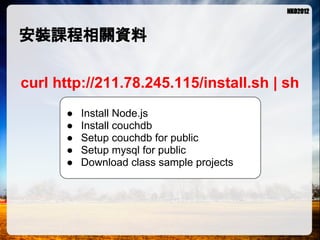
安裝課程相關資料

curl http://211.78.245.115/install.sh | sh
      ●   Install Node.js
      ●   Install couchdb
      ●   Setup couchdb for public
      ●   Setup mysql for public
      ●   Download class sample projects
LAB環境準備

● 連線主機:
 ○ SSH金鑰連線方式
 ○ admin帳號連線方式
● 建立Git Repository與本機端課程專案
 ○ Server side repository
 ○ Client clone project
雲端主機怎麼連線


              SSH: 連線控制
              SCP: 檔案傳輸
 SSH, SCP,
               Git: 開發管理
                           RDP, VNC, FTP
TELNET, FTP


               Power by
一分鐘複習SSH

 ssh user@server.ip.address -i prikey -p port


                                              與登入主機認證
                                                 的私鑰位置        欲登入主機之
 登入帳號,帳號                登入之主機位置                 (如已經放置       SSH服務所監聽
 的設定部分,依                (可以是IP或DNS            在$HOME/.ssh目   的PORT號(如為
 雲提供商有所不
                           位置)                 錄下,並命名為       預設22 port則可
    同
                                              id_rsa,則可以不      不用帶入)
                                                   用帶入)


ex: ssh root@12.23.34.45 -i ~/.ssh/id_rsa -p 22
一分鐘複習SCP

 scp -i prikey -P port source_file target file


   與登入主機認證
      的私鑰位置               欲登入主機之              欲傳送的檔案,                 欲傳送至的檔案
     (如已經放置              SSH服務所監聽             可以是遠方或近                 位置,可以是遠
   在$HOME/.ssh目          的PORT號(如為            端位置。遠端位                 方或近端位置。
    錄下,並命名為              預設22 port則可          置如ssh連線方                遠端位置如ssh連
   id_rsa,則可以不             不用帶入)                 式。                     線方式。
        用帶入)


ex: scp -i ~/.ssh/id_rsa -P 22 /tmp/test.txt root@12.23.34.45:/tmp/
一分鐘複習Git - Server

● 建立repository位置
  mkdir /data/repo
● 初始化git檔案匣
  cd /data/repo
  git init --bare


       Repository建立
       完成之後長這個
           樣子
一分鐘複習Git - Client

 git clone user@server.ip.
 address/repository_path

          登入帳號,帳號               登入之主機位置
          的設定部分,依               (可以是IP或DNS
                                             Git repository所
          雲提供商有所不                                 在位置
             同                     位置)


ex: git clone root@12.23.34.45:/data/repo
上雲端,怎麼都是指令?!
因為...

● 一切要求“速度”,時間就是金錢!
● 一切要求“CP值”,資源能省就一定要省!
不過...還是有視窗工具拉~
Check... Now, you will ready....

           # node -v
          NodeJS ready

         # mysql -uroot -p
           MySQL ready

          # git --version
            Git ready
Node Knock Out 2012


     專案準備
Git clone專案
# cd $project_home
Clone the sample project
# git clone root@you.server.ip:~/git/sample
Clone the empty project
# git clone root@you.server.ip:~/git/project
專案初始化
Initialize project with express
# npm install express -g
# express $project_home
# cd $project_home
# vi package.json ( add dependency with mysql, passport-google, passport)
# express project
# cd project
# npm install
Test app.js
# node app.js
新增加/welcome路由
# vi app.js
app.get('/welcome', function(res, req){
 res.writeHead(200, {'Content-Type': 'text/plain'});
 res.end('Hello Worldn');
});

測試:
# node app.js
開啟Browser: http://you.ip.address:3000/welcome
Simple User Authentication
# add public/login.html                                  /login.html       /signup
    <form action="/signup" method="post">
    Username: <input type="text" id="username" name="username"/>
    Password: <input type="hidden" id="passwprd" name="passwprd"/>
    <input type="submit" value="Submit">
    </form>
# add "/signup" route
    app.get('/signup', function(res, req){
     if(req.body.username == 'simon' && req.body.password == '123456') {
       res.writeHead(200, {'Content-Type': 'text/plain'});
       res.end(Success logined.... User: ' + req.body.username);
     } else {
       res.writeHead(200, {'Content-Type': 'text/plain'});
       res.end(Success failed.... Please try again');
     }
    });
測試:重啓Server後開啟Browser: http://you.ip.address:3000/login.html
Node Knock Out 2012


Advance Authentication
   加入Passport認證機制
Passport authentication with Google
# git clone https://github.com/jaredhanson/passport-google.git
# cd ~/project/passport-google/examples/signon/
# npm install
# vi app.js (置換localhost成為你的server ip位置)
# node app.js

               Now, you can browse: http://localhost:3000/login
Passport Auth flow


     Login Route: /login


                                      Provider Auth Page:
                                         /auth/google


      Return Page: /       https://accounts.google.com/AccountChooser?
     (views/index.ejs)     service=lso&continue=https://accounts.google.
                           com/o/openid2/auth?zt=ChRUemVxQUR....
                           &from_login=1&hl=zh-TW&as=7c3fc762....
                           &btmpl=authsub&hl=zh_TW
Which we need to do to use it?
● Add passport-google module to project
   # npm install passport
   # npm install passport-google
● Import libraries
   var express = require('express')
    , passport = require('passport')
    , util = require('util')
    , GoogleStrategy = require('passport-google').Strategy;

● Using session
   app.use(express.session({ secret: 'keyboard cat' }));

● Add configure
   app.use(passport.initialize());
   app.use(passport.session());
Which we need to do to use it?
● Add serialize/deserialize implement
  passport.serializeUser(function(user, done) {
    done(null, user);
  });
  passport.deserializeUser(function(obj, done) {
    done(null, obj);
  });

● Add auth strategy
  passport.use(new GoogleStrategy({
      returnURL: 'http://localhost:3000/auth/google/return',
      realm: 'http://localhost:3000/'
    },
    function(identifier, profile, done) {
      process.nextTick(function () {
        profile.identifier = identifier;
        return done(null, profile);
      });
    }
  ));
Passport Auth flow


  /login              /auth/google   /auth/google/return               /

           redirect
                                                reference config


                                                           index.ejs
Add Auth Routes
●   /login
    process --> redirect to "/auth/google"

●   /logout
    process --> req.logout()

●   /auth/google
    process --> passport.authenticate('google', { failureRedirect: '/login' })

●   /auth/google/return
    process --> passport.authenticate('google', { failureRedirect: '/login' })


                  app.get('/auth/google/return',
                   passport.authenticate('google', { failureRedirect: '/login' }),
                   function(req, res) {
                     res.redirect('/');
                   });
Node Knock Out 2012


  Connect MySQL
    連線MySQL資料庫
MySQL table 準備 1/2
# mysql -uroot -p
mysql> create database nko2012 ;
Query OK, 1 row affected (0.00 sec)

mysql> use nko2012
mysql> create user 'nko'@'%' identified by 'nko2012';
mysql> grant all on *.* to 'nko'@'%';


                                                        Tips:
                                                        如欲設定mysql對外,請將
                                                        /opt/local/etc/my.cnf中的
                                                        binding-address設定成欲開放
                                                        連線的ip位置
MySQL table 準備 2/2
CREATE TABLE `tb_post` (
 `id` int(11) unsigned NOT NULL AUTO_INCREMENT,
 `refer_topic_id` int(11) DEFAULT NULL,
 `topic_title` varchar(50) DEFAULT NULL,
 `post_body` varchar(2000) DEFAULT NULL,
 `create_user` varchar(100) DEFAULT NULL,
 `create_date` datetime DEFAULT NULL,
 PRIMARY KEY (`id`)
) ENGINE=InnoDB AUTO_INCREMENT=5 DEFAULT CHARSET=utf8;


CREATE TABLE `tb_product` (
 `id` int(11) unsigned NOT NULL AUTO_INCREMENT,
 `product_name` varchar(100) DEFAULT NULL,
 `product_descript` varchar(200) DEFAULT NULL,
 `amount` int(11) DEFAULT NULL,
 `update_date` datetime DEFAULT NULL,
 `update_user` varchar(100) DEFAULT NULL,
 PRIMARY KEY (`id`)
) ENGINE=InnoDB AUTO_INCREMENT=11 DEFAULT CHARSET=utf8;
MySQL connection for NodeJS設定

●   MySQL nodejs library install
    # npm install mysql

●   Setup connection
    /* 連線設定部分,參數名稱相同,可以直接延用 */
    var db_options = {
       host: 'your.database.ip.address',
       port: 3306,
       user: 'username',
       password: 'password',
       database: 'db_name'
    };
                                                       /* mysql@0.9.6連線設定 */
                                                       var mysql = new require('mysql')
    /* mysql@2.0.0-alpha4連線設定 */                          , db = mysql.createClient(db_options);
    var mysql = require('mysql')
    exports.db = mysql.createConnection(db_options);
執行SQL動作 - 解說

db.query(
   sql_statment, //SQL command
   conditions, //Conditions,
   callback //callback
);
執行SQL動作

●   Create(C)
    db.query(
      'insert into tb_post (refer_topic_id, topic_title, post_body, create_user, create_date)
          values (?,?,?,?,?)',
      [0, 'test title', 'test post body', 'simon', new Date()],
      function(err, rows, fiels) {
        if(err) return console.log(JSON.stringify(err));
        console.log(rows);
    });

●   Query(R)
    db.query('select * from tb_post where id = ?', [1], function(err, rows, fiels) {
      if(err) return console.log(JSON.stringify(err));
      console.log(rows);
    });
執行SQL動作

●   Update(U)
    db.query(
      'update tb_post set topic_title = ? where id = ?',
      ['test update',1],
      function(err, rows, fiels) {
        if(err) return console.log(JSON.stringify(err));
        console.log(rows);
    });

●   Delete(D)
    db.query('delete from tb_post where id = ?', [2], function(err, rows, fiels) {
      if(err) return console.log(JSON.stringify(err));
      console.log(rows);
    });
執行SQL動作

●   Close
    db.end();
與頁面連結之初


  routes/   放置網站會用到的router資訊...


  lib/      商業邏輯library, middleware...


            靜態檔案,含html, css, javascripts,
  public/   images...
專案中用到的流程...
    public/                    public/                                  routes/
                                                 app.js                                       lib/mydb.js
productList.html         createProduct.html                           dbroutes.js


          if create...

                                  ajax call...


                                                     go to route...


                                                                            library call...


                                                     REST response


        jQuery render layout
基本範例
/*** [public/createProduct.html] ***/
<form method="post" action="/products">....</form>

/*** [app.js] ****************************/
app.post('/products', dbroutes.createProducts);

/*** [routes/dbroute.js] **************/
exports.createProduct = function(req, res){
   var vo = {};
   vo.product_name = req.body.product_name;
   ....
   mydb.jobs.createProduct(vo, function(err, data, meta){
      res.redirect('/productList.html');
   });
}

/*** [lib/mydb.js] **********************/
var script = { ...
"createProduct": function(vo, callback){
     db.query(
      'insert into tb_product (product_name, ...., update_user) values (?,?,?,?,now())',
      [vo.product_name, ...., vo.update_user], callback);
   }...
}
exports.jobs = script;
Node Knock Out 2012


      More...
Routing Configure
/* for list all product */                                                                # app.js
app.get('/products', dbroutes.getProducts);

/* for list one product using product id*/
app.get('/products/:id', dbroutes.getProductById);     [GET] for query data...

/* for delete one product record */
app.del('/products/:id', dbroutes.delProductById);

/* for create one product */
app.post('/products', dbroutes.createProduct);
                                                            [DELETE] for delete data...
/* for update one record */
app.put('/products', dbroutes.updateProductAmountById);
                                              [POST] for create data...

                        [PUT] for update data...
Database routers
                                                                                                         # routes/dbroutes.js


exports.getProducts = function(req, res){                       exports.createProduct = function(req, res){
  mydb.jobs.getProducts(function(err, data, meta){                var vo = {};
    res.writeHead(200, {'Content-Type': 'application/json'});     vo.product_name = req.body.product_name;
    res.end(JSON.stringify(data));                                vo.product_descript = req.body.product_descript;
  });                             呼叫library中對映執行程序 = req.body.amount;
                                                                  vo.amount
};                                                                vo.update_user = req.body.update_user;
                                                                  mydb.jobs.createProduct(vo, function(err, data, meta){
exports.getProductById = function(req, res){                        res.redirect('/productList.html');
  mydb.jobs.getProductById(req.params.id,                         });
    function(err, data, meta){                                  }
      res.writeHead(200, {'Content-Type': 'application/json'});
      res.end(JSON.stringify(data));                            exports.updateProductAmountById = function(req, res){
  });                                                             var vo = {};
}                                                                 vo.amount = req.body.amount;
                                                                  vo.id = req.body.id;
exports.delProductById = function(req, res){                      mydb.jobs.updateProductAmountById(vo,
  mydb.jobs.delProductById(req.params.id,                           function(err, data, meta){
    function(err, data, meta){                                        res.writeHead(200, {'Content-Type': 'application/json'});
      res.writeHead(200, {'Content-Type': 'application/json'});       console.log('Update done...' + JSON.stringify(data));
      res.end(JSON.stringify(data));                                  res.end(JSON.stringify(data));
  });                                                             });
}                                                               }
Database Modules
var mysql = new require('mysql')                                                                               # lib/mydb.js
   , db = mysql.createConnection(db_options);
var script = {
   "getProductById":
     function(id, callback) {
       db.query('select * from tb_product where id = ?', [id], callback);
     },
   "getProducts":
     function(callback) {
       db.query('select * from tb_product ', callback);
     },
                                                                      實際執行資料庫CRUD動作
   "createProduct":
     function(vo, callback){
       db.query(
        'insert into tb_product (product_name, product_descript, amount, update_date, update_user) values (?,?,?,?,now())
',
        [vo.product_name, vo.product_descript, vo.amount, vo.update_date, vo.update_user], callback);
     },
   "updateProductAmountById":
     function(vo, callback){
       console.log('Will update %s amount to %s', vo.id, vo.amount);
       db.query(
         'update tb_product set amount = ? where id = ?',
         [vo.amount, vo.id], callback);
     },
   "delProductById":
     function(id, callback){
       db.query('delete from tb_product where id = ?', [id], callback);
     }
}
exports.jobs = script;
Page View
                                                                                # public/productList.html


$.getJSON('/products', function(data) {
 var items = [];
 $.each(data, function(i, v) {
   var html = ('<li id="' + v.id + '">' + v.product_name + '<br/>Descript: ' +
               v.product_descript + '<br/>Amount: ' + v.amount );
   html += '&nbsp;/&nbsp; Update:<input type="text" size="3" id="AMO-' + v.id + '"/><br/>';
   html += '</li>';
   items.push(html);
 });

 $('<ul/>', {
                                         將資料插入頁面
   'class': 'my-new-list',
   html: items.join('')                            增加控制項目(更新、刪除按
 }).appendTo('body');                              鍵)...
 $.each($('li'), function(){
     $(this).append('<input type="button" alt="' + $(this).attr('id') + '" id="UPD-' +
                        $(this).attr('id') + '" value="Update"/>');
     $(this).append('<input type="button" alt="' + $(this).attr('id') + '" id="DEL-' +
                        $(this).attr('id') + '" value="Delete"/>');
 });
Page View
                                                                            # public/productList.html

$('input[type=button]').live('click', function(){
     var id = $(this).attr('id');                                 安插Button動作,動作中另外
     var prd_id = $(this).attr('alt');                            呼叫Ajax執行其它操作
     if(id.indexOf('DEL') == 0) {
             alert('Will delete ' + prd_id);
             //do delete and refresh page
             $.ajax({url:'/products/' + prd_id,type:'delete',data:{id: id}}).done(function(data){
                    //alert(data);
                    document.location = '/productList.html';
             });
     } else if(id.indexOf('UPD') == 0) {
             alert('Will update ' + prd_id);
             //do update and refresh page
             var v = $('#AMO-' + prd_id).val();
             $.ajax({url:'/products',type:'put',data:{id:prd_id, amount:v}}).done(function(data){
                    //alert(data);
                    document.location = '/productList.html';
             });

      }
});
Node Knock Out 2012


      Q&A
Reference
●   Github - passport
    https://github.com/jaredhanson/passport
●   Github - passport-google
    https://github.com/jaredhanson/passport-google
Node Knock Out 2012


       附錄
Demo Code
●   Clone project:
    git clone https://github.com/peihsinsu/nko2012.git
●   Execute sample code - MySQL Standalone篇:
    新增資料(資料 內容定義於程式碼內)
    # node test-mysql-client.js C
    { fieldCount: 0,
      affectedRows: 1,
      insertId: 7,
      serverStatus: 2,
      warningCount: 1,
      message: '',
      changedRows: 0 }
    列出全部資料
    # node test-mysql-client.js ALL
    [{"id":1,"refer_topic_id":0,"topic_title":"test update","post_body":"test post body","create_user":"
    simon","create_date":"2012-11-08T23:49:22.000Z"},{"id":2,"refer_topic_id":0,"topic_title":"test
    title","post_body":"test post ....
Demo Code
 更新一筆資料(更新 內容於程式碼中)
 # node test-mysql-client.js U
 { fieldCount: 0,
   affectedRows: 1,
   insertId: 0,
   serverStatus: 2,
   warningCount: 0,
   message: '(Rows matched: 1 Changed: 0 Warnings: 0',
   changedRows: 0 }
Demo Code
 刪除一筆資料(欲刪除資料定義於程式碼中)
 # node test-mysql-client.js D
 { fieldCount: 0,
   affectedRows: 1,
   insertId: 0,
   serverStatus: 2,
   warningCount: 0,
   message: '',
   changedRows: 0 }


 刪除後可以再 查詢列表一次
 # node test-mysql-client.js ALL
 [{"id":1,"refer_topic_id":0,"topic_title":"test update","post_body":"test post body","create_user":"
 simon","create_date":"2012-11-08T23:49:22.000Z"},{"id":3,"refer_topic_id":0,"topic_title":"test
 title","post_body":"test post ....
Demo Code
●   Execute sample code - MySQL整合範例:
    # node app.js
    access url: http://localhost:4000
Demo Code
●   Execute sample code - Passport-Google整合範例:
    # node test--passport.js
    access url: http://localhost:4000/login

Nko workshop - node js crud & deploy

  • 1.
    NodeJS CRUD &Deploy PPT: http://goo.gl/KhOKl Simon Su simonsu.mail@gmail.com
  • 2.
    We are Continue engagewith all Technology you need!
  • 3.
    課程大綱 ● 3分鐘建立MiCloud NodeJS環境 SmartOS + MySQL + Git ● 雲上,不能不知的工具 ssh, scp, git (node.js的相關module實作) ● 實作:Simple web server ○ Authorized - Passport ○ CRUD - MySQL ● 進階: 結合Load Balancer展開雲端服務架構
  • 4.
  • 5.
  • 6.
    安裝課程相關資料 curl http://211.78.245.115/install.sh |sh ● Install Node.js ● Install couchdb ● Setup couchdb for public ● Setup mysql for public ● Download class sample projects
  • 7.
    LAB環境準備 ● 連線主機: ○SSH金鑰連線方式 ○ admin帳號連線方式 ● 建立Git Repository與本機端課程專案 ○ Server side repository ○ Client clone project
  • 8.
    雲端主機怎麼連線 SSH: 連線控制 SCP: 檔案傳輸 SSH, SCP, Git: 開發管理 RDP, VNC, FTP TELNET, FTP Power by
  • 9.
    一分鐘複習SSH ssh user@server.ip.address-i prikey -p port 與登入主機認證 的私鑰位置 欲登入主機之 登入帳號,帳號 登入之主機位置 (如已經放置 SSH服務所監聽 的設定部分,依 (可以是IP或DNS 在$HOME/.ssh目 的PORT號(如為 雲提供商有所不 位置) 錄下,並命名為 預設22 port則可 同 id_rsa,則可以不 不用帶入) 用帶入) ex: ssh root@12.23.34.45 -i ~/.ssh/id_rsa -p 22
  • 10.
    一分鐘複習SCP scp -iprikey -P port source_file target file 與登入主機認證 的私鑰位置 欲登入主機之 欲傳送的檔案, 欲傳送至的檔案 (如已經放置 SSH服務所監聽 可以是遠方或近 位置,可以是遠 在$HOME/.ssh目 的PORT號(如為 端位置。遠端位 方或近端位置。 錄下,並命名為 預設22 port則可 置如ssh連線方 遠端位置如ssh連 id_rsa,則可以不 不用帶入) 式。 線方式。 用帶入) ex: scp -i ~/.ssh/id_rsa -P 22 /tmp/test.txt root@12.23.34.45:/tmp/
  • 11.
    一分鐘複習Git - Server ●建立repository位置 mkdir /data/repo ● 初始化git檔案匣 cd /data/repo git init --bare Repository建立 完成之後長這個 樣子
  • 12.
    一分鐘複習Git - Client git clone user@server.ip. address/repository_path 登入帳號,帳號 登入之主機位置 的設定部分,依 (可以是IP或DNS Git repository所 雲提供商有所不 在位置 同 位置) ex: git clone root@12.23.34.45:/data/repo
  • 13.
  • 14.
  • 15.
  • 16.
    Check... Now, youwill ready.... # node -v NodeJS ready # mysql -uroot -p MySQL ready # git --version Git ready
  • 17.
    Node Knock Out2012 專案準備
  • 18.
    Git clone專案 # cd$project_home Clone the sample project # git clone root@you.server.ip:~/git/sample Clone the empty project # git clone root@you.server.ip:~/git/project
  • 19.
    專案初始化 Initialize project withexpress # npm install express -g # express $project_home # cd $project_home # vi package.json ( add dependency with mysql, passport-google, passport) # express project # cd project # npm install Test app.js # node app.js
  • 20.
    新增加/welcome路由 # vi app.js app.get('/welcome',function(res, req){ res.writeHead(200, {'Content-Type': 'text/plain'}); res.end('Hello Worldn'); }); 測試: # node app.js 開啟Browser: http://you.ip.address:3000/welcome
  • 21.
    Simple User Authentication #add public/login.html /login.html /signup <form action="/signup" method="post"> Username: <input type="text" id="username" name="username"/> Password: <input type="hidden" id="passwprd" name="passwprd"/> <input type="submit" value="Submit"> </form> # add "/signup" route app.get('/signup', function(res, req){ if(req.body.username == 'simon' && req.body.password == '123456') { res.writeHead(200, {'Content-Type': 'text/plain'}); res.end(Success logined.... User: ' + req.body.username); } else { res.writeHead(200, {'Content-Type': 'text/plain'}); res.end(Success failed.... Please try again'); } }); 測試:重啓Server後開啟Browser: http://you.ip.address:3000/login.html
  • 22.
    Node Knock Out2012 Advance Authentication 加入Passport認證機制
  • 23.
    Passport authentication withGoogle # git clone https://github.com/jaredhanson/passport-google.git # cd ~/project/passport-google/examples/signon/ # npm install # vi app.js (置換localhost成為你的server ip位置) # node app.js Now, you can browse: http://localhost:3000/login
  • 24.
    Passport Auth flow Login Route: /login Provider Auth Page: /auth/google Return Page: / https://accounts.google.com/AccountChooser? (views/index.ejs) service=lso&continue=https://accounts.google. com/o/openid2/auth?zt=ChRUemVxQUR.... &from_login=1&hl=zh-TW&as=7c3fc762.... &btmpl=authsub&hl=zh_TW
  • 25.
    Which we needto do to use it? ● Add passport-google module to project # npm install passport # npm install passport-google ● Import libraries var express = require('express') , passport = require('passport') , util = require('util') , GoogleStrategy = require('passport-google').Strategy; ● Using session app.use(express.session({ secret: 'keyboard cat' })); ● Add configure app.use(passport.initialize()); app.use(passport.session());
  • 26.
    Which we needto do to use it? ● Add serialize/deserialize implement passport.serializeUser(function(user, done) { done(null, user); }); passport.deserializeUser(function(obj, done) { done(null, obj); }); ● Add auth strategy passport.use(new GoogleStrategy({ returnURL: 'http://localhost:3000/auth/google/return', realm: 'http://localhost:3000/' }, function(identifier, profile, done) { process.nextTick(function () { profile.identifier = identifier; return done(null, profile); }); } ));
  • 27.
    Passport Auth flow /login /auth/google /auth/google/return / redirect reference config index.ejs
  • 28.
    Add Auth Routes ● /login process --> redirect to "/auth/google" ● /logout process --> req.logout() ● /auth/google process --> passport.authenticate('google', { failureRedirect: '/login' }) ● /auth/google/return process --> passport.authenticate('google', { failureRedirect: '/login' }) app.get('/auth/google/return', passport.authenticate('google', { failureRedirect: '/login' }), function(req, res) { res.redirect('/'); });
  • 29.
    Node Knock Out2012 Connect MySQL 連線MySQL資料庫
  • 30.
    MySQL table 準備1/2 # mysql -uroot -p mysql> create database nko2012 ; Query OK, 1 row affected (0.00 sec) mysql> use nko2012 mysql> create user 'nko'@'%' identified by 'nko2012'; mysql> grant all on *.* to 'nko'@'%'; Tips: 如欲設定mysql對外,請將 /opt/local/etc/my.cnf中的 binding-address設定成欲開放 連線的ip位置
  • 31.
    MySQL table 準備2/2 CREATE TABLE `tb_post` ( `id` int(11) unsigned NOT NULL AUTO_INCREMENT, `refer_topic_id` int(11) DEFAULT NULL, `topic_title` varchar(50) DEFAULT NULL, `post_body` varchar(2000) DEFAULT NULL, `create_user` varchar(100) DEFAULT NULL, `create_date` datetime DEFAULT NULL, PRIMARY KEY (`id`) ) ENGINE=InnoDB AUTO_INCREMENT=5 DEFAULT CHARSET=utf8; CREATE TABLE `tb_product` ( `id` int(11) unsigned NOT NULL AUTO_INCREMENT, `product_name` varchar(100) DEFAULT NULL, `product_descript` varchar(200) DEFAULT NULL, `amount` int(11) DEFAULT NULL, `update_date` datetime DEFAULT NULL, `update_user` varchar(100) DEFAULT NULL, PRIMARY KEY (`id`) ) ENGINE=InnoDB AUTO_INCREMENT=11 DEFAULT CHARSET=utf8;
  • 32.
    MySQL connection forNodeJS設定 ● MySQL nodejs library install # npm install mysql ● Setup connection /* 連線設定部分,參數名稱相同,可以直接延用 */ var db_options = { host: 'your.database.ip.address', port: 3306, user: 'username', password: 'password', database: 'db_name' }; /* mysql@0.9.6連線設定 */ var mysql = new require('mysql') /* mysql@2.0.0-alpha4連線設定 */ , db = mysql.createClient(db_options); var mysql = require('mysql') exports.db = mysql.createConnection(db_options);
  • 33.
    執行SQL動作 - 解說 db.query( sql_statment, //SQL command conditions, //Conditions, callback //callback );
  • 34.
    執行SQL動作 ● Create(C) db.query( 'insert into tb_post (refer_topic_id, topic_title, post_body, create_user, create_date) values (?,?,?,?,?)', [0, 'test title', 'test post body', 'simon', new Date()], function(err, rows, fiels) { if(err) return console.log(JSON.stringify(err)); console.log(rows); }); ● Query(R) db.query('select * from tb_post where id = ?', [1], function(err, rows, fiels) { if(err) return console.log(JSON.stringify(err)); console.log(rows); });
  • 35.
    執行SQL動作 ● Update(U) db.query( 'update tb_post set topic_title = ? where id = ?', ['test update',1], function(err, rows, fiels) { if(err) return console.log(JSON.stringify(err)); console.log(rows); }); ● Delete(D) db.query('delete from tb_post where id = ?', [2], function(err, rows, fiels) { if(err) return console.log(JSON.stringify(err)); console.log(rows); });
  • 36.
    執行SQL動作 ● Close db.end();
  • 37.
    與頁面連結之初 routes/ 放置網站會用到的router資訊... lib/ 商業邏輯library, middleware... 靜態檔案,含html, css, javascripts, public/ images...
  • 38.
    專案中用到的流程... public/ public/ routes/ app.js lib/mydb.js productList.html createProduct.html dbroutes.js if create... ajax call... go to route... library call... REST response jQuery render layout
  • 39.
    基本範例 /*** [public/createProduct.html] ***/ <formmethod="post" action="/products">....</form> /*** [app.js] ****************************/ app.post('/products', dbroutes.createProducts); /*** [routes/dbroute.js] **************/ exports.createProduct = function(req, res){ var vo = {}; vo.product_name = req.body.product_name; .... mydb.jobs.createProduct(vo, function(err, data, meta){ res.redirect('/productList.html'); }); } /*** [lib/mydb.js] **********************/ var script = { ... "createProduct": function(vo, callback){ db.query( 'insert into tb_product (product_name, ...., update_user) values (?,?,?,?,now())', [vo.product_name, ...., vo.update_user], callback); }... } exports.jobs = script;
  • 40.
    Node Knock Out2012 More...
  • 41.
    Routing Configure /* forlist all product */ # app.js app.get('/products', dbroutes.getProducts); /* for list one product using product id*/ app.get('/products/:id', dbroutes.getProductById); [GET] for query data... /* for delete one product record */ app.del('/products/:id', dbroutes.delProductById); /* for create one product */ app.post('/products', dbroutes.createProduct); [DELETE] for delete data... /* for update one record */ app.put('/products', dbroutes.updateProductAmountById); [POST] for create data... [PUT] for update data...
  • 42.
    Database routers # routes/dbroutes.js exports.getProducts = function(req, res){ exports.createProduct = function(req, res){ mydb.jobs.getProducts(function(err, data, meta){ var vo = {}; res.writeHead(200, {'Content-Type': 'application/json'}); vo.product_name = req.body.product_name; res.end(JSON.stringify(data)); vo.product_descript = req.body.product_descript; }); 呼叫library中對映執行程序 = req.body.amount; vo.amount }; vo.update_user = req.body.update_user; mydb.jobs.createProduct(vo, function(err, data, meta){ exports.getProductById = function(req, res){ res.redirect('/productList.html'); mydb.jobs.getProductById(req.params.id, }); function(err, data, meta){ } res.writeHead(200, {'Content-Type': 'application/json'}); res.end(JSON.stringify(data)); exports.updateProductAmountById = function(req, res){ }); var vo = {}; } vo.amount = req.body.amount; vo.id = req.body.id; exports.delProductById = function(req, res){ mydb.jobs.updateProductAmountById(vo, mydb.jobs.delProductById(req.params.id, function(err, data, meta){ function(err, data, meta){ res.writeHead(200, {'Content-Type': 'application/json'}); res.writeHead(200, {'Content-Type': 'application/json'}); console.log('Update done...' + JSON.stringify(data)); res.end(JSON.stringify(data)); res.end(JSON.stringify(data)); }); }); } }
  • 43.
    Database Modules var mysql= new require('mysql') # lib/mydb.js , db = mysql.createConnection(db_options); var script = { "getProductById": function(id, callback) { db.query('select * from tb_product where id = ?', [id], callback); }, "getProducts": function(callback) { db.query('select * from tb_product ', callback); }, 實際執行資料庫CRUD動作 "createProduct": function(vo, callback){ db.query( 'insert into tb_product (product_name, product_descript, amount, update_date, update_user) values (?,?,?,?,now()) ', [vo.product_name, vo.product_descript, vo.amount, vo.update_date, vo.update_user], callback); }, "updateProductAmountById": function(vo, callback){ console.log('Will update %s amount to %s', vo.id, vo.amount); db.query( 'update tb_product set amount = ? where id = ?', [vo.amount, vo.id], callback); }, "delProductById": function(id, callback){ db.query('delete from tb_product where id = ?', [id], callback); } } exports.jobs = script;
  • 44.
    Page View # public/productList.html $.getJSON('/products', function(data) { var items = []; $.each(data, function(i, v) { var html = ('<li id="' + v.id + '">' + v.product_name + '<br/>Descript: ' + v.product_descript + '<br/>Amount: ' + v.amount ); html += '&nbsp;/&nbsp; Update:<input type="text" size="3" id="AMO-' + v.id + '"/><br/>'; html += '</li>'; items.push(html); }); $('<ul/>', { 將資料插入頁面 'class': 'my-new-list', html: items.join('') 增加控制項目(更新、刪除按 }).appendTo('body'); 鍵)... $.each($('li'), function(){ $(this).append('<input type="button" alt="' + $(this).attr('id') + '" id="UPD-' + $(this).attr('id') + '" value="Update"/>'); $(this).append('<input type="button" alt="' + $(this).attr('id') + '" id="DEL-' + $(this).attr('id') + '" value="Delete"/>'); });
  • 45.
    Page View # public/productList.html $('input[type=button]').live('click', function(){ var id = $(this).attr('id'); 安插Button動作,動作中另外 var prd_id = $(this).attr('alt'); 呼叫Ajax執行其它操作 if(id.indexOf('DEL') == 0) { alert('Will delete ' + prd_id); //do delete and refresh page $.ajax({url:'/products/' + prd_id,type:'delete',data:{id: id}}).done(function(data){ //alert(data); document.location = '/productList.html'; }); } else if(id.indexOf('UPD') == 0) { alert('Will update ' + prd_id); //do update and refresh page var v = $('#AMO-' + prd_id).val(); $.ajax({url:'/products',type:'put',data:{id:prd_id, amount:v}}).done(function(data){ //alert(data); document.location = '/productList.html'; }); } });
  • 46.
  • 47.
    Reference ● Github - passport https://github.com/jaredhanson/passport ● Github - passport-google https://github.com/jaredhanson/passport-google
  • 48.
    Node Knock Out2012 附錄
  • 49.
    Demo Code ● Clone project: git clone https://github.com/peihsinsu/nko2012.git ● Execute sample code - MySQL Standalone篇: 新增資料(資料 內容定義於程式碼內) # node test-mysql-client.js C { fieldCount: 0, affectedRows: 1, insertId: 7, serverStatus: 2, warningCount: 1, message: '', changedRows: 0 } 列出全部資料 # node test-mysql-client.js ALL [{"id":1,"refer_topic_id":0,"topic_title":"test update","post_body":"test post body","create_user":" simon","create_date":"2012-11-08T23:49:22.000Z"},{"id":2,"refer_topic_id":0,"topic_title":"test title","post_body":"test post ....
  • 50.
    Demo Code 更新一筆資料(更新內容於程式碼中) # node test-mysql-client.js U { fieldCount: 0, affectedRows: 1, insertId: 0, serverStatus: 2, warningCount: 0, message: '(Rows matched: 1 Changed: 0 Warnings: 0', changedRows: 0 }
  • 51.
    Demo Code 刪除一筆資料(欲刪除資料定義於程式碼中) # node test-mysql-client.js D { fieldCount: 0, affectedRows: 1, insertId: 0, serverStatus: 2, warningCount: 0, message: '', changedRows: 0 } 刪除後可以再 查詢列表一次 # node test-mysql-client.js ALL [{"id":1,"refer_topic_id":0,"topic_title":"test update","post_body":"test post body","create_user":" simon","create_date":"2012-11-08T23:49:22.000Z"},{"id":3,"refer_topic_id":0,"topic_title":"test title","post_body":"test post ....
  • 52.
    Demo Code ● Execute sample code - MySQL整合範例: # node app.js access url: http://localhost:4000
  • 53.
    Demo Code ● Execute sample code - Passport-Google整合範例: # node test--passport.js access url: http://localhost:4000/login