ABOUT-
The latest Technology
news trending these
days are Google Pixel
Smartphone's, Apple
7 smart phones and
rolling out of new
Android version
Android 7.0 Nougat.
MORE ABOUT ANDRIOD -
The rolling out of Android 7.0 is
starting with Nexus devices and
eventually will be available on
other smart phones. There are
many refinements in the Android
7.0 Nougat version such as bundled
notifications, enhanced UI, split
windows, new multitasking
shortcut, direct reply etc. Android
7.0 Nougat was officially released
on August 22, 2016,
with Nexus devices being the first
to receive the update. Android 7.0
Nougat is already available
for download for select devices
such as the Nexus 6, Nexus 5X,
Nexus 6P, Nexus 9, Nexus Player,
the Google Pixel C and the Android
One General Mobile 4G.
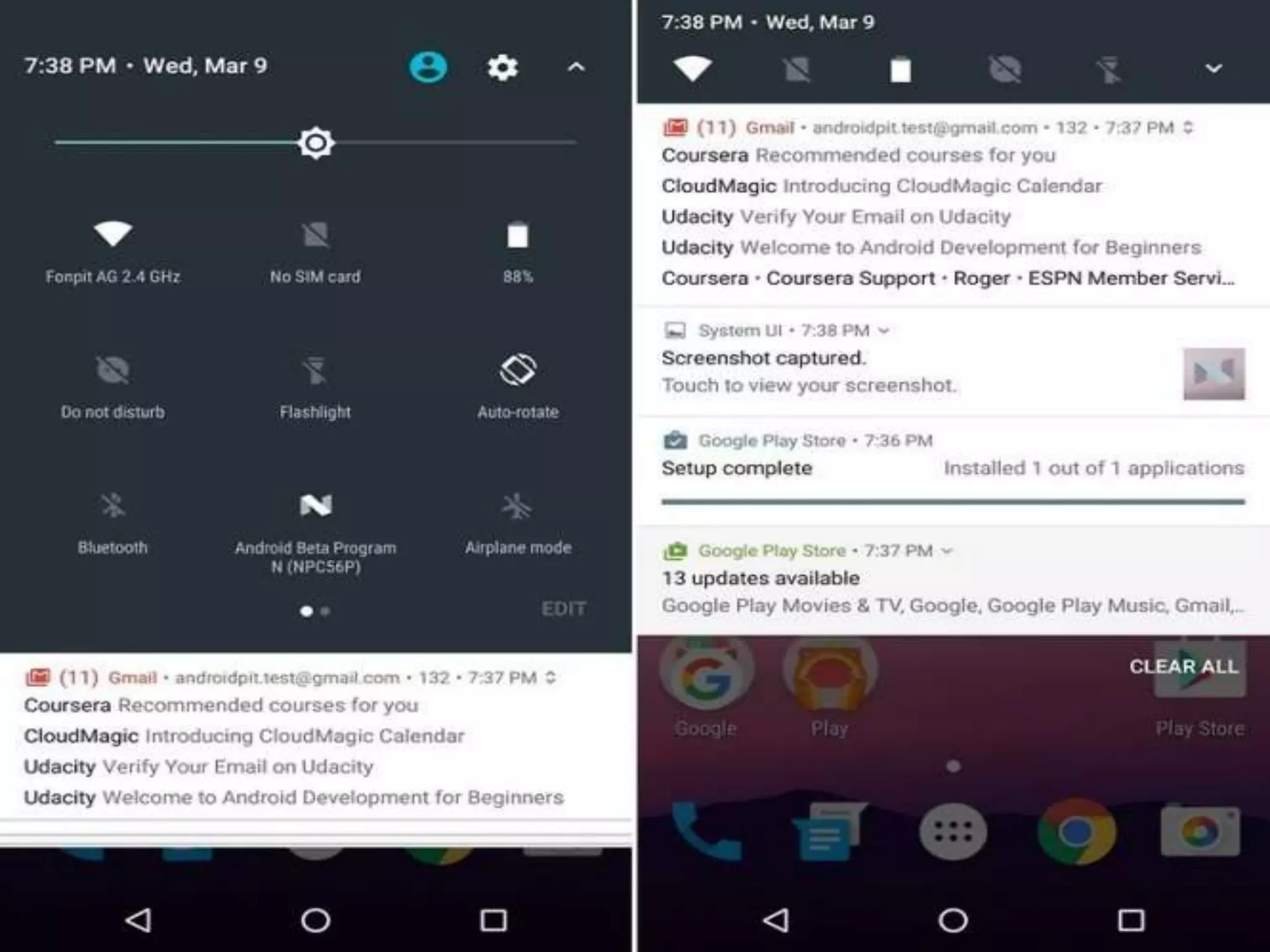
Notifications and User
Interface in Android 7.0
Notifications for the same app
displayed bundled together on
the screen. To reply to the
new messages, you don’t need to
go the messaging app now,
instead, you can just hit on Direct
Reply displayed on the
notifications and save your time.
Another useful trick is
pressing and holding on a
notification to access the
app’s settings, which makes
things more convenient for
disabling the app or clearing
cache etc.
Android 7.0 Nougat
brings instant control
toggles when swiping
down from the top of
the screen, improving
the way you can
activate or deactivate
frequently used
features such as
Bluetooth, Wi-Fi,
mobile data etc.
Wide set of New
Emojis in Android
7.0 Nougat
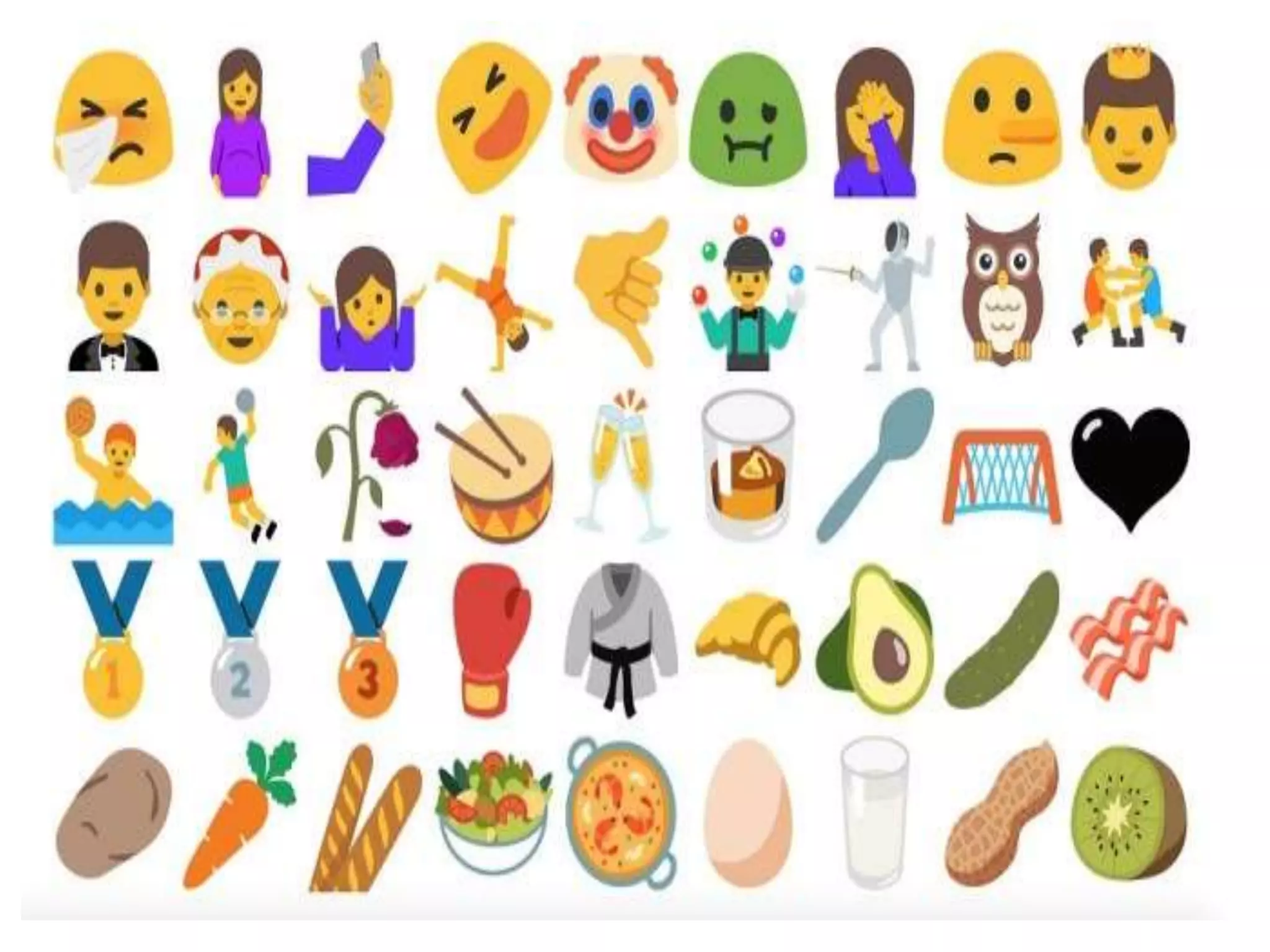
Beyond the latest and greatest emoji baked
right in to Android Nougat, Google has
reworked on most of the emoji included on its
mobile devices. Smiley faces now have a more
human look and feel to them.
Access
all Apps
instantly-
Instant Apps may be the greatest change
to app stores in ages, significantly
facilitating faster access to apps. Instant
Apps basically allow Android users to
start using an application immediately in
the Play Store, without even having to
download it. With Android 7.0 Nougat,
you can simply open the Google Play
store page for an app and start using it
instantly,
New Power Saving
option – Doze on the
Go
While the Doze in Marshmallow placed
devices in a dormant state when not in
use, Doze on the Go offers power saving
features even when in motion, whenever
the display is off. Another neat feature
called Project Svelte, meanwhile, keeps
apps from waking up when detecting
changes in the device’s network
connection.
Better
Multitasking and
Split Window
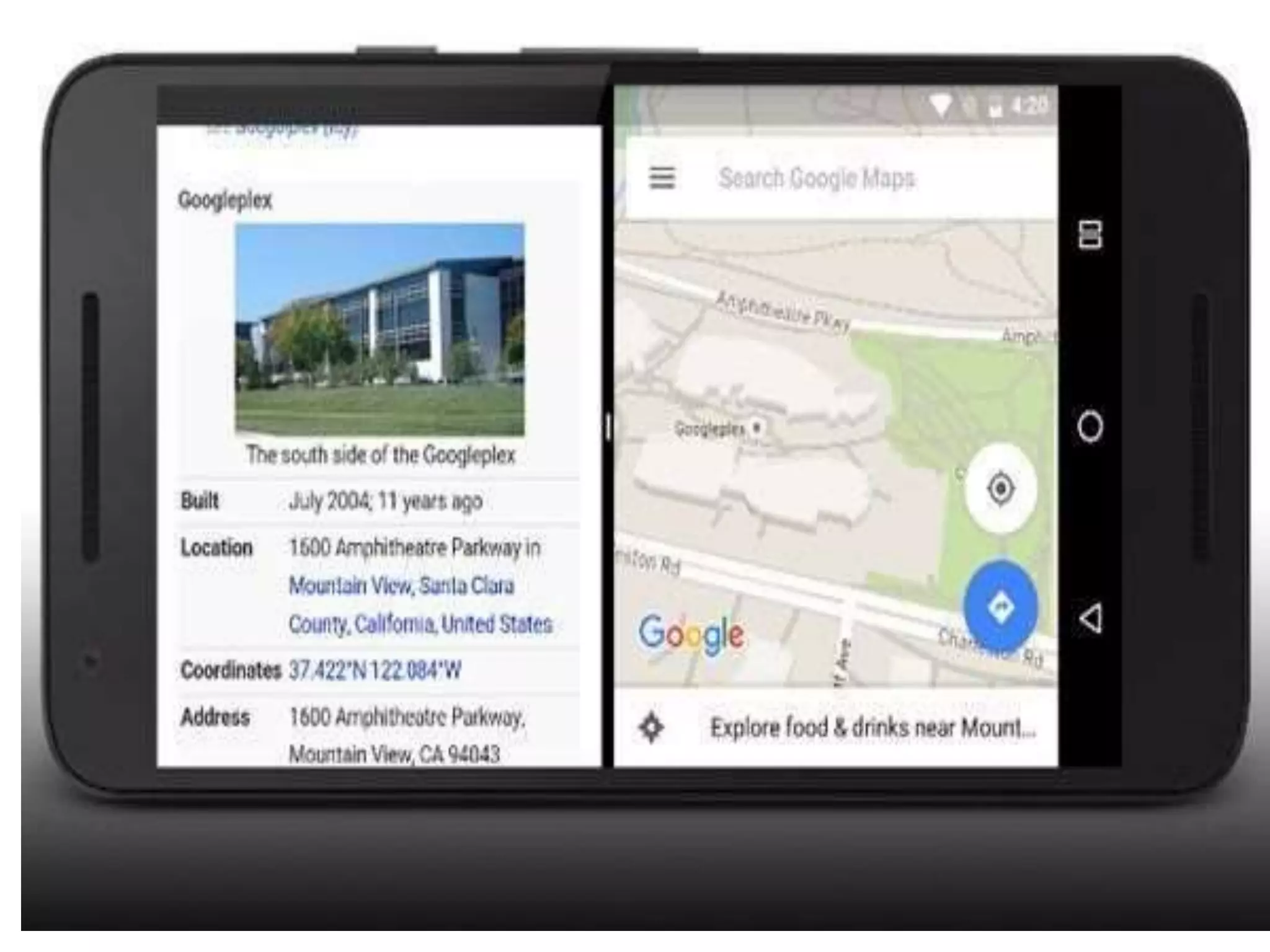
There is another new feature in
Android 7.0 Nougat – Multi Window or
Split window, if you press the Recent
button while you’re using an app, you’ll
have the option to select another app
to open alongside your current one.
Conclusion
When we hear about the new exciting features
of an Android, we cannot wait for a long time to
feel the features. I am sure that few new
features have excited you. Let us wait until we
receive updates from different vendors. There
are many more cool features and tricks
of Android 7.0 Nougat
IF YOU LIKE PLEASE FOLLOW ME @
Sales
TWITTER-GUNJANJAIN10
LINKEDIN-
@GUNJANJAIN40
INDTAGRAM-
@GUNJANJAIN752
FACEBOOK-GUNJAN JAIN
THANKS

Andriod nougat 7.0 by gunjan jain

  • 2.
    ABOUT- The latest Technology newstrending these days are Google Pixel Smartphone's, Apple 7 smart phones and rolling out of new Android version Android 7.0 Nougat.
  • 3.
    MORE ABOUT ANDRIOD- The rolling out of Android 7.0 is starting with Nexus devices and eventually will be available on other smart phones. There are many refinements in the Android 7.0 Nougat version such as bundled notifications, enhanced UI, split windows, new multitasking shortcut, direct reply etc. Android 7.0 Nougat was officially released on August 22, 2016, with Nexus devices being the first to receive the update. Android 7.0 Nougat is already available for download for select devices such as the Nexus 6, Nexus 5X, Nexus 6P, Nexus 9, Nexus Player, the Google Pixel C and the Android One General Mobile 4G.
  • 4.
    Notifications and User Interfacein Android 7.0 Notifications for the same app displayed bundled together on the screen. To reply to the new messages, you don’t need to go the messaging app now, instead, you can just hit on Direct Reply displayed on the notifications and save your time. Another useful trick is pressing and holding on a notification to access the app’s settings, which makes things more convenient for disabling the app or clearing cache etc. Android 7.0 Nougat brings instant control toggles when swiping down from the top of the screen, improving the way you can activate or deactivate frequently used features such as Bluetooth, Wi-Fi, mobile data etc.
  • 6.
    Wide set ofNew Emojis in Android 7.0 Nougat Beyond the latest and greatest emoji baked right in to Android Nougat, Google has reworked on most of the emoji included on its mobile devices. Smiley faces now have a more human look and feel to them.
  • 8.
    Access all Apps instantly- Instant Appsmay be the greatest change to app stores in ages, significantly facilitating faster access to apps. Instant Apps basically allow Android users to start using an application immediately in the Play Store, without even having to download it. With Android 7.0 Nougat, you can simply open the Google Play store page for an app and start using it instantly,
  • 9.
    New Power Saving option– Doze on the Go While the Doze in Marshmallow placed devices in a dormant state when not in use, Doze on the Go offers power saving features even when in motion, whenever the display is off. Another neat feature called Project Svelte, meanwhile, keeps apps from waking up when detecting changes in the device’s network connection.
  • 10.
    Better Multitasking and Split Window Thereis another new feature in Android 7.0 Nougat – Multi Window or Split window, if you press the Recent button while you’re using an app, you’ll have the option to select another app to open alongside your current one.
  • 12.
    Conclusion When we hearabout the new exciting features of an Android, we cannot wait for a long time to feel the features. I am sure that few new features have excited you. Let us wait until we receive updates from different vendors. There are many more cool features and tricks of Android 7.0 Nougat
  • 13.
    IF YOU LIKEPLEASE FOLLOW ME @ Sales TWITTER-GUNJANJAIN10 LINKEDIN- @GUNJANJAIN40 INDTAGRAM- @GUNJANJAIN752 FACEBOOK-GUNJAN JAIN
  • 14.