Android
New Features & Best Practices
Ramesh Akula
Email: ramesh.akula@ytrtech.com
Outline
• Behavioural changes in Marshmallow & Nougat
• Firebase
• Provide Better User Experience
Marshmallow (6.0)
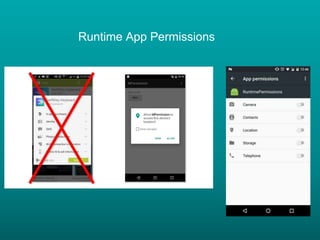
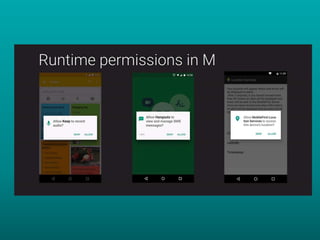
• Runtime App Permissions
• Fingerprint Sensors
• Doze Mode
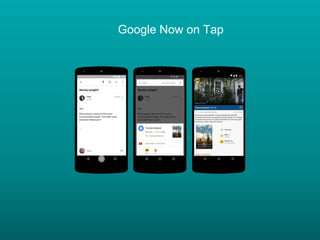
• Now on Tap
• Android Pay
• USB Type-C
Runtime App Permissions
Fingerprint Sensors
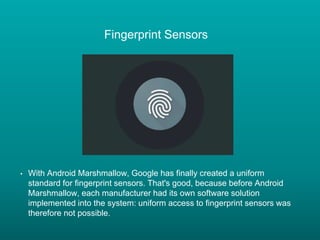
• With Android Marshmallow, Google has finally created a uniform
standard for fingerprint sensors. That's good, because before Android
Marshmallow, each manufacturer had its own software solution
implemented into the system: uniform access to fingerprint sensors was
therefore not possible.
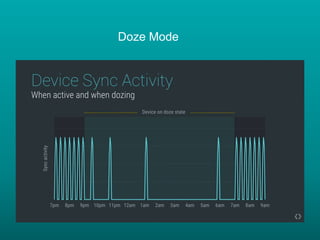
Doze Mode
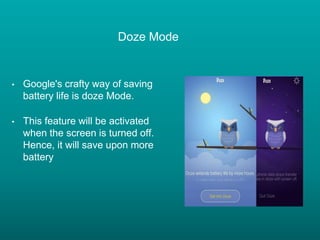
• Google's crafty way of saving
battery life is doze Mode.
• This feature will be activated
when the screen is turned off.
Hence, it will save upon more
battery
Doze Mode
Google Now on Tap
Android Pay
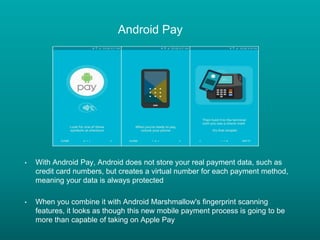
• With Android Pay, Android does not store your real payment data, such as
credit card numbers, but creates a virtual number for each payment method,
meaning your data is always protected
• When you combine it with Android Marshmallow's fingerprint scanning
features, it looks as though this new mobile payment process is going to be
more than capable of taking on Apple Pay
USB Type-C
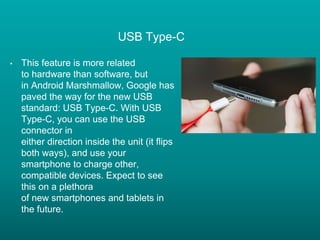
• This feature is more related
to hardware than software, but
in Android Marshmallow, Google has
paved the way for the new USB
standard: USB Type-C. With USB
Type-C, you can use the USB
connector in
either direction inside the unit (it flips
both ways), and use your
smartphone to charge other,
compatible devices. Expect to see
this on a plethora
of new smartphones and tablets in
the future.
Nougat (7.0)
• Multi Window
• Notifications
• Quick app switching
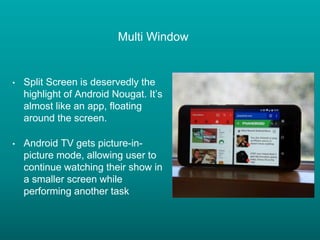
Multi Window
• Split Screen is deservedly the
highlight of Android Nougat. It’s
almost like an app, floating
around the screen.
• Android TV gets picture-in-
picture mode, allowing user to
continue watching their show in
a smaller screen while
performing another task
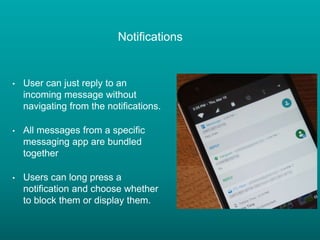
Notifications
• User can just reply to an
incoming message without
navigating from the notifications.
• All messages from a specific
messaging app are bundled
together
• Users can long press a
notification and choose whether
to block them or display them.
Design Library
• Toolbar
• NavigationView
• Floating Action Button (FAB)
• Snackbar
• CoordinatorLayout
• Bottom sheets
• TextInputLayout
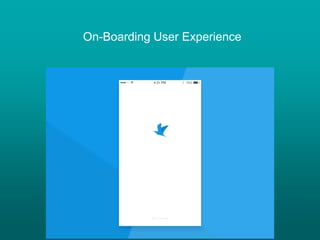
On-Boarding User Experience
Firebase
• Remote Config
• Invite App
• Deep Linking
• App Indexing
• Notifications (FCM)
• Analytics
Others
• Crash Reporting
• Make content offline
• On Boarding User experience
Thanks

Android Best Practises

  • 1.
    Android New Features &Best Practices Ramesh Akula Email: ramesh.akula@ytrtech.com
  • 2.
    Outline • Behavioural changesin Marshmallow & Nougat • Firebase • Provide Better User Experience
  • 3.
    Marshmallow (6.0) • RuntimeApp Permissions • Fingerprint Sensors • Doze Mode • Now on Tap • Android Pay • USB Type-C
  • 4.
  • 6.
    Fingerprint Sensors • WithAndroid Marshmallow, Google has finally created a uniform standard for fingerprint sensors. That's good, because before Android Marshmallow, each manufacturer had its own software solution implemented into the system: uniform access to fingerprint sensors was therefore not possible.
  • 7.
    Doze Mode • Google'scrafty way of saving battery life is doze Mode. • This feature will be activated when the screen is turned off. Hence, it will save upon more battery
  • 8.
  • 9.
  • 10.
    Android Pay • WithAndroid Pay, Android does not store your real payment data, such as credit card numbers, but creates a virtual number for each payment method, meaning your data is always protected • When you combine it with Android Marshmallow's fingerprint scanning features, it looks as though this new mobile payment process is going to be more than capable of taking on Apple Pay
  • 11.
    USB Type-C • Thisfeature is more related to hardware than software, but in Android Marshmallow, Google has paved the way for the new USB standard: USB Type-C. With USB Type-C, you can use the USB connector in either direction inside the unit (it flips both ways), and use your smartphone to charge other, compatible devices. Expect to see this on a plethora of new smartphones and tablets in the future.
  • 12.
    Nougat (7.0) • MultiWindow • Notifications • Quick app switching
  • 13.
    Multi Window • SplitScreen is deservedly the highlight of Android Nougat. It’s almost like an app, floating around the screen. • Android TV gets picture-in- picture mode, allowing user to continue watching their show in a smaller screen while performing another task
  • 14.
    Notifications • User canjust reply to an incoming message without navigating from the notifications. • All messages from a specific messaging app are bundled together • Users can long press a notification and choose whether to block them or display them.
  • 15.
    Design Library • Toolbar •NavigationView • Floating Action Button (FAB) • Snackbar • CoordinatorLayout • Bottom sheets • TextInputLayout
  • 17.
  • 18.
    Firebase • Remote Config •Invite App • Deep Linking • App Indexing • Notifications (FCM) • Analytics
  • 19.
    Others • Crash Reporting •Make content offline • On Boarding User experience
  • 20.