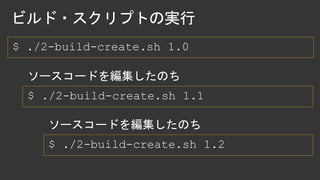
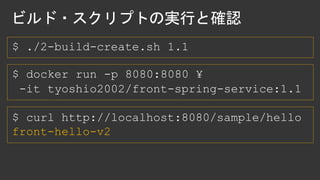
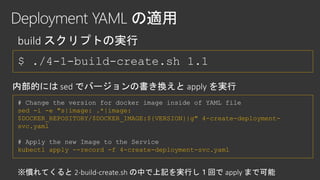
$ ./4-1-build-create.sh 1.1
#Change the version for docker image inside of YAML file
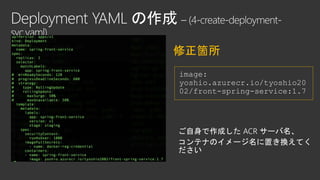
sed -i -e "s|image: .*|image:
$DOCKER_REPOSITORY/$DOCKER_IMAGE:${VERSION}|g" 4-create-deployment-
svc.yaml
# Apply the new Image to the Service
kubectl apply --record -f 4-create-deployment-svc.yaml
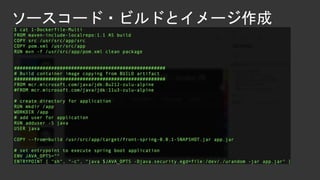
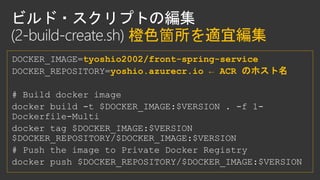
2-build-create.sh
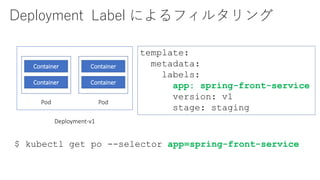
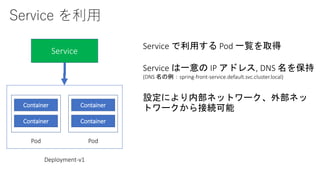
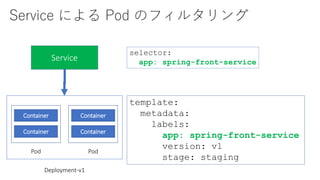
Service による Podのフィルタリング
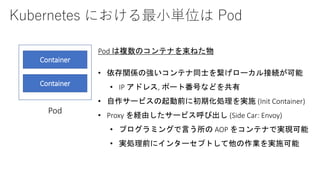
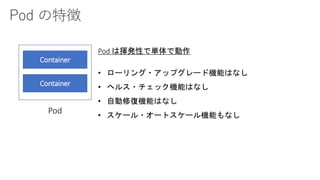
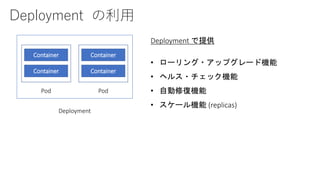
Container
Container
Pod
Container
Container
Pod
Deployment-v1
Service
selector:
app: spring-front-service
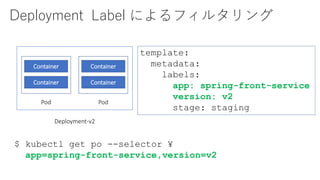
template:
metadata:
labels:
app: spring-front-service
version: v1
stage: staging
50.
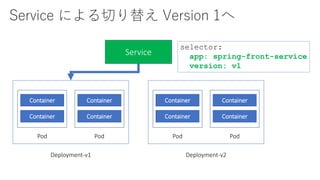
Service による切り替え Version1へ
Container
Container
Pod
Container
Container
Pod
Deployment-v1
Service
Container
Container
Pod
Container
Container
Pod
Deployment-v2
selector:
app: spring-front-service
version: v1
51.
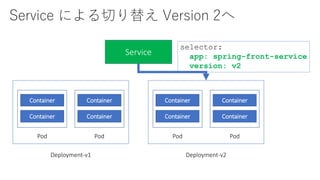
Service による切り替え Version2へ
Container
Container
Pod
Container
Container
Pod
Deployment-v1
Service
Container
Container
Pod
Container
Container
Pod
Deployment-v2
selector:
app: spring-front-service
version: v2
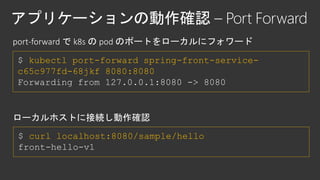
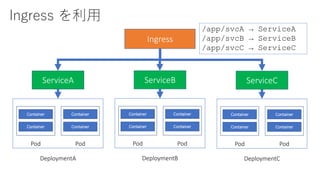
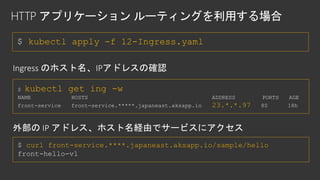
$ kubectl apply-f 12-Ingress.yaml
$ kubectl get ing -w
NAME HOSTS ADDRESS PORTS AGE
front-service front-service.*****.japaneast.aksapp.io 23.*.*.97 80 18h
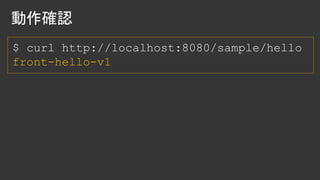
$ curl front-service.****.japaneast.aksapp.io/sample/hello
front-hello-v1
59.
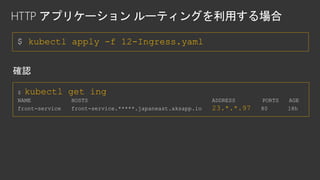
$ kubectl apply-f 12-Ingress.yaml
$ kubectl get ing
NAME HOSTS ADDRESS PORTS AGE
front-service front-service.*****.japaneast.aksapp.io 23.*.*.97 80 18h








![[DO02] Jenkins PipelineとBlue Oceanによる、フルスクラッチからの継続的デリバリ](https://cdn.slidesharecdn.com/ss_thumbnails/do02-170616023407-thumbnail.jpg?width=640&height=640&fit=bounds)


![[Cloud OnAir] 【Google Kubernetes Engine 演習】解説を聞きながら GKE を体験しよう 2020年10月29日 放送](https://cdn.slidesharecdn.com/ss_thumbnails/bb-201029090440-thumbnail.jpg?width=640&height=640&fit=bounds)


![[GKE & Spanner 勉強会] GKE 入門](https://cdn.slidesharecdn.com/ss_thumbnails/gke01-200121090059-thumbnail.jpg?width=640&height=640&fit=bounds)


