AJAXISM
A (very) quick tutorial on XML and AJAX
Outline
 XML
 Alternatives to XML
 Ajax
 Ajax – Hands on
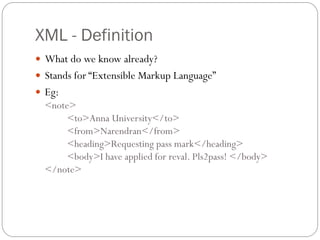
XML - Definition
 What do we know already?
 Stands for “Extensible Markup Language”
 Eg:
  <note>
       <to>Anna University</to>
       <from>Narendran</from>
       <heading>Requesting pass mark</heading>
       <body>I have applied for reval. Pls2pass! </body>
  </note>
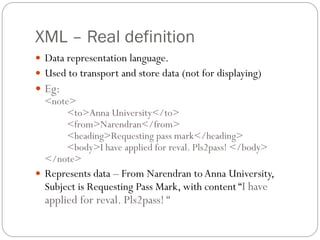
XML – Real definition
 Data representation language.
 Used to transport and store data (not for displaying)
 Eg:
  <note>
       <to>Anna University</to>
       <from>Narendran</from>
       <heading>Requesting pass mark</heading>
       <body>I have applied for reval. Pls2pass! </body>
  </note>
 Represents data – From Narendran to Anna University,
  Subject is Requesting Pass Mark, with content “I have
  applied for reval. Pls2pass! “
Where do they use XML?
 Separates data from HTML – XML cannot be used in the
    place of HTML.
   Simplifies data sharing – XML is plaintext
   Simplifies data transport - No compatibility issues.
   Simplifies platform changes – Eg: Implementation language
    changes, OS changes, browser changes etc.
   Make data more available to different clients (handhelds to
    supercomputers)
XMLHttpRequest
 A class in JavaScript that allows making XML based HTTP calls.
        xmlhttp=new XMLHttpRequest();
 Used to exchange data with the server behind the scenes
 What can it do for me?
   Update a page without reloading.
   Send data to a server in the background.


 Demo – Access an XML file using XMLHttpRequest
 Demo – Login module using Ajax

Ajaxism

  • 1.
    AJAXISM A (very) quicktutorial on XML and AJAX
  • 2.
    Outline  XML  Alternativesto XML  Ajax  Ajax – Hands on
  • 3.
    XML - Definition What do we know already?  Stands for “Extensible Markup Language”  Eg: <note> <to>Anna University</to> <from>Narendran</from> <heading>Requesting pass mark</heading> <body>I have applied for reval. Pls2pass! </body> </note>
  • 4.
    XML – Realdefinition  Data representation language.  Used to transport and store data (not for displaying)  Eg: <note> <to>Anna University</to> <from>Narendran</from> <heading>Requesting pass mark</heading> <body>I have applied for reval. Pls2pass! </body> </note>  Represents data – From Narendran to Anna University, Subject is Requesting Pass Mark, with content “I have applied for reval. Pls2pass! “
  • 5.
    Where do theyuse XML?  Separates data from HTML – XML cannot be used in the place of HTML.  Simplifies data sharing – XML is plaintext  Simplifies data transport - No compatibility issues.  Simplifies platform changes – Eg: Implementation language changes, OS changes, browser changes etc.  Make data more available to different clients (handhelds to supercomputers)
  • 6.
    XMLHttpRequest  A classin JavaScript that allows making XML based HTTP calls. xmlhttp=new XMLHttpRequest();  Used to exchange data with the server behind the scenes  What can it do for me?  Update a page without reloading.  Send data to a server in the background.  Demo – Access an XML file using XMLHttpRequest  Demo – Login module using Ajax