CHAPTER 5
Systems Development and
Documentation Techniques
INTRODUCTION
• Questions to be addressed in this chapter
include:
–What is the purpose of documentation?
–Why do accountants need to understand
documentation?
–What documentation techniques are used
in accounting systems?
–What are data flow diagrams and
flowcharts?
INTRODUCTION
• Documentation includes the following types
of tools:
–Narratives (written descriptions)
–Flowcharts
–Diagrams
–Other written material
INTRODUCTION
• Documentation covers who, what,
when, where, why, and how of:
–Data entry
–Processing
–Storage
–Information output
–System controls
INTRODUCTION
• How do accountants use documentation?
– At a minimum, they have to read documentation to
understand how a system works.
– They may need to evaluate the strengths and
weaknesses of an entity’s internal controls. E.g.
auditors
– They may Organize very complicated systems into
a form that can be more readily understood
– Helping new team members understand a pre-
existing system
– They may prepare documentation for different
purpose.
So that, Accountants should know about
documentation techniques.
INTRODUCTION
There are two of the most common
documentation tools:
–Data flow diagrams
• Graphical descriptions of the
sources and destinations of data.
They show:
– Where data comes from
– How it flows
– The processes performed on it
– Where it goes
INTRODUCTION
There are two of the most common documentation
tools:
–Data flow diagrams
–Flowcharts
• Include three types:
– Document flowcharts describe the flow of documents and
information between departments or units.
– System flowcharts describe the relationship between inputs,
processing, and outputs for a system.
– Program flowcharts describe the sequence of logical
operations performed in a computer program.
INTRODUCTION
• Which method should you use—flowcharts
or DFDs?
62.5% of AIS professionals use DFDs.
97.6% use flowcharts.
Both can be prepared relatively simply
using available software.
Both are tested on professional exams.
You need to know them both.
DATA FLOW DIAGRAMS
• A data flow diagram (DFD) graphically
describes the flow of data within an
organization. It is used to:
Document existing systems
Plan and design new systems
DATA FLOW DIAGRAMS
Customer
1.0
Process
Payment
2.0
Update
A/R
Credit
Manager
Bank
Accounts
Receivable
Customer
payment
Remittance
data
Receivables
Information
Deposit
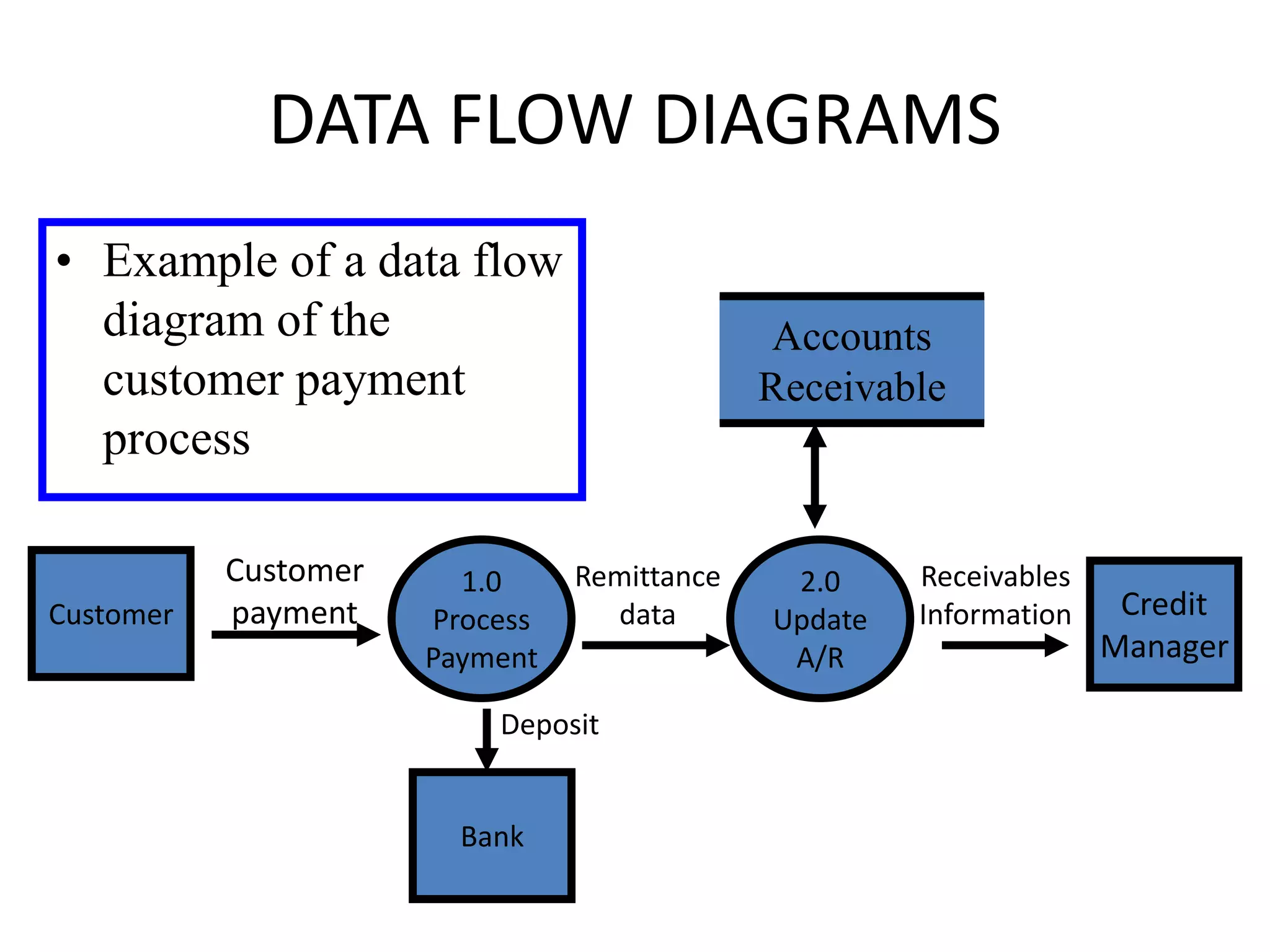
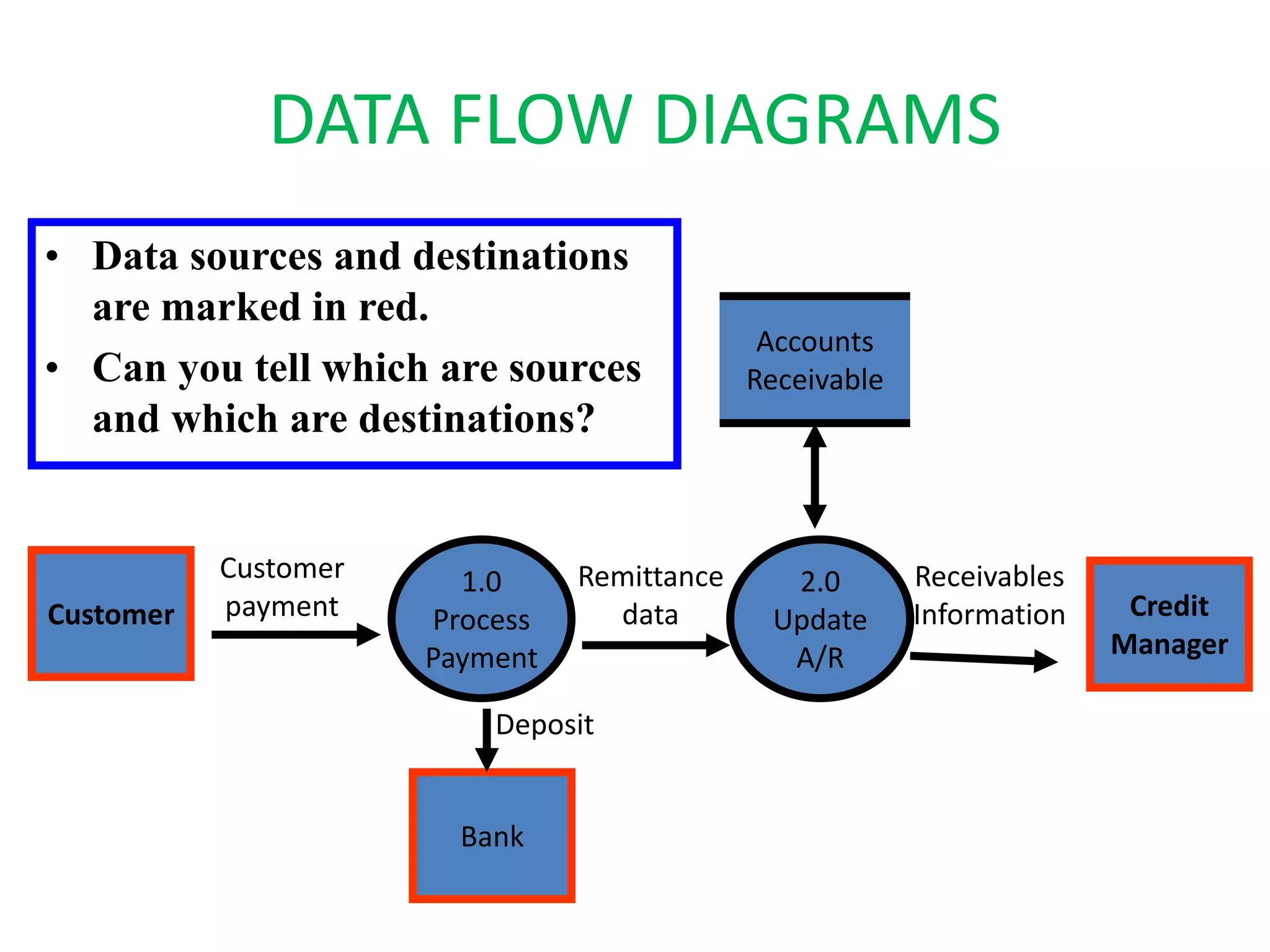
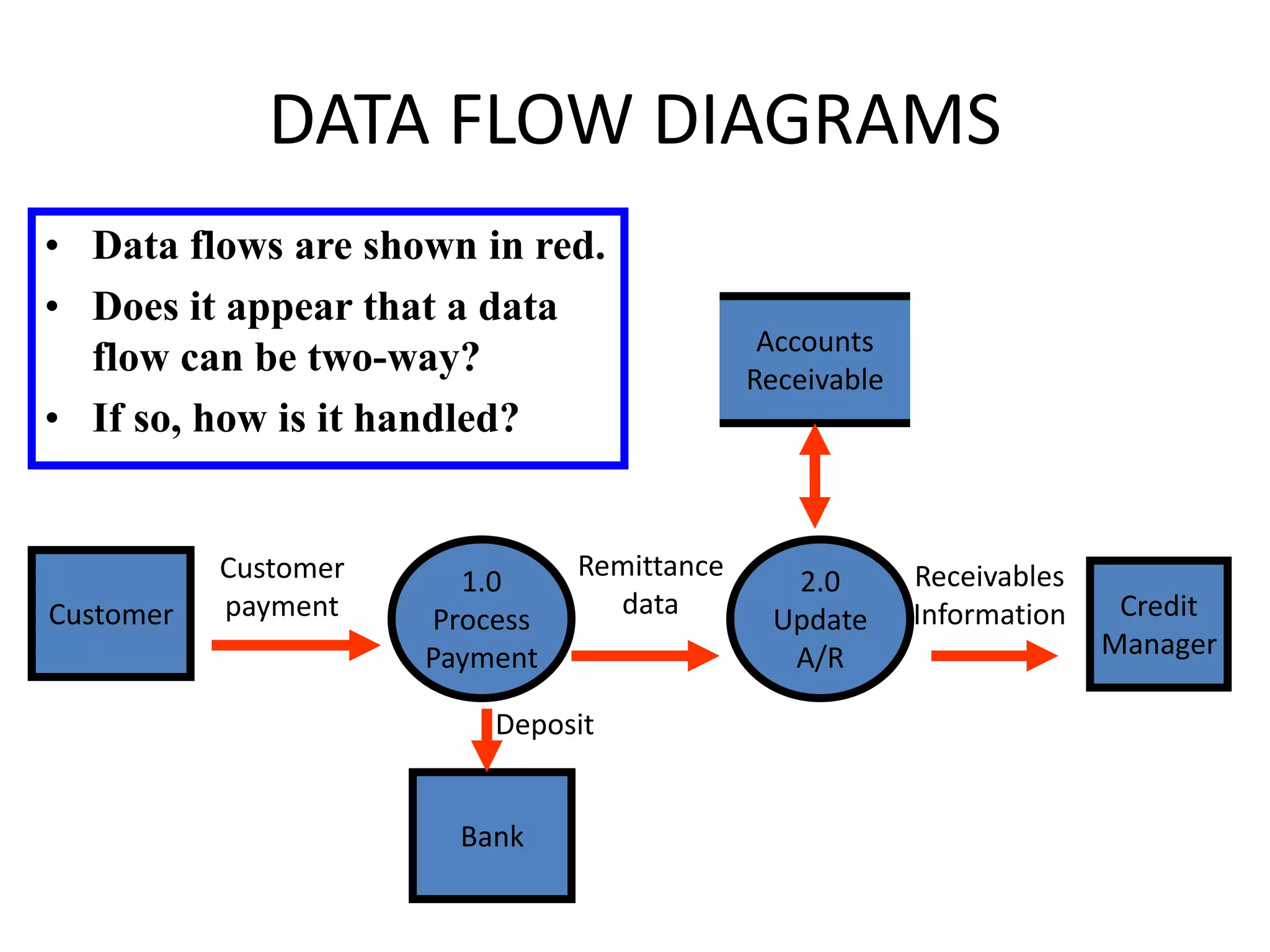
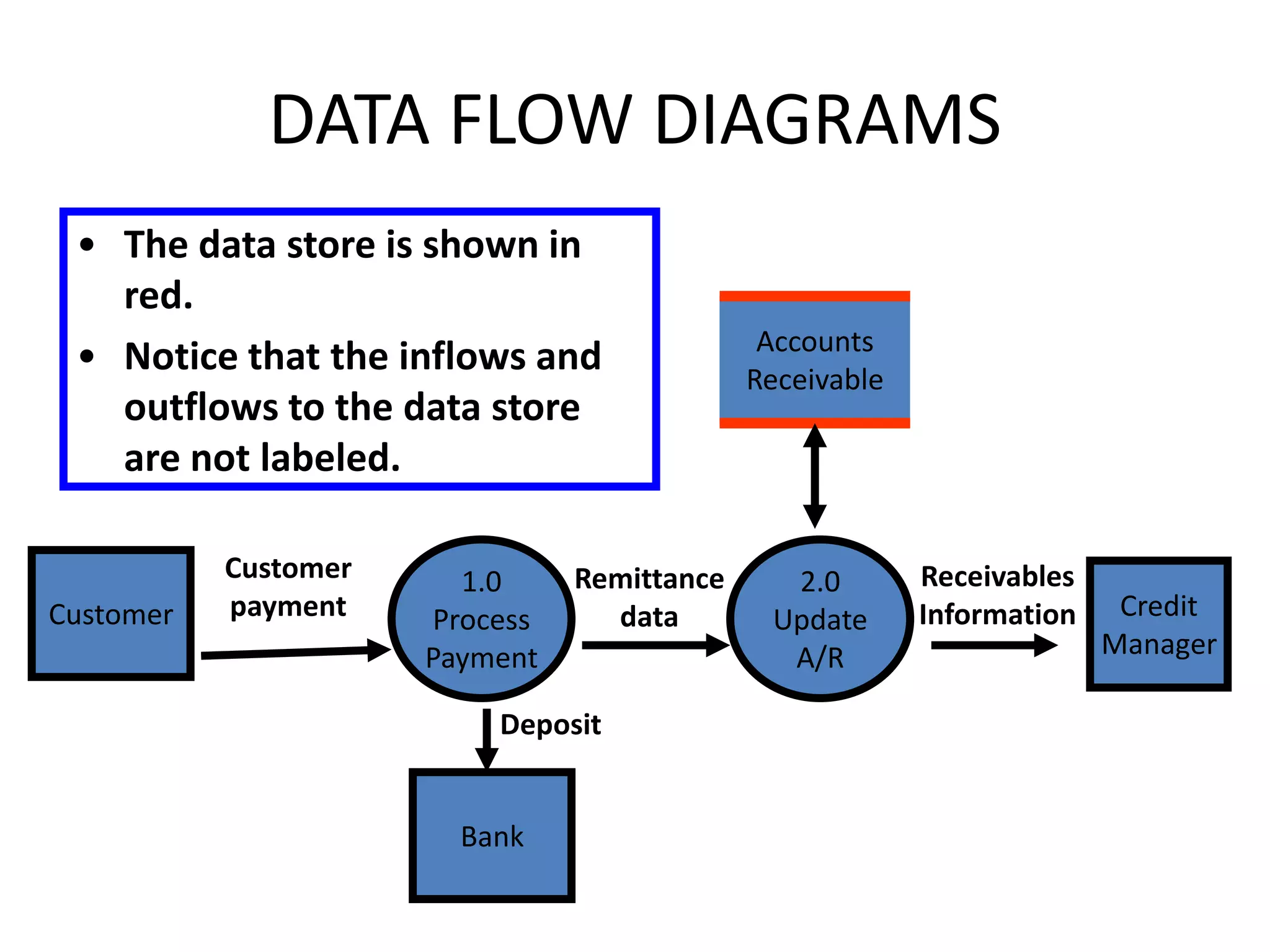
• Example of a data flow
diagram of the
customer payment
process
DATA FLOW DIAGRAMS
• A data flow diagram consists of four basic
elements:
–Data sources and destinations
–Data flows
–Transformation processes
–Data stores
DATA FLOW DIAGRAMS
• A data flow diagram consists of four basic
elements:
– Data sources and destinations
– Data flows
– Transformation processes
– Data stores
DATA FLOW DIAGRAMS
• Data sources and destinations
– Appear as squares
– Represent organizations or individuals that send or
receive data used or produced by the system
• An item can be both a source and a destination
DATA FLOW DIAGRAMS
Customer
1.0
Process
Payment
2.0
Update
A/R
Credit
Manager
Bank
Accounts
Receivable
Customer
payment
Remittance
data
Receivables
Information
Deposit
• Data sources and destinations
are marked in red.
• Can you tell which are sources
and which are destinations?
DATA FLOW DIAGRAMS
• A data flow diagram consists of four basic
elements:
–Data sources and destinations
–Data flows
–Transformation processes
–Data stores
DATA FLOW DIAGRAMS
• Data flows
–Appear as arrows
–Represent the flow of data between sources
and destinations, processes, and data stores
DATA FLOW DIAGRAMS
Customer
1.0
Process
Payment
2.0
Update
A/R
Credit
Manager
Bank
Accounts
Receivable
Customer
payment
Remittance
data
Receivables
Information
Deposit
• Data flows are shown in red.
• Does it appear that a data
flow can be two-way?
• If so, how is it handled?
DATA FLOW DIAGRAMS
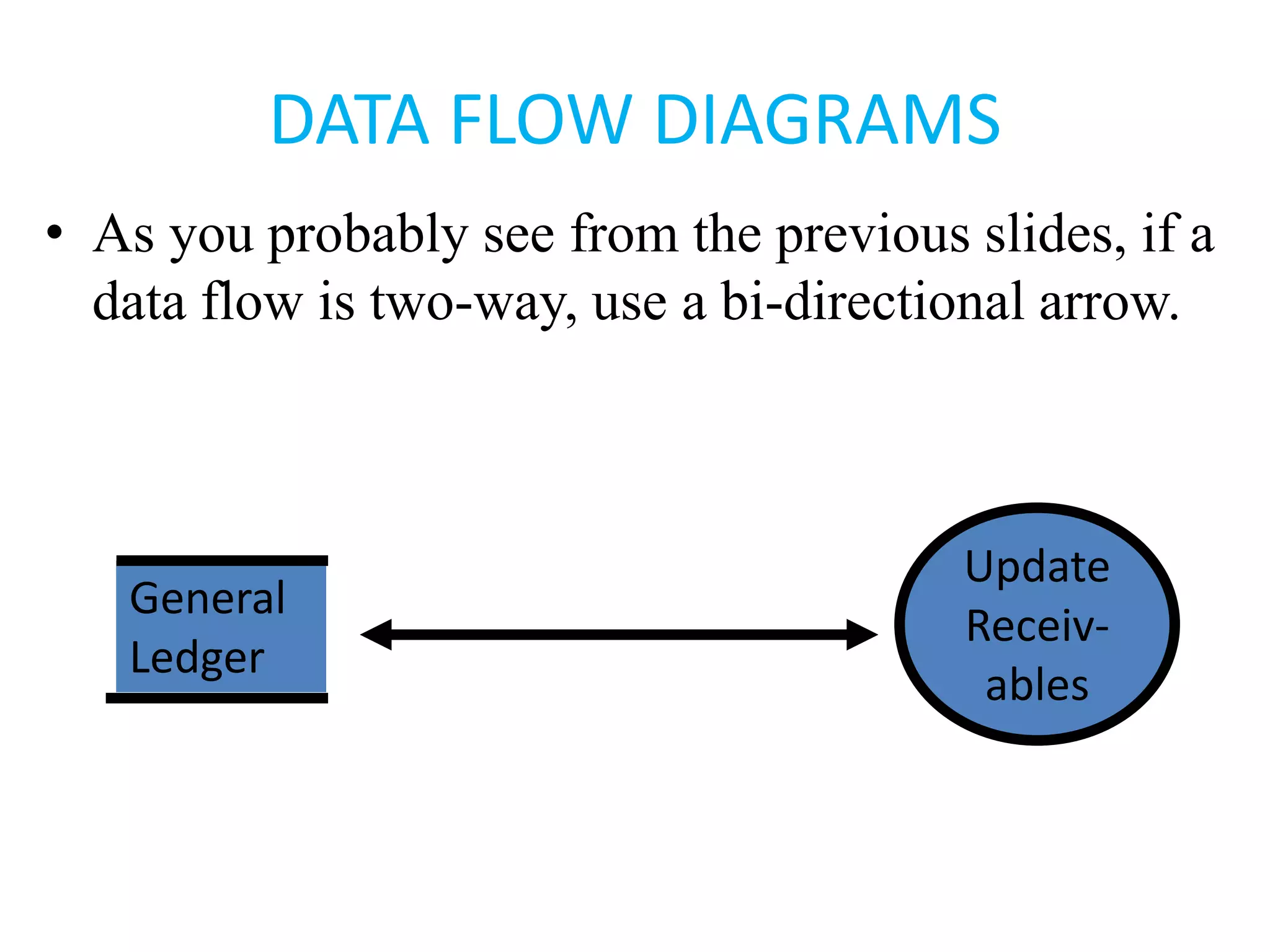
• As you probably see from the previous slides, if a
data flow is two-way, use a bi-directional arrow.
Update
Receiv-
ables
General
Ledger
DATA FLOW DIAGRAMS
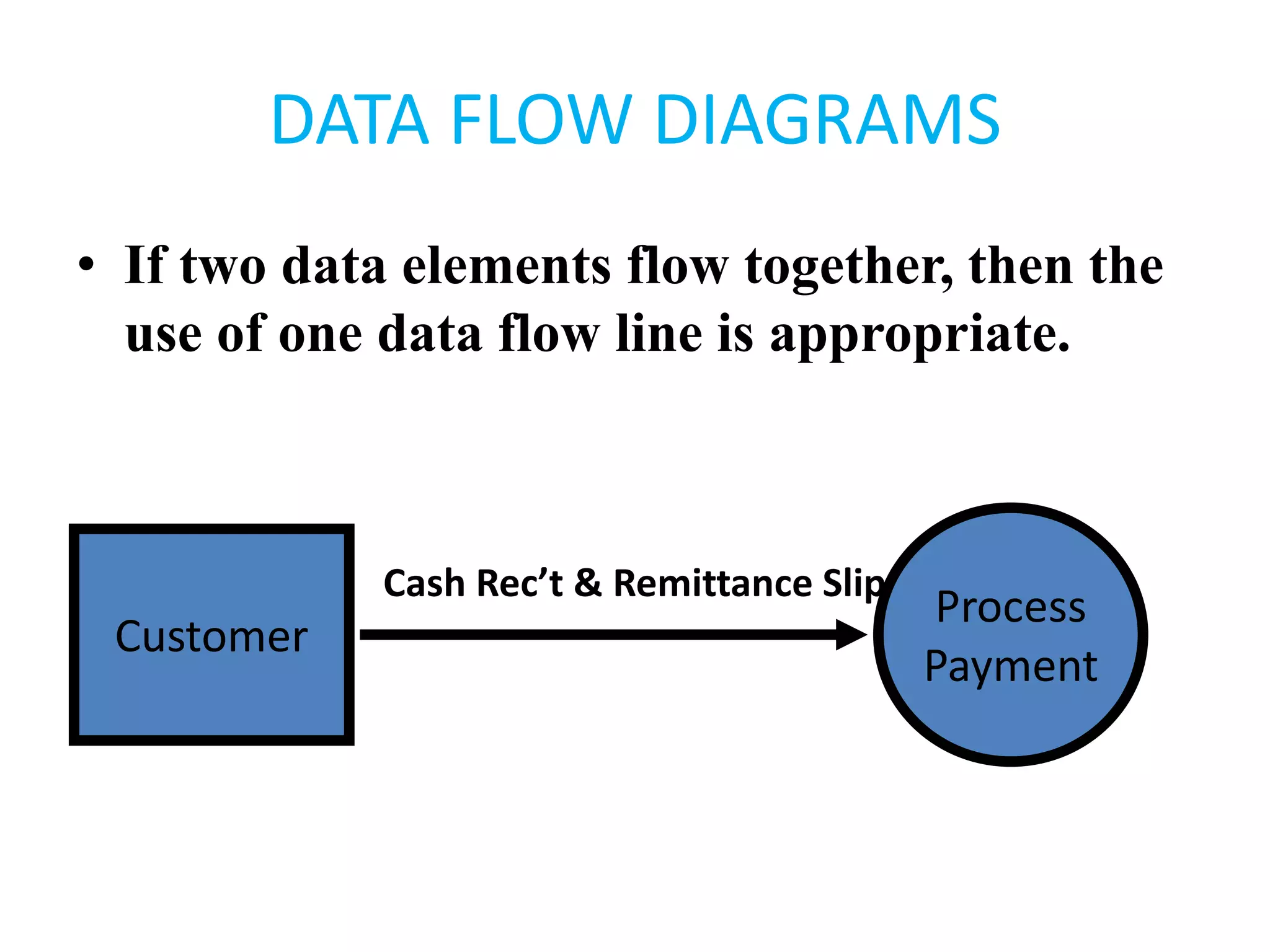
• If two data elements flow together, then the
use of one data flow line is appropriate.
Customer
Process
Payment
Cash Rec’t & Remittance Slip
DATA FLOW DIAGRAMS
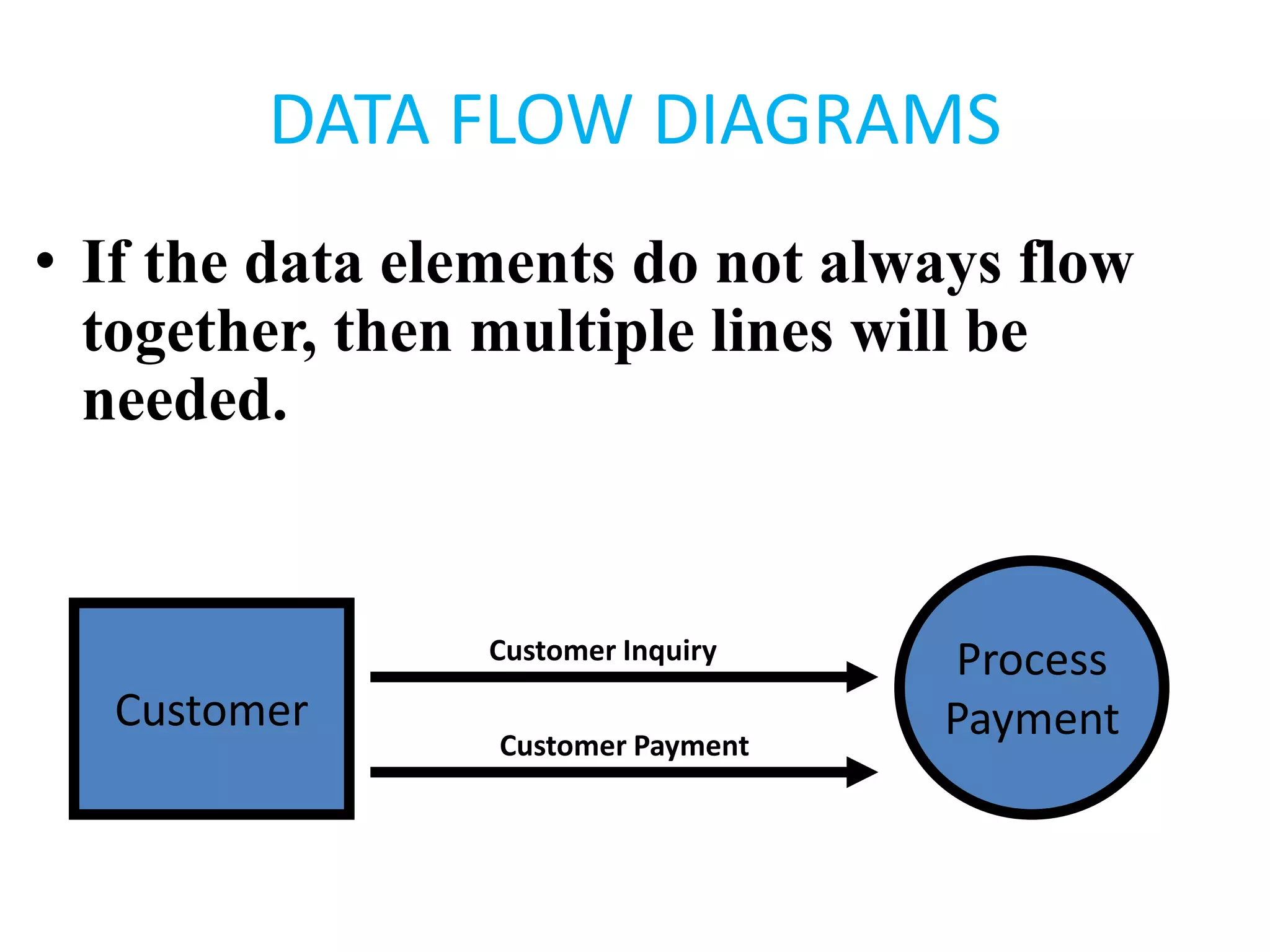
• If the data elements do not always flow
together, then multiple lines will be
needed.
Customer
Process
Payment
Customer Inquiry
Customer Payment
DATA FLOW DIAGRAMS
• A data flow diagram consists of four basic
elements:
– Data sources and destinations
– Data flows
– Transformation processes
– Data stores
DATA FLOW DIAGRAMS
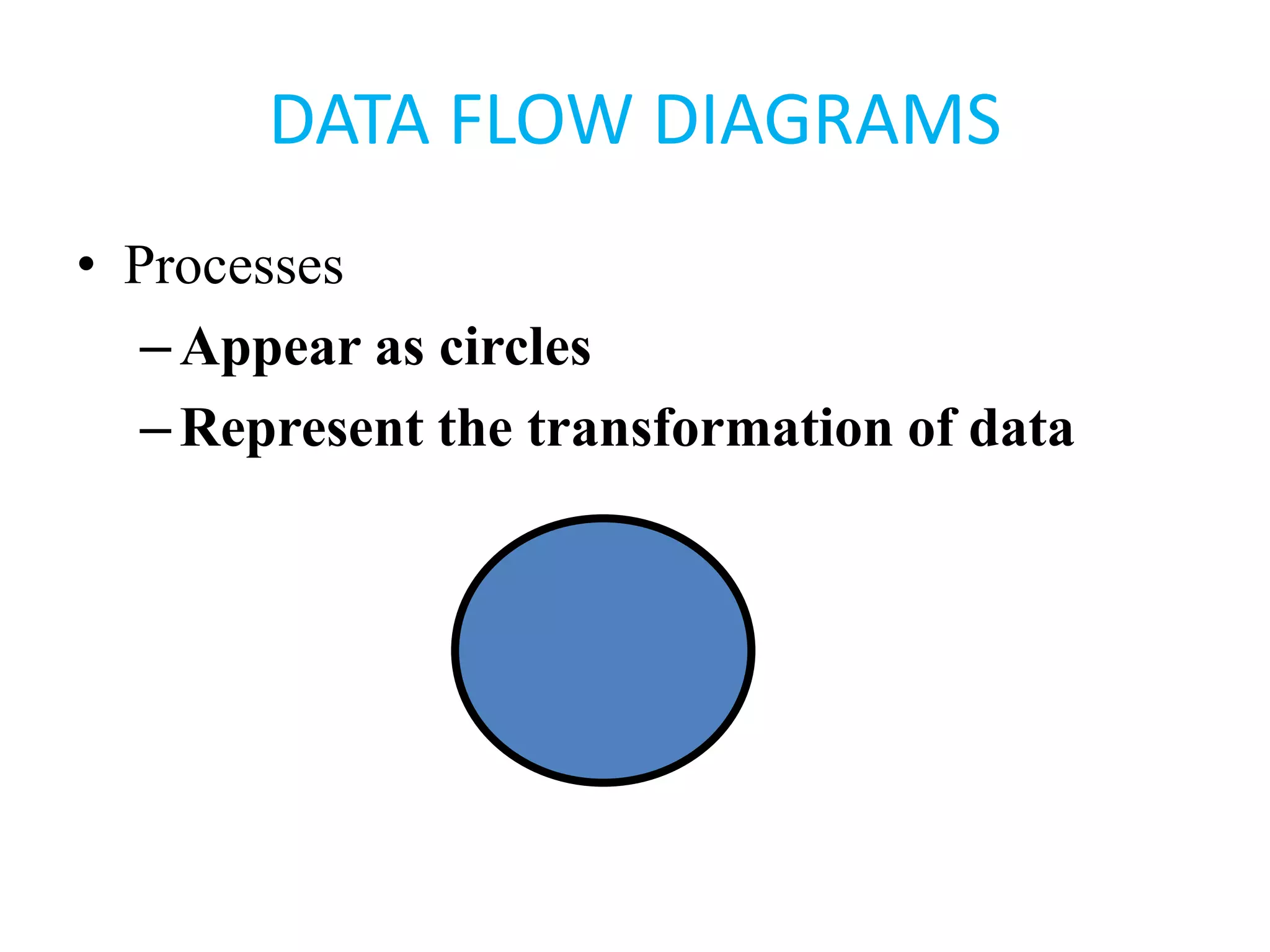
• Processes
–Appear as circles
–Represent the transformation of data
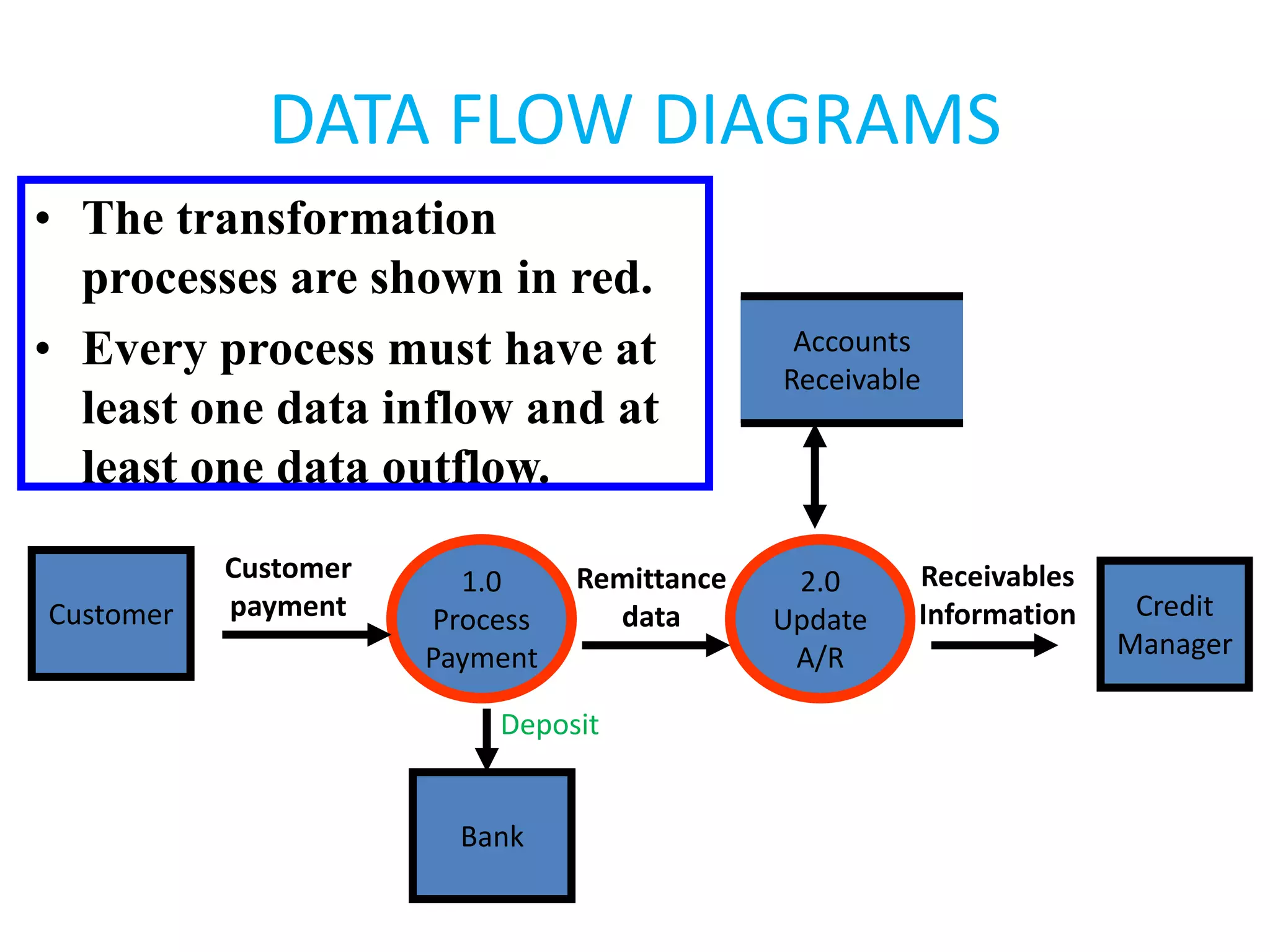
DATA FLOW DIAGRAMS
Customer
1.0
Process
Payment
2.0
Update
A/R
Credit
Manager
Bank
Accounts
Receivable
Customer
payment
Remittance
data
Receivables
Information
Deposit
• The transformation
processes are shown in red.
• Every process must have at
least one data inflow and at
least one data outflow.
DATA FLOW DIAGRAMS
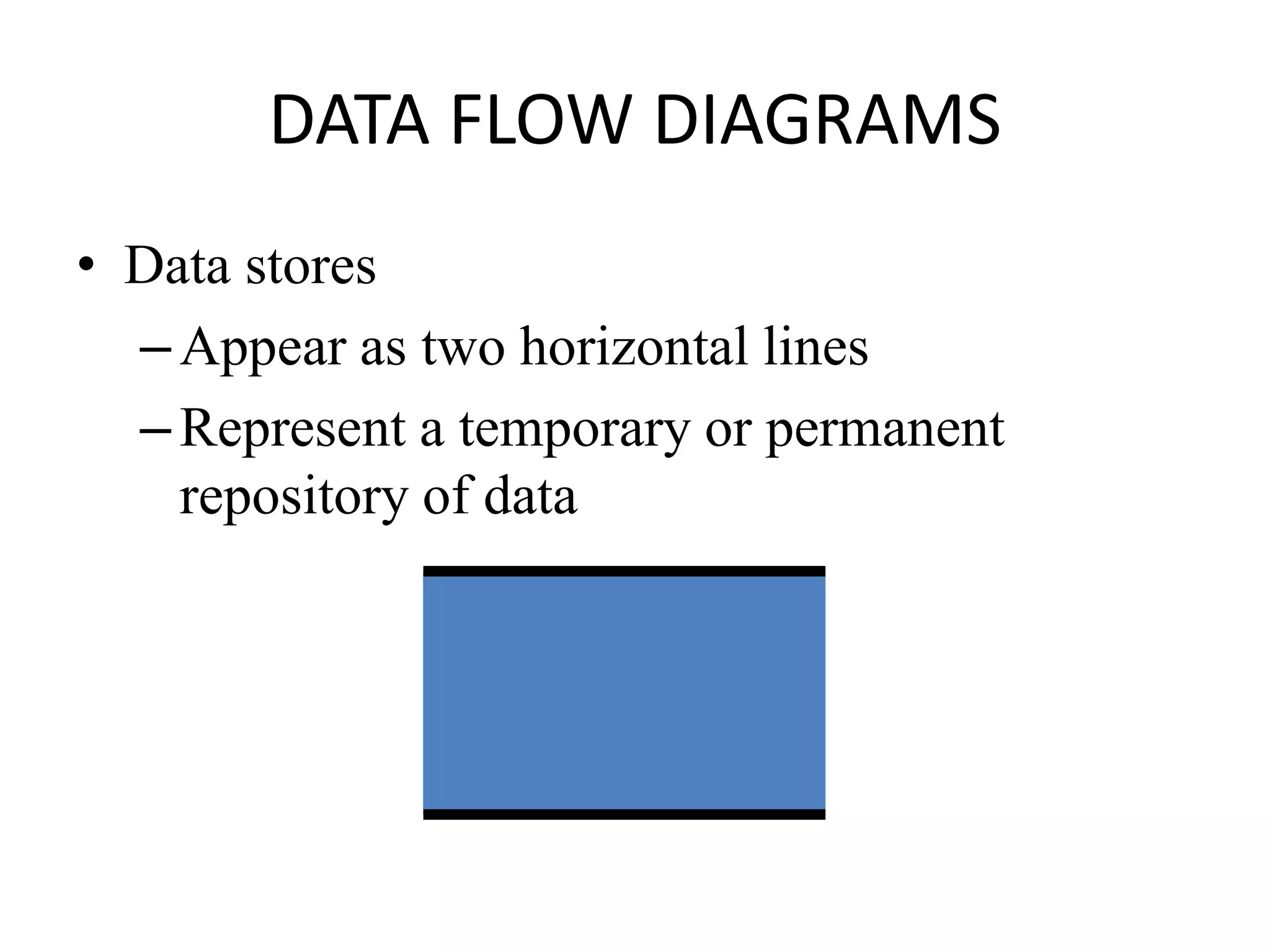
• Data stores
–Appear as two horizontal lines
–Represent a temporary or permanent
repository of data
DATA FLOW DIAGRAMS
Customer
1.0
Process
Payment
2.0
Update
A/R
Credit
Manager
Bank
Accounts
Receivable
Customer
payment
Remittance
data
Receivables
Information
Deposit
• The data store is shown in
red.
• Notice that the inflows and
outflows to the data store
are not labeled.
DATA FLOW DIAGRAMS
• The data flow diagram focuses on the
logical flow of data.
• Next, we will discuss flowcharts, which
place greater emphasis on physical
details.
FLOWCHARTS
• A flowchart is an analytical technique that
describes some aspect of an information
system in a clear, concise, and logical manner.
• Flowcharts use a set of standard symbols to
depict processing procedures and the flow of
data.
• Flow charts can be:
A. Documentation flow chart
B. System flow chart
C. Program flow chart
A. DOCUMENT FLOWCHARTS
• A document flowchart shows the flow of documents and
information among areas of responsibility in an
organization.
• These flowcharts shows:
– Where a document comes from
– Where it’s distributed
– How it’s used
– It’s ultimate disposition
– Everything that happens as it flows through the system
DOCUMENT FLOWCHARTS
E.G. Internal control flowcharts are document
flowcharts used to evaluate the adequacy of internal
controls, such as segregation of duties or internal
checks.
• They can reveal weaknesses or inefficiencies such
as:
– Inadequate communication flows
– Unnecessarily complex document flows
– Procedures that cause wasteful delays
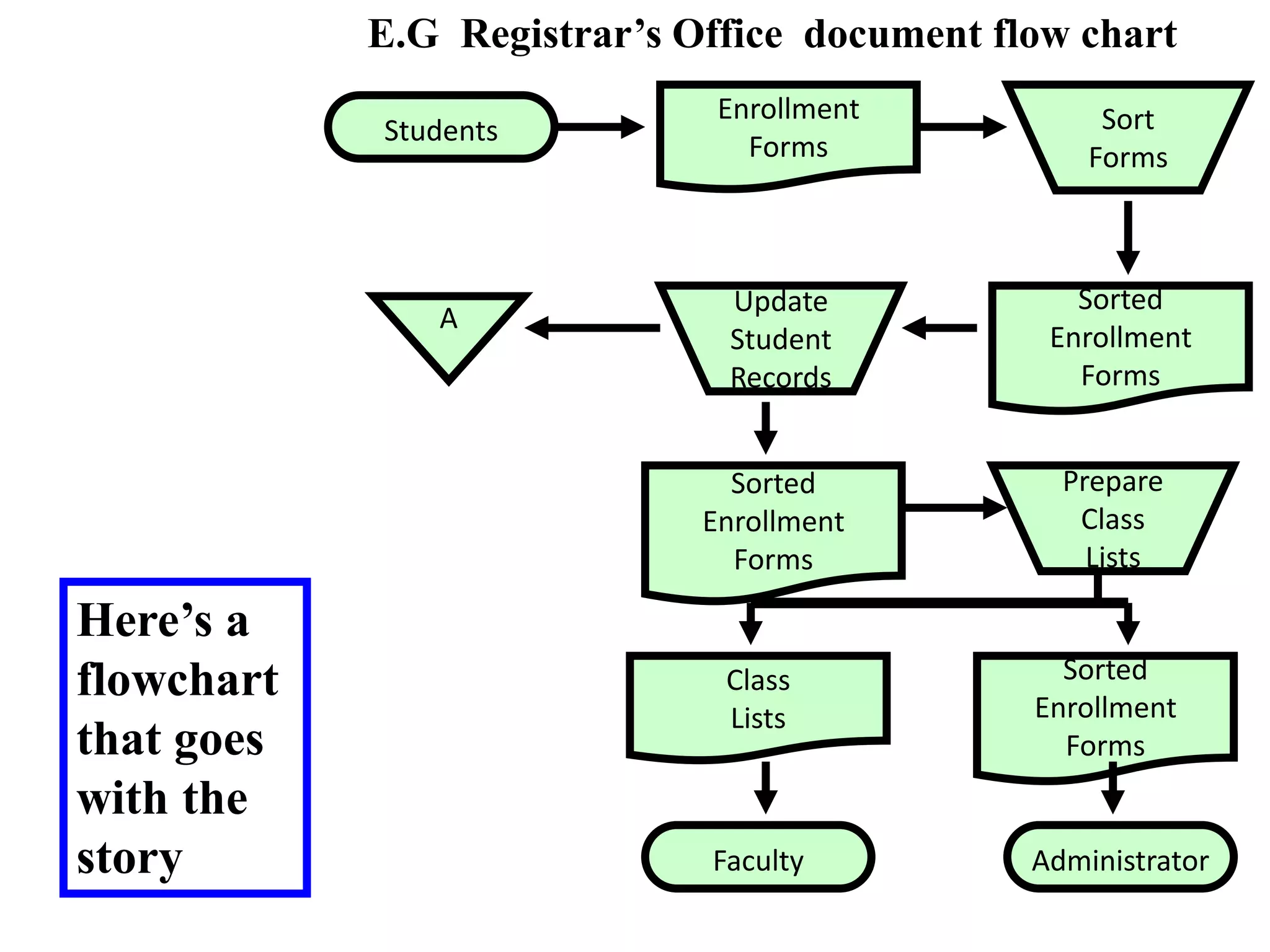
Students
E.G Registrar’s Office document flow chart
Enrollment
Forms
Sort
Forms
Sorted
Enrollment
Forms
Update
Student
Records
A
Prepare
Class
Lists
Sorted
Enrollment
Forms
Class
Lists
Sorted
Enrollment
Forms
Administrator
Faculty
Here’s a
flowchart
that goes
with the
story
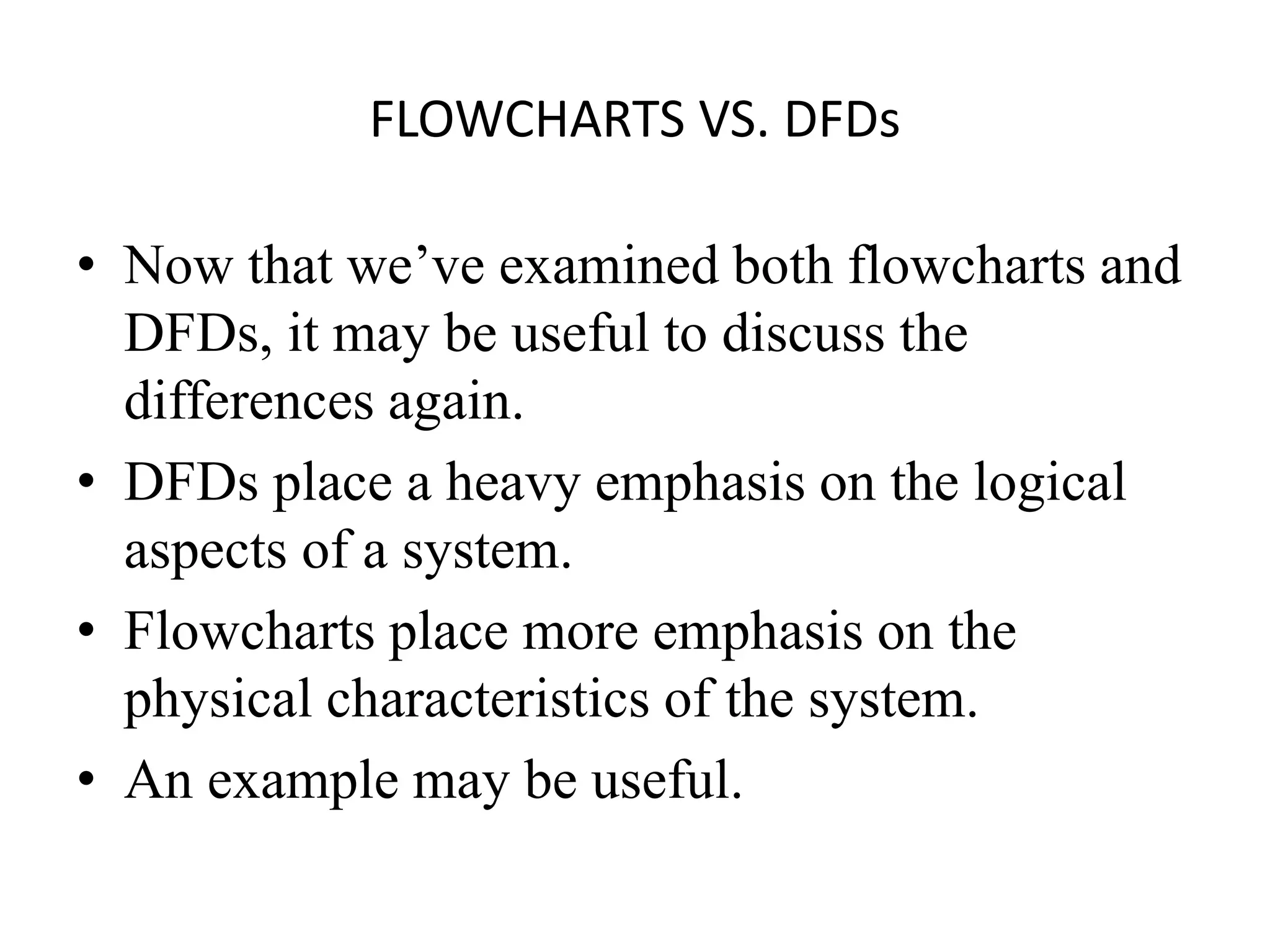
FLOWCHARTS VS. DFDs
• Now that we’ve examined both flowcharts and
DFDs, it may be useful to discuss the
differences again.
• DFDs place a heavy emphasis on the logical
aspects of a system.
• Flowcharts place more emphasis on the
physical characteristics of the system.
• An example may be useful.
FLOWCHARTS VS. DFDs
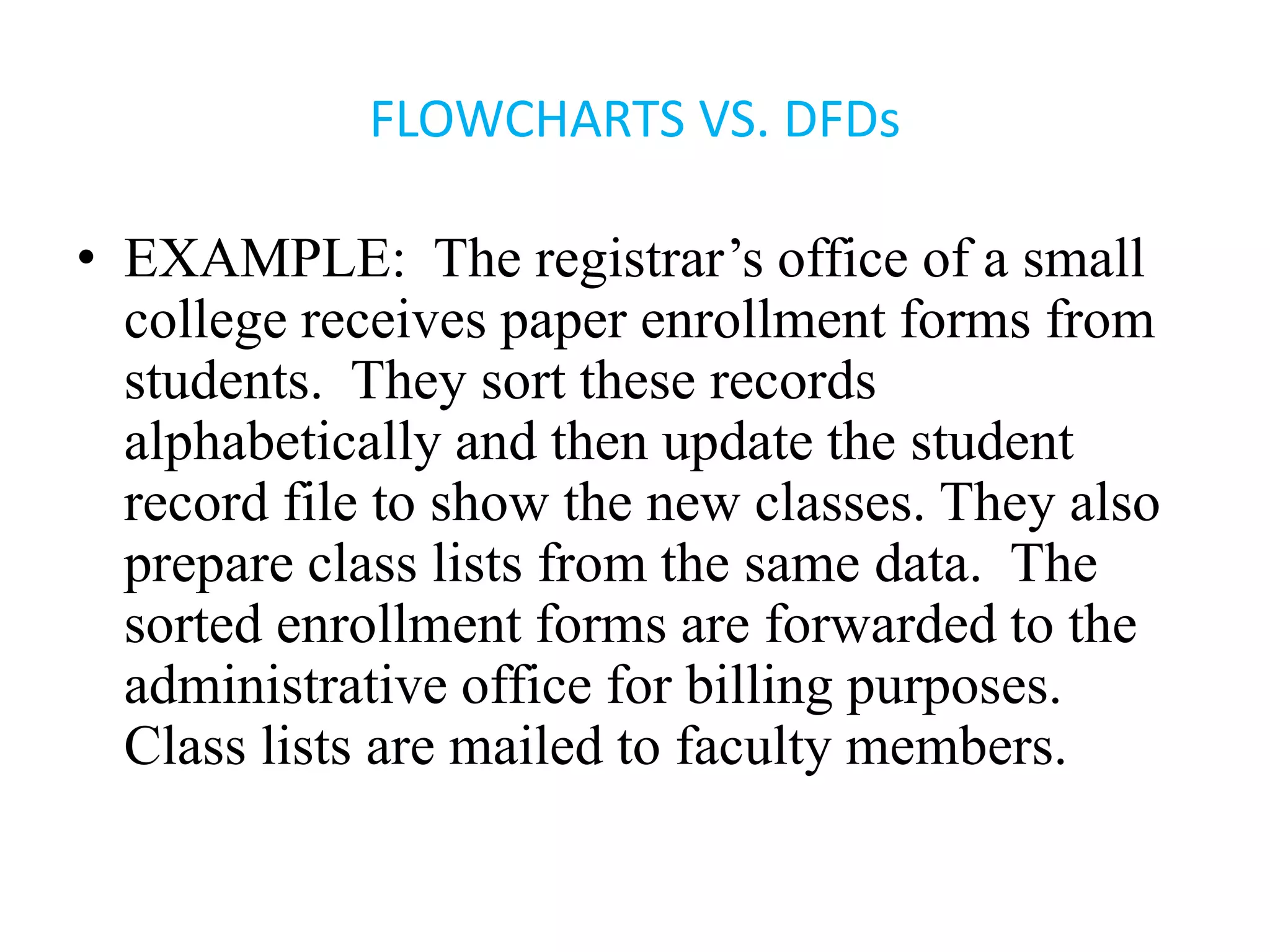
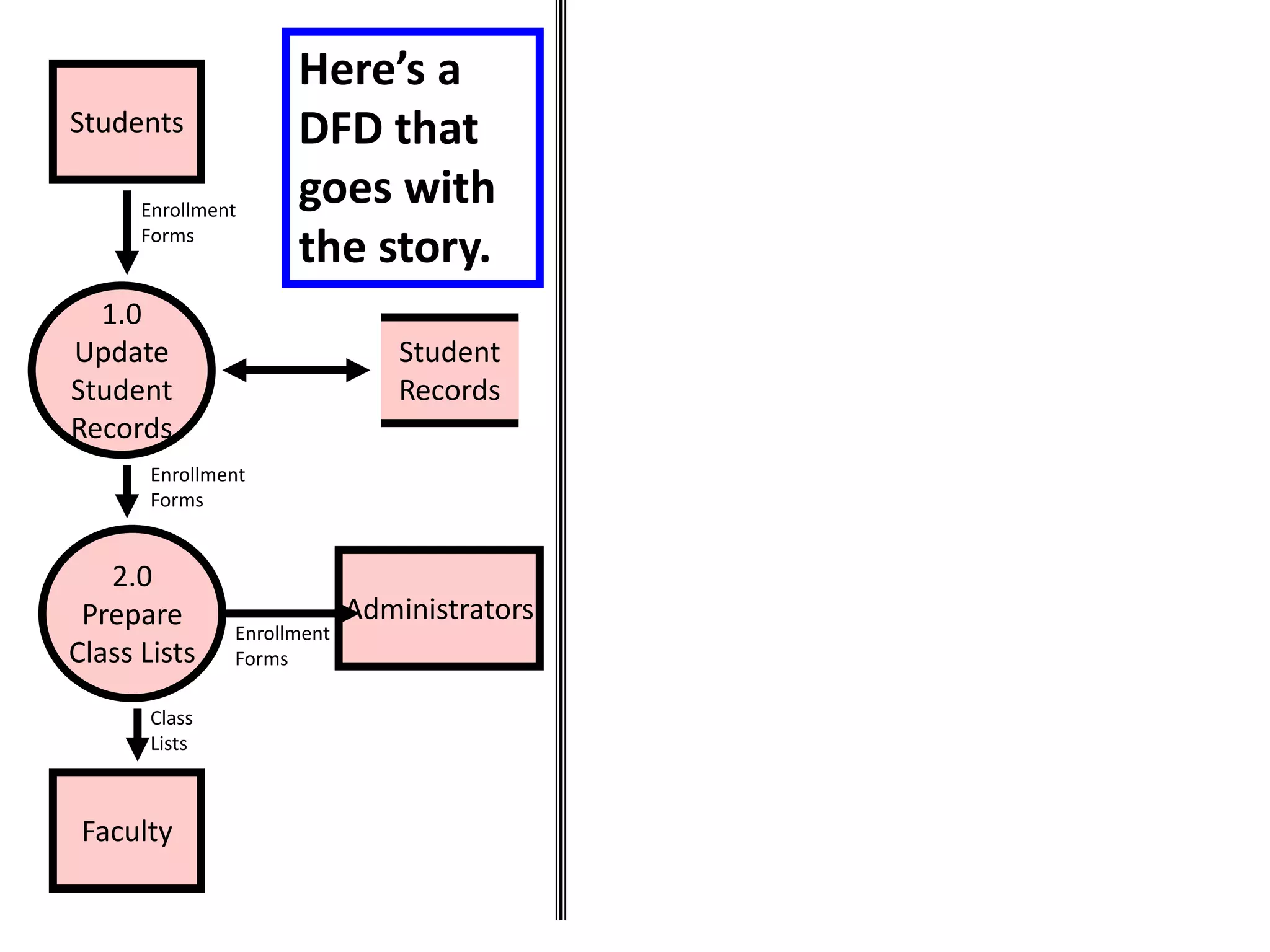
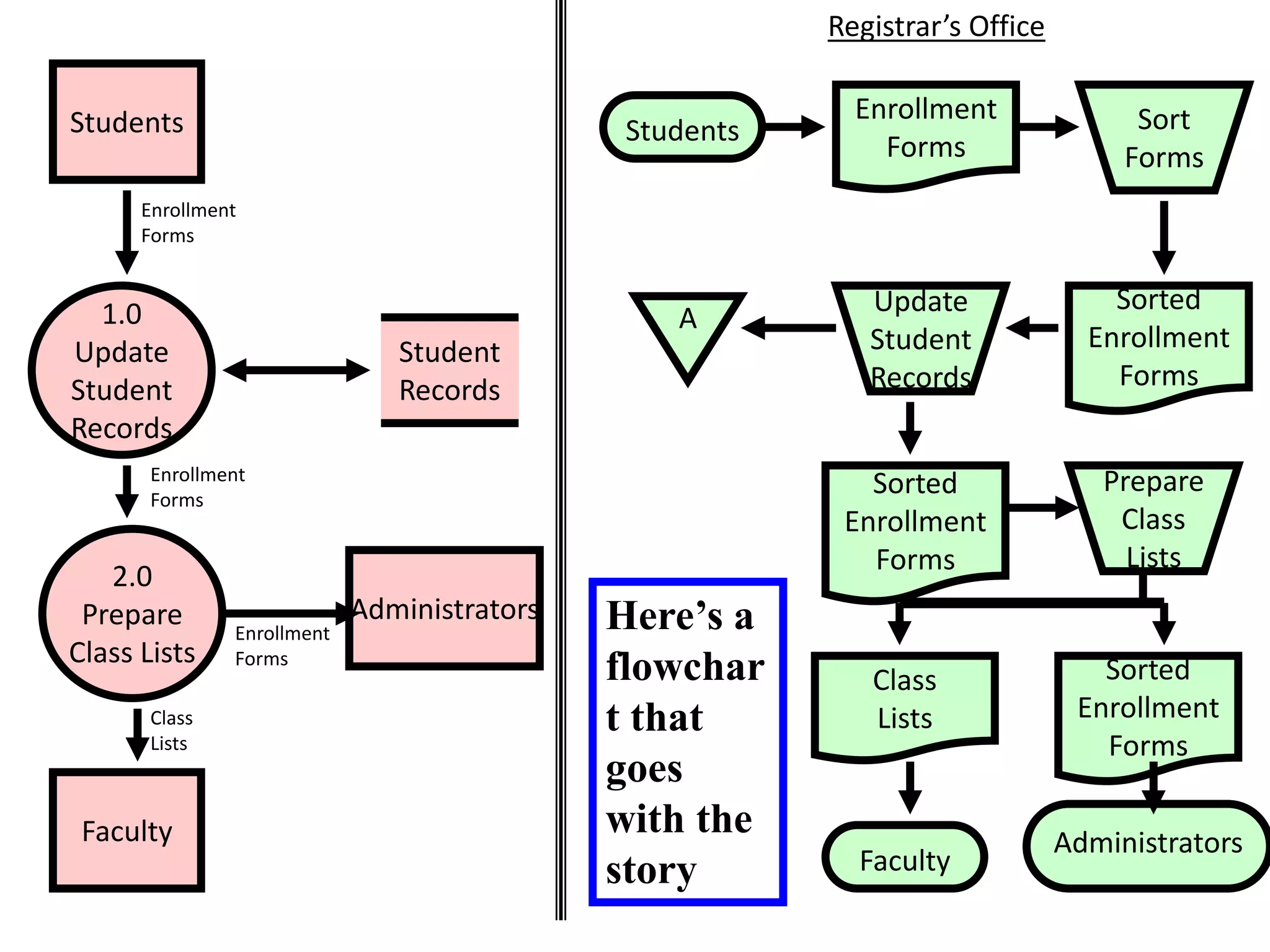
• EXAMPLE: The registrar’s office of a small
college receives paper enrollment forms from
students. They sort these records
alphabetically and then update the student
record file to show the new classes. They also
prepare class lists from the same data. The
sorted enrollment forms are forwarded to the
administrative office for billing purposes.
Class lists are mailed to faculty members.
Students
1.0
Update
Student
Records
2.0
Prepare
Class Lists
Student
Records
Faculty
Administrators
Enrollment
Forms
Enrollment
Forms
Enrollment
Forms
Class
Lists
Here’s a
DFD that
goes with
the story.
Students
1.0
Update
Student
Records
2.0
Prepare
Class Lists
Student
Records
Faculty
Administrators
Enrollment
Forms
Enrollment
Forms
Enrollment
Forms
Class
Lists
Students
Registrar’s Office
Enrollment
Forms
Sort
Forms
Sorted
Enrollment
Forms
Update
Student
Records
A
Prepare
Class
Lists
Sorted
Enrollment
Forms
Class
Lists
Sorted
Enrollment
Forms
Administrators
Faculty
Here’s a
flowchar
t that
goes
with the
story
FLOWCHARTS VS. DFDs
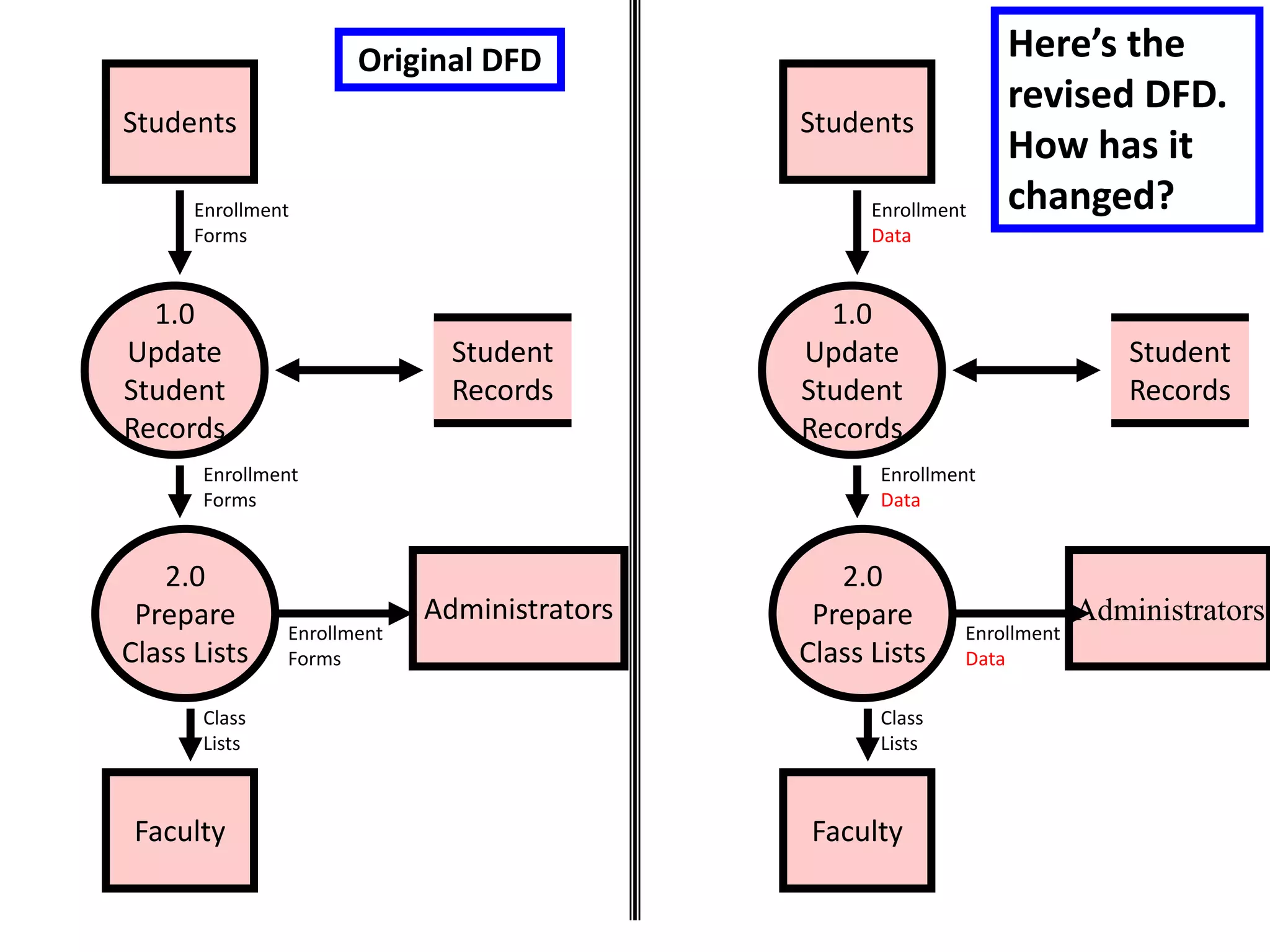
• Now let’s change the story so that
students enter enrollment data online.
The registrar’s office sends a tape
file(soft copy) of the enrollment data to
the administrative office and continues
to send paper class lists to faculty.
Students
1.0
Update
Student
Records
2.0
Prepare
Class Lists
Student
Records
Faculty
Administrators
Enrollment
Data
Enrollment
Data
Enrollment
Data
Class
Lists
Original DFD
Students
1.0
Update
Student
Records
2.0
Prepare
Class Lists
Student
Records
Faculty
Administrators
Enrollment
Forms
Enrollment
Forms
Enrollment
Forms
Class
Lists
Here’s the
revised DFD.
How has it
changed?
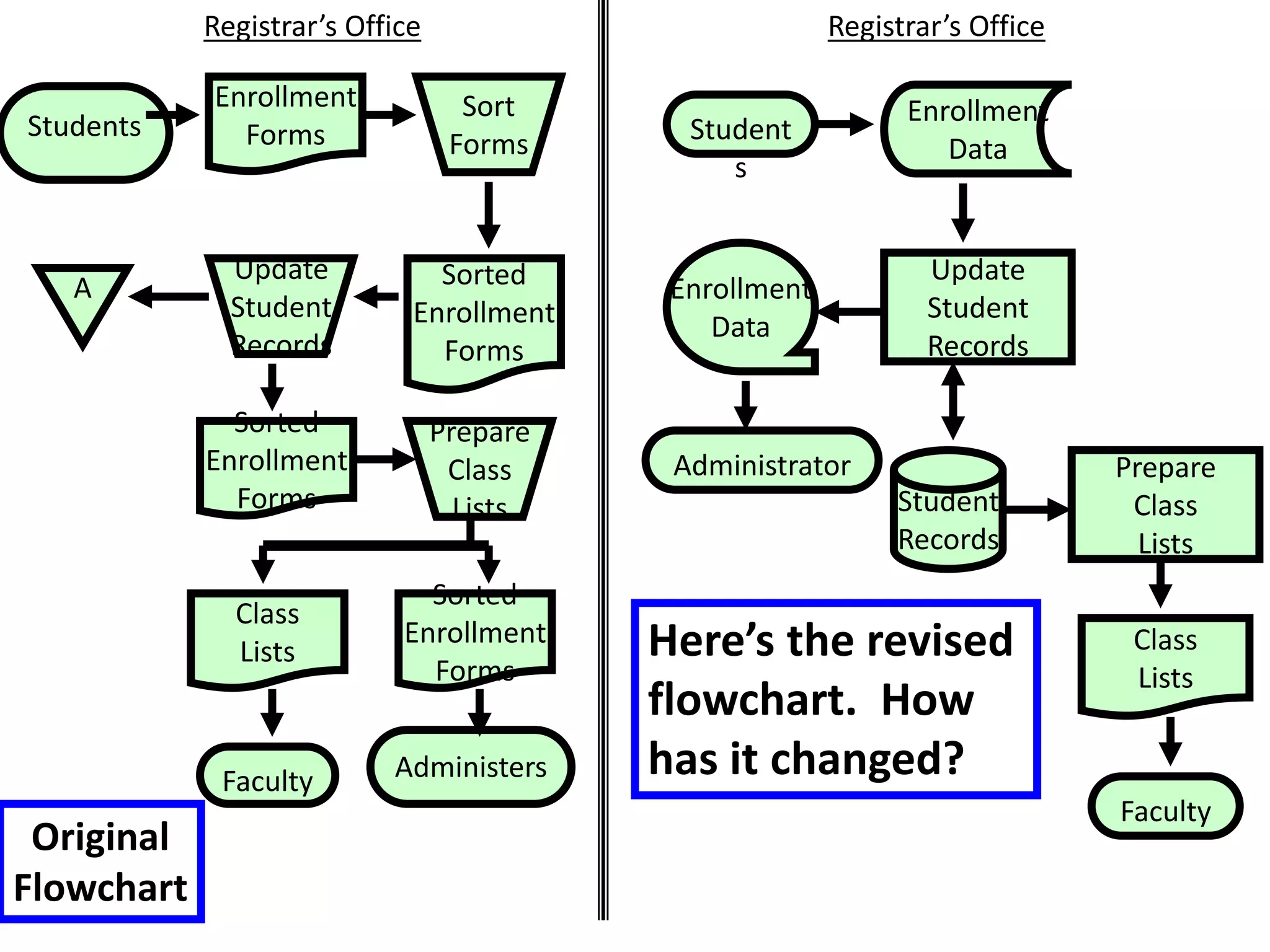
Here’s the revised
flowchart. How
has it changed?
Registrar’s Office
Student
s
Class
Lists
Administrator
Faculty
Enrollment
Data
Update
Student
Records
Student
Records
Enrollment
Data
Prepare
Class
Lists
Students
Registrar’s Office
Enrollment
Forms
Sort
Forms
Sorted
Enrollment
Forms
Update
Student
Records
A
Prepare
Class
Lists
Sorted
Enrollment
Forms
Class
Lists
Sorted
Enrollment
Forms
Administers
Faculty
Original
Flowchart
FLOWCHARTS VS. DFDs
• Moral of the Story: Changes in the physical
characteristics of the process do affect the
flowchart but have little or no impact on the
DFD.
• The DFD focuses more on the logic.
• When deciding which tool to employ,
consider the information needs of those who
will view it.
B. SYSTEM FLOWCHARTS
• A system flowchart depicts the relationship
among the inputs, processes, and outputs of
an AIS.
–The system flowchart begins by
identifying the inputs to the system.
• These inputs can be:
– New data
– Data stored for future use
– Both
SYSTEM FLOWCHARTS
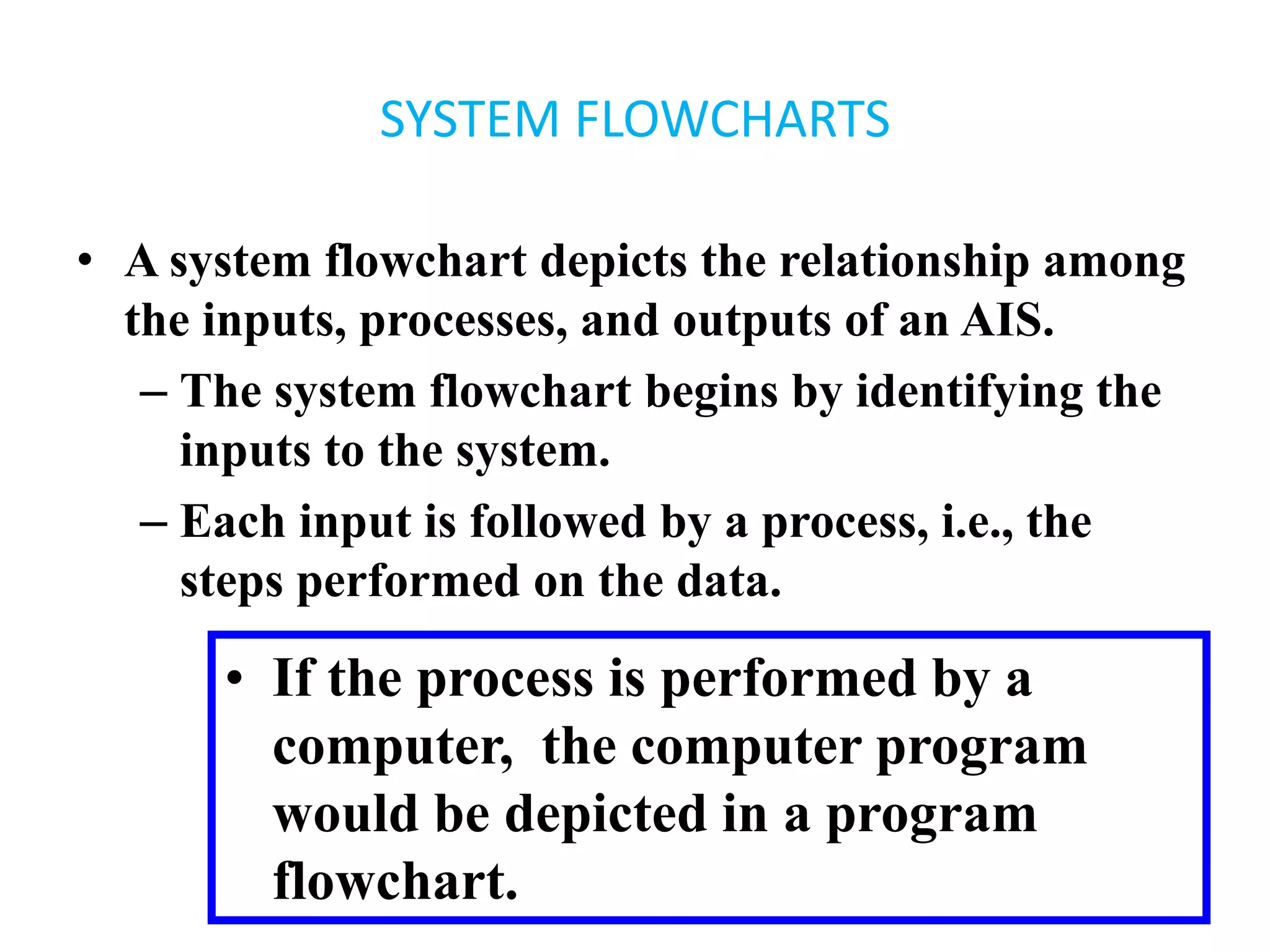
• A system flowchart depicts the relationship among
the inputs, processes, and outputs of an AIS.
– The system flowchart begins by identifying the
inputs to the system.
– Each input is followed by a process, i.e., the
steps performed on the data.
• If the process is performed by a
computer, the computer program
would be depicted in a program
flowchart.
SYSTEM FLOWCHARTS
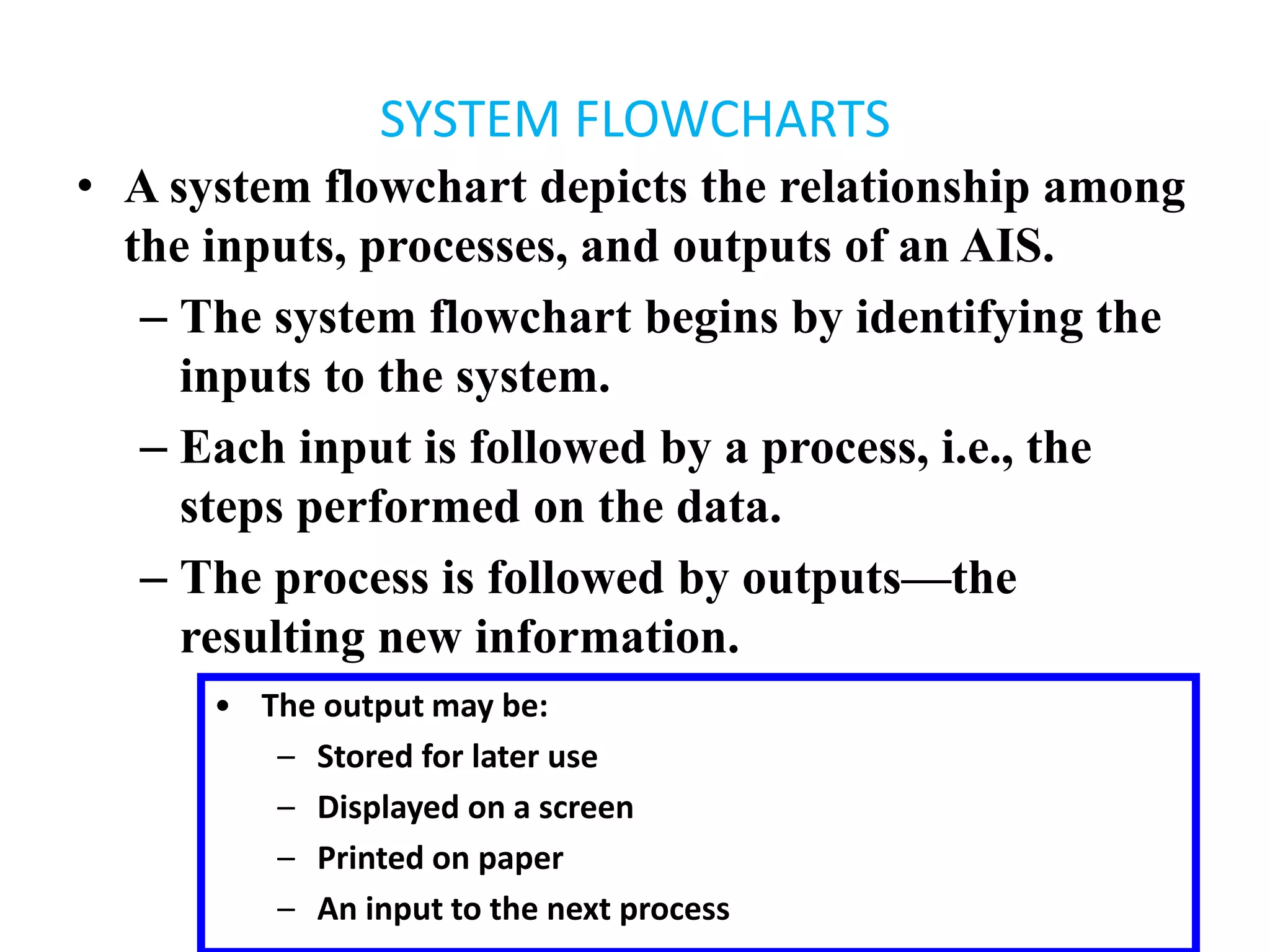
• A system flowchart depicts the relationship among
the inputs, processes, and outputs of an AIS.
– The system flowchart begins by identifying the
inputs to the system.
– Each input is followed by a process, i.e., the
steps performed on the data.
– The process is followed by outputs—the
resulting new information.
• The output may be:
– Stored for later use
– Displayed on a screen
– Printed on paper
– An input to the next process
SYSTEM FLOWCHARTS
• A system flowchart depicts the relationship among
the inputs, processes, and outputs of an AIS.
– The system flowchart begins by identifying the
inputs to the system.
– Each input is followed by a process, i.e., the
steps performed on the data.
– The process is followed by outputs—the
resulting new information.
– In other words, it’s the same basic input –
process – output pattern that we saw in the
document flowchart.
PROGRAM FLOWCHARTS
• Program flowcharts illustrate the sequence of
operations performed by a computer in
executing a program.
• They also follow an input – process – output
pattern.
• This is more specific than system flow chart.
End chapter 5 and …

AIS CH5 (Systems Development and Documentation Techniques).pptx