Jakub Kaniewski
Adobe Global Solutions
Shared Services
jakaniew@adobe.com
https://github.com/jkan997
Twitter: @JKan997
AEM DAM Integrations
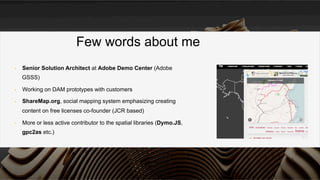
•  Senior Solution Architect at Adobe Demo Center (Adobe
GSSS)
•  Working on DAM prototypes with customers
•  ShareMap.org, social mapping system emphasizing creating
content on free licenses co-founder (JCR based)
•  More or less active contributor to the spatial libraries (Dymo.JS,
gpc2as etc.)
Few words about me
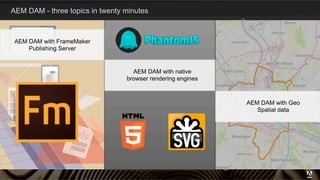
AEM DAM - three topics in twenty minutes
3
AEM DAM with FrameMaker
Publishing Server
AEM DAM with native
browser rendering engines
AEM DAM with Geo
Spatial data
What is FrameMaker?
Adobe FrameMaker is a template-based
authoring and publishing solution for
unstructured, structured and XML content.
Who uses FrameMaker?
§  Technical communicators, information architects/
designers/developers, training developers, and
other documentation specialists
§  Writers and editors
§  Subject matter experts and
engineers
4
5
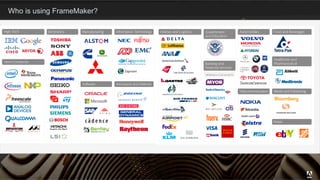
Who is using FrameMaker?
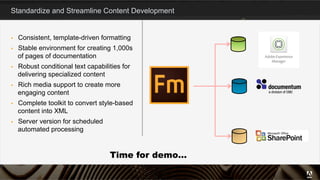
Standardize and Streamline Content Development
§  Consistent, template-driven formatting
§  Stable environment for creating 1,000s
of pages of documentation
§  Robust conditional text capabilities for
delivering specialized content
§  Rich media support to create more
engaging content
§  Complete toolkit to convert style-based
content into XML
§  Server version for scheduled
automated processing
6
Time for demo…
AEM DAM Frame Maker Publishing Server 2015 Integration – cook book
•  Post scheduled Frame Maker operation after
uploads to DAM
•  Don’t worry about moving files Frame Maker
Publishing Server will handle itself reading from AEM
repo and writing PDF again
•  Handle async incoming file with workflow
•  Parallel execution – not an issue (will not happen)
7
Time for demo…
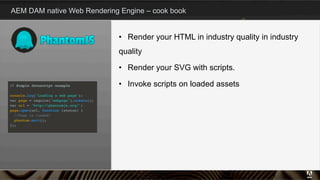
AEM DAM native Web Rendering Engine – cook book
8
•  Render your HTML in industry quality in industry
quality
•  Render your SVG with scripts.
•  Invoke scripts on loaded assets
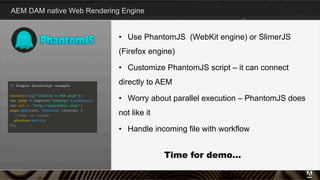
AEM DAM native Web Rendering Engine
9
•  Use PhantomJS (WebKit engine) or SlimerJS
(Firefox engine)
•  Customize PhantomJS script – it can connect
directly to AEM
•  Worry about parallel execution – PhantomJS does
not like it
•  Handle incoming file with workflow
Time for demo…
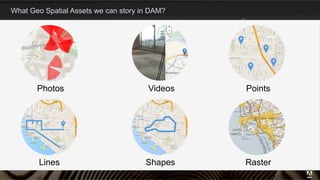
What Geo Spatial Assets we can story in DAM?
10
Lines Shapes
Photos
Raster
Videos Points
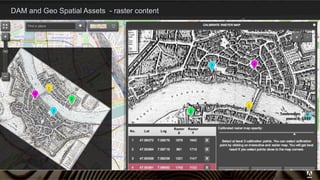
DAM and Geo Spatial Assets - raster content
11
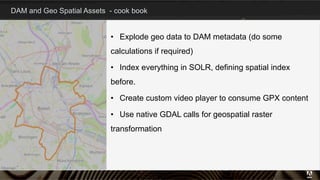
DAM and Geo Spatial Assets - cook book
12
•  Explode geo data to DAM metadata (do some
calculations if required)
•  Index everything in SOLR, defining spatial index
before.
•  Create custom video player to consume GPX content
•  Use native GDAL calls for geospatial raster
transformation
Any questions?
Thank you for attending

AEM 6 DAM - Integrations, Integrations, Integrations

  • 1.
    Jakub Kaniewski Adobe GlobalSolutions Shared Services jakaniew@adobe.com https://github.com/jkan997 Twitter: @JKan997 AEM DAM Integrations
  • 2.
    •  Senior SolutionArchitect at Adobe Demo Center (Adobe GSSS) •  Working on DAM prototypes with customers •  ShareMap.org, social mapping system emphasizing creating content on free licenses co-founder (JCR based) •  More or less active contributor to the spatial libraries (Dymo.JS, gpc2as etc.) Few words about me
  • 3.
    AEM DAM -three topics in twenty minutes 3 AEM DAM with FrameMaker Publishing Server AEM DAM with native browser rendering engines AEM DAM with Geo Spatial data
  • 4.
    What is FrameMaker? AdobeFrameMaker is a template-based authoring and publishing solution for unstructured, structured and XML content. Who uses FrameMaker? §  Technical communicators, information architects/ designers/developers, training developers, and other documentation specialists §  Writers and editors §  Subject matter experts and engineers 4
  • 5.
    5 Who is usingFrameMaker?
  • 6.
    Standardize and StreamlineContent Development §  Consistent, template-driven formatting §  Stable environment for creating 1,000s of pages of documentation §  Robust conditional text capabilities for delivering specialized content §  Rich media support to create more engaging content §  Complete toolkit to convert style-based content into XML §  Server version for scheduled automated processing 6 Time for demo…
  • 7.
    AEM DAM FrameMaker Publishing Server 2015 Integration – cook book •  Post scheduled Frame Maker operation after uploads to DAM •  Don’t worry about moving files Frame Maker Publishing Server will handle itself reading from AEM repo and writing PDF again •  Handle async incoming file with workflow •  Parallel execution – not an issue (will not happen) 7
  • 8.
    Time for demo… AEMDAM native Web Rendering Engine – cook book 8 •  Render your HTML in industry quality in industry quality •  Render your SVG with scripts. •  Invoke scripts on loaded assets
  • 9.
    AEM DAM nativeWeb Rendering Engine 9 •  Use PhantomJS (WebKit engine) or SlimerJS (Firefox engine) •  Customize PhantomJS script – it can connect directly to AEM •  Worry about parallel execution – PhantomJS does not like it •  Handle incoming file with workflow Time for demo…
  • 10.
    What Geo SpatialAssets we can story in DAM? 10 Lines Shapes Photos Raster Videos Points
  • 11.
    DAM and GeoSpatial Assets - raster content 11
  • 12.
    DAM and GeoSpatial Assets - cook book 12 •  Explode geo data to DAM metadata (do some calculations if required) •  Index everything in SOLR, defining spatial index before. •  Create custom video player to consume GPX content •  Use native GDAL calls for geospatial raster transformation
  • 13.
  • 14.
    Thank you forattending