Excel Formulas & Tips to
Supercharge Your
ReportingAnu Adegbola
Founder/CEO | @mindswanppc | @ansicles
About Me
@mindswanppc
Agenda
PPC + Excel
Campaign Creation
Reporting
@mindswanppc
This was me – the little
girl playing with Dad’s
laptop to create tables &
graphs
@mindswanppc
What can a PPC pro
use Excel for?
@mindswanppc
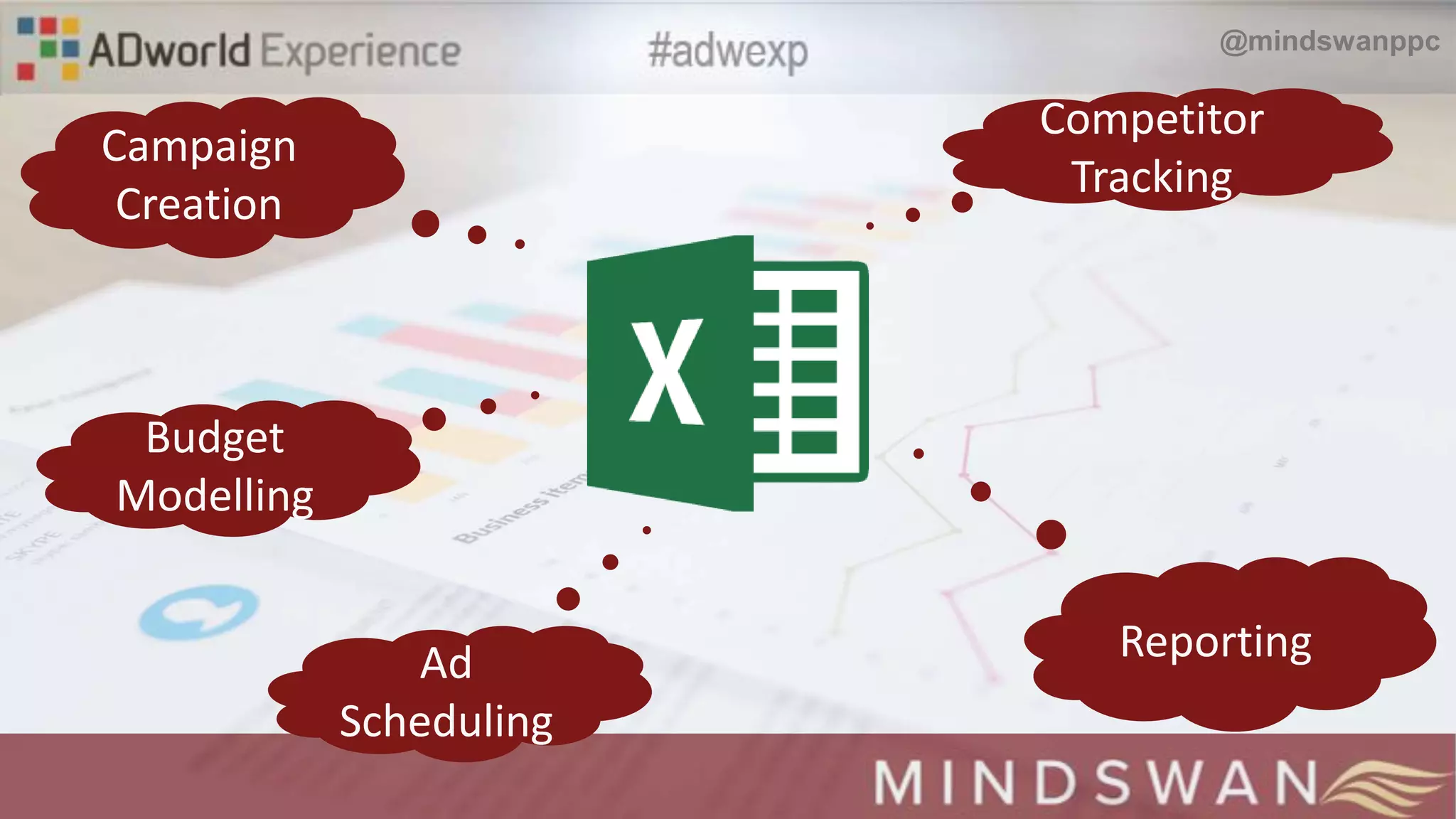
Campaign
Creation
Budget
Modelling
Reporting
Competitor
Tracking
Ad
Scheduling
@mindswanppc
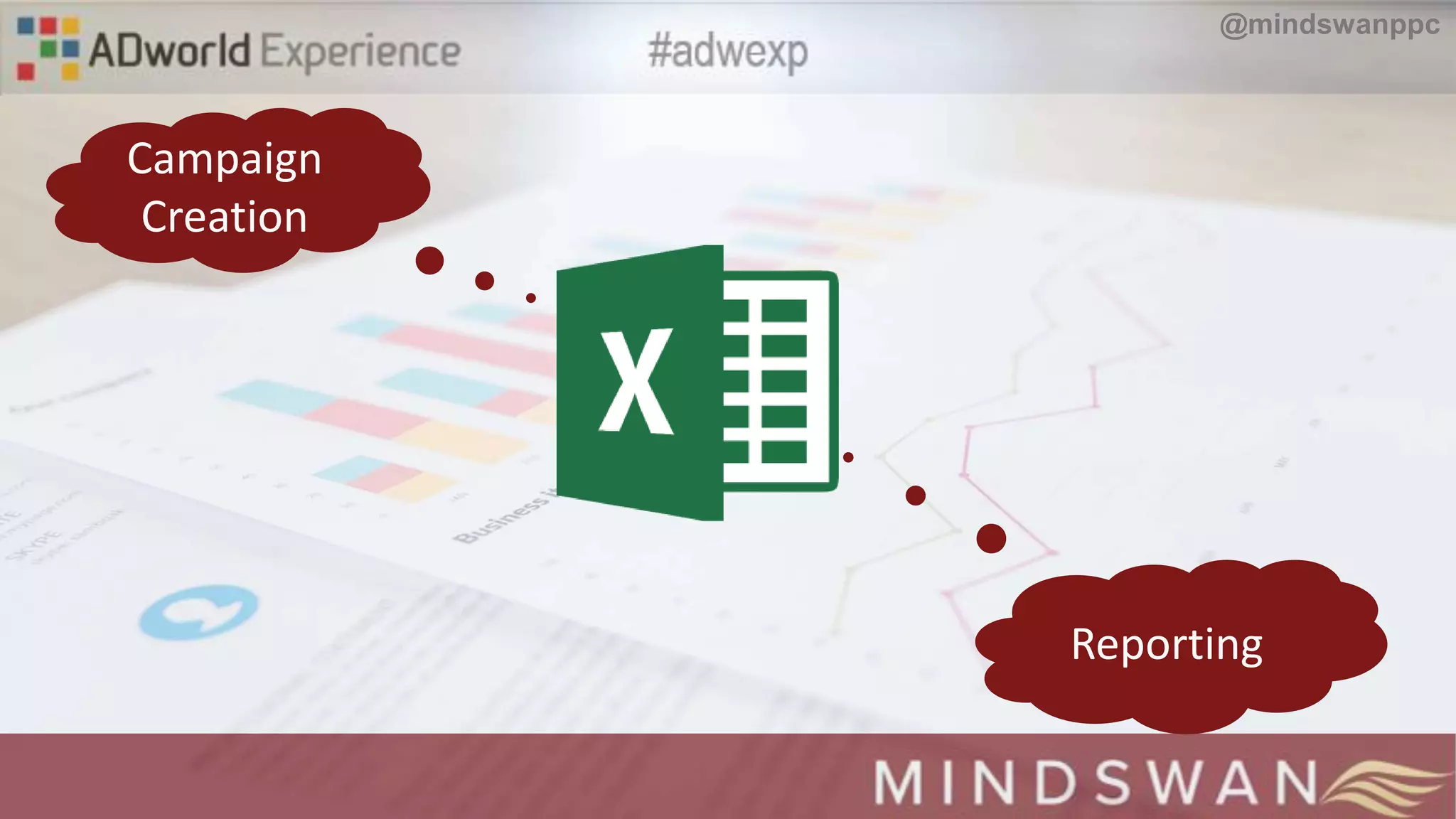
Campaign
Creation
Reporting
@mindswanppc
Campaign Creation
Questions to Ask?
@mindswanppc
 What are your high intent
keywords? How many are there?
@mindswanppc
 How can you make ad copy as
relevant as possible?
@mindswanppc
 What is the overall structure
@ansicle
s
Campaign Creation
Keywords
@mindswanppc
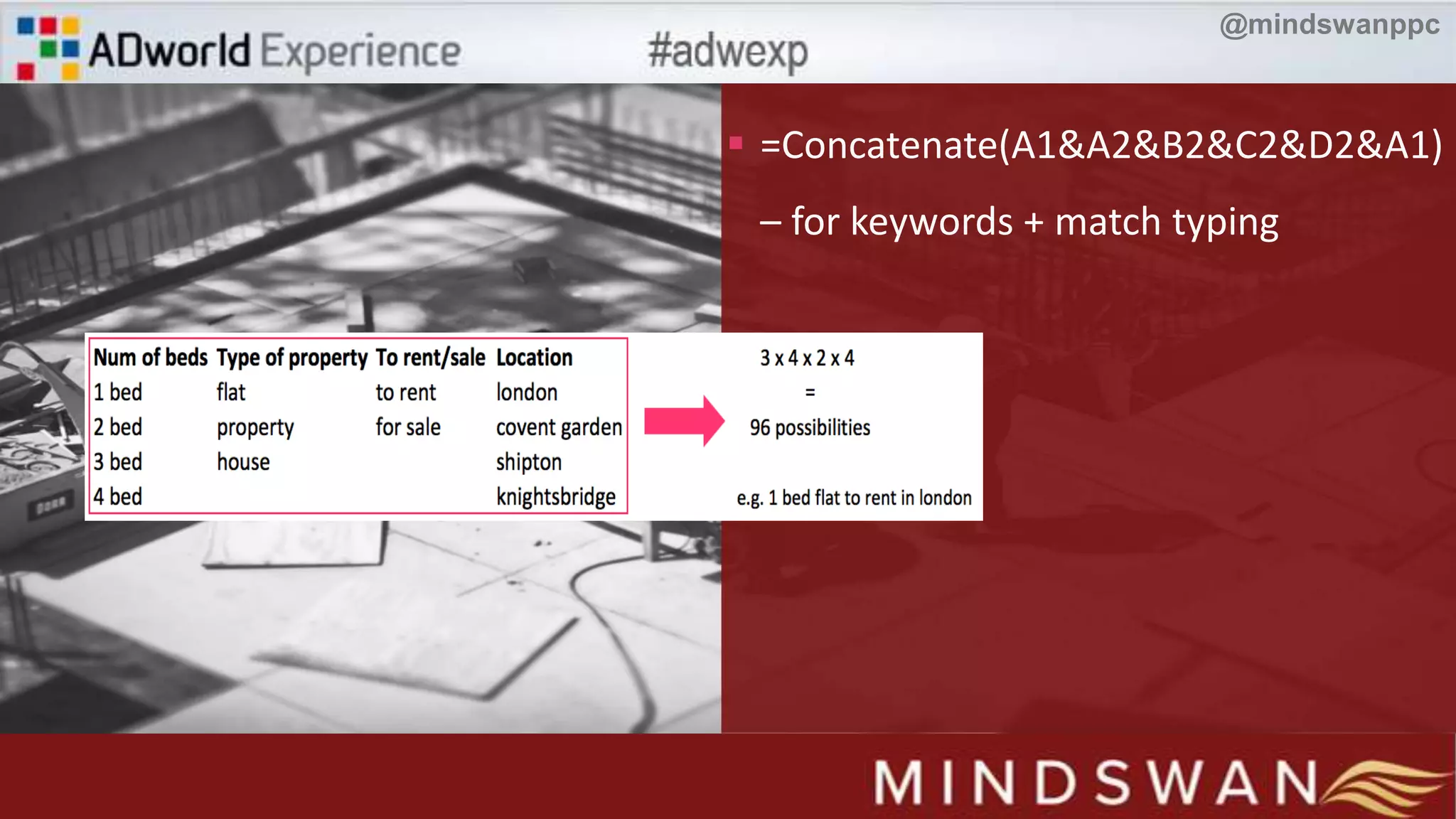
 =Concatenate(A1&A2&B2&C2&D2&A1)
– for keywords + match typing
@mindswanppc
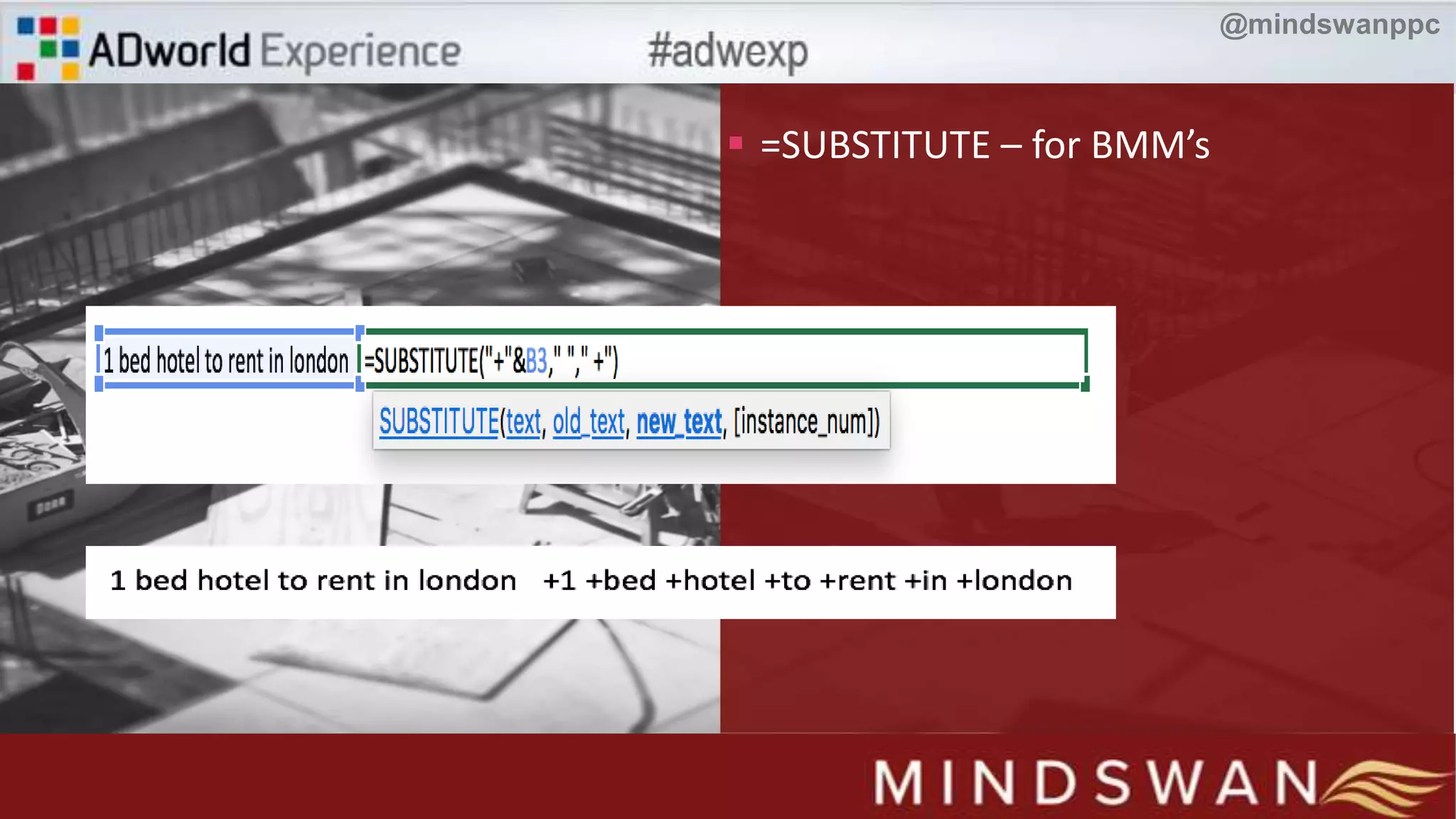
 =SUBSTITUTE – for BMM’s
@mindswanppc
Campaign Creation
Ad Copy
@mindswanppc
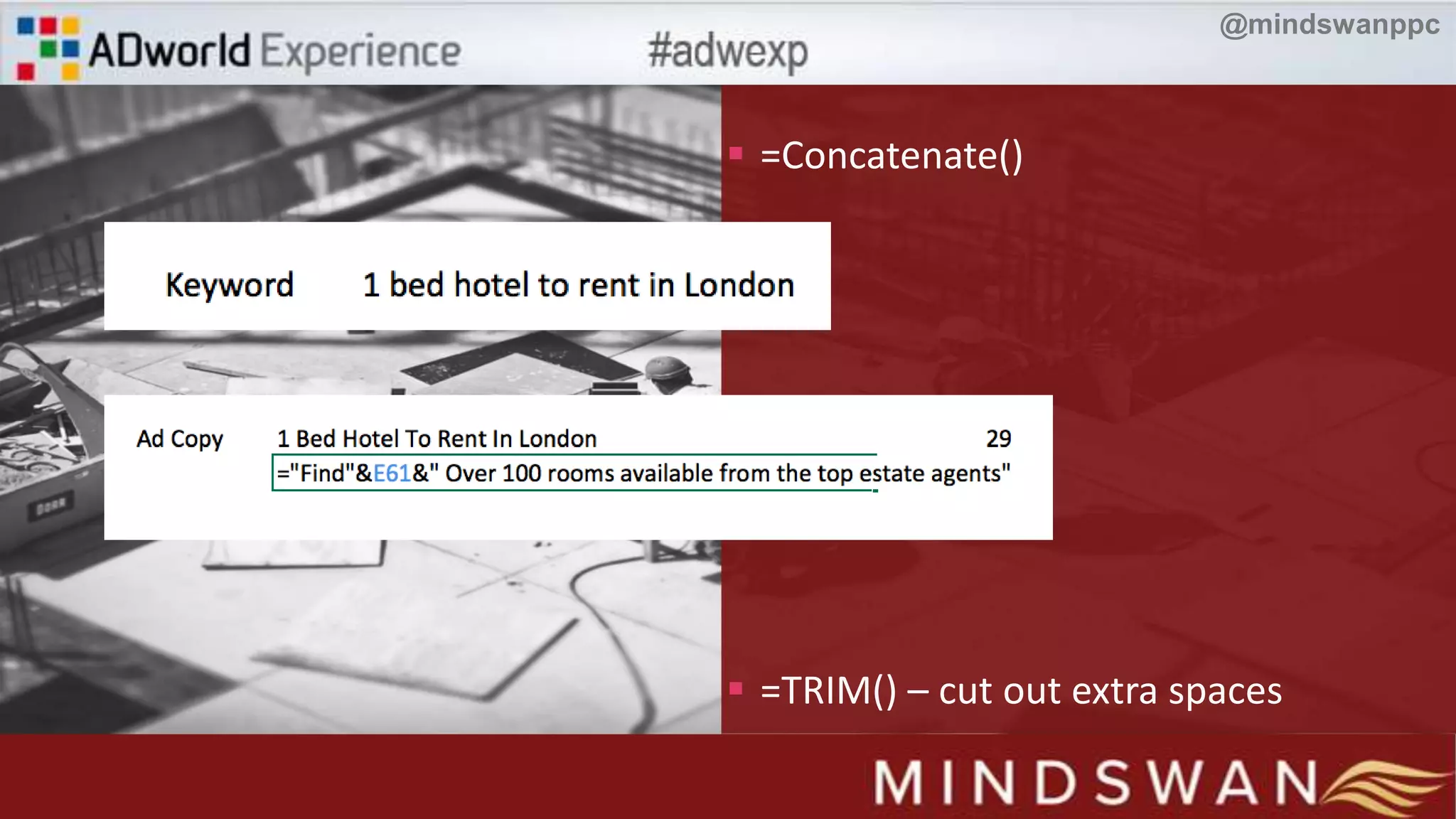
 =Concatenate()
 =TRIM() – cut out extra spaces
@mindswanppc
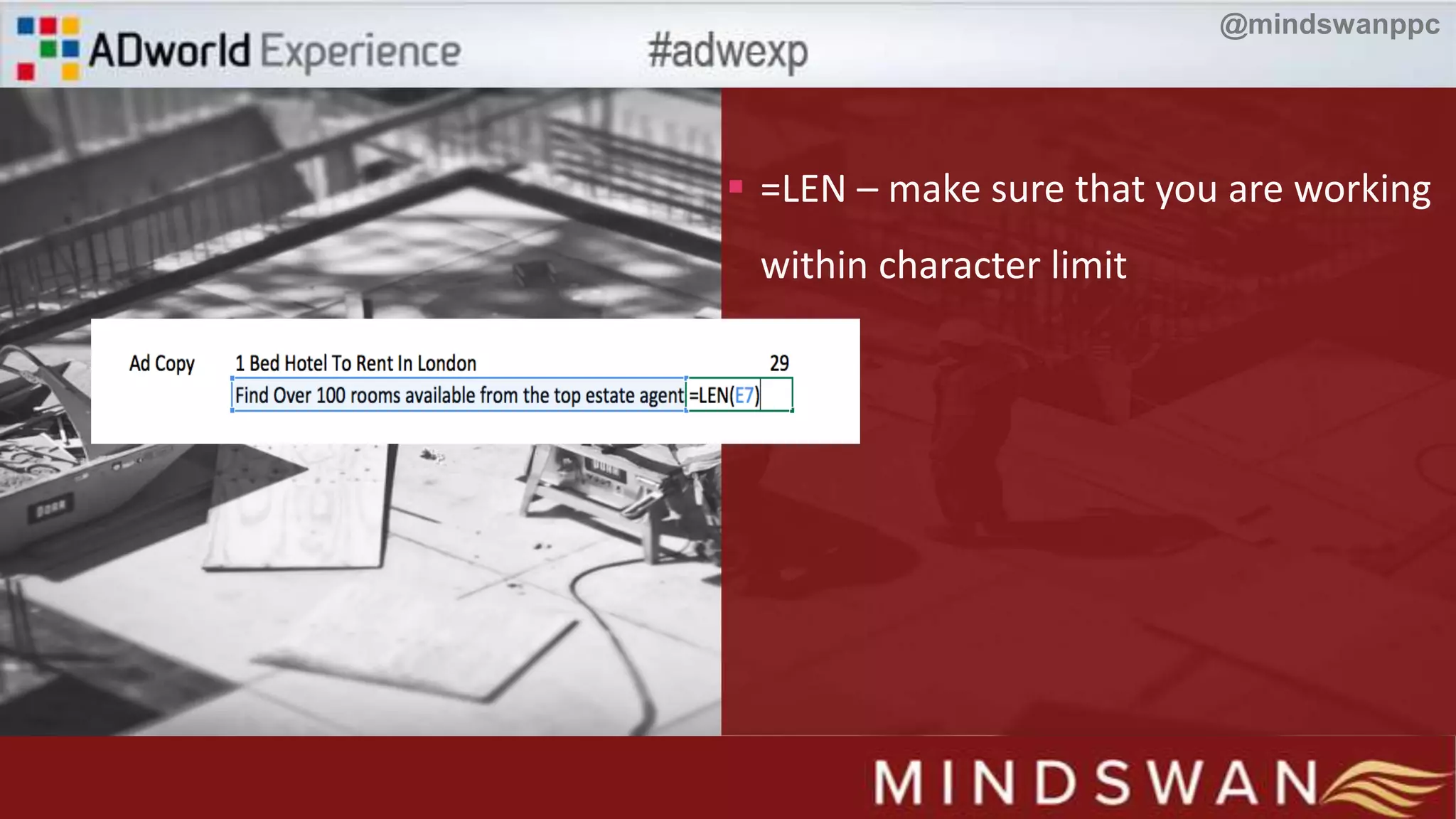
 =LEN – make sure that you are working
within character limit
@mindswanppc
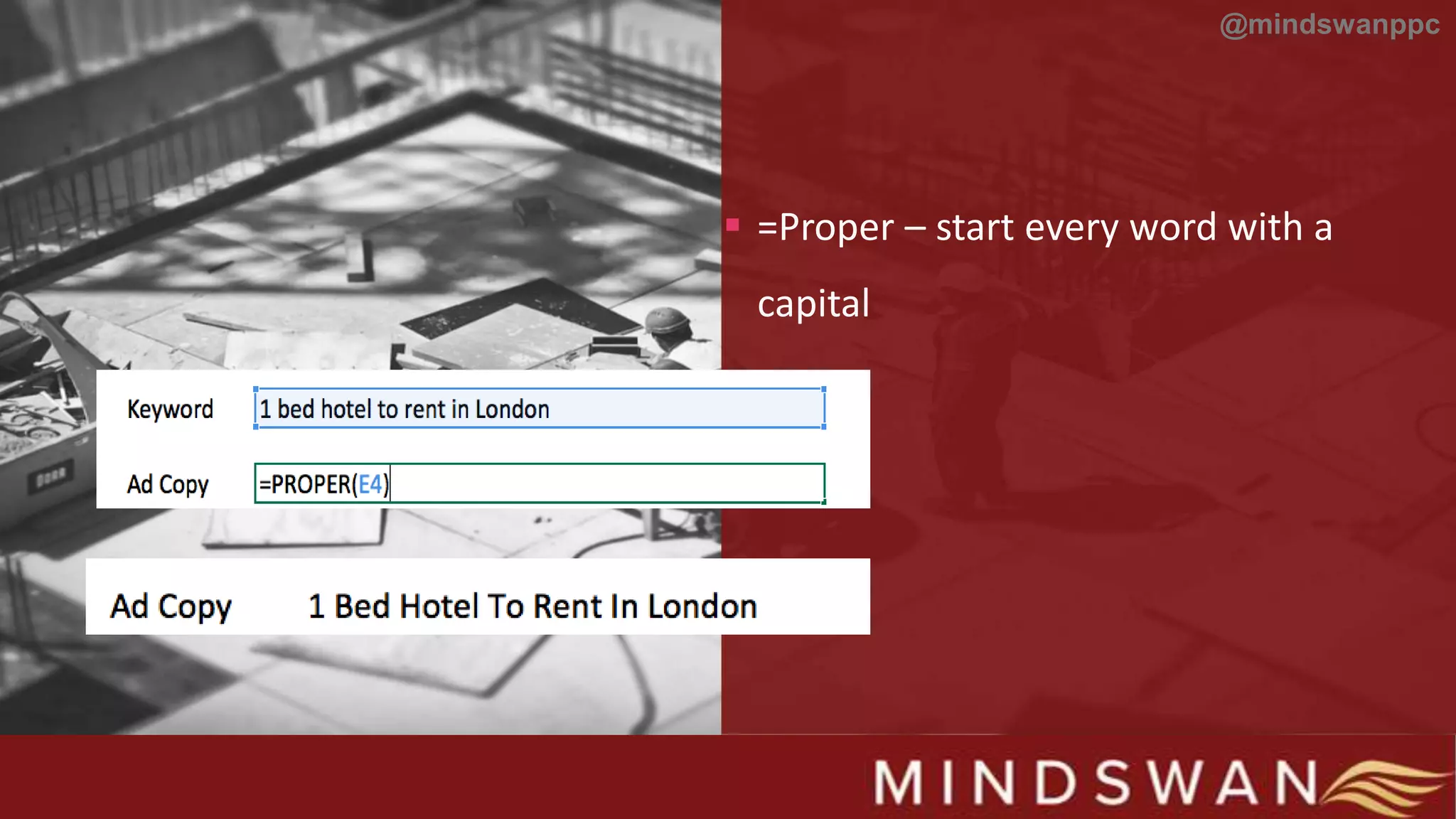
 =Proper – start every word with a
capital
@mindswanppc
Reporting
Questions to ask
@mindswanppc
 Who is it for?
@mindswanppc
@ansicle
s
 How often is it done?
@mindswanppc
@ansicle
s
 How large is the account?
@mindswanppc
Reporting
Pivot Tables
@mindswanppc
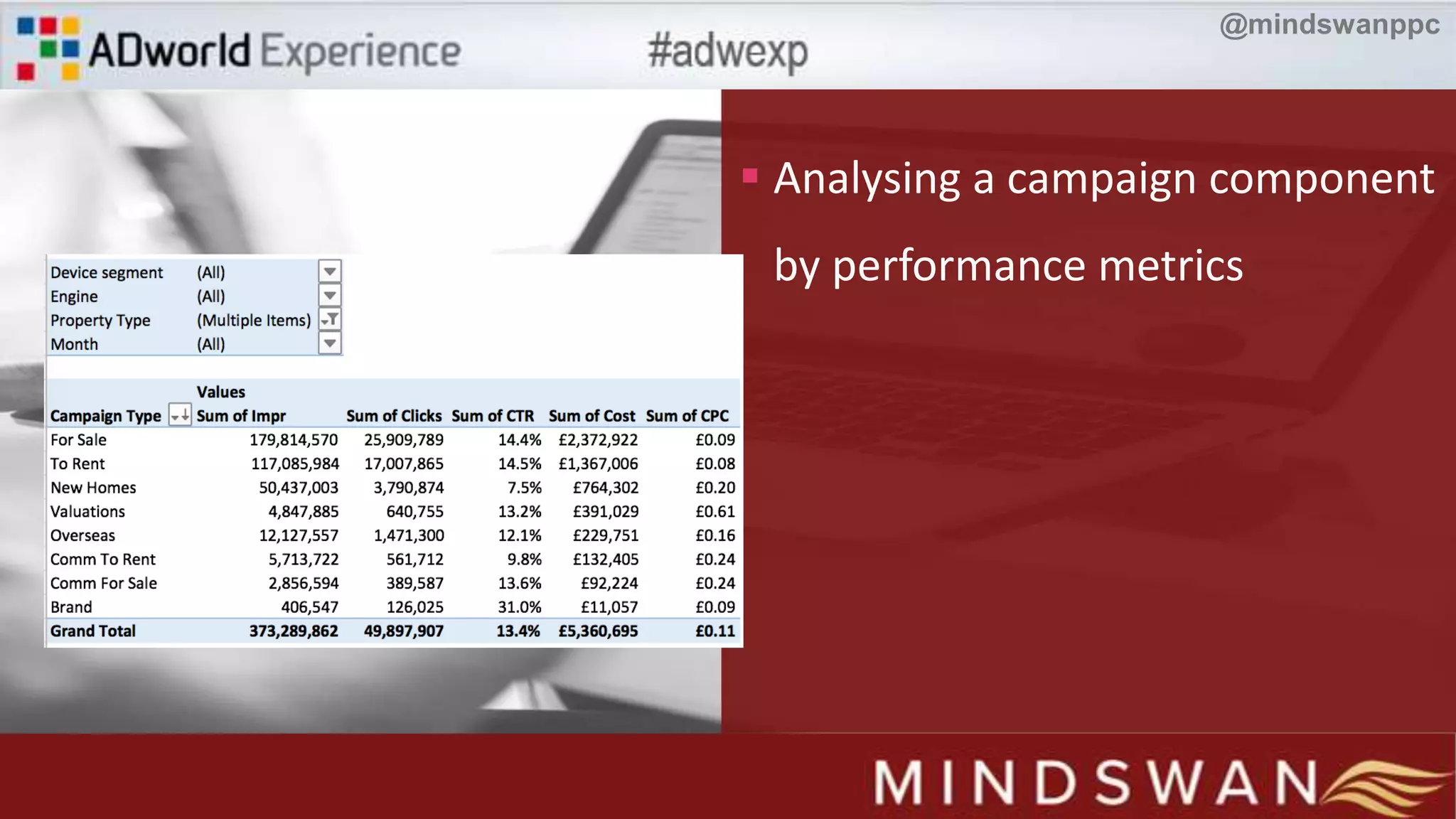
 Analysing a campaign component
by performance metrics
@mindswanppc
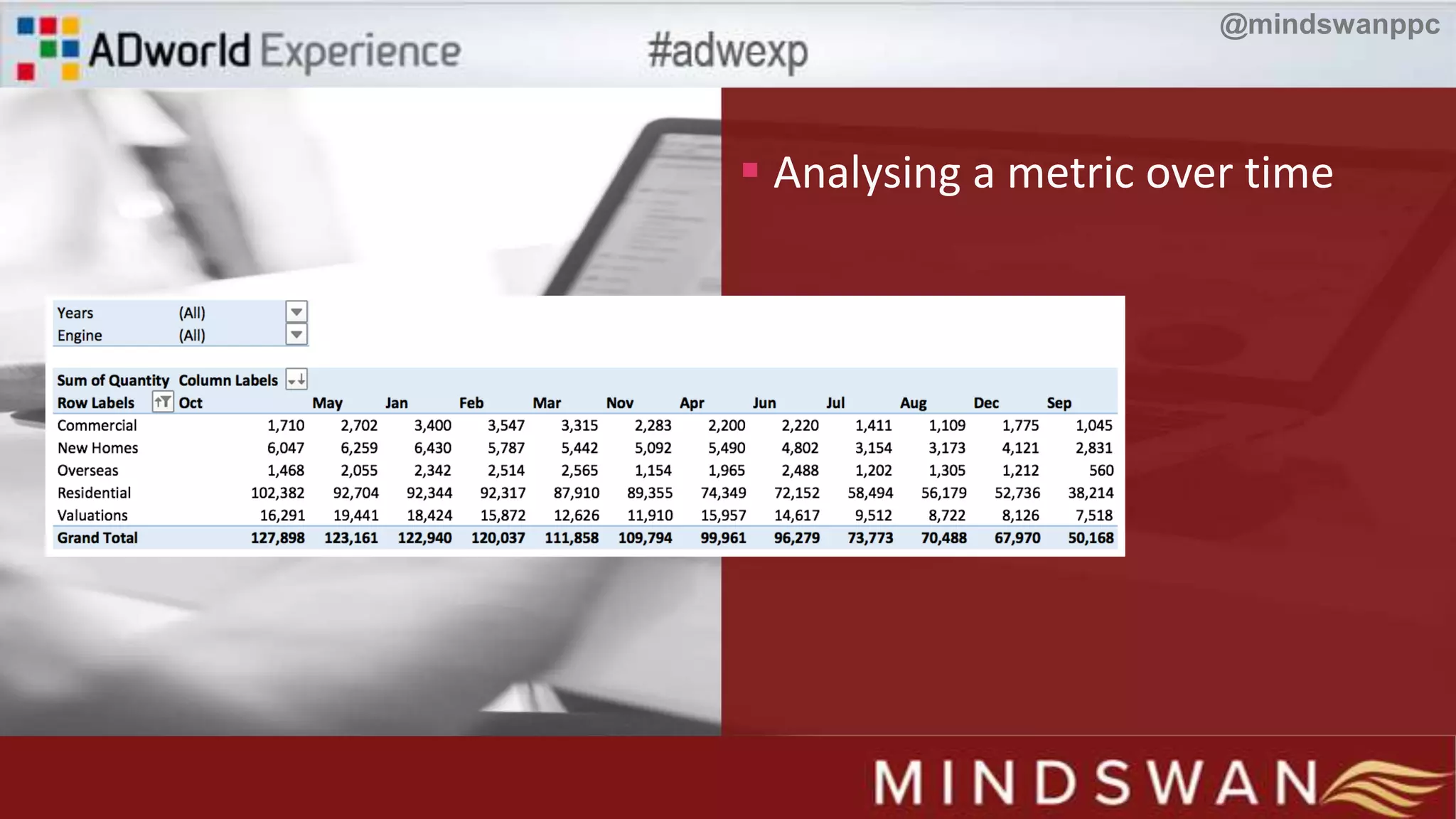
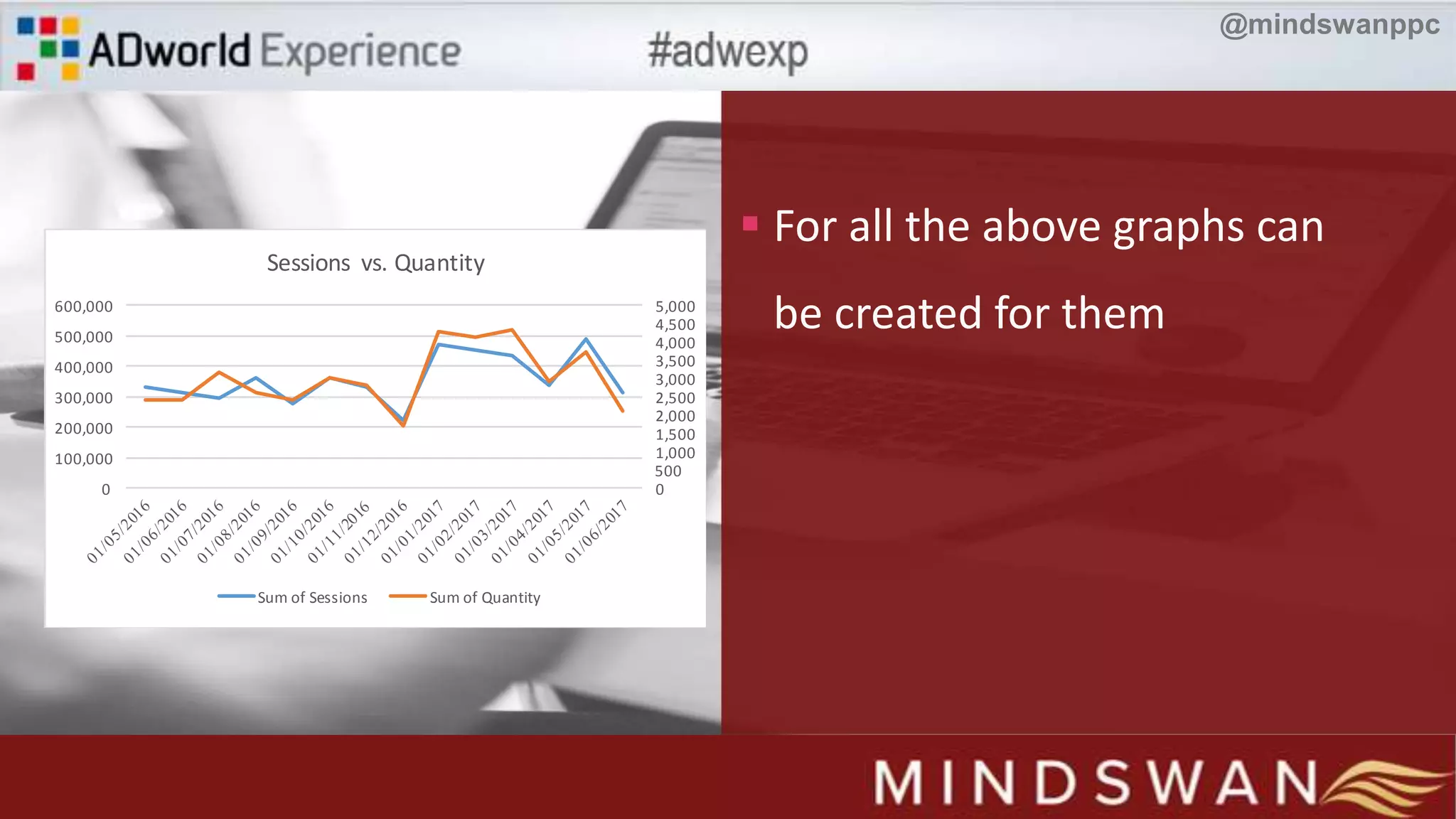
 Analysing a metric over time
@mindswanppc
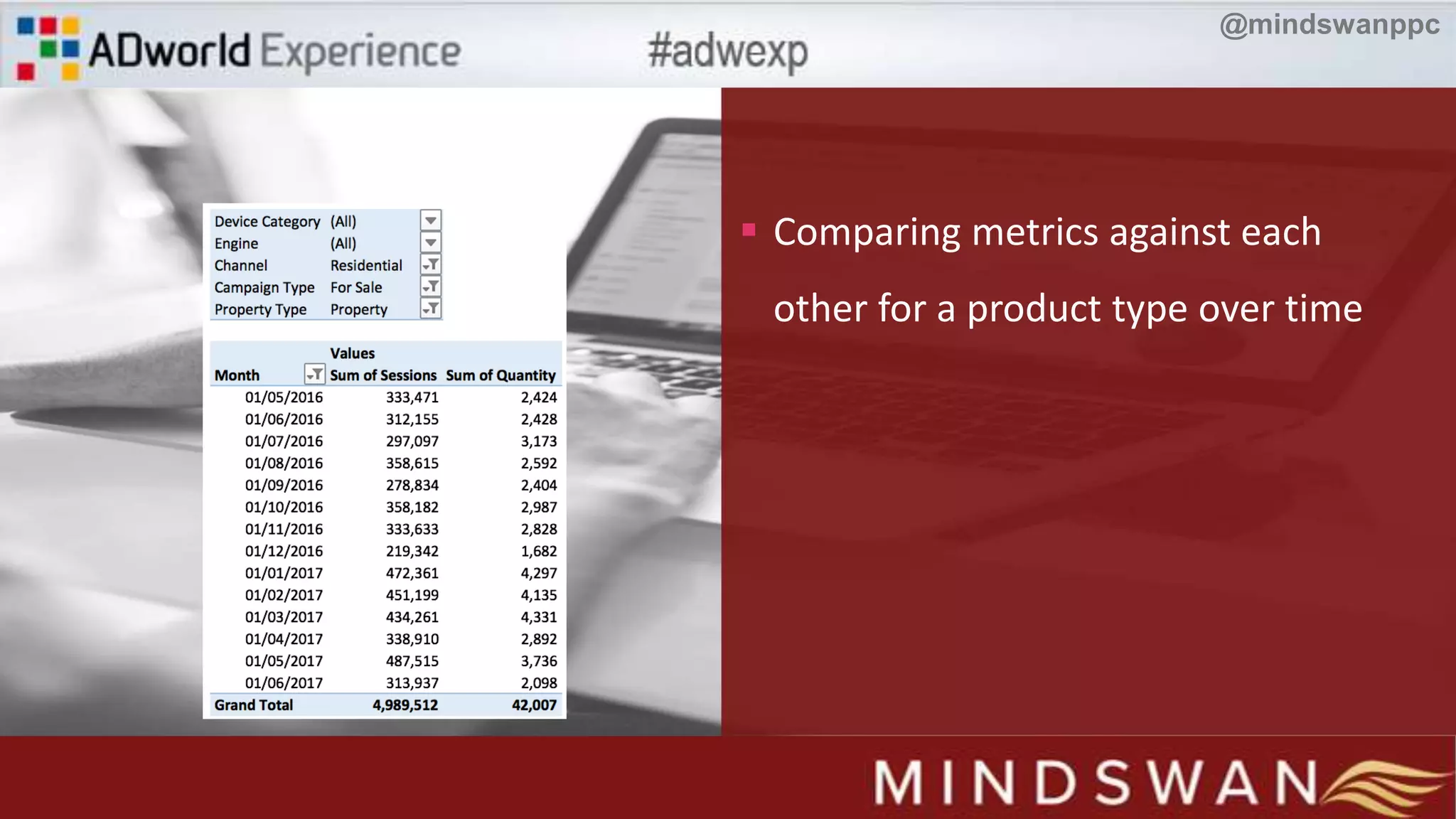
 Comparing metrics against each
other for a product type over time
@mindswanppc
 For all the above graphs can
be created for them
0
500
1,000
1,500
2,000
2,500
3,000
3,500
4,000
4,500
5,000
0
100,000
200,000
300,000
400,000
500,000
600,000
Sessions vs. Quantity
Sum of Sessions Sum of Quantity
@mindswanppc
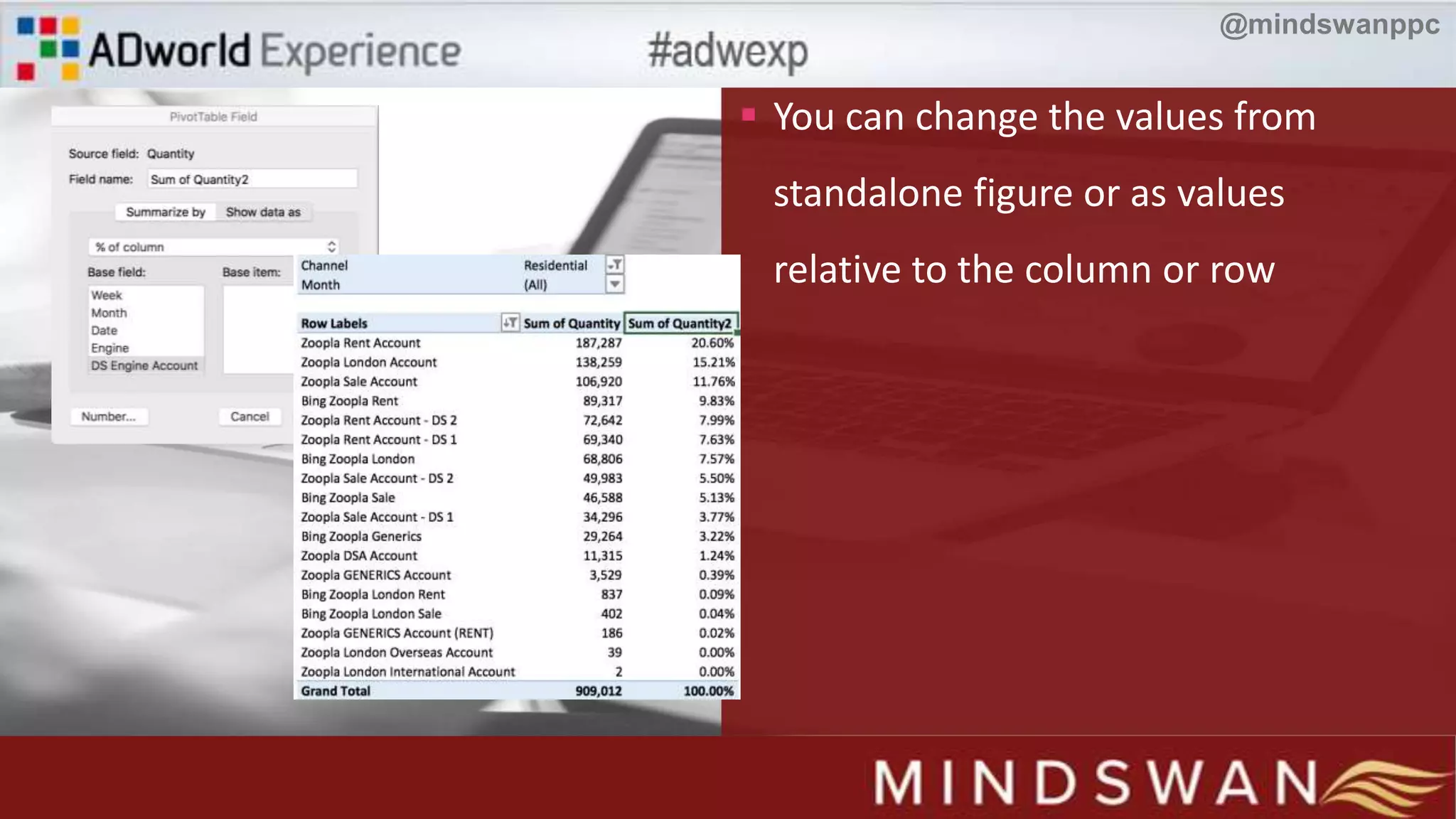
 You can change the values from
standalone figure or as values
relative to the column or row
@mindswanppc
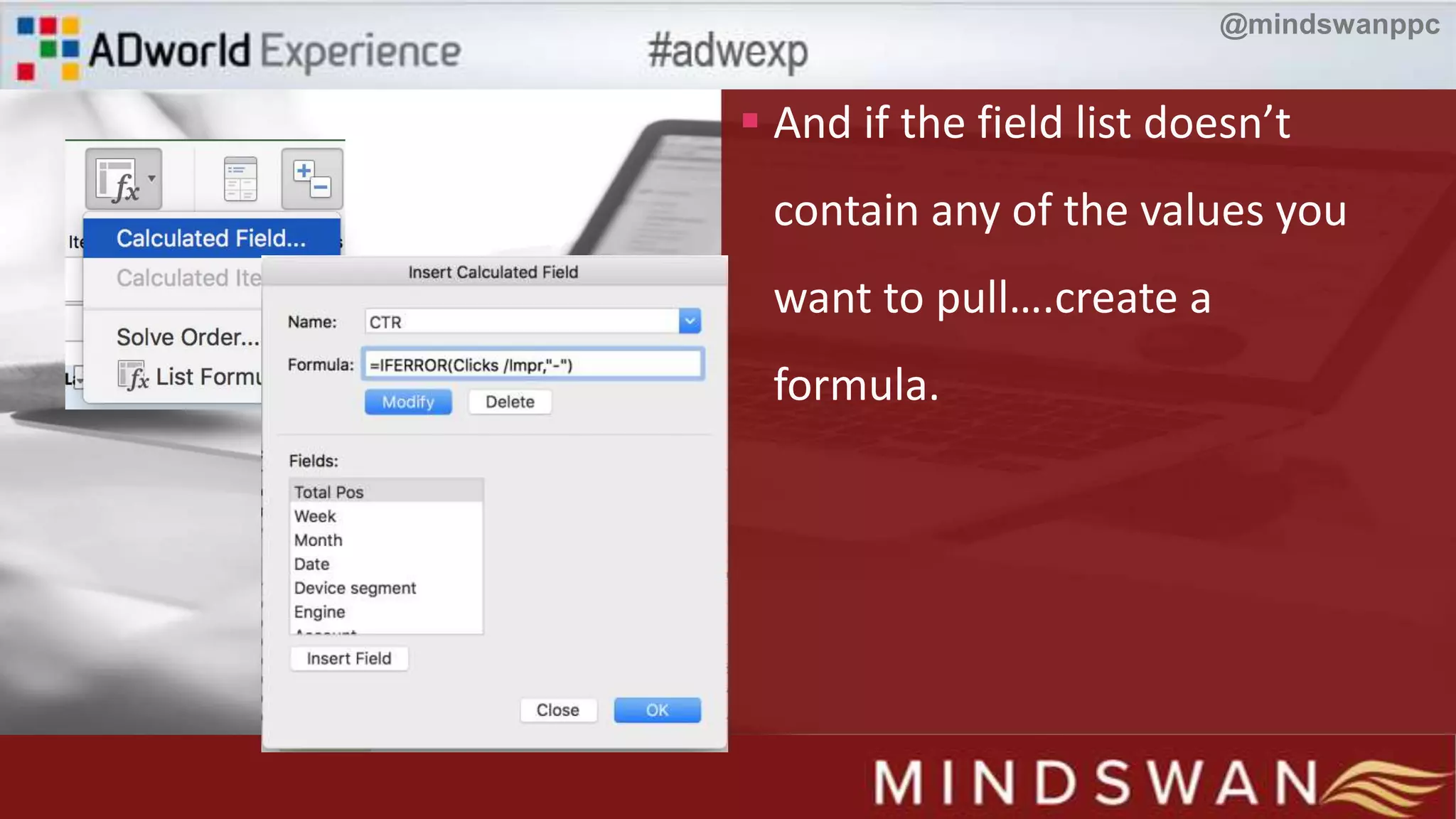
 And if the field list doesn’t
contain any of the values you
want to pull….create a
formula.
@mindswanppc
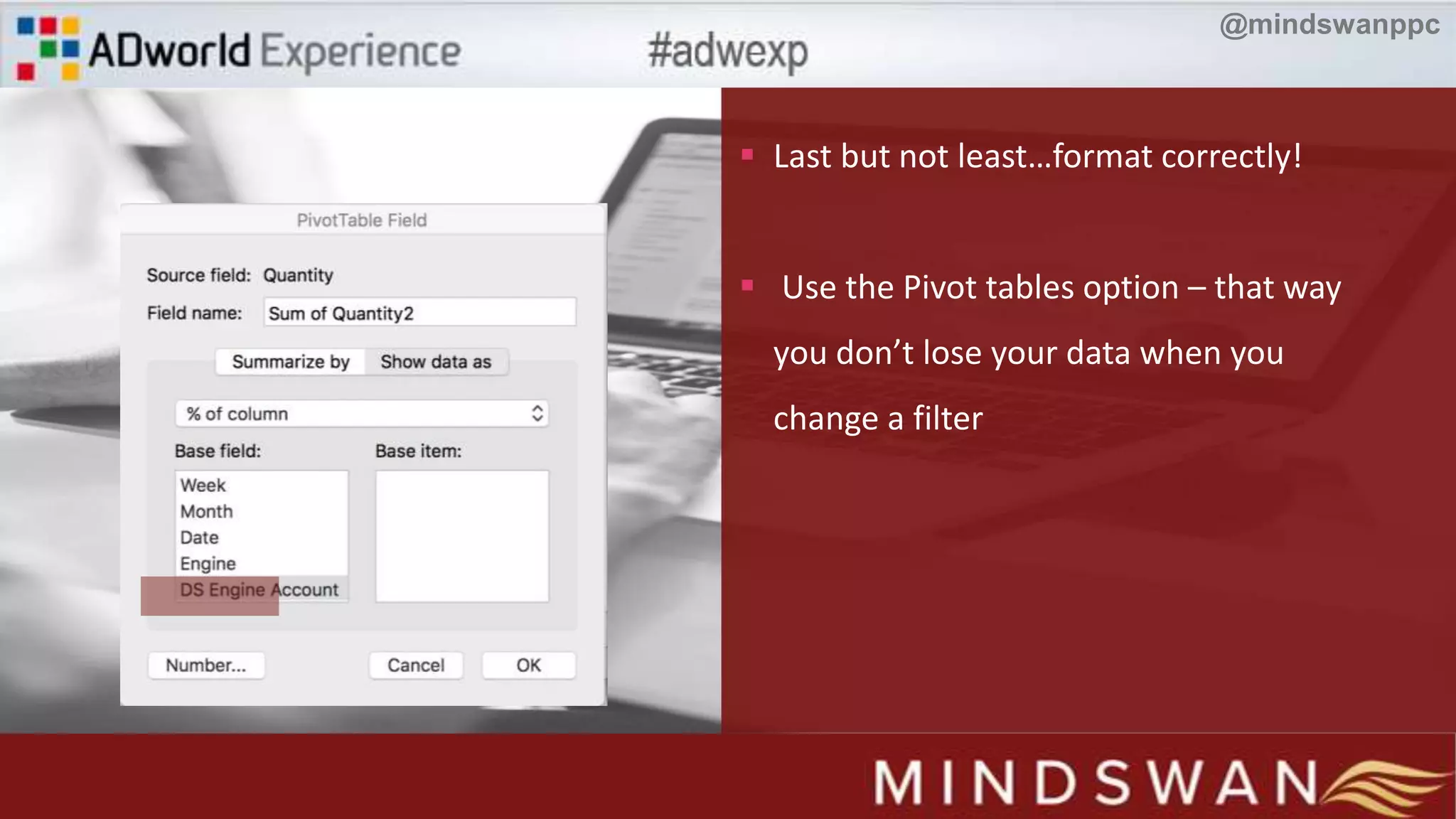
 Last but not least…format correctly!
 Use the Pivot tables option – that way
you don’t lose your data when you
change a filter
@mindswanppc
Reporting
The Formulas
@mindswanppc
@mindswanppc
 SEOTools extension – gives you extra formulas to
use (http://seotoolsforexcel.com/)
Easter Egg 1
@mindswanppc
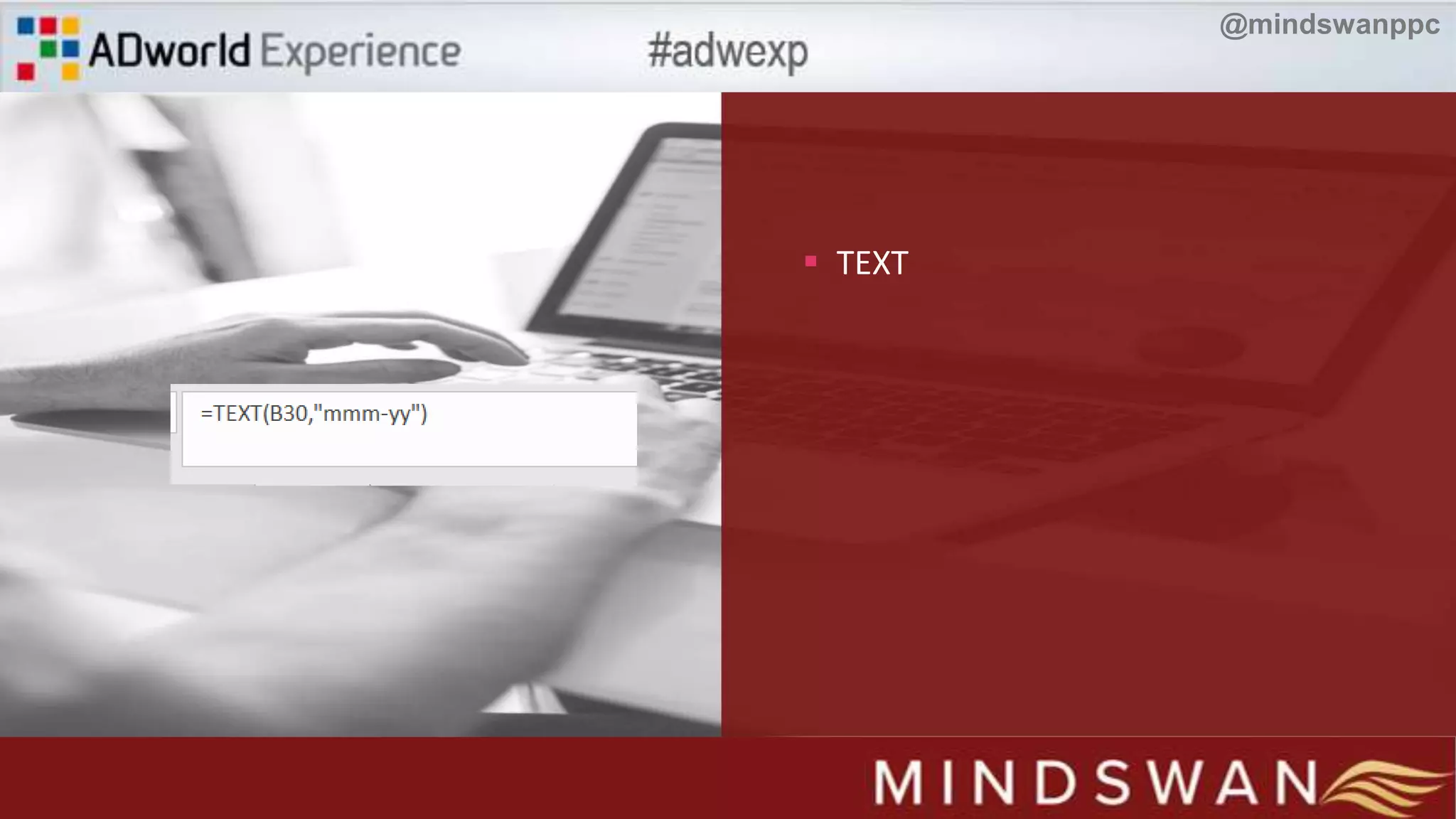
 TEXT
@mindswanppc
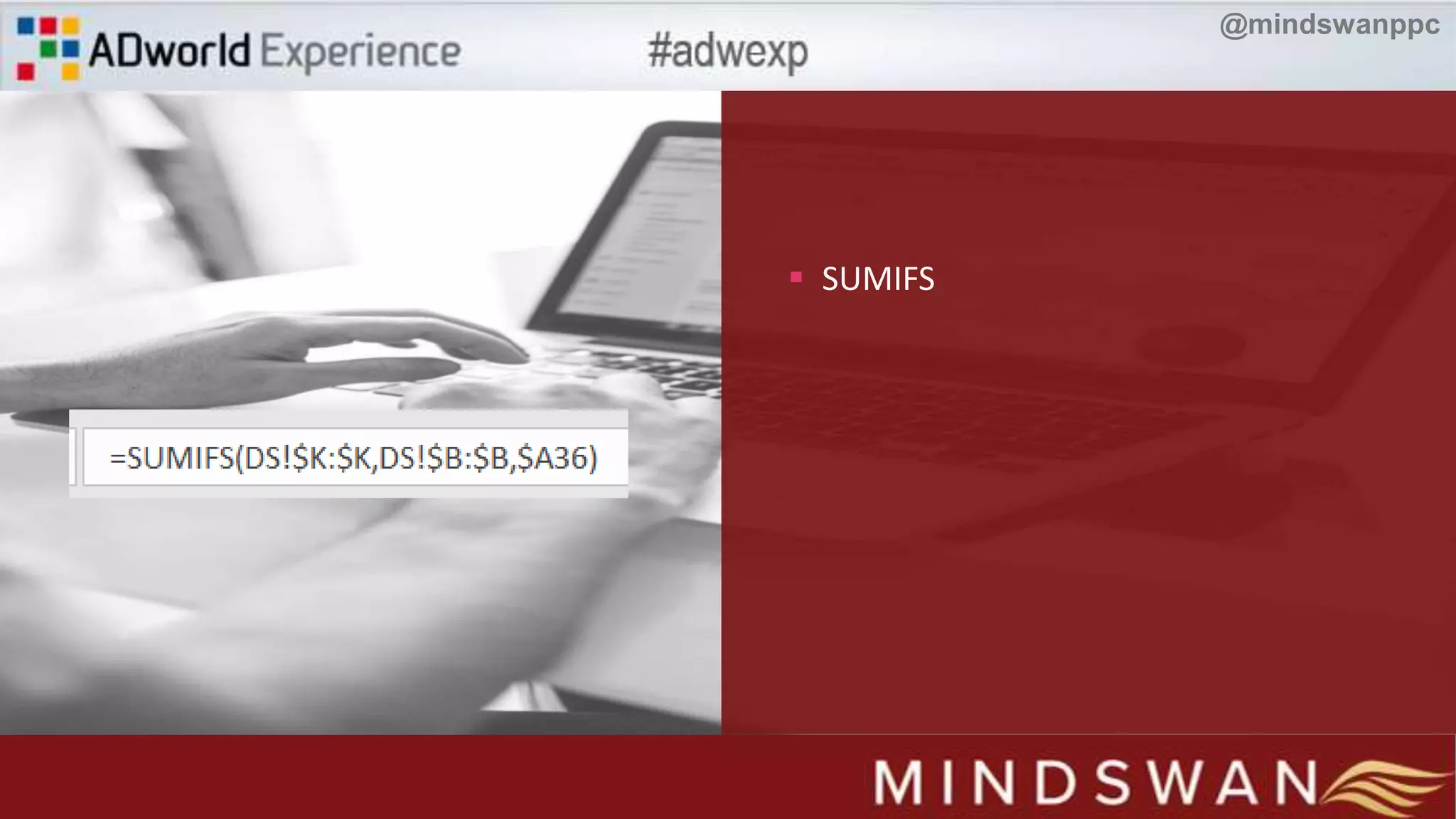
 SUMIFS
@mindswanppc
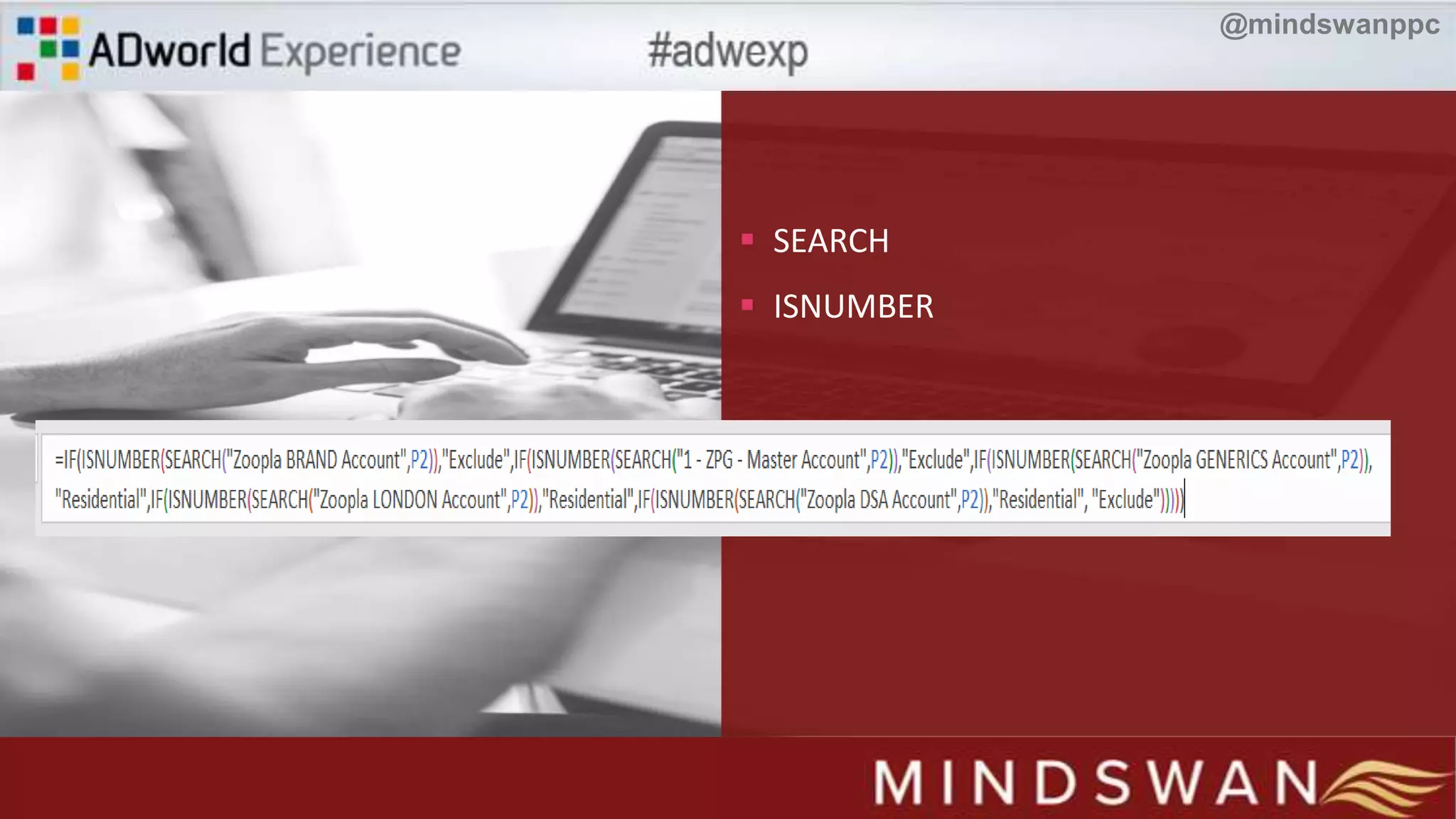
 SEARCH
 ISNUMBER
@mindswanppc
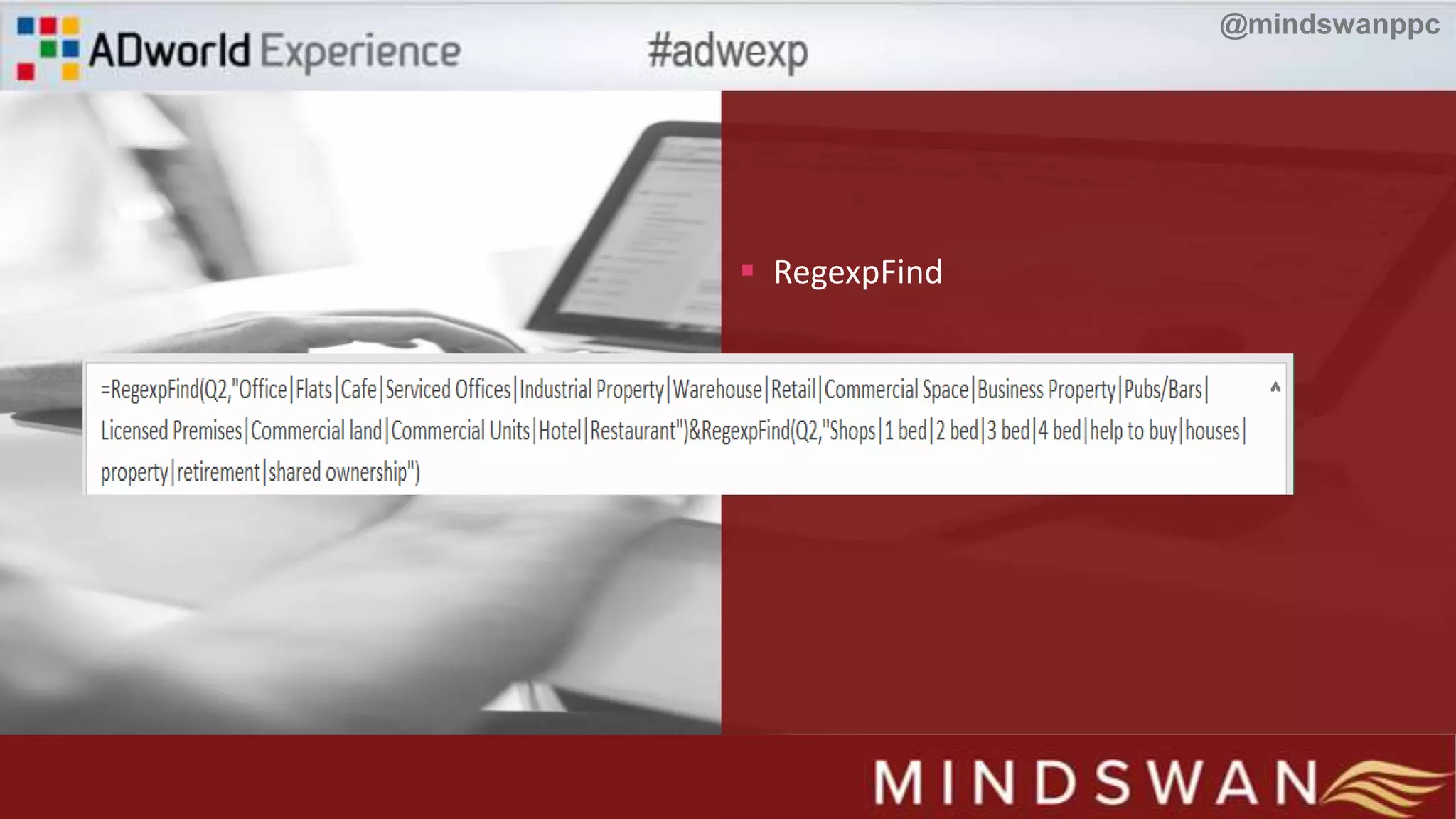
 RegexpFind
@mindswanppc
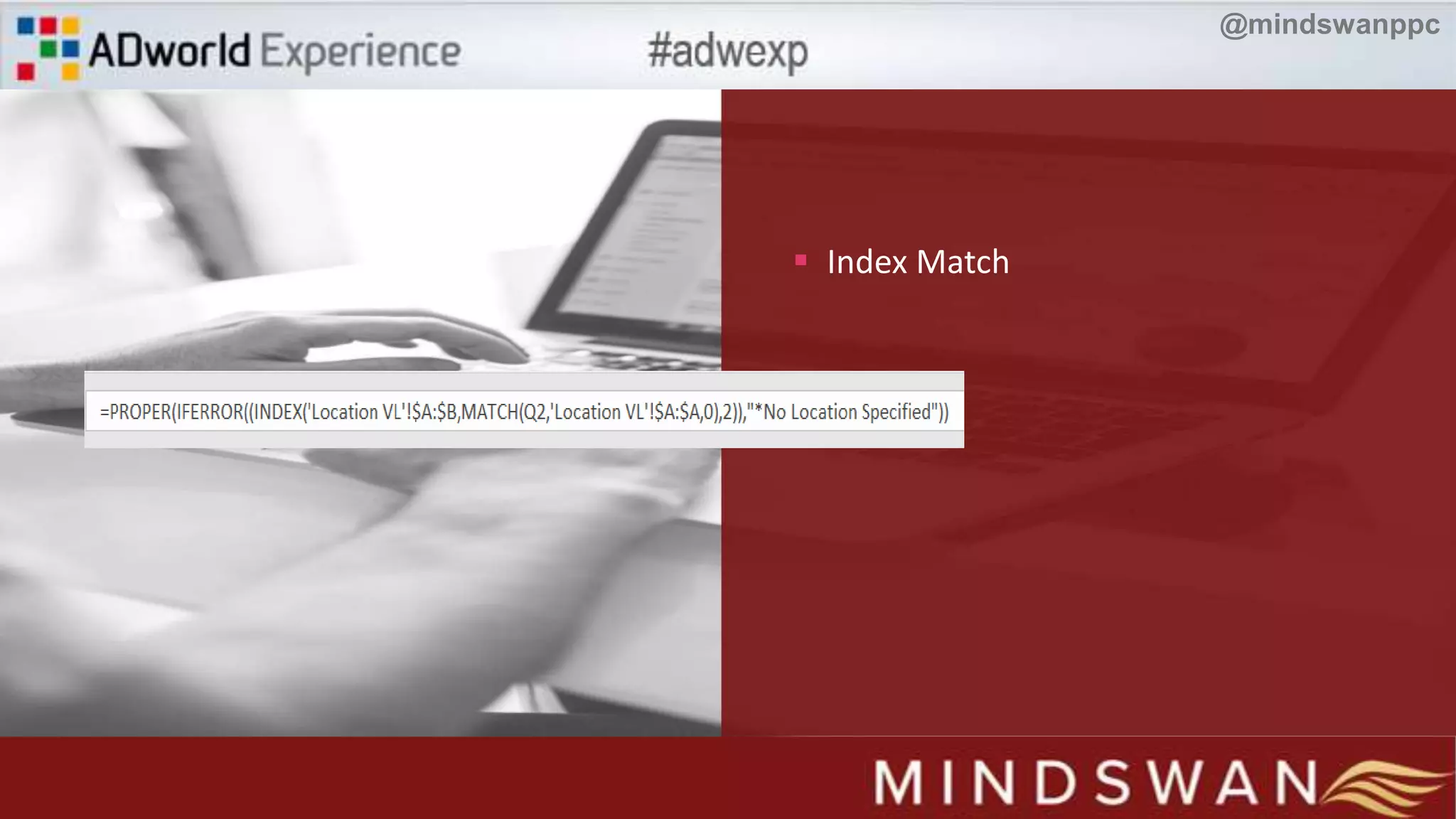
 Index Match
@mindswanppc
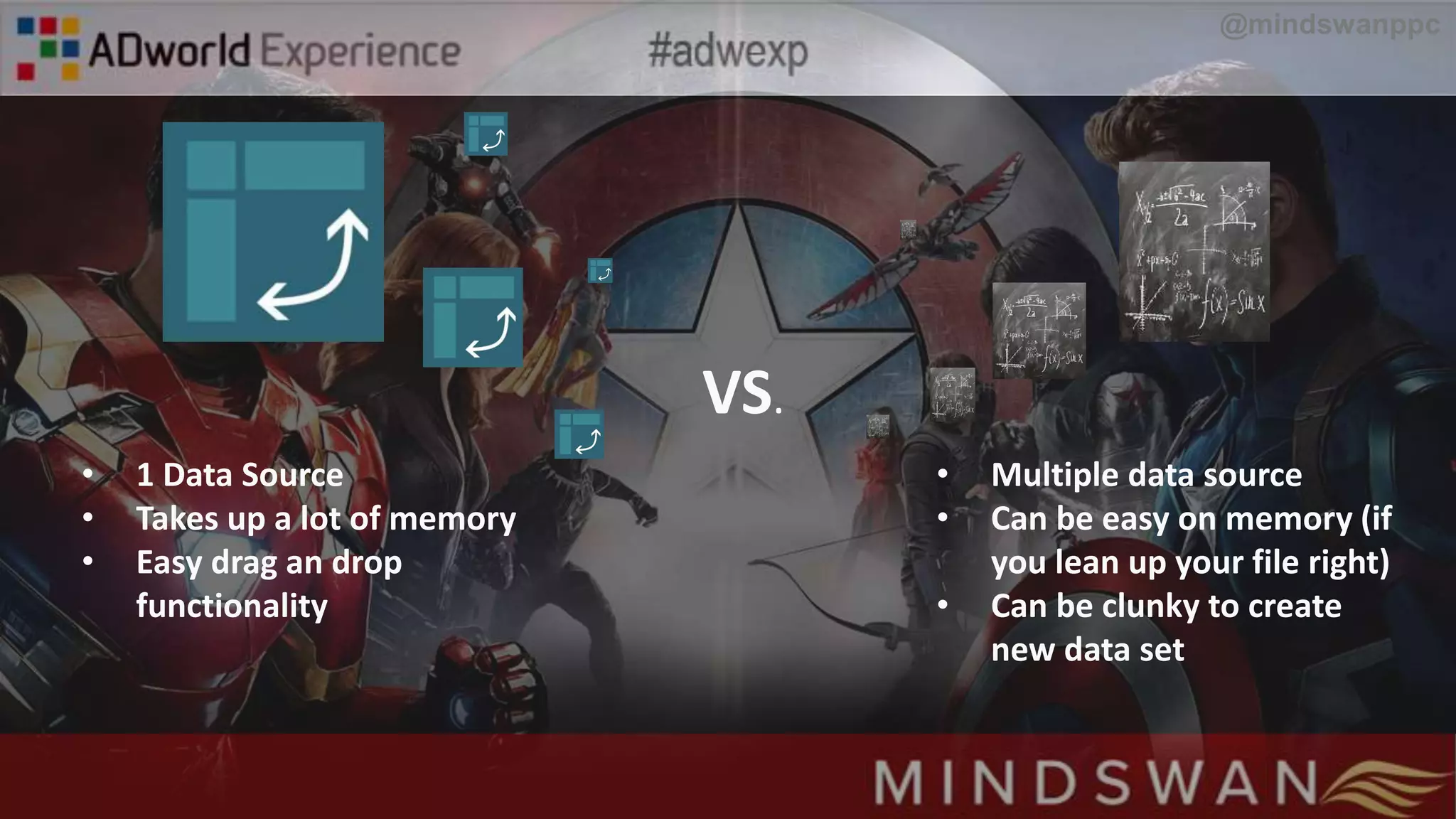
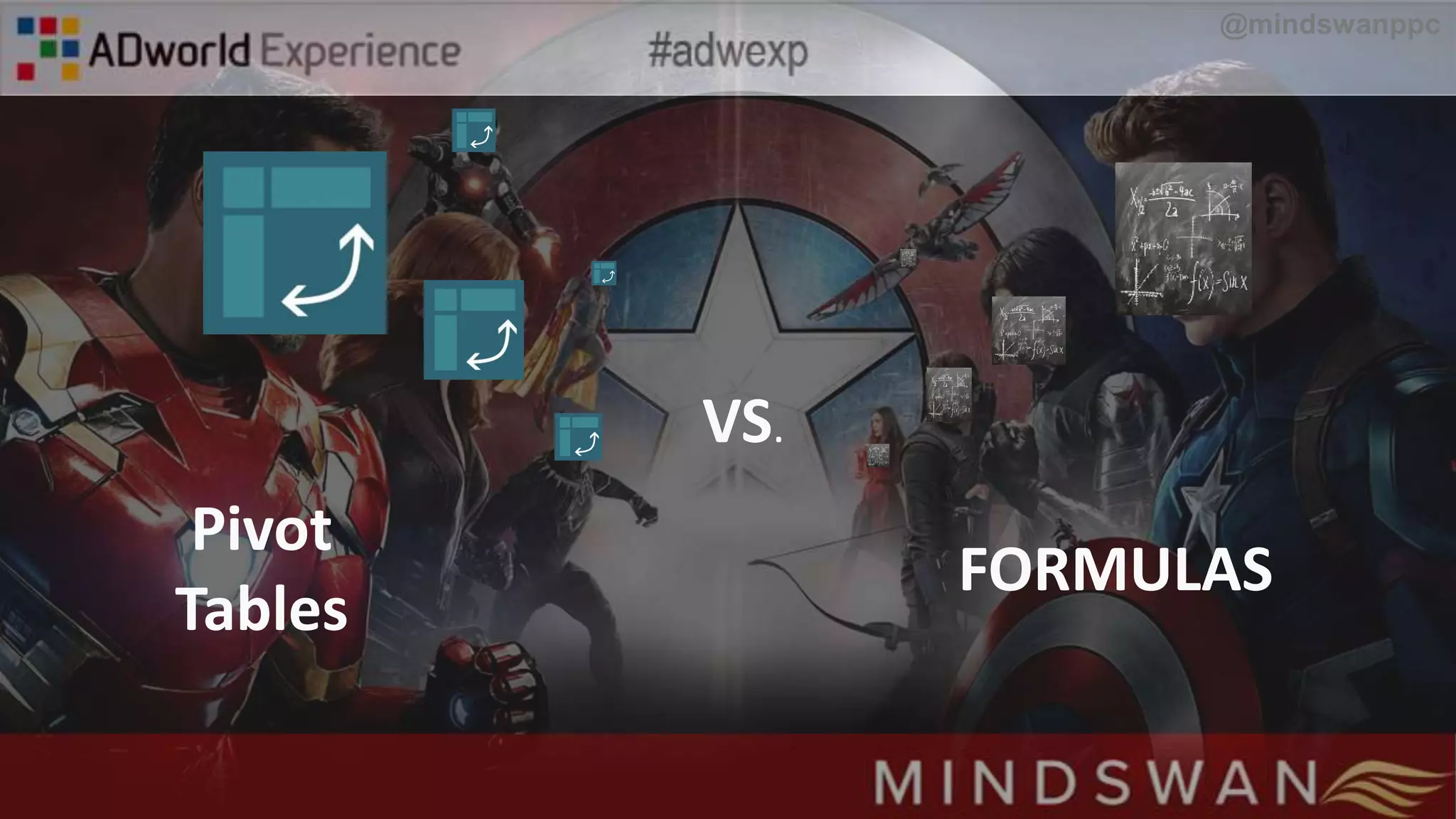
VS.
Pivot
Tables
FORMULAS
@mindswanppc
VS.
• Multiple data source
• Can be easy on memory (if
you lean up your file right)
• Can be clunky to create
new data set
• 1 Data Source
• Takes up a lot of memory
• Easy drag an drop
functionality
@mindswanppc
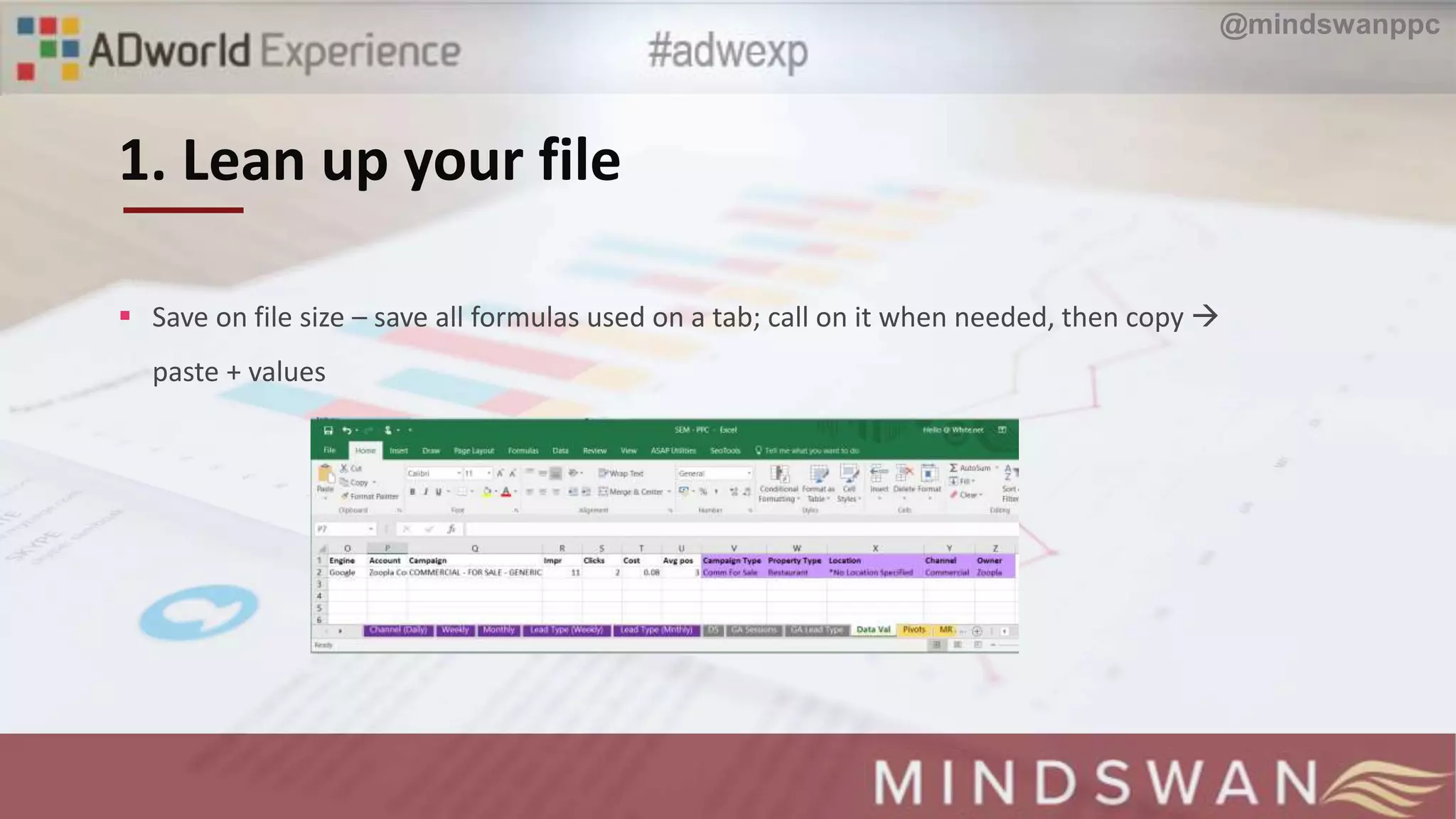
1. Lean up your file
 Save on file size – save all formulas used on a tab; call on it when needed, then copy 
paste + values
@mindswanppc
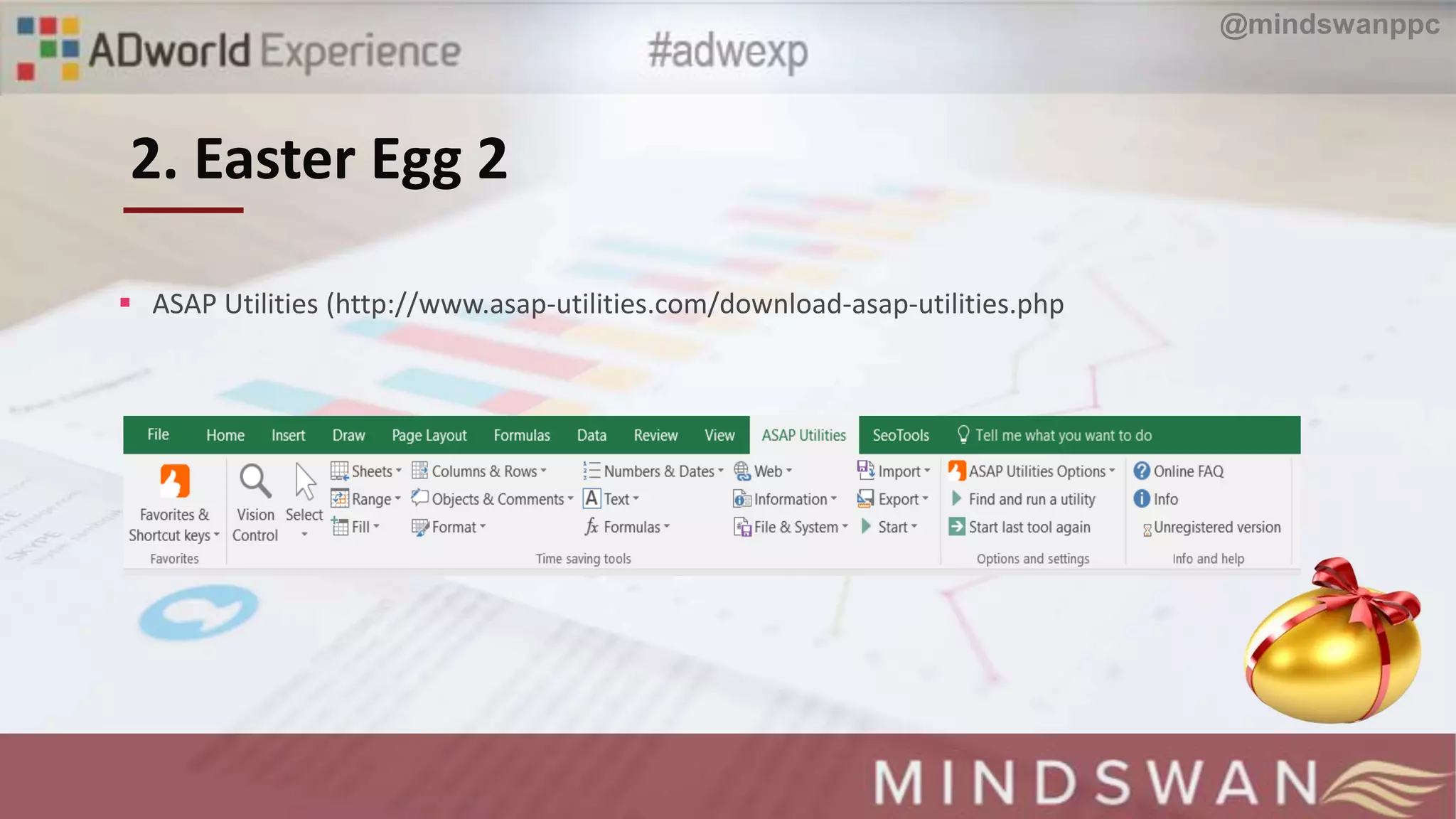
2. Easter Egg 2
 ASAP Utilities (http://www.asap-utilities.com/download-asap-utilities.php
@mindswanppc
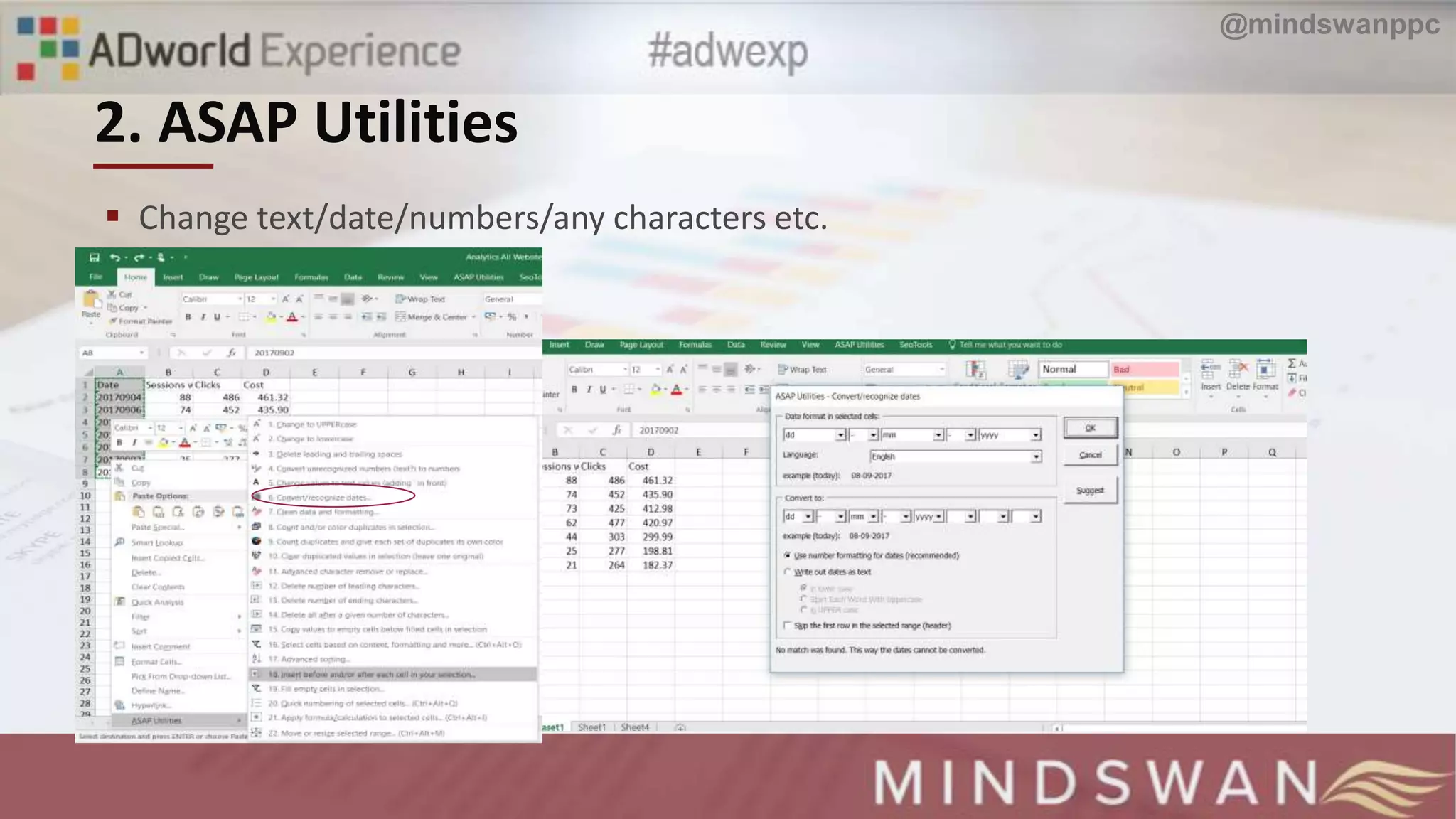
2. ASAP Utilities
 Change text/date/numbers/any characters etc.
@mindswanppc
Excel can be used for several stages
of PPC account management
Pivot table brings several dimensions to
reporting – but can be limiting
Formulas can give you so many
options but extensions can
also save you time
Key
Takeaways.
@mindswanppc
THANK YOU!
Anu Adegbola
Founder/CEO | @mindswanppc | @ansicles

AdWorld Experience - Excel Forumals to supercharge your reproting