
New Efficiencies with Excel  Judy Borsher, CPA, MBA, CITP, MCT SCG Training & Consulting Corporation
Presentation Description Judy Borsher  CPA, MBA, CITP, MCT   MBA Cornell University CPA, CITP with 25 years of Accounting and Technology business experience, including public accounting, finance, and consulting Microsoft Certified Trainer Creator and presenter of technology CPE in the  Washington DC / Maryland / VA area for 20 years National speaker including technology conferences of the MACPA, VSCPA, GWSCPA and AICPA Tech on Excel Pivot Tables Direct consulting experience with numerous organizations including CPA Firms.
Presentation Description This Excel update will explore new security features for internal and external distribution of spreadsheets, new Pivot Table enhancements and the new Table feature, new built-in presentation quality graphics for analysis and formal presentations, important file format considerations and macro considerations with regard to backwards compatibility with earlier versions of Excel.
TOPIC 1 NEW SECURITY FEATURES UNCOVER HIDDEN INFORMATION
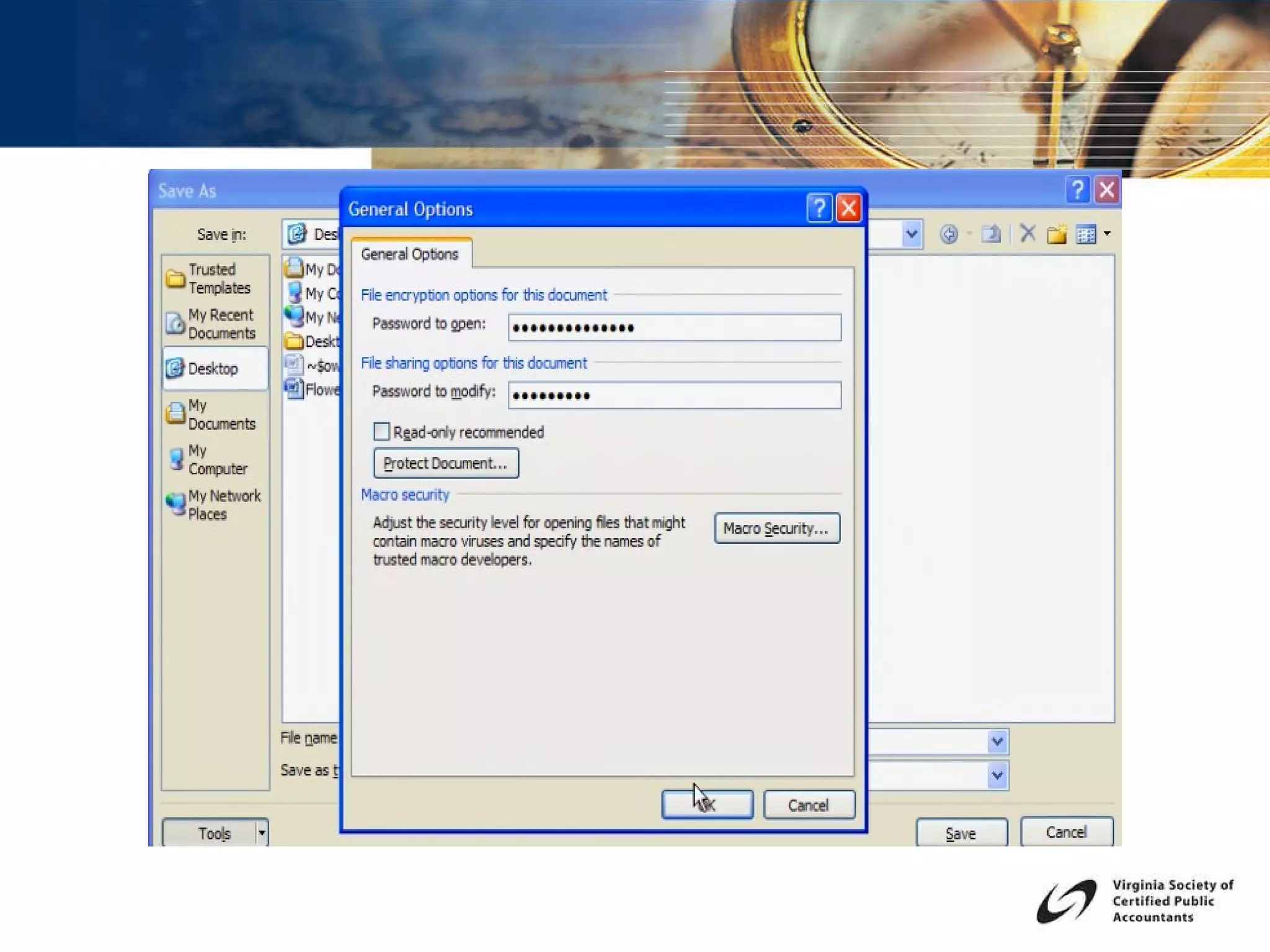
Live Demonstration Hide rows and columns Hide sheets Inspect Document for hidden information Protect sheets Encrypt Files Mark As Final Add a Digital Signature
 
TOPIC 2 THE NEW TABLE FEATURE HOW YOU CAN BENEFIT FROM  A PIVOT TABLE  BASED ON A TABLE
Live Demonstration Create a Table and use Structured Referencing Apply Styles Use the interactive Table Range Name Build a Pivot Table based on a List Build a Pivot Table based on a Table Update the List and Pivot Table
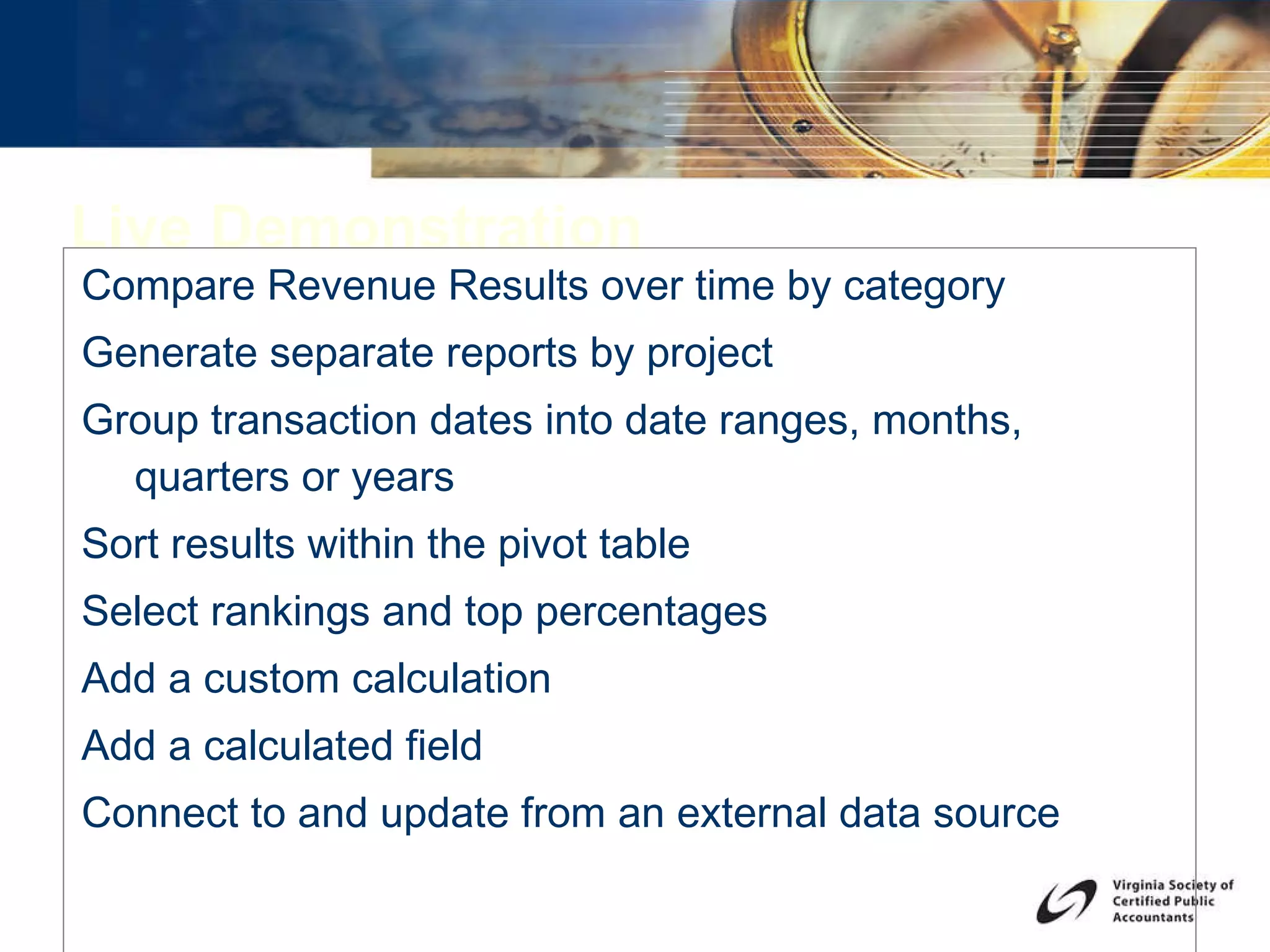
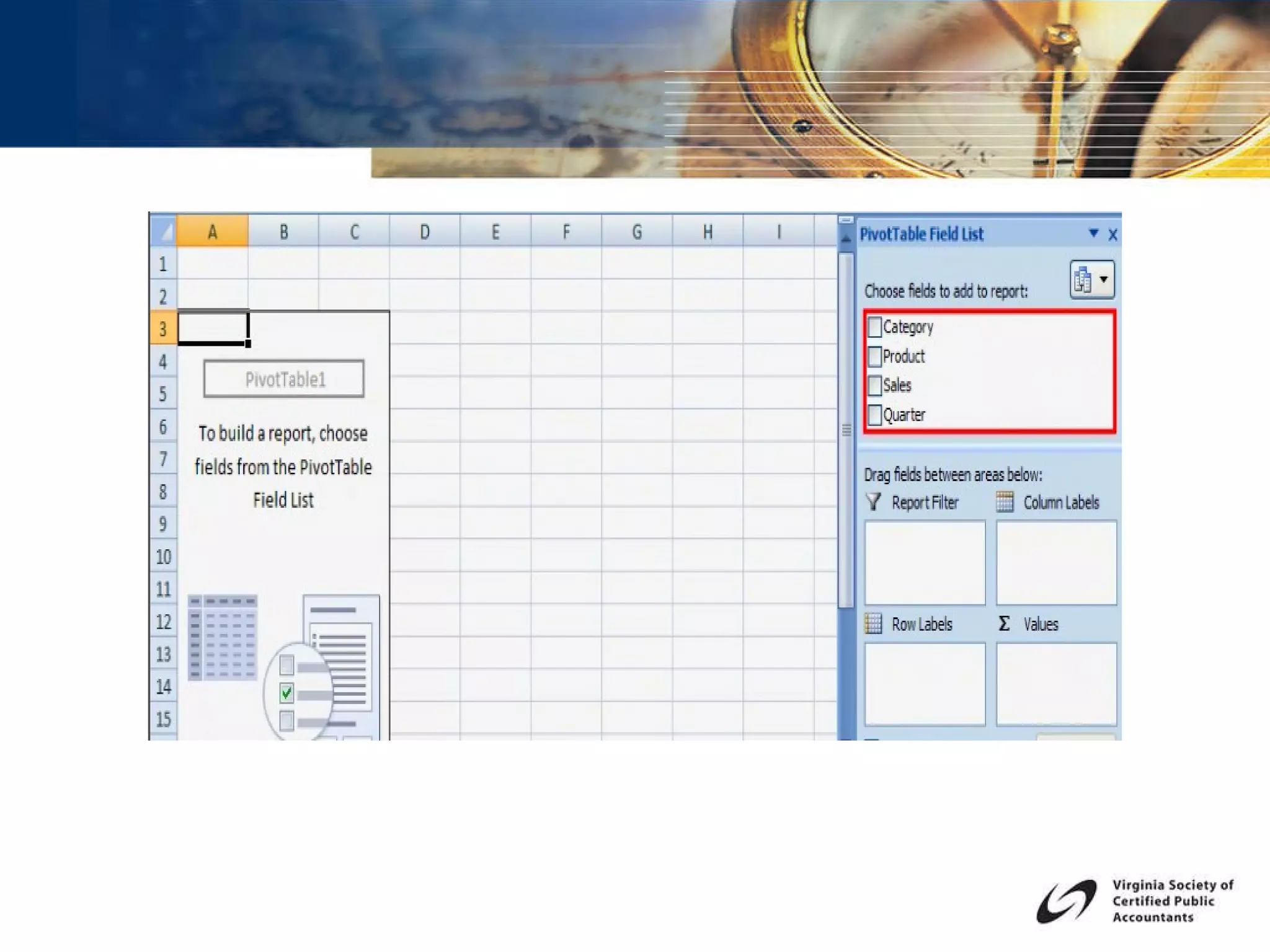
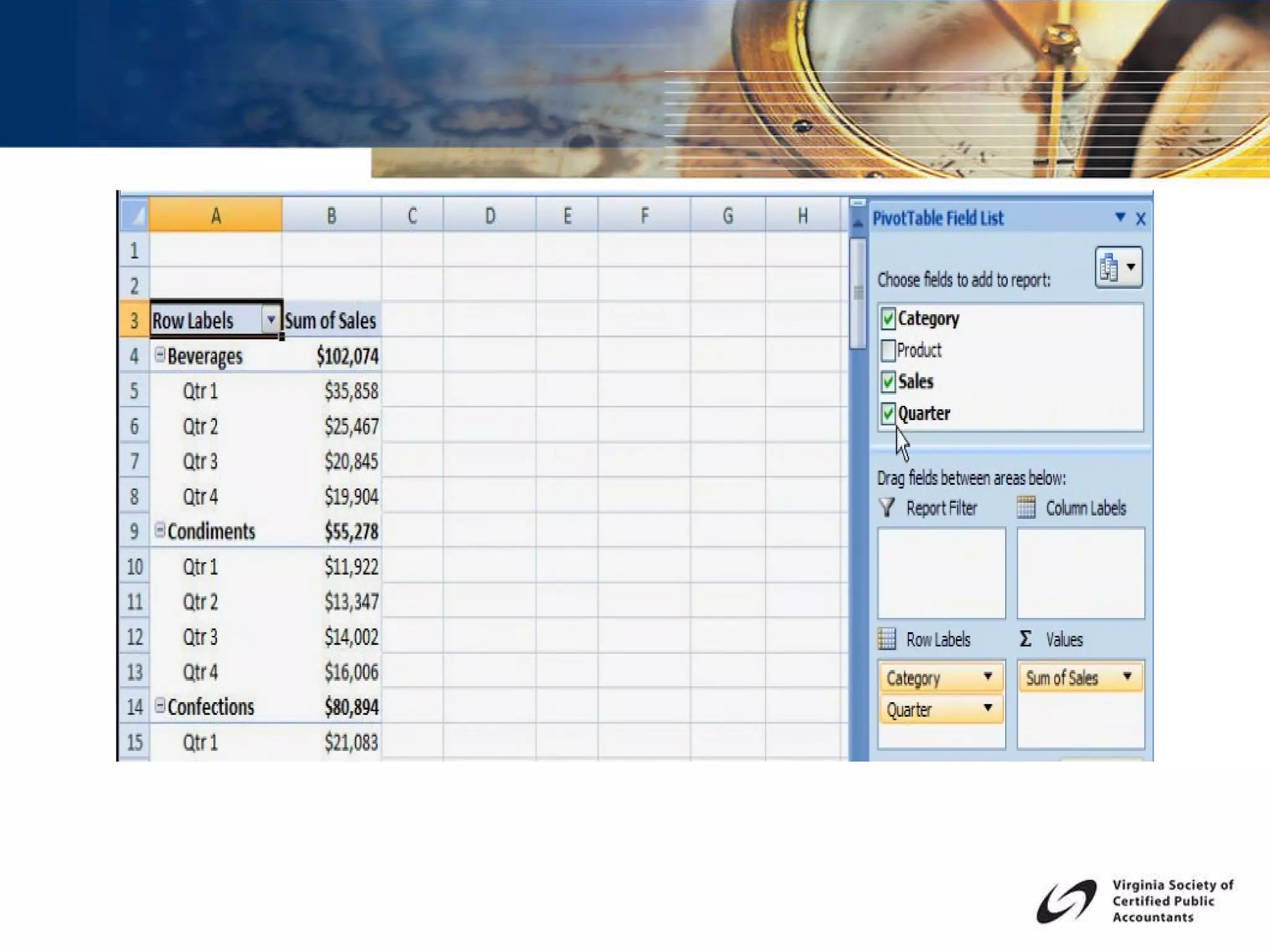
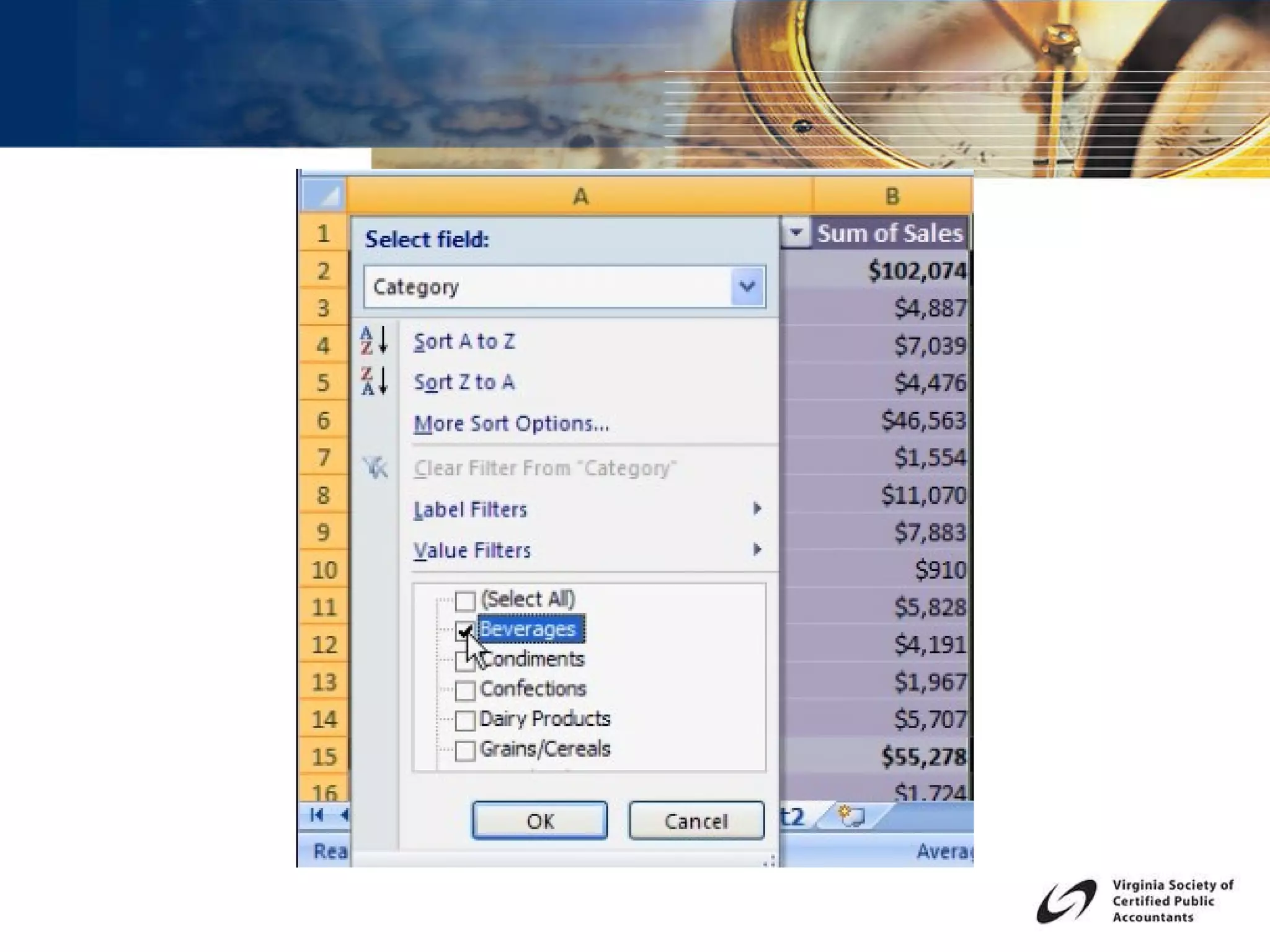
Live Demonstration Compare Revenue Results over time by category Generate separate reports by project Group transaction dates into date ranges, months, quarters or years  Sort results within the pivot table Select rankings and top percentages Add a custom calculation Add a calculated field Connect to and update from an external data source


TOPIC 3 USING COLOR, STYLES  AND CHARTING
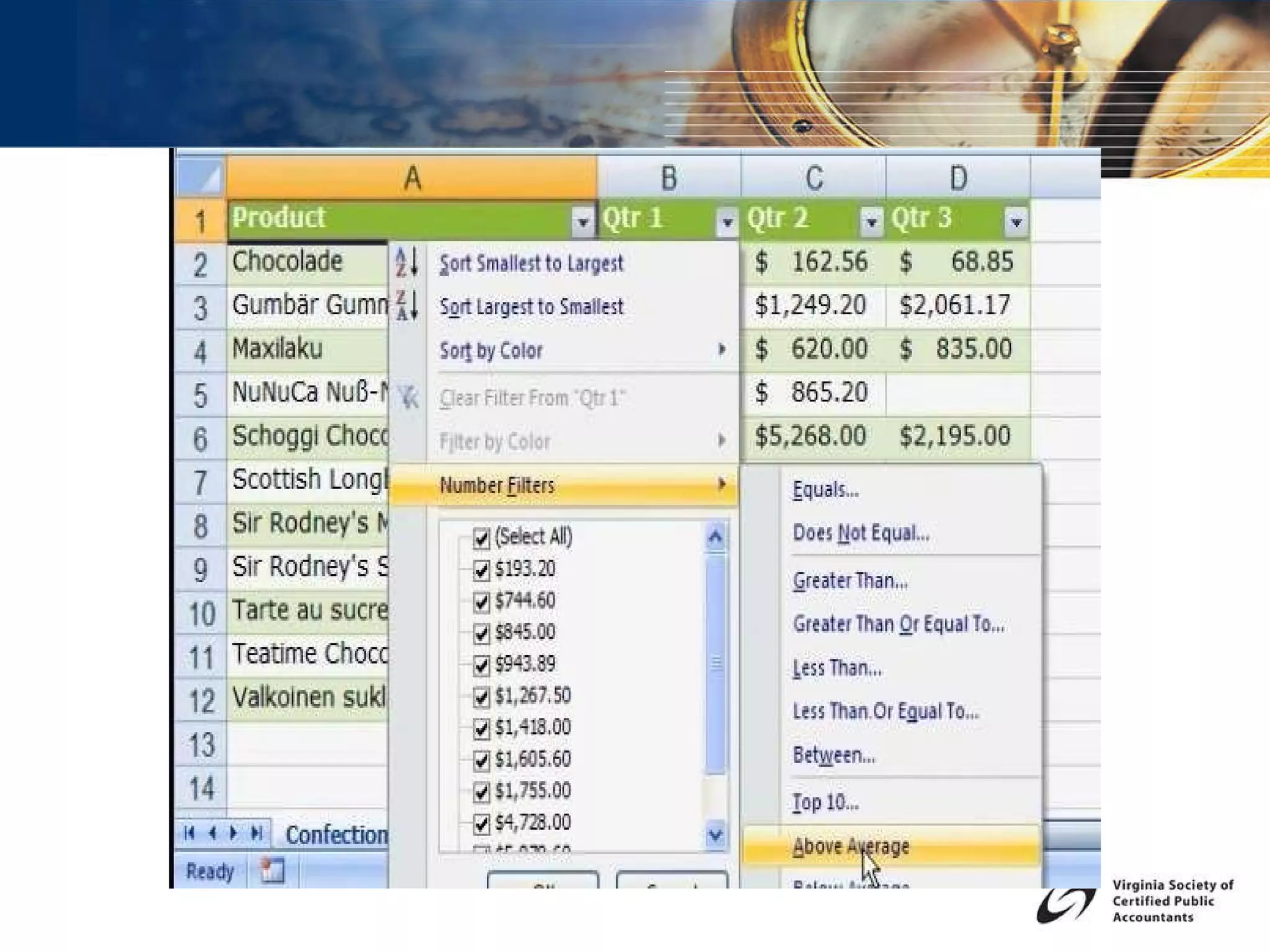
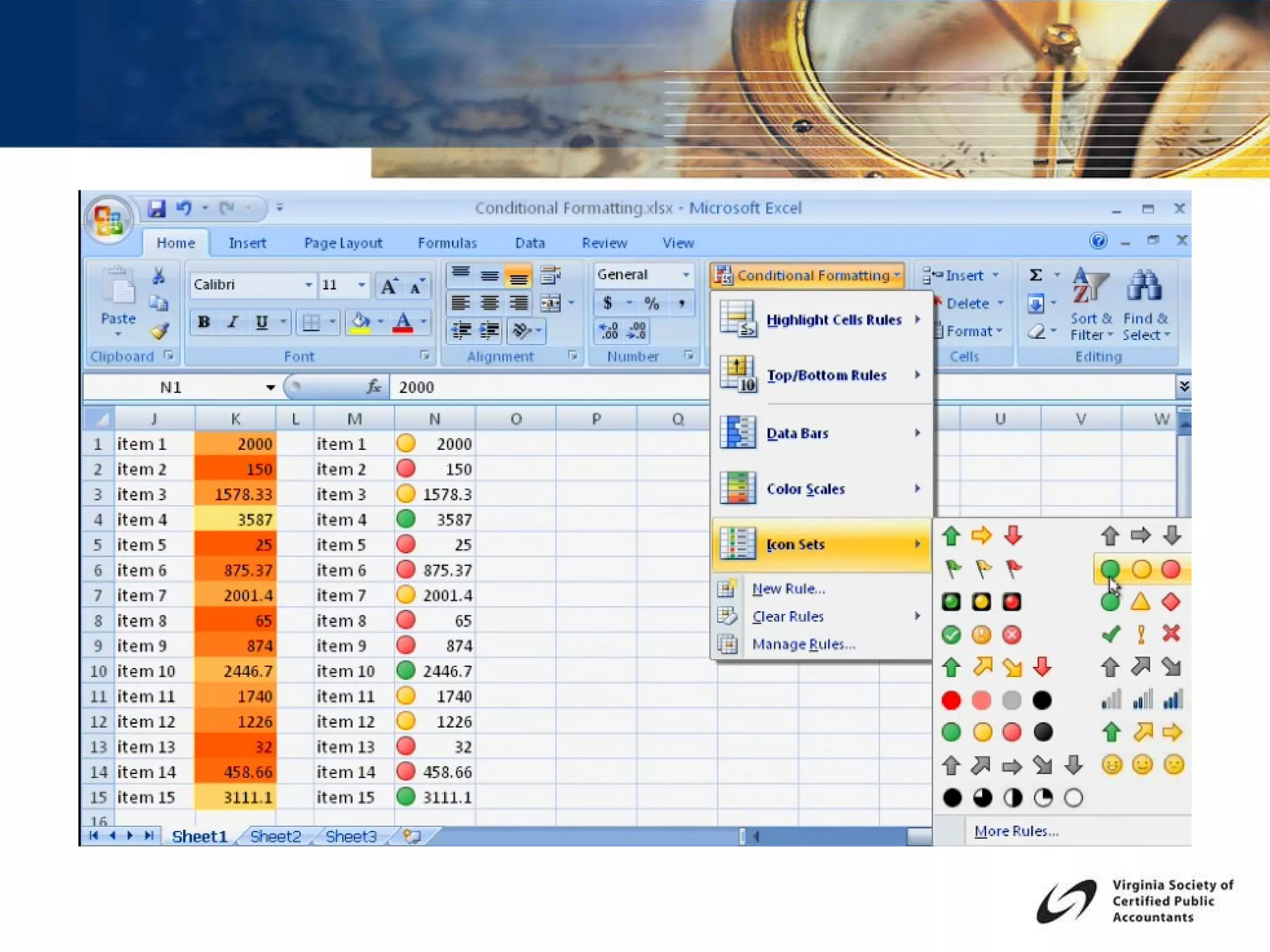
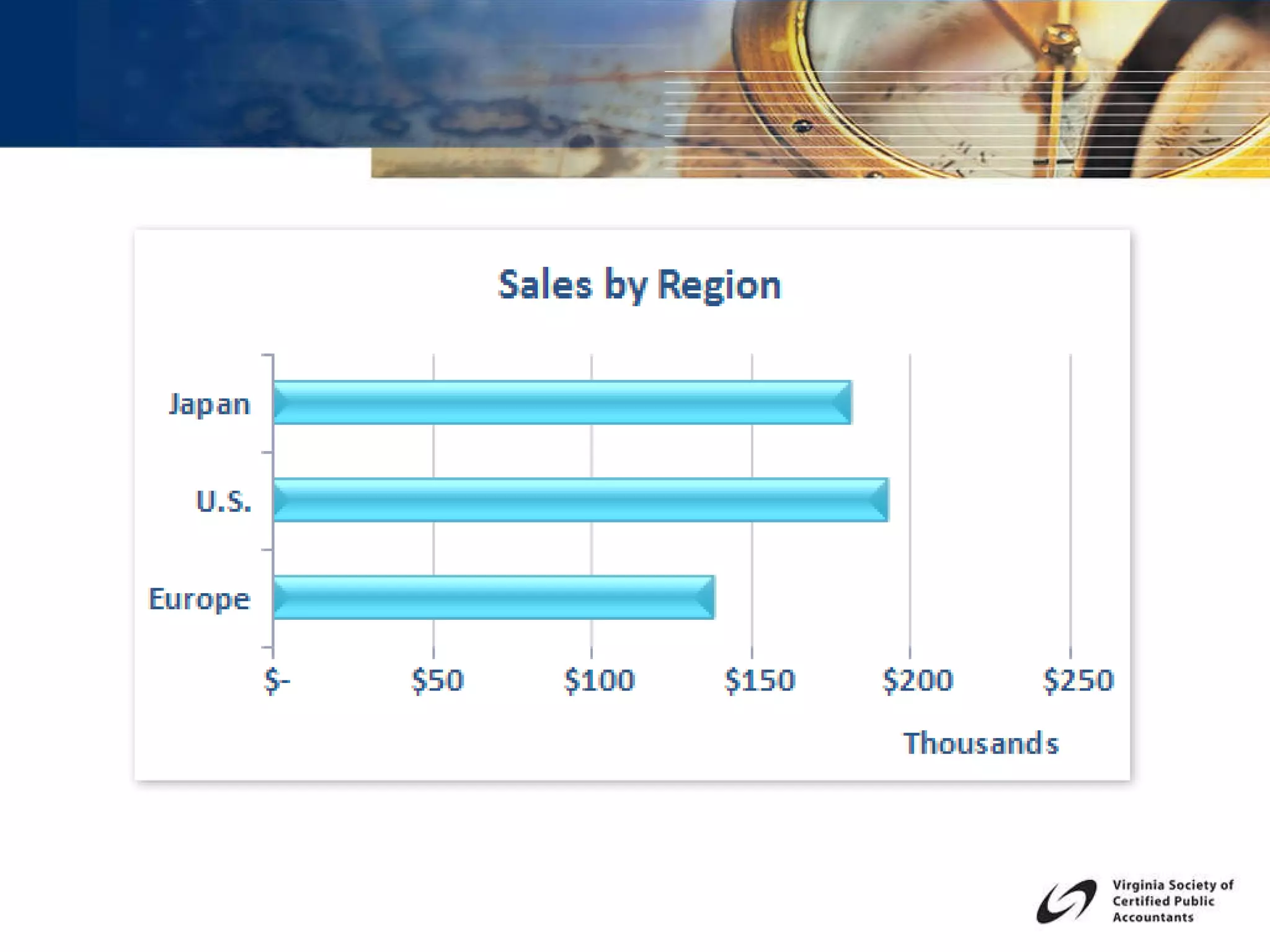
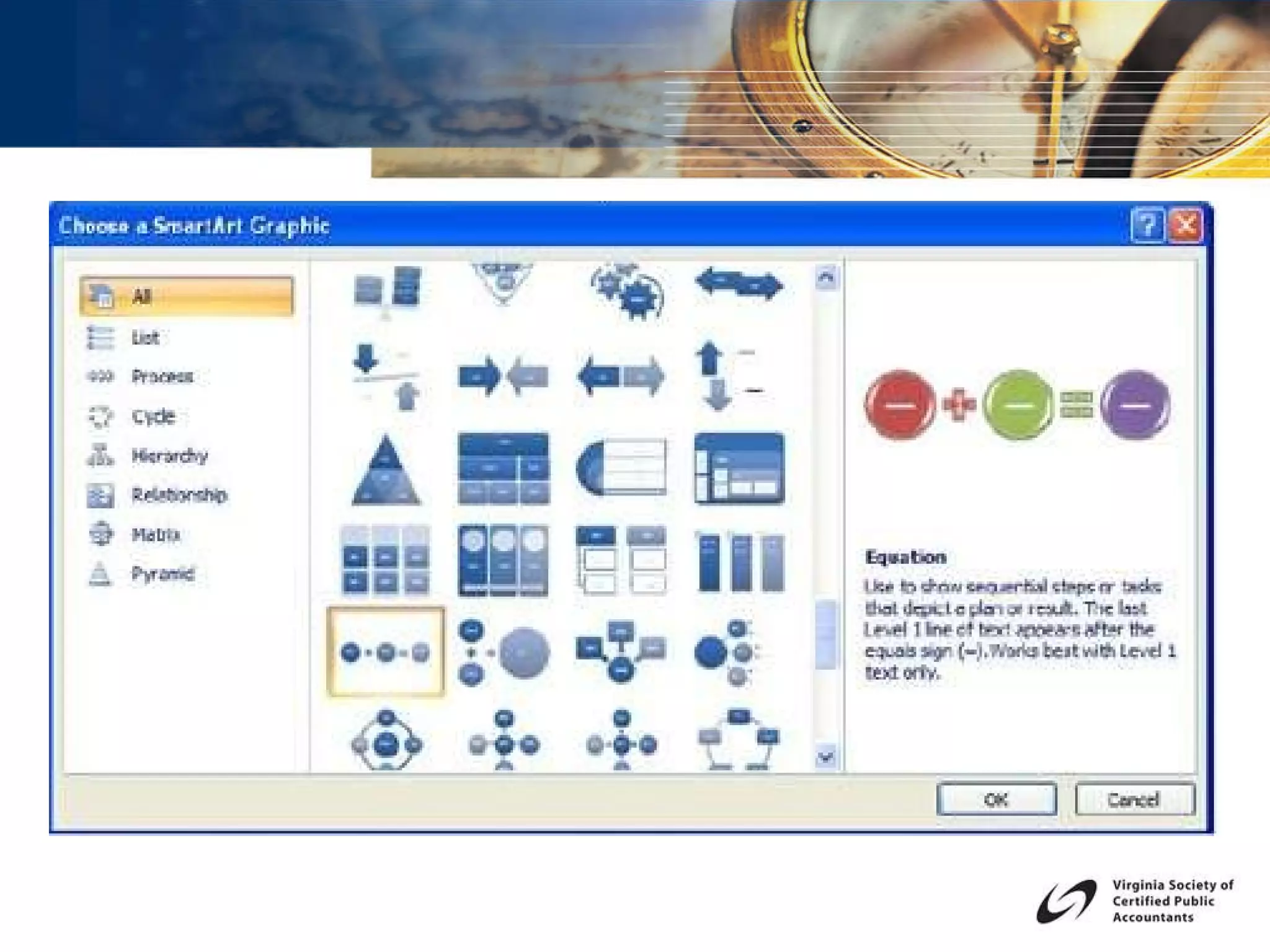
Live Demonstration Apply Cell Styles Create a Chart using the new Chart Engine of Excel Apply Chart Formatting Features Use Conditional Formatting Rules Add new SmartArt diagrams


TOPIC 4 MACROS, TRUST CENTER AND BACKWARD COMPATIBILITY  TO EARLIER VERSIONS OF EXCEL
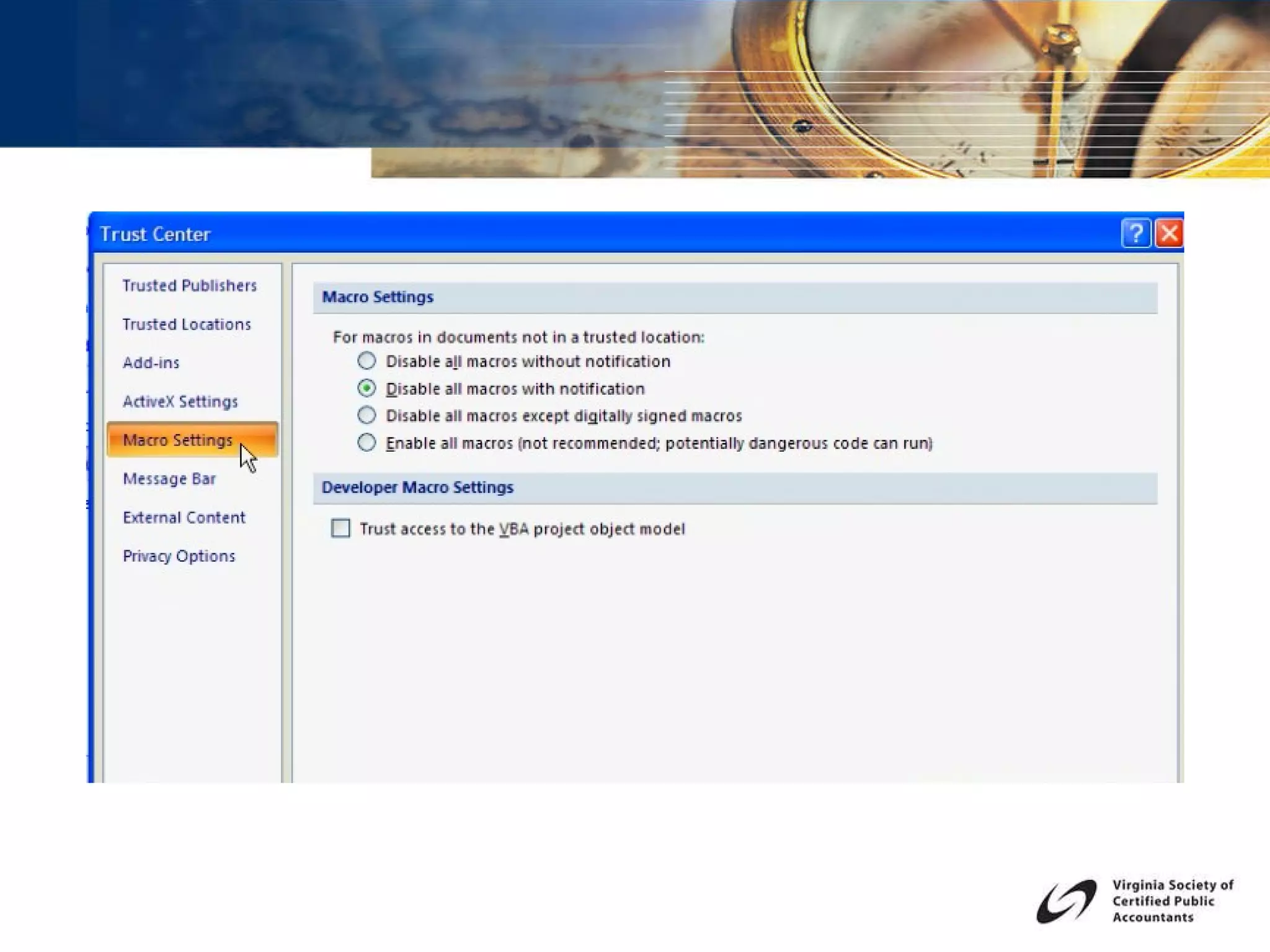
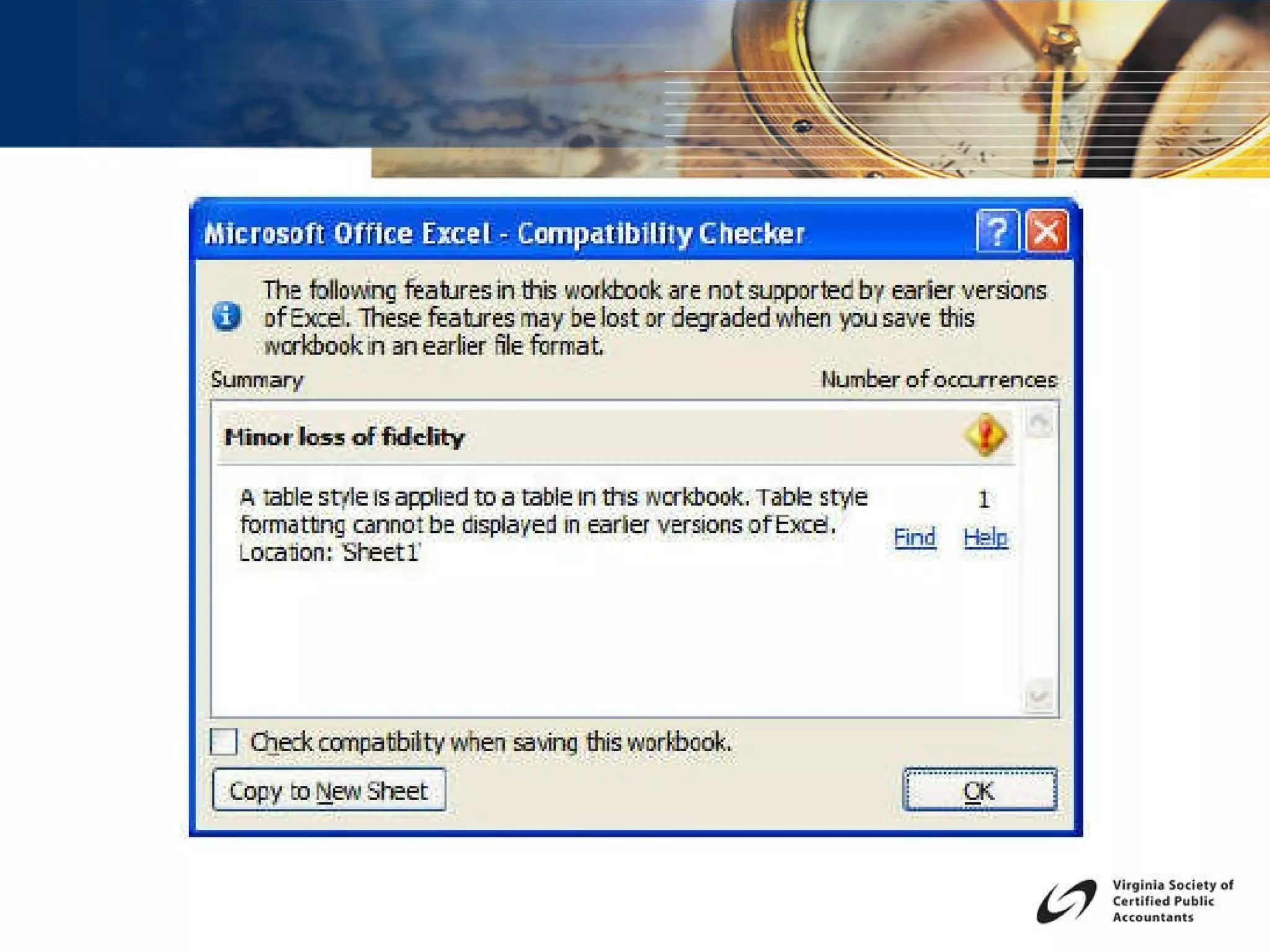
Live Demonstration Create a data cleanup macro Understand when an Excel 2007 macro will not run in Excel 2003 Save a macro enabled file as .XLSM Understand the Trusted Locations setting and security prompts
 
TOPIC 5 FILE FORMATS  AND COMPATIBILITY
Live Demonstration Understand feature availability when using Compatibility Mode The Office 2007 Compatibility Pack .XLS  vs.  .XLSX  and  .XLSM View file format extensions Save as  .PDF


Judy Borsher, CPA, MBA, CITP, Microsoft Certified Trainer SCG Training & Consulting Corporation Results Driven Technology Training and Consulting  Direct phone- Maryland:  (301) 585-1174  Direct phone- Virginia: (703) 298-5692 www.scg-training.com [email_address]

New Efficiencies With Excel 2007

  • 1.
    New Efficiencies withExcel Judy Borsher, CPA, MBA, CITP, MCT SCG Training & Consulting Corporation
  • 2.
    Presentation Description JudyBorsher CPA, MBA, CITP, MCT MBA Cornell University CPA, CITP with 25 years of Accounting and Technology business experience, including public accounting, finance, and consulting Microsoft Certified Trainer Creator and presenter of technology CPE in the Washington DC / Maryland / VA area for 20 years National speaker including technology conferences of the MACPA, VSCPA, GWSCPA and AICPA Tech on Excel Pivot Tables Direct consulting experience with numerous organizations including CPA Firms.
  • 3.
    Presentation Description ThisExcel update will explore new security features for internal and external distribution of spreadsheets, new Pivot Table enhancements and the new Table feature, new built-in presentation quality graphics for analysis and formal presentations, important file format considerations and macro considerations with regard to backwards compatibility with earlier versions of Excel.
  • 4.
    TOPIC 1 NEWSECURITY FEATURES UNCOVER HIDDEN INFORMATION
  • 5.
    Live Demonstration Hiderows and columns Hide sheets Inspect Document for hidden information Protect sheets Encrypt Files Mark As Final Add a Digital Signature
  • 6.
  • 7.
    TOPIC 2 THENEW TABLE FEATURE HOW YOU CAN BENEFIT FROM A PIVOT TABLE BASED ON A TABLE
  • 8.
    Live Demonstration Createa Table and use Structured Referencing Apply Styles Use the interactive Table Range Name Build a Pivot Table based on a List Build a Pivot Table based on a Table Update the List and Pivot Table
  • 9.
    Live Demonstration CompareRevenue Results over time by category Generate separate reports by project Group transaction dates into date ranges, months, quarters or years Sort results within the pivot table Select rankings and top percentages Add a custom calculation Add a calculated field Connect to and update from an external data source
  • 10.
  • 11.
  • 12.
  • 13.
  • 14.
    TOPIC 3 USINGCOLOR, STYLES AND CHARTING
  • 15.
    Live Demonstration ApplyCell Styles Create a Chart using the new Chart Engine of Excel Apply Chart Formatting Features Use Conditional Formatting Rules Add new SmartArt diagrams
  • 16.
  • 17.
  • 18.
  • 19.
    TOPIC 4 MACROS,TRUST CENTER AND BACKWARD COMPATIBILITY TO EARLIER VERSIONS OF EXCEL
  • 20.
    Live Demonstration Createa data cleanup macro Understand when an Excel 2007 macro will not run in Excel 2003 Save a macro enabled file as .XLSM Understand the Trusted Locations setting and security prompts
  • 21.
  • 22.
    TOPIC 5 FILEFORMATS AND COMPATIBILITY
  • 23.
    Live Demonstration Understandfeature availability when using Compatibility Mode The Office 2007 Compatibility Pack .XLS vs. .XLSX and .XLSM View file format extensions Save as .PDF
  • 24.
  • 25.
  • 26.
  • 27.
  • 28.
    Judy Borsher, CPA,MBA, CITP, Microsoft Certified Trainer SCG Training & Consulting Corporation Results Driven Technology Training and Consulting Direct phone- Maryland:  (301) 585-1174 Direct phone- Virginia: (703) 298-5692 www.scg-training.com [email_address]