Advanced AV Foundation
    Chris Adamson — @invalidname — http://www.subfurther.com/blog

    CocoaConf ’11 — Columbus, OH — August 12, 2011


Tuesday, August 23, 11
The Deal


    ✤    Slides will be posted to conference site and http://
         www.slideshare.com/invalidname

    ✤    Code will be posted to blog at http://www.subfurther.com/blog

    ✤    Don’t try to transcribe the code examples


Tuesday, August 23, 11
No, really

    ✤    Seriously, don’t try to transcribe the code examples

    ✤    You will never keep up

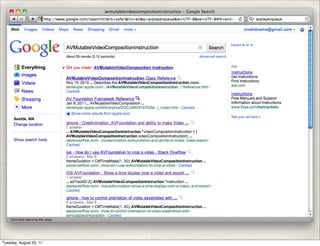
    ✤    AV Foundation has the longest class and method names you have
         ever seen:

          ✤    AVMutableVideoCompositionLayerInstruction

          ✤    AVAssetWriterInputPixelBufferAdaptor

          ✤    etc.

Tuesday, August 23, 11
Really, really, seriously… don’t


AVMutableVideoCompositionLayerInstruction *aInstruction =
    [AVMutableVideoCompositionLayerInstruction videoCompositionLayerInstructionWithAssetTrack: trackA];
[aInstruction setOpacityRampFromStartOpacity:0.0
                                toEndOpacity:1.0
                                   timeRange:CMTimeRangeMake(CMTimeMakeWithSeconds(2.9, VIDEO_TIME_SCALE),
                                                             CMTimeMakeWithSeconds(6.0, VIDEO_TIME_SCALE))];


Tuesday, August 23, 11
The Road Map


    ✤    Capture callbacks

    ✤    Writing samples with AVAssetWriter

    ✤    Reading samples with AVAssetReader

    ✤    Editing with effects

    ✤    The Future!


Tuesday, August 23, 11
Capture Callbacks


Tuesday, August 23, 11
Recap: Capture basics

    ✤    Create an AVCaptureSession to coordinate the capture

    ✤    Investigate available AVCaptureDevices

    ✤    Create AVCaptureDeviceInput and connect it to the session

    ✤    Optional: set up an AVCaptureVideoPreviewLayer

    ✤    Optional: connect AVCaptureOutputs

    ✤    Tell the session to start recording


Tuesday, August 23, 11
Processing Capture Data… Why?


    ✤    Audio:

          ✤    Pitch detection (Glee Karaoke), vocal effects (I Am T-Pain)

    ✤    Video

          ✤    Augmented Reality (Word Lens), Face Detection (Face Pong),
               Barcode Scanners…


Tuesday, August 23, 11
Example: ZXing Project

    ✤    Open-source (Apache License 2.0) Java library for reading 1-D, 2-D
         barcodes

          ✤    iOS Obj-C++ port of QR Code decoder.

                ✤    ZXingWidget library

                ✤    Barcodes and ScanTest sample apps


                               http://code.google.com/p/zxing/

Tuesday, August 23, 11
Demo
    Zxing Barcodes


Tuesday, August 23, 11
AVCaptureVideoDataOutput


    ✤    Just another AVCaptureOutput

          ✤    Delivers frames to an in-app delegate

          ✤    Delegate gets callback
               captureSession:didOutputSampleBuffer:fromConnection:

          ✤    Sample buffer is a CMSampleBufferRef


Tuesday, August 23, 11
AVCaptureVideoDataOutput

         AVCaptureDeviceInput *captureInput =
           [AVCaptureDeviceInput deviceInputWithDevice:
                   [AVCaptureDevice
       defaultDeviceWithMediaType:AVMediaTypeVideo]
                                                 error:nil];
         AVCaptureVideoDataOutput *captureOutput =
              [[AVCaptureVideoDataOutput alloc] init];
         captureOutput.alwaysDiscardsLateVideoFrames = YES;
         [captureOutput setSampleBufferDelegate:self
                                  queue:dispatch_get_main_queue()];
         // some configuration stuff omitted...
         [self.captureSession addOutput:captureOutput];


Tuesday, August 23, 11
AVCaptureVideoDataOutputSam
    pleBufferDelegate (yes, really)
       - (void)captureOutput:(AVCaptureOutput *)captureOutput
       didOutputSampleBuffer:(CMSampleBufferRef)sampleBuffer
              fromConnection:(AVCaptureConnection *)connection
       {
         CVImageBufferRef imageBuffer =
       CMSampleBufferGetImageBuffer(sampleBuffer);
         CVPixelBufferLockBaseAddress(imageBuffer,0);
         // Core Video pixel counting math omitted...
         CGContextRef newContext =
           CGBitmapContextCreate(baseAddress, width, height, 8,
                          bytesPerRow, colorSpace,
                          kCGBitmapByteOrder32Little |
       kCGImageAlphaNoneSkipFirst);
         CGImageRef capture = CGBitmapContextCreateImage(newContext);
         CVPixelBufferUnlockBaseAddress(imageBuffer,0);
         // Zxing then does secondary crop, converts to UIImage, and
         // calls its own -[Decoder decodeImage:cropRect:]
       }

Tuesday, August 23, 11
Writing Samples


Tuesday, August 23, 11
AVAssetWriter


    ✤    Introduced in iOS 4.1

    ✤    Allows you to create samples programmatically and write them to an
         asset

    ✤    Used for synthesized media files: screen recording, CGI, synthesized
         audio (text to speech, “Hatsune Miku”), etc.


Tuesday, August 23, 11
Using AVAssetWriter

    ✤    Create an AVAssetWriter

    ✤    Create and configure an AVAssetWriterInput and connect it to the
         writer

    ✤    -[AVAssetWriter startWriting]

    ✤    Repeatedly call -[AVAssetWriterInput appendSampleBuffer:] with
         CMSampleBufferRef’s

          ✤    Set expectsDataInRealTime appropriately, honor
               readyForMoreMediaData property.

Tuesday, August 23, 11
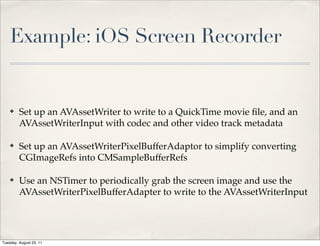
Example: iOS Screen Recorder


    ✤    Set up an AVAssetWriter to write to a QuickTime movie file, and an
         AVAssetWriterInput with codec and other video track metadata

    ✤    Set up an AVAssetWriterPixelBufferAdaptor to simplify converting
         CGImageRefs into CMSampleBufferRefs

    ✤    Use an NSTimer to periodically grab the screen image and use the
         AVAssetWriterPixelBufferAdapter to write to the AVAssetWriterInput


Tuesday, August 23, 11
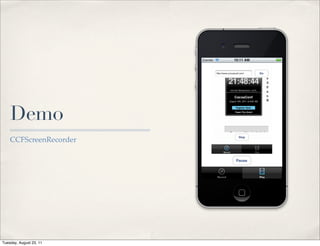
Demo
    CCFScreenRecorder


Tuesday, August 23, 11
Create writer, writer input, and
    pixel buffer adaptor
  assetWriter = [[AVAssetWriter alloc] initWithURL:movieURL
                                           fileType:AVFileTypeQuickTimeMovie
                                              error:&movieError];
  NSDictionary *assetWriterInputSettings = [NSDictionary dictionaryWithObjectsAndKeys:
                                        AVVideoCodecH264, AVVideoCodecKey,
                                        [NSNumber numberWithInt:FRAME_WIDTH], AVVideoWidthKey,
                                        [NSNumber numberWithInt:FRAME_HEIGHT], AVVideoHeightKey,
                                        nil];
  assetWriterInput = [AVAssetWriterInput assetWriterInputWithMediaType: AVMediaTypeVideo
                                                         outputSettings:assetWriterInputSettings];
  assetWriterInput.expectsMediaDataInRealTime = YES;
  [assetWriter addInput:assetWriterInput];

  assetWriterPixelBufferAdaptor = [[AVAssetWriterInputPixelBufferAdaptor       alloc]
  ! !    !   !  !   !  !   !   initWithAssetWriterInput:assetWriterInput
  ! !    !   !  !   !  !   !   sourcePixelBufferAttributes:nil];
  [assetWriter startWriting];


                          Settings keys and values are defined in AVAudioSettings.h
                         and AVVideoSettings.h, or AV Foundation Constants Reference

Tuesday, August 23, 11
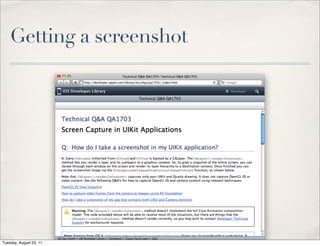
Getting a screenshot


Tuesday, August 23, 11
Create a pixel buffer
        // get screenshot image!
        CGImageRef image = (CGImageRef) [[self screenshot] CGImage];
        NSLog (@"made screenshot");

        // prepare the pixel buffer
        CVPixelBufferRef pixelBuffer = NULL;
        CFDataRef imageData= CGDataProviderCopyData(CGImageGetDataProvider(image));
        NSLog (@"copied image data");
        cvErr = CVPixelBufferCreateWithBytes(kCFAllocatorDefault,
                                             FRAME_WIDTH,
                                             FRAME_HEIGHT,
                                             kCVPixelFormatType_32BGRA,
                                             (void*)CFDataGetBytePtr(imageData),
                                             CGImageGetBytesPerRow(image),
                                             NULL,
                                             NULL,
                                             NULL,
                                             &pixelBuffer);
        NSLog (@"CVPixelBufferCreateWithBytes returned %d", cvErr);


Tuesday, August 23, 11
Calculate time and write sample


 // calculate the time
 CFAbsoluteTime thisFrameWallClockTime = CFAbsoluteTimeGetCurrent();
 CFTimeInterval elapsedTime = thisFrameWallClockTime - firstFrameWallClockTime;
 NSLog (@"elapsedTime: %f", elapsedTime);
 CMTime presentationTime = CMTimeMake (elapsedTime * TIME_SCALE, TIME_SCALE);

 // write the sample
 BOOL appended = [assetWriterPixelBufferAdaptor appendPixelBuffer:pixelBuffer
                                             withPresentationTime:presentationTime];


Tuesday, August 23, 11
Reading Samples


Tuesday, August 23, 11
AVAssetReader


    ✤    Introduced in iOS 4.1

    ✤    Possible uses:

          ✤    Audio: Showing an audio wave form in a timeline

          ✤    Video: Generating frame-accurate thumbnails

          ✤    Both: Perform effects or DSP in non-realtime


Tuesday, August 23, 11
Using AVAssetReader


    ✤    Create an AVAssetReader

    ✤    Create and configure an AVAssetReaderOutput

          ✤    Three concrete subclasses: AVAssetReaderTrackOutput,
               AVAssetReaderAudioMixOutput, and
               AVAssetReaderVideoCompositionOutput.

    ✤    Get data with -[AVAssetReader copyNextSampleBuffer]


Tuesday, August 23, 11
Example: Convert iPod song to
    PCM

    ✤    In iOS 4, Media Player framework exposes a new metadata property,
         MPMediaItemPropertyAssetURL, that allows AV Foundation to open
         the library item as an AVAsset

          ✤    Obvious use is to let you use your iTunes music as BGM in your
               iMovies

    ✤    Create an AVAssetReader to read sample buffers from the song

    ✤    Create an AVAssetWriter to convert and write PCM samples


Tuesday, August 23, 11
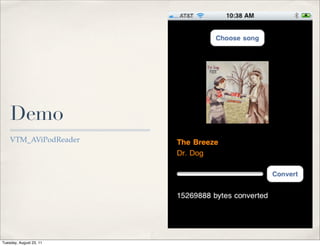
Demo
    VTM_AViPodReader


Tuesday, August 23, 11
Coordinated reading/writing


    ✤    You can provide a block to -[AVAssetWriter
         requestMediaDataWhenReady:onQueue:]

          ✤    Only perform your asset reads / writes when the writer is ready.

    ✤    In this example, AVAssetWriterInput.expectsMediaInRealTime is NO


Tuesday, August 23, 11
Set up reader, reader output,
    writer
    NSURL *assetURL = [song valueForProperty:MPMediaItemPropertyAssetURL];
    AVURLAsset *songAsset =
        [AVURLAsset URLAssetWithURL:assetURL options:nil];

    NSError *assetError = nil;
    AVAssetReader *assetReader =
        [[AVAssetReader assetReaderWithAsset:songAsset
               error:&assetError]
          retain];

    AVAssetReaderOutput *assetReaderOutput =
        [[AVAssetReaderAudioMixOutput
          assetReaderAudioMixOutputWithAudioTracks:songAsset.tracks
                    audioSettings: nil]
        retain];
    [assetReader addOutput: assetReaderOutput];
    AVAssetWriter *assetWriter =
        [[AVAssetWriter assetWriterWithURL:exportURL
                                  fileType:AVFileTypeCoreAudioFormat
                                      error:&assetError]
          retain];

Tuesday, August 23, 11
Set up writer input
       AudioChannelLayout channelLayout;
       memset(&channelLayout, 0, sizeof(AudioChannelLayout));
       channelLayout.mChannelLayoutTag = kAudioChannelLayoutTag_Stereo;
       NSDictionary *outputSettings =
       [NSDictionary dictionaryWithObjectsAndKeys:
           [NSNumber numberWithInt:kAudioFormatLinearPCM], AVFormatIDKey,
           [NSNumber numberWithFloat:44100.0], AVSampleRateKey,
           [NSNumber numberWithInt:2], AVNumberOfChannelsKey,
           [NSData dataWithBytes:&channelLayout length:sizeof(AudioChannelLayout)],
               AVChannelLayoutKey,
           [NSNumber numberWithInt:16], AVLinearPCMBitDepthKey,
           [NSNumber numberWithBool:NO], AVLinearPCMIsNonInterleaved,
           [NSNumber numberWithBool:NO],AVLinearPCMIsFloatKey,
           [NSNumber numberWithBool:NO], AVLinearPCMIsBigEndianKey,
           nil];
       AVAssetWriterInput *assetWriterInput =
           [[AVAssetWriterInput assetWriterInputWithMediaType:AVMediaTypeAudio
                       outputSettings:outputSettings]
           retain];

                   Note 1: Many of these settings are required, but you won’t know which until you get a runtime error.
                                             Note 2: AudioChannelLayout is from Core Audio
Tuesday, August 23, 11
Start reading and writing


        [assetWriter startWriting];
        [assetReader startReading];
        AVAssetTrack *soundTrack = [songAsset.tracks objectAtIndex:0];
        CMTime startTime = CMTimeMake (0, soundTrack.naturalTimeScale);
        [assetWriter startSessionAtSourceTime: startTime];


Tuesday, August 23, 11
Read only when writer is ready

      __block UInt64 convertedByteCount = 0;
      dispatch_queue_t mediaInputQueue = dispatch_queue_create("mediaInputQueue", NULL);
      [assetWriterInput requestMediaDataWhenReadyOnQueue:mediaInputQueue
                                               usingBlock: ^
       {
           while (assetWriterInput.readyForMoreMediaData) {
              CMSampleBufferRef nextBuffer = [assetReaderOutput copyNextSampleBuffer];
              if (nextBuffer) {
                  // append buffer
                  [assetWriterInput appendSampleBuffer: nextBuffer];
                  convertedByteCount += CMSampleBufferGetTotalSampleSize (nextBuffer);
                  // update UI on main thread only
                  NSNumber *convertedByteCountNumber = [NSNumber
      numberWithLong:convertedByteCount];
                  [self performSelectorOnMainThread:@selector(updateSizeLabel:)
                                          withObject:convertedByteCountNumber
                                      waitUntilDone:NO];
              }


Tuesday, August 23, 11
Close file when done
          else {
              // done!
              [assetWriterInput markAsFinished];
              [assetWriter finishWriting];
              [assetReader cancelReading];
              NSDictionary *outputFileAttributes = [[NSFileManager defaultManager]
                                                     attributesOfItemAtPath:exportPath
                                                     error:nil];
              NSNumber *doneFileSize = [NSNumber numberWithLong:[outputFileAttributes
  fileSize]];
              [self performSelectorOnMainThread:@selector(updateCompletedSizeLabel:)
                                     withObject:doneFileSize
                                  waitUntilDone:NO];
              // release a lot of stuff
              [assetReader release];
              [assetReaderOutput release];
              [assetWriter release];
              [assetWriterInput release];
              [exportPath release];
              break;
          }
       }
   }];
Tuesday, August 23, 11
Media Editing


Tuesday, August 23, 11
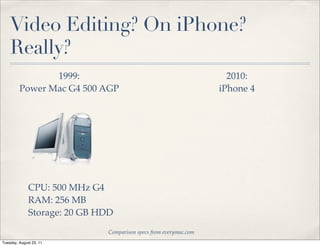
Video Editing? On iPhone?
    Really?


                         Comparison specs from everymac.com
Tuesday, August 23, 11
Video Editing? On iPhone?
    Really?
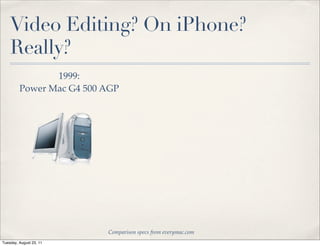
                1999:
         Power Mac G4 500 AGP


                          Comparison specs from everymac.com
Tuesday, August 23, 11
Video Editing? On iPhone?
    Really?
                1999:
         Power Mac G4 500 AGP


                          Comparison specs from everymac.com
Tuesday, August 23, 11
Video Editing? On iPhone?
    Really?
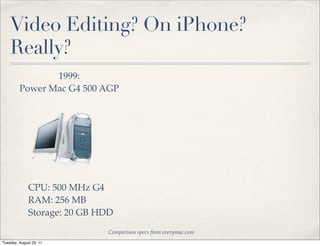
                1999:
         Power Mac G4 500 AGP


              CPU: 500 MHz G4
              RAM: 256 MB
              Storage: 20 GB HDD
                              Comparison specs from everymac.com
Tuesday, August 23, 11
Video Editing? On iPhone?
    Really?
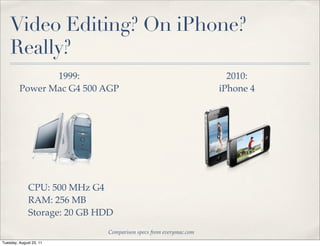
                1999:                                                2010:
         Power Mac G4 500 AGP                                      iPhone 4


              CPU: 500 MHz G4
              RAM: 256 MB
              Storage: 20 GB HDD
                              Comparison specs from everymac.com
Tuesday, August 23, 11
Video Editing? On iPhone?
    Really?
                1999:                                                2010:
         Power Mac G4 500 AGP                                      iPhone 4


              CPU: 500 MHz G4
              RAM: 256 MB
              Storage: 20 GB HDD
                              Comparison specs from everymac.com
Tuesday, August 23, 11
Video Editing? On iPhone?
    Really?
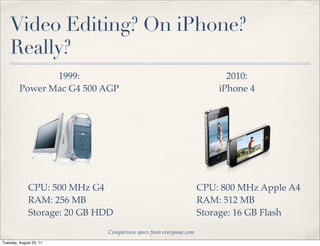
                1999:                                                    2010:
         Power Mac G4 500 AGP                                          iPhone 4


              CPU: 500 MHz G4                                      CPU: 800 MHz Apple A4
              RAM: 256 MB                                          RAM: 512 MB
              Storage: 20 GB HDD                                   Storage: 16 GB Flash
                              Comparison specs from everymac.com
Tuesday, August 23, 11
AVComposition


    ✤    An AVAsset that gets its tracks from multiple file-based sources

    ✤    To create a movie, you typically use an AVMutableComposition


                composition = [[AVMutableComposition alloc] init];


Tuesday, August 23, 11
Copying from another asset

    ✤    -[AVMutableComposition insertTimeRange:ofAsset:atTime:error:]


        CMTime inTime = CMTimeMakeWithSeconds(inSeconds, 600);
        CMTime outTime = CMTimeMakeWithSeconds(outSeconds, 600);
        CMTime duration = CMTimeSubtract(outTime, inTime);
        CMTimeRange editRange = CMTimeRangeMake(inTime, duration);
        NSError *editError = nil;

        [targetController.composition insertTimeRange:editRange
        ! ! ! ! ! ! ! ofAsset:sourceAsset
                     atTime:targetController.composition.duration
        ! ! ! ! ! ! ! error:&editError];


Tuesday, August 23, 11
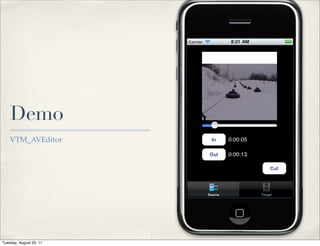
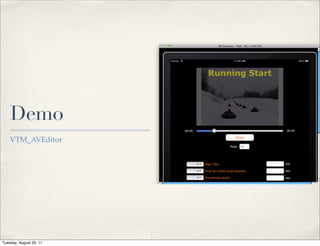
Demo
    VTM_AVEditor


Tuesday, August 23, 11
Editing With Effects


Tuesday, August 23, 11
Multiple video tracks

    ✤    To combine multiple video sources into one movie, create an
         AVMutableComposition, then create AVMutableCompositionTracks

      // create composition
      self.composition = [[AVMutableComposition alloc] init];

      // create video tracks a and b
      // note: mediatypes are defined in AVMediaFormat.h
      [trackA! release];
      trackA = [self.composition addMutableTrackWithMediaType:AVMediaTypeVideo
                                             preferredTrackID:kCMPersistentTrackID_Invalid];
      [trackB release];
      trackB = [self.composition addMutableTrackWithMediaType:AVMediaTypeVideo
                                             preferredTrackID:kCMPersistentTrackID_Invalid];

      // locate source video track
      AVAssetTrack *sourceVideoTrack = [[sourceVideoAsset tracksWithMediaType:
      AVMediaTypeVideo]
                                        objectAtIndex: 0];


Tuesday, August 23, 11
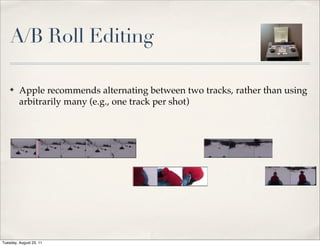
A/B Roll Editing

    ✤    Apple recommends alternating between two tracks, rather than using
         arbitrarily many (e.g., one track per shot)


Tuesday, August 23, 11
Sound tracks

    ✤    Treat your audio as separate tracks too.


         // create music track
         trackMusic = [self.composition addMutableTrackWithMediaType:AVMediaTypeAudio

         preferredTrackID:kCMPersistentTrackID_Invalid];
         CMTimeRange musicTrackTimeRange = CMTimeRangeMake(kCMTimeZero,
                                                           musicTrackAudioAsset.duration);
         NSError *trackMusicError = nil;
         [trackMusic insertTimeRange:musicTrackTimeRange
                             ofTrack:[musicTrackAudioAsset.tracks objectAtIndex:0]
                              atTime:kCMTimeZero
                               error:&trackMusicError];


Tuesday, August 23, 11
Demo
    VTM_AVEditor


Tuesday, August 23, 11
Empty ranges

    ✤    Use -[AVMutableCompositionTrack insertEmptyTimeRange:] to
         account for any part of any track where you won’t be inserting media
         segments.


          CMTime videoTracksTime = CMTimeMake(0, VIDEO_TIME_SCALE);
          CMTime postEditTime = CMTimeAdd (videoTracksTime,
                                           CMTimeMakeWithSeconds(FIRST_CUT_TRACK_A_IN_TIME,
                                                                 VIDEO_TIME_SCALE));
          [trackA insertEmptyTimeRange:CMTimeRangeMake(kCMTimeZero, postEditTime)];
          videoTracksTime = postEditTime;


Tuesday, August 23, 11
Track-level inserts

    ✤    Insert media segments with -[AVMutableCompositionTrack
         insertTimeRange:ofTrack:atTime:error]


     postEditTime = CMTimeAdd (videoTracksTime, CMTimeMakeWithSeconds(FIRST_CUT_DURATION,
                                                                      VIDEO_TIME_SCALE));
     CMTimeRange firstShotRange = CMTimeRangeMake(kCMTimeZero,
                                                  CMTimeMakeWithSeconds(FIRST_CUT_DURATION,
                                                                        VIDEO_TIME_SCALE));
     [trackA insertTimeRange:firstShotRange
                     ofTrack:sourceVideoTrack
                      atTime:videoTracksTime
                       error:&performError];
     videoTracksTime = postEditTime;


Tuesday, August 23, 11
AVVideoComposition


    ✤    Describes how multiple video tracks are to be composited together.
         Mutable version is AVMutableVideoComposition

          ✤    Not a subclass of AVComposition!

    ✤    Contains an array AVVideoCompositionInstructions

          ✤    Time ranges of these instructions need to not overlap, have gaps, or
               fail to match the duration of the AVComposition


Tuesday, August 23, 11
AVVideoCompositionInstruction


    ✤    Represents video compositor instructions for all tracks in one time
         range

    ✤    These instructions are a layerInstructions property

    ✤    Of course, you’ll be creating an
         AVMutableVideoCompositionInstruction


Tuesday, August 23, 11
AVVideoCompositionLayerInstru
    ction (yes, really)
    ✤    Identifies the instructions for one track within an
         AVVideoCompositionInstruction.

    ✤    AVMutableVideoCompositionLayerInstruction. I warned you about
         this back on slide 3.

    ✤    Currently supports two properties: opacity and affine transform.
         Animating (“ramping”) these creates fades/cross-dissolves and
         pushes.

          ✤    e.g., -[AVMutableVideoCompositionLayerInstruction
               setOpacityRampFromStartOpacity:toEndOpacity:timeRange]

Tuesday, August 23, 11
An
    AVVideoCompositionInstruction

 AVMutableVideoCompositionInstruction *transitionInstruction =
     [AVMutableVideoCompositionInstruction videoCompositionInstruction];
 transitionInstruction.timeRange = CMTimeRangeMake(kCMTimeZero, composition.duration);
 AVMutableVideoCompositionLayerInstruction *aInstruction =
     [AVMutableVideoCompositionLayerInstruction videoCompositionLayerInstructionWithAssetTrack:
     trackA];
 [aInstruction setOpacityRampFromStartOpacity:0.0 toEndOpacity:1.0
                                timeRange:CMTimeRangeMake(CMTimeMakeWithSeconds(2.9, VIDEO_TIME_SCALE),
                                                         CMTimeMakeWithSeconds(6.0, VIDEO_TIME_SCALE))];
 AVMutableVideoCompositionLayerInstruction *bInstruction =
      [AVMutableVideoCompositionLayerInstruction videoCompositionLayerInstructionWithAssetTrack:
      trackB];
 [bInstruction setOpacity:0 atTime:kCMTimeZero];
 transitionInstruction.layerInstructions = [NSArray arrayWithObjects:aInstruction, bInstruction, nil];
 [videoInstructions addObject: transitionInstruction];


Tuesday, August 23, 11
Attaching the instructions


      AVMutableVideoComposition *videoComposition =
           [AVMutableVideoComposition videoComposition];
      videoComposition.instructions = videoInstructions;
      videoComposition.renderSize = videoSize;
      videoComposition.frameDuration = CMTimeMake(1, 30); // 30 fps
      compositionPlayer.currentItem.videoComposition =
      videoComposition;


Tuesday, August 23, 11
Titles and Effects


    ✤    AVSynchronizedLayer gives you a CALayer that gets its timing from
         an AVPlayerItem, rather than a wall clock

          ✤    Run the movie slowly or backwards, the animation runs slowly or
               backwards

    ✤    Can add other CALayers as sublayers and they’ll all get their timing
         from the AVPlayerItem


Tuesday, August 23, 11
Creating a main title layer

        // synchronized layer to own all the title layers
        AVSynchronizedLayer *synchronizedLayer =
             [AVSynchronizedLayer
        synchronizedLayerWithPlayerItem:compositionPlayer.currentItem];
        synchronizedLayer.frame = [compositionView frame];
        [self.view.layer addSublayer:synchronizedLayer];

        // main titles
        CATextLayer *mainTitleLayer = [CATextLayer layer];
        mainTitleLayer.string = NSLocalizedString(@"Running Start", nil);
        mainTitleLayer.font = @"Verdana-Bold";
        mainTitleLayer.fontSize = videoSize.height / 8;
        mainTitleLayer.foregroundColor = [[UIColor yellowColor] CGColor];
        mainTitleLayer.alignmentMode = kCAAlignmentCenter;
        mainTitleLayer.frame = CGRectMake(0.0, 0.0, videoSize.width,
        videoSize.height);
        mainTitleLayer.opacity = 0.0; // initially invisible
        [synchronizedLayer addSublayer:mainTitleLayer];


Tuesday, August 23, 11
Adding an animation


            // main title opacity animation
            [CATransaction begin];
            [CATransaction setDisableActions:YES];
            CABasicAnimation *mainTitleInAnimation =
                 [CABasicAnimation animationWithKeyPath:@"opacity"];
            mainTitleInAnimation.fromValue = [NSNumber numberWithFloat: 0.0];
            mainTitleInAnimation.toValue = [NSNumber numberWithFloat: 1.0];
            mainTitleInAnimation.removedOnCompletion = NO;
            mainTitleInAnimation.beginTime = AVCoreAnimationBeginTimeAtZero;
            mainTitleInAnimation.duration = 5.0;
            [mainTitleLayer addAnimation:mainTitleInAnimation forKey:@"in-animation"];


            Nasty gotcha: AVCoreAnimationBeginTimeAtZero is a special value that is used for AVF
                animations, since 0 would otherwise be interpreted as CACurrentMediaTime()

Tuesday, August 23, 11
Multi-track audio


    ✤    AVPlayerItem.audioMix property

          ✤    AVAudioMix class describes how multiple audio tracks are to be
               mixed together

          ✤    Analogous to videoComposition property (AVVideoComposition)


Tuesday, August 23, 11
Basic Export

    ✤    Create an AVAssetExportSession

    ✤    Must set outputURL and outputFileType properties

          ✤    Inspect possible types with supportedFileTypes property (list of
               AVFileType… strings in docs)

    ✤    Begin export with exportAsynchronouslyWithCompletionHandler:

          ✤    This takes a block, which will be called on completion, failure,
               cancellation, etc.


Tuesday, August 23, 11
Advanced Export


    ✤    AVAssetExportSession takes videoComposition and audioMix
         parameters, just like AVPlayerItem

    ✤    To include AVSynchronizedLayer-based animations in an export, use
         a AVVideoCompositionCoreAnimationTool and set it as the
         animationTool property of the AVMutableVideoComposition (but
         only for export)


Tuesday, August 23, 11
Hazards and Hassles


Tuesday, August 23, 11
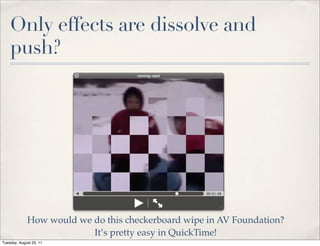
Only effects are dissolve and
    push?


             How would we do this checkerboard wipe in AV Foundation?
                          It’s pretty easy in QuickTime!
Tuesday, August 23, 11
How do you…


    ✤    Save a composition to work on later?

          ✤    Even if AVMutableComposition supports NSCopying, what if
               you’ve got titles in an AVSynchronizedLayer?

    ✤    Support undo / redo of edits?

    ✤    Add import/export support for other formats and codecs?


Tuesday, August 23, 11
AV Foundation Sucks!


    ✤    Too hard to understand!

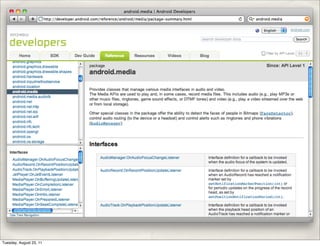
    ✤    Too many classes and methods!

    ✤    Verbose and obtuse method naming

          ✤    AVComposition and AVVideoComposition are completely
               unrelated? WTF, Apple?


Tuesday, August 23, 11
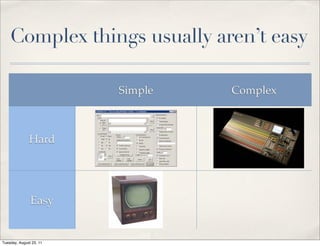
Complex things usually aren’t easy

                         Simple   Complex


              Hard


               Easy


Tuesday, August 23, 11
AV Foundation Rocks!

    ✤    Addresses a huge range of media functionality

          ✤    The other guys don’t even try

    ✤    Same framework used by Apple for iMovie for iPhone/iPad and Final
         Cut Pro X for Mac OS X.

    ✤    You can create functionality equivalent to iMovie / Final Cut in a few
         hundred lines of code

    ✤    Added to Mac OS X in 10.7 (Lion)


Tuesday, August 23, 11
Q&A
    Chris Adamson — @invalidname — http://www.subfurther.com/blog

    CocoaConf ’11 — Columbus, OH — August 12, 2011


Tuesday, August 23, 11
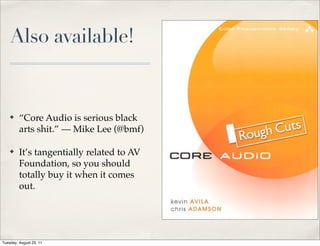
Also available!


    ✤    “Core Audio is serious black
         arts shit.” — Mike Lee (@bmf)

    ✤    It’s tangentially related to AV
         Foundation, so you should
         totally buy it when it comes
         out.


Tuesday, August 23, 11

Advanced AV Foundation (CocoaConf, Aug '11)

  • 1.
    Advanced AV Foundation Chris Adamson — @invalidname — http://www.subfurther.com/blog CocoaConf ’11 — Columbus, OH — August 12, 2011 Tuesday, August 23, 11
  • 2.
    The Deal ✤ Slides will be posted to conference site and http:// www.slideshare.com/invalidname ✤ Code will be posted to blog at http://www.subfurther.com/blog ✤ Don’t try to transcribe the code examples Tuesday, August 23, 11
  • 3.
    No, really ✤ Seriously, don’t try to transcribe the code examples ✤ You will never keep up ✤ AV Foundation has the longest class and method names you have ever seen: ✤ AVMutableVideoCompositionLayerInstruction ✤ AVAssetWriterInputPixelBufferAdaptor ✤ etc. Tuesday, August 23, 11
  • 4.
    Really, really, seriously…don’t AVMutableVideoCompositionLayerInstruction *aInstruction = [AVMutableVideoCompositionLayerInstruction videoCompositionLayerInstructionWithAssetTrack: trackA]; [aInstruction setOpacityRampFromStartOpacity:0.0 toEndOpacity:1.0 timeRange:CMTimeRangeMake(CMTimeMakeWithSeconds(2.9, VIDEO_TIME_SCALE), CMTimeMakeWithSeconds(6.0, VIDEO_TIME_SCALE))]; Tuesday, August 23, 11
  • 5.
    The Road Map ✤ Capture callbacks ✤ Writing samples with AVAssetWriter ✤ Reading samples with AVAssetReader ✤ Editing with effects ✤ The Future! Tuesday, August 23, 11
  • 6.
  • 7.
    Recap: Capture basics ✤ Create an AVCaptureSession to coordinate the capture ✤ Investigate available AVCaptureDevices ✤ Create AVCaptureDeviceInput and connect it to the session ✤ Optional: set up an AVCaptureVideoPreviewLayer ✤ Optional: connect AVCaptureOutputs ✤ Tell the session to start recording Tuesday, August 23, 11
  • 8.
    Processing Capture Data…Why? ✤ Audio: ✤ Pitch detection (Glee Karaoke), vocal effects (I Am T-Pain) ✤ Video ✤ Augmented Reality (Word Lens), Face Detection (Face Pong), Barcode Scanners… Tuesday, August 23, 11
  • 9.
    Example: ZXing Project ✤ Open-source (Apache License 2.0) Java library for reading 1-D, 2-D barcodes ✤ iOS Obj-C++ port of QR Code decoder. ✤ ZXingWidget library ✤ Barcodes and ScanTest sample apps http://code.google.com/p/zxing/ Tuesday, August 23, 11
  • 10.
    Demo Zxing Barcodes Tuesday, August 23, 11
  • 11.
    AVCaptureVideoDataOutput ✤ Just another AVCaptureOutput ✤ Delivers frames to an in-app delegate ✤ Delegate gets callback captureSession:didOutputSampleBuffer:fromConnection: ✤ Sample buffer is a CMSampleBufferRef Tuesday, August 23, 11
  • 12.
    AVCaptureVideoDataOutput AVCaptureDeviceInput *captureInput = [AVCaptureDeviceInput deviceInputWithDevice: [AVCaptureDevice defaultDeviceWithMediaType:AVMediaTypeVideo] error:nil]; AVCaptureVideoDataOutput *captureOutput = [[AVCaptureVideoDataOutput alloc] init]; captureOutput.alwaysDiscardsLateVideoFrames = YES; [captureOutput setSampleBufferDelegate:self queue:dispatch_get_main_queue()]; // some configuration stuff omitted... [self.captureSession addOutput:captureOutput]; Tuesday, August 23, 11
  • 13.
    AVCaptureVideoDataOutputSam pleBufferDelegate (yes, really) - (void)captureOutput:(AVCaptureOutput *)captureOutput didOutputSampleBuffer:(CMSampleBufferRef)sampleBuffer fromConnection:(AVCaptureConnection *)connection { CVImageBufferRef imageBuffer = CMSampleBufferGetImageBuffer(sampleBuffer); CVPixelBufferLockBaseAddress(imageBuffer,0); // Core Video pixel counting math omitted... CGContextRef newContext = CGBitmapContextCreate(baseAddress, width, height, 8, bytesPerRow, colorSpace, kCGBitmapByteOrder32Little | kCGImageAlphaNoneSkipFirst); CGImageRef capture = CGBitmapContextCreateImage(newContext); CVPixelBufferUnlockBaseAddress(imageBuffer,0); // Zxing then does secondary crop, converts to UIImage, and // calls its own -[Decoder decodeImage:cropRect:] } Tuesday, August 23, 11
  • 14.
  • 15.
    AVAssetWriter ✤ Introduced in iOS 4.1 ✤ Allows you to create samples programmatically and write them to an asset ✤ Used for synthesized media files: screen recording, CGI, synthesized audio (text to speech, “Hatsune Miku”), etc. Tuesday, August 23, 11
  • 16.
    Using AVAssetWriter ✤ Create an AVAssetWriter ✤ Create and configure an AVAssetWriterInput and connect it to the writer ✤ -[AVAssetWriter startWriting] ✤ Repeatedly call -[AVAssetWriterInput appendSampleBuffer:] with CMSampleBufferRef’s ✤ Set expectsDataInRealTime appropriately, honor readyForMoreMediaData property. Tuesday, August 23, 11
  • 17.
    Example: iOS ScreenRecorder ✤ Set up an AVAssetWriter to write to a QuickTime movie file, and an AVAssetWriterInput with codec and other video track metadata ✤ Set up an AVAssetWriterPixelBufferAdaptor to simplify converting CGImageRefs into CMSampleBufferRefs ✤ Use an NSTimer to periodically grab the screen image and use the AVAssetWriterPixelBufferAdapter to write to the AVAssetWriterInput Tuesday, August 23, 11
  • 18.
    Demo CCFScreenRecorder Tuesday, August 23, 11
  • 19.
    Create writer, writerinput, and pixel buffer adaptor assetWriter = [[AVAssetWriter alloc] initWithURL:movieURL fileType:AVFileTypeQuickTimeMovie error:&movieError]; NSDictionary *assetWriterInputSettings = [NSDictionary dictionaryWithObjectsAndKeys: AVVideoCodecH264, AVVideoCodecKey, [NSNumber numberWithInt:FRAME_WIDTH], AVVideoWidthKey, [NSNumber numberWithInt:FRAME_HEIGHT], AVVideoHeightKey, nil]; assetWriterInput = [AVAssetWriterInput assetWriterInputWithMediaType: AVMediaTypeVideo outputSettings:assetWriterInputSettings]; assetWriterInput.expectsMediaDataInRealTime = YES; [assetWriter addInput:assetWriterInput]; assetWriterPixelBufferAdaptor = [[AVAssetWriterInputPixelBufferAdaptor alloc] ! ! ! ! ! ! ! ! initWithAssetWriterInput:assetWriterInput ! ! ! ! ! ! ! ! sourcePixelBufferAttributes:nil]; [assetWriter startWriting]; Settings keys and values are defined in AVAudioSettings.h and AVVideoSettings.h, or AV Foundation Constants Reference Tuesday, August 23, 11
  • 20.
  • 21.
    Create a pixelbuffer // get screenshot image! CGImageRef image = (CGImageRef) [[self screenshot] CGImage]; NSLog (@"made screenshot"); // prepare the pixel buffer CVPixelBufferRef pixelBuffer = NULL; CFDataRef imageData= CGDataProviderCopyData(CGImageGetDataProvider(image)); NSLog (@"copied image data"); cvErr = CVPixelBufferCreateWithBytes(kCFAllocatorDefault, FRAME_WIDTH, FRAME_HEIGHT, kCVPixelFormatType_32BGRA, (void*)CFDataGetBytePtr(imageData), CGImageGetBytesPerRow(image), NULL, NULL, NULL, &pixelBuffer); NSLog (@"CVPixelBufferCreateWithBytes returned %d", cvErr); Tuesday, August 23, 11
  • 22.
    Calculate time andwrite sample // calculate the time CFAbsoluteTime thisFrameWallClockTime = CFAbsoluteTimeGetCurrent(); CFTimeInterval elapsedTime = thisFrameWallClockTime - firstFrameWallClockTime; NSLog (@"elapsedTime: %f", elapsedTime); CMTime presentationTime = CMTimeMake (elapsedTime * TIME_SCALE, TIME_SCALE); // write the sample BOOL appended = [assetWriterPixelBufferAdaptor appendPixelBuffer:pixelBuffer withPresentationTime:presentationTime]; Tuesday, August 23, 11
  • 23.
  • 24.
    AVAssetReader ✤ Introduced in iOS 4.1 ✤ Possible uses: ✤ Audio: Showing an audio wave form in a timeline ✤ Video: Generating frame-accurate thumbnails ✤ Both: Perform effects or DSP in non-realtime Tuesday, August 23, 11
  • 25.
    Using AVAssetReader ✤ Create an AVAssetReader ✤ Create and configure an AVAssetReaderOutput ✤ Three concrete subclasses: AVAssetReaderTrackOutput, AVAssetReaderAudioMixOutput, and AVAssetReaderVideoCompositionOutput. ✤ Get data with -[AVAssetReader copyNextSampleBuffer] Tuesday, August 23, 11
  • 26.
    Example: Convert iPodsong to PCM ✤ In iOS 4, Media Player framework exposes a new metadata property, MPMediaItemPropertyAssetURL, that allows AV Foundation to open the library item as an AVAsset ✤ Obvious use is to let you use your iTunes music as BGM in your iMovies ✤ Create an AVAssetReader to read sample buffers from the song ✤ Create an AVAssetWriter to convert and write PCM samples Tuesday, August 23, 11
  • 27.
    Demo VTM_AViPodReader Tuesday, August 23, 11
  • 28.
    Coordinated reading/writing ✤ You can provide a block to -[AVAssetWriter requestMediaDataWhenReady:onQueue:] ✤ Only perform your asset reads / writes when the writer is ready. ✤ In this example, AVAssetWriterInput.expectsMediaInRealTime is NO Tuesday, August 23, 11
  • 29.
    Set up reader,reader output, writer NSURL *assetURL = [song valueForProperty:MPMediaItemPropertyAssetURL]; AVURLAsset *songAsset = [AVURLAsset URLAssetWithURL:assetURL options:nil]; NSError *assetError = nil; AVAssetReader *assetReader = [[AVAssetReader assetReaderWithAsset:songAsset error:&assetError] retain]; AVAssetReaderOutput *assetReaderOutput = [[AVAssetReaderAudioMixOutput assetReaderAudioMixOutputWithAudioTracks:songAsset.tracks audioSettings: nil] retain]; [assetReader addOutput: assetReaderOutput]; AVAssetWriter *assetWriter = [[AVAssetWriter assetWriterWithURL:exportURL fileType:AVFileTypeCoreAudioFormat error:&assetError] retain]; Tuesday, August 23, 11
  • 30.
    Set up writerinput AudioChannelLayout channelLayout; memset(&channelLayout, 0, sizeof(AudioChannelLayout)); channelLayout.mChannelLayoutTag = kAudioChannelLayoutTag_Stereo; NSDictionary *outputSettings = [NSDictionary dictionaryWithObjectsAndKeys: [NSNumber numberWithInt:kAudioFormatLinearPCM], AVFormatIDKey, [NSNumber numberWithFloat:44100.0], AVSampleRateKey, [NSNumber numberWithInt:2], AVNumberOfChannelsKey, [NSData dataWithBytes:&channelLayout length:sizeof(AudioChannelLayout)], AVChannelLayoutKey, [NSNumber numberWithInt:16], AVLinearPCMBitDepthKey, [NSNumber numberWithBool:NO], AVLinearPCMIsNonInterleaved, [NSNumber numberWithBool:NO],AVLinearPCMIsFloatKey, [NSNumber numberWithBool:NO], AVLinearPCMIsBigEndianKey, nil]; AVAssetWriterInput *assetWriterInput = [[AVAssetWriterInput assetWriterInputWithMediaType:AVMediaTypeAudio outputSettings:outputSettings] retain]; Note 1: Many of these settings are required, but you won’t know which until you get a runtime error. Note 2: AudioChannelLayout is from Core Audio Tuesday, August 23, 11
  • 31.
    Start reading andwriting [assetWriter startWriting]; [assetReader startReading]; AVAssetTrack *soundTrack = [songAsset.tracks objectAtIndex:0]; CMTime startTime = CMTimeMake (0, soundTrack.naturalTimeScale); [assetWriter startSessionAtSourceTime: startTime]; Tuesday, August 23, 11
  • 32.
    Read only whenwriter is ready __block UInt64 convertedByteCount = 0; dispatch_queue_t mediaInputQueue = dispatch_queue_create("mediaInputQueue", NULL); [assetWriterInput requestMediaDataWhenReadyOnQueue:mediaInputQueue usingBlock: ^ { while (assetWriterInput.readyForMoreMediaData) { CMSampleBufferRef nextBuffer = [assetReaderOutput copyNextSampleBuffer]; if (nextBuffer) { // append buffer [assetWriterInput appendSampleBuffer: nextBuffer]; convertedByteCount += CMSampleBufferGetTotalSampleSize (nextBuffer); // update UI on main thread only NSNumber *convertedByteCountNumber = [NSNumber numberWithLong:convertedByteCount]; [self performSelectorOnMainThread:@selector(updateSizeLabel:) withObject:convertedByteCountNumber waitUntilDone:NO]; } Tuesday, August 23, 11
  • 33.
    Close file whendone else { // done! [assetWriterInput markAsFinished]; [assetWriter finishWriting]; [assetReader cancelReading]; NSDictionary *outputFileAttributes = [[NSFileManager defaultManager] attributesOfItemAtPath:exportPath error:nil]; NSNumber *doneFileSize = [NSNumber numberWithLong:[outputFileAttributes fileSize]]; [self performSelectorOnMainThread:@selector(updateCompletedSizeLabel:) withObject:doneFileSize waitUntilDone:NO]; // release a lot of stuff [assetReader release]; [assetReaderOutput release]; [assetWriter release]; [assetWriterInput release]; [exportPath release]; break; } } }]; Tuesday, August 23, 11
  • 34.
  • 35.
    Video Editing? OniPhone? Really? Comparison specs from everymac.com Tuesday, August 23, 11
  • 36.
    Video Editing? OniPhone? Really? 1999: Power Mac G4 500 AGP Comparison specs from everymac.com Tuesday, August 23, 11
  • 37.
    Video Editing? OniPhone? Really? 1999: Power Mac G4 500 AGP Comparison specs from everymac.com Tuesday, August 23, 11
  • 38.
    Video Editing? OniPhone? Really? 1999: Power Mac G4 500 AGP CPU: 500 MHz G4 RAM: 256 MB Storage: 20 GB HDD Comparison specs from everymac.com Tuesday, August 23, 11
  • 39.
    Video Editing? OniPhone? Really? 1999: 2010: Power Mac G4 500 AGP iPhone 4 CPU: 500 MHz G4 RAM: 256 MB Storage: 20 GB HDD Comparison specs from everymac.com Tuesday, August 23, 11
  • 40.
    Video Editing? OniPhone? Really? 1999: 2010: Power Mac G4 500 AGP iPhone 4 CPU: 500 MHz G4 RAM: 256 MB Storage: 20 GB HDD Comparison specs from everymac.com Tuesday, August 23, 11
  • 41.
    Video Editing? OniPhone? Really? 1999: 2010: Power Mac G4 500 AGP iPhone 4 CPU: 500 MHz G4 CPU: 800 MHz Apple A4 RAM: 256 MB RAM: 512 MB Storage: 20 GB HDD Storage: 16 GB Flash Comparison specs from everymac.com Tuesday, August 23, 11
  • 42.
    AVComposition ✤ An AVAsset that gets its tracks from multiple file-based sources ✤ To create a movie, you typically use an AVMutableComposition composition = [[AVMutableComposition alloc] init]; Tuesday, August 23, 11
  • 43.
    Copying from anotherasset ✤ -[AVMutableComposition insertTimeRange:ofAsset:atTime:error:] CMTime inTime = CMTimeMakeWithSeconds(inSeconds, 600); CMTime outTime = CMTimeMakeWithSeconds(outSeconds, 600); CMTime duration = CMTimeSubtract(outTime, inTime); CMTimeRange editRange = CMTimeRangeMake(inTime, duration); NSError *editError = nil; [targetController.composition insertTimeRange:editRange ! ! ! ! ! ! ! ofAsset:sourceAsset atTime:targetController.composition.duration ! ! ! ! ! ! ! error:&editError]; Tuesday, August 23, 11
  • 44.
    Demo VTM_AVEditor Tuesday, August 23, 11
  • 45.
  • 46.
  • 47.
    Multiple video tracks ✤ To combine multiple video sources into one movie, create an AVMutableComposition, then create AVMutableCompositionTracks // create composition self.composition = [[AVMutableComposition alloc] init]; // create video tracks a and b // note: mediatypes are defined in AVMediaFormat.h [trackA! release]; trackA = [self.composition addMutableTrackWithMediaType:AVMediaTypeVideo preferredTrackID:kCMPersistentTrackID_Invalid]; [trackB release]; trackB = [self.composition addMutableTrackWithMediaType:AVMediaTypeVideo preferredTrackID:kCMPersistentTrackID_Invalid]; // locate source video track AVAssetTrack *sourceVideoTrack = [[sourceVideoAsset tracksWithMediaType: AVMediaTypeVideo] objectAtIndex: 0]; Tuesday, August 23, 11
  • 48.
    A/B Roll Editing ✤ Apple recommends alternating between two tracks, rather than using arbitrarily many (e.g., one track per shot) Tuesday, August 23, 11
  • 49.
    Sound tracks ✤ Treat your audio as separate tracks too. // create music track trackMusic = [self.composition addMutableTrackWithMediaType:AVMediaTypeAudio preferredTrackID:kCMPersistentTrackID_Invalid]; CMTimeRange musicTrackTimeRange = CMTimeRangeMake(kCMTimeZero, musicTrackAudioAsset.duration); NSError *trackMusicError = nil; [trackMusic insertTimeRange:musicTrackTimeRange ofTrack:[musicTrackAudioAsset.tracks objectAtIndex:0] atTime:kCMTimeZero error:&trackMusicError]; Tuesday, August 23, 11
  • 50.
    Demo VTM_AVEditor Tuesday, August 23, 11
  • 51.
    Empty ranges ✤ Use -[AVMutableCompositionTrack insertEmptyTimeRange:] to account for any part of any track where you won’t be inserting media segments. CMTime videoTracksTime = CMTimeMake(0, VIDEO_TIME_SCALE); CMTime postEditTime = CMTimeAdd (videoTracksTime, CMTimeMakeWithSeconds(FIRST_CUT_TRACK_A_IN_TIME, VIDEO_TIME_SCALE)); [trackA insertEmptyTimeRange:CMTimeRangeMake(kCMTimeZero, postEditTime)]; videoTracksTime = postEditTime; Tuesday, August 23, 11
  • 52.
    Track-level inserts ✤ Insert media segments with -[AVMutableCompositionTrack insertTimeRange:ofTrack:atTime:error] postEditTime = CMTimeAdd (videoTracksTime, CMTimeMakeWithSeconds(FIRST_CUT_DURATION, VIDEO_TIME_SCALE)); CMTimeRange firstShotRange = CMTimeRangeMake(kCMTimeZero, CMTimeMakeWithSeconds(FIRST_CUT_DURATION, VIDEO_TIME_SCALE)); [trackA insertTimeRange:firstShotRange ofTrack:sourceVideoTrack atTime:videoTracksTime error:&performError]; videoTracksTime = postEditTime; Tuesday, August 23, 11
  • 53.
    AVVideoComposition ✤ Describes how multiple video tracks are to be composited together. Mutable version is AVMutableVideoComposition ✤ Not a subclass of AVComposition! ✤ Contains an array AVVideoCompositionInstructions ✤ Time ranges of these instructions need to not overlap, have gaps, or fail to match the duration of the AVComposition Tuesday, August 23, 11
  • 54.
    AVVideoCompositionInstruction ✤ Represents video compositor instructions for all tracks in one time range ✤ These instructions are a layerInstructions property ✤ Of course, you’ll be creating an AVMutableVideoCompositionInstruction Tuesday, August 23, 11
  • 55.
    AVVideoCompositionLayerInstru ction (yes, really) ✤ Identifies the instructions for one track within an AVVideoCompositionInstruction. ✤ AVMutableVideoCompositionLayerInstruction. I warned you about this back on slide 3. ✤ Currently supports two properties: opacity and affine transform. Animating (“ramping”) these creates fades/cross-dissolves and pushes. ✤ e.g., -[AVMutableVideoCompositionLayerInstruction setOpacityRampFromStartOpacity:toEndOpacity:timeRange] Tuesday, August 23, 11
  • 56.
    An AVVideoCompositionInstruction AVMutableVideoCompositionInstruction *transitionInstruction = [AVMutableVideoCompositionInstruction videoCompositionInstruction]; transitionInstruction.timeRange = CMTimeRangeMake(kCMTimeZero, composition.duration); AVMutableVideoCompositionLayerInstruction *aInstruction = [AVMutableVideoCompositionLayerInstruction videoCompositionLayerInstructionWithAssetTrack: trackA]; [aInstruction setOpacityRampFromStartOpacity:0.0 toEndOpacity:1.0 timeRange:CMTimeRangeMake(CMTimeMakeWithSeconds(2.9, VIDEO_TIME_SCALE), CMTimeMakeWithSeconds(6.0, VIDEO_TIME_SCALE))]; AVMutableVideoCompositionLayerInstruction *bInstruction = [AVMutableVideoCompositionLayerInstruction videoCompositionLayerInstructionWithAssetTrack: trackB]; [bInstruction setOpacity:0 atTime:kCMTimeZero]; transitionInstruction.layerInstructions = [NSArray arrayWithObjects:aInstruction, bInstruction, nil]; [videoInstructions addObject: transitionInstruction]; Tuesday, August 23, 11
  • 57.
    Attaching the instructions AVMutableVideoComposition *videoComposition = [AVMutableVideoComposition videoComposition]; videoComposition.instructions = videoInstructions; videoComposition.renderSize = videoSize; videoComposition.frameDuration = CMTimeMake(1, 30); // 30 fps compositionPlayer.currentItem.videoComposition = videoComposition; Tuesday, August 23, 11
  • 58.
    Titles and Effects ✤ AVSynchronizedLayer gives you a CALayer that gets its timing from an AVPlayerItem, rather than a wall clock ✤ Run the movie slowly or backwards, the animation runs slowly or backwards ✤ Can add other CALayers as sublayers and they’ll all get their timing from the AVPlayerItem Tuesday, August 23, 11
  • 59.
    Creating a maintitle layer // synchronized layer to own all the title layers AVSynchronizedLayer *synchronizedLayer = [AVSynchronizedLayer synchronizedLayerWithPlayerItem:compositionPlayer.currentItem]; synchronizedLayer.frame = [compositionView frame]; [self.view.layer addSublayer:synchronizedLayer]; // main titles CATextLayer *mainTitleLayer = [CATextLayer layer]; mainTitleLayer.string = NSLocalizedString(@"Running Start", nil); mainTitleLayer.font = @"Verdana-Bold"; mainTitleLayer.fontSize = videoSize.height / 8; mainTitleLayer.foregroundColor = [[UIColor yellowColor] CGColor]; mainTitleLayer.alignmentMode = kCAAlignmentCenter; mainTitleLayer.frame = CGRectMake(0.0, 0.0, videoSize.width, videoSize.height); mainTitleLayer.opacity = 0.0; // initially invisible [synchronizedLayer addSublayer:mainTitleLayer]; Tuesday, August 23, 11
  • 60.
    Adding an animation // main title opacity animation [CATransaction begin]; [CATransaction setDisableActions:YES]; CABasicAnimation *mainTitleInAnimation = [CABasicAnimation animationWithKeyPath:@"opacity"]; mainTitleInAnimation.fromValue = [NSNumber numberWithFloat: 0.0]; mainTitleInAnimation.toValue = [NSNumber numberWithFloat: 1.0]; mainTitleInAnimation.removedOnCompletion = NO; mainTitleInAnimation.beginTime = AVCoreAnimationBeginTimeAtZero; mainTitleInAnimation.duration = 5.0; [mainTitleLayer addAnimation:mainTitleInAnimation forKey:@"in-animation"]; Nasty gotcha: AVCoreAnimationBeginTimeAtZero is a special value that is used for AVF animations, since 0 would otherwise be interpreted as CACurrentMediaTime() Tuesday, August 23, 11
  • 61.
    Multi-track audio ✤ AVPlayerItem.audioMix property ✤ AVAudioMix class describes how multiple audio tracks are to be mixed together ✤ Analogous to videoComposition property (AVVideoComposition) Tuesday, August 23, 11
  • 62.
    Basic Export ✤ Create an AVAssetExportSession ✤ Must set outputURL and outputFileType properties ✤ Inspect possible types with supportedFileTypes property (list of AVFileType… strings in docs) ✤ Begin export with exportAsynchronouslyWithCompletionHandler: ✤ This takes a block, which will be called on completion, failure, cancellation, etc. Tuesday, August 23, 11
  • 63.
    Advanced Export ✤ AVAssetExportSession takes videoComposition and audioMix parameters, just like AVPlayerItem ✤ To include AVSynchronizedLayer-based animations in an export, use a AVVideoCompositionCoreAnimationTool and set it as the animationTool property of the AVMutableVideoComposition (but only for export) Tuesday, August 23, 11
  • 64.
  • 65.
  • 66.
  • 67.
  • 68.
  • 69.
    Only effects aredissolve and push? How would we do this checkerboard wipe in AV Foundation? It’s pretty easy in QuickTime! Tuesday, August 23, 11
  • 70.
    How do you… ✤ Save a composition to work on later? ✤ Even if AVMutableComposition supports NSCopying, what if you’ve got titles in an AVSynchronizedLayer? ✤ Support undo / redo of edits? ✤ Add import/export support for other formats and codecs? Tuesday, August 23, 11
  • 71.
    AV Foundation Sucks! ✤ Too hard to understand! ✤ Too many classes and methods! ✤ Verbose and obtuse method naming ✤ AVComposition and AVVideoComposition are completely unrelated? WTF, Apple? Tuesday, August 23, 11
  • 72.
  • 73.
    Complex things usuallyaren’t easy Simple Complex Hard Easy Tuesday, August 23, 11
  • 74.
    AV Foundation Rocks! ✤ Addresses a huge range of media functionality ✤ The other guys don’t even try ✤ Same framework used by Apple for iMovie for iPhone/iPad and Final Cut Pro X for Mac OS X. ✤ You can create functionality equivalent to iMovie / Final Cut in a few hundred lines of code ✤ Added to Mac OS X in 10.7 (Lion) Tuesday, August 23, 11
  • 75.
    Q&A Chris Adamson — @invalidname — http://www.subfurther.com/blog CocoaConf ’11 — Columbus, OH — August 12, 2011 Tuesday, August 23, 11
  • 76.
    Also available! ✤ “Core Audio is serious black arts shit.” — Mike Lee (@bmf) ✤ It’s tangentially related to AV Foundation, so you should totally buy it when it comes out. Tuesday, August 23, 11