Introduction to the Roku
SDK
Chris Adamson • @invalidname
CodeMash 2014
What you’ll learn
Techniques for writing and testing Roku channels
Basics of Roku’s BrightScript programming language
and built-in component library
Preparing audio and video to work with Roku
What we’re not covering

Submitting channels to Roku for distribution as public
or private channels
Fancy stuff (sockets, 2D graphics)
These things are well worth learning on your own, just out of
scope for a half-day intro class
Requirements (Roku)
A 2nd or 3rd generation Roku box (1st will probably
work too?), with power cable
Original Roku remote
Not the Roku mobile app; we need to get your Roku
on the Kalahari wifi
Some way to see the screen (monitor or capture)
Requirements (your
computer)
Text editor
Ability to zip files, preferably from the command-line
A telnet application (e.g., /usr/bin/telnet)
A browser not named “Safari”
Safari seems not to work reliably with Roku sideloading; Chrome works better for me
Hello Roku
Basic Roku development
Roku channels are written in BrightScript
Scripting language similar to Visual Basic
Developer side-loads channel onto Roku box for
testing
Advanced: Roku box signs app for submission to Roku
as public app or private channel
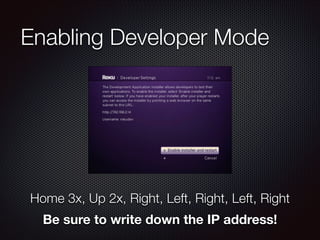
Enabling Developer Mode

Home 3x, Up 2x, Right, Left, Right, Left, Right
Be sure to write down the IP address!
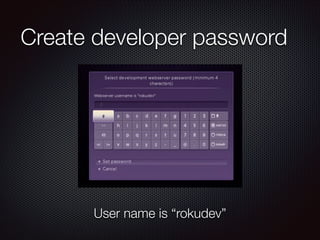
Create developer password

User name is “rokudev”
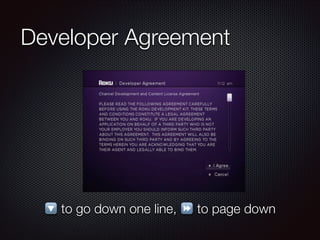
Developer Agreement

🔽 to go down one line, ⏩ to page down
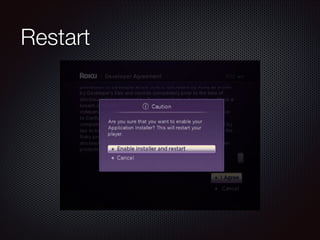
Restart
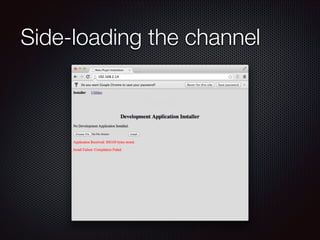
Side loading
Channels are sent to your Roku as zips via browser
upload
Only one developer channel installed at one time; new
uploads replace the old one
Script is compiled at upload time, runs immediately if
compilation succeeds
Developer app stays on My Channels screen, can be
relaunched with remote
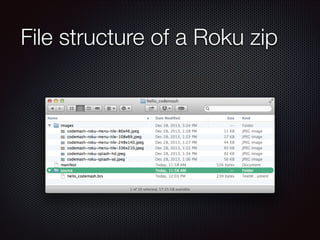
File structure of a Roku zip
Roku channel zip contents
“source” folder
manifest file
Optional: any other files and folders (“images”, “xml”,
etc.)

Must unzip as these contents, not as a folder
with these contents. Maximum size is 2 MB,
and typical Roku channels are under 500 KB.
Manifest file
Describes channel such that it can be displayed on
“My Channels” page
Has attributes to indicate whether the channel is a
screensaver, requires Bluetooth or MKV support, etc.
Manifest file
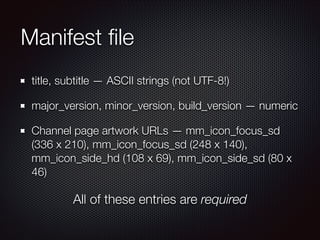
title, subtitle — ASCII strings (not UTF-8!)
major_version, minor_version, build_version — numeric
Channel page artwork URLs — mm_icon_focus_sd
(336 x 210), mm_icon_focus_sd (248 x 140),
mm_icon_side_hd (108 x 69), mm_icon_side_sd (80 x
46)

All of these entries are required
Sample manifest file
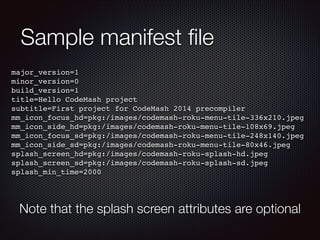
major_version=1!
minor_version=0!
build_version=1!
title=Hello CodeMash project!
subtitle=First project for CodeMash 2014 precompiler!
mm_icon_focus_hd=pkg:/images/codemash-roku-menu-tile-336x210.jpeg!
mm_icon_side_hd=pkg:/images/codemash-roku-menu-tile-108x69.jpeg!
mm_icon_focus_sd=pkg:/images/codemash-roku-menu-tile-248x140.jpeg!
mm_icon_side_sd=pkg:/images/codemash-roku-menu-tile-80x46.jpeg!
splash_screen_hd=pkg:/images/codemash-roku-splash-hd.jpeg!
splash_screen_sd=pkg:/images/codemash-roku-splash-sd.jpeg!
splash_min_time=2000!

Note that the splash screen attributes are optional
BrightScript source files
Go in the “source” folder with file extension .brs
Execution begins in Sub Main()
You don’t need to do any sort of import/include; all are
picked up and compiled together
Some text editors (and Eclipse) have add-ons to
provide BrightScript syntax highlighting
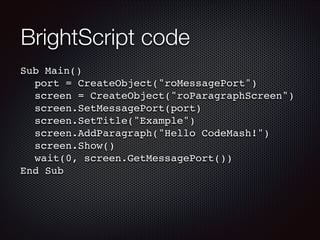
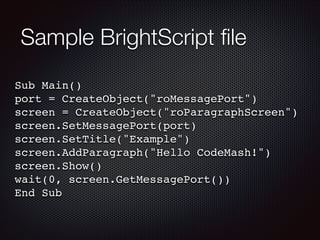
Sample BrightScript file
Sub Main()!
port = CreateObject("roMessagePort")!
screen = CreateObject("roParagraphScreen")!
screen.SetMessagePort(port)!
screen.SetTitle("Example")!
screen.AddParagraph("Hello CodeMash!")!
screen.Show()!
wait(0, screen.GetMessagePort())!
End Sub
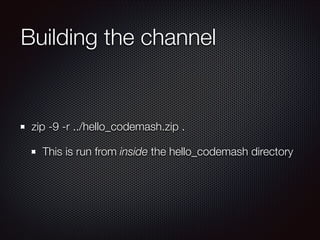
Building the channel

zip -9 -r ../hello_codemash.zip .
This is run from inside the hello_codemash directory
Side-loading the channel
Debugger

telnet [your-roku-address] 8085
Exercise 1: Hello CodeMash
BrightScript code
Sub Main()!
! port = CreateObject("roMessagePort")!
! screen = CreateObject("roParagraphScreen")!
! screen.SetMessagePort(port)!
! screen.SetTitle("Example")!
! screen.AddParagraph("Hello CodeMash!")!
! screen.Show()!
! wait(0, screen.GetMessagePort())!
End Sub
BrightScript code
Sub Main()!
! port = CreateObject("roMessagePort")!
! screen = CreateObject("roParagraphScreen")!
! screen.SetMessagePort(port)!
! screen.SetTitle("Example")!
! screen.AddParagraph("Hello CodeMash!")!
! screen.Show()!
! wait(0, screen.GetMessagePort())!
End Sub

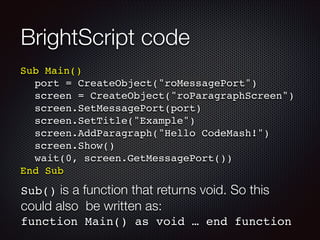
Sub() is a function that returns void. So this

could also be written as:
function Main() as void … end function
BrightScript code
Sub Main()!
! port = CreateObject("roMessagePort")!
! screen = CreateObject("roParagraphScreen")!
! screen.SetMessagePort(port)!
! screen.SetTitle("Example")!
! screen.AddParagraph("Hello CodeMash!")!
! screen.Show()!
! wait(0, screen.GetMessagePort())!
End Sub

Objects are created with CreateObject
(classname as String, [optional
parameters]) as Object
BrightScript code
Sub Main()!
! port = CreateObject("roMessagePort")!
! screen = CreateObject("roParagraphScreen")!
! screen.SetMessagePort(port)!
! screen.SetTitle("Example")!
! screen.AddParagraph("Hello CodeMash!")!
! screen.Show()!
! wait(0, screen.GetMessagePort())!
End Sub

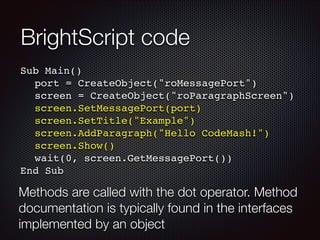
Methods are called with the dot operator. Method
documentation is typically found in the interfaces
implemented by an object
BrightScript code
Sub Main()!
! port = CreateObject("roMessagePort")!
! screen = CreateObject("roParagraphScreen")!
! screen.SetMessagePort(port)!
! screen.SetTitle("Example")!
! screen.AddParagraph("Hello CodeMash!")!
! screen.Show()!
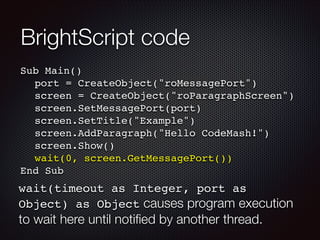
! wait(0, screen.GetMessagePort())!
End Sub

wait(timeout as Integer, port as
Object) as Object causes program execution

to wait here until notified by another thread.
BrightScript types
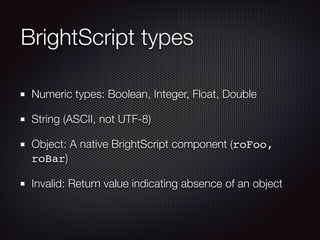
Numeric types: Boolean, Integer, Float, Double
String (ASCII, not UTF-8)
Object: A native BrightScript component (roFoo,
roBar)
Invalid: Return value indicating absence of an object
BrightScript collections
roArray — typical array. CreateObject(“roArray”,
3, true) or literal syntax: myNums = [1,2,3]
Use DIM for multi-dimensional array
roAssociativeArray — name/value pairs.
CreateObject (“roAssociativeArray”) or
literal myPairs = {foo:1, bar:2}
Collections are typically mutable
BrightScript flow control
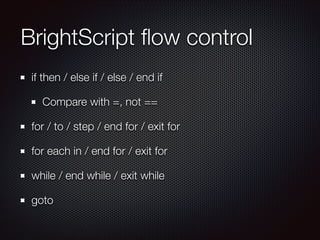
if then / else if / else / end if
Compare with =, not ==
for / to / step / end for / exit for
for each in / end for / exit for
while / end while / exit while
goto
Other BrightScript traits
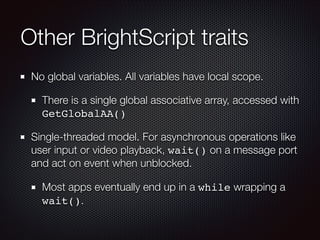
No global variables. All variables have local scope.
There is a single global associative array, accessed with
GetGlobalAA()
Single-threaded model. For asynchronous operations like
user input or video playback, wait() on a message port
and act on event when unblocked.
Most apps eventually end up in a while wrapping a
wait().
BrightScript objects

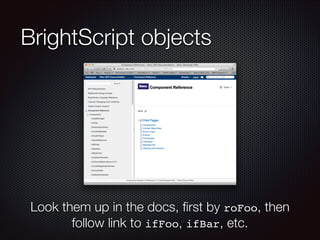
Look them up in the docs, first by roFoo, then
follow link to ifFoo, ifBar, etc.
BrightScript screens
How you show stuff on the screen!
Typically, customize screen’s various properties (see the
interface documentation), attach it to a message port,
then present with show()
roScreen() displays immediately
wait() on the screen’s message port for events
(video ends, user presses back button, etc.)
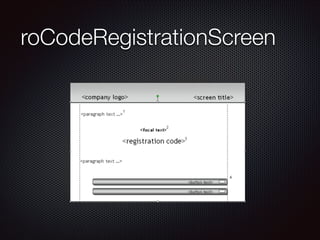
roCodeRegistrationScreen
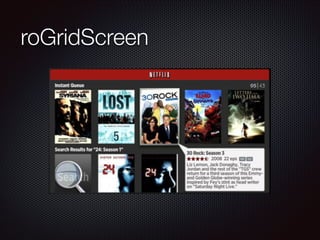
roGridScreen
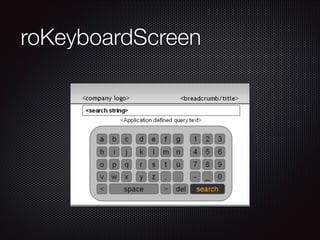
roKeyboardScreen
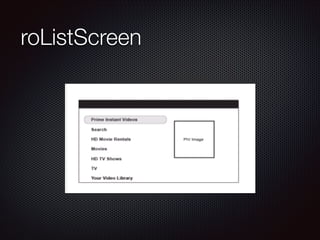
roListScreen
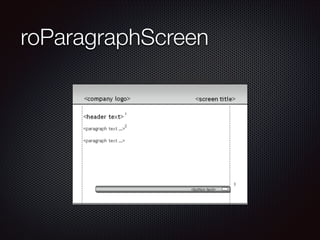
roParagraphScreen
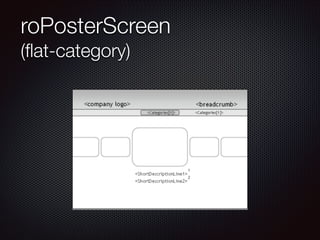
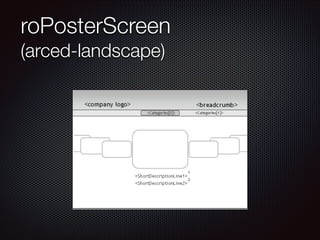
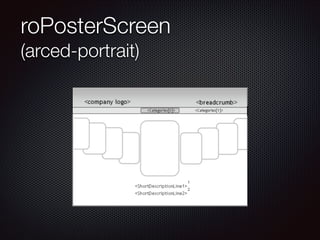
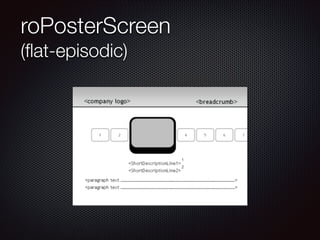
roPosterScreen
(flat-category)
roPosterScreen
(arced-landscape)
roPosterScreen
(arced-portrait)
roPosterScreen
(flat-episodic)
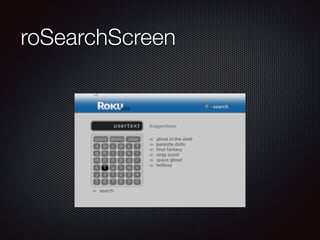
roSearchScreen
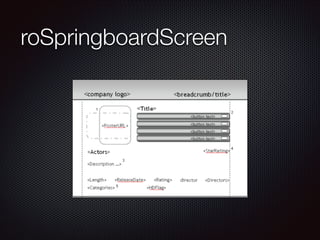
roSpringboardScreen
roTextScreen
Just a scrolling container for
large amounts of text, like legal
agreement screens.
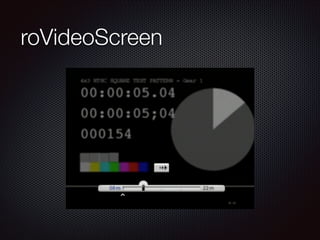
roVideoScreen
Video players
roVideoScreen is a one-stop shop for video playback
Handles streaming, display, user interaction
roVideoPlayer is used for fancy stuff.
Player handles streaming. Drawing is done with an
roImageCanvas.
Developer must provide own UI with image canvas
Come to think about it, why
haven’t we done any video?
A/V Support
Video: H.264, main or high profile, 4:3 or 16:9 aspect
ratio, 384 Kbps - 3.2 Mbps for streaming (faster
possible for USB)
Audio: AAC Low Complexity (CBR) or AC3
passthrough. 128-256 Kbps, 2 channel stereo, 16-bit
samples at 44.1 or 48.0 Khz sample rate
Streaming: HTTP Live Streaming (HLS) or MS Smooth
Streaming
Content Metadata
Convention for Associative Arrays that describe A/V content
Used by screens: ContentType, Title, TitleSeason,
Description, ReleaseDate, Rating, StarRating,
UserStarRating, etc.
Used by players: StreamFormat, StreamBitrates,
StreamUrls, StreamQualities, StreamContentIDs
Keys with plural names are arrays, same index in each
describes one quality/bitrate option for the player to use.
Exercise 2: BipBop Player
Content Guides
The Drill-Down
Many Roku channels exist largely to browse / search
content and play it
Get the user to their content and then get out of the
way
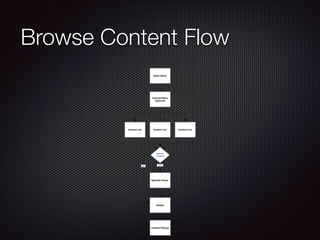
Browse Content Flow
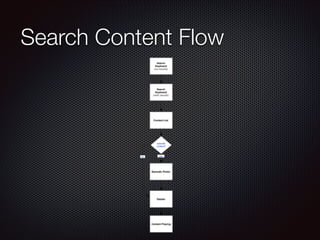
Search Content Flow
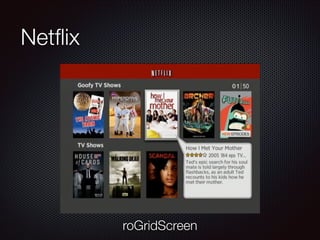
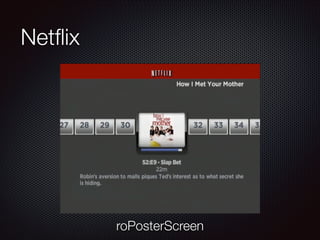
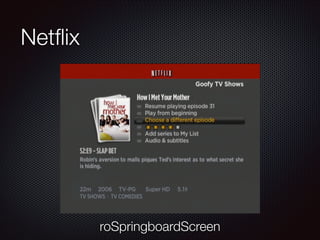
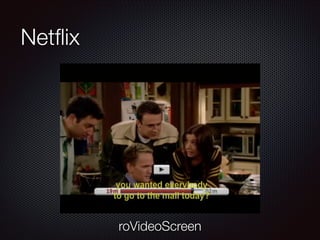
Netflix

roGridScreen
Netflix

roPosterScreen
Netflix

roSpringboardScreen
Netflix

roVideoScreen
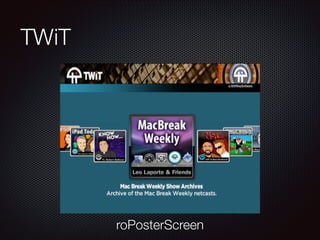
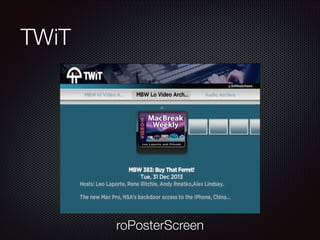
TWiT

roPosterScreen
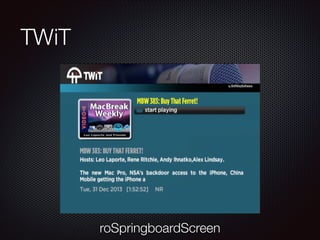
TWiT

roPosterScreen
TWiT

roSpringboardScreen
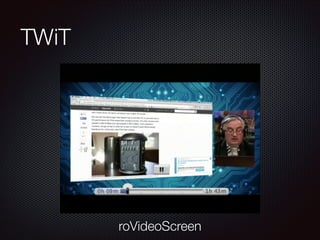
TWiT

roVideoScreen
Content Guides
Sent from server to Roku as XML or JSON
Roku parses either into a tree of arrays / associative
arrays
Use these to populate grid, poster, springboard
screens
Each drill-down takes you to a new screen and
wait()s
Exercise 3: Session Browser
Live Streaming
Old (90’s-00’s) streams: RealMedia, Flash, Windows
Media, QuickTime Streaming. Constant socket
connection, managed by server.
Problems: Special port commonly blocked. Didn’t
scale well. Expensive servers.
Live Streaming (New!)
“Adaptive” streaming: server sends short (10 sec)
segments of video via HTTP on port 80
Client sees a playlist of segments at various bitrates
and switches between them based on changing
network conditions
HTTP Live Streaming (Apple, Android, Roku), Smooth
Streaming (Windows, XBox, Roku), MPEG-DASH
(Chromecast), etc.
HLS VOD
Convert .mp4 or .mov file with:
Apple’s command-line tools (OS X only)
Commercial encoders (Squeeze, Compressor)
Cloud encoders (Zencoder, Amazon, Azure)
Live HLS
Create the playlist and segments on-the-fly with:
Apple command-line tools and a UDP video stream
(in theory, anyways)
Server-side transcoders / transmuxers (Wowza)
Exercise/Demo: Live stream
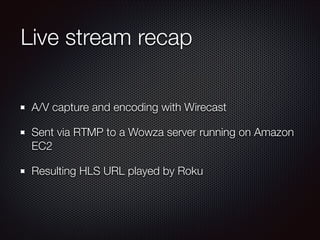
Live stream recap
A/V capture and encoding with Wirecast
Sent via RTMP to a Wowza server running on Amazon
EC2
Resulting HLS URL played by Roku
Next Steps
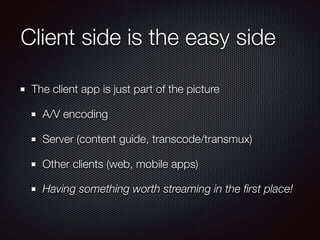
Client side is the easy side
The client app is just part of the picture
A/V encoding
Server (content guide, transcode/transmux)
Other clients (web, mobile apps)
Having something worth streaming in the first place!
Next steps on Roku
Recap: Roku Streaming Player Developer Guide
Next, read “Design Guidelines” to better understand Roku
UX conventions
Let friends test your app by publishing it as a private channel
“Channel Packaging and Publishing” in SDK docs
Many Roku developers are private-only, not in Channel
Store (e.g., Nowhere Man)
My contact info

invalidname@gmail.com
@invalidname (Twitter, app.net)
Blog: subfurther.com/blog

Introduction to the Roku SDK

  • 1.
    Introduction to theRoku SDK Chris Adamson • @invalidname CodeMash 2014
  • 2.
    What you’ll learn Techniquesfor writing and testing Roku channels Basics of Roku’s BrightScript programming language and built-in component library Preparing audio and video to work with Roku
  • 3.
    What we’re notcovering Submitting channels to Roku for distribution as public or private channels Fancy stuff (sockets, 2D graphics) These things are well worth learning on your own, just out of scope for a half-day intro class
  • 4.
    Requirements (Roku) A 2ndor 3rd generation Roku box (1st will probably work too?), with power cable Original Roku remote Not the Roku mobile app; we need to get your Roku on the Kalahari wifi Some way to see the screen (monitor or capture)
  • 5.
    Requirements (your computer) Text editor Abilityto zip files, preferably from the command-line A telnet application (e.g., /usr/bin/telnet) A browser not named “Safari” Safari seems not to work reliably with Roku sideloading; Chrome works better for me
  • 6.
  • 7.
    Basic Roku development Rokuchannels are written in BrightScript Scripting language similar to Visual Basic Developer side-loads channel onto Roku box for testing Advanced: Roku box signs app for submission to Roku as public app or private channel
  • 8.
    Enabling Developer Mode Home3x, Up 2x, Right, Left, Right, Left, Right Be sure to write down the IP address!
  • 9.
    Create developer password Username is “rokudev”
  • 10.
    Developer Agreement 🔽 togo down one line, ⏩ to page down
  • 11.
  • 12.
    Side loading Channels aresent to your Roku as zips via browser upload Only one developer channel installed at one time; new uploads replace the old one Script is compiled at upload time, runs immediately if compilation succeeds Developer app stays on My Channels screen, can be relaunched with remote
  • 13.
  • 14.
    Roku channel zipcontents “source” folder manifest file Optional: any other files and folders (“images”, “xml”, etc.) Must unzip as these contents, not as a folder with these contents. Maximum size is 2 MB, and typical Roku channels are under 500 KB.
  • 15.
    Manifest file Describes channelsuch that it can be displayed on “My Channels” page Has attributes to indicate whether the channel is a screensaver, requires Bluetooth or MKV support, etc.
  • 16.
    Manifest file title, subtitle— ASCII strings (not UTF-8!) major_version, minor_version, build_version — numeric Channel page artwork URLs — mm_icon_focus_sd (336 x 210), mm_icon_focus_sd (248 x 140), mm_icon_side_hd (108 x 69), mm_icon_side_sd (80 x 46) All of these entries are required
  • 17.
    Sample manifest file major_version=1! minor_version=0! build_version=1! title=HelloCodeMash project! subtitle=First project for CodeMash 2014 precompiler! mm_icon_focus_hd=pkg:/images/codemash-roku-menu-tile-336x210.jpeg! mm_icon_side_hd=pkg:/images/codemash-roku-menu-tile-108x69.jpeg! mm_icon_focus_sd=pkg:/images/codemash-roku-menu-tile-248x140.jpeg! mm_icon_side_sd=pkg:/images/codemash-roku-menu-tile-80x46.jpeg! splash_screen_hd=pkg:/images/codemash-roku-splash-hd.jpeg! splash_screen_sd=pkg:/images/codemash-roku-splash-sd.jpeg! splash_min_time=2000! Note that the splash screen attributes are optional
  • 18.
    BrightScript source files Goin the “source” folder with file extension .brs Execution begins in Sub Main() You don’t need to do any sort of import/include; all are picked up and compiled together Some text editors (and Eclipse) have add-ons to provide BrightScript syntax highlighting
  • 19.
    Sample BrightScript file SubMain()! port = CreateObject("roMessagePort")! screen = CreateObject("roParagraphScreen")! screen.SetMessagePort(port)! screen.SetTitle("Example")! screen.AddParagraph("Hello CodeMash!")! screen.Show()! wait(0, screen.GetMessagePort())! End Sub
  • 20.
    Building the channel zip-9 -r ../hello_codemash.zip . This is run from inside the hello_codemash directory
  • 21.
  • 22.
  • 23.
  • 24.
    BrightScript code Sub Main()! !port = CreateObject("roMessagePort")! ! screen = CreateObject("roParagraphScreen")! ! screen.SetMessagePort(port)! ! screen.SetTitle("Example")! ! screen.AddParagraph("Hello CodeMash!")! ! screen.Show()! ! wait(0, screen.GetMessagePort())! End Sub
  • 25.
    BrightScript code Sub Main()! !port = CreateObject("roMessagePort")! ! screen = CreateObject("roParagraphScreen")! ! screen.SetMessagePort(port)! ! screen.SetTitle("Example")! ! screen.AddParagraph("Hello CodeMash!")! ! screen.Show()! ! wait(0, screen.GetMessagePort())! End Sub Sub() is a function that returns void. So this could also be written as: function Main() as void … end function
  • 26.
    BrightScript code Sub Main()! !port = CreateObject("roMessagePort")! ! screen = CreateObject("roParagraphScreen")! ! screen.SetMessagePort(port)! ! screen.SetTitle("Example")! ! screen.AddParagraph("Hello CodeMash!")! ! screen.Show()! ! wait(0, screen.GetMessagePort())! End Sub Objects are created with CreateObject (classname as String, [optional parameters]) as Object
  • 27.
    BrightScript code Sub Main()! !port = CreateObject("roMessagePort")! ! screen = CreateObject("roParagraphScreen")! ! screen.SetMessagePort(port)! ! screen.SetTitle("Example")! ! screen.AddParagraph("Hello CodeMash!")! ! screen.Show()! ! wait(0, screen.GetMessagePort())! End Sub Methods are called with the dot operator. Method documentation is typically found in the interfaces implemented by an object
  • 28.
    BrightScript code Sub Main()! !port = CreateObject("roMessagePort")! ! screen = CreateObject("roParagraphScreen")! ! screen.SetMessagePort(port)! ! screen.SetTitle("Example")! ! screen.AddParagraph("Hello CodeMash!")! ! screen.Show()! ! wait(0, screen.GetMessagePort())! End Sub wait(timeout as Integer, port as Object) as Object causes program execution to wait here until notified by another thread.
  • 29.
    BrightScript types Numeric types:Boolean, Integer, Float, Double String (ASCII, not UTF-8) Object: A native BrightScript component (roFoo, roBar) Invalid: Return value indicating absence of an object
  • 30.
    BrightScript collections roArray —typical array. CreateObject(“roArray”, 3, true) or literal syntax: myNums = [1,2,3] Use DIM for multi-dimensional array roAssociativeArray — name/value pairs. CreateObject (“roAssociativeArray”) or literal myPairs = {foo:1, bar:2} Collections are typically mutable
  • 31.
    BrightScript flow control ifthen / else if / else / end if Compare with =, not == for / to / step / end for / exit for for each in / end for / exit for while / end while / exit while goto
  • 32.
    Other BrightScript traits Noglobal variables. All variables have local scope. There is a single global associative array, accessed with GetGlobalAA() Single-threaded model. For asynchronous operations like user input or video playback, wait() on a message port and act on event when unblocked. Most apps eventually end up in a while wrapping a wait().
  • 33.
    BrightScript objects Look themup in the docs, first by roFoo, then follow link to ifFoo, ifBar, etc.
  • 34.
    BrightScript screens How youshow stuff on the screen! Typically, customize screen’s various properties (see the interface documentation), attach it to a message port, then present with show() roScreen() displays immediately wait() on the screen’s message port for events (video ends, user presses back button, etc.)
  • 35.
  • 36.
  • 37.
  • 38.
  • 39.
  • 40.
  • 41.
  • 42.
  • 43.
  • 44.
  • 45.
  • 46.
    roTextScreen Just a scrollingcontainer for large amounts of text, like legal agreement screens.
  • 47.
  • 48.
    Video players roVideoScreen isa one-stop shop for video playback Handles streaming, display, user interaction roVideoPlayer is used for fancy stuff. Player handles streaming. Drawing is done with an roImageCanvas. Developer must provide own UI with image canvas
  • 49.
    Come to thinkabout it, why haven’t we done any video?
  • 50.
    A/V Support Video: H.264,main or high profile, 4:3 or 16:9 aspect ratio, 384 Kbps - 3.2 Mbps for streaming (faster possible for USB) Audio: AAC Low Complexity (CBR) or AC3 passthrough. 128-256 Kbps, 2 channel stereo, 16-bit samples at 44.1 or 48.0 Khz sample rate Streaming: HTTP Live Streaming (HLS) or MS Smooth Streaming
  • 51.
    Content Metadata Convention forAssociative Arrays that describe A/V content Used by screens: ContentType, Title, TitleSeason, Description, ReleaseDate, Rating, StarRating, UserStarRating, etc. Used by players: StreamFormat, StreamBitrates, StreamUrls, StreamQualities, StreamContentIDs Keys with plural names are arrays, same index in each describes one quality/bitrate option for the player to use.
  • 52.
  • 53.
  • 54.
    The Drill-Down Many Rokuchannels exist largely to browse / search content and play it Get the user to their content and then get out of the way
  • 55.
  • 56.
  • 57.
  • 58.
  • 59.
  • 60.
  • 61.
  • 62.
  • 63.
  • 64.
  • 65.
    Content Guides Sent fromserver to Roku as XML or JSON Roku parses either into a tree of arrays / associative arrays Use these to populate grid, poster, springboard screens Each drill-down takes you to a new screen and wait()s
  • 66.
  • 67.
    Live Streaming Old (90’s-00’s)streams: RealMedia, Flash, Windows Media, QuickTime Streaming. Constant socket connection, managed by server. Problems: Special port commonly blocked. Didn’t scale well. Expensive servers.
  • 68.
    Live Streaming (New!) “Adaptive”streaming: server sends short (10 sec) segments of video via HTTP on port 80 Client sees a playlist of segments at various bitrates and switches between them based on changing network conditions HTTP Live Streaming (Apple, Android, Roku), Smooth Streaming (Windows, XBox, Roku), MPEG-DASH (Chromecast), etc.
  • 69.
    HLS VOD Convert .mp4or .mov file with: Apple’s command-line tools (OS X only) Commercial encoders (Squeeze, Compressor) Cloud encoders (Zencoder, Amazon, Azure)
  • 70.
    Live HLS Create theplaylist and segments on-the-fly with: Apple command-line tools and a UDP video stream (in theory, anyways) Server-side transcoders / transmuxers (Wowza)
  • 71.
  • 72.
    Live stream recap A/Vcapture and encoding with Wirecast Sent via RTMP to a Wowza server running on Amazon EC2 Resulting HLS URL played by Roku
  • 73.
  • 74.
    Client side isthe easy side The client app is just part of the picture A/V encoding Server (content guide, transcode/transmux) Other clients (web, mobile apps) Having something worth streaming in the first place!
  • 75.
    Next steps onRoku Recap: Roku Streaming Player Developer Guide Next, read “Design Guidelines” to better understand Roku UX conventions Let friends test your app by publishing it as a private channel “Channel Packaging and Publishing” in SDK docs Many Roku developers are private-only, not in Channel Store (e.g., Nowhere Man)
  • 76.
    My contact info invalidname@gmail.com @invalidname(Twitter, app.net) Blog: subfurther.com/blog