Firebase: Totally Not
Parse All Over Again
(Unless It Is)
Chris Adamson (@invalidname)
CocoaConf DC • September, 2016
Slides will be available at slideshare.net/invalidname
Code will be available at github.com/invalidstream
Firebase
• Founded in 2011
• Offshoot of Envolve, a chat service that game
developers started using to sync state across
devices
• Main product is a realtime database
• Acquired by Google in October 2014
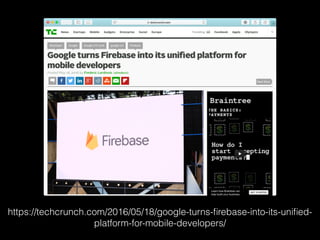
https://techcrunch.com/2016/05/18/google-turns-firebase-into-its-unified-
platform-for-mobile-developers/
Firebase @ Google
• 470,000 developers using Firebase
• Arguably the star of Google I/O 2016
• Analytics (from developers of Google
Analytics)
• Notifications (based on Google Cloud
Messaging)
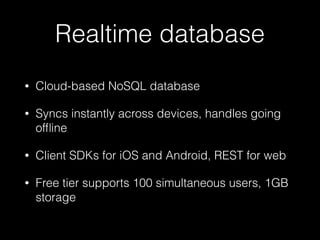
Realtime database
• Cloud-based NoSQL database
• Syncs instantly across devices, handles going
offline
• Client SDKs for iOS and Android, REST for web
• Free tier supports 100 simultaneous users, 1GB
storage
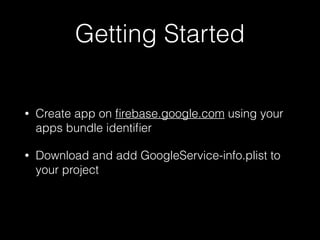
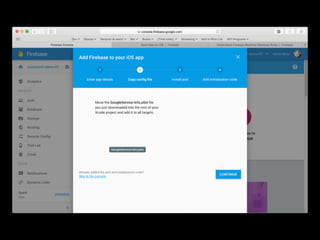
Getting Started
• Create app on firebase.google.com using your
apps bundle identifier
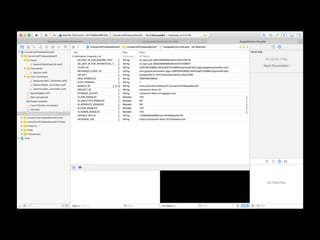
• Download and add GoogleService-info.plist to
your project
Getting Started
• Add the Firebase Cocoapod
• As with all things pod, remember to
use .xcworkspace instead of .xcproj from now
on
• Yes, it is possible to add the frameworks
without Cocoapods
Getting Started
• Initialize Firebase in application(_:
didFinishLaunchingWithOptions:)
import Firebase
func application(_ application: UIApplication,
didFinishLaunchingWithOptions launchOptions:
[UIApplicationLaunchOptionsKey: Any]?) -> Bool {
// Override point for customization after application launch.
FIRApp.configure()
return true
}
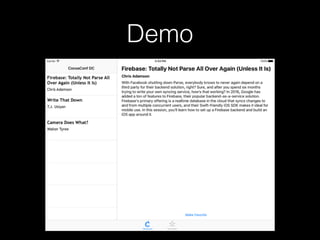
Demo
Wait, what the…
• Firebase I/O works with a local cache, which in
turn syncs with the backend
• With good connectivity, syncing to backend
and other devices is instantaneous
• When offline, you can keep working with your
local db, which syncs when you’re back online
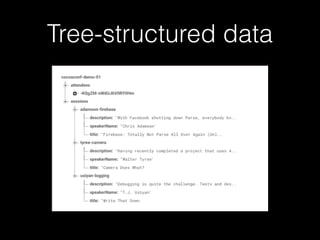
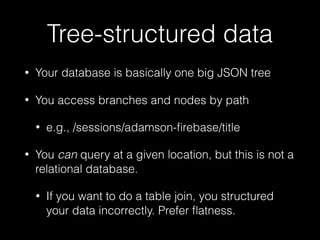
Tree-structured data
• Your database is basically one big JSON tree
• You access branches and nodes by path
• e.g., /sessions/adamson-firebase/title
• You can query at a given location, but this is not a
relational database.
• If you want to do a table join, you structured
your data incorrectly. Prefer flatness.
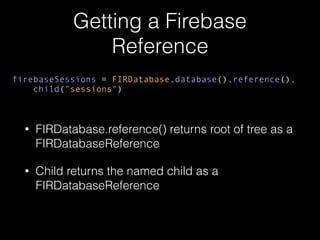
Getting a Firebase
Reference
• FIRDatabase.reference() returns root of tree as a
FIRDatabaseReference
• Child returns the named child as a
FIRDatabaseReference
firebaseSessions = FIRDatabase.database().reference().
child("sessions")
Now What?
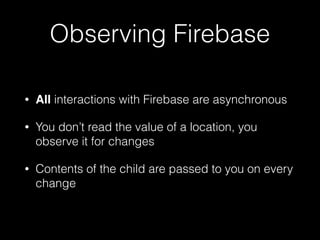
Observing Firebase
• All interactions with Firebase are asynchronous
• You don’t read the value of a location, you
observe it for changes
• Contents of the child are passed to you on every
change
Observe!
• eventType: the type of event you want to
observe (value, child CRUD, etc)
• block: a closure to execute on these events
• returns a handle (dispose it in deinit, or earlier)
firebaseHandle = firebaseSessions?.observe(
FIRDataEventType.value, with: { [weak self] (snapshot) in
self?.parseSessionsFrom(snapshot)
self?.tableView.reloadData()
})
Parse!
• Observer block receives a FIRDataSnapshot for
every change
• Immutable, fetch contents with .value()
• Value types: NSDictionary, NSArray (rare),
NSString, NSNumber [or Swift equivalents]
Parse sessions list
private func parseSessionsFrom(_ snapshot: FIRDataSnapshot) {
guard let fbSessions = snapshot.value as? [String : Any]
else {
return
}
sessions.removeAll()
for (id, value) in fbSessions {
if let sessionDict = value as? [String : Any],
let session = Session(id: id, dict: sessionDict) {
sessions.append(session)
}
}
}
Parse a session
init? (id: String, dict : [String : Any]) {
guard let title = dict["title"] as? String,
let speakerName = dict["speakerName"] as? String,
let description = dict["description"] as? String
else
{
return nil
}
self.id = id
self.title = title
self.speakerName = speakerName
self.description = description
}
Note: id is the node name (the key in the dictionary
on the last slide)
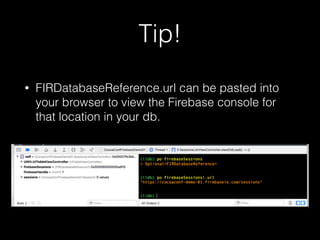
Tip!
• FIRDatabaseReference.url can be pasted into
your browser to view the Firebase console for
that location in your db.
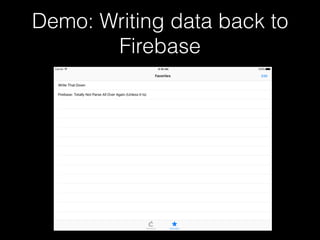
Demo: Writing data back to
Firebase
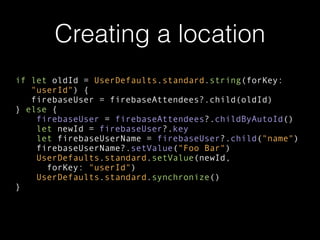
Creating a location
if let oldId = UserDefaults.standard.string(forKey:
"userId") {
firebaseUser = firebaseAttendees?.child(oldId)
} else {
firebaseUser = firebaseAttendees?.childByAutoId()
let newId = firebaseUser?.key
let firebaseUserName = firebaseUser?.child("name")
firebaseUserName?.setValue("Foo Bar")
UserDefaults.standard.setValue(newId,
forKey: "userId")
UserDefaults.standard.synchronize()
}
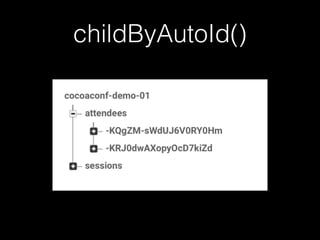
childByAutoId()
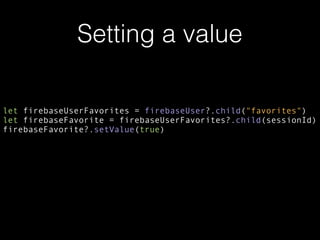
Setting a value
let firebaseUserFavorites = firebaseUser?.child("favorites")
let firebaseFavorite = firebaseUserFavorites?.child(sessionId)
firebaseFavorite?.setValue(true)
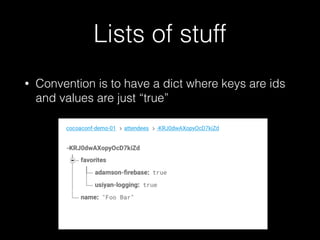
Lists of stuff
• Convention is to have a dict where keys are ids
and values are just “true”
Arrays in Firebase ಠ_ಠ
• A dictionary with numeric keys in order will be
sent to your observer as an array rather than a
dictionary
• Not as convenient as you’d think. Pretty much a
Firebase anti-pattern
observeSingleEvent()
favoriteTitles.removeAll()
for (sessionId, _) in fbFavorites {
firebaseSessions?.child(sessionId).child(“title").observeSingleEvent(
of: FIRDataEventType.value, with: { [weak self] snapshot in
if let title = snapshot.value as? String {
self?.favoriteTitles.append(
FavoriteItem(favoriteId: sessionId, title: title))
self?.tableView.reloadData()
}
})
}
Note: observeSingleEvent() does not return a handle
for you to hold on to and dispose later
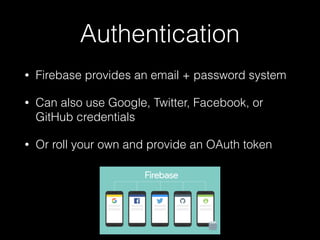
Authentication
• Firebase provides an email + password system
• Can also use Google, Twitter, Facebook, or
GitHub credentials
• Or roll your own and provide an OAuth token
Database rules
• Define per-branch access based on
authentication
• Can require that user just be logged in, or that
their Firebase user id matches the one that
created the node
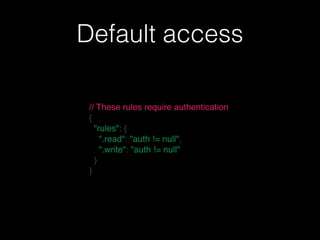
Default access
// These rules require authentication
{
  "rules": {
    ".read": "auth != null",
    ".write": "auth != null"
  }
}
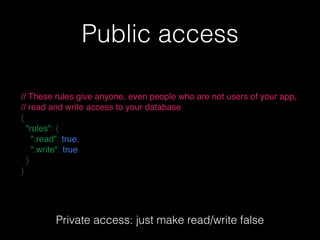
Public access
// These rules give anyone, even people who are not users of your app,
// read and write access to your database
{
  "rules": {
    ".read": true,
    ".write": true
  }
}
Private access: just make read/write false
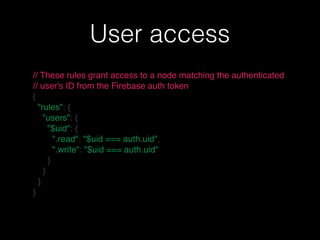
User access
// These rules grant access to a node matching the authenticated
// user's ID from the Firebase auth token
{
  "rules": {
    "users": {
      "$uid": {
        ".read": "$uid === auth.uid",
        ".write": "$uid === auth.uid"
      }
    }
  }
}
Case Study
MathElf
• “Über for high-school math tutoring”
• Students request help on a topic, are paired with
a tutor in less than a minute
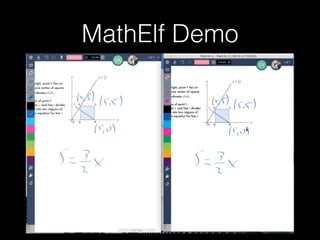
• Student and tutor work on problems via voice
chat and a shared whiteboard
MathElf Demo
MathElf & Firebase
• Authentication and user financials are done
through rev.com (parent company) backend,
making REST calls to Firebase
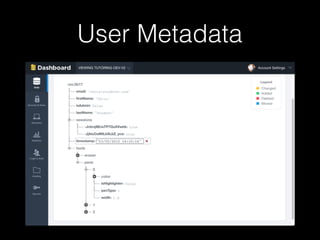
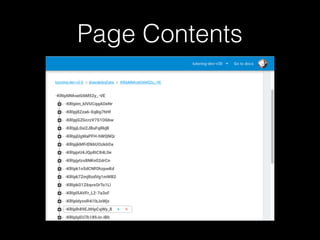
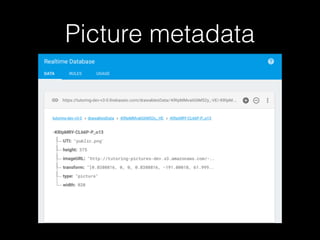
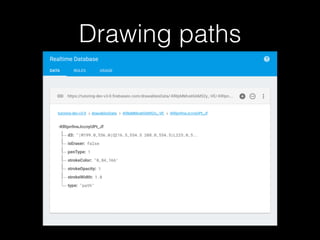
• Basically everything in the whiteboard and
session history is Firebase
User Metadata
Page Contents
Picture metadata
Drawing paths
mathelf.com
Firebase “con”s
• Limited visibility when something goes wrong
• When things don’t sync, is it them or you?
• Single point of failure, owned and operated by a
third party
• Could be Parse all over again
Takeaways
• Firebase database-as-a-service is well-suited to
mobile apps
• Real-time sync, still works when offline
• Structure your data as flat JSON trees, not SQL-
like tables
• All reads are asynchronous. Hope you like
closures/blocks.
Firebase: Totally Not
Parse All Over Again
(Unless It Is)
Chris Adamson (@invalidname)
CocoaConf DC • September, 2016
Slides will be available at slideshare.net/invalidname
Code will be available at github.com/invalidstream

Firebase: Totally Not Parse All Over Again (Unless It Is)

  • 1.
    Firebase: Totally Not ParseAll Over Again (Unless It Is) Chris Adamson (@invalidname) CocoaConf DC • September, 2016 Slides will be available at slideshare.net/invalidname Code will be available at github.com/invalidstream
  • 3.
    Firebase • Founded in2011 • Offshoot of Envolve, a chat service that game developers started using to sync state across devices • Main product is a realtime database • Acquired by Google in October 2014
  • 4.
  • 5.
    Firebase @ Google •470,000 developers using Firebase • Arguably the star of Google I/O 2016 • Analytics (from developers of Google Analytics) • Notifications (based on Google Cloud Messaging)
  • 6.
    Realtime database • Cloud-basedNoSQL database • Syncs instantly across devices, handles going offline • Client SDKs for iOS and Android, REST for web • Free tier supports 100 simultaneous users, 1GB storage
  • 7.
    Getting Started • Createapp on firebase.google.com using your apps bundle identifier • Download and add GoogleService-info.plist to your project
  • 10.
    Getting Started • Addthe Firebase Cocoapod • As with all things pod, remember to use .xcworkspace instead of .xcproj from now on • Yes, it is possible to add the frameworks without Cocoapods
  • 11.
    Getting Started • InitializeFirebase in application(_: didFinishLaunchingWithOptions:) import Firebase func application(_ application: UIApplication, didFinishLaunchingWithOptions launchOptions: [UIApplicationLaunchOptionsKey: Any]?) -> Bool { // Override point for customization after application launch. FIRApp.configure() return true }
  • 12.
  • 13.
    Wait, what the… •Firebase I/O works with a local cache, which in turn syncs with the backend • With good connectivity, syncing to backend and other devices is instantaneous • When offline, you can keep working with your local db, which syncs when you’re back online
  • 14.
  • 15.
    Tree-structured data • Yourdatabase is basically one big JSON tree • You access branches and nodes by path • e.g., /sessions/adamson-firebase/title • You can query at a given location, but this is not a relational database. • If you want to do a table join, you structured your data incorrectly. Prefer flatness.
  • 16.
    Getting a Firebase Reference •FIRDatabase.reference() returns root of tree as a FIRDatabaseReference • Child returns the named child as a FIRDatabaseReference firebaseSessions = FIRDatabase.database().reference(). child("sessions")
  • 17.
  • 18.
    Observing Firebase • Allinteractions with Firebase are asynchronous • You don’t read the value of a location, you observe it for changes • Contents of the child are passed to you on every change
  • 19.
    Observe! • eventType: thetype of event you want to observe (value, child CRUD, etc) • block: a closure to execute on these events • returns a handle (dispose it in deinit, or earlier) firebaseHandle = firebaseSessions?.observe( FIRDataEventType.value, with: { [weak self] (snapshot) in self?.parseSessionsFrom(snapshot) self?.tableView.reloadData() })
  • 20.
    Parse! • Observer blockreceives a FIRDataSnapshot for every change • Immutable, fetch contents with .value() • Value types: NSDictionary, NSArray (rare), NSString, NSNumber [or Swift equivalents]
  • 21.
    Parse sessions list privatefunc parseSessionsFrom(_ snapshot: FIRDataSnapshot) { guard let fbSessions = snapshot.value as? [String : Any] else { return } sessions.removeAll() for (id, value) in fbSessions { if let sessionDict = value as? [String : Any], let session = Session(id: id, dict: sessionDict) { sessions.append(session) } } }
  • 22.
    Parse a session init?(id: String, dict : [String : Any]) { guard let title = dict["title"] as? String, let speakerName = dict["speakerName"] as? String, let description = dict["description"] as? String else { return nil } self.id = id self.title = title self.speakerName = speakerName self.description = description } Note: id is the node name (the key in the dictionary on the last slide)
  • 23.
    Tip! • FIRDatabaseReference.url canbe pasted into your browser to view the Firebase console for that location in your db.
  • 24.
    Demo: Writing databack to Firebase
  • 25.
    Creating a location iflet oldId = UserDefaults.standard.string(forKey: "userId") { firebaseUser = firebaseAttendees?.child(oldId) } else { firebaseUser = firebaseAttendees?.childByAutoId() let newId = firebaseUser?.key let firebaseUserName = firebaseUser?.child("name") firebaseUserName?.setValue("Foo Bar") UserDefaults.standard.setValue(newId, forKey: "userId") UserDefaults.standard.synchronize() }
  • 26.
  • 27.
    Setting a value letfirebaseUserFavorites = firebaseUser?.child("favorites") let firebaseFavorite = firebaseUserFavorites?.child(sessionId) firebaseFavorite?.setValue(true)
  • 28.
    Lists of stuff •Convention is to have a dict where keys are ids and values are just “true”
  • 29.
    Arrays in Firebaseಠ_ಠ • A dictionary with numeric keys in order will be sent to your observer as an array rather than a dictionary • Not as convenient as you’d think. Pretty much a Firebase anti-pattern
  • 30.
    observeSingleEvent() favoriteTitles.removeAll() for (sessionId, _)in fbFavorites { firebaseSessions?.child(sessionId).child(“title").observeSingleEvent( of: FIRDataEventType.value, with: { [weak self] snapshot in if let title = snapshot.value as? String { self?.favoriteTitles.append( FavoriteItem(favoriteId: sessionId, title: title)) self?.tableView.reloadData() } }) } Note: observeSingleEvent() does not return a handle for you to hold on to and dispose later
  • 31.
    Authentication • Firebase providesan email + password system • Can also use Google, Twitter, Facebook, or GitHub credentials • Or roll your own and provide an OAuth token
  • 32.
    Database rules • Defineper-branch access based on authentication • Can require that user just be logged in, or that their Firebase user id matches the one that created the node
  • 33.
    Default access // Theserules require authentication {   "rules": {     ".read": "auth != null",     ".write": "auth != null"   } }
  • 34.
    Public access // Theserules give anyone, even people who are not users of your app, // read and write access to your database {   "rules": {     ".read": true,     ".write": true   } } Private access: just make read/write false
  • 35.
    User access // Theserules grant access to a node matching the authenticated // user's ID from the Firebase auth token {   "rules": {     "users": {       "$uid": {         ".read": "$uid === auth.uid",         ".write": "$uid === auth.uid"       }     }   } }
  • 36.
  • 37.
    MathElf • “Über forhigh-school math tutoring” • Students request help on a topic, are paired with a tutor in less than a minute • Student and tutor work on problems via voice chat and a shared whiteboard
  • 38.
  • 39.
    MathElf & Firebase •Authentication and user financials are done through rev.com (parent company) backend, making REST calls to Firebase • Basically everything in the whiteboard and session history is Firebase
  • 40.
  • 41.
  • 42.
  • 43.
  • 44.
  • 45.
    Firebase “con”s • Limitedvisibility when something goes wrong • When things don’t sync, is it them or you? • Single point of failure, owned and operated by a third party • Could be Parse all over again
  • 46.
    Takeaways • Firebase database-as-a-serviceis well-suited to mobile apps • Real-time sync, still works when offline • Structure your data as flat JSON trees, not SQL- like tables • All reads are asynchronous. Hope you like closures/blocks.
  • 47.
    Firebase: Totally Not ParseAll Over Again (Unless It Is) Chris Adamson (@invalidname) CocoaConf DC • September, 2016 Slides will be available at slideshare.net/invalidname Code will be available at github.com/invalidstream