












Acceleo
Code Generation
    From the model
 to the Android app


           Stéphane Bégaudeau
   stephane.begaudeau@obeo.fr

                  Gaël Blondelle
         gael.blondelle@obeo.fr
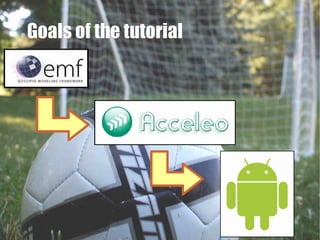
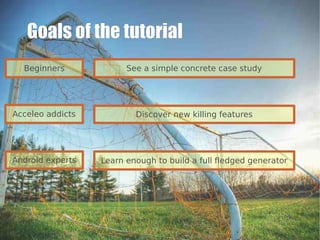
Goals of the tutorial
  Beginners             See a simple concrete case study


Acceleo addicts           Discover new killing features


Android experts   Learn enough to build a full fledged generator
I 'm   not


       an Android
   development expert
1.


            Acceleo:
A new code generator
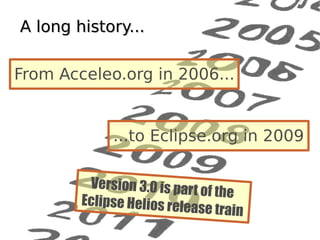
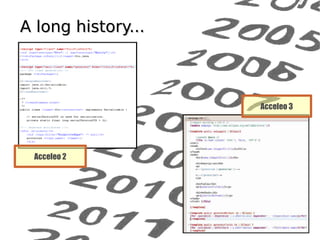
A long history...

From Acceleo.org in 2006...


             ...to Eclipse.org in 2009

         Version 3.0 is part
                             of the
        Eclipse Helios rele
                           ase train
A long history...


                    Acceleo 3


 Acceleo 2
A new code generation
language

                     Implementation
   Metamodel and
                     of the Model To
  templates based
                        Text OMG
    technology
                     standard (MTL)


                     Tooling to help
  Eclipse Modeling   starting a new
    / M2T Project    generator from
                         scratch
                                       8
The Acceleo SDK

                Acceleo
           Development Tools


      =         +
           Acceleo Runtime
          (Compiler + Engine)


                  Eclipse independant: can be
                  run anywhere (plain old Jar,
                                            9
                        OSGi, Eclipse...)
2.

Prototype
   based
approach
Let's have a look at the
  Android prototype
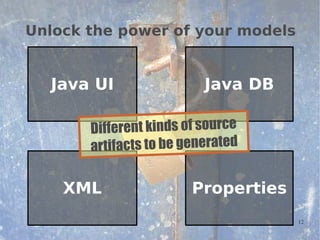
Unlock the power of your models


  Java UI                 Java DB

       Different kinds of source
       artifacts to be generated

    XML                 Properties
                                     12
Good Practice


On  e kind of f ile to be
      gen erated...
           L file to b e created
...one MT                     13
t, databas   e adapter,
Manifes                  n p a g e,
properties   file, editio
   e dition pag   e layout...
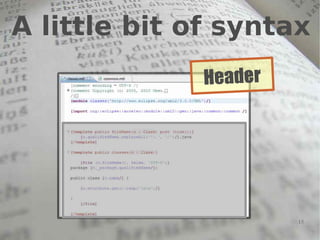
A little bit of syntax
              Header


                       15
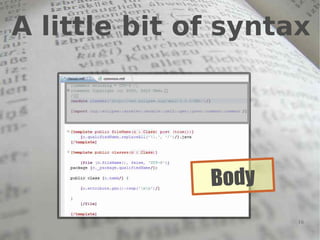
A little bit of syntax


              B o dy
                       16
A little bit of syntax
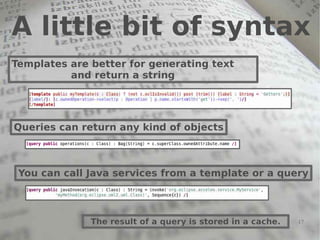
Templates are better for generating text
          and return a string


Queries can return any kind of objects


 You can call Java services from a template or a query


              The result of a query is stored in a cache.   17
The workflow file


                   ion
          a nnotat
    @main
            The MTL file
          calling the other
                ones          18
Initialize the generation project


                  1. Create new
                  Acceleo project

                  2. Use the wizard
                  (update file paths)


                  3. Create a
                  workflow file         19
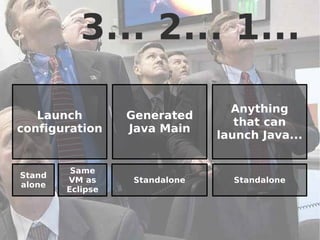
3... 2... 1...

                                 Anything
   Launch         Generated
                                  that can
configuration     Java Main
                               launch Java...


         Same
Stand
        VM as     Standalone     Standalone
alone
        Eclipse


                                              20
Ignition

 1. Launch the
 generator
 (launch config as Eclipse plugin)


                                 21
From a static generator...


      … to a dyna mic one

3.
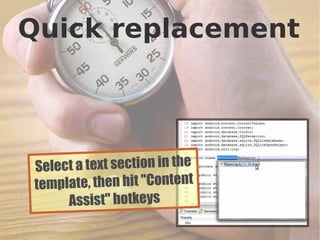
Quick replacement


 Select a text section in the
 template, then hit "Content
      Assist" hotkeys
                                23
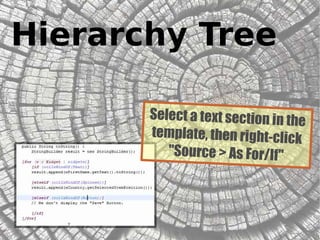
Hierarchy Tree

       Select a text section in the
       template, then right-click
          "Source > As For/If"


                                 24
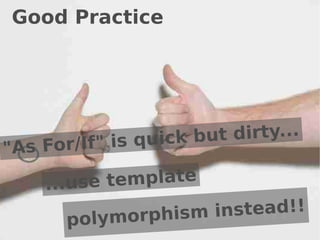
Good Practice


           " i s qu i c k b ut dirty...
"As For/If

     ...use template

            ymorphism instead!!
        pol                           25
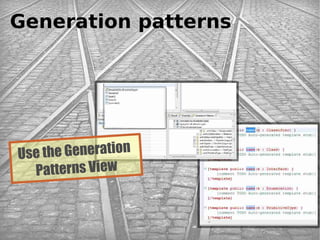
Generation patterns


Use the Generation
  Patterns View


                      26
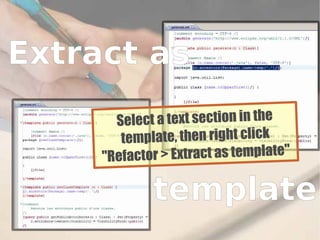
Extract as
       S elect a text section in the
        template, then right click
     "Refactor > Extract as template"

             template
                                        27
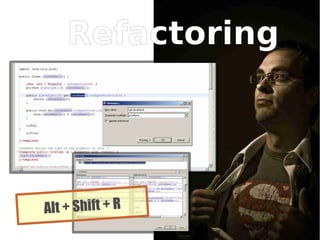
Refactoring


Alt + Shift + R
                  28
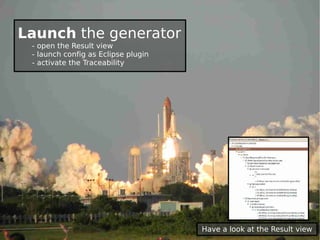
Launch the generator
 - open the Result view
 - launch config as Eclipse plugin
 - activate the Traceability


                                     Have a look at the Result view
4.


Make the Android App
                 run
                   30
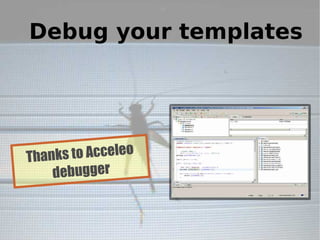
Debug your templates


Thanks to Acceleo
    debugger


                    31
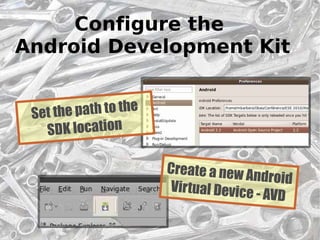
Configure the
Android Development Kit


 Set the path to the
   SDK location

                       Create a new A
                                      ndroid
                       Virtual Device
                                      - AVD
                                               32
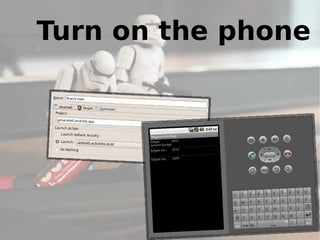
Turn on the phone


                33
5.


A generic Android App
            generator
                    34
Create a fresh new model
Generate new
       Android Apps


                 36
6.

A new App
   in a few
     clicks
         37
Packaging and deploying

Generate an Eclipse     Add an action on
    UI plugin         right-click on models


                        Synchronize your
 Create a builder
                      code and your model


                                            38
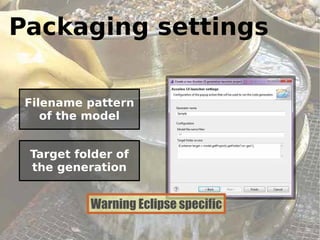
Packaging settings

 Filename pattern
    of the model


 Target folder of
 the generation


          Warning Eclipse specific
                                     39
Workout

          1. Create new
          Acceleo UI project

          2. Use the wizard
                        nd
          3. Launch a 2
          Eclipse Runtime
          and test             40
7.


Override specific behavior
                        41
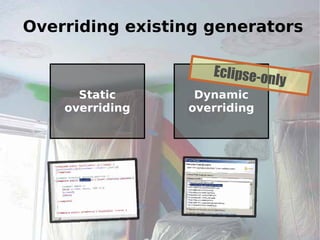
Overriding existing generators

                    Eclipse-o
                             nly
      Static      Dynamic
    overriding   overriding


                                   42
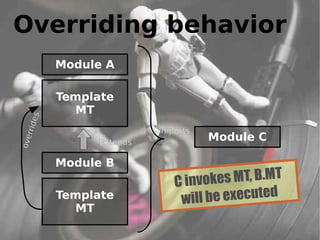
Overriding behavior
              Module A

              Template
                MT
         es
    rrid


                             Imports
                                       Module C
ove


                   Extends

              Module B
                                C invok  es MT, B.MT
              Template           wi ll be executed
                MT
                                                       43
Lost code

   A common problem
 with code generators...


            if you change the
            generated code...


                 your modifications are lost
                 during the next generation.
                                           44
Protected area
                        Will not be erased
                        after re-generation


                         Dont forget the
                        comments marks...
© Copyright 2010


                                              ... and the ID
     Obeo


                   45
@Generated
 Acceleo also uses
      JMerge


                     You can protect a
                     whole block with a
                     simple comment
8.
© Copyright 2010
     Obeo


                   The next step: Acceleo 3.1
                   47
© Copyright 2010
          Obeo


48
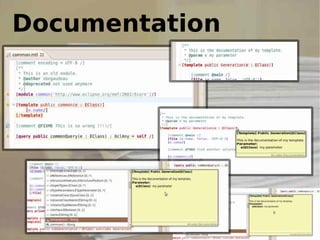
                        Documentation
© Copyright 2010
          Obeo


49
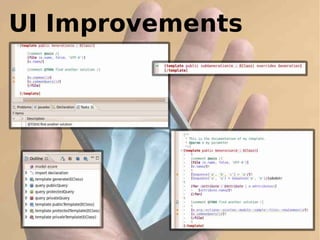
                        UI Improvements
Thank you for your attention!
        Questions?

Acceleo Code Generation

  • 1.
    Acceleo Code Generation From the model to the Android app Stéphane Bégaudeau stephane.begaudeau@obeo.fr Gaël Blondelle gael.blondelle@obeo.fr
  • 2.
    Goals of thetutorial
  • 3.
    Goals of thetutorial Beginners See a simple concrete case study Acceleo addicts Discover new killing features Android experts Learn enough to build a full fledged generator
  • 4.
    I 'm not an Android development expert
  • 5.
    1. Acceleo: A new code generator
  • 6.
    A long history... FromAcceleo.org in 2006... ...to Eclipse.org in 2009 Version 3.0 is part of the Eclipse Helios rele ase train
  • 7.
    A long history... Acceleo 3 Acceleo 2
  • 8.
    A new codegeneration language Implementation Metamodel and of the Model To templates based Text OMG technology standard (MTL) Tooling to help Eclipse Modeling starting a new / M2T Project generator from scratch 8
  • 9.
    The Acceleo SDK Acceleo Development Tools = + Acceleo Runtime (Compiler + Engine) Eclipse independant: can be run anywhere (plain old Jar, 9 OSGi, Eclipse...)
  • 10.
    2. Prototype based approach
  • 11.
    Let's have alook at the Android prototype
  • 12.
    Unlock the powerof your models Java UI Java DB Different kinds of source artifacts to be generated XML Properties 12
  • 13.
    Good Practice On e kind of f ile to be gen erated... L file to b e created ...one MT 13
  • 14.
    t, databas e adapter, Manifes n p a g e, properties file, editio e dition pag e layout...
  • 15.
    A little bitof syntax Header 15
  • 16.
    A little bitof syntax B o dy 16
  • 17.
    A little bitof syntax Templates are better for generating text and return a string Queries can return any kind of objects You can call Java services from a template or a query The result of a query is stored in a cache. 17
  • 18.
    The workflow file ion a nnotat @main The MTL file calling the other ones 18
  • 19.
    Initialize the generationproject 1. Create new Acceleo project 2. Use the wizard (update file paths) 3. Create a workflow file 19
  • 20.
    3... 2... 1... Anything Launch Generated that can configuration Java Main launch Java... Same Stand VM as Standalone Standalone alone Eclipse 20
  • 21.
    Ignition 1. Launchthe generator (launch config as Eclipse plugin) 21
  • 22.
    From a staticgenerator... … to a dyna mic one 3.
  • 23.
    Quick replacement Selecta text section in the template, then hit "Content Assist" hotkeys 23
  • 24.
    Hierarchy Tree Select a text section in the template, then right-click "Source > As For/If" 24
  • 25.
    Good Practice " i s qu i c k b ut dirty... "As For/If ...use template ymorphism instead!! pol 25
  • 26.
    Generation patterns Use theGeneration Patterns View 26
  • 27.
    Extract as S elect a text section in the template, then right click "Refactor > Extract as template" template 27
  • 28.
  • 29.
    Launch the generator - open the Result view - launch config as Eclipse plugin - activate the Traceability Have a look at the Result view
  • 30.
  • 31.
    Debug your templates Thanksto Acceleo debugger 31
  • 32.
    Configure the Android DevelopmentKit Set the path to the SDK location Create a new A ndroid Virtual Device - AVD 32
  • 33.
    Turn on thephone 33
  • 34.
    5. A generic AndroidApp generator 34
  • 35.
    Create a freshnew model
  • 36.
    Generate new Android Apps 36
  • 37.
    6. A new App in a few clicks 37
  • 38.
    Packaging and deploying Generatean Eclipse Add an action on UI plugin right-click on models Synchronize your Create a builder code and your model 38
  • 39.
    Packaging settings Filenamepattern of the model Target folder of the generation Warning Eclipse specific 39
  • 40.
    Workout 1. Create new Acceleo UI project 2. Use the wizard nd 3. Launch a 2 Eclipse Runtime and test 40
  • 41.
  • 42.
    Overriding existing generators Eclipse-o nly Static Dynamic overriding overriding 42
  • 43.
    Overriding behavior Module A Template MT es rrid Imports Module C ove Extends Module B C invok es MT, B.MT Template wi ll be executed MT 43
  • 44.
    Lost code A common problem with code generators... if you change the generated code... your modifications are lost during the next generation. 44
  • 45.
    Protected area Will not be erased after re-generation Dont forget the comments marks... © Copyright 2010 ... and the ID Obeo 45
  • 46.
    @Generated Acceleo alsouses JMerge You can protect a whole block with a simple comment
  • 47.
    8. © Copyright 2010 Obeo The next step: Acceleo 3.1 47
  • 48.
    © Copyright 2010 Obeo 48 Documentation
  • 49.
    © Copyright 2010 Obeo 49 UI Improvements
  • 50.
    Thank you foryour attention! Questions?