
<The a> <b> <c> s of
HTML
Meagan Hanes @mhanes
Love Digimedia – LoveDM.ca
WordCamp Montreal 2013
@mhanes & @LoveDigimedia
Lifelong Digital Developer
200% Passion!
Lover of Rainbows
Who am I?
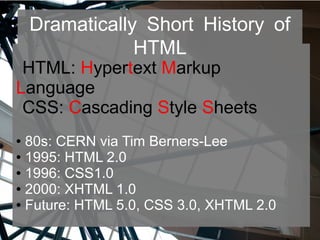
Dramatically Short History of
HTML
HTML: Hypertext Markup
Language
CSS: Cascading Style Sheets
● 80s: CERN via Tim Berners-Lee
● 1995: HTML 2.0
● 1996: CSS1.0
● 2000: XHTML 1.0
● Future: HTML 5.0, CSS 3.0, XHTML 2.0
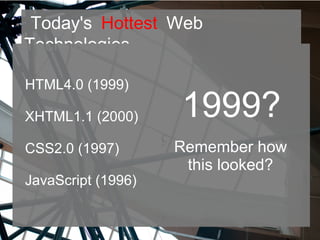
Today's Hottest Web
Technologies
HTML4.0 (1999)
XHTML1.1 (2000)
CSS2.0 (1997)
JavaScript (1996)
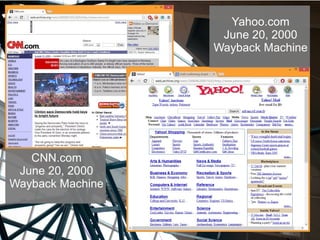
1999?
Remember how
this looked?
CNN.com
June 20, 2000
Wayback Machine
Yahoo.com
June 20, 2000
Wayback Machine
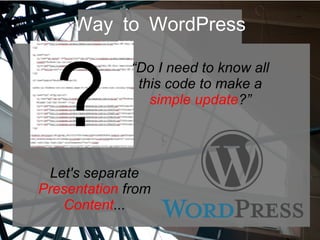
Way to WordPress
?
“Do I need to know all
this code to make a
simple update?”
Let's separate
Presentation from
Content...
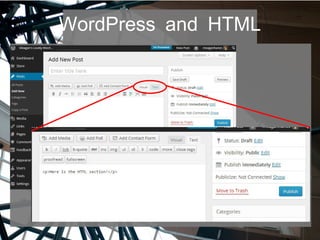
WordPress and HTML
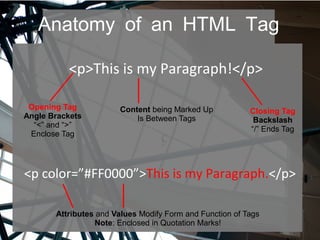
Anatomy of an HTML Tag
<p>This is my Paragraph!</p>
<p color=”#FF0000”>This is my Paragraph.</p>
Opening Tag
Angle Brackets
“<” and “>”
Enclose Tag
Closing Tag
Backslash
“/” Ends Tag
Content being Marked Up
Is Between Tags
Attributes and Values Modify Form and Function of Tags
Note: Enclosed in Quotation Marks!
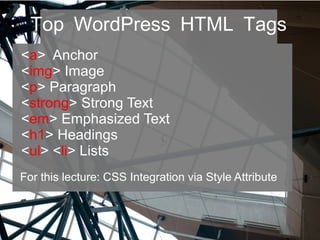
Top WordPress HTML Tags
<a> Anchor
<img> Image
<p> Paragraph
<strong> Strong Text
<em> Emphasized Text
<h1> Headings
<ul> <li> Lists
For this lecture: CSS Integration via Style Attribute
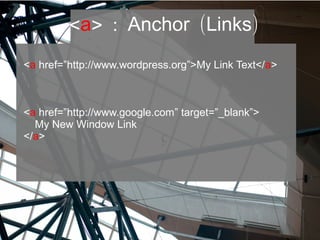
<a> : ( )Anchor Links
<a href=”http://www.wordpress.org”>My Link Text</a>
<a href=”http://www.google.com” target=”_blank”>
My New Window Link
</a>
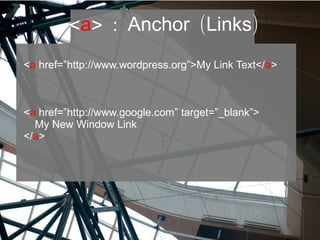
<a> : ( )Anchor Links
<a href=”http://www.wordpress.org”>My Link Text</a>
<a href=”http://www.google.com” target=”_blank”>
My New Window Link
</a>
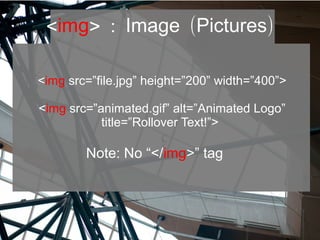
<img> : ( )Image Pictures
<img src=”file.jpg” height=”200” width=”400”>
<img src=”animated.gif” alt=”Animated Logo”
title=”Rollover Text!”>
Note: No “</img>” tag
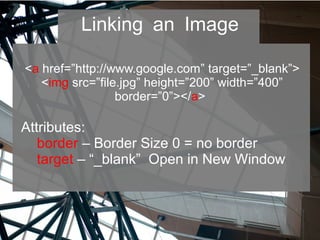
Linking an Image
<a href=”http://www.google.com” target=”_blank”>
<img src=”file.jpg” height=”200” width=”400”
border=”0”></a>
Attributes:
border – Border Size 0 = no border
target – “_blank” Open in New Window
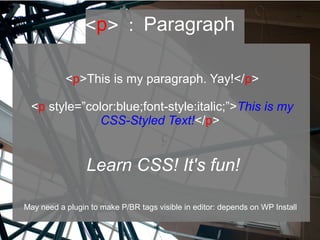
<p> : Paragraph
<p>This is my paragraph. Yay!</p>
<p style=”color:blue;font-style:italic;”>This is my
CSS-Styled Text!</p>
Learn CSS! It's fun!
May need a plugin to make P/BR tags visible in editor: depends on WP Install
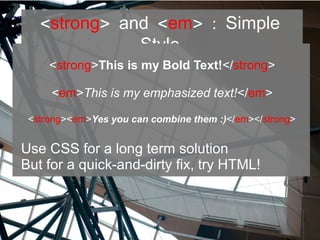
<strong> <and em> : Simple
Style
<strong>This is my Bold Text!</strong>
<em>This is my emphasized text!</em>
<strong><em>Yes you can combine them :)</em></strong>
Use CSS for a long term solution
But for a quick-and-dirty fix, try HTML!
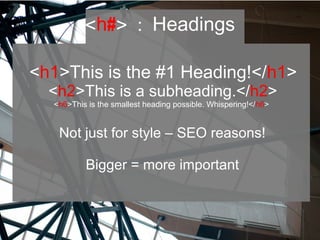
<h#> : Headings
<h1>This is the #1 Heading!</h1>
<h2>This is a subheading.</h2>
<h6>This is the smallest heading possible. Whispering!</h6>
Not just for style – SEO reasons!
Bigger = more important
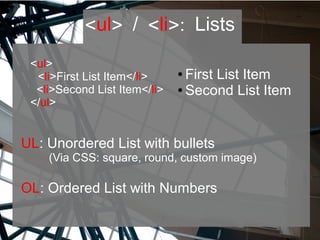
<ul> / <li>: Lists
UL: Unordered List with bullets
(Via CSS: square, round, custom image)
OL: Ordered List with Numbers
<ul>
<li>First List Item</li>
<li>Second List Item</li>
</ul>
● First List Item
● Second List Item
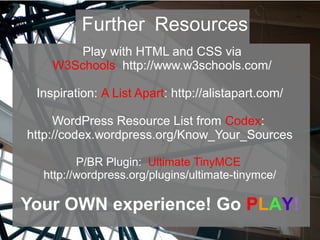
Play with HTML and CSS via
W3Schools http://www.w3schools.com/
Inspiration: A List Apart: http://alistapart.com/
WordPress Resource List from Codex:
http://codex.wordpress.org/Know_Your_Sources
P/BR Plugin: Ultimate TinyMCE
http://wordpress.org/plugins/ultimate-tinymce/
Your OWN experience! Go PLAY!
Further Resources
:)
Let's connect! @mhanes @LoveDigimedia
Slides: Slideshare.net
!Thanks

The ABCs of HTML

  • 1.
    <The a> <b><c> s of HTML Meagan Hanes @mhanes Love Digimedia – LoveDM.ca WordCamp Montreal 2013
  • 2.
    @mhanes & @LoveDigimedia LifelongDigital Developer 200% Passion! Lover of Rainbows Who am I?
  • 3.
    Dramatically Short Historyof HTML HTML: Hypertext Markup Language CSS: Cascading Style Sheets ● 80s: CERN via Tim Berners-Lee ● 1995: HTML 2.0 ● 1996: CSS1.0 ● 2000: XHTML 1.0 ● Future: HTML 5.0, CSS 3.0, XHTML 2.0
  • 4.
    Today's Hottest Web Technologies HTML4.0(1999) XHTML1.1 (2000) CSS2.0 (1997) JavaScript (1996) 1999? Remember how this looked?
  • 5.
    CNN.com June 20, 2000 WaybackMachine Yahoo.com June 20, 2000 Wayback Machine
  • 6.
    Way to WordPress ? “DoI need to know all this code to make a simple update?” Let's separate Presentation from Content...
  • 7.
  • 8.
    Anatomy of anHTML Tag <p>This is my Paragraph!</p> <p color=”#FF0000”>This is my Paragraph.</p> Opening Tag Angle Brackets “<” and “>” Enclose Tag Closing Tag Backslash “/” Ends Tag Content being Marked Up Is Between Tags Attributes and Values Modify Form and Function of Tags Note: Enclosed in Quotation Marks!
  • 9.
    Top WordPress HTMLTags <a> Anchor <img> Image <p> Paragraph <strong> Strong Text <em> Emphasized Text <h1> Headings <ul> <li> Lists For this lecture: CSS Integration via Style Attribute
  • 10.
    <a> : ()Anchor Links <a href=”http://www.wordpress.org”>My Link Text</a> <a href=”http://www.google.com” target=”_blank”> My New Window Link </a>
  • 11.
    <a> : ()Anchor Links <a href=”http://www.wordpress.org”>My Link Text</a> <a href=”http://www.google.com” target=”_blank”> My New Window Link </a>
  • 12.
    <img> : ()Image Pictures <img src=”file.jpg” height=”200” width=”400”> <img src=”animated.gif” alt=”Animated Logo” title=”Rollover Text!”> Note: No “</img>” tag
  • 13.
    Linking an Image <ahref=”http://www.google.com” target=”_blank”> <img src=”file.jpg” height=”200” width=”400” border=”0”></a> Attributes: border – Border Size 0 = no border target – “_blank” Open in New Window
  • 14.
    <p> : Paragraph <p>Thisis my paragraph. Yay!</p> <p style=”color:blue;font-style:italic;”>This is my CSS-Styled Text!</p> Learn CSS! It's fun! May need a plugin to make P/BR tags visible in editor: depends on WP Install
  • 15.
    <strong> <and em>: Simple Style <strong>This is my Bold Text!</strong> <em>This is my emphasized text!</em> <strong><em>Yes you can combine them :)</em></strong> Use CSS for a long term solution But for a quick-and-dirty fix, try HTML!
  • 16.
    <h#> : Headings <h1>Thisis the #1 Heading!</h1> <h2>This is a subheading.</h2> <h6>This is the smallest heading possible. Whispering!</h6> Not just for style – SEO reasons! Bigger = more important
  • 17.
    <ul> / <li>:Lists UL: Unordered List with bullets (Via CSS: square, round, custom image) OL: Ordered List with Numbers <ul> <li>First List Item</li> <li>Second List Item</li> </ul> ● First List Item ● Second List Item
  • 18.
    Play with HTMLand CSS via W3Schools http://www.w3schools.com/ Inspiration: A List Apart: http://alistapart.com/ WordPress Resource List from Codex: http://codex.wordpress.org/Know_Your_Sources P/BR Plugin: Ultimate TinyMCE http://wordpress.org/plugins/ultimate-tinymce/ Your OWN experience! Go PLAY! Further Resources
  • 19.
    :) Let's connect! @mhanes@LoveDigimedia Slides: Slideshare.net !Thanks