< html > + css
  how can I craft webpages
Who am I


             Dimitris Tsironis
                 Founder at Geembo
           Javascript Developer at Bugsense
                       Ingredients:
                  50% code / 50% design
First, a story
from good old days
What is HTML


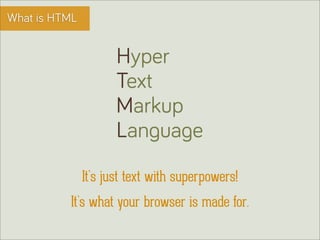
                      Hyper
                      Text
                      Markup
                      Language
               It’s just text with superpowers!
          It’s what your browser is made for.
Basic elements


   HTML consists of elements

      Heading, paragraphs, articles, anchor links
      Images, video, audio

      Metadata, scripts and stylesheets
How it works


   HTML needs this to work

      a text-based file
      doctype, html, head & body tags

      some actual content
      and you’re good to go...
HTML elements


  Heading 1 - <h1>This is a title</h1>

  Paragraph - <p>This is a paragraph</p>

  Anchor link - <a href=”#”>This is a link</a>

  div - <div>This is a general element</div>

  img - <img src=”/path/to/logo.png” />

  input - <input type=”text” name=”name” />
Classes & IDs


  HTML has classes and IDs to make elements
  easier to distinguish

      Classes are more generic, like a box, button etc.

      IDs are very specific and must be used with caution
Basic example

 HTML is as simple as ABC
Basic example

 …which actually is
Box model


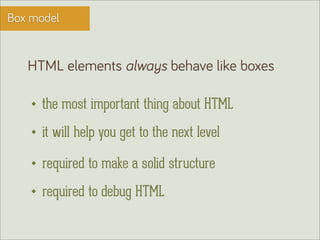
   HTML elements always behave like boxes

      the most important thing about HTML
      it will help you get to the next level

      required to make a solid structure
      required to debug HTML
Box model


  Here’s the previous example. See the boxes?
Box model


  Here’s the previous example. See the boxes?
disappointed.
this page looks bad.
What is CSS


                   Cascading
                   Style
                   Seets

          It’s what makes your HTML beautiful.
Basic CSS rules


   CSS consists of rules, like this one

    h1       {color: black; text-align:center;}
  selector     declaration #1    declaration #2
Basic CSS rules


   Some details about CSS rules

      selector defines what HTML element to target
      declaration have a property and a value
      declarations in a block, defined by brackets{...}
CSS selectors

  CSS selectors are used to target specific HTML
  elements with rules
   h1 {...}       <h1>This is a title</h1>

   p   {...}      <p>This is a paragraph</p>

   .active{...}   <div class=”active”></div>

   .active{...}   <img class=”active”></img>

   #signup{...}   <button id=”signup”></button>
IT’S A
TRAP!
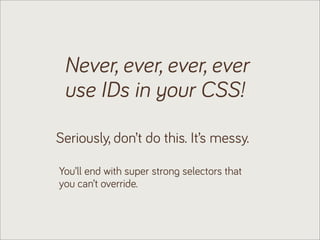
Never, ever, ever, ever
 use IDs in your CSS!

Seriously, don’t do this. It’s messy.

You’ll end with super strong selectors that
you can’t override.
Tools you’ll need


   A crappy computer
      Nothing fancy, you probably already have one

   A competent text-editor
      Sublime Text 2 - highly recommended text-editor

   Developer’s tools
      Firebug is recommended, for Firefox & Chrome
Tools you’ll need


   Google search
      Remember, Google has the answer to your problem

   Wamp Server
      Very basic web server for your PC
Resources to read


   Mozilla Developer Network
      The best web library out there
      http://developer.mozilla.org/en-US/

   CSS Tricks
      Your CSS buddy - you can find anything here
      http://www.css-tricks.com/
Resources to read


   Github
      The biggest source code hosting site
      http://github.com/edu

   Codecademy
      You can learn code by doing
      http://www.codecademy.com
Thank you!
       @tsironakos
       @geembohq
tsironis.dimitris@gmail.com

HTML+CSS: how to get started

  • 1.
    < html >+ css how can I craft webpages
  • 2.
    Who am I Dimitris Tsironis Founder at Geembo Javascript Developer at Bugsense Ingredients: 50% code / 50% design
  • 3.
    First, a story fromgood old days
  • 4.
    What is HTML Hyper Text Markup Language It’s just text with superpowers! It’s what your browser is made for.
  • 5.
    Basic elements HTML consists of elements Heading, paragraphs, articles, anchor links Images, video, audio Metadata, scripts and stylesheets
  • 6.
    How it works HTML needs this to work a text-based file doctype, html, head & body tags some actual content and you’re good to go...
  • 7.
    HTML elements Heading 1 - <h1>This is a title</h1> Paragraph - <p>This is a paragraph</p> Anchor link - <a href=”#”>This is a link</a> div - <div>This is a general element</div> img - <img src=”/path/to/logo.png” /> input - <input type=”text” name=”name” />
  • 8.
    Classes & IDs HTML has classes and IDs to make elements easier to distinguish Classes are more generic, like a box, button etc. IDs are very specific and must be used with caution
  • 9.
    Basic example HTMLis as simple as ABC
  • 10.
  • 11.
    Box model HTML elements always behave like boxes the most important thing about HTML it will help you get to the next level required to make a solid structure required to debug HTML
  • 12.
    Box model Here’s the previous example. See the boxes?
  • 13.
    Box model Here’s the previous example. See the boxes?
  • 14.
  • 15.
    What is CSS Cascading Style Seets It’s what makes your HTML beautiful.
  • 16.
    Basic CSS rules CSS consists of rules, like this one h1 {color: black; text-align:center;} selector declaration #1 declaration #2
  • 17.
    Basic CSS rules Some details about CSS rules selector defines what HTML element to target declaration have a property and a value declarations in a block, defined by brackets{...}
  • 18.
    CSS selectors CSS selectors are used to target specific HTML elements with rules h1 {...} <h1>This is a title</h1> p {...} <p>This is a paragraph</p> .active{...} <div class=”active”></div> .active{...} <img class=”active”></img> #signup{...} <button id=”signup”></button>
  • 19.
  • 20.
    Never, ever, ever,ever use IDs in your CSS! Seriously, don’t do this. It’s messy. You’ll end with super strong selectors that you can’t override.
  • 21.
    Tools you’ll need A crappy computer Nothing fancy, you probably already have one A competent text-editor Sublime Text 2 - highly recommended text-editor Developer’s tools Firebug is recommended, for Firefox & Chrome
  • 22.
    Tools you’ll need Google search Remember, Google has the answer to your problem Wamp Server Very basic web server for your PC
  • 23.
    Resources to read Mozilla Developer Network The best web library out there http://developer.mozilla.org/en-US/ CSS Tricks Your CSS buddy - you can find anything here http://www.css-tricks.com/
  • 24.
    Resources to read Github The biggest source code hosting site http://github.com/edu Codecademy You can learn code by doing http://www.codecademy.com
  • 25.
    Thank you! @tsironakos @geembohq tsironis.dimitris@gmail.com