Download to read offline

![Done
C:detector>
RKDetector
(http://bagpuss.swan.ac.uk/comms/RKDetectorv0[1].62.zip)
Runs on the local machine and attempts to provides information about hidden processes and services
Once it identifies the hidden processes, RKDetector will try to kill those hidden tasks and then scan
the service database in order to detect hidden services and hidden regkeys (Run, Runonce).
RKDetector also contains a MD5 database of common rootkits, which it can compare output from
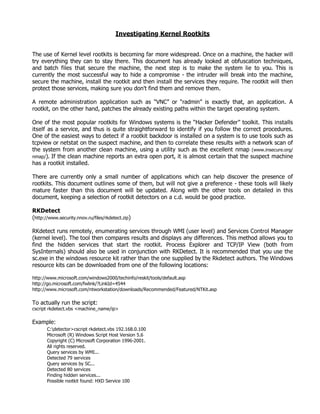
against which it will compare output. To actually run the tool,
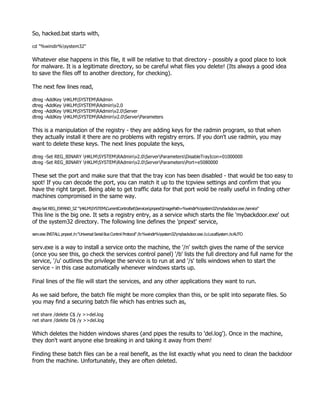
c:rkdetector.exe
. .. ...: Rootkit Detector Professional 2004 v0.62 :... .. .
Rootkit Detector Professional 2004
Programmed by Andres Tarasco Acuna
Copyright (c) 2004 - 3wdesign Security
Url: http://www.3wdesign.es
-Gathering Service list Information... ( Found: 271 services )
-Gathering process List Information... ( Found: 30 process )
-Searching for Hidden process Handles. ( Found: 0 Hidden Process )
-Checking Visible Process.............
-Searching again for Hidden Services..
-Gathering Service list Information... ( Found: 0 Hidden Services)
-Searching for wrong Service Paths.... ( Found: 1 wrong Services )
Blacklight, Fsecure
(http://www.f-secure.com/blacklight/)
The rootkit detector, Blacklight, from Fsecure is currently in beta form, so is likely to change at
anytime. It also doubles up as an eliminator - so if it finds a rootkit, it may be able to remove it from
the system. It is currently a free download, which requires administrator privileges to run. Once
passed the licensing agreement, the window will ask to perform a scan of the machine - you also have
an option to show all running processes. Once the scan is complete, a summary will be presented -
showing if it has found anything, and the software will allow you to move onto the cleaning process.
Rootkitrevealer, Sysinternals
(http://www.sysinternals.com)
Rootkitrevealer is produced by sysinternals, whose tools feature often in this document. Again it is a
free download, requiring administrator privileges to run (strictly speaking, the help file identifies the
permissions it requires, and administrator gets these permissions by default). Once again it works
from within windows, and presents a small window which displays options and scan results.
Rootkitrevealer will not clean the machine, it does, however, scan the hard drive and the registry for
possibly problematic files / entries. These are then highlighted for the user to take action, if required.
This has its own benefits and problems. Using Psexec, rootkitrevealer can also be run against a
remote system.
Unhackme
(http://www.greatis.com/unhackme/)
Unhackme can be downloaded for free, but has an evaluation version - the paid-for version comes
with free support and updates. Unlike other rootkit detectors, unhackme requires installation on the
machine - which in turn requires administrator privileges. It does come with a 'monitor' which will](https://image.slidesharecdn.com/wintrusionppt-100815183104-phpapp01/85/Checking-Windows-for-signs-of-compromise-14-320.jpg)
![Removing a Rootkit
It should be noted that both these tools suffer from false negatives, so further testing and
examination of the machine should be undertaken. Once you have a better idea of the rootkit involved
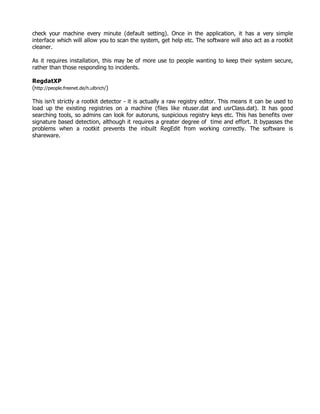
you may want to try and disable it - boot windows into Rescue mode:
• Insert the Windows OS Installation CD into the Drive.
• Boot from the CD
• Choose ‘R’ to enter the Rescue Console
• Choose the Windows installation you want to Clean from the list presented to you.
• Enter the Administrator Password.
Once in the recovery console, you have a few commands for this, including:
listsvc - lists services that can be enabled or disabled
enable <servicename> <start-type> - enables a service, with a service type,
• SERVICE_DISABLED
• SERVICE_BOOT_START
• SERVICE_SYSTEM_START
• SERVICE_AUTO_START
• SERVICE_DEMAND
disable <servicename> - disables a service, but prints out the previous start-type, which
should be recorded in case you need to re-enable the service.
More info on the XP Recovery Console can be found here
http://support.microsoft.com/default.aspx?scid=kb;EN-US;314058
Use listsvc to find any undesirable services, make a note of them, HackerDefender is usually called
something along the lines of HackerDefender if the attacker is careless, however it could also be
renamed to be something that sounds like an “official” service.
Once these have been disabled you can reboot safely into full Windows without HackerDefender
starting up.
After the reboot search the registry for the name of the service that you disabled in the previous
section, this should lead you to the executable for HackerDefender and more importantly its .ini file
(not necessarily a .ini file, but may have a different extension).
Open/Edit the .ini file and in there you should find a number of files, ports and services that
HackerDefender is defending. Systematically find each of these services in the registry and delete
them (they will probably appear more than once), likewise find all of the referenced files and delete
them also.
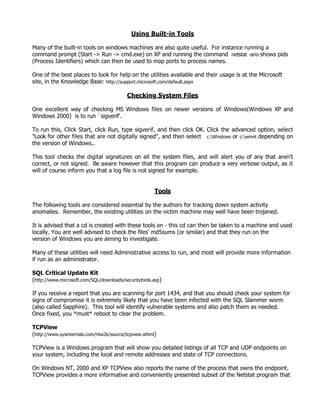
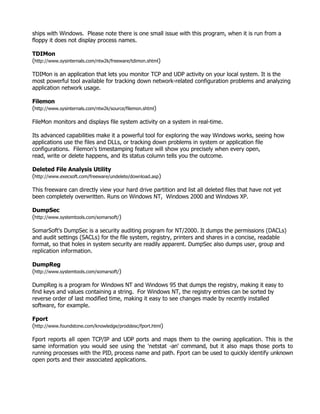
The .ini file can be obfuscated in a variety of ways, these 2 examples contain the same lines, but with
different levels of obfuscation
1.
[H<<<idden T>>a/"ble]
raddrv.dll](https://image.slidesharecdn.com/wintrusionppt-100815183104-phpapp01/85/Checking-Windows-for-signs-of-compromise-16-320.jpg)
![2.
"/:<|>:"["/:<|>:"H"/:<|>:"i"/:<|>:"d"/:<|>:"d"/:<|>:"e"/:<|>:"n"/:<|>:" "/:<|>:"T"/:<|>:"a"/:<|>:"b"/:<|>:
"l"/:<|>:"e"/:<|>:"]"/:<|>:"
"/:<|>:"r"/:<|>:"a"/:<|>:"d"/:<|>:"d"/:<|>:"r"/:<|>:"v"/:<|>:"."/:<|>:"d"/:<|>:"l"/:<|>:"l"/:<|>:"
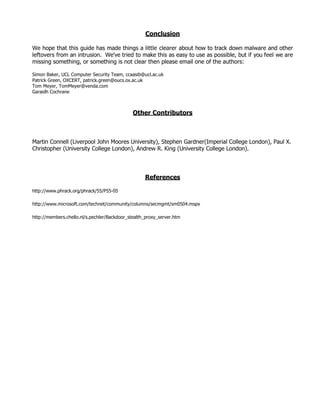
Final point - these tools cannot be used to determine that there is no rootkit on the machine, they are
limited in what they can find.
One of the biggest problems with these tools that can occur is if some piece of malware that runs as
a service has been detected and removed by a virus scanner (which won't fix the registry entries), it
will alert the user that this is a component of a rootkit.
F-Secure (and to a lesser degree Sophos) seems quite good at identifying most of the malware
executables once you have killed the service that is the problem but they leave the registry a bit of a
mess with regard to service entries.
These 'bad' service entries can also occur for older legitimate software that doesn't uninstall/reinstall
itself properly. The problem isn't so much with the utilities as with the older software not conforming
to the Microsoft rules about how software should be installed or upgraded.](https://image.slidesharecdn.com/wintrusionppt-100815183104-phpapp01/85/Checking-Windows-for-signs-of-compromise-17-320.jpg)

This document provides guidance on investigating compromised Microsoft Windows systems to identify how the system was compromised and what malware or unauthorized programs may be present. It outlines various locations in the file system, registry, services, and network settings where intruders commonly hide malware. Tools recommended for examining the system include using cmd.exe to view file timestamps, searching hidden folders and alternate data streams, and using Google to research any suspicious programs found. The document advises that while antivirus software can detect some threats, a fresh reinstall of the operating system is typically the most reliable way to restore a compromised system.


