8051- SERIAL COMMUNICATION
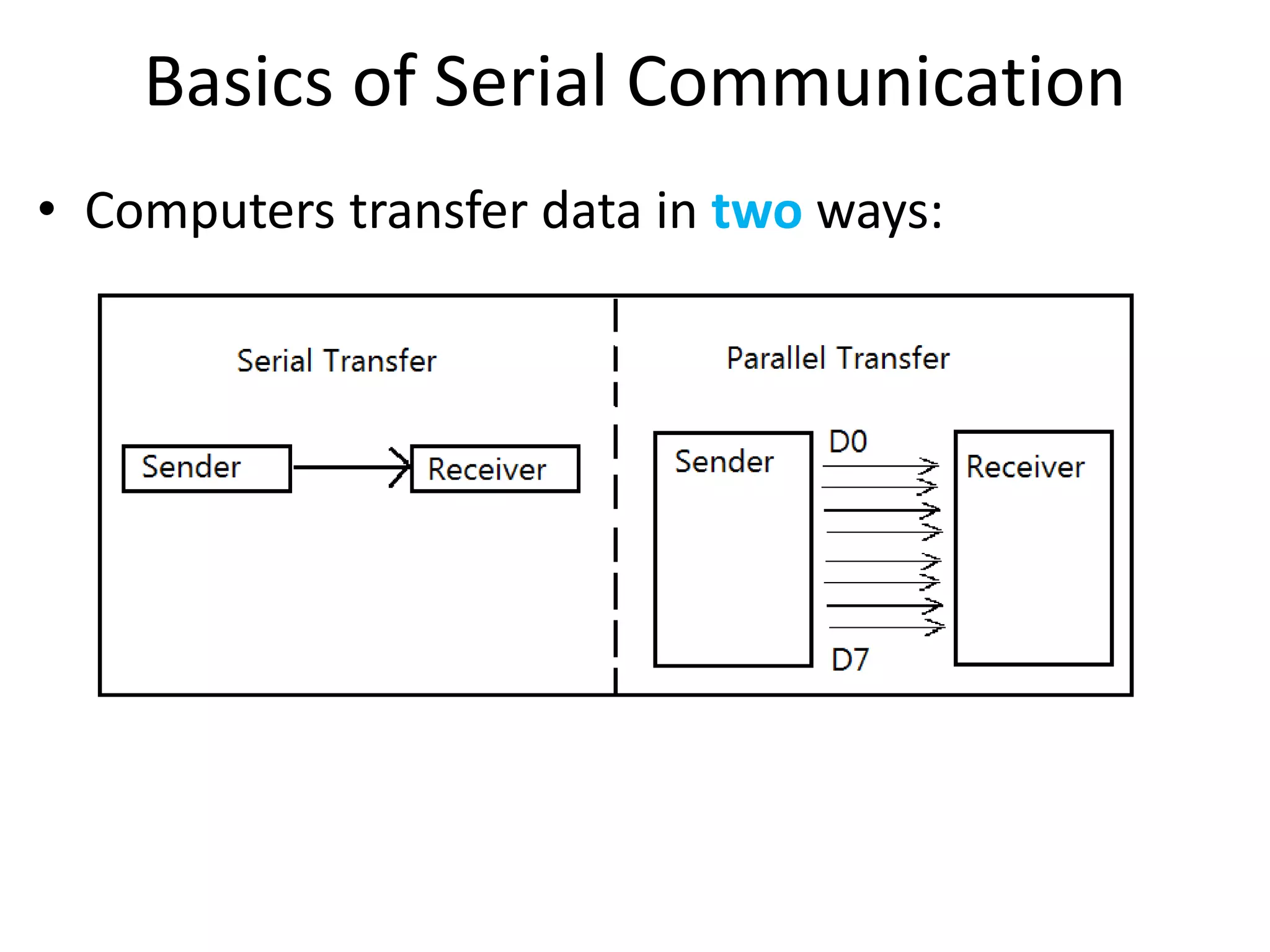
Basics of Serial Communication
• Computers transfer data in two ways:
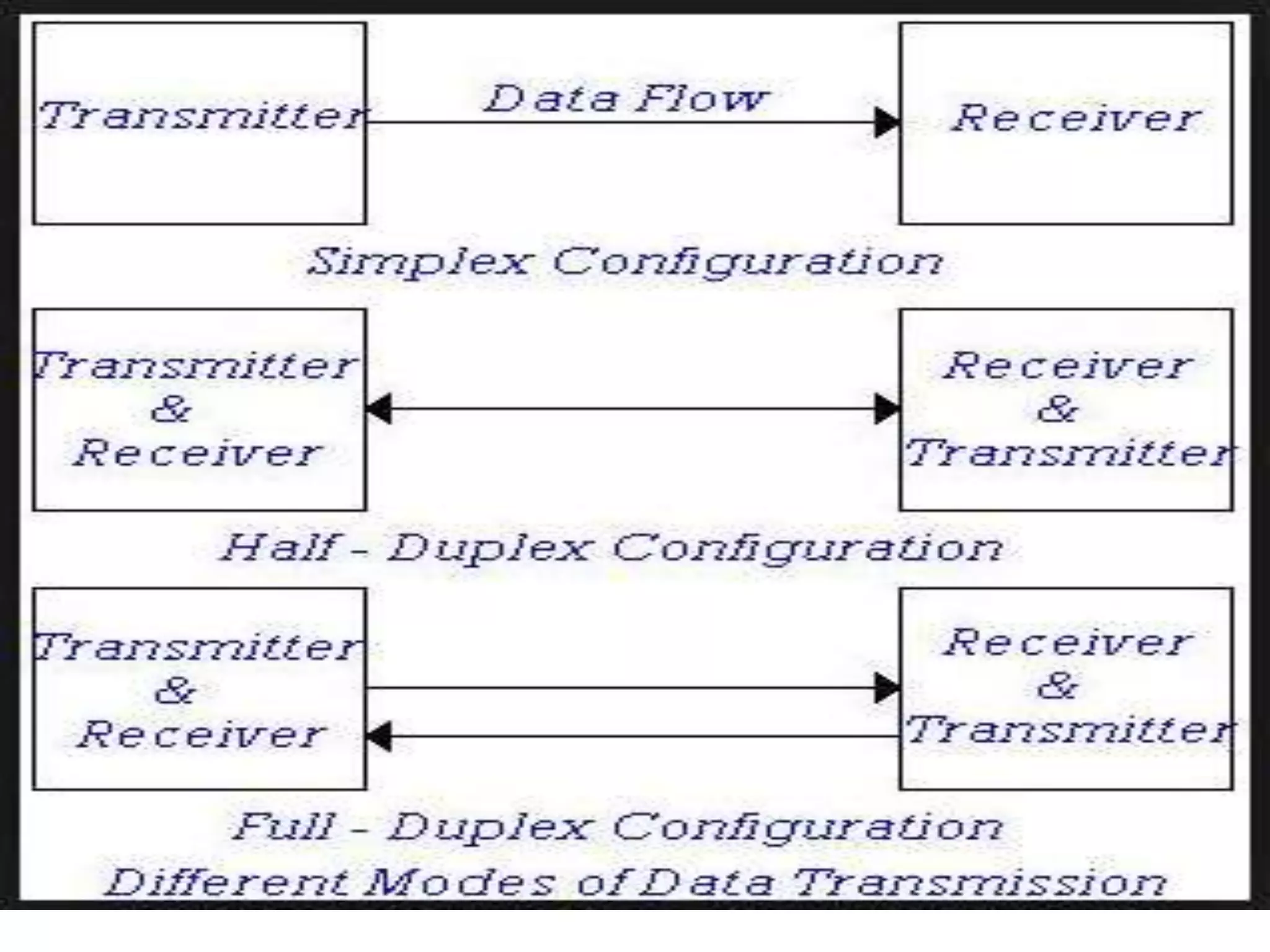
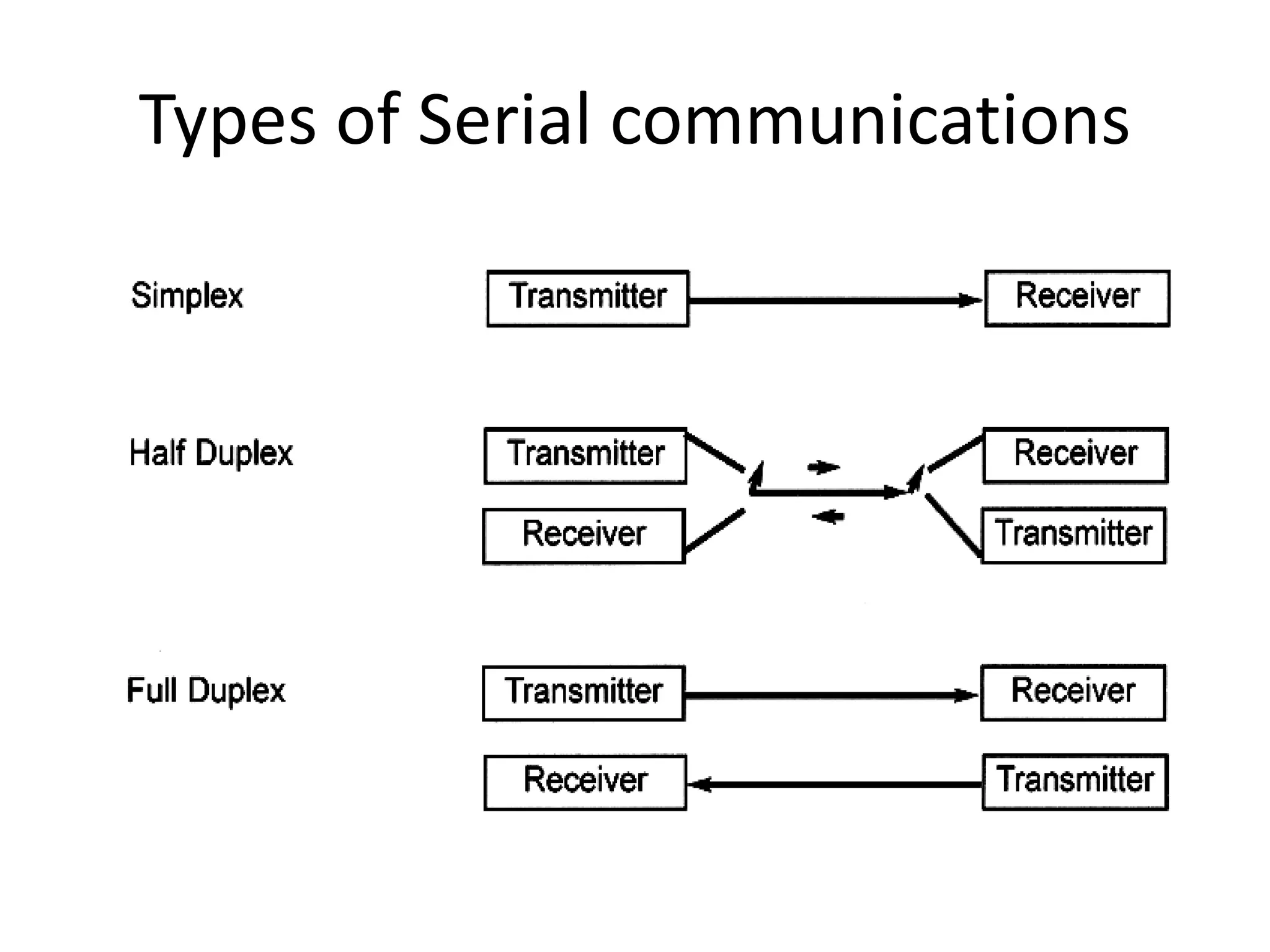
Types of Serial communications
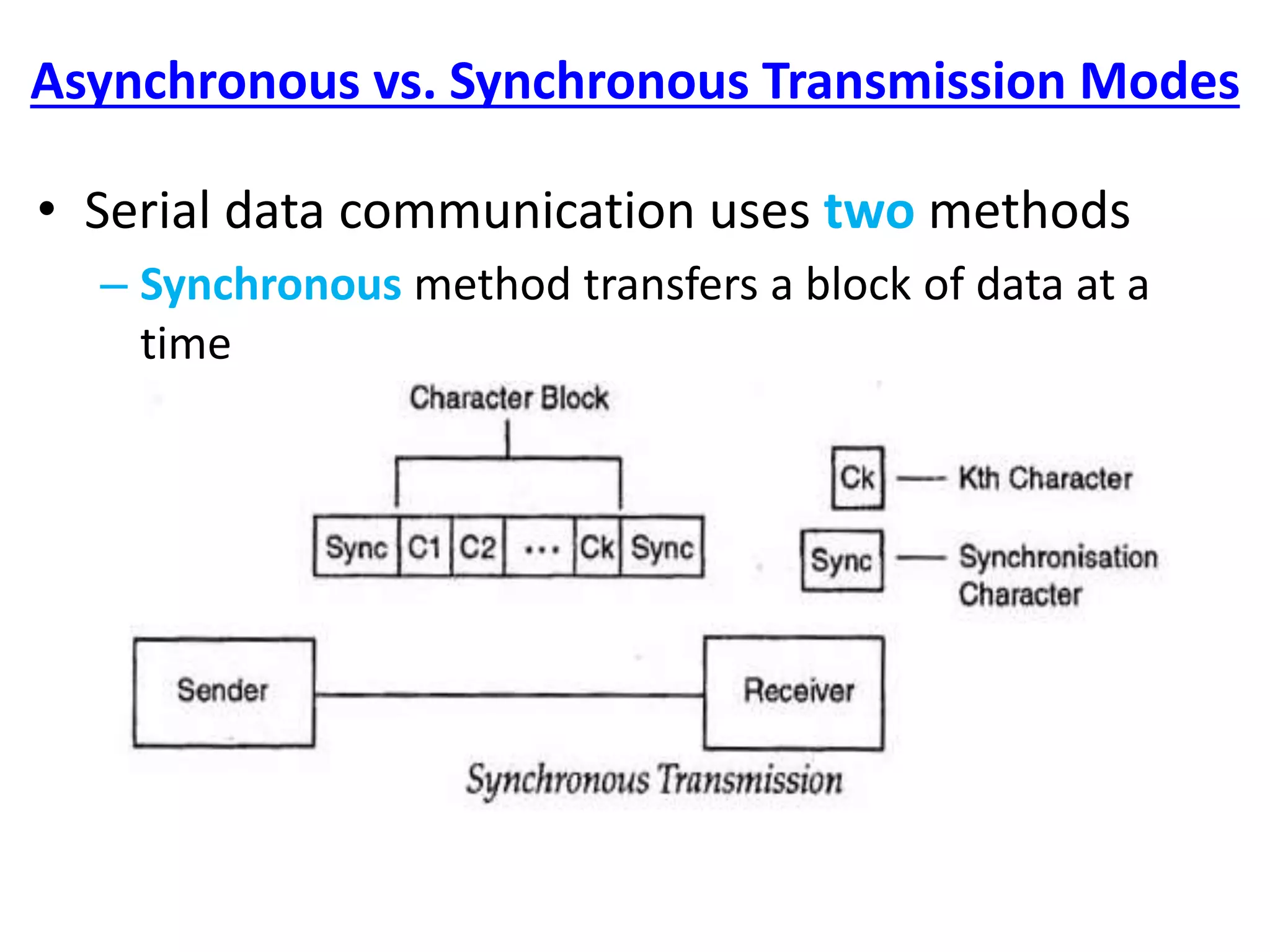
Asynchronous vs. Synchronous Transmission Modes
• Serial data communication uses two methods
– Synchronous method transfers a block of data at a
time
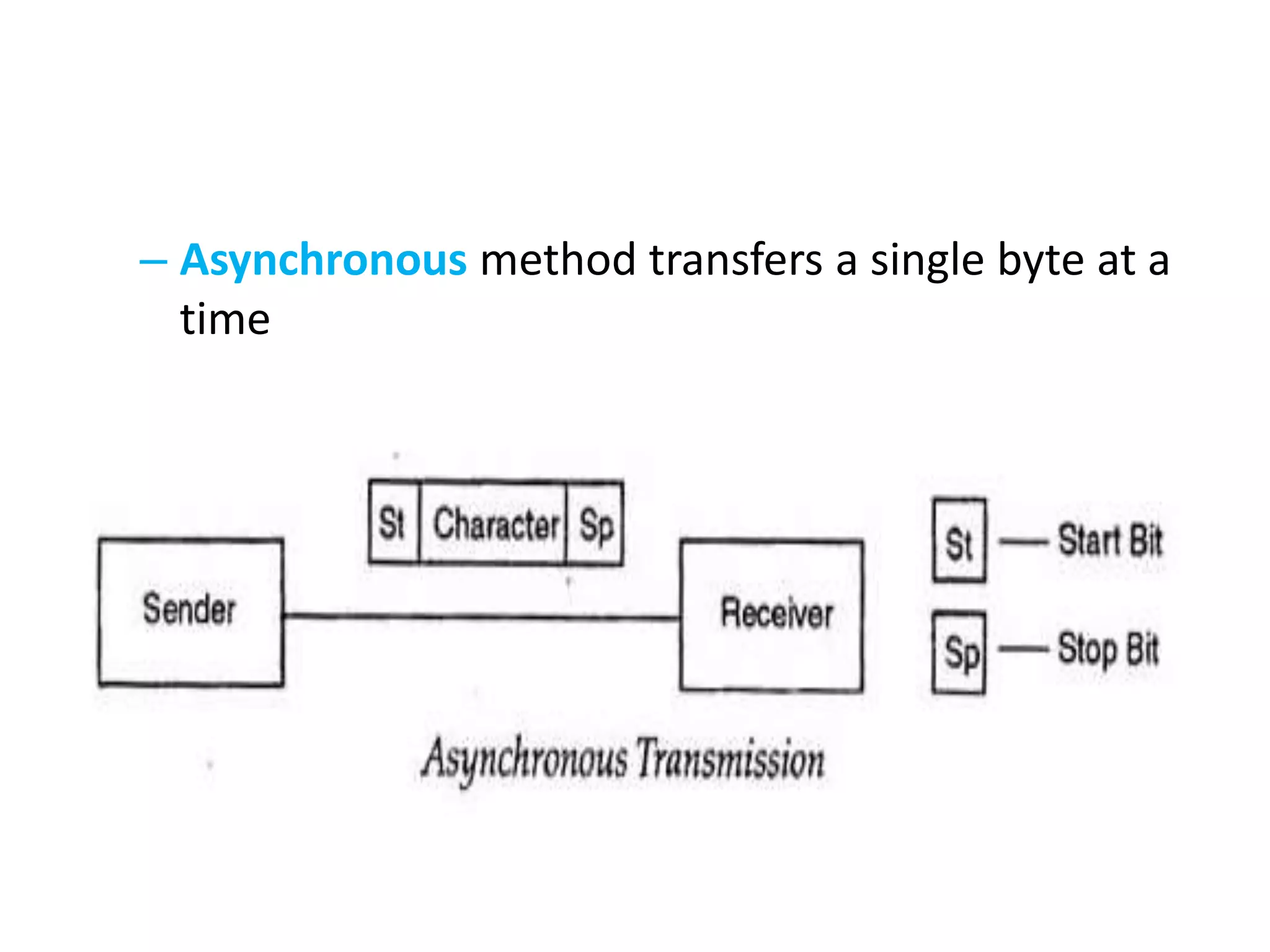
– Asynchronous method transfers a single byte at a
time
Asynchronous – Start & Stop Bit
• Asynchronous serial data communication is
widely used for character-oriented transmissions
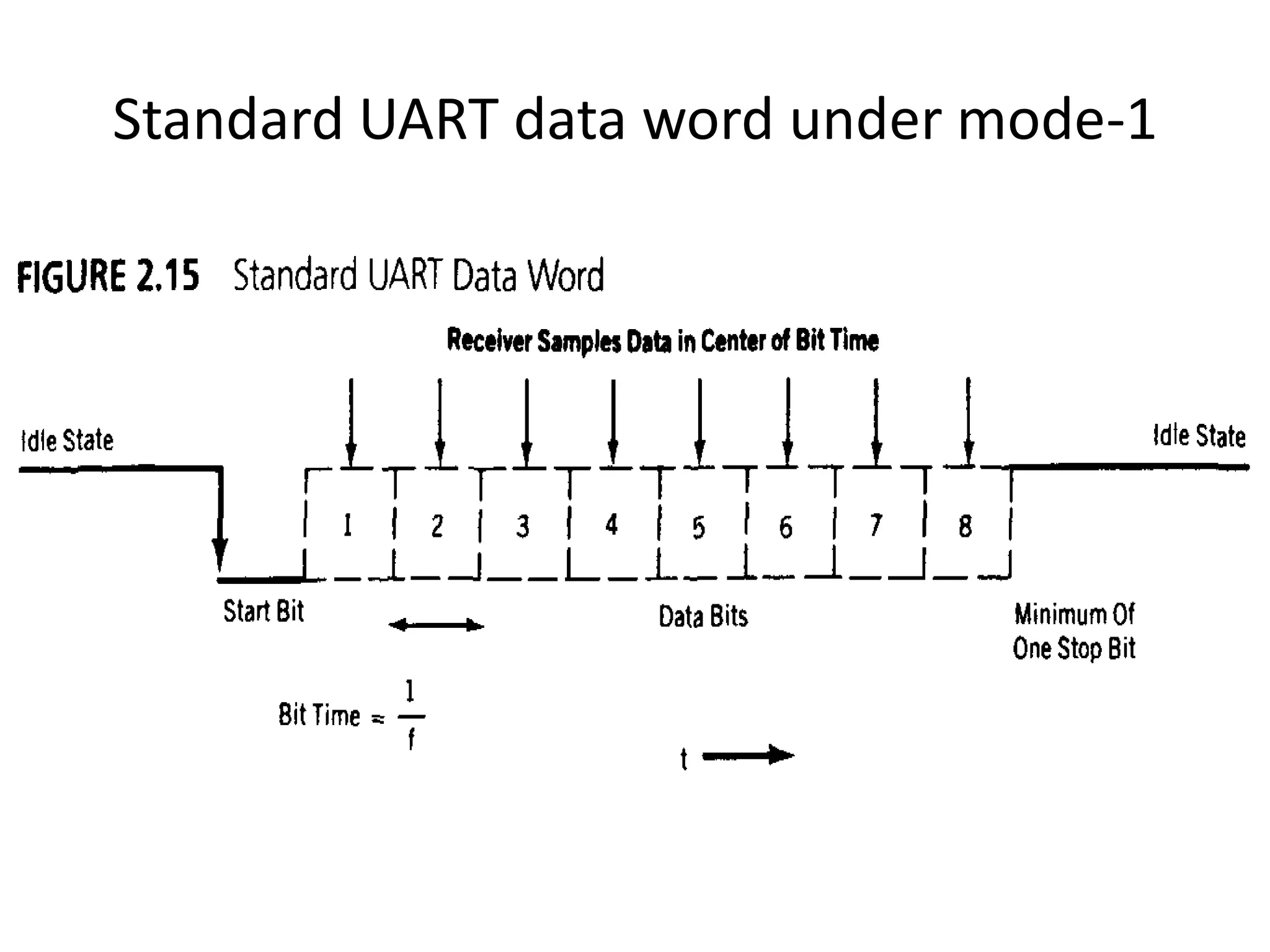
– Each character is placed in between start and stop
bits, this is called framing.
• The start bit is always one bit, but the stop bit
can be one or two bits
• The start bit is always a 0 (low) and the stop
bit(s) is 1 (high)
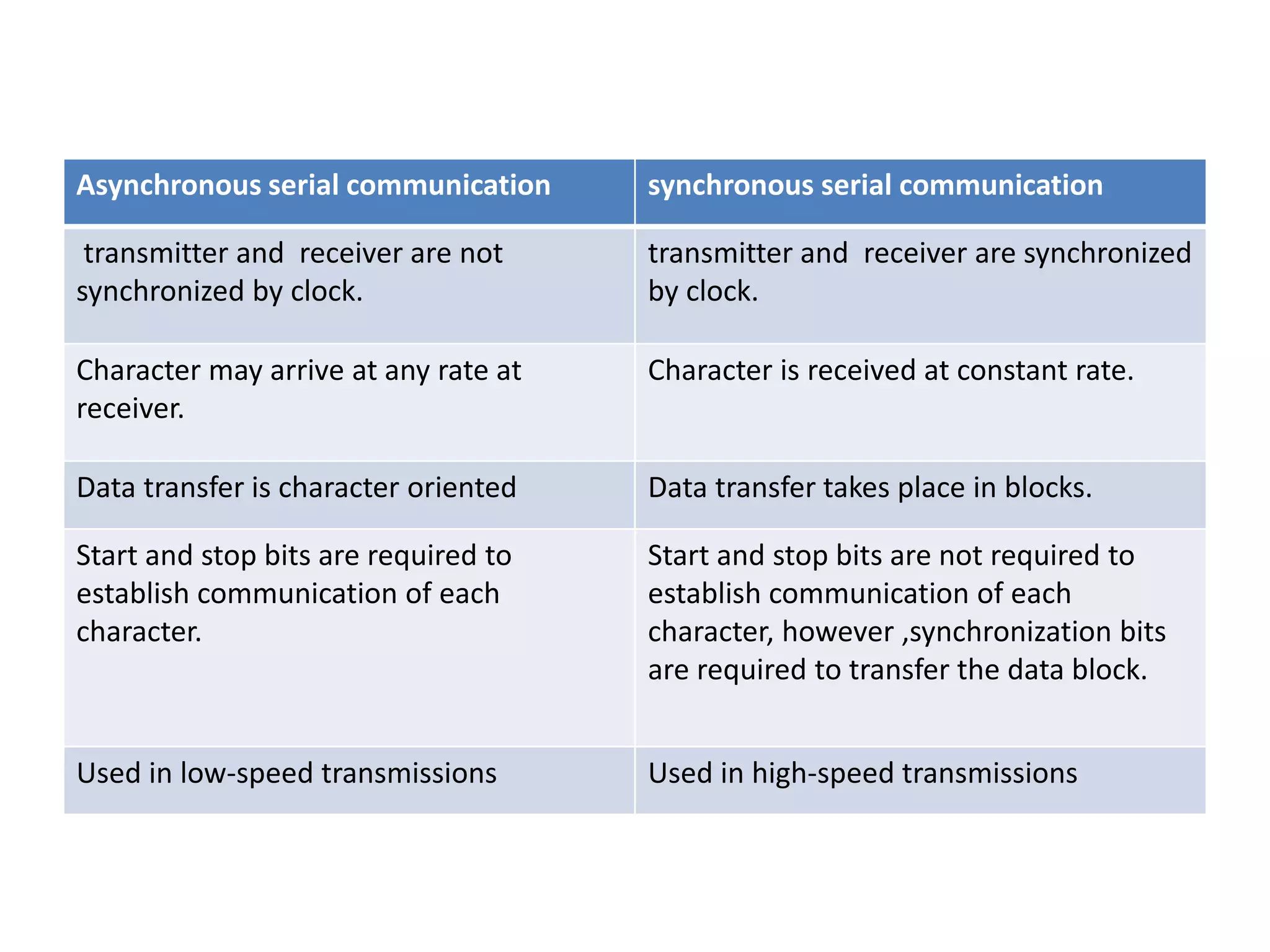
Asynchronous serial communication synchronous serial communication
transmitter and receiver are not
synchronized by clock.
transmitter and receiver are synchronized
by clock.
Character may arrive at any rate at
receiver.
Character is received at constant rate.
Data transfer is character oriented Data transfer takes place in blocks.
Start and stop bits are required to
establish communication of each
character.
Start and stop bits are not required to
establish communication of each
character, however ,synchronization bits
are required to transfer the data block.
Used in low-speed transmissions Used in high-speed transmissions
• There are special IC’s made by many
manufacturers for serial communications.
– UART (universal asynchronous Receiver
transmitter)
– USART (universal synchronous-asynchronous
Receiver-transmitter)
Data Transfer Rate
• The rate of data transfer in serial data
communication is stated in bps (bits per second).
• Another widely used terminology for bps is baud
rate.
• Serial port of 8051 is full duplex, means it can
transmit and receive simultaneously.
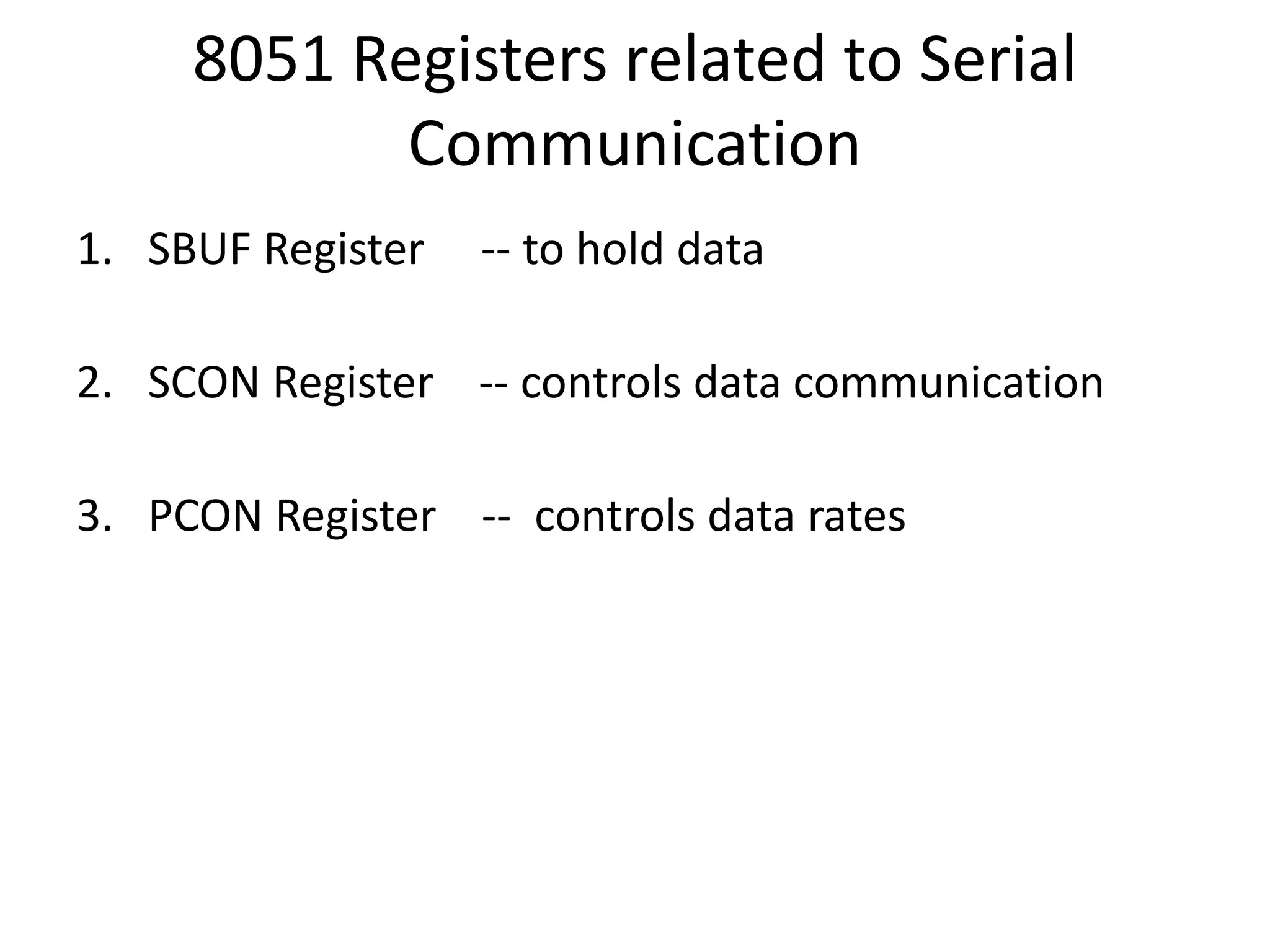
8051 Registers related to Serial
Communication
1. SBUF Register -- to hold data
2. SCON Register -- controls data communication
3. PCON Register -- controls data rates
SBUF Register
• SBUF is an 8-bit register used for serial communication.
• For a byte data to be transferred via the TxD line, it must be
placed in the SBUF register.
• The moment a byte is written into SBUF, it is framed with the
start and stop bits and transferred serially via the TxD line.
• SBUF holds the byte of data when it is received by 8051 RxD
line.
• When the bits are received serially via RxD, the 8051 deframes
it by eliminating the stop and start bits, making a byte out of
the data received, and then placing it in SBUF.
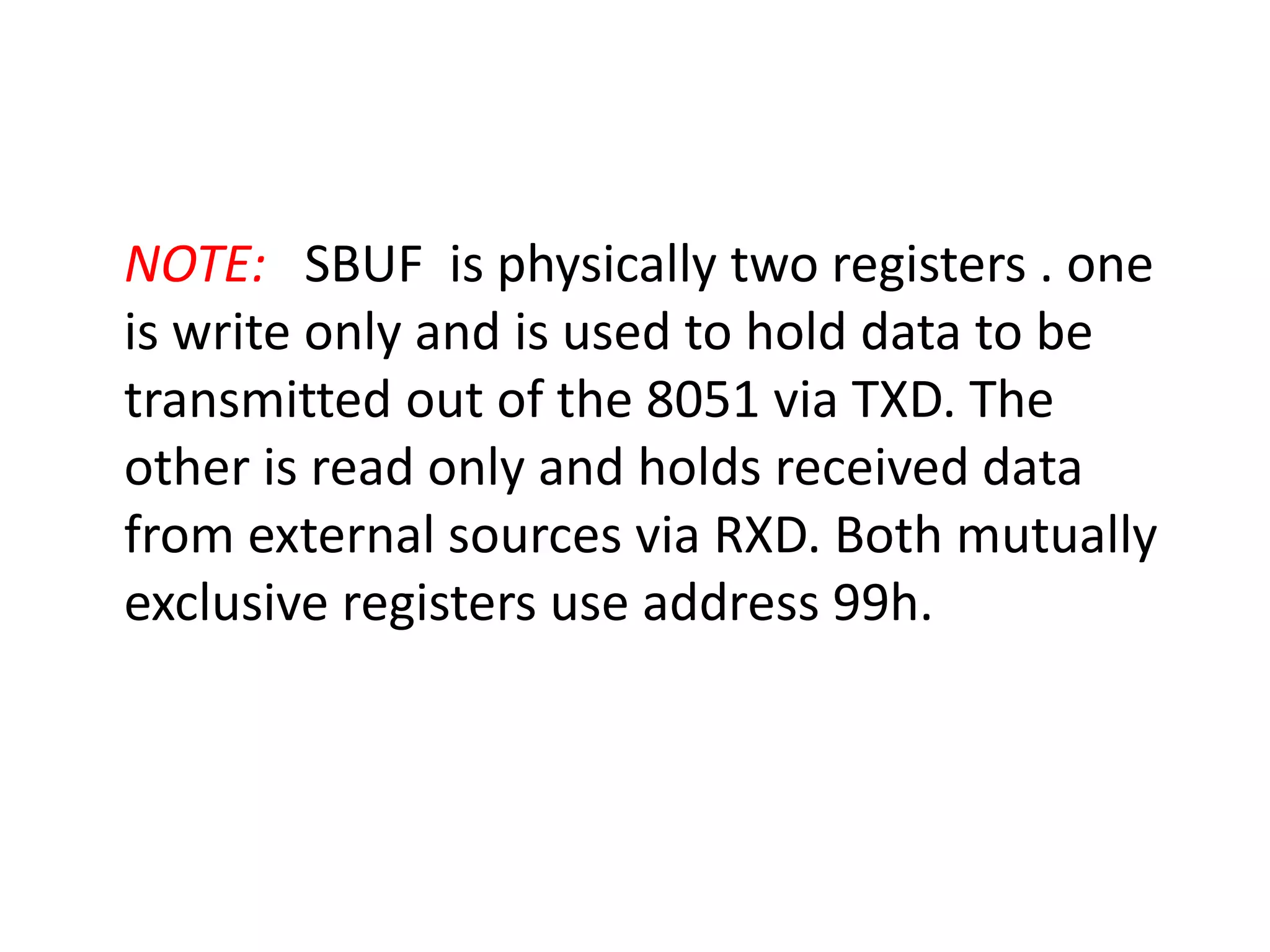
NOTE: SBUF is physically two registers . one
is write only and is used to hold data to be
transmitted out of the 8051 via TXD. The
other is read only and holds received data
from external sources via RXD. Both mutually
exclusive registers use address 99h.
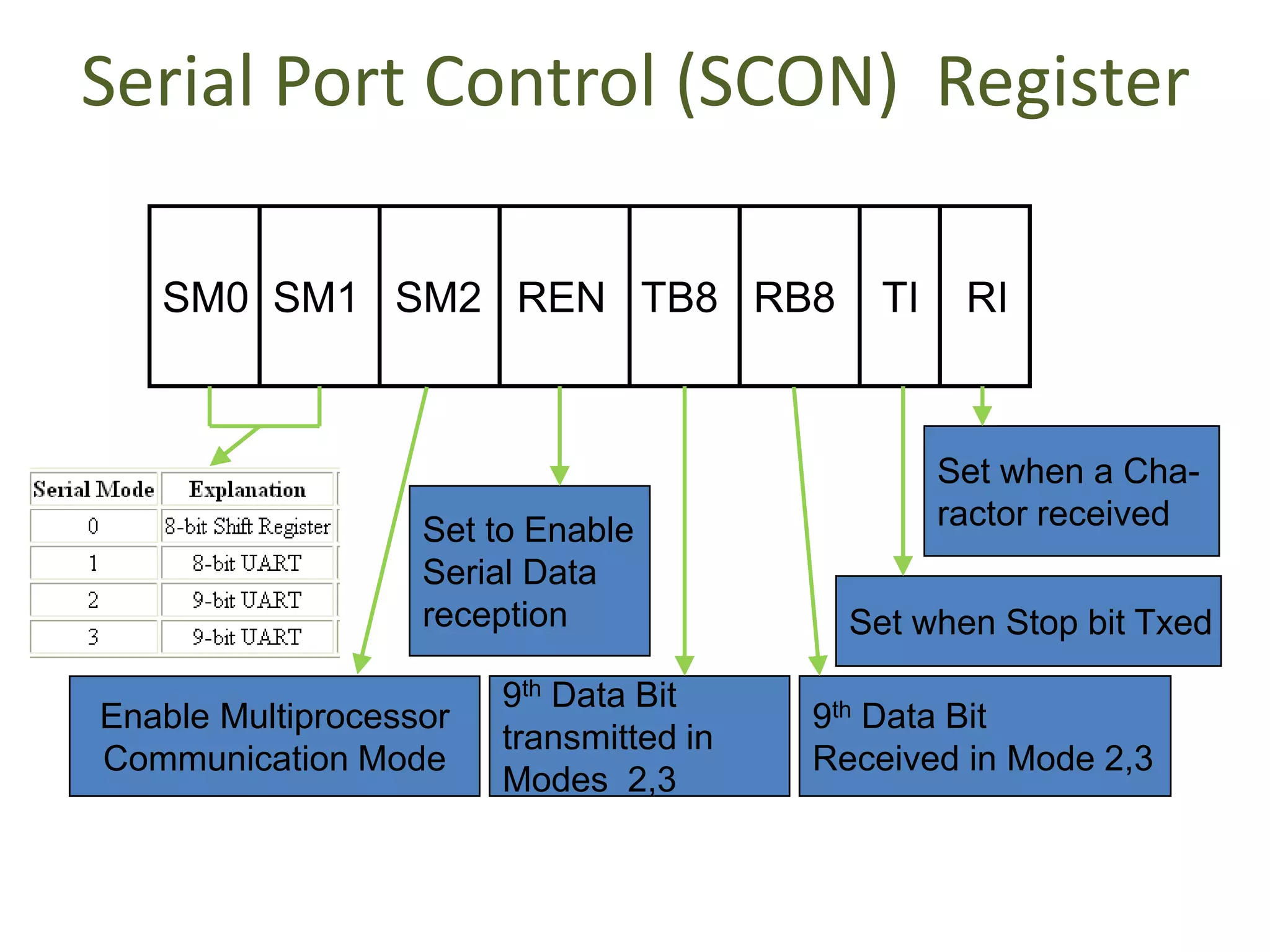
Serial Port Control (SCON) Register
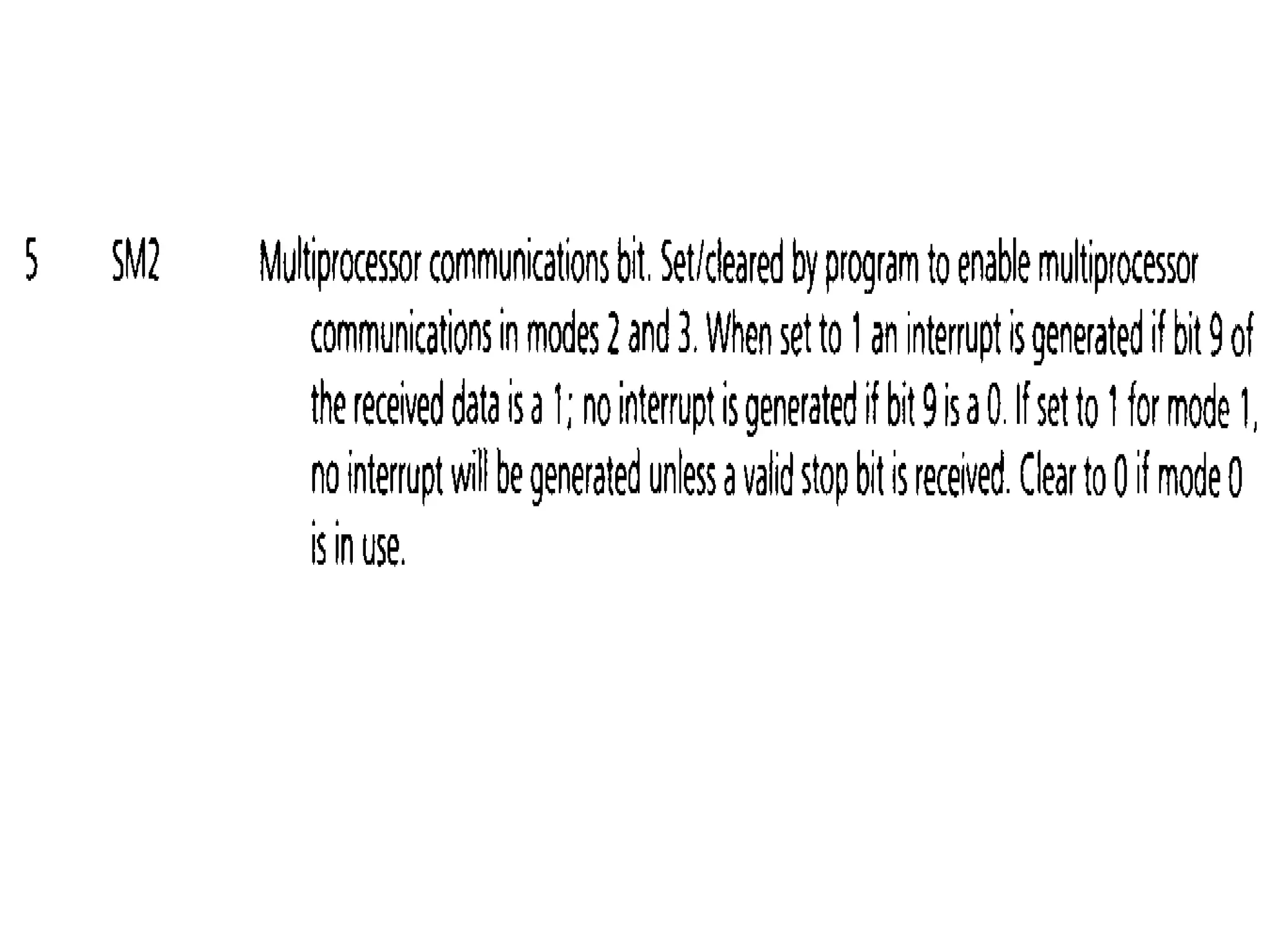
SM0 SM1 SM2 REN TB8 RB8 TI RI
Enable Multiprocessor
Communication Mode
Set to Enable
Serial Data
reception
9th Data Bit
transmitted in
Modes 2,3
9th Data Bit
Received in Mode 2,3
Set when Stop bit Txed
Set when a Cha-
ractor received
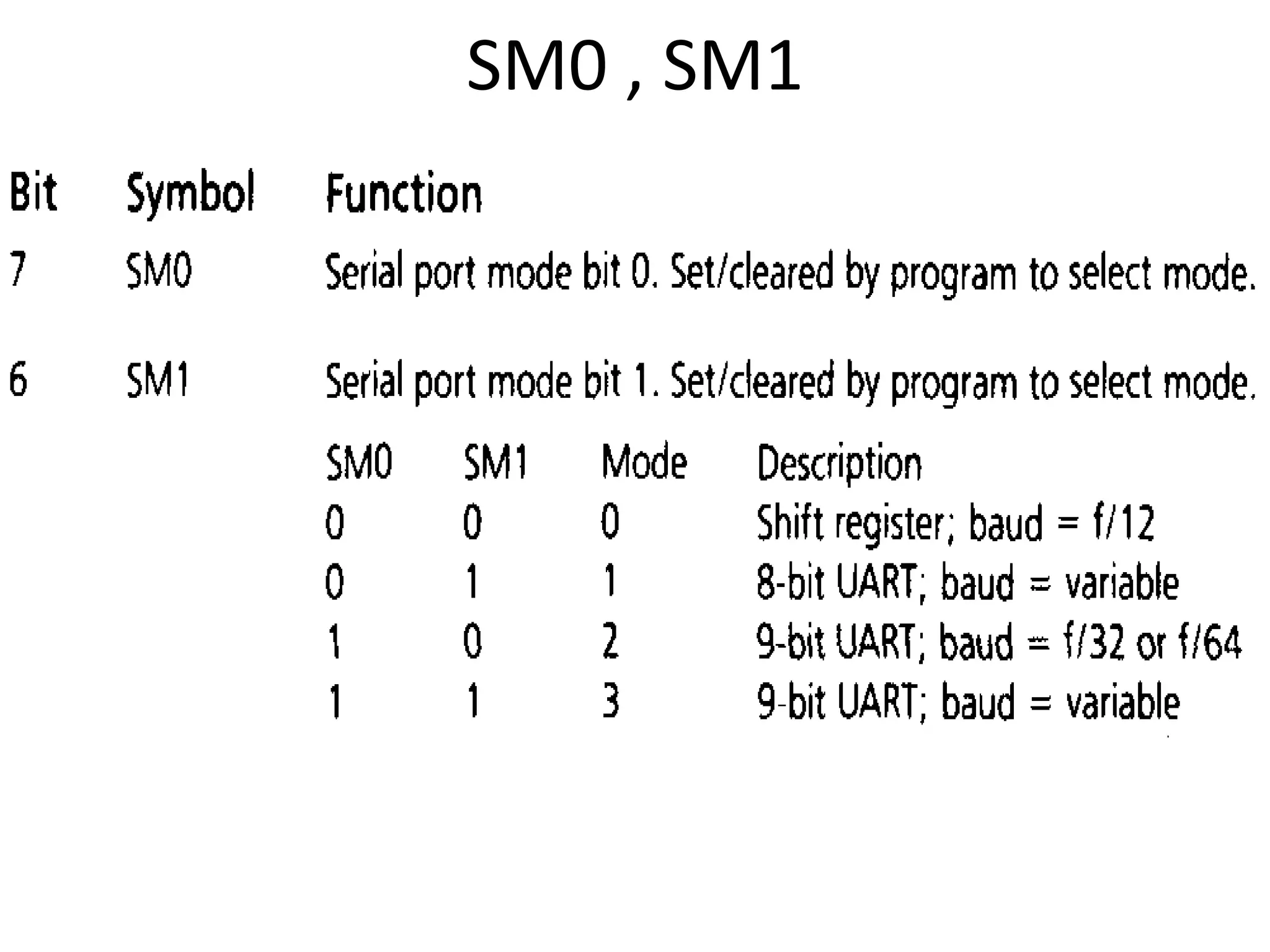
SM0 , SM1
8051 Serial Port – Mode 0
The Serial Port in Mode-0 has the following
features:
1. Serial data enters and exits through RXD
2. TXD outputs the clock
3. 8 bits are transmitted / received
4. The baud rate is fixed at (1/12) of the oscillator frequency
8051 Serial Port – Mode 1
The Serial Port in Mode-1 has the following
features:
1. Serial data enters through RXD
2. Serial data exits through TXD
3. On receive, the stop bit goes into RB8 in SCON
4. 10 bits are transmitted / received
1. Start bit
2. Data bits (8)
3. Stop Bit
5. Baud rate is determined by the Timer 1 over flow rate.
Standard UART data word under mode-1
8051 Serial Port – Mode 2
The Serial Port in Mode-2 has the following
features:
1. Serial data enters through RXD
2. Serial data exits through TXD
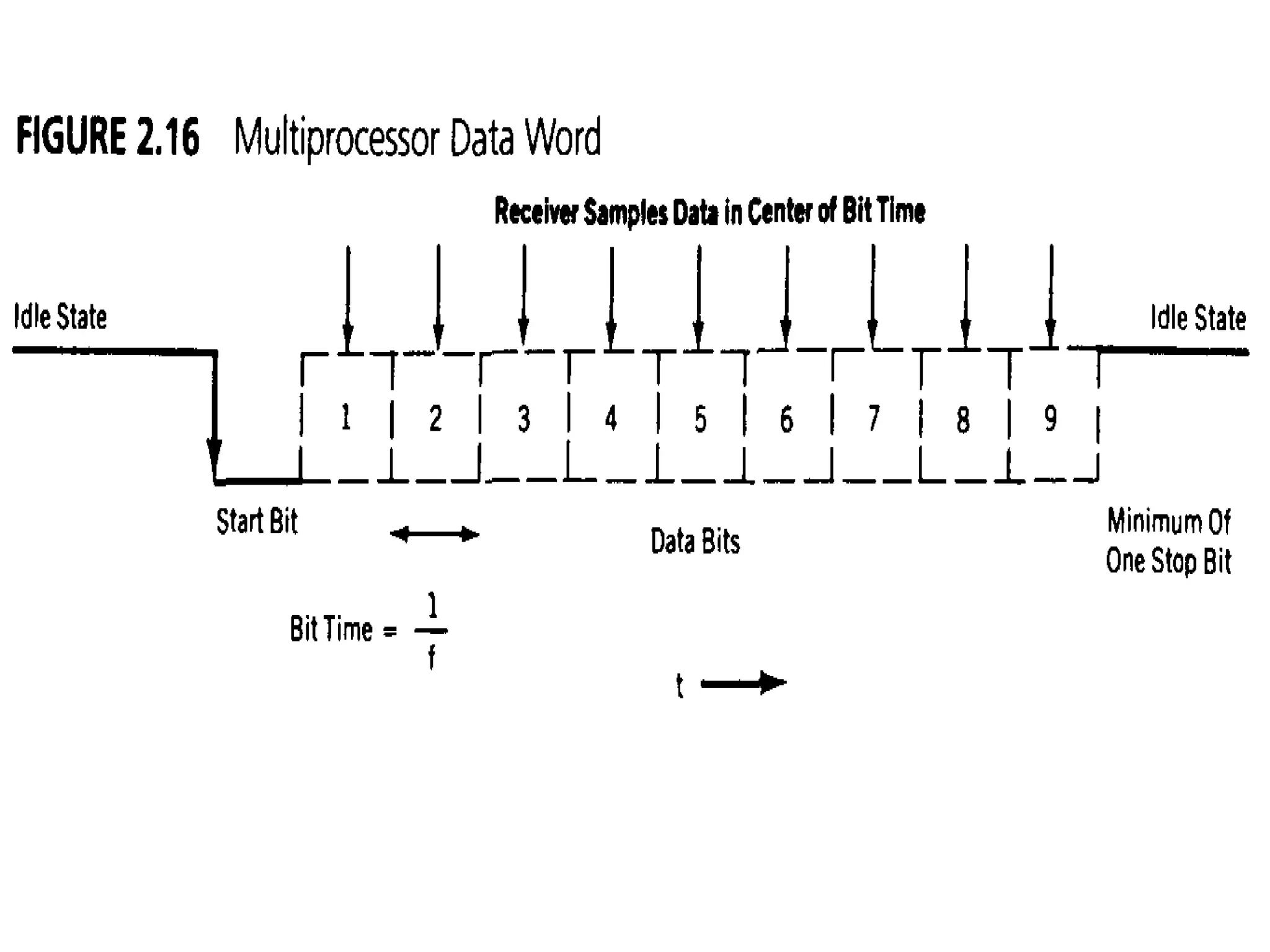
3. 9th data bit (TB8) can be assign value 0 or 1
4. On receive, the 9th data bit goes into RB8 in SCON
5. 11 bits are transmitted / received
1.Start bit
2.Data bits (9)
3.Stop Bit
6. Baud rate is programmable
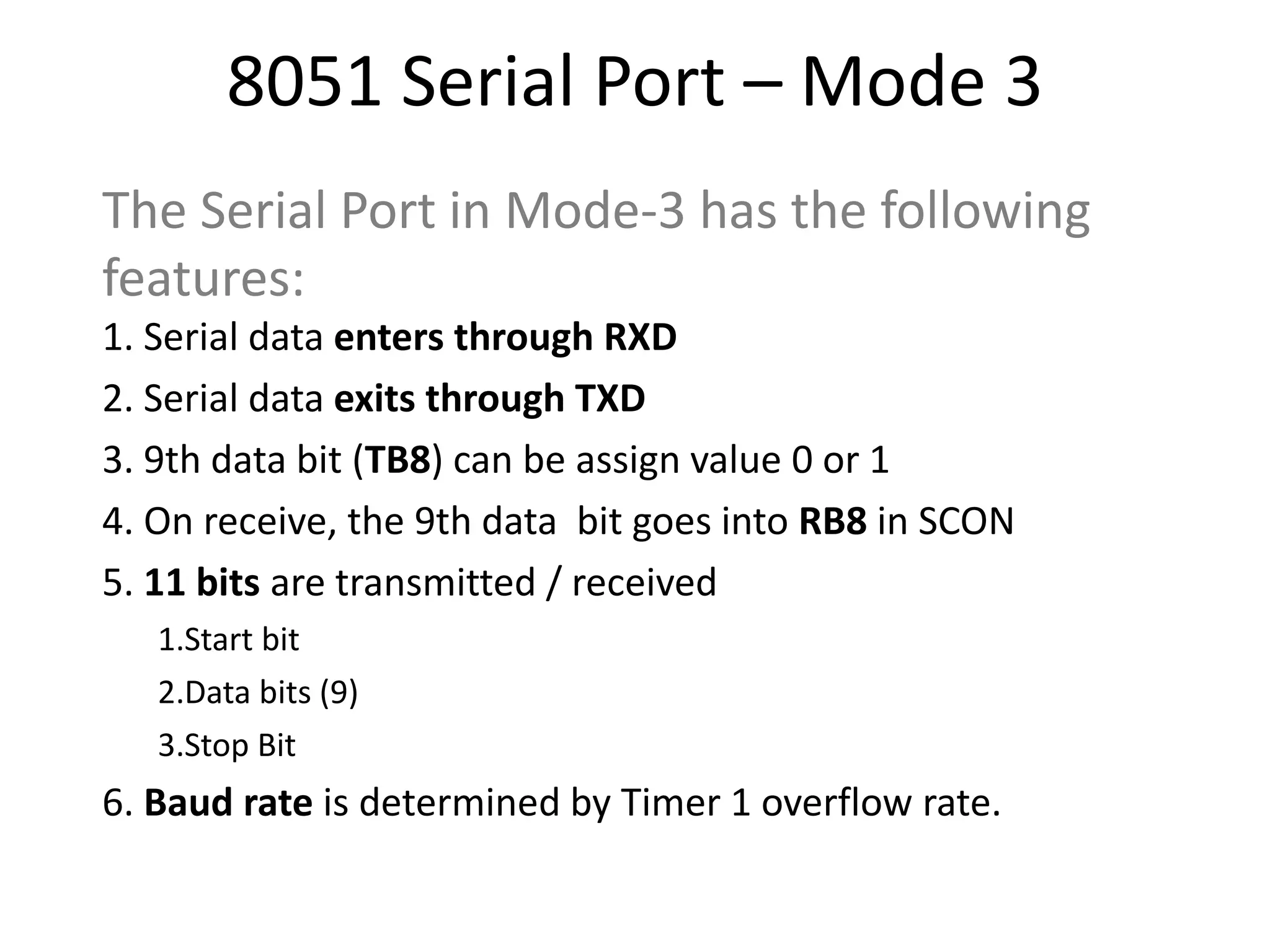
8051 Serial Port – Mode 3
The Serial Port in Mode-3 has the following
features:
1. Serial data enters through RXD
2. Serial data exits through TXD
3. 9th data bit (TB8) can be assign value 0 or 1
4. On receive, the 9th data bit goes into RB8 in SCON
5. 11 bits are transmitted / received
1.Start bit
2.Data bits (9)
3.Stop Bit
6. Baud rate is determined by Timer 1 overflow rate.
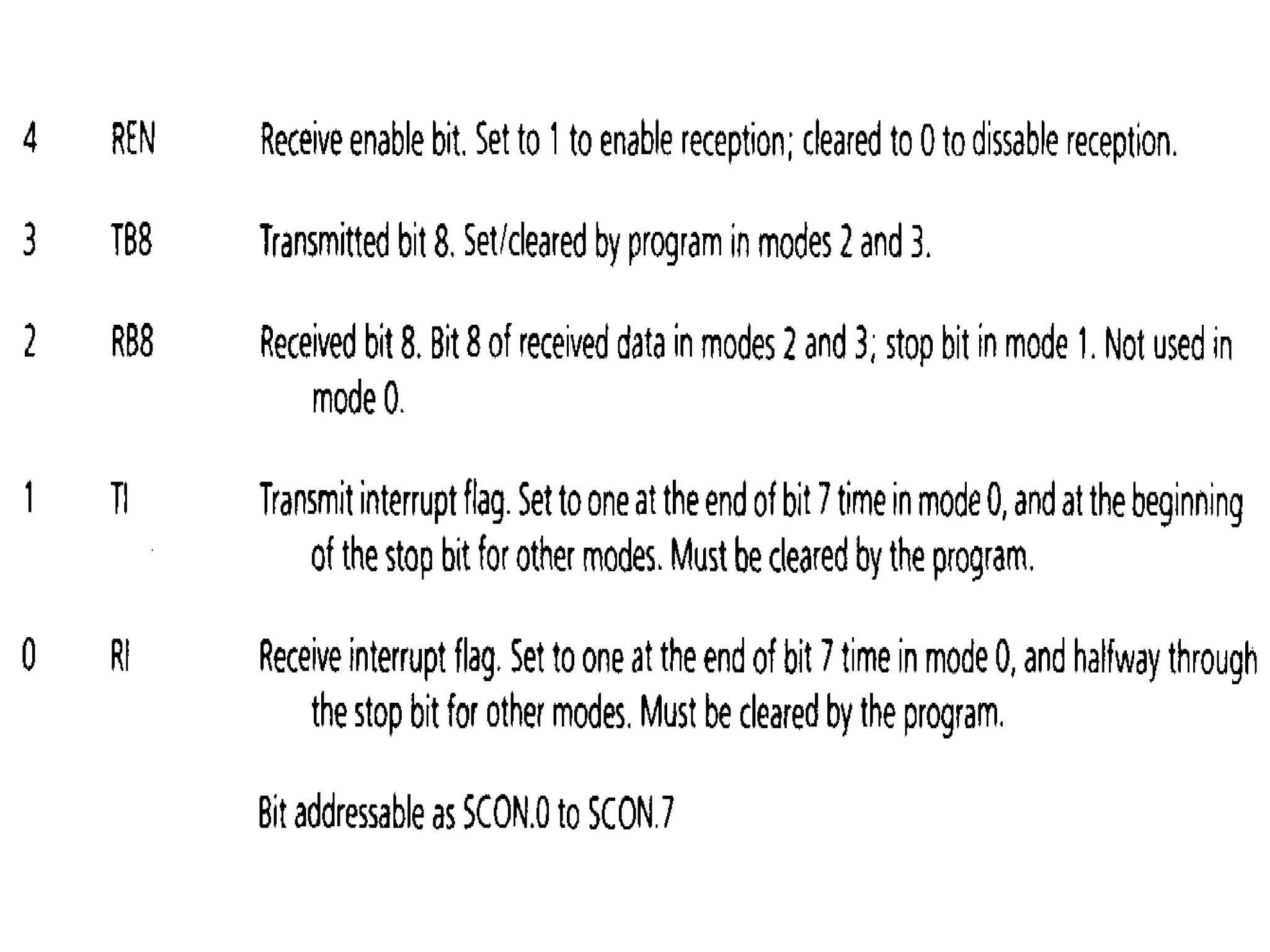
• REN (Receive Enable) also referred as SCON.4.
When it is high,it allows the 8051 to receive
data on the RxD pin. So to receive and transfer
data REN must be set to 1.When REN=0,the
receiver is disabled
• TB8 & RB8 are used in mode 2 ,3
• TI (Transmit interrupt)
When 8051 finishes the transfer of 8-bit
character, it raises the TI flag to indicate that it is
ready to transfer another byte. The TI bit is raised at
the beginning of the stop bit.
• RI (Receive interrupt)
When the 8051 receives data serially ,via
RxD, it gets rid of the start and stop bits and places
the byte in the SBUF register.Then it raises the RI flag
bit to indicate that a byte has been received and
should be picked up before it is lost.RI is raised
halfway through the stop bit.
Doubling Baud Rate
• There are two ways to increase the baud rate
of data transfer
1. By using a higher frequency crystal
2. By changing a bit in the PCON register
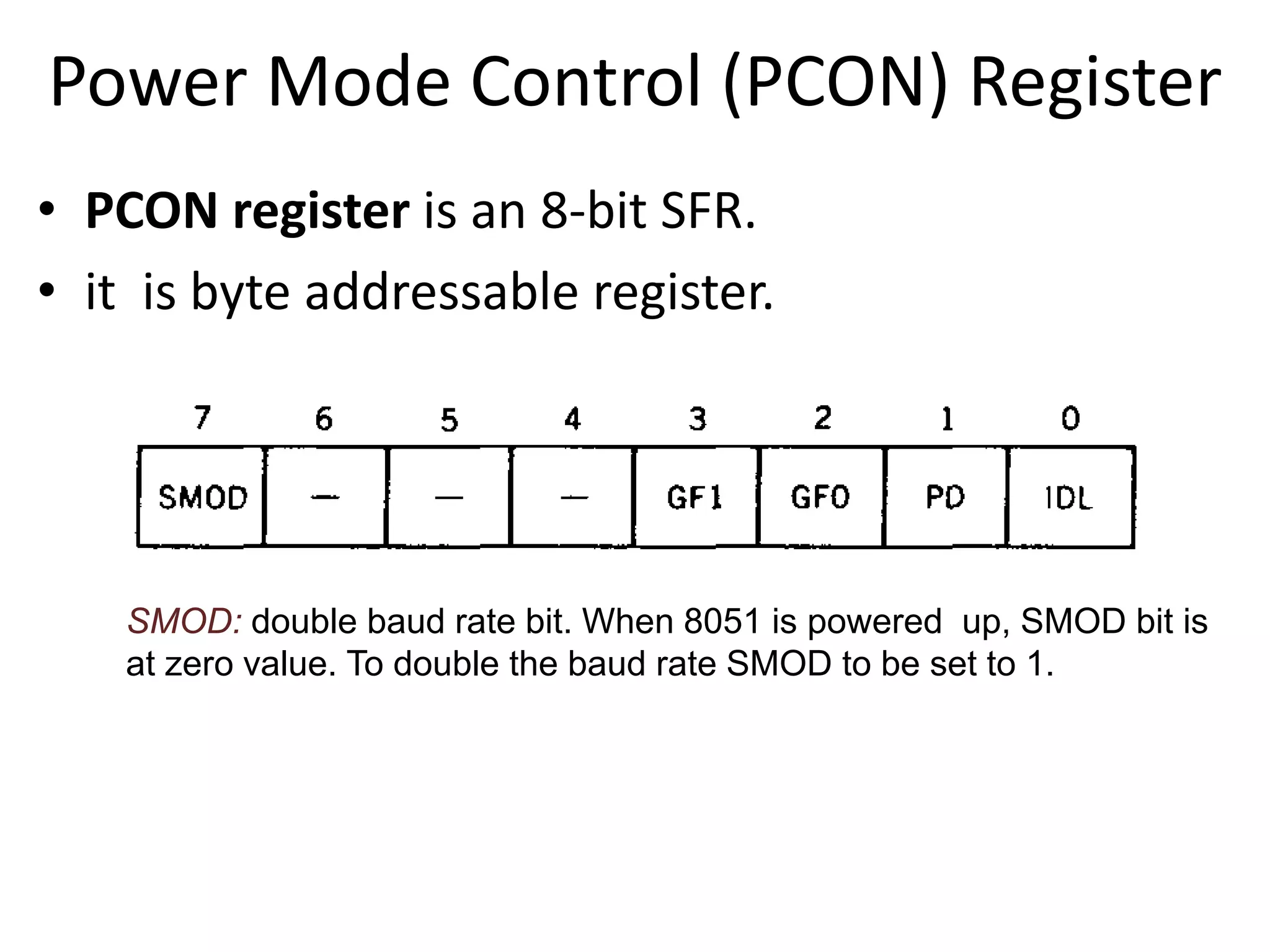
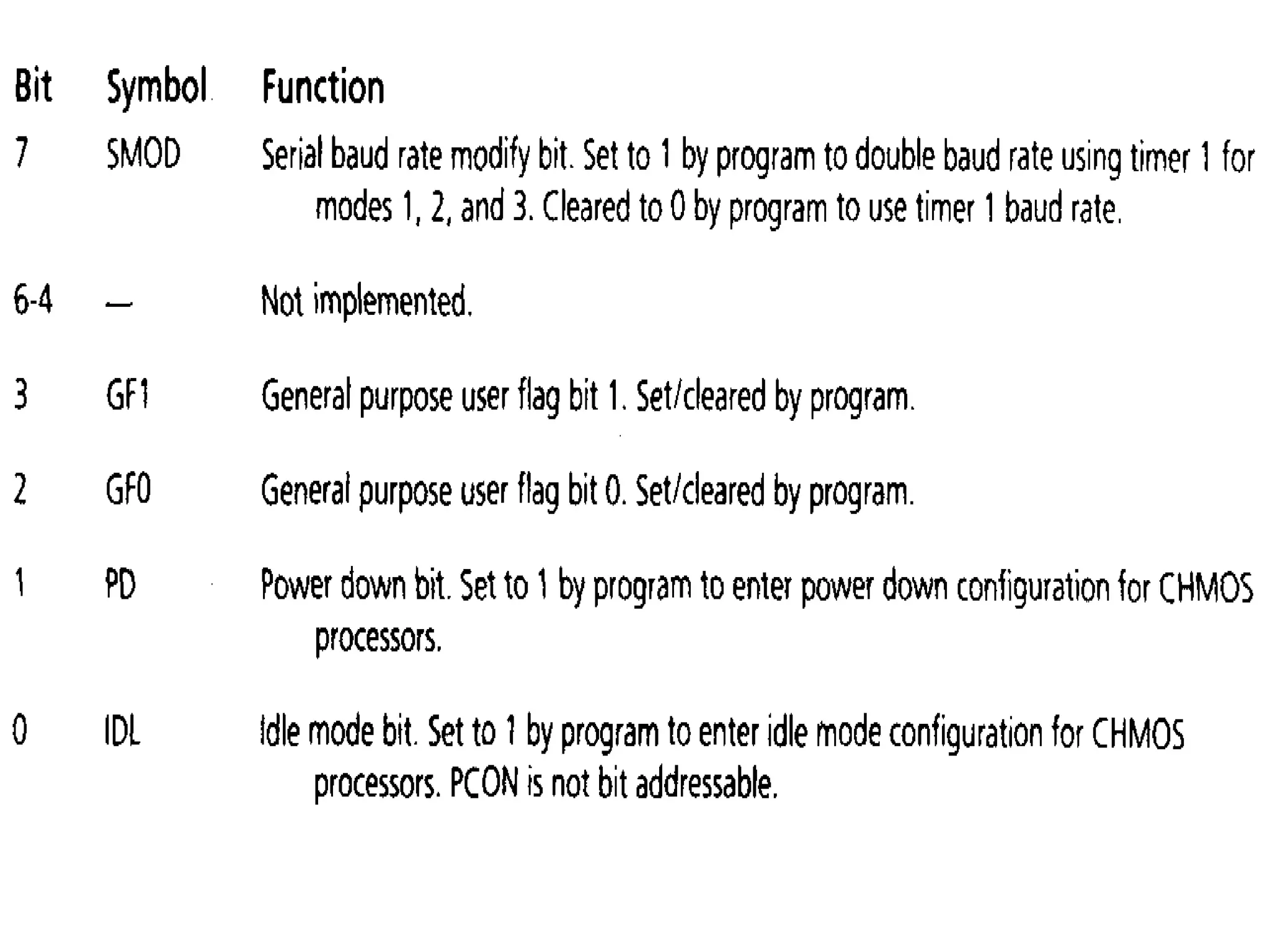
Power Mode Control (PCON) Register
• PCON register is an 8-bit SFR.
• it is byte addressable register.
SMOD: double baud rate bit. When 8051 is powered up, SMOD bit is
at zero value. To double the baud rate SMOD to be set to 1.
• PD: power down bit . Setting this bit high
activates power down mode known also sleep
mode. In this mode, the CPU puts the whole
chip to sleep by turning off the oscillator.
under this mode power consumption
becomes minimum.
• IDL : idle mode, setting this mode bit high
activates idle mode. In this mode, the
oscillator continues to provide clock to the
peripherals, but no clock is provided to the
CPU, as the CPU is under sleep state.
Note: if PD and IDL are set to high at the same
time, PD takes precedence.

8051 serialp port

  • 1.
  • 2.
    Basics of SerialCommunication • Computers transfer data in two ways:
  • 5.
    Types of Serialcommunications
  • 6.
    Asynchronous vs. SynchronousTransmission Modes • Serial data communication uses two methods – Synchronous method transfers a block of data at a time
  • 7.
    – Asynchronous methodtransfers a single byte at a time
  • 8.
    Asynchronous – Start& Stop Bit • Asynchronous serial data communication is widely used for character-oriented transmissions – Each character is placed in between start and stop bits, this is called framing. • The start bit is always one bit, but the stop bit can be one or two bits • The start bit is always a 0 (low) and the stop bit(s) is 1 (high)
  • 9.
    Asynchronous serial communicationsynchronous serial communication transmitter and receiver are not synchronized by clock. transmitter and receiver are synchronized by clock. Character may arrive at any rate at receiver. Character is received at constant rate. Data transfer is character oriented Data transfer takes place in blocks. Start and stop bits are required to establish communication of each character. Start and stop bits are not required to establish communication of each character, however ,synchronization bits are required to transfer the data block. Used in low-speed transmissions Used in high-speed transmissions
  • 10.
    • There arespecial IC’s made by many manufacturers for serial communications. – UART (universal asynchronous Receiver transmitter) – USART (universal synchronous-asynchronous Receiver-transmitter)
  • 11.
    Data Transfer Rate •The rate of data transfer in serial data communication is stated in bps (bits per second). • Another widely used terminology for bps is baud rate.
  • 12.
    • Serial portof 8051 is full duplex, means it can transmit and receive simultaneously.
  • 13.
    8051 Registers relatedto Serial Communication 1. SBUF Register -- to hold data 2. SCON Register -- controls data communication 3. PCON Register -- controls data rates
  • 14.
    SBUF Register • SBUFis an 8-bit register used for serial communication. • For a byte data to be transferred via the TxD line, it must be placed in the SBUF register. • The moment a byte is written into SBUF, it is framed with the start and stop bits and transferred serially via the TxD line. • SBUF holds the byte of data when it is received by 8051 RxD line. • When the bits are received serially via RxD, the 8051 deframes it by eliminating the stop and start bits, making a byte out of the data received, and then placing it in SBUF.
  • 15.
    NOTE: SBUF isphysically two registers . one is write only and is used to hold data to be transmitted out of the 8051 via TXD. The other is read only and holds received data from external sources via RXD. Both mutually exclusive registers use address 99h.
  • 16.
    Serial Port Control(SCON) Register SM0 SM1 SM2 REN TB8 RB8 TI RI Enable Multiprocessor Communication Mode Set to Enable Serial Data reception 9th Data Bit transmitted in Modes 2,3 9th Data Bit Received in Mode 2,3 Set when Stop bit Txed Set when a Cha- ractor received
  • 17.
  • 18.
    8051 Serial Port– Mode 0 The Serial Port in Mode-0 has the following features: 1. Serial data enters and exits through RXD 2. TXD outputs the clock 3. 8 bits are transmitted / received 4. The baud rate is fixed at (1/12) of the oscillator frequency
  • 19.
    8051 Serial Port– Mode 1 The Serial Port in Mode-1 has the following features: 1. Serial data enters through RXD 2. Serial data exits through TXD 3. On receive, the stop bit goes into RB8 in SCON 4. 10 bits are transmitted / received 1. Start bit 2. Data bits (8) 3. Stop Bit 5. Baud rate is determined by the Timer 1 over flow rate.
  • 20.
    Standard UART dataword under mode-1
  • 21.
    8051 Serial Port– Mode 2 The Serial Port in Mode-2 has the following features: 1. Serial data enters through RXD 2. Serial data exits through TXD 3. 9th data bit (TB8) can be assign value 0 or 1 4. On receive, the 9th data bit goes into RB8 in SCON 5. 11 bits are transmitted / received 1.Start bit 2.Data bits (9) 3.Stop Bit 6. Baud rate is programmable
  • 23.
    8051 Serial Port– Mode 3 The Serial Port in Mode-3 has the following features: 1. Serial data enters through RXD 2. Serial data exits through TXD 3. 9th data bit (TB8) can be assign value 0 or 1 4. On receive, the 9th data bit goes into RB8 in SCON 5. 11 bits are transmitted / received 1.Start bit 2.Data bits (9) 3.Stop Bit 6. Baud rate is determined by Timer 1 overflow rate.
  • 26.
    • REN (ReceiveEnable) also referred as SCON.4. When it is high,it allows the 8051 to receive data on the RxD pin. So to receive and transfer data REN must be set to 1.When REN=0,the receiver is disabled
  • 27.
    • TB8 &RB8 are used in mode 2 ,3
  • 28.
    • TI (Transmitinterrupt) When 8051 finishes the transfer of 8-bit character, it raises the TI flag to indicate that it is ready to transfer another byte. The TI bit is raised at the beginning of the stop bit. • RI (Receive interrupt) When the 8051 receives data serially ,via RxD, it gets rid of the start and stop bits and places the byte in the SBUF register.Then it raises the RI flag bit to indicate that a byte has been received and should be picked up before it is lost.RI is raised halfway through the stop bit.
  • 29.
    Doubling Baud Rate •There are two ways to increase the baud rate of data transfer 1. By using a higher frequency crystal 2. By changing a bit in the PCON register
  • 30.
    Power Mode Control(PCON) Register • PCON register is an 8-bit SFR. • it is byte addressable register. SMOD: double baud rate bit. When 8051 is powered up, SMOD bit is at zero value. To double the baud rate SMOD to be set to 1.
  • 32.
    • PD: powerdown bit . Setting this bit high activates power down mode known also sleep mode. In this mode, the CPU puts the whole chip to sleep by turning off the oscillator. under this mode power consumption becomes minimum.
  • 33.
    • IDL :idle mode, setting this mode bit high activates idle mode. In this mode, the oscillator continues to provide clock to the peripherals, but no clock is provided to the CPU, as the CPU is under sleep state. Note: if PD and IDL are set to high at the same time, PD takes precedence.