Using Calendars as Communication Tools

TEACHER WEBSITE WORKSHOP

EDUC W200 Week 8
ADDING A CALENDAR TO TEACHER WEBSITES
• As a teacher, one way that you can communicate
with your students/parents is through a calendar
• This week, we will show you how to use a Google
Calendar to do that!

EDUC W200 Week 8
ADDING A CALENDAR TO TEACHER WEBSITES
•

We are going to fill in the “Calendar” page of your
Teacher Website
o Create events: At least 5 items spread over the next 4 months
(Reminder: Make the events public & Publish your Calendar)
o Embed the calendar to the Teacher Website
o ULA demo

•

Have no idea what events to include? Here are some
examples…
o Homework Calendars

EDUC W200 Week 8
TEACHER WEBSITES – (150 points)
• We are getting close to the Teacher Website Draft
deadline
• How are you doing with:
o
o
o
o
o

Welcome page?
About Me page?
Tech Resources page?
Class Materials page?
Student Projects page?

Example 1
Example 2

• You need to clean up your Teacher Website
o See next slide
EDUC W200 Week 8
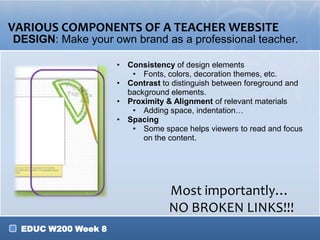
VARIOUS COMPONENTS OF A TEACHER WEBSITE
DESIGN: Make your own brand as a professional teacher.
• Consistency of design elements
• Fonts, colors, decoration themes, etc.
• Contrast to distinguish between foreground and
background elements.
• Proximity & Alignment of relevant materials
• Adding space, indentation…
• Spacing
• Some space helps viewers to read and focus
on the content.

Most importantly…
NO BROKEN LINKS!!!
EDUC W200 Week 8

6. teacher website workshop

  • 1.
    Using Calendars asCommunication Tools TEACHER WEBSITE WORKSHOP EDUC W200 Week 8
  • 2.
    ADDING A CALENDARTO TEACHER WEBSITES • As a teacher, one way that you can communicate with your students/parents is through a calendar • This week, we will show you how to use a Google Calendar to do that! EDUC W200 Week 8
  • 3.
    ADDING A CALENDARTO TEACHER WEBSITES • We are going to fill in the “Calendar” page of your Teacher Website o Create events: At least 5 items spread over the next 4 months (Reminder: Make the events public & Publish your Calendar) o Embed the calendar to the Teacher Website o ULA demo • Have no idea what events to include? Here are some examples… o Homework Calendars EDUC W200 Week 8
  • 4.
    TEACHER WEBSITES –(150 points) • We are getting close to the Teacher Website Draft deadline • How are you doing with: o o o o o Welcome page? About Me page? Tech Resources page? Class Materials page? Student Projects page? Example 1 Example 2 • You need to clean up your Teacher Website o See next slide EDUC W200 Week 8
  • 5.
    VARIOUS COMPONENTS OFA TEACHER WEBSITE DESIGN: Make your own brand as a professional teacher. • Consistency of design elements • Fonts, colors, decoration themes, etc. • Contrast to distinguish between foreground and background elements. • Proximity & Alignment of relevant materials • Adding space, indentation… • Spacing • Some space helps viewers to read and focus on the content. Most importantly… NO BROKEN LINKS!!! EDUC W200 Week 8