

COMP 113
Social Media & Online Communities, Summer School 2012


              6: Privacy, terms & identity
Remember that Tuesday and Wednesday
      classes swap next week!


                                      2
PART 1: Terms of
    privacy
                   3
Recall these from Tuesday?


                             4
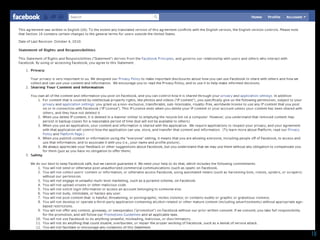
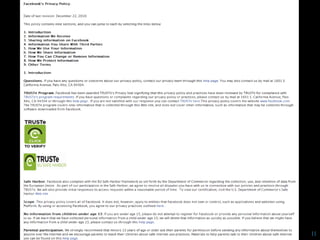
TOS and privacy policies
   Provided by all community-driven websites
    – E.g., Facebook, Twitter, Ning, etc.
   Governs collection, storage, transfer, usage, etc.
    of user data by operators (services)
   Sets expectations of behaviour and
    responsibilities of both parties
   Users agree to adhere to TOS and privacy policy
   Lays out consequences of breaching TOS or
    privacy guidelines
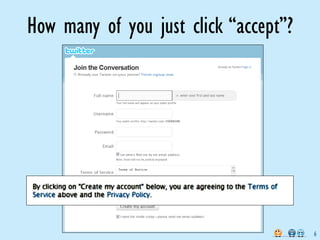
How many of you just click “accept”?


                                       6
Types of data collection
   Mandatory personal information:
    – Collected on registration
    – Name, email address, password
   Optional personal information:
    – Identity driven
    – Biography, photos, tags, location, interests, ...
   Log information:
    – Automatic (IP address, browser, visited pages, ...)
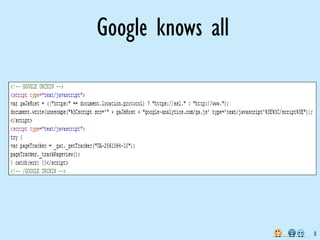
    – 3rd party services (Google analytics)
    – Cookies (file stored on your machine)
Google knows all


                   8
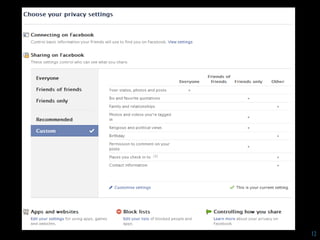
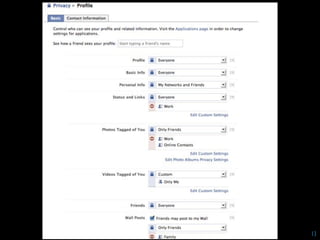
Privacy
   Typically legal requirement to provide a
    privacy (data usage) policy:
    – e.g., privacy act 1993 NZ
   Issues:
    – Implicit agreement
    – Jurisdictions
    – Policy relating to children (min. age)
    – Business acquisitions, bankruptcy, ...
    – Disclosure to law enforcement
10
11
12
13
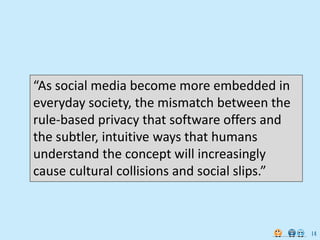
“As social media become more embedded in
everyday society, the mismatch between the
        danah boyd says ...
rule-based privacy that software offers and
the subtler, intuitive ways that humans
understand the concept will increasingly
cause cultural collisions and social slips.”


                                               14
[Source: http://online.wsj.com/]   15
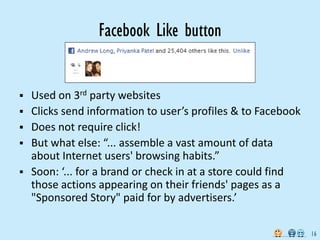
Facebook Like button


   Used on 3rd party websites
   Clicks send information to user’s profiles & to Facebook
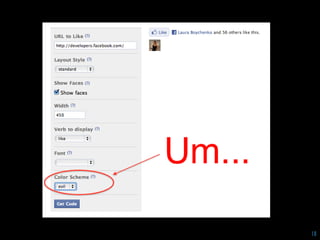
   Does not require click!
   But what else: “... assemble a vast amount of data
    about Internet users' browsing habits.”
   Soon: ‘... for a brand or check in at a store could find
    those actions appearing on their friends' pages as a
    "Sponsored Story" paid for by advertisers.’

                                                               16
Facebook says ...
“We do not share or sell the information we see
when you visit a website with a Facebook social
plugin to third parties and we do not use it to deliver
ads to you. In addition, we will delete the data (i.e.,
data we receive when you see social plugins)
associated with users in 90 days. We may keep
aggregated and anonymized data (not associated
with specific users) after 90 days for improving our
products and services. This is consistent with
standard industry practice.”

                                                          17
18
19
Time for a short commercial break


      Go on, get outside!
Time for you to get busy
   Compare Facebook and Twitter privacy policies
    and answer these questions:
    1. Which privacy policy is easiest to locate?
    2. Which is the most onerous and why?
    3. Which (if any) appears to hold user’s interests as
       paramount?
    4. Which service do you trust more?
    5. Anything in the policies that you find especially
       troubling?
    6. Are there any other privacy issues that these
       services can’t control?

                                                            21
END OF PART 1


                22
PART 2: Identity
 management
                   23
24
What do people do to manage accounts?
 Use the same username/password for multiple
  sites
 Use their browser's ability to remember their
  password (enabled by default)
 Don't register for the new site
 Don't ever log in to the site
 Log in once, click "remember me"
 Click the back button on their browser and never
  come back to the site
 Maintain a list of user IDs and passwords in an
  offline document
                                                     25
Other more secure methods
   Store account details in a “password vault”:
    – On your PC (e.g., protected by fingerprint recognition)
    – In a portable USB device, protected by a strong pass
      phrase
    – On a trustworthy online service, e.g., mashedlife.com
 Login using an OpenID account where possible
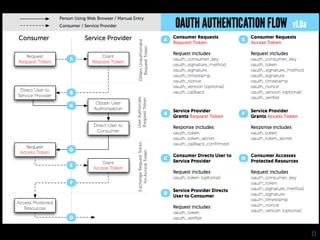
 Use popular online service (e.g., Facebook Connect,
  Twitter OAuth, ...)
27
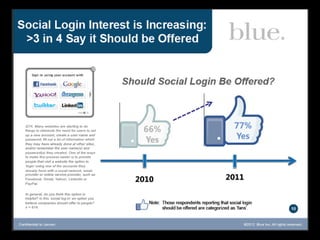
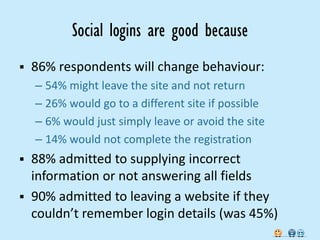
Social logins are good because
   86% respondents will change behaviour:
    – 54% might leave the site and not return
    – 26% would go to a different site if possible
    – 6% would just simply leave or avoid the site
    – 14% would not complete the registration
   88% admitted to supplying incorrect
    information or not answering all fields
   90% admitted to leaving a website if they
    couldn’t remember login details (was 45%)
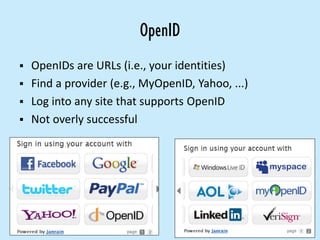
OpenID
 OpenIDs are URLs (i.e., your identities)
 Find a provider (e.g., MyOpenID, Yahoo, ...)
 Log into any site that supports OpenID
 Not overly successful
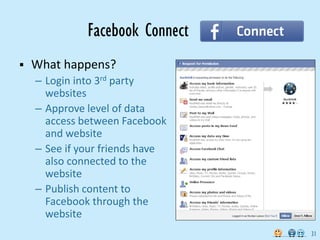
Facebook Connect
   What happens?
    – Login into 3rd party
      websites
    – Approve level of data
      access between Facebook
      and website
    – See if your friends have
      also connected to the
      website
    – Publish content to
      Facebook through the
      website
                                 31
32
The End

          33

6: privacy terms

  • 1.
    COMP 113 Social Media& Online Communities, Summer School 2012 6: Privacy, terms & identity
  • 2.
    Remember that Tuesdayand Wednesday classes swap next week! 2
  • 3.
    PART 1: Termsof privacy 3
  • 4.
  • 5.
    TOS and privacypolicies  Provided by all community-driven websites – E.g., Facebook, Twitter, Ning, etc.  Governs collection, storage, transfer, usage, etc. of user data by operators (services)  Sets expectations of behaviour and responsibilities of both parties  Users agree to adhere to TOS and privacy policy  Lays out consequences of breaching TOS or privacy guidelines
  • 6.
    How many ofyou just click “accept”? 6
  • 7.
    Types of datacollection  Mandatory personal information: – Collected on registration – Name, email address, password  Optional personal information: – Identity driven – Biography, photos, tags, location, interests, ...  Log information: – Automatic (IP address, browser, visited pages, ...) – 3rd party services (Google analytics) – Cookies (file stored on your machine)
  • 8.
  • 9.
    Privacy  Typically legal requirement to provide a privacy (data usage) policy: – e.g., privacy act 1993 NZ  Issues: – Implicit agreement – Jurisdictions – Policy relating to children (min. age) – Business acquisitions, bankruptcy, ... – Disclosure to law enforcement
  • 10.
  • 11.
  • 12.
  • 13.
  • 14.
    “As social mediabecome more embedded in everyday society, the mismatch between the danah boyd says ... rule-based privacy that software offers and the subtler, intuitive ways that humans understand the concept will increasingly cause cultural collisions and social slips.” 14
  • 15.
  • 16.
    Facebook Like button  Used on 3rd party websites  Clicks send information to user’s profiles & to Facebook  Does not require click!  But what else: “... assemble a vast amount of data about Internet users' browsing habits.”  Soon: ‘... for a brand or check in at a store could find those actions appearing on their friends' pages as a "Sponsored Story" paid for by advertisers.’ 16
  • 17.
    Facebook says ... “Wedo not share or sell the information we see when you visit a website with a Facebook social plugin to third parties and we do not use it to deliver ads to you. In addition, we will delete the data (i.e., data we receive when you see social plugins) associated with users in 90 days. We may keep aggregated and anonymized data (not associated with specific users) after 90 days for improving our products and services. This is consistent with standard industry practice.” 17
  • 18.
  • 19.
  • 20.
    Time for ashort commercial break Go on, get outside!
  • 21.
    Time for youto get busy  Compare Facebook and Twitter privacy policies and answer these questions: 1. Which privacy policy is easiest to locate? 2. Which is the most onerous and why? 3. Which (if any) appears to hold user’s interests as paramount? 4. Which service do you trust more? 5. Anything in the policies that you find especially troubling? 6. Are there any other privacy issues that these services can’t control? 21
  • 22.
  • 23.
    PART 2: Identity management 23
  • 24.
  • 25.
    What do peopledo to manage accounts?  Use the same username/password for multiple sites  Use their browser's ability to remember their password (enabled by default)  Don't register for the new site  Don't ever log in to the site  Log in once, click "remember me"  Click the back button on their browser and never come back to the site  Maintain a list of user IDs and passwords in an offline document 25
  • 26.
    Other more securemethods  Store account details in a “password vault”: – On your PC (e.g., protected by fingerprint recognition) – In a portable USB device, protected by a strong pass phrase – On a trustworthy online service, e.g., mashedlife.com  Login using an OpenID account where possible  Use popular online service (e.g., Facebook Connect, Twitter OAuth, ...)
  • 27.
  • 29.
    Social logins aregood because  86% respondents will change behaviour: – 54% might leave the site and not return – 26% would go to a different site if possible – 6% would just simply leave or avoid the site – 14% would not complete the registration  88% admitted to supplying incorrect information or not answering all fields  90% admitted to leaving a website if they couldn’t remember login details (was 45%)
  • 30.
    OpenID  OpenIDs areURLs (i.e., your identities)  Find a provider (e.g., MyOpenID, Yahoo, ...)  Log into any site that supports OpenID  Not overly successful
  • 31.
    Facebook Connect  What happens? – Login into 3rd party websites – Approve level of data access between Facebook and website – See if your friends have also connected to the website – Publish content to Facebook through the website 31
  • 32.
  • 33.