THE INSTITUTE OF CHARTERED
ACCOUNTANTS OF INDIA
Submitted By: Devashish Bharti
Registration No.: ERO0211459
“DATA PRIVACY OVER
INTERNET”
DEFINITION : INTERNET PRIVACY INVOLVES THE RIGHT OR
MANDATE OF PERSONAL PRIVACY CONCERNING THE STORING,
REPURPOSING, PROVISION TO THIRD PARTIES, AND DISPLAYING OF
INFORMATION PERTAINING TO ONESELF VIA OF THE INTERNET.
Types of Privacy:-
There are two types of privacy of data based on data availability i.e.,
Online privacy and Offline privacy but both are same in terms of
privacy protection.
Is Internet Privacy A Human Right?
 Privacy has already had numerous “obituaries” written over the
years. Some claim that privacy was dead long ago with the
advent of the internet and social media. The threat of terrorism
has compounded the erosion of privacy as successive
governments slowly roll back laws to collect and protect data
and communications online.
 We now live in a world where phone calls are closely monitored,
security cameras record every move, and internet giants offer a
backdoor to our personal data to the highest bidder and most
relevant authority.
 The United Nations Human Rights Council, the International
Covenant on Civil and Political Rights, a number of national and
international treaties, and the constitutions of various countries
enshrine ‘privacy’ as a Fundamental Human Rights.
 Recently, In an April 2014 decision by the European Court of
Justice (ECJ) declared that the European Data Retention Directive
was a gross violation of privacy rights under European law and,
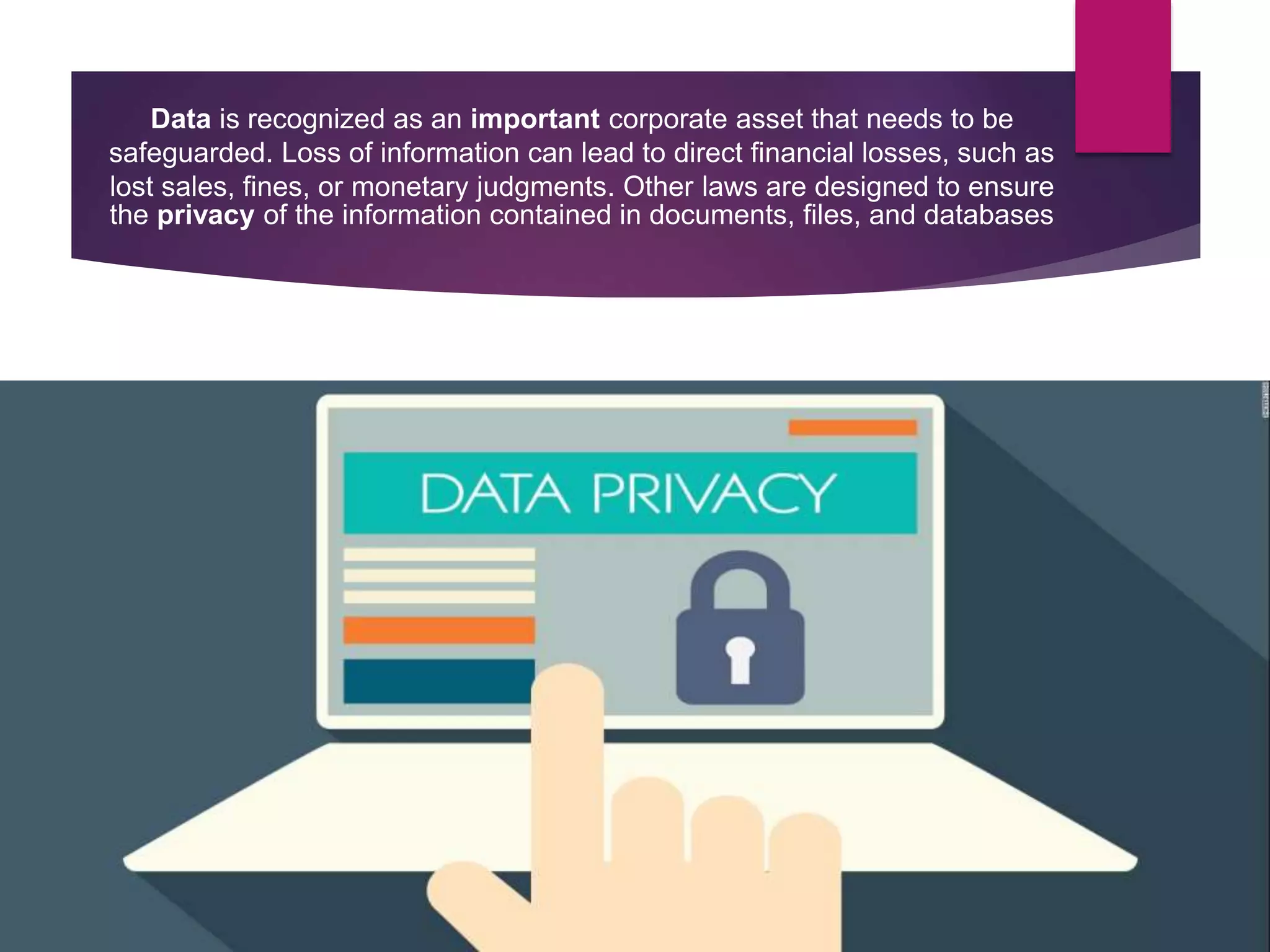
Data is recognized as an important corporate asset that needs to be
safeguarded. Loss of information can lead to direct financial losses, such as
lost sales, fines, or monetary judgments. Other laws are designed to ensure
the privacy of the information contained in documents, files, and databases
Risks to Internet privacy
 Companies are hired to watch what internet sites people visit, and then use
the information, for instance by sending advertising based on one's browsing
history. There are many ways in which people can divulge their personal
information, for instance by use of "social media" and by sending bank and
credit card information to various websites.
 Moreover, directly observed behaviour, such as browsing logs, search
queries, or contents of the Facebook profile can be automatically processed
to infer potentially more intrusive details about an individual, such as sexual
orientation, political and religious views, preferences, substance use,
intelligence, and personality.
 Several social networking sites try to protect the personal information of their
subscribers. On Facebook, for example, privacy settings are available to all
registered users: they can block certain individuals from seeing their profile,
they can choose their "friends", and they can limit who has access to one's
pictures and videos. Privacy settings are also available on other social
networking sites such as Google Plus and Twitter.
 Children and adolescents often use the Internet (including social media) in
ways which risk their privacy: a cause for growing concern among parents.
 Young people also may not realise that all their information and browsing
can and may be tracked while visiting a particular site, and that it is up to
them to protect their own privacy. They must be informed about all these
risks.
 For example, on Twitter, threats include shortened links that lead one to
potentially harmful places. In their email inbox, threats include email scams
and attachments that get them to install malware and disclose personal
information. On Torrent sites, threats include malware hiding in video,
music, and software downloads. Even when using a smartphone, threats
include geo-location, meaning that one's phone can detect where they are
and post it online for all to see.
 Users can protect themselves by updating virus protection, using security
settings, downloading patches, installing a firewall, screening email,
shutting down spyware, controlling cookies, using encryption, fending off
browser hijackers, and blocking pop-ups.
Cookie
 An HTTP cookie is data stored on a user's computer that assists in
automated access to websites or web features, or other information
required in complex web sites. It may also be used for user-tracking
by storing special usage history data in a cookie, and such cookies—
for example, those used by Google Analytics—are called tracking
cookies.
 Cookies are a common concern in the field of Internet privacy.
Although website developers most commonly used cookies are for
legitimate technical purposes, cases of abuse may still occur.
 Cookies do have benefits that many people may not know. One
benefit is that, for some websites that one frequently visits that
require a password, cookies make it possible in some way so they do
not have to sign in every time. A cookie can also track one's
preferences to show them websites that might interest them. Cookies
make more websites free to use without any type of payment.
 Some of these benefits are also seen as negative. For example, one of
the most common ways of theft is hackers taking one's username and
password that a cookie saves. While a lot of sites are free, they have
to make a profit somehow so they sell their space to advertisers.
 Cookies are mostly harmless except for third-party cookies.
These cookies are not made by the website itself, but by web
banner advertising companies. These third-party cookies are
so dangerous because they take the same information that
regular cookies do, such as browsing habits and frequently
visited websites, but then they give out this information to
other companies.
 Cookies store unique identifiers on a person's computer that
are used to predict what one wants. Many advertisement
companies want to use this technology to track what their
customers are looking at online.
Some habits which may create
Privacy concerns nowadays are:-
 Photographs on the Internet.
 Google Street View.
 Search engines.
 Social networking sites.
 Internet service providers.
 HTML5 which stores data on Web Cloud as well as in System
itself.
 Big Data by
Facebook, Google, Apple, Spotify or GPS systems.
Other potential Internet privacy risks :-
 Malware is a term short for "malicious software" and is used to describe software to
cause damage to a single computer, server, or computer network whether that is
through the use of a virus, trojan horse, spyware, etc.
 Spyware is a piece of software that obtains information from a user's computer
without that user's consent.
 A web bug is an object embedded into a web page or email and is usually invisible to
the user of the website or reader of the email. It allows checking to see if a person has
looked at a particular website or read a specific email message.
 Phishing is a criminally fraudulent process of trying to obtain sensitive information
such as user names, passwords, credit card or bank information. Phishing is an
internet crime in which someone masquerades as a trustworthy entity in some form
of electronic communication.
 Pharming is a hacker's attempt to redirect traffic from a legitimate website to a
completely different internet address. Pharming can be conducted by changing the
hosts file on a victim’s computer or by exploiting a vulnerability on the DNS server.
 Social engineering where people are manipulated or tricked into performing actions
or divulging confidential information.
 Malicious proxy server (or other "anonymity" services).
 Use of weak passwords that are short, consist of all numbers, all lowercase or all
uppercase letters, or that can be easily guessed such as single words, common phrases, a
person's name, a pet's name, the name of a place, an address, a phone number, a social
security number, or a birth date.
 Using the same login name and/or password for multiple accounts where one
compromised account leads to other accounts being compromised.
 Allowing unused or little used accounts, where unauthorized use is likely to go
unnoticed, to remain active.
 Using out-of-date software that may contain vulnerabilities that have been fixed in newer
more up-to-date versions.
 WebRTC is a protocol which suffers from a serious security flaw that compromises the
privacy of VPN-tunnels, by allowing the true IP address of the user to be read. It is
enabled by default in major browsers such as Firefox and Google Chrome.
 Ransomware is a type of malicious software from cryptovirology that threatens to publish
the victim's data or perpetually block access to it unless a ransom is paid. While some
simple ransomware may lock the system in a way which is not difficult for a
knowledgeable person to reverse, more advanced malware uses a technique
called cryptoviral extortion, in which it encrypts the victim's files, making them
inaccessible, and demands a ransom payment to decrypt them.
Some privacy protection measures which helps in controlling data breach and
restricting retention of data over internet without users’ consent are:
 Global privacy policies
 Data protection regulation of such Country
 Internet privacy in some Countries like China
 Decision of European Court of Justice (ECJ)
 Encryption and Additional security features
 Some Privacy focused search engines/browsers
a. DuckDuckGo
b. MetaGer
c. Ixquick
d. Yacy
e. Search Encrypt
f. Tor Browser (The Onion Router)
The Need for Encryption:
While legislations catch up in different parts of the world and
internet data has no boundary limit, billions of citizens are
left without any means of data protection.
This has encouraged whistle-blowers like Edward Snowden to
insist on better encryption and tighter protection of online
data. Internet users are encouraged to take matters into their
own hands and lock down all private information online. Tools
such as end-to-end encryption and two-step verification can
ensure data is online accessible by authorized individuals.
In an era of widespread surveillance and warrantless privacy
breaches, encryption is more necessary than ever.
“Governments have rolled out extensive surveillance
operations and online privacy is still under threat from
large corporations and rouge cyber criminals. Tight
encryption and better online security measures seem to
be the best option for individuals and businesses
concerned about their data privacy.”
Devashish Bharti
www.dbharti.com
“Inputs are most welcome at devashish.bharti@icai.org”

Data privacy over internet

  • 1.
    THE INSTITUTE OFCHARTERED ACCOUNTANTS OF INDIA Submitted By: Devashish Bharti Registration No.: ERO0211459 “DATA PRIVACY OVER INTERNET”
  • 2.
    DEFINITION : INTERNETPRIVACY INVOLVES THE RIGHT OR MANDATE OF PERSONAL PRIVACY CONCERNING THE STORING, REPURPOSING, PROVISION TO THIRD PARTIES, AND DISPLAYING OF INFORMATION PERTAINING TO ONESELF VIA OF THE INTERNET. Types of Privacy:- There are two types of privacy of data based on data availability i.e., Online privacy and Offline privacy but both are same in terms of privacy protection.
  • 3.
    Is Internet PrivacyA Human Right?  Privacy has already had numerous “obituaries” written over the years. Some claim that privacy was dead long ago with the advent of the internet and social media. The threat of terrorism has compounded the erosion of privacy as successive governments slowly roll back laws to collect and protect data and communications online.  We now live in a world where phone calls are closely monitored, security cameras record every move, and internet giants offer a backdoor to our personal data to the highest bidder and most relevant authority.  The United Nations Human Rights Council, the International Covenant on Civil and Political Rights, a number of national and international treaties, and the constitutions of various countries enshrine ‘privacy’ as a Fundamental Human Rights.  Recently, In an April 2014 decision by the European Court of Justice (ECJ) declared that the European Data Retention Directive was a gross violation of privacy rights under European law and,
  • 4.
    Data is recognizedas an important corporate asset that needs to be safeguarded. Loss of information can lead to direct financial losses, such as lost sales, fines, or monetary judgments. Other laws are designed to ensure the privacy of the information contained in documents, files, and databases
  • 5.
    Risks to Internetprivacy  Companies are hired to watch what internet sites people visit, and then use the information, for instance by sending advertising based on one's browsing history. There are many ways in which people can divulge their personal information, for instance by use of "social media" and by sending bank and credit card information to various websites.  Moreover, directly observed behaviour, such as browsing logs, search queries, or contents of the Facebook profile can be automatically processed to infer potentially more intrusive details about an individual, such as sexual orientation, political and religious views, preferences, substance use, intelligence, and personality.  Several social networking sites try to protect the personal information of their subscribers. On Facebook, for example, privacy settings are available to all registered users: they can block certain individuals from seeing their profile, they can choose their "friends", and they can limit who has access to one's pictures and videos. Privacy settings are also available on other social networking sites such as Google Plus and Twitter.
  • 6.
     Children andadolescents often use the Internet (including social media) in ways which risk their privacy: a cause for growing concern among parents.  Young people also may not realise that all their information and browsing can and may be tracked while visiting a particular site, and that it is up to them to protect their own privacy. They must be informed about all these risks.  For example, on Twitter, threats include shortened links that lead one to potentially harmful places. In their email inbox, threats include email scams and attachments that get them to install malware and disclose personal information. On Torrent sites, threats include malware hiding in video, music, and software downloads. Even when using a smartphone, threats include geo-location, meaning that one's phone can detect where they are and post it online for all to see.  Users can protect themselves by updating virus protection, using security settings, downloading patches, installing a firewall, screening email, shutting down spyware, controlling cookies, using encryption, fending off browser hijackers, and blocking pop-ups.
  • 7.
    Cookie  An HTTPcookie is data stored on a user's computer that assists in automated access to websites or web features, or other information required in complex web sites. It may also be used for user-tracking by storing special usage history data in a cookie, and such cookies— for example, those used by Google Analytics—are called tracking cookies.  Cookies are a common concern in the field of Internet privacy. Although website developers most commonly used cookies are for legitimate technical purposes, cases of abuse may still occur.  Cookies do have benefits that many people may not know. One benefit is that, for some websites that one frequently visits that require a password, cookies make it possible in some way so they do not have to sign in every time. A cookie can also track one's preferences to show them websites that might interest them. Cookies make more websites free to use without any type of payment.  Some of these benefits are also seen as negative. For example, one of the most common ways of theft is hackers taking one's username and password that a cookie saves. While a lot of sites are free, they have to make a profit somehow so they sell their space to advertisers.
  • 8.
     Cookies aremostly harmless except for third-party cookies. These cookies are not made by the website itself, but by web banner advertising companies. These third-party cookies are so dangerous because they take the same information that regular cookies do, such as browsing habits and frequently visited websites, but then they give out this information to other companies.  Cookies store unique identifiers on a person's computer that are used to predict what one wants. Many advertisement companies want to use this technology to track what their customers are looking at online.
  • 9.
    Some habits whichmay create Privacy concerns nowadays are:-  Photographs on the Internet.  Google Street View.  Search engines.  Social networking sites.  Internet service providers.  HTML5 which stores data on Web Cloud as well as in System itself.  Big Data by Facebook, Google, Apple, Spotify or GPS systems.
  • 10.
    Other potential Internetprivacy risks :-  Malware is a term short for "malicious software" and is used to describe software to cause damage to a single computer, server, or computer network whether that is through the use of a virus, trojan horse, spyware, etc.  Spyware is a piece of software that obtains information from a user's computer without that user's consent.  A web bug is an object embedded into a web page or email and is usually invisible to the user of the website or reader of the email. It allows checking to see if a person has looked at a particular website or read a specific email message.  Phishing is a criminally fraudulent process of trying to obtain sensitive information such as user names, passwords, credit card or bank information. Phishing is an internet crime in which someone masquerades as a trustworthy entity in some form of electronic communication.  Pharming is a hacker's attempt to redirect traffic from a legitimate website to a completely different internet address. Pharming can be conducted by changing the hosts file on a victim’s computer or by exploiting a vulnerability on the DNS server.  Social engineering where people are manipulated or tricked into performing actions or divulging confidential information.  Malicious proxy server (or other "anonymity" services).
  • 11.
     Use ofweak passwords that are short, consist of all numbers, all lowercase or all uppercase letters, or that can be easily guessed such as single words, common phrases, a person's name, a pet's name, the name of a place, an address, a phone number, a social security number, or a birth date.  Using the same login name and/or password for multiple accounts where one compromised account leads to other accounts being compromised.  Allowing unused or little used accounts, where unauthorized use is likely to go unnoticed, to remain active.  Using out-of-date software that may contain vulnerabilities that have been fixed in newer more up-to-date versions.  WebRTC is a protocol which suffers from a serious security flaw that compromises the privacy of VPN-tunnels, by allowing the true IP address of the user to be read. It is enabled by default in major browsers such as Firefox and Google Chrome.  Ransomware is a type of malicious software from cryptovirology that threatens to publish the victim's data or perpetually block access to it unless a ransom is paid. While some simple ransomware may lock the system in a way which is not difficult for a knowledgeable person to reverse, more advanced malware uses a technique called cryptoviral extortion, in which it encrypts the victim's files, making them inaccessible, and demands a ransom payment to decrypt them.
  • 12.
    Some privacy protectionmeasures which helps in controlling data breach and restricting retention of data over internet without users’ consent are:  Global privacy policies  Data protection regulation of such Country  Internet privacy in some Countries like China  Decision of European Court of Justice (ECJ)  Encryption and Additional security features  Some Privacy focused search engines/browsers a. DuckDuckGo b. MetaGer c. Ixquick d. Yacy e. Search Encrypt f. Tor Browser (The Onion Router)
  • 13.
    The Need forEncryption: While legislations catch up in different parts of the world and internet data has no boundary limit, billions of citizens are left without any means of data protection. This has encouraged whistle-blowers like Edward Snowden to insist on better encryption and tighter protection of online data. Internet users are encouraged to take matters into their own hands and lock down all private information online. Tools such as end-to-end encryption and two-step verification can ensure data is online accessible by authorized individuals. In an era of widespread surveillance and warrantless privacy breaches, encryption is more necessary than ever.
  • 14.
    “Governments have rolledout extensive surveillance operations and online privacy is still under threat from large corporations and rouge cyber criminals. Tight encryption and better online security measures seem to be the best option for individuals and businesses concerned about their data privacy.”
  • 15.
    Devashish Bharti www.dbharti.com “Inputs aremost welcome at devashish.bharti@icai.org”