
Customer Relationship
    Management
Microsoft Dynamics AX 2009
Telemarketing

Telemarketing deals with creating, registering, and
administering the telephonic contact between a
company and its business relations.

Telemarketing is another section of CRM that works a
round contact persons rather than business relations.
Telemarketing

Setup:

Create activities automatically at various stages of the
telemarketing campaign.


          CRM > SETUP > PARAMETERS > ACTIVITIES TAB
Telemarketing

Reason Canceled:

Define the reason if call is canceled.
Examples:
• The target is not interested
• The target is unavailable
• The target is no longer with the company
• The target is temporarily out of the office


                  CRM > SETUP > TELEMARKETING > REASON CANCELED
Telemarketing

Setup:

Create activities automatically at various stages of the
telemarketing campaign.


          CRM > SETUP > PARAMETERS > ACTIVITIES TAB
Telemarketing

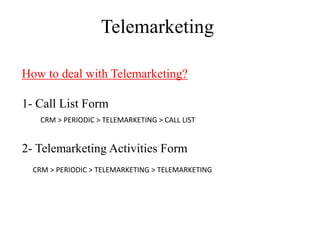
How to deal with Telemarketing?

1- Call List Form
   CRM > PERIODIC > TELEMARKETING > CALL LIST


2- Telemarketing Activities Form
  CRM > PERIODIC > TELEMARKETING > TELEMARKETING
Telemarketing

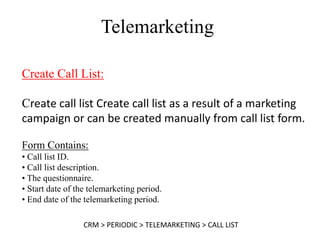
Create Call List:

Create call list Create call list as a result of a marketing
campaign or can be created manually from call list form.

Form Contains:
• Call list ID.
• Call list description.
• The questionnaire.
• Start date of the telemarketing period.
• End date of the telemarketing period.

                  CRM > PERIODIC > TELEMARKETING > CALL LIST
Telemarketing

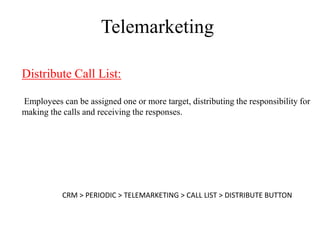
Distribute Call List:

Employees can be assigned one or more target, distributing the responsibility for
making the calls and receiving the responses.


           CRM > PERIODIC > TELEMARKETING > CALL LIST > DISTRIBUTE BUTTON
Telemarketing

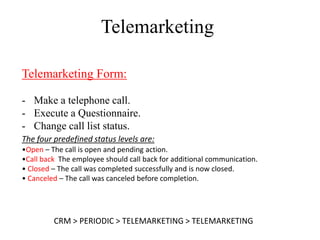
Telemarketing Form:

- Make a telephone call.
- Execute a Questionnaire.
- Change call list status.
The four predefined status levels are:
•Open – The call is open and pending action.
•Call back The employee should call back for additional communication.
• Closed – The call was completed successfully and is now closed.
• Canceled – The call was canceled before completion.


         CRM > PERIODIC > TELEMARKETING > TELEMARKETING

5 AX CRM telemarketing

  • 1.
    Customer Relationship Management Microsoft Dynamics AX 2009
  • 2.
    Telemarketing Telemarketing deals withcreating, registering, and administering the telephonic contact between a company and its business relations. Telemarketing is another section of CRM that works a round contact persons rather than business relations.
  • 3.
    Telemarketing Setup: Create activities automaticallyat various stages of the telemarketing campaign. CRM > SETUP > PARAMETERS > ACTIVITIES TAB
  • 4.
    Telemarketing Reason Canceled: Define thereason if call is canceled. Examples: • The target is not interested • The target is unavailable • The target is no longer with the company • The target is temporarily out of the office CRM > SETUP > TELEMARKETING > REASON CANCELED
  • 5.
    Telemarketing Setup: Create activities automaticallyat various stages of the telemarketing campaign. CRM > SETUP > PARAMETERS > ACTIVITIES TAB
  • 6.
    Telemarketing How to dealwith Telemarketing? 1- Call List Form CRM > PERIODIC > TELEMARKETING > CALL LIST 2- Telemarketing Activities Form CRM > PERIODIC > TELEMARKETING > TELEMARKETING
  • 7.
    Telemarketing Create Call List: Createcall list Create call list as a result of a marketing campaign or can be created manually from call list form. Form Contains: • Call list ID. • Call list description. • The questionnaire. • Start date of the telemarketing period. • End date of the telemarketing period. CRM > PERIODIC > TELEMARKETING > CALL LIST
  • 8.
    Telemarketing Distribute Call List: Employeescan be assigned one or more target, distributing the responsibility for making the calls and receiving the responses. CRM > PERIODIC > TELEMARKETING > CALL LIST > DISTRIBUTE BUTTON
  • 9.
    Telemarketing Telemarketing Form: - Makea telephone call. - Execute a Questionnaire. - Change call list status. The four predefined status levels are: •Open – The call is open and pending action. •Call back The employee should call back for additional communication. • Closed – The call was completed successfully and is now closed. • Canceled – The call was canceled before completion. CRM > PERIODIC > TELEMARKETING > TELEMARKETING