PHP & MySQL
(Registration Page)

by: Engr. Esmeraldo T. Guimbarda Jr.
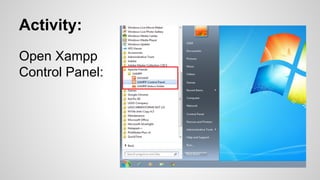
Activity:
Open Xampp
Control Panel:
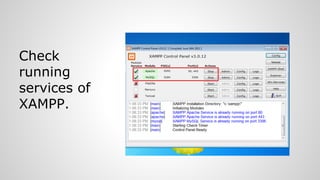
Check
running
services of
XAMPP.
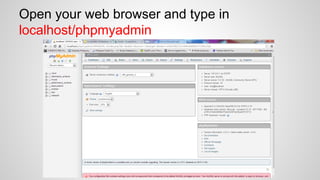
Open your web browser and type in
localhost/phpmyadmin
1.
2.
3.

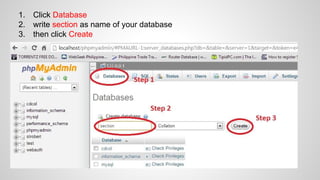
Click Database
write section as name of your database
then click Create
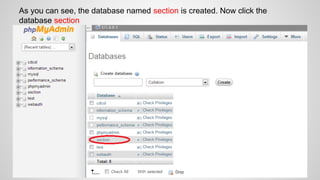
As you can see, the database named section is created. Now click the
database section
1.
2.
3.
4.

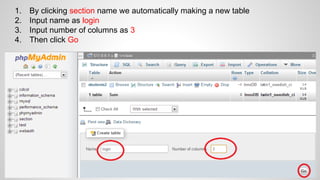
By clicking section name we automatically making a new table
Input name as login
Input number of columns as 3
Then click Go
1.

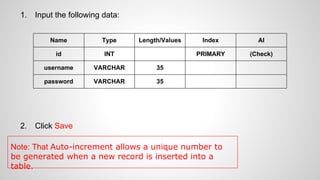
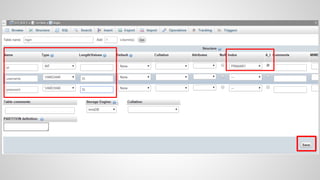
Input the following data:
Name
id

INT

username

VARCHAR

35

password

2.

Type

Length/Values

VARCHAR

Index

AI

PRIMARY

(Check)

35

Click Save

Note: That Auto-increment allows a unique number to
be generated when a new record is inserted into a
table.
now create a HTML & a PHP file to connect
with the database which was created in MySQL
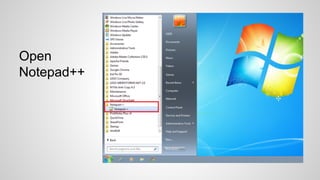
Open
Notepad++
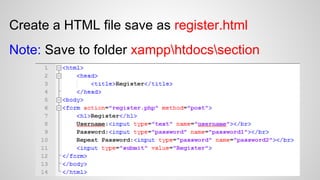
Create a HTML file save as register.html
Note: Save to folder xampphtdocssection
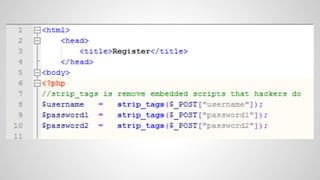
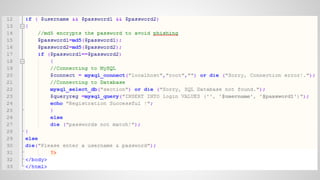
Create another PHP file save as register.php
Note: Save to folder xampphtdocssection
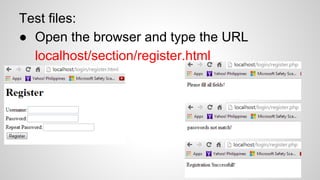
Test files:
● Open the browser and type the URL
localhost/section/register.html
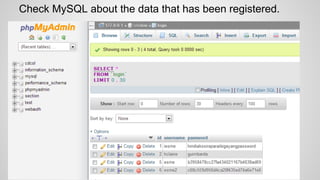
Check MySQL about the data that has been registered.

4th quarter 17 php & my sql registration page