IECP
Spring 2015
Nikki Mattson
 Introduction to course technology
 Experience with course technology (computer
lab – Boucke 112)
 For this class, you will need to use:
 1) The course blog:
http://ai130sp15.blogspot.com/
 2) PSU Box:
 http://box.psu.edu/
 3) PSU Voicethread:
 http://voicethread.psu.edu/
 http://ai130sp15.blogspot.com/
 Find electronic copies of course materials
(syllabus, project description, rubrics, etc.)
 Review PPT presentations
 View and comment on course videos
 http://box.psu.edu/
 To upload assignments
 http://voicethread.psu.edu/
 Just sign in to this website and then go to the
course blog in order to view and to comment
on course videos.
 You don’t need to do anything else with
Voicethread.
 1) Go to the course blog
http://ai130sp15.blogspot.com/
a. Save the address of the course blog on your
device (if you have one) so it is easy to find
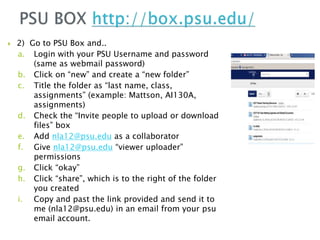
 2) Go to PSU Box and..
a. Login with your PSU Username and password
(same as webmail password)
b. Click on “new” and create a “new folder”
c. Title the folder as “last name, class,
assignments” (example: Mattson, AI130A,
assignments)
d. Check the “Invite people to upload or download
files” box
e. Add nla12@psu.edu as a collaborator
f. Give nla12@psu.edu “viewer uploader”
permissions
g. Click “okay”
h. Click “share”, which is to the right of the folder
you created
i. Copy and past the link provided and send it to
me (nla12@psu.edu) in an email from your psu
email account.
 3) Form a group of 2-3 students, including at
least 2 languages.
a. Use somebody’s device to record short
introductions of yourselves with a couple of
follow-up questions for each person (1-2 minute
recording).
b. Upload the recording into one person’s PSU BOX
assignments folder (make sure everyone
understands how to do it).
c. Once the recording is the PSU box folder, click
“share” and send me (nla12@psu.edu) the link
from your psu email.
 4) Log on to PSU Voicethread (with your PSU
username and password)
 Minimize the Voicetrhead tab (but stay
logged in)
 Go to the course blog and leave an audio or
text comment on the introduction video.
 And please help each other out, especially if
you are good with technology!
 Practice using the new technology at home
until you are comfortable with it.
 Try out your mobile devices (there are apps)
and PCs with the technologies.
 Buy your textbook.

3. introduction to course technologies

  • 1.
  • 2.
     Introduction tocourse technology  Experience with course technology (computer lab – Boucke 112)
  • 3.
     For thisclass, you will need to use:  1) The course blog: http://ai130sp15.blogspot.com/  2) PSU Box:  http://box.psu.edu/  3) PSU Voicethread:  http://voicethread.psu.edu/
  • 4.
     http://ai130sp15.blogspot.com/  Findelectronic copies of course materials (syllabus, project description, rubrics, etc.)  Review PPT presentations  View and comment on course videos
  • 5.
  • 6.
     http://voicethread.psu.edu/  Justsign in to this website and then go to the course blog in order to view and to comment on course videos.  You don’t need to do anything else with Voicethread.
  • 7.
     1) Goto the course blog http://ai130sp15.blogspot.com/ a. Save the address of the course blog on your device (if you have one) so it is easy to find
  • 8.
     2) Goto PSU Box and.. a. Login with your PSU Username and password (same as webmail password) b. Click on “new” and create a “new folder” c. Title the folder as “last name, class, assignments” (example: Mattson, AI130A, assignments) d. Check the “Invite people to upload or download files” box e. Add nla12@psu.edu as a collaborator f. Give nla12@psu.edu “viewer uploader” permissions g. Click “okay” h. Click “share”, which is to the right of the folder you created i. Copy and past the link provided and send it to me (nla12@psu.edu) in an email from your psu email account.
  • 9.
     3) Forma group of 2-3 students, including at least 2 languages. a. Use somebody’s device to record short introductions of yourselves with a couple of follow-up questions for each person (1-2 minute recording). b. Upload the recording into one person’s PSU BOX assignments folder (make sure everyone understands how to do it). c. Once the recording is the PSU box folder, click “share” and send me (nla12@psu.edu) the link from your psu email.
  • 10.
     4) Logon to PSU Voicethread (with your PSU username and password)  Minimize the Voicetrhead tab (but stay logged in)  Go to the course blog and leave an audio or text comment on the introduction video.
  • 11.
     And pleasehelp each other out, especially if you are good with technology!
  • 12.
     Practice usingthe new technology at home until you are comfortable with it.  Try out your mobile devices (there are apps) and PCs with the technologies.  Buy your textbook.