Course:

Introduction To Information
And Communication Technology
3.00 Credit Hours, Fall 2013,
Graduate Program

Instructor: Ms. Aisha Akram,

© www.uogsialkot.edu
Welcome
Please know the basic class rules to ensure
semester goes smoothly:








Visit the Class website as frequently as possible as
all our communication will be through this mode
only,
Course outline is posted at the class site,
Student evaluation is based on the criteria
mentioned in the course outline. No Surprises to
Anyone. Remember Grades are Earned not Given.
Missed exams/Assignments/Quizzes ARE JUST
MISSED – NO MAKE UPS.
If sometime its not possible to attend the class,
inform the instructor in advance by email, SMS.

2
Student Evaluation
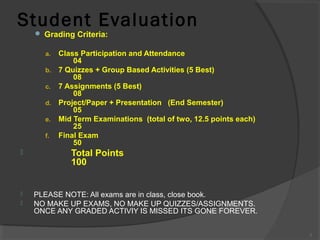
 Grading Criteria:

Class Participation and Attendance
04
b. 7 Quizzes + Group Based Activities (5 Best)
08
c. 7 Assignments (5 Best)
08
d. Project/Paper + Presentation (End Semester)
05
e. Mid Term Examinations (total of two, 12.5 points each)
25
f. Final Exam
50
a.






Total Points
100
PLEASE NOTE: All exams are in class, close book.
NO MAKE UP EXAMS, NO MAKE UP QUIZZES/ASSIGNMENTS.
ONCE ANY GRADED ACTIVIY IS MISSED ITS GONE FOREVER.
3
Lecture 01: Roadmap



What is ICT?
Why study ICT?
Course Details
Administrative Details of Course



Computer and Communication Technology



Analog and Digital Computers




Lecture 01: Roadmap


Computers for Individual Users
Desktop Computers
Workstations
Notebook Computers
Tablet PCs
Handheld PCs
Smart Phones
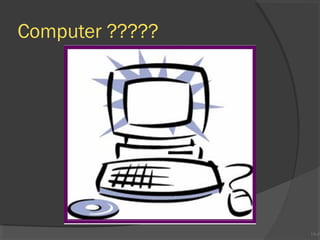
Computer ?????

1A-6
1A-6
Computer




Electronic device
Converts data into information
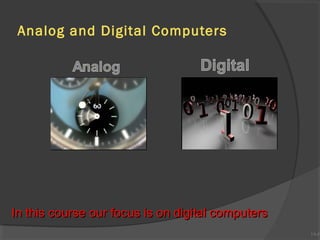
Modern computers are digital
Two digits combine to make data



Older computers were analog
A range of values made data

1A-7
1A-7
Analog and Digital Computers

In this course our focus is on digital computers

1A-8
1A-8
Categories Of Computers







Desktop Computers
Workstations
Notebook computers
Tablet computers
Handheld computers
Smart phones

1A-9
1A-9
Computers For Individual Use



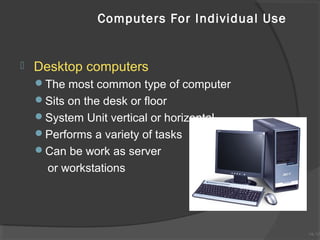
Desktop computers
The most common type of computer
Sits on the desk or floor
System Unit vertical or horizontal
Performs a variety of tasks
Can be work as server

or workstations

1A-10
1A-10
Computers For Individual Use



Workstations
Specialized computers
Optimized for science or graphics
More powerful than a desktop

1A-11
1A-11
Computers For Individual Use


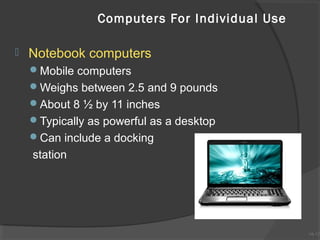
Notebook computers
Mobile computers
Weighs between 2.5 and 9 pounds
About 8 ½ by 11 inches
Typically as powerful as a desktop
Can include a docking

station

1A-12
1A-12
Docking Station?



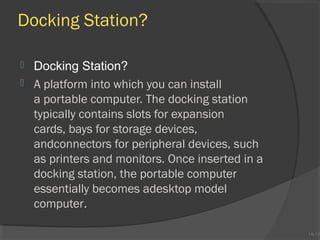
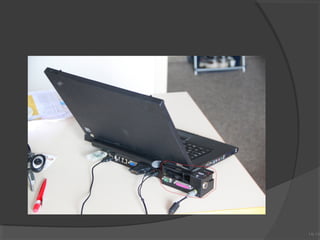
Docking Station?
A platform into which you can install
a portable computer. The docking station
typically contains slots for expansion
cards, bays for storage devices,
andconnectors for peripheral devices, such
as printers and monitors. Once inserted in a
docking station, the portable computer
essentially becomes adesktop model
computer.

1A-13
1A-13
1A-14
1A-14
Computers For Individual Use


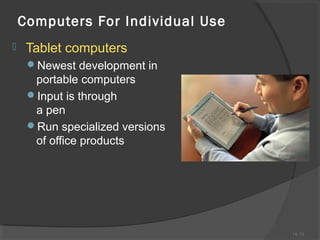
Tablet computers
Newest development in

portable computers
Input is through
a pen
Run specialized versions
of office products

1A-15
1A-15
Computers For Individual Use


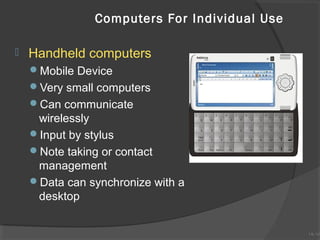
Handheld computers
Mobile Device
Very small computers
Can communicate

wirelessly
Input by stylus
Note taking or contact
management
Data can synchronize with a
desktop

1A-16
1A-16
PDA








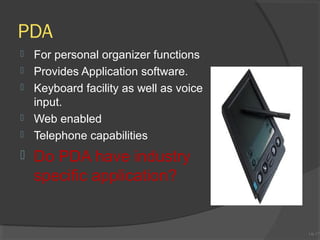
For personal organizer functions
Provides Application software.
Keyboard facility as well as voice
input.
Web enabled
Telephone capabilities

Do PDA have industry
specific application?

1A-17
1A-17
Computers For Individual Use


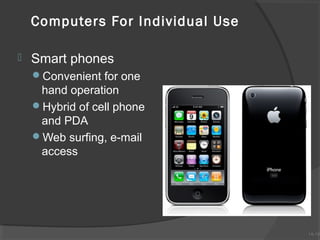
Smart phones
Convenient for one

hand operation
Hybrid of cell phone
and PDA
Web surfing, e-mail
access

1A-18
1A-18
1A-19
1A-19

Introduction To Information And Communication Technology

  • 1.
    Course: Introduction To Information AndCommunication Technology 3.00 Credit Hours, Fall 2013, Graduate Program Instructor: Ms. Aisha Akram, © www.uogsialkot.edu
  • 2.
    Welcome Please know thebasic class rules to ensure semester goes smoothly:      Visit the Class website as frequently as possible as all our communication will be through this mode only, Course outline is posted at the class site, Student evaluation is based on the criteria mentioned in the course outline. No Surprises to Anyone. Remember Grades are Earned not Given. Missed exams/Assignments/Quizzes ARE JUST MISSED – NO MAKE UPS. If sometime its not possible to attend the class, inform the instructor in advance by email, SMS. 2
  • 3.
    Student Evaluation  GradingCriteria: Class Participation and Attendance 04 b. 7 Quizzes + Group Based Activities (5 Best) 08 c. 7 Assignments (5 Best) 08 d. Project/Paper + Presentation (End Semester) 05 e. Mid Term Examinations (total of two, 12.5 points each) 25 f. Final Exam 50 a.    Total Points 100 PLEASE NOTE: All exams are in class, close book. NO MAKE UP EXAMS, NO MAKE UP QUIZZES/ASSIGNMENTS. ONCE ANY GRADED ACTIVIY IS MISSED ITS GONE FOREVER. 3
  • 4.
    Lecture 01: Roadmap  Whatis ICT? Why study ICT? Course Details Administrative Details of Course  Computer and Communication Technology  Analog and Digital Computers   
  • 5.
    Lecture 01: Roadmap  Computersfor Individual Users Desktop Computers Workstations Notebook Computers Tablet PCs Handheld PCs Smart Phones
  • 6.
  • 7.
    Computer    Electronic device Converts datainto information Modern computers are digital Two digits combine to make data  Older computers were analog A range of values made data 1A-7 1A-7
  • 8.
    Analog and DigitalComputers In this course our focus is on digital computers 1A-8 1A-8
  • 9.
    Categories Of Computers       DesktopComputers Workstations Notebook computers Tablet computers Handheld computers Smart phones 1A-9 1A-9
  • 10.
    Computers For IndividualUse  Desktop computers The most common type of computer Sits on the desk or floor System Unit vertical or horizontal Performs a variety of tasks Can be work as server or workstations 1A-10 1A-10
  • 11.
    Computers For IndividualUse  Workstations Specialized computers Optimized for science or graphics More powerful than a desktop 1A-11 1A-11
  • 12.
    Computers For IndividualUse  Notebook computers Mobile computers Weighs between 2.5 and 9 pounds About 8 ½ by 11 inches Typically as powerful as a desktop Can include a docking station 1A-12 1A-12
  • 13.
    Docking Station?   Docking Station? Aplatform into which you can install a portable computer. The docking station typically contains slots for expansion cards, bays for storage devices, andconnectors for peripheral devices, such as printers and monitors. Once inserted in a docking station, the portable computer essentially becomes adesktop model computer. 1A-13 1A-13
  • 14.
  • 15.
    Computers For IndividualUse  Tablet computers Newest development in portable computers Input is through a pen Run specialized versions of office products 1A-15 1A-15
  • 16.
    Computers For IndividualUse  Handheld computers Mobile Device Very small computers Can communicate wirelessly Input by stylus Note taking or contact management Data can synchronize with a desktop 1A-16 1A-16
  • 17.
    PDA       For personal organizerfunctions Provides Application software. Keyboard facility as well as voice input. Web enabled Telephone capabilities Do PDA have industry specific application? 1A-17 1A-17
  • 18.
    Computers For IndividualUse  Smart phones Convenient for one hand operation Hybrid of cell phone and PDA Web surfing, e-mail access 1A-18 1A-18
  • 19.

Editor's Notes

  • #11 Insider information System units are commonly called cases. Many computer enthusiasts customize or ‘mod’ their cases with windows and lights. See www.casemodgod.com for examples of cases and products. Sun Microsystems makes the most popular workstations on the planet. Sun’s systems are used in diverse applications such as medical imaging and CGI (computer generated image) animation.
  • #13 Discussion point Have students contrast desktop and notebook computers. Focus on the pros and cons of each type of computer.
  • #16 Teaching tip The tablet PC was designed to simulate a piece of paper. Users interact with the tablet as if it was an unlimited paper notebook. For more information See www.microsoft.com/windowsxp/tabletpc/evaluation/tours/default.mspx for an example of the Tablet PC in action.
  • #17 Teaching tip At this point, refer the students to the productivity tip on page 13. This tip helps the student determine what type of PC is best for them.