ACADEMICACADEMIC
INTERACTIONS 130INTERACTIONS 130
IECP, Nikki Mattson, Spring 2016
Agenda
• Introduction to English Central
• Computer lab – access class through English Central
• Computer lab – explore/utilize English Central
Welcome to English Central
• Introductory Video
• App
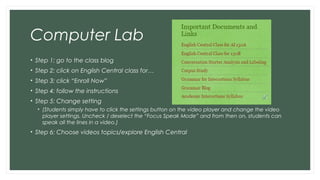
Computer Lab
• Step 1: go to the class blog
• Step 2: click on English Central class for…
• Step 3: click “Enroll Now”
• Step 4: follow the instructions
• Step 5: Change setting
• (Students simply have to click the settings button on the video player and change the video
player settings. Uncheck / deselect the “Focus Speak Mode” and from then on, students can
speak all the lines in a video.)
• Step 6: Choose videos topics/explore English Central
HW
• None
HW
• None

5. english central

  • 1.
  • 2.
    Agenda • Introduction toEnglish Central • Computer lab – access class through English Central • Computer lab – explore/utilize English Central
  • 3.
    Welcome to EnglishCentral • Introductory Video • App
  • 4.
    Computer Lab • Step1: go to the class blog • Step 2: click on English Central class for… • Step 3: click “Enroll Now” • Step 4: follow the instructions • Step 5: Change setting • (Students simply have to click the settings button on the video player and change the video player settings. Uncheck / deselect the “Focus Speak Mode” and from then on, students can speak all the lines in a video.) • Step 6: Choose videos topics/explore English Central
  • 5.
  • 6.