Digitalising your
concept development:
2D vs 3D
Moving to digital
Whilst 34% of concept design ideas are initially captured
on paper, a greater proportion are recorded electronically.
You know why you want to digitalise your concept
development process - the question now is
2D or 3D?
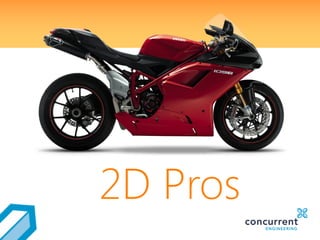
2D Pros
• what you used to draw on paper is simply
drawn on a computer instead using a
keyboard and mouse
2D Pros
Same graphical
representation
• Once your concept is in electronic format,
you can share it quickly with colleagues
globally
2D Pros
Easier collaboration
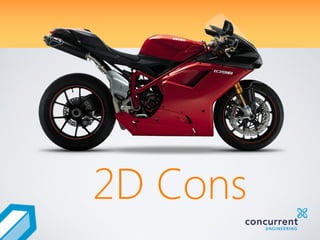
2D Cons
• Most 2D tools are geared towards creating
engineering drawings
2D Cons
Less suited to
concept design
• 2D softwares tend to focus on individual
drafting entities, rather than facilitating the
consideration of alternative design options
2D Cons
Harder to explore
alternative ideas
2D Cons
Difficult to use for
prototyping
• Digital prototyping is unreliable
• Unsuitable for rapid prototyping
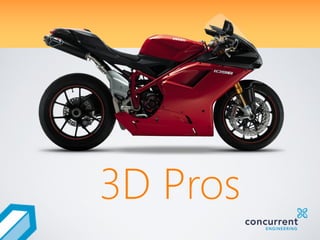
3D Pros
• less misinterpretation
• reduces downstream errors
3D Pros
Removes design
ambiguity
• As with 2D, electronic sending is easy
3D Pros
Sharing is simple
• Leveraging existing 3D models to evolve
into new concept designs is straightforward
3D Pros
Easier design re-use
• 3D modelling is highly appropriate for
rendings and simulation
3D Pros
Suitable for digital
prototyping
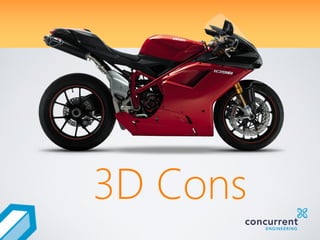
3D Cons
• 3D CAD applications are usually designed
for locking down the form and fit of final
designs, not capturing and maturing
concept designs
3D Cons
Intended for detailed
design work
• The risk of this is particularly applicable to
users of parametric feature-based
modelers
3D Cons
Interdependences
and potential failures
• Many recent CAD tools deploy different
files for different design parts, when at the
concept development stage you are likely
to want just a single, whole representation
3D Cons
Multiple files
Did you know?
59% of respondents
recreate part of the design
because design tool formats
aren’t compatible?
Creo 2.0
An integrated solution
Harness the benefits of both 2D and 3D to
get your concept development job done –
then move seamlessly into the detailed
design phase.
Want to know more?
Contact us for more details on Creo 2.0 and
integrating your concept design processes
www.concurrent-engineering.co.uk/contact-us
0121 5069720

2d vs-3d-concept-design-pros-and-cons

  • 1.
  • 2.
    Moving to digital Whilst34% of concept design ideas are initially captured on paper, a greater proportion are recorded electronically. You know why you want to digitalise your concept development process - the question now is 2D or 3D?
  • 3.
  • 4.
    • what youused to draw on paper is simply drawn on a computer instead using a keyboard and mouse 2D Pros Same graphical representation
  • 5.
    • Once yourconcept is in electronic format, you can share it quickly with colleagues globally 2D Pros Easier collaboration
  • 6.
  • 7.
    • Most 2Dtools are geared towards creating engineering drawings 2D Cons Less suited to concept design
  • 8.
    • 2D softwarestend to focus on individual drafting entities, rather than facilitating the consideration of alternative design options 2D Cons Harder to explore alternative ideas
  • 9.
    2D Cons Difficult touse for prototyping • Digital prototyping is unreliable • Unsuitable for rapid prototyping
  • 10.
  • 11.
    • less misinterpretation •reduces downstream errors 3D Pros Removes design ambiguity
  • 12.
    • As with2D, electronic sending is easy 3D Pros Sharing is simple
  • 13.
    • Leveraging existing3D models to evolve into new concept designs is straightforward 3D Pros Easier design re-use
  • 14.
    • 3D modellingis highly appropriate for rendings and simulation 3D Pros Suitable for digital prototyping
  • 15.
  • 16.
    • 3D CADapplications are usually designed for locking down the form and fit of final designs, not capturing and maturing concept designs 3D Cons Intended for detailed design work
  • 17.
    • The riskof this is particularly applicable to users of parametric feature-based modelers 3D Cons Interdependences and potential failures
  • 18.
    • Many recentCAD tools deploy different files for different design parts, when at the concept development stage you are likely to want just a single, whole representation 3D Cons Multiple files
  • 19.
    Did you know? 59%of respondents recreate part of the design because design tool formats aren’t compatible?
  • 20.
    Creo 2.0 An integratedsolution Harness the benefits of both 2D and 3D to get your concept development job done – then move seamlessly into the detailed design phase.
  • 21.
    Want to knowmore? Contact us for more details on Creo 2.0 and integrating your concept design processes www.concurrent-engineering.co.uk/contact-us 0121 5069720