Menu
Login Sign up
Design
25 epic graphic design tips for non-designers
Close
Home
Browse
Back
Design Types
Back
Logo
Posters
Business Cards
Flyers
Resumes
Infographics
See all
Templates
Back
Flyers
Resume
Brochures
Invitations
Business Cards
Presentations
See all
Photos
Back
Free Photos
Background
Nature
Animals
Food
People
See all
Icons
Back
Social Media
Web & SEO
Files & Folders
Business
Weather
Computer
See all
Features
Back
Graphs
Photo editing
Print
Learn
Back
Blog
Back
Design
Marketing
Branding
Photography
See all
Design school
Back
Tutorials
Courses
Events
See all
Pricing
Login Sign up
Copied
Get your graphic design game-face on with these inspiring tips.
Whether you’re a creating social media graphics or designing invitations for an upcoming event, the application of graphic design is vast and versatile. From font pairing
and scale, to alignment and white space, the facets of the design world are complex. Let these 26 epic design tips help you through the pits and the peaks of the creative
process.
Click on the ‘remix this design’ link throughout the post to create your own designs.
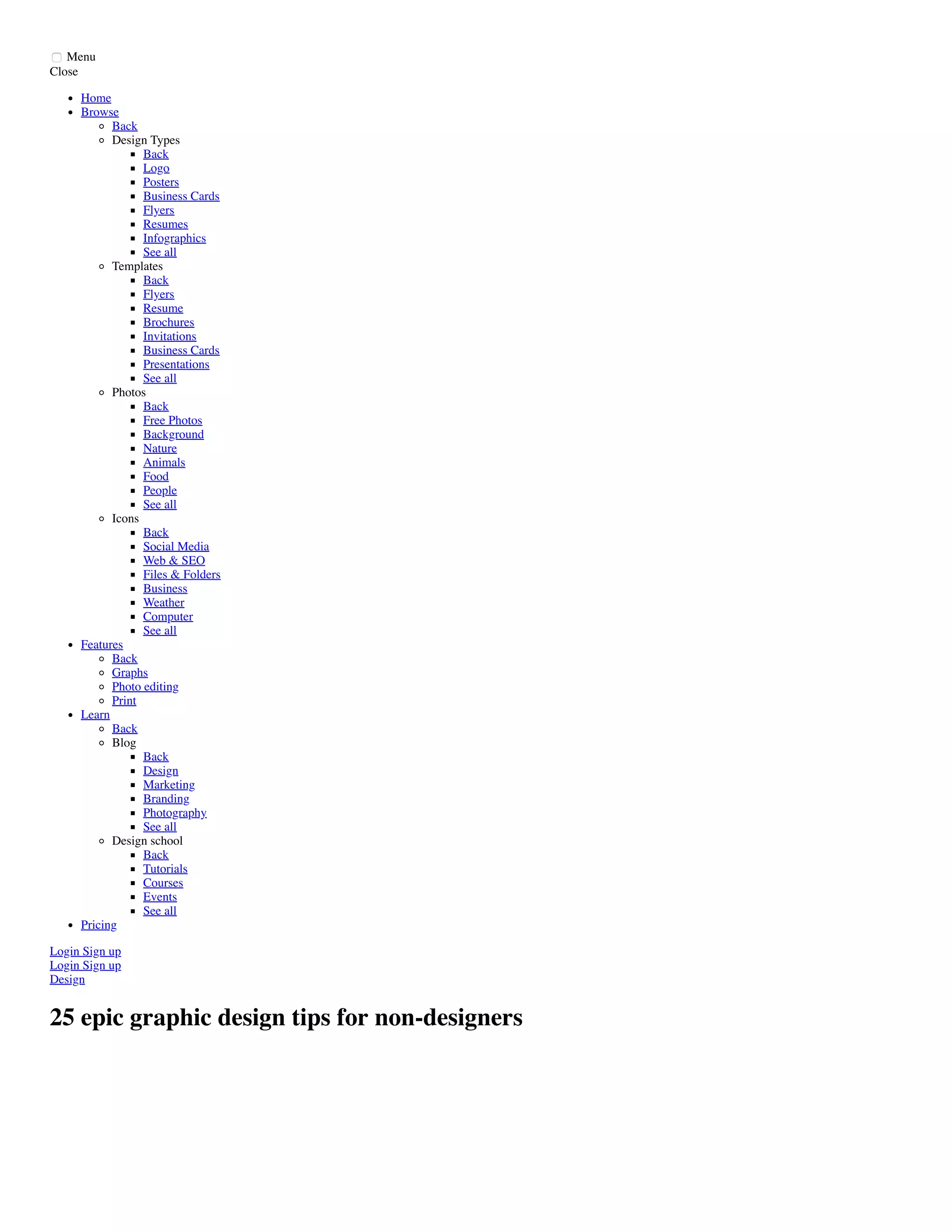
01. For font’s sake, limit your typefaces
Remix this design
When selecting a typeface or font for headings, subtitles and body text, use easy to read fonts for simple and effective graphic design. The eye finds it hard to scan
multiple typefaces, so stick to a simple collection of fonts. This design uses variants from the Aileron font family, a geometric sans serif typeface that has a simple and
modern aesthetic.
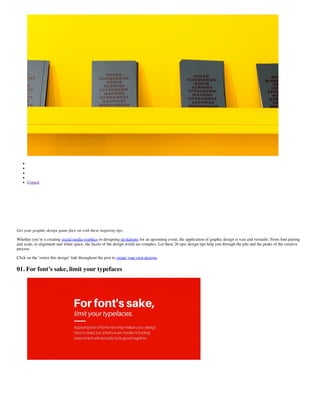
02. Don’t be scared of scale
Remix this design
Apply scale to type, shapes or compositional features that need proportionate emphasis. Use appropriate colors to enhance this technique while making sure suitable
typefaces that look good when increased in size. Here, Raleway for the word ‘Scale’ is strong and bold with clear forms.
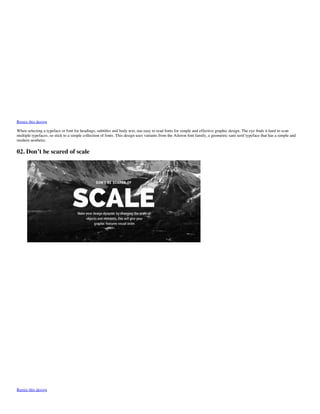
03. Respect the space of other elements
Remix this design
Use letter spacing to fill dead space, aligning text, or condense words that take up too much space. However, be careful not to reduce letter spacing so much it can’t be
read, or increase it so much the letters become detached from one another. Here, the decreased letter spacing on the word ‘Respect’ gives a condensed effect, as a visual
representation of space, or lack thereof.
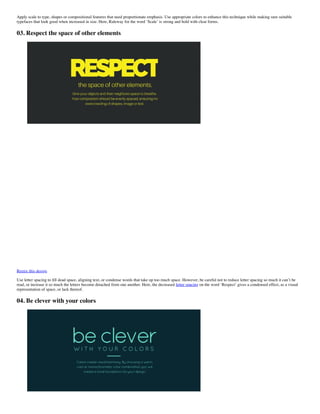
04. Be clever with your colors
Remix this design
Choose a color scheme that has 1-3 primary colors and an additional 1-3 secondary colors that contrast and complement each other. Use different tones of the same color
for consistency by adjusting brightness for contrast. Finer typefaces will need stronger distinction against a colored background. Here, bright aqua is offset against forest
green background for clarity and readability.
05. Clean, crisp, clear
image10
Remix this design
Pump up contrast by adjusting the brightness of the background image so that it offsets the text color, making the design clear and easy to read. This is a great way to
apply white or black text over an image to create a strong ‘cut-out’ effect.
06. Fonts have feelings too
image13
Remix this design
Chose a typeface that sings the song of your content. Typefaces with rounded edges are usually a friendlier note, Quicksand is used here); hard-edged geometric fonts
(sans serifs) are solid and strong; while serifs convey an elegant and sophisticated look.
07. Create order with alignment
image12
Remix this design
Apply a line or an embellishment to for design balance and composition. Here, a line to the left of the text mimics and margin line and anchors the block of text.
08. Keep it simple
image15
Remix this design
Keep it simple, but don’t forget your basics. Make sure every element has a reason to be in the design and keep the number of fonts, colors, shapes and frames to a
minimum. Use contrasting tonal color combinations to text is sharp and easy to read. Applying a solid frame to contain your copy will enhance the compositional structure
of a design.
09. Multi-page magic
image14
Remix this design
The easiest way to ensure aesthetic unity across a document or presentation is by duplicating pages then editing text and replacing images.
10. Creativity and originality
image18
Remix this design
Push your creative abilities and graphic design skills to achieve original graphics. Be inventive and experimental and choose and combine different typefaces and filters.
Avoid trends and create designs that correspond with your own unique style, leaving a personal stamp on your work.
11. Use hierarchy to order your content
image16
Remix this design
The most visually dominant feature in a design should be the most important part of the message. Apply color or scale to a graphic to see how it changes the hierarchy of
elements and what grabs attention first.
12. Play with symmetry
image17
Remix this design
Use horizontal and vertical lines to correspond with other design elements. For balance and proportion, ensure the thickness of the elements match the weight of the fonts.
13. Relax your eyes every now and then
image19
Remix this design
Recharge your creative batteries by taking a break. Relaxation boosts energy and productivity so take a walk, grab a bit to eat, sit in the park to refresh the brain and
revitalize the vision.
14. Keep it in the family
image20
Remix this design
Create visual uniformity by applying one typeface or font family to text. Use a typeface or font family that has a selection of variants, such as italic, bold, condensed, to
keep options open. This image combines Libre Baskerville Bold, Light and Italic.
15. Wonderful white space
image21
Remix this design
Create a fluid design by surrounding words with white space to let elements breathe. The application of space around text boxes, images and other graphic elements makes
a design easier to read. It’s also more likely to attract attention than a cluttered composition.
16. Research before you dive in
image22
Remix this design
Have all the details needed before you begin to write or create. Study, read, research, and resource. Whether it’s materials and objects or information and facts, the
research process will guarantee a more thought-out result.
17. Create a mood board
image23
Remix this design
Use a grid for a simple and easy mood board to contain a collection of images, color swatches, and other visual pieces. This practice will help you to find a common color
palette or theme that can then be applied to a project
18. Imitate and create
image24
Remix this design
Use your Canva social stream or inspiration websites to find designs you love. Replicate the type treatment, the photo filters or the general layout in your own content.
19. Be current event conscious
image25
Remix this design
Keep your mind fresh with current events to inspire and influence both your work and the way you work. Follow relevant news pages on social networks get vital and
relevant information and keep general knowledge up to date.
20. Think outside the box
image26
Remix this design
The most creative people think outside the box. Don’t use the typical icons and symbols you see everywhere to represent your topic. Research, sketch, and print to find
new and original icons to visually communicate with your audience.
21. Contrast is key
image01
Remix this design
Contrast is one of the most imperative parts of the design for mood, legibility and to make it stand out. Use a contrasting color palette background, fonts, and graphics. Use
photo filters to enhance the positive/negative space in an image and apply black or white to copy to create optimum contrast against a background image. A good rule of
thumb is if you have a light colored background then you should use a dark font (and vice versa).
22. Brighten up your graphics
image02
Remix this design
Create drama and impact with attention-grabbing graphics. Ensure your colors don’t bleed together by choosing hues that contrast against one another.
23. Keep a notebook
image03
Remix this design
Whether on the train, at work or about to fall asleep, inspiration can come at any time so it’s important to be prepared. Keep a notebook to draw or scribble down notes and
ideas and refer back to them when it comes time to create.
24. Trial & error
image04
Remix this design
Everyone makes mistakes and sometimes they are the most important part of the learning experience. Design is all about trial and error so push your designs to the limit
because the creative process is often never complete. Don’t like what you see? The ‘undo’ button is always a great friend.
25. No naked images
image05
We’re not talking image content here, we’re talking layout. Aligning images with grids or frames makes a design look more professional.
26. Finesse. But not too much.
image06
Remix this design
Make sure elements are correctly aligned, text is legible, contrast is enough, and space gives design features room to breathe.
YOUR TURN
Remember: be creative, break the rules and push your design skills by coming up with new and innovative ideas. At the end of the day, graphic design is about exploration
and experimentation.
Your secret weapon for stunning design
Signupnow
Written by
Poppie Pack
Design
Copied
Recommended for you
Brochure design ideas: 25 tips to create marketing materials that sell
How creativity impacts the economy of countries around the world
Where to find beautiful and useful free icons
What is the golden ratio? What you need to know and how to use it
50 quotes about happiness that will brighten your day
10 trending color combinations for 2020
Related articles
See all
Design
How to make a YouTube intro video
Design inspiration
How to design a wedding invitation from scratch
Basic color theory
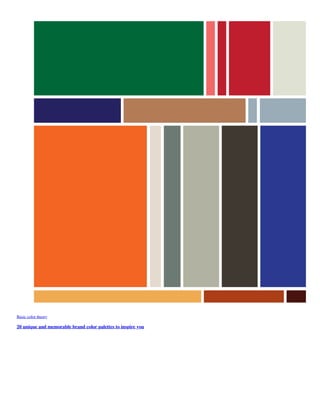
20 unique and memorable brand color palettes to inspire you
Fonts
60 free calligraphy fonts and lettering fonts download
Your secret weapon for stunning design
Sign up now
Create a design in Canva
Browse
Design types
Templates
Photos
Icons
Features
Graphs
Photo editing
Print
Learn
Blog
Design school
Resources
Font combinations
Photo editor
Color wheel
Palette generator
Logo maker
Colors
Design size guide
Support
Teaching materials
Ideas
Product
For mobile
Pro
Enterprise
Education
Nonprofits
Pricing
What's new
Company
About
Careers
Affiliates Program
Media
Design Community
Contributors
Terms and Privacy
Security
Facebook
Twitter
Pinterest
Instragram
Dribbble
© 2020 Copyright Canva
Install Canva App for free
Create beautiful design in seconds

25 epic graphic design tips for non-designers

  • 1.
    Menu Login Sign up Design 25epic graphic design tips for non-designers Close Home Browse Back Design Types Back Logo Posters Business Cards Flyers Resumes Infographics See all Templates Back Flyers Resume Brochures Invitations Business Cards Presentations See all Photos Back Free Photos Background Nature Animals Food People See all Icons Back Social Media Web & SEO Files & Folders Business Weather Computer See all Features Back Graphs Photo editing Print Learn Back Blog Back Design Marketing Branding Photography See all Design school Back Tutorials Courses Events See all Pricing Login Sign up
  • 2.
    Copied Get your graphicdesign game-face on with these inspiring tips. Whether you’re a creating social media graphics or designing invitations for an upcoming event, the application of graphic design is vast and versatile. From font pairing and scale, to alignment and white space, the facets of the design world are complex. Let these 26 epic design tips help you through the pits and the peaks of the creative process. Click on the ‘remix this design’ link throughout the post to create your own designs. 01. For font’s sake, limit your typefaces
  • 3.
    Remix this design Whenselecting a typeface or font for headings, subtitles and body text, use easy to read fonts for simple and effective graphic design. The eye finds it hard to scan multiple typefaces, so stick to a simple collection of fonts. This design uses variants from the Aileron font family, a geometric sans serif typeface that has a simple and modern aesthetic. 02. Don’t be scared of scale Remix this design
  • 4.
    Apply scale totype, shapes or compositional features that need proportionate emphasis. Use appropriate colors to enhance this technique while making sure suitable typefaces that look good when increased in size. Here, Raleway for the word ‘Scale’ is strong and bold with clear forms. 03. Respect the space of other elements Remix this design Use letter spacing to fill dead space, aligning text, or condense words that take up too much space. However, be careful not to reduce letter spacing so much it can’t be read, or increase it so much the letters become detached from one another. Here, the decreased letter spacing on the word ‘Respect’ gives a condensed effect, as a visual representation of space, or lack thereof. 04. Be clever with your colors
  • 5.
    Remix this design Choosea color scheme that has 1-3 primary colors and an additional 1-3 secondary colors that contrast and complement each other. Use different tones of the same color for consistency by adjusting brightness for contrast. Finer typefaces will need stronger distinction against a colored background. Here, bright aqua is offset against forest green background for clarity and readability. 05. Clean, crisp, clear image10 Remix this design Pump up contrast by adjusting the brightness of the background image so that it offsets the text color, making the design clear and easy to read. This is a great way to apply white or black text over an image to create a strong ‘cut-out’ effect. 06. Fonts have feelings too image13
  • 6.
    Remix this design Chosea typeface that sings the song of your content. Typefaces with rounded edges are usually a friendlier note, Quicksand is used here); hard-edged geometric fonts (sans serifs) are solid and strong; while serifs convey an elegant and sophisticated look. 07. Create order with alignment image12 Remix this design Apply a line or an embellishment to for design balance and composition. Here, a line to the left of the text mimics and margin line and anchors the block of text. 08. Keep it simple image15
  • 7.
    Remix this design Keepit simple, but don’t forget your basics. Make sure every element has a reason to be in the design and keep the number of fonts, colors, shapes and frames to a minimum. Use contrasting tonal color combinations to text is sharp and easy to read. Applying a solid frame to contain your copy will enhance the compositional structure of a design. 09. Multi-page magic image14 Remix this design The easiest way to ensure aesthetic unity across a document or presentation is by duplicating pages then editing text and replacing images. 10. Creativity and originality image18
  • 8.
    Remix this design Pushyour creative abilities and graphic design skills to achieve original graphics. Be inventive and experimental and choose and combine different typefaces and filters. Avoid trends and create designs that correspond with your own unique style, leaving a personal stamp on your work. 11. Use hierarchy to order your content image16 Remix this design The most visually dominant feature in a design should be the most important part of the message. Apply color or scale to a graphic to see how it changes the hierarchy of elements and what grabs attention first. 12. Play with symmetry image17
  • 9.
    Remix this design Usehorizontal and vertical lines to correspond with other design elements. For balance and proportion, ensure the thickness of the elements match the weight of the fonts. 13. Relax your eyes every now and then image19 Remix this design Recharge your creative batteries by taking a break. Relaxation boosts energy and productivity so take a walk, grab a bit to eat, sit in the park to refresh the brain and revitalize the vision. 14. Keep it in the family image20
  • 10.
    Remix this design Createvisual uniformity by applying one typeface or font family to text. Use a typeface or font family that has a selection of variants, such as italic, bold, condensed, to keep options open. This image combines Libre Baskerville Bold, Light and Italic. 15. Wonderful white space image21 Remix this design Create a fluid design by surrounding words with white space to let elements breathe. The application of space around text boxes, images and other graphic elements makes a design easier to read. It’s also more likely to attract attention than a cluttered composition. 16. Research before you dive in image22
  • 11.
    Remix this design Haveall the details needed before you begin to write or create. Study, read, research, and resource. Whether it’s materials and objects or information and facts, the research process will guarantee a more thought-out result. 17. Create a mood board image23 Remix this design Use a grid for a simple and easy mood board to contain a collection of images, color swatches, and other visual pieces. This practice will help you to find a common color palette or theme that can then be applied to a project 18. Imitate and create image24
  • 12.
    Remix this design Useyour Canva social stream or inspiration websites to find designs you love. Replicate the type treatment, the photo filters or the general layout in your own content. 19. Be current event conscious image25 Remix this design Keep your mind fresh with current events to inspire and influence both your work and the way you work. Follow relevant news pages on social networks get vital and relevant information and keep general knowledge up to date. 20. Think outside the box image26
  • 13.
    Remix this design Themost creative people think outside the box. Don’t use the typical icons and symbols you see everywhere to represent your topic. Research, sketch, and print to find new and original icons to visually communicate with your audience. 21. Contrast is key image01 Remix this design Contrast is one of the most imperative parts of the design for mood, legibility and to make it stand out. Use a contrasting color palette background, fonts, and graphics. Use photo filters to enhance the positive/negative space in an image and apply black or white to copy to create optimum contrast against a background image. A good rule of thumb is if you have a light colored background then you should use a dark font (and vice versa). 22. Brighten up your graphics image02 Remix this design
  • 14.
    Create drama andimpact with attention-grabbing graphics. Ensure your colors don’t bleed together by choosing hues that contrast against one another. 23. Keep a notebook image03 Remix this design Whether on the train, at work or about to fall asleep, inspiration can come at any time so it’s important to be prepared. Keep a notebook to draw or scribble down notes and ideas and refer back to them when it comes time to create. 24. Trial & error image04 Remix this design Everyone makes mistakes and sometimes they are the most important part of the learning experience. Design is all about trial and error so push your designs to the limit because the creative process is often never complete. Don’t like what you see? The ‘undo’ button is always a great friend.
  • 15.
    25. No nakedimages image05 We’re not talking image content here, we’re talking layout. Aligning images with grids or frames makes a design look more professional. 26. Finesse. But not too much. image06
  • 16.
    Remix this design Makesure elements are correctly aligned, text is legible, contrast is enough, and space gives design features room to breathe. YOUR TURN Remember: be creative, break the rules and push your design skills by coming up with new and innovative ideas. At the end of the day, graphic design is about exploration and experimentation. Your secret weapon for stunning design Signupnow Written by Poppie Pack Design Copied Recommended for you
  • 17.
    Brochure design ideas:25 tips to create marketing materials that sell
  • 18.
    How creativity impactsthe economy of countries around the world
  • 19.
    Where to findbeautiful and useful free icons
  • 20.
    What is thegolden ratio? What you need to know and how to use it
  • 21.
    50 quotes abouthappiness that will brighten your day 10 trending color combinations for 2020 Related articles See all
  • 22.
    Design How to makea YouTube intro video Design inspiration How to design a wedding invitation from scratch
  • 23.
    Basic color theory 20unique and memorable brand color palettes to inspire you
  • 24.
    Fonts 60 free calligraphyfonts and lettering fonts download Your secret weapon for stunning design Sign up now Create a design in Canva Browse Design types Templates Photos Icons Features Graphs Photo editing Print Learn Blog Design school Resources Font combinations Photo editor Color wheel Palette generator Logo maker Colors Design size guide Support Teaching materials Ideas Product For mobile Pro Enterprise
  • 25.
    Education Nonprofits Pricing What's new Company About Careers Affiliates Program Media DesignCommunity Contributors Terms and Privacy Security Facebook Twitter Pinterest Instragram Dribbble © 2020 Copyright Canva Install Canva App for free Create beautiful design in seconds