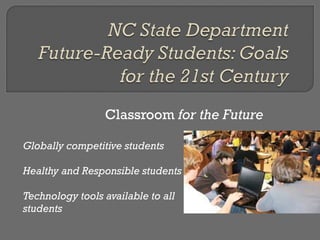
Classroom  for the Future Globally competitive students Healthy and Responsible students Technology tools available to all students
Up-to-date globes and maps : electronic maps, updated continuously,  and manipulable  - One touch shows population, economic statistics, resources, etc Print-rich environment with cultural materials and business,  news, arts, and sports magazines Filtered email system that allows students to safely communicate with other students around the globe On-line meeting/collaboration system networked to other schools in various locations Interactive fitness and game system Contemporary and classical art posters on walls
Tables for collaboration Chairs and stability balls Mats for sitting on floor Lockers with keyless entry Doors with keyless entry  One wall with windows and a door going outside,  -  outdoor patio with tables for study, a weather  station,  and plants to care for.  -  outdoor exercise station - chin-up bar, jump  rope multiuse floor space for whole-group meetings or  for individual or small-group collaboration Ample electrical receptacles and power strips
 
 
Can replace bulky & heavy text books At 2 pounds, the Ipad is 10% of the 20lbs of textbooks student carry. Instead of stale pictures E-books can have links to video segments and animations. Students can highlight and make notes in the book Electronic textbooks cost 1/3 as much as printed editions Electronic textbooks can be updated more frequently
 
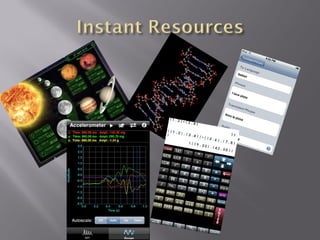
About 5,400 educational applications are available specifically for the IPad, of which nearly 1,000 can be downloaded free Puts a computer lab in every classroom
Teacher can send assignments to students Ipad Students complete assignments and submit them electronically Instructors can create events (such as test dates, presentation dates and times, and activities)
 
SMART Board or Active Board Several Benefits Posting of class notes Student absent, no problem Fewer Materials Actively engage students in whole class instruction Numerous resources available instantly
Also referred to as Clickers Allows for automatic feedback of every student Every student answers  Teacher reports on individual students Students actively engaged in lesson through questioning and polling

21st century classroom1

  • 1.
  • 2.
    Classroom forthe Future Globally competitive students Healthy and Responsible students Technology tools available to all students
  • 3.
    Up-to-date globes andmaps : electronic maps, updated continuously, and manipulable - One touch shows population, economic statistics, resources, etc Print-rich environment with cultural materials and business, news, arts, and sports magazines Filtered email system that allows students to safely communicate with other students around the globe On-line meeting/collaboration system networked to other schools in various locations Interactive fitness and game system Contemporary and classical art posters on walls
  • 4.
    Tables for collaborationChairs and stability balls Mats for sitting on floor Lockers with keyless entry Doors with keyless entry One wall with windows and a door going outside, - outdoor patio with tables for study, a weather station, and plants to care for. - outdoor exercise station - chin-up bar, jump rope multiuse floor space for whole-group meetings or for individual or small-group collaboration Ample electrical receptacles and power strips
  • 5.
  • 6.
  • 7.
    Can replace bulky& heavy text books At 2 pounds, the Ipad is 10% of the 20lbs of textbooks student carry. Instead of stale pictures E-books can have links to video segments and animations. Students can highlight and make notes in the book Electronic textbooks cost 1/3 as much as printed editions Electronic textbooks can be updated more frequently
  • 8.
  • 9.
    About 5,400 educationalapplications are available specifically for the IPad, of which nearly 1,000 can be downloaded free Puts a computer lab in every classroom
  • 10.
    Teacher can sendassignments to students Ipad Students complete assignments and submit them electronically Instructors can create events (such as test dates, presentation dates and times, and activities)
  • 11.
  • 12.
    SMART Board orActive Board Several Benefits Posting of class notes Student absent, no problem Fewer Materials Actively engage students in whole class instruction Numerous resources available instantly
  • 13.
    Also referred toas Clickers Allows for automatic feedback of every student Every student answers Teacher reports on individual students Students actively engaged in lesson through questioning and polling

Editor's Notes

  • #12 There are times that students need to come together and discuss concepts that the teacher needs to address or introduce.
  • #13 During this time, technology can be used as well. The use of on Interactive Whiteboard allows the teacher to use technological resources to introduce, practice and/or reinforce concepts. Students can participate in lessons using graphic organizers, and taking notes on the interactive whiteboard. Furthermore, the notes and organizers can be saved and posted online for students to download and save for later use.
  • #14 In the 21 st century classrooms, teachers will monitor students comprehension of concepts. The use of student response systems, or clickers, add in this teacher observations. Students are assigned a clicker. Teachers then follow their lesson and ask questions, as they normally would. However, instead of the teacher hearing of just one student. Ever student in the classroom can answer. At the end of the lesson or even during the lesson, the teacher can pull up a report and check for the whole class’s level of understanding. Individual student reports are available or the teacher to review as well.