Programming in Java
Topic: Assertion
Contents
 Introduction
 Assertion
 Using Assertion
 How assertion works
 Benefit of using Assertion
 Important Points
Introduction
 An assertion is a statement in Java that enables you to test
your assumptions about the program.
 Each assertion contains a boolean expression that you
believe will be true when the assertion executes.
 If it is not true, the system will throw a runtime error
(java.lang.AssertionError).
Example
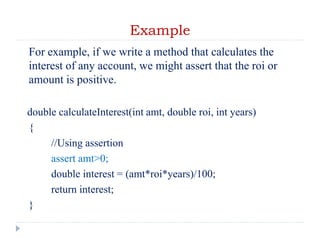
For example, if we write a method that calculates the
interest of any account, we might assert that the roi or
amount is positive.
double calculateInterest(int amt, double roi, int years)
{
//Using assertion
assert amt>0;
double interest = (amt*roi*years)/100;
return interest;
}
Assertion
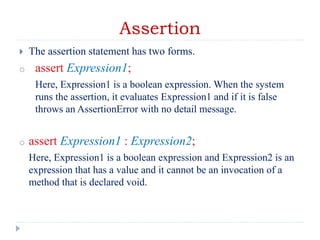
 The assertion statement has two forms.
o assert Expression1;
Here, Expression1 is a boolean expression. When the system
runs the assertion, it evaluates Expression1 and if it is false
throws an AssertionError with no detail message.
o assert Expression1 : Expression2;
Here, Expression1 is a boolean expression and Expression2 is an
expression that has a value and it cannot be an invocation of a
method that is declared void.
Example
public class AssertionExample{
public static void main(String[] args)
{
int num=Integer.parseInt(args[0]);
assert num>=10;// stop if number is less than 10
assert num<20: "number should be less than 20";
// if fail msg is displayed with error
System.out.println("Pass");
}
}
Using Assertion
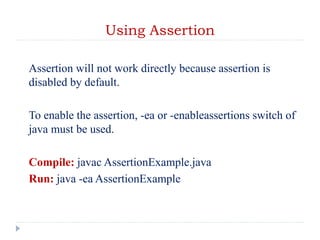
Assertion will not work directly because assertion is
disabled by default.
To enable the assertion, -ea or -enableassertions switch of
java must be used.
Compile: javac AssertionExample.java
Run: java -ea AssertionExample
Difference between Assertion and If
statement
1. An if statement will not raise an exception when the
condition is false. Assertion will raise an assertion error
when the condition is false. An assertion exception will stop
the program unless the exception is handled by a try-
except block.
2. Look at assertions as a method for development. so you
can build various checkpoints across the code to ensure
that variables/arguments are meeting the expected
limitations (e.g. you know it must be number not letter, it
must be positive , etc...). Then once you're done with
development you can globally turnoff all the assertions. In
case you will use IF statements (instead of assertions) for
this, you will need to clean up the code and possibly
introduce some errors.
Continue…
3.
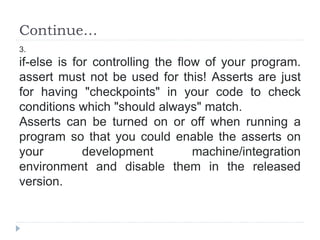
if-else is for controlling the flow of your program.
assert must not be used for this! Asserts are just
for having "checkpoints" in your code to check
conditions which "should always" match.
Asserts can be turned on or off when running a
program so that you could enable the asserts on
your development machine/integration
environment and disable them in the released
version.
How Assertion Works?
In assertion a BooleanExpression is used and if boolean
expression is false then java throws AssertionError and the
program terminates.
Second form of assert keyword "assert booleanExpression
: errorMessage" is more useful and provides a mechanism
to pass additional data when Java assertion fails and java
throws AssertionError.
Need of Assertion
class AssertionNeed{
public static void main(String [] rk)
{ new AssertionNeed().remainder(8); }
void remainder(int i)
{ if(i%3==0) System.out.println("Divisible by 3");
else if(i%3==1) System.out.println("Remainder 1");
else{
System.out.println("Remainder 2"); }
}
}
What About it?
class AssertionNeedTest
{
public static void main(String [] rk)
{
new AssertionNeed().remainder(-7);
}
}
Need of Assertion
class AssertionNeed{
public static void main(String [] rk)
{ new AssertionNeed().remainder(-7); }
void remainder(int i)
{ if(i%3==0) System.out.println("Divisible by 3");
else if(i%3==1) System.out.println("Remainder 1");
else{
assert i%3 == 2 : i;
System.out.println("Remainder 2"); }
}
}
Why Assertion?
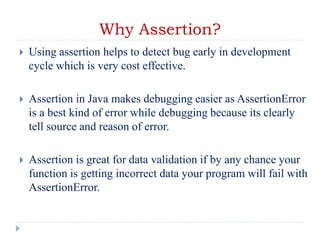
 Using assertion helps to detect bug early in development
cycle which is very cost effective.
 Assertion in Java makes debugging easier as AssertionError
is a best kind of error while debugging because its clearly
tell source and reason of error.
 Assertion is great for data validation if by any chance your
function is getting incorrect data your program will fail with
AssertionError.
Important
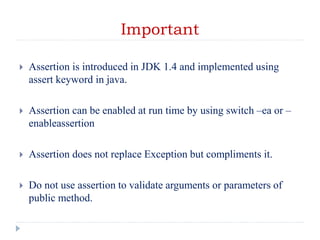
 Assertion is introduced in JDK 1.4 and implemented using
assert keyword in java.
 Assertion can be enabled at run time by using switch –ea or –
enableassertion
 Assertion does not replace Exception but compliments it.
 Do not use assertion to validate arguments or parameters of
public method.
21. Assertion.ppt

21. Assertion.ppt

  • 1.
  • 2.
    Contents  Introduction  Assertion Using Assertion  How assertion works  Benefit of using Assertion  Important Points
  • 3.
    Introduction  An assertionis a statement in Java that enables you to test your assumptions about the program.  Each assertion contains a boolean expression that you believe will be true when the assertion executes.  If it is not true, the system will throw a runtime error (java.lang.AssertionError).
  • 4.
    Example For example, ifwe write a method that calculates the interest of any account, we might assert that the roi or amount is positive. double calculateInterest(int amt, double roi, int years) { //Using assertion assert amt>0; double interest = (amt*roi*years)/100; return interest; }
  • 5.
    Assertion  The assertionstatement has two forms. o assert Expression1; Here, Expression1 is a boolean expression. When the system runs the assertion, it evaluates Expression1 and if it is false throws an AssertionError with no detail message. o assert Expression1 : Expression2; Here, Expression1 is a boolean expression and Expression2 is an expression that has a value and it cannot be an invocation of a method that is declared void.
  • 6.
    Example public class AssertionExample{ publicstatic void main(String[] args) { int num=Integer.parseInt(args[0]); assert num>=10;// stop if number is less than 10 assert num<20: "number should be less than 20"; // if fail msg is displayed with error System.out.println("Pass"); } }
  • 7.
    Using Assertion Assertion willnot work directly because assertion is disabled by default. To enable the assertion, -ea or -enableassertions switch of java must be used. Compile: javac AssertionExample.java Run: java -ea AssertionExample
  • 8.
    Difference between Assertionand If statement 1. An if statement will not raise an exception when the condition is false. Assertion will raise an assertion error when the condition is false. An assertion exception will stop the program unless the exception is handled by a try- except block. 2. Look at assertions as a method for development. so you can build various checkpoints across the code to ensure that variables/arguments are meeting the expected limitations (e.g. you know it must be number not letter, it must be positive , etc...). Then once you're done with development you can globally turnoff all the assertions. In case you will use IF statements (instead of assertions) for this, you will need to clean up the code and possibly introduce some errors.
  • 9.
    Continue… 3. if-else is forcontrolling the flow of your program. assert must not be used for this! Asserts are just for having "checkpoints" in your code to check conditions which "should always" match. Asserts can be turned on or off when running a program so that you could enable the asserts on your development machine/integration environment and disable them in the released version.
  • 10.
    How Assertion Works? Inassertion a BooleanExpression is used and if boolean expression is false then java throws AssertionError and the program terminates. Second form of assert keyword "assert booleanExpression : errorMessage" is more useful and provides a mechanism to pass additional data when Java assertion fails and java throws AssertionError.
  • 11.
    Need of Assertion classAssertionNeed{ public static void main(String [] rk) { new AssertionNeed().remainder(8); } void remainder(int i) { if(i%3==0) System.out.println("Divisible by 3"); else if(i%3==1) System.out.println("Remainder 1"); else{ System.out.println("Remainder 2"); } } }
  • 12.
    What About it? classAssertionNeedTest { public static void main(String [] rk) { new AssertionNeed().remainder(-7); } }
  • 13.
    Need of Assertion classAssertionNeed{ public static void main(String [] rk) { new AssertionNeed().remainder(-7); } void remainder(int i) { if(i%3==0) System.out.println("Divisible by 3"); else if(i%3==1) System.out.println("Remainder 1"); else{ assert i%3 == 2 : i; System.out.println("Remainder 2"); } } }
  • 14.
    Why Assertion?  Usingassertion helps to detect bug early in development cycle which is very cost effective.  Assertion in Java makes debugging easier as AssertionError is a best kind of error while debugging because its clearly tell source and reason of error.  Assertion is great for data validation if by any chance your function is getting incorrect data your program will fail with AssertionError.
  • 15.
    Important  Assertion isintroduced in JDK 1.4 and implemented using assert keyword in java.  Assertion can be enabled at run time by using switch –ea or – enableassertion  Assertion does not replace Exception but compliments it.  Do not use assertion to validate arguments or parameters of public method.