2. The Memory Systems (Module2) SE EXTC, SEM-IV
Prepared by AJIT SARAF 1
The Memory Systems
Prepared By
AJIT SARAF
Module 2
1
The Memory Systems
Classification of Memory : Primary and Secondary.
Types of Semiconductor memories.
Cache Memory.
Virtual Memory Concept with Memory Management
Unit with Segmentation and Paging (Address
Translation Mechanism)
Prepared By
AJIT SARAF
Module 2
Approximate Weightage – 15 Marks
2
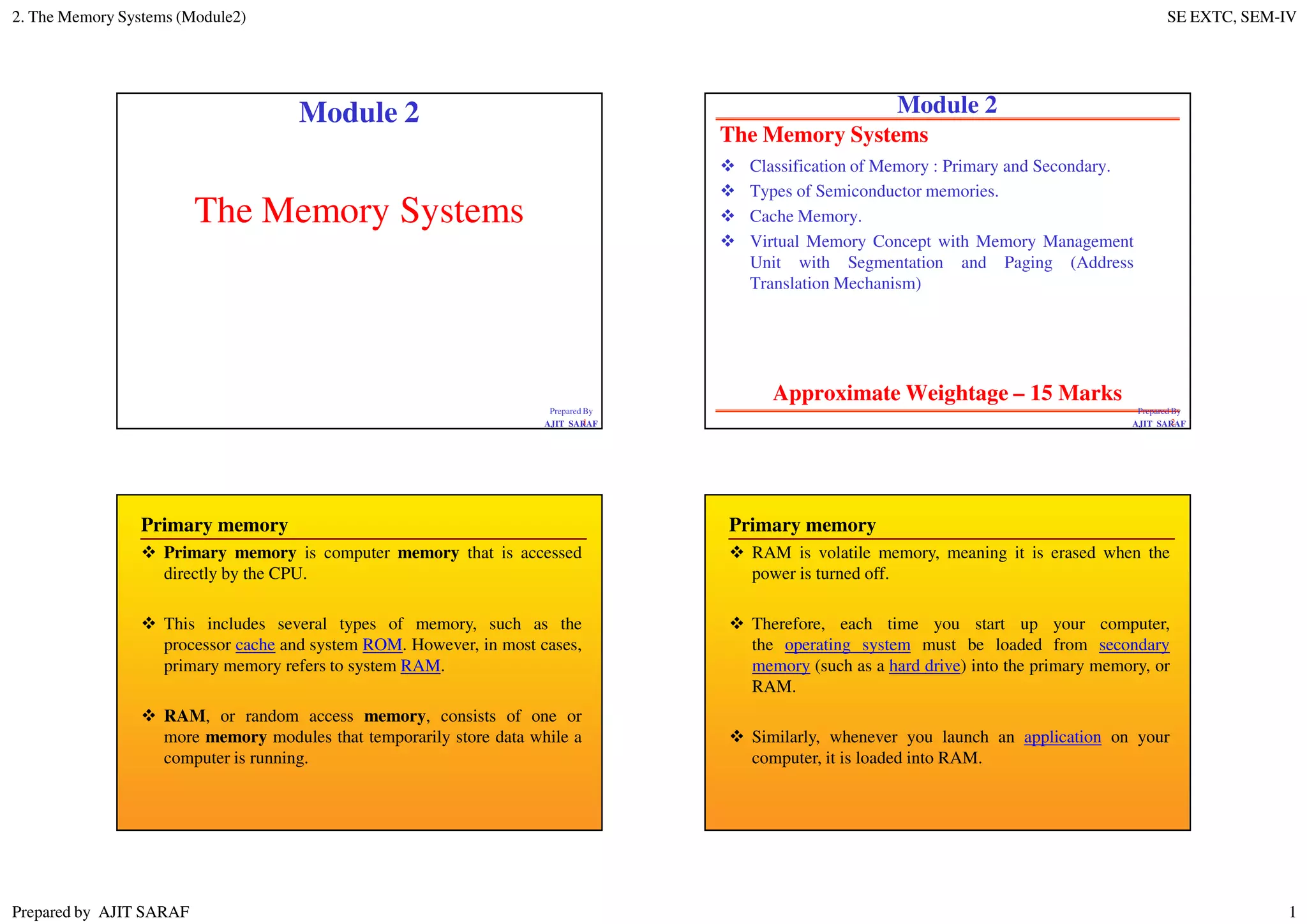
Primary memory
Primary memory is computer memory that is accessed
directly by the CPU.
This includes several types of memory, such as the
processor cache and system ROM. However, in most cases,
primary memory refers to system RAM.
RAM, or random access memory, consists of one or
more memory modules that temporarily store data while a
computer is running.
Primary memory
RAM is volatile memory, meaning it is erased when the
power is turned off.
Therefore, each time you start up your computer,
the operating system must be loaded from secondary
memory (such as a hard drive) into the primary memory, or
RAM.
Similarly, whenever you launch an application on your
computer, it is loaded into RAM.
2. The Memory Systems (Module2) SE EXTC, SEM-IV
Prepared by AJIT SARAF 2
Primary memory
The operating system and applications are loaded into
primary memory, since RAM can be accessed much faster
than storage devices.
In fact, the data can be transferred between CPU and RAM
more than a hundred times faster than between the CPU
and the hard drive.
By loading data into RAM, programs can run significantly
faster and are much more responsive than if than constantly
accessed data from secondary memory.
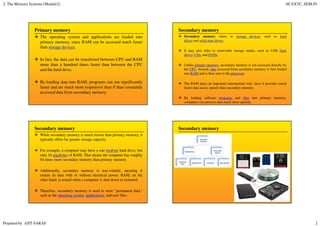
Secondary memory
Secondary memory refers to storage devices, such as hard
drives and solid state drives.
It may also refer to removable storage media, such as USB flash
drives, CDs, and DVDs.
Unlike primary memory, secondary memory is not accessed directly by
the CPU. Instead, data accessed from secondary memory is first loaded
into RAM and is then sent to the processor.
The RAM plays an important intermediate role, since it provides much
faster data access speeds than secondary memory.
By loading software programs and files into primary memory,
computers can process data much more quickly.
Secondary memory
While secondary memory is much slower than primary memory, it
typically offers far greater storage capacity.
For example, a computer may have a one terabyte hard drive, but
only 16 gigabytes of RAM. That means the computer has roughly
64 times more secondary memory than primary memory.
Additionally, secondary memory is non-volatile, meaning it
retains its data with or without electrical power. RAM, on the
other hand, is erased when a computer is shut down or restarted.
Therefore, secondary memory is used to store "permanent data,"
such as the operating system, applications, and user files.
Secondary memory
2. The Memory Systems (Module2) SE EXTC, SEM-IV
Prepared by AJIT SARAF 3
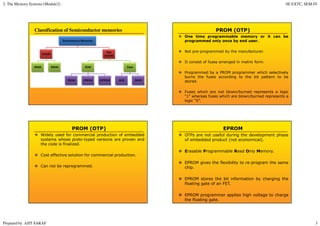
Classification of Semiconductor memories PROM (OTP)
One time programmable memory or it can be
programmed only once by end user.
Not pre-programmed by the manufacturer.
It consist of fuses arranged in matrix form.
Programmed by a PROM programmer which selectively
burns the fuses according to the bit pattern to be
stored.
Fuses which are not blown/burned represents a logic
“1” whereas fuses which are blown/burned represents a
logic “0”.
PROM (OTP)
Widely used for commercial production of embedded
systems whose proto-typed versions are proven and
the code is finalized.
Cost effective solution for commercial production.
Can not be reprogrammed.
EPROM
OTPs are not useful during the development phase
of embedded product (not economical).
Erasable Programmable Read Only Memory.
EPROM gives the flexibility to re-program the same
chip.
EPROM stores the bit information by charging the
floating gate of an FET.
EPROM programmer applies high voltage to charge
the floating gate.
2. The Memory Systems (Module2) SE EXTC, SEM-IV
Prepared by AJIT SARAF 4
EPROM
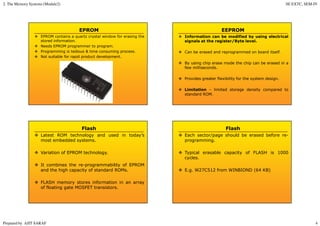
EPROM contains a quartz crystal window for erasing the
stored information.
Needs EPROM programmer to program.
Programming is tedious & time consuming process.
Not suitable for rapid product development.
EEPROM
Information can be modified by using electrical
signals at the register/Byte level.
Can be erased and reprogrammed on board itself.
By using chip erase mode the chip can be erased in a
few milliseconds.
Provides greater flexibility for the system design.
Limitation – limited storage density compared to
standard ROM.
Flash
Latest ROM technology and used in today’s
most embedded systems.
Variation of EPROM technology.
It combines the re-programmability of EPROM
and the high capacity of standard ROMs.
FLASH memory stores information in an array
of floating gate MOSFET transistors.
Flash
Each sector/page should be erased before re-
programming.
Typical erasable capacity of FLASH is 1000
cycles.
E.g. W27C512 from WINBIOND (64 KB)
2. The Memory Systems (Module2) SE EXTC, SEM-IV
Prepared by AJIT SARAF 5
Read-write Memory/ Random Access Memory (RAM)
RAM is the data memory or working memory of
the processor/controller.
Most of the microcontrollers have on chip RAM.
Volatile Memory.
2 Types of RAM
Static RAM (SRAM)
Dynamic RAM (DRAM)
Static RAM (SRAM)
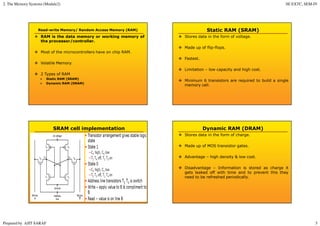
Stores data in the form of voltage.
Made up of flip-flops.
Fastest.
Limitation – low capacity and high cost.
Minimum 6 transistors are required to build a single
memory cell.
SRAM cell implementation Dynamic RAM (DRAM)
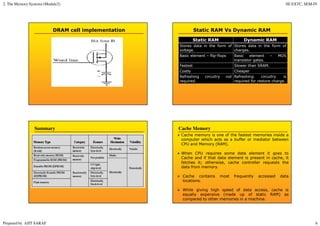
Stores data in the form of charge.
Made up of MOS transistor gates.
Advantage – high density & low cost.
Disadvantage – Information is stored as charge it
gets leaked off with time and to prevent this they
need to be refreshed periodically.
2. The Memory Systems (Module2) SE EXTC, SEM-IV
Prepared by AJIT SARAF 6
DRAM cell implementation Static RAM Vs Dynamic RAM
Static RAM Dynamic RAM
Stores data in the form of
voltage.
Stores data in the form of
charges.
Basic element – flip-flops Basic element – MOS
transistor gates.
Fastest Slower than SRAM.
Costly Cheaper
Refreshing circuitry not
required.
Refreshing circuitry is
required for restore charge.
Summary
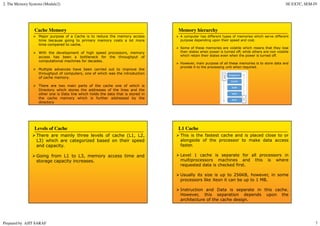
Cache memory is one of the fastest memories inside a
computer which acts as a buffer or mediator between
CPU and Memory (RAM).
When CPU requires some data element it goes to
Cache and if that data element is present in cache, it
fetches it; otherwise, cache controller requests the
data from memory.
Cache contains most frequently accessed data
locations.
While giving high speed of data access, cache is
equally expensive (made up of static RAM) as
compared to other memories in a machine.
Cache Memory
2. The Memory Systems (Module2) SE EXTC, SEM-IV
Prepared by AJIT SARAF 7
Major purpose of a Cache is to reduce the memory access
time because going to primary memory costs a lot more
time compared to cache.
With the development of high speed processors, memory
access has been a bottleneck for the throughput of
computational machines for decades.
Multiple advances have been carried out to improve the
throughput of computers, one of which was the introduction
of cache memory.
There are two main parts of the cache one of which is
Directory which stores the addresses of the lines and the
other one is Data line which holds the data that is stored in
the cache memory which is further addressed by the
directory
Cache Memory Memory hierarchy
A computer has different types of memories which serve different
purpose depending upon their speed and cost.
Some of these memories are volatile which means that they lose
their states when power is turned off, while others are non volatile
which retain their states even when the power is turned off.
However, main purpose of all these memories is to store data and
provide it to the processing unit when required.
Levels of Cache
There are mainly three levels of cache (L1, L2,
L3) which are categorized based on their speed
and capacity.
Going from L1 to L3, memory access time and
storage capacity increases.
L1 Cache
This is the fastest cache and is placed close to or
alongside of the processor to make data access
faster.
Level 1 cache is separate for all processors in
multiprocessors machines and this is where
requested data is checked first.
Usually its size is up to 256KB, however, in some
processors like Xeon it can be up to 1 MB.
Instruction and Data is separate in this cache.
However, this separation depends upon the
architecture of the cache design.
2. The Memory Systems (Module2) SE EXTC, SEM-IV
Prepared by AJIT SARAF 8
L2 Cache
This is slower than the L1 cache and greater in
size.
Its size is up to 8MB.
Level 2 cache keeps the data that is expected to
be accessed by the processor in coming clocks.
Level 2 cache is also separate for all cores.
L3 Cache
This is the slowest cache and greatest in size as
compared to other cache memories.
Level 3 cache is up to 50MB
Virtual Memory is a computer concept where the
main memory is broken up into a series of individual pages.
Those pages can be moved in memory as a unit, or they can
even be moved to secondary storage to make room in
main memory for new data.
Types of virtual memory: Paging and Segmentation.
Virtual memory can be managed in a number of different
ways by a system's operating system, and the two most
common approaches are paging and segmentation.
Virtual Memory
In 8086 all registers including IP are 16-bit in size.
But to access 1 MB of external memory, 20-bit address must
be generated by 8086 on the address bus.
It is impossible to locate or generate 20-bit address using 16-
bit register like IP.
So the concept Segmentation is introduced in 8086.
Need of Segmentation in 8086 Microprocessor
2. The Memory Systems (Module2) SE EXTC, SEM-IV
Prepared by AJIT SARAF 9
1MB of external memory is virtually or logically divided into
16 equal segments.
Size of the 1 segment is 64KB.
To access 64KB of memory, 16-bit address can be easily
generated by registers of 8086.
And by using memory address generation technique, 20-bit
physical address can be easily generated using logical address
(segment base:offset).
What is Segmentation? The Code Segment
The offset is the distance in bytes from the start of the segment.
The offset is given by the IP for the Code Segment.
Instructions are always fetched with using the CS register.
The physical address is also called the absolute address
000000H
Memory
Segment Register
Offset
Physical or
Absolute Address
0
+
CS:
IP
0400H
0056H
4000H
4056H
0400
0056
04056H
CS:IP = 400:56
Logical Address
0FFFFFH
Left-shift 4
bits
34
Memory Address Generation
The BIU has a dedicated adder for determining
physical memory addresses
Physical Address (20 Bits)
Adder
Segment Register (16 bits) 0 0 0 0
Offset Value (16 bits)
BIU contains four special purpose registers called as segment
registers.
Code segment (CS) register.
Stack segment (SS) register.
Extra segment (ES) register.
Data segment (DS) register.
Segment Registers (Segmentation in 8086)
2. The Memory Systems (Module2) SE EXTC, SEM-IV
Prepared by AJIT SARAF 10
Segment Registers (Segmentation in 8086)
Segment
Registers
EXTRA
64K Data
Segment
64K Code
Segment
CODE
STACK
DATA
MEMORY Address
000000H
0FFFFFH
←
←
←
← CS:0
Segment Starting address is
segment register value
shifted 4 place to the left.
Segment Registers (Segmentation in 8086)
CODE
DATA
STACK
EXTRA
2000H
5000H
7000H
3000H
DS:
SS:
ES:
CS:
20000H
50000H
70000H
30000H
2FFFFH
5FFFFH
7FFFFH
3FFFFH
000000H
Segment
Registers
Memory Segments
Segments are < or = 64K and can overlap.
Note that the Code segment is < 64K since 7FFFFH is the
highest address.
Provides powerful memory management mechanism.
It allows two processes to easily share data
It allows you to extend the address ability of a processor.
It makes it possible to separate the memory areas from stack,
code and data.
It is possible to increase the memory size of code, data or
stack segments beyond 64 kbytes by allotting more than one
segment for each area.
Advantages of Segmentation Virtual Memories
In most computer systems, the physical main memory is not
as large as the address space of the processor.
E.g. if the processor uses 32 bit address then its address
space will be 4 GB.
In reality the physical memory that we use is a computer
system is in megabytes and not in gigabytes.
When we try to run a program that will not completely fit
into the main memory, the parts of it currently being
executed are stored in main memory and the remaining
portion is stored in secondary storage device, such as hard
disk.
2. The Memory Systems (Module2) SE EXTC, SEM-IV
Prepared by AJIT SARAF 11
Virtual Memories
All parts of a program which are needed for execution are
first brought into the main memory.
When a new segment of the program is to be brought and
the memory is full, it must replace another segment already
in the memory.
Techniques that automatically move program and data
blocks into the physical main memory when they are
required for execution are called virtual memory
techniques.
Virtual Memory organization
A special hardware unit, called the Memory Management
Unit (MMU), translates virtual address into physical
address.
Paging
Paging is a memory management function that presents
storage locations to the CPU as additional memory.
Paging is a computer memory management function that
presents storage locations to the computer's CPU as
additional memory, called virtual memory.
Paging is one of the memory management techniques used
for virtual memory multitasking operating system.
Paging
The segmentation scheme may divide the physical memory
into a variable size segments but the paging divides the
memory into a fixed size pages.
The segments are supposed to be the logical segments of
the program, but the pages do not have any logical relation
with the program.
The pages are just fixed size portions of the program
module or data.
2. The Memory Systems (Module2) SE EXTC, SEM-IV
Prepared by AJIT SARAF 12
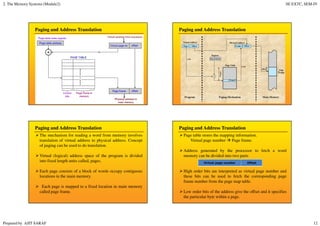
Paging and Address Translation Paging and Address Translation
Paging and Address Translation
The mechanism for reading a word from memory involves
translation of virtual address to physical address. Concept
of paging can be used to do translation.
Virtual (logical) address space of the program is divided
into fixed length units called, pages.
Each page consists of a block of words occupy contiguous
locations in the main memory.
Each page is mapped to a fixed location in main memory
called page frame.
Paging and Address Translation
Page table stores the mapping information.
Virtual page number Page frame.
Address generated by the processor to fetch a word
memory can be divided into two parts
High order bits are interpreted as virtual page number and
these bits can be used to fetch the corresponding page
frame number from the page map table.
Low order bits of the address give the offset and it specifies
the particular byte within a page.
Virtual page number Offset
2. The Memory Systems (Module2) SE EXTC, SEM-IV
Prepared by AJIT SARAF 13
Paging and Address Translation
When a particular process is running, a register holds the
starting address of the page table for that process. This
register is known as page table base register.
By adding the virtual page number to the contents of the
page table base register, the address of the corresponding
entry in the page table is obtained.
Each entry in the page table also includes some control bits
that describe:
Status of the page (whether the page is present in the main
memory)
Validity of page.
Whether the page has been modified.
Sample questions
1) Explain different types of secondary memories.
2) Explain cache memory with levels.
3) Explain concept of virtual memory with segmentation and
paging.
4) Differentiate static RAM and dynamic RAM.

2. the memory systems (module2)

  • 1.
    2. The MemorySystems (Module2) SE EXTC, SEM-IV Prepared by AJIT SARAF 1 The Memory Systems Prepared By AJIT SARAF Module 2 1 The Memory Systems Classification of Memory : Primary and Secondary. Types of Semiconductor memories. Cache Memory. Virtual Memory Concept with Memory Management Unit with Segmentation and Paging (Address Translation Mechanism) Prepared By AJIT SARAF Module 2 Approximate Weightage – 15 Marks 2 Primary memory Primary memory is computer memory that is accessed directly by the CPU. This includes several types of memory, such as the processor cache and system ROM. However, in most cases, primary memory refers to system RAM. RAM, or random access memory, consists of one or more memory modules that temporarily store data while a computer is running. Primary memory RAM is volatile memory, meaning it is erased when the power is turned off. Therefore, each time you start up your computer, the operating system must be loaded from secondary memory (such as a hard drive) into the primary memory, or RAM. Similarly, whenever you launch an application on your computer, it is loaded into RAM.
  • 2.
    2. The MemorySystems (Module2) SE EXTC, SEM-IV Prepared by AJIT SARAF 2 Primary memory The operating system and applications are loaded into primary memory, since RAM can be accessed much faster than storage devices. In fact, the data can be transferred between CPU and RAM more than a hundred times faster than between the CPU and the hard drive. By loading data into RAM, programs can run significantly faster and are much more responsive than if than constantly accessed data from secondary memory. Secondary memory Secondary memory refers to storage devices, such as hard drives and solid state drives. It may also refer to removable storage media, such as USB flash drives, CDs, and DVDs. Unlike primary memory, secondary memory is not accessed directly by the CPU. Instead, data accessed from secondary memory is first loaded into RAM and is then sent to the processor. The RAM plays an important intermediate role, since it provides much faster data access speeds than secondary memory. By loading software programs and files into primary memory, computers can process data much more quickly. Secondary memory While secondary memory is much slower than primary memory, it typically offers far greater storage capacity. For example, a computer may have a one terabyte hard drive, but only 16 gigabytes of RAM. That means the computer has roughly 64 times more secondary memory than primary memory. Additionally, secondary memory is non-volatile, meaning it retains its data with or without electrical power. RAM, on the other hand, is erased when a computer is shut down or restarted. Therefore, secondary memory is used to store "permanent data," such as the operating system, applications, and user files. Secondary memory
  • 3.
    2. The MemorySystems (Module2) SE EXTC, SEM-IV Prepared by AJIT SARAF 3 Classification of Semiconductor memories PROM (OTP) One time programmable memory or it can be programmed only once by end user. Not pre-programmed by the manufacturer. It consist of fuses arranged in matrix form. Programmed by a PROM programmer which selectively burns the fuses according to the bit pattern to be stored. Fuses which are not blown/burned represents a logic “1” whereas fuses which are blown/burned represents a logic “0”. PROM (OTP) Widely used for commercial production of embedded systems whose proto-typed versions are proven and the code is finalized. Cost effective solution for commercial production. Can not be reprogrammed. EPROM OTPs are not useful during the development phase of embedded product (not economical). Erasable Programmable Read Only Memory. EPROM gives the flexibility to re-program the same chip. EPROM stores the bit information by charging the floating gate of an FET. EPROM programmer applies high voltage to charge the floating gate.
  • 4.
    2. The MemorySystems (Module2) SE EXTC, SEM-IV Prepared by AJIT SARAF 4 EPROM EPROM contains a quartz crystal window for erasing the stored information. Needs EPROM programmer to program. Programming is tedious & time consuming process. Not suitable for rapid product development. EEPROM Information can be modified by using electrical signals at the register/Byte level. Can be erased and reprogrammed on board itself. By using chip erase mode the chip can be erased in a few milliseconds. Provides greater flexibility for the system design. Limitation – limited storage density compared to standard ROM. Flash Latest ROM technology and used in today’s most embedded systems. Variation of EPROM technology. It combines the re-programmability of EPROM and the high capacity of standard ROMs. FLASH memory stores information in an array of floating gate MOSFET transistors. Flash Each sector/page should be erased before re- programming. Typical erasable capacity of FLASH is 1000 cycles. E.g. W27C512 from WINBIOND (64 KB)
  • 5.
    2. The MemorySystems (Module2) SE EXTC, SEM-IV Prepared by AJIT SARAF 5 Read-write Memory/ Random Access Memory (RAM) RAM is the data memory or working memory of the processor/controller. Most of the microcontrollers have on chip RAM. Volatile Memory. 2 Types of RAM Static RAM (SRAM) Dynamic RAM (DRAM) Static RAM (SRAM) Stores data in the form of voltage. Made up of flip-flops. Fastest. Limitation – low capacity and high cost. Minimum 6 transistors are required to build a single memory cell. SRAM cell implementation Dynamic RAM (DRAM) Stores data in the form of charge. Made up of MOS transistor gates. Advantage – high density & low cost. Disadvantage – Information is stored as charge it gets leaked off with time and to prevent this they need to be refreshed periodically.
  • 6.
    2. The MemorySystems (Module2) SE EXTC, SEM-IV Prepared by AJIT SARAF 6 DRAM cell implementation Static RAM Vs Dynamic RAM Static RAM Dynamic RAM Stores data in the form of voltage. Stores data in the form of charges. Basic element – flip-flops Basic element – MOS transistor gates. Fastest Slower than SRAM. Costly Cheaper Refreshing circuitry not required. Refreshing circuitry is required for restore charge. Summary Cache memory is one of the fastest memories inside a computer which acts as a buffer or mediator between CPU and Memory (RAM). When CPU requires some data element it goes to Cache and if that data element is present in cache, it fetches it; otherwise, cache controller requests the data from memory. Cache contains most frequently accessed data locations. While giving high speed of data access, cache is equally expensive (made up of static RAM) as compared to other memories in a machine. Cache Memory
  • 7.
    2. The MemorySystems (Module2) SE EXTC, SEM-IV Prepared by AJIT SARAF 7 Major purpose of a Cache is to reduce the memory access time because going to primary memory costs a lot more time compared to cache. With the development of high speed processors, memory access has been a bottleneck for the throughput of computational machines for decades. Multiple advances have been carried out to improve the throughput of computers, one of which was the introduction of cache memory. There are two main parts of the cache one of which is Directory which stores the addresses of the lines and the other one is Data line which holds the data that is stored in the cache memory which is further addressed by the directory Cache Memory Memory hierarchy A computer has different types of memories which serve different purpose depending upon their speed and cost. Some of these memories are volatile which means that they lose their states when power is turned off, while others are non volatile which retain their states even when the power is turned off. However, main purpose of all these memories is to store data and provide it to the processing unit when required. Levels of Cache There are mainly three levels of cache (L1, L2, L3) which are categorized based on their speed and capacity. Going from L1 to L3, memory access time and storage capacity increases. L1 Cache This is the fastest cache and is placed close to or alongside of the processor to make data access faster. Level 1 cache is separate for all processors in multiprocessors machines and this is where requested data is checked first. Usually its size is up to 256KB, however, in some processors like Xeon it can be up to 1 MB. Instruction and Data is separate in this cache. However, this separation depends upon the architecture of the cache design.
  • 8.
    2. The MemorySystems (Module2) SE EXTC, SEM-IV Prepared by AJIT SARAF 8 L2 Cache This is slower than the L1 cache and greater in size. Its size is up to 8MB. Level 2 cache keeps the data that is expected to be accessed by the processor in coming clocks. Level 2 cache is also separate for all cores. L3 Cache This is the slowest cache and greatest in size as compared to other cache memories. Level 3 cache is up to 50MB Virtual Memory is a computer concept where the main memory is broken up into a series of individual pages. Those pages can be moved in memory as a unit, or they can even be moved to secondary storage to make room in main memory for new data. Types of virtual memory: Paging and Segmentation. Virtual memory can be managed in a number of different ways by a system's operating system, and the two most common approaches are paging and segmentation. Virtual Memory In 8086 all registers including IP are 16-bit in size. But to access 1 MB of external memory, 20-bit address must be generated by 8086 on the address bus. It is impossible to locate or generate 20-bit address using 16- bit register like IP. So the concept Segmentation is introduced in 8086. Need of Segmentation in 8086 Microprocessor
  • 9.
    2. The MemorySystems (Module2) SE EXTC, SEM-IV Prepared by AJIT SARAF 9 1MB of external memory is virtually or logically divided into 16 equal segments. Size of the 1 segment is 64KB. To access 64KB of memory, 16-bit address can be easily generated by registers of 8086. And by using memory address generation technique, 20-bit physical address can be easily generated using logical address (segment base:offset). What is Segmentation? The Code Segment The offset is the distance in bytes from the start of the segment. The offset is given by the IP for the Code Segment. Instructions are always fetched with using the CS register. The physical address is also called the absolute address 000000H Memory Segment Register Offset Physical or Absolute Address 0 + CS: IP 0400H 0056H 4000H 4056H 0400 0056 04056H CS:IP = 400:56 Logical Address 0FFFFFH Left-shift 4 bits 34 Memory Address Generation The BIU has a dedicated adder for determining physical memory addresses Physical Address (20 Bits) Adder Segment Register (16 bits) 0 0 0 0 Offset Value (16 bits) BIU contains four special purpose registers called as segment registers. Code segment (CS) register. Stack segment (SS) register. Extra segment (ES) register. Data segment (DS) register. Segment Registers (Segmentation in 8086)
  • 10.
    2. The MemorySystems (Module2) SE EXTC, SEM-IV Prepared by AJIT SARAF 10 Segment Registers (Segmentation in 8086) Segment Registers EXTRA 64K Data Segment 64K Code Segment CODE STACK DATA MEMORY Address 000000H 0FFFFFH ← ← ← ← CS:0 Segment Starting address is segment register value shifted 4 place to the left. Segment Registers (Segmentation in 8086) CODE DATA STACK EXTRA 2000H 5000H 7000H 3000H DS: SS: ES: CS: 20000H 50000H 70000H 30000H 2FFFFH 5FFFFH 7FFFFH 3FFFFH 000000H Segment Registers Memory Segments Segments are < or = 64K and can overlap. Note that the Code segment is < 64K since 7FFFFH is the highest address. Provides powerful memory management mechanism. It allows two processes to easily share data It allows you to extend the address ability of a processor. It makes it possible to separate the memory areas from stack, code and data. It is possible to increase the memory size of code, data or stack segments beyond 64 kbytes by allotting more than one segment for each area. Advantages of Segmentation Virtual Memories In most computer systems, the physical main memory is not as large as the address space of the processor. E.g. if the processor uses 32 bit address then its address space will be 4 GB. In reality the physical memory that we use is a computer system is in megabytes and not in gigabytes. When we try to run a program that will not completely fit into the main memory, the parts of it currently being executed are stored in main memory and the remaining portion is stored in secondary storage device, such as hard disk.
  • 11.
    2. The MemorySystems (Module2) SE EXTC, SEM-IV Prepared by AJIT SARAF 11 Virtual Memories All parts of a program which are needed for execution are first brought into the main memory. When a new segment of the program is to be brought and the memory is full, it must replace another segment already in the memory. Techniques that automatically move program and data blocks into the physical main memory when they are required for execution are called virtual memory techniques. Virtual Memory organization A special hardware unit, called the Memory Management Unit (MMU), translates virtual address into physical address. Paging Paging is a memory management function that presents storage locations to the CPU as additional memory. Paging is a computer memory management function that presents storage locations to the computer's CPU as additional memory, called virtual memory. Paging is one of the memory management techniques used for virtual memory multitasking operating system. Paging The segmentation scheme may divide the physical memory into a variable size segments but the paging divides the memory into a fixed size pages. The segments are supposed to be the logical segments of the program, but the pages do not have any logical relation with the program. The pages are just fixed size portions of the program module or data.
  • 12.
    2. The MemorySystems (Module2) SE EXTC, SEM-IV Prepared by AJIT SARAF 12 Paging and Address Translation Paging and Address Translation Paging and Address Translation The mechanism for reading a word from memory involves translation of virtual address to physical address. Concept of paging can be used to do translation. Virtual (logical) address space of the program is divided into fixed length units called, pages. Each page consists of a block of words occupy contiguous locations in the main memory. Each page is mapped to a fixed location in main memory called page frame. Paging and Address Translation Page table stores the mapping information. Virtual page number Page frame. Address generated by the processor to fetch a word memory can be divided into two parts High order bits are interpreted as virtual page number and these bits can be used to fetch the corresponding page frame number from the page map table. Low order bits of the address give the offset and it specifies the particular byte within a page. Virtual page number Offset
  • 13.
    2. The MemorySystems (Module2) SE EXTC, SEM-IV Prepared by AJIT SARAF 13 Paging and Address Translation When a particular process is running, a register holds the starting address of the page table for that process. This register is known as page table base register. By adding the virtual page number to the contents of the page table base register, the address of the corresponding entry in the page table is obtained. Each entry in the page table also includes some control bits that describe: Status of the page (whether the page is present in the main memory) Validity of page. Whether the page has been modified. Sample questions 1) Explain different types of secondary memories. 2) Explain cache memory with levels. 3) Explain concept of virtual memory with segmentation and paging. 4) Differentiate static RAM and dynamic RAM.