SQL200   Based on  SQL Clearly Explained  by Jan Harrington SQL Programming Module  1 – Relational Database Background, Basic Single Table Retrieval Operations
SQL200 P.O. Box 6142 Laguna Niguel, CA 92607 949-489-1472 http://www.d2associates.com [email_address]
SQL Programming Course focus is SQL language Widely used for: Database administration Enterprise application development Data driven web sites A foundation skill for eBusiness and almost all major business applications that use relational databases
SQL Programming A basic knowledge of query systems, perhaps via MS Access,  or some programming knowledge, is desirable We will use GUI tools or Access “SQL View” almost exclusively
Relational Database Evolution Based on Codd’s paper Early commercial efforts focused on Unix First mainframe implementation by IBM  - precursor to today’s DB2 First PC implementation in early 80’s by Oracle
Relational Database Basics Storage Databases Tables Rows Columns Indexes Views Cursors Application interfaces
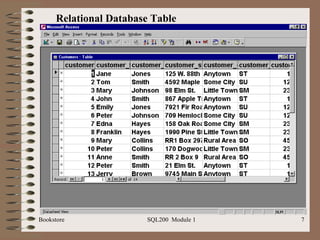
Relational Database Table
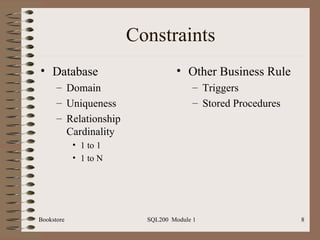
Constraints Database Domain Uniqueness Relationship Cardinality 1 to 1 1 to N Other Business Rule Triggers Stored Procedures
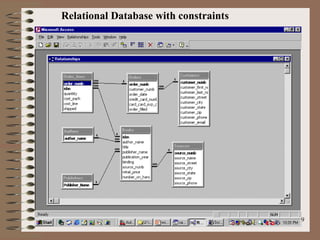
Relational Database with constraints
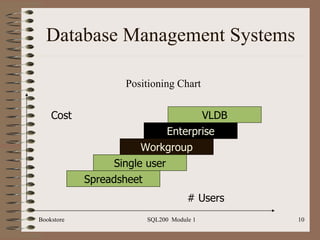
Database Management Systems Positioning Chart VLDB Enterprise Workgroup Single user Spreadsheet # Users Cost
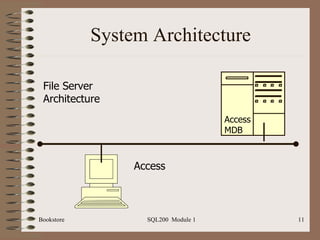
System Architecture Access MDB File Server  Architecture Access
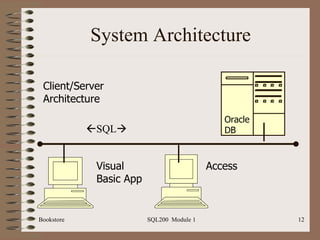
System Architecture Oracle DB Visual Basic App Client/Server  Architecture Access  SQL 
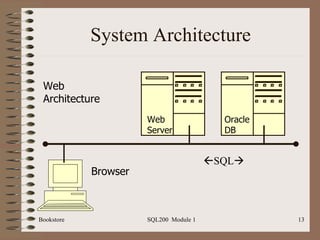
System Architecture Oracle DB Browser Web  Architecture Web Server  SQL 
Approaching SQL Relatively simple Two main environments Interactive (This course) Embedded Static (Compiled) Dynamic
SQL Standardization ANSI standardization First standard in 1986 SQL 89 SQL 92 SQL 99 Various vendor extensions Microsoft/Sybase: T-SQL Oracle: PL/SQL
SQL Conformance Entry Intermediate Advanced Most are at least entry level
SQL Statements Data Manipulation Language (DML) Data Control Language (DCL) Data Definition Language (DDL) Note: SQL 99 changes these to seven types
SQL DDL Data definition language (DDL) Create, alter, drop, etc. Frequently implemented via various CASE tools: Visio, Embarcadero, ERWin, etc. But very useful for database administration
SQL DCL Data Control Language (DDL) Grant Revoke Constraints
SQL DML Data Manipulation Language (DML) Select Insert Update Delete
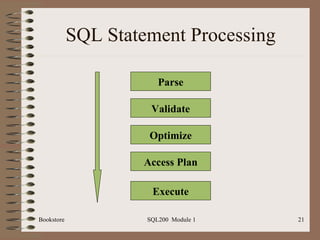
SQL Statement Processing Parse Validate Optimize Access Plan Execute
Bookstore Sample Database Before we continue (note: instructor may have already done this)… Load the sample database if you haven’t already Use Access import table feature, or Run SQL script, or Use Access upsizing wizard
Text Conventions In Access character strings are normally surrounded by double quotes “ Jones” In an enterprise database such as Oracle or SQL Sever, then single quotes ‘ Jones’ Be   sensitive to the environment of your class in copying scripts from the PowerPoint slides!
Date Conventions In Access date are normally surrounded by pound signs #12/23/2004# In an enterprise database such as Oracle or SQL Sever, then single quotes ‘ 2004-12-23’ MySQL ’ 12-23-2004’ SQL Server ’ 23-DEC-04’ Oracle Be   sensitive to the environment of your class in copying scripts from the PowerPoint slides!
SELECT Basic Syntax ( Projection ): Select <column-list> or <*> From <table-list>
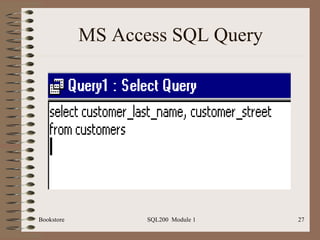
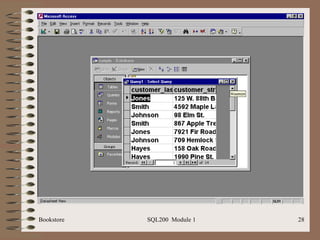
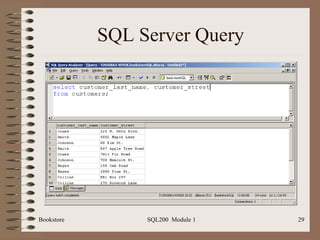
SELECT Basic Example ( Projection ): select   customer_last_name,  customer_street from  customers
MS Access SQL Query
 
SQL Server Query
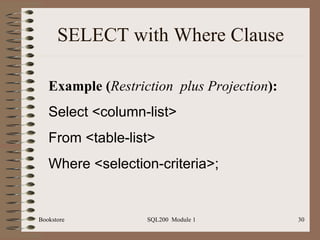
SELECT with Where Clause Example ( Restriction  plus   Projection ): Select <column-list> From <table-list> Where <selection-criteria>;
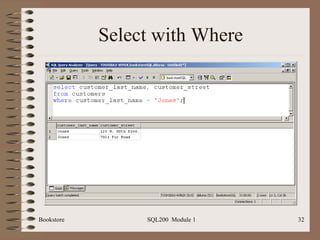
SELECT with Where Basic Example ( Restriction plus Projection ): select   customer_last_name,  customer_street from  customers where  customer_last_name = “Jones”
Select with Where
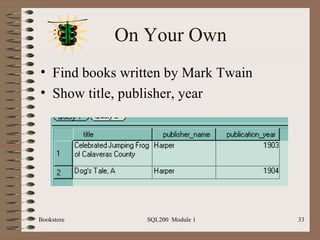
On Your Own Find books written by Mark Twain Show title, publisher, year
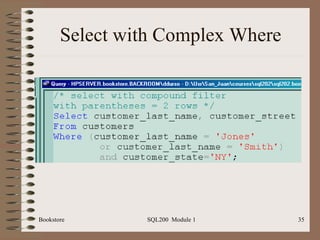
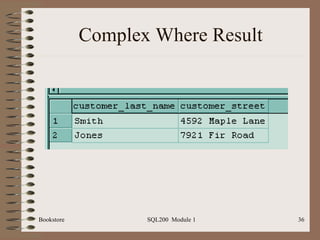
Complex Predicates Follow normal boolean logic Select   customer_last_name,  customer_street From  customers Where  (customer_last_name = ‘Jones’ or customer_last_name = ‘Smith’)and customer_state=‘NY’
Select with Complex Where
Complex Where Result
Special Operators Can be used in where clause LIKE IN BETWEEN IS NULL
Like (“Wild Card Matches”) ANSI Where customer_last_name like “Jo%” Like “Jo_” Access Where customer_last_name like “Jo*” Like “Jo?”
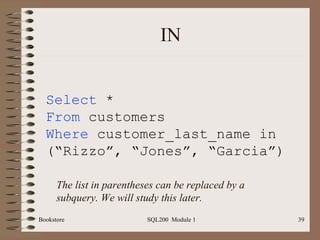
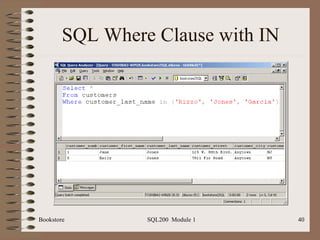
IN Select  * From  customers Where  customer_last_name in (“Rizzo”, “Jones”, “Garcia”) The list in parentheses can be replaced by a subquery. We will study this later.
SQL Where Clause with IN
IS NULL Select  * From  customers Where  customer_street IS NULL  SQL uses three valued logic. Must use IS NULL to test for unknowns. A null is NOT the same as blank or empty.
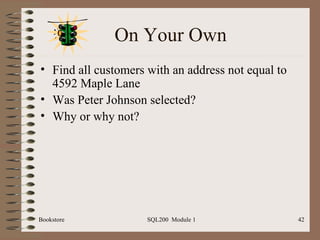
On Your Own Find all customers with an address not equal to 4592 Maple Lane Was Peter Johnson selected? Why or why not?
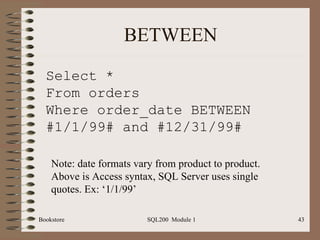
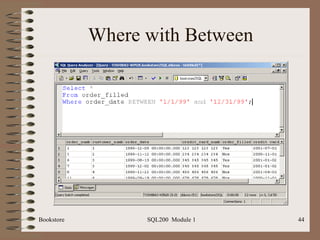
BETWEEN Select * From orders Where order_date BETWEEN #1/1/99# and #12/31/99# Note: date formats vary from product to product. Above is Access syntax, SQL Server uses single quotes. Ex: ‘1/1/99’
Where with Between
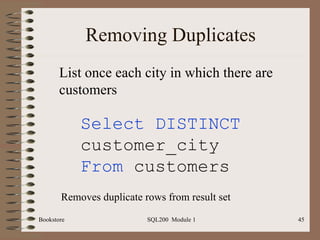
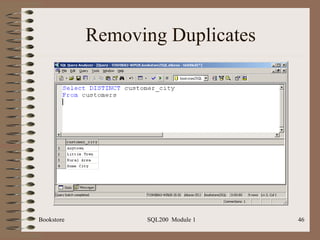
Removing Duplicates Select DISTINCT  customer_city From  customers List once each city in which there are customers Removes duplicate rows from result set
Removing Duplicates
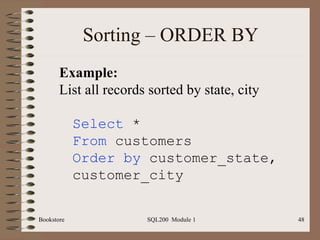
Sorting – ORDER BY DESC will sort in descending order Basic syntax : Select <column list> From <table list> Where <selection criteria> Order by <column list> [DESC]
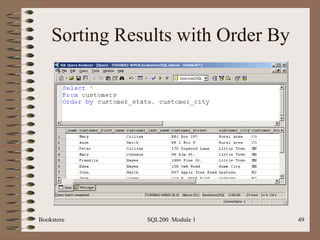
Sorting – ORDER BY Select  * From  customers Order by  customer_state, customer_city Example: List all records sorted by state, city
Sorting Results with Order By
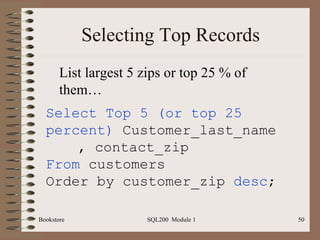
Selecting Top Records Select Top 5 (or top 25 percent)  Customer_last_name  , contact_zip From  customers Order by customer_zip  desc ; List largest 5 zips or top 25 % of them…
SQL Exercises List all books whose publisher name begins with “H” or “T”; sort by title [hint: use LIKE] List all customers whose last name ends with “S”; sort by state, city, last name Find the order numbers of orders with order dates in 1999; sort by order #. [Hint: use BETWEEN] Find the order numbers and order dates of all orders with a “2” in column 2 of the credit card #; sort by order date descending [end module]

SQL200.1 Module 1

  • 1.
    SQL200 Based on SQL Clearly Explained by Jan Harrington SQL Programming Module 1 – Relational Database Background, Basic Single Table Retrieval Operations
  • 2.
    SQL200 P.O. Box6142 Laguna Niguel, CA 92607 949-489-1472 http://www.d2associates.com [email_address]
  • 3.
    SQL Programming Coursefocus is SQL language Widely used for: Database administration Enterprise application development Data driven web sites A foundation skill for eBusiness and almost all major business applications that use relational databases
  • 4.
    SQL Programming Abasic knowledge of query systems, perhaps via MS Access, or some programming knowledge, is desirable We will use GUI tools or Access “SQL View” almost exclusively
  • 5.
    Relational Database EvolutionBased on Codd’s paper Early commercial efforts focused on Unix First mainframe implementation by IBM - precursor to today’s DB2 First PC implementation in early 80’s by Oracle
  • 6.
    Relational Database BasicsStorage Databases Tables Rows Columns Indexes Views Cursors Application interfaces
  • 7.
  • 8.
    Constraints Database DomainUniqueness Relationship Cardinality 1 to 1 1 to N Other Business Rule Triggers Stored Procedures
  • 9.
  • 10.
    Database Management SystemsPositioning Chart VLDB Enterprise Workgroup Single user Spreadsheet # Users Cost
  • 11.
    System Architecture AccessMDB File Server Architecture Access
  • 12.
    System Architecture OracleDB Visual Basic App Client/Server Architecture Access  SQL 
  • 13.
    System Architecture OracleDB Browser Web Architecture Web Server  SQL 
  • 14.
    Approaching SQL Relativelysimple Two main environments Interactive (This course) Embedded Static (Compiled) Dynamic
  • 15.
    SQL Standardization ANSIstandardization First standard in 1986 SQL 89 SQL 92 SQL 99 Various vendor extensions Microsoft/Sybase: T-SQL Oracle: PL/SQL
  • 16.
    SQL Conformance EntryIntermediate Advanced Most are at least entry level
  • 17.
    SQL Statements DataManipulation Language (DML) Data Control Language (DCL) Data Definition Language (DDL) Note: SQL 99 changes these to seven types
  • 18.
    SQL DDL Datadefinition language (DDL) Create, alter, drop, etc. Frequently implemented via various CASE tools: Visio, Embarcadero, ERWin, etc. But very useful for database administration
  • 19.
    SQL DCL DataControl Language (DDL) Grant Revoke Constraints
  • 20.
    SQL DML DataManipulation Language (DML) Select Insert Update Delete
  • 21.
    SQL Statement ProcessingParse Validate Optimize Access Plan Execute
  • 22.
    Bookstore Sample DatabaseBefore we continue (note: instructor may have already done this)… Load the sample database if you haven’t already Use Access import table feature, or Run SQL script, or Use Access upsizing wizard
  • 23.
    Text Conventions InAccess character strings are normally surrounded by double quotes “ Jones” In an enterprise database such as Oracle or SQL Sever, then single quotes ‘ Jones’ Be sensitive to the environment of your class in copying scripts from the PowerPoint slides!
  • 24.
    Date Conventions InAccess date are normally surrounded by pound signs #12/23/2004# In an enterprise database such as Oracle or SQL Sever, then single quotes ‘ 2004-12-23’ MySQL ’ 12-23-2004’ SQL Server ’ 23-DEC-04’ Oracle Be sensitive to the environment of your class in copying scripts from the PowerPoint slides!
  • 25.
    SELECT Basic Syntax( Projection ): Select <column-list> or <*> From <table-list>
  • 26.
    SELECT Basic Example( Projection ): select customer_last_name, customer_street from customers
  • 27.
  • 28.
  • 29.
  • 30.
    SELECT with WhereClause Example ( Restriction plus Projection ): Select <column-list> From <table-list> Where <selection-criteria>;
  • 31.
    SELECT with WhereBasic Example ( Restriction plus Projection ): select customer_last_name, customer_street from customers where customer_last_name = “Jones”
  • 32.
  • 33.
    On Your OwnFind books written by Mark Twain Show title, publisher, year
  • 34.
    Complex Predicates Follownormal boolean logic Select customer_last_name, customer_street From customers Where (customer_last_name = ‘Jones’ or customer_last_name = ‘Smith’)and customer_state=‘NY’
  • 35.
  • 36.
  • 37.
    Special Operators Canbe used in where clause LIKE IN BETWEEN IS NULL
  • 38.
    Like (“Wild CardMatches”) ANSI Where customer_last_name like “Jo%” Like “Jo_” Access Where customer_last_name like “Jo*” Like “Jo?”
  • 39.
    IN Select * From customers Where customer_last_name in (“Rizzo”, “Jones”, “Garcia”) The list in parentheses can be replaced by a subquery. We will study this later.
  • 40.
  • 41.
    IS NULL Select * From customers Where customer_street IS NULL SQL uses three valued logic. Must use IS NULL to test for unknowns. A null is NOT the same as blank or empty.
  • 42.
    On Your OwnFind all customers with an address not equal to 4592 Maple Lane Was Peter Johnson selected? Why or why not?
  • 43.
    BETWEEN Select *From orders Where order_date BETWEEN #1/1/99# and #12/31/99# Note: date formats vary from product to product. Above is Access syntax, SQL Server uses single quotes. Ex: ‘1/1/99’
  • 44.
  • 45.
    Removing Duplicates SelectDISTINCT customer_city From customers List once each city in which there are customers Removes duplicate rows from result set
  • 46.
  • 47.
    Sorting – ORDERBY DESC will sort in descending order Basic syntax : Select <column list> From <table list> Where <selection criteria> Order by <column list> [DESC]
  • 48.
    Sorting – ORDERBY Select * From customers Order by customer_state, customer_city Example: List all records sorted by state, city
  • 49.
  • 50.
    Selecting Top RecordsSelect Top 5 (or top 25 percent) Customer_last_name , contact_zip From customers Order by customer_zip desc ; List largest 5 zips or top 25 % of them…
  • 51.
    SQL Exercises Listall books whose publisher name begins with “H” or “T”; sort by title [hint: use LIKE] List all customers whose last name ends with “S”; sort by state, city, last name Find the order numbers of orders with order dates in 1999; sort by order #. [Hint: use BETWEEN] Find the order numbers and order dates of all orders with a “2” in column 2 of the credit card #; sort by order date descending [end module]