QTP Basics




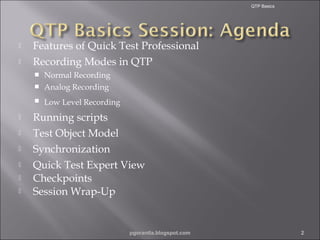
Features of Quick Test Professional
Recording Modes in QTP
Normal Recording
 Analog Recording











Low Level Recording

Running scripts
Test Object Model
Synchronization
Quick Test Expert View
Checkpoints
Session Wrap-Up

pgorantla.blogspot.com

2
QTP Basics



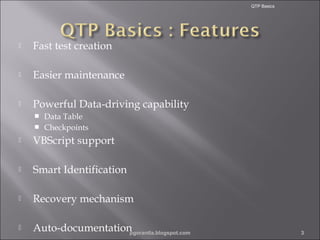
Fast test creation



Easier maintenance



Powerful Data-driving capability
Data Table
 Checkpoints




VBScript support



Smart Identification



Recovery mechanism



Auto-documentation
pgorantla.blogspot.com

3
QTP Basics

•

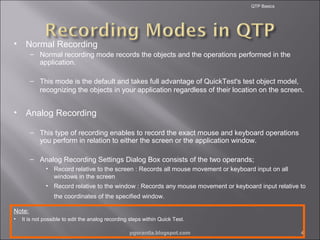
Normal Recording
– Normal recording mode records the objects and the operations performed in the
application.
– This mode is the default and takes full advantage of QuickTest's test object model,
recognizing the objects in your application regardless of their location on the screen.

•

Analog Recording
– This type of recording enables to record the exact mouse and keyboard operations
you perform in relation to either the screen or the application window.
– Analog Recording Settings Dialog Box consists of the two operands;
• Record relative to the screen : Records all mouse movement or keyboard input on all
windows in the screen
• Record relative to the window : Records any mouse movement or keyboard input relative to
the coordinates of the specified window.

Note:
•

It is not possible to edit the analog recording steps within Quick Test.
pgorantla.blogspot.com

4
QTP Basics



Low Level Recording


Used when test objective pertains to the specific object
location.



This type of recording enables to record on any object in the
application, whether or not Quick Test recognizes the
specific object or the specific operation.



It should be used when the environment or the object is not
recognized by QTP OR if the exact coordinates of the object
are important for your test or component.

Note:
•

Steps recorded using low-level mode may not run correctly on all objects if the object co-ordinates change
frequently.

pgorantla.blogspot.com

5
QTP Basics

•

There are two modes of running the scripts in QTP namely
– Normal
– Fast

•

Normal mode:
– Uses the execution arrow in both the Keyword and Expert view marking the each
step or statement performed.
– For tests containing multiple actions, for Keyword View the tree in the Item column is
expanded to display the steps while in the Expert View displays the script, of the
currently running action.

•

Fast Mode:
– Does not use the execution arrow to run the test or component in either Keyword
View or Expert View and does not expand the item tree or display the script of each
action as it runs.

pgorantla.blogspot.com

6
QTP Basics



Object model





It is an structural representation of software objects that comprise the
implementation of a system or application.
Defines a set of classes and interfaces, together with their properties,
methods and events, and their relationships.

Test object





Used by QTP to represent the an object in the application.
Consists of one or more methods or properties.
Consists of an number of identification properties.
QTP supports 6 types of these test objects namely,







Standard Windows Object
ActiveX Objects
Visual Basic Objects
Web Objects
Utility Objects
Supplemental Objects
pgorantla.blogspot.com

7
QTP Basics



Used where web page or application does not respond
in the same speed at which QTP operates.



QTP waits until the respective image/page/button or
application is ready for further test execution.



Synchronization points forces Quick Test to wait for
the specified milliseconds before the next action is
executed.



This can be added in the following ways;




Adding synchronization step from the Insert Menu.
Using Wait() statements.
By modifying the default values.
pgorantla.blogspot.com

8
QTP Basics



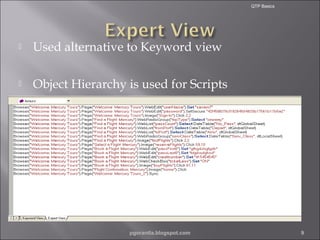
Used alternative to Keyword view



Object Hierarchy is used for Scripts

pgorantla.blogspot.com

9
QTP Basics



It is an verification point used to compare the current
value of a specified property with its expected value.



Checkpoints in QTP











Standard Checkpoint
Text Checkpoint
Image Checkpoint
Page Checkpoint
Database Checkpoint
Bitmap Checkpoint
Table checkpoint
Text Area checkpoint
Accessibility checkpoint
XML Checkpoint

pgorantla.blogspot.com

10
QTP Basics

Q & A….

pgorantla.blogspot.com

11
QTP Basics







QTP supports functional testing of environments such as
Windows, Web, .NET etc.,
Uses VBScript as its scripting language.
Operates stand alone and can also be integrated with
other Mercury products.
Facilitates easy steps for data driven testing and provide
auto –documentation about each test step.
3 types of recording is possible thru QTP






Scripts can be run in two modes:





Normal Recording
Analog Recording
Low Level Recording

Normal - Runs the test with the execution mark
Fast – Runs the test without the execution arrow

The Run settings can be changed from the Options dialog
pgorantla.blogspot.com

12
QTP Basics





An object model is a structural representation of software objects
(classes) that comprise the implementation of a system or application
A test object is an object that QuickTest uses to represent an object in
the application
QTP supports 6 types of objects namely











Standards Windows Object
ActiveX Object
Web Object
Visual Basic Object
Utility Object
Supplemental Objects

Synchronization points allow Quick Test to wait for the specified
milliseconds before the next action is executed.
The Expert view displays the set of objects and steps as a VBScript
line.
A checkpoint is a verification point that compares a current value for a
specified property with the expected value for that property.

pgorantla.blogspot.com

13

1.qtp basics

  • 2.
    QTP Basics   Features ofQuick Test Professional Recording Modes in QTP Normal Recording  Analog Recording         Low Level Recording Running scripts Test Object Model Synchronization Quick Test Expert View Checkpoints Session Wrap-Up pgorantla.blogspot.com 2
  • 3.
    QTP Basics  Fast testcreation  Easier maintenance  Powerful Data-driving capability Data Table  Checkpoints   VBScript support  Smart Identification  Recovery mechanism  Auto-documentation pgorantla.blogspot.com 3
  • 4.
    QTP Basics • Normal Recording –Normal recording mode records the objects and the operations performed in the application. – This mode is the default and takes full advantage of QuickTest's test object model, recognizing the objects in your application regardless of their location on the screen. • Analog Recording – This type of recording enables to record the exact mouse and keyboard operations you perform in relation to either the screen or the application window. – Analog Recording Settings Dialog Box consists of the two operands; • Record relative to the screen : Records all mouse movement or keyboard input on all windows in the screen • Record relative to the window : Records any mouse movement or keyboard input relative to the coordinates of the specified window. Note: • It is not possible to edit the analog recording steps within Quick Test. pgorantla.blogspot.com 4
  • 5.
    QTP Basics  Low LevelRecording  Used when test objective pertains to the specific object location.  This type of recording enables to record on any object in the application, whether or not Quick Test recognizes the specific object or the specific operation.  It should be used when the environment or the object is not recognized by QTP OR if the exact coordinates of the object are important for your test or component. Note: • Steps recorded using low-level mode may not run correctly on all objects if the object co-ordinates change frequently. pgorantla.blogspot.com 5
  • 6.
    QTP Basics • There aretwo modes of running the scripts in QTP namely – Normal – Fast • Normal mode: – Uses the execution arrow in both the Keyword and Expert view marking the each step or statement performed. – For tests containing multiple actions, for Keyword View the tree in the Item column is expanded to display the steps while in the Expert View displays the script, of the currently running action. • Fast Mode: – Does not use the execution arrow to run the test or component in either Keyword View or Expert View and does not expand the item tree or display the script of each action as it runs. pgorantla.blogspot.com 6
  • 7.
    QTP Basics  Object model    Itis an structural representation of software objects that comprise the implementation of a system or application. Defines a set of classes and interfaces, together with their properties, methods and events, and their relationships. Test object     Used by QTP to represent the an object in the application. Consists of one or more methods or properties. Consists of an number of identification properties. QTP supports 6 types of these test objects namely,       Standard Windows Object ActiveX Objects Visual Basic Objects Web Objects Utility Objects Supplemental Objects pgorantla.blogspot.com 7
  • 8.
    QTP Basics  Used whereweb page or application does not respond in the same speed at which QTP operates.  QTP waits until the respective image/page/button or application is ready for further test execution.  Synchronization points forces Quick Test to wait for the specified milliseconds before the next action is executed.  This can be added in the following ways;    Adding synchronization step from the Insert Menu. Using Wait() statements. By modifying the default values. pgorantla.blogspot.com 8
  • 9.
    QTP Basics  Used alternativeto Keyword view  Object Hierarchy is used for Scripts pgorantla.blogspot.com 9
  • 10.
    QTP Basics  It isan verification point used to compare the current value of a specified property with its expected value.  Checkpoints in QTP           Standard Checkpoint Text Checkpoint Image Checkpoint Page Checkpoint Database Checkpoint Bitmap Checkpoint Table checkpoint Text Area checkpoint Accessibility checkpoint XML Checkpoint pgorantla.blogspot.com 10
  • 11.
    QTP Basics Q &A…. pgorantla.blogspot.com 11
  • 12.
    QTP Basics      QTP supportsfunctional testing of environments such as Windows, Web, .NET etc., Uses VBScript as its scripting language. Operates stand alone and can also be integrated with other Mercury products. Facilitates easy steps for data driven testing and provide auto –documentation about each test step. 3 types of recording is possible thru QTP     Scripts can be run in two modes:    Normal Recording Analog Recording Low Level Recording Normal - Runs the test with the execution mark Fast – Runs the test without the execution arrow The Run settings can be changed from the Options dialog pgorantla.blogspot.com 12
  • 13.
    QTP Basics    An objectmodel is a structural representation of software objects (classes) that comprise the implementation of a system or application A test object is an object that QuickTest uses to represent an object in the application QTP supports 6 types of objects namely          Standards Windows Object ActiveX Object Web Object Visual Basic Object Utility Object Supplemental Objects Synchronization points allow Quick Test to wait for the specified milliseconds before the next action is executed. The Expert view displays the set of objects and steps as a VBScript line. A checkpoint is a verification point that compares a current value for a specified property with the expected value for that property. pgorantla.blogspot.com 13

Editor's Notes

  • #3 Briefly review the session agenda as indicated here. Currently we are in the “Prep Session Introduction” section, during which we will review basic information about this session, including how to use Centra to participate. Note: The Prep Session Introduction section should take no longer than 15 minutes.
  • #4 Consists of two views Keyword View and the Expert View. Keyword View provides a tree structure and the Expert view uses in telesence whenever the user types any object method in the screen. Access to Data Table within the application and also can import external Excel files. Also helps in setting checkpoints for the application.
  • #12 Spend a few moments answering participants’ questions about the agenda of this session or the Centra controls they will be using. Remind them to use the “Raise Hand” icon to ask a question.