
QTP Training Session I

Presented By : Aisha Mazhar
Agenda - Basic
• Manual testing v/s Automation.
• Introduction to QTP and its purpose.
• Key Elements of QTP.
• Testing Process
• Recording Test.
• Playback
Manual testing v/s Automation
Disadvantages of Manual Testing

• Time consuming
• More resource(s) required
• Human errors
• Repetition of task is not much
• Tiredness
• Simultaneous of tasks is not possible (parallel)
Manual testing v/s Automation
Advantages of Automation

• Fast – tools are fast in execution than human users
• Reliable – in complex calculation & tasks.
• Reusable – reuse at any no. of times.
• Repeatable – can repeat some steps for required no. of time.
• Programmable – can use flow control statements to apply logic.
• Comprehensive – can execute test batch without human
interaction.
Introduction to QTP and its purpose
• Quick Test Professional, abbreviated as QTP.
• Launched in Nov 2002 by Mercury interactive
• Provides functional and regression test automation
• An object based testing tool.
• Follows keyword driven approach
• Supports windows operating environment only
• Latest version 11.0
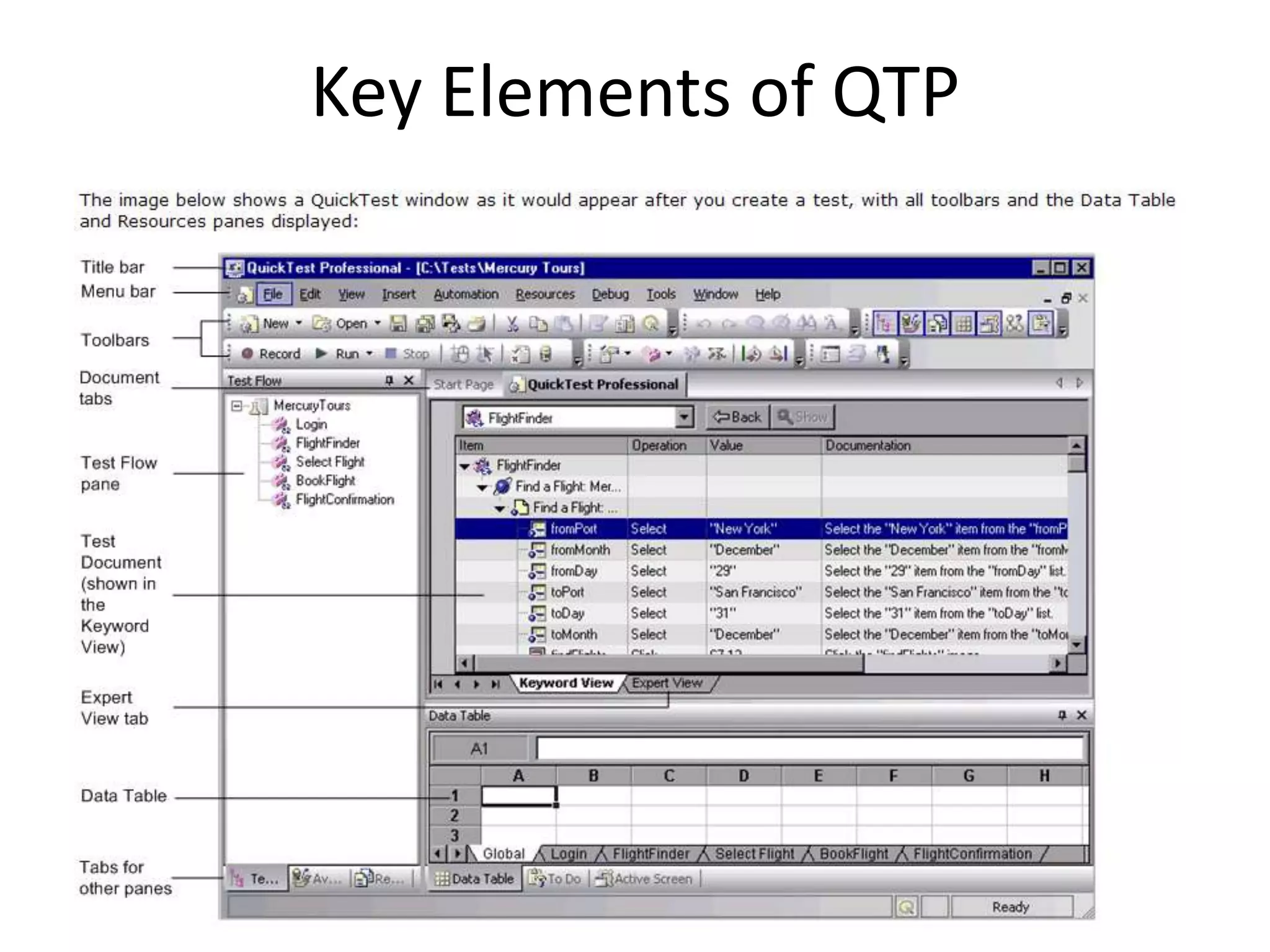
Key Elements of QTP
Key elements of QTP tool window are:

• Test Pane – Expert View , Keyword View
• Active screen
• Data Table – Global sheet, Action sheet
• Debug Viewer
• Missing resources
• Information
Key Elements of QTP
Testing Process
1. Analyzing your application

•   Application's development environments
•   Business processes and functionality do you want to
    test
•   Consider how to divide these business processes into
    smaller units
Testing Process
2. Preparing the testing infrastructure

•   What resources are required
•   Configure QuickTest settings so that QuickTest will
    perform the tasks you need
Testing Process
3. Building your tests and adding steps to them

•   Add actions
Testing Process
4. Enhancing your test

•   Inserting checkpoints
•   Replacing fixed values with parameters
•   Adding logic and conditional or loop statements
Testing Process
5. Debugging, running, and analyzing your test

•   To ensure that it operates smoothly and without
    interruption
•   Examine the test results to pinpoint defects in your
    application

6. Reporting Defects
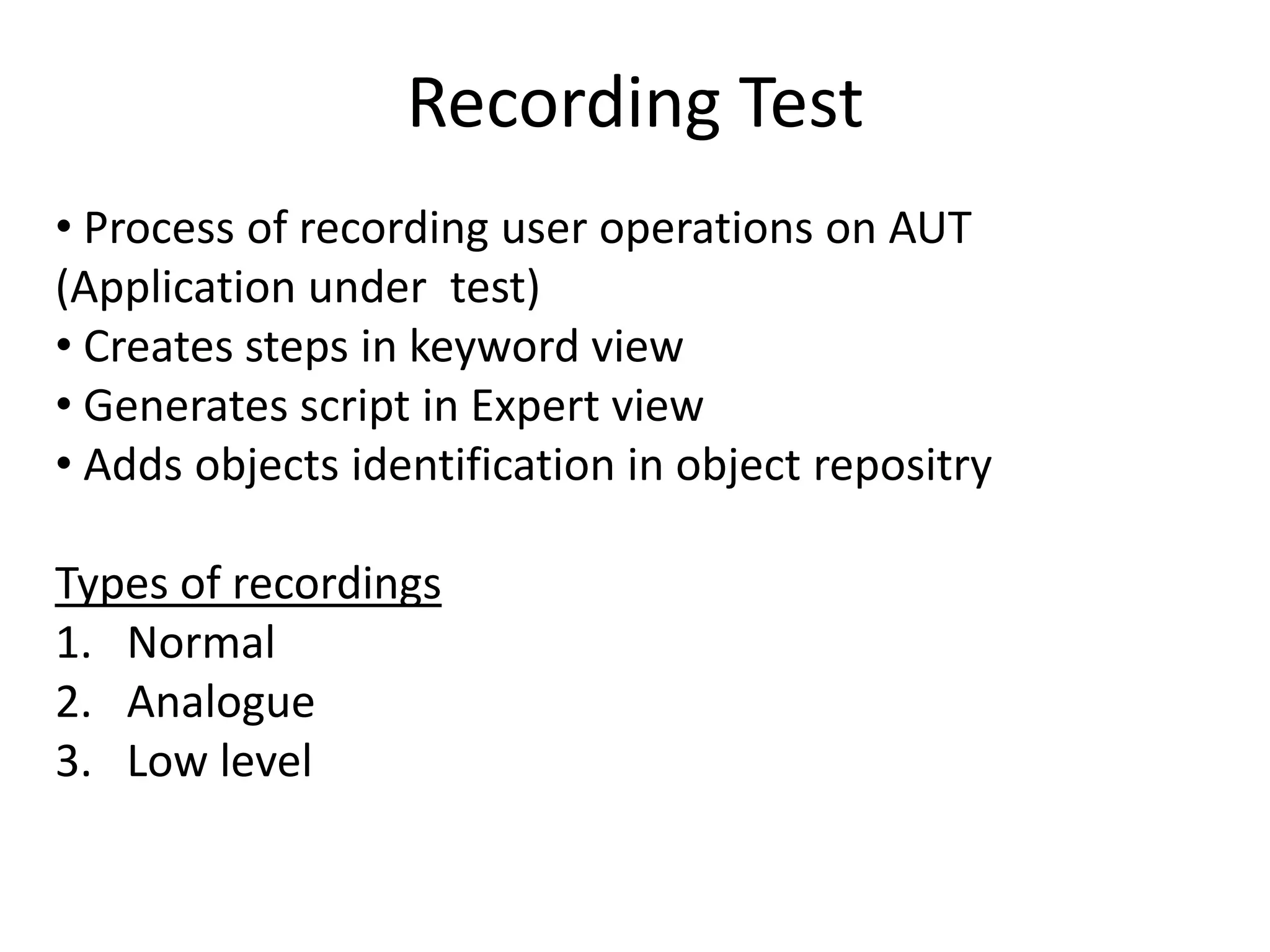
Recording Test
• Process of recording user operations on AUT
(Application under test)
• Creates steps in keyword view
• Generates script in Expert view
• Adds objects identification in object repositry

Types of recordings
1. Normal
2. Analogue
3. Low level
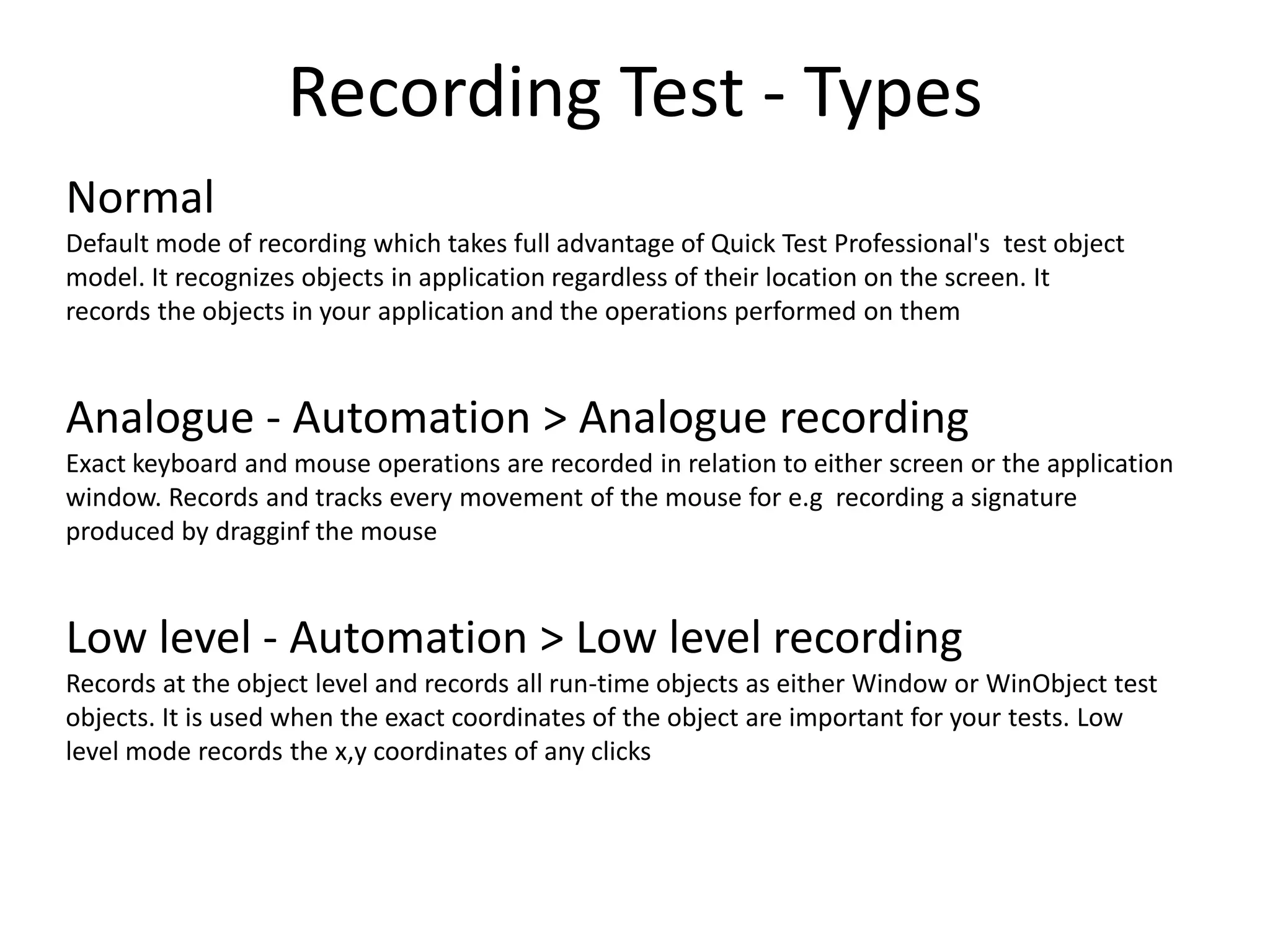
Recording Test - Types
Normal
Default mode of recording which takes full advantage of Quick Test Professional's test object
model. It recognizes objects in application regardless of their location on the screen. It
records the objects in your application and the operations performed on them


Analogue - Automation > Analogue recording
Exact keyboard and mouse operations are recorded in relation to either screen or the application
window. Records and tracks every movement of the mouse for e.g recording a signature
produced by dragginf the mouse


Low level - Automation > Low level recording
Records at the object level and records all run-time objects as either Window or WinObject test
objects. It is used when the exact coordinates of the object are important for your tests. Low
level mode records the x,y coordinates of any clicks
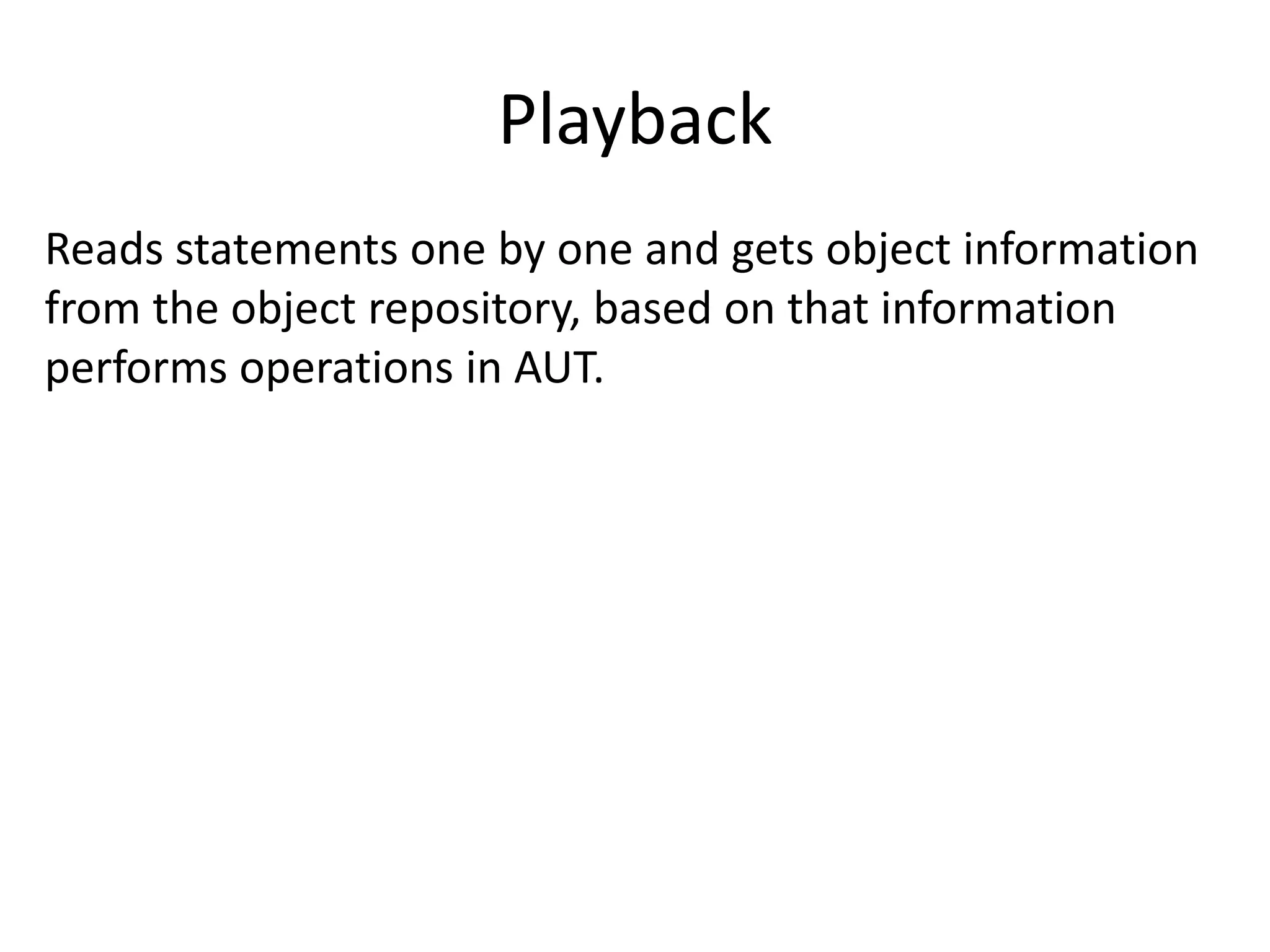
Playback
Reads statements one by one and gets object information
from the object repository, based on that information
performs operations in AUT.
References
• Build in QTP Tutorial. Help > Quick Test Professional
Tutorial

• http://www.gcreddy.com/
Thank you 

Qtp training session I

  • 1.
    QTP Training SessionI Presented By : Aisha Mazhar
  • 2.
    Agenda - Basic •Manual testing v/s Automation. • Introduction to QTP and its purpose. • Key Elements of QTP. • Testing Process • Recording Test. • Playback
  • 3.
    Manual testing v/sAutomation Disadvantages of Manual Testing • Time consuming • More resource(s) required • Human errors • Repetition of task is not much • Tiredness • Simultaneous of tasks is not possible (parallel)
  • 4.
    Manual testing v/sAutomation Advantages of Automation • Fast – tools are fast in execution than human users • Reliable – in complex calculation & tasks. • Reusable – reuse at any no. of times. • Repeatable – can repeat some steps for required no. of time. • Programmable – can use flow control statements to apply logic. • Comprehensive – can execute test batch without human interaction.
  • 5.
    Introduction to QTPand its purpose • Quick Test Professional, abbreviated as QTP. • Launched in Nov 2002 by Mercury interactive • Provides functional and regression test automation • An object based testing tool. • Follows keyword driven approach • Supports windows operating environment only • Latest version 11.0
  • 6.
    Key Elements ofQTP Key elements of QTP tool window are: • Test Pane – Expert View , Keyword View • Active screen • Data Table – Global sheet, Action sheet • Debug Viewer • Missing resources • Information
  • 7.
  • 8.
    Testing Process 1. Analyzingyour application • Application's development environments • Business processes and functionality do you want to test • Consider how to divide these business processes into smaller units
  • 9.
    Testing Process 2. Preparingthe testing infrastructure • What resources are required • Configure QuickTest settings so that QuickTest will perform the tasks you need
  • 10.
    Testing Process 3. Buildingyour tests and adding steps to them • Add actions
  • 11.
    Testing Process 4. Enhancingyour test • Inserting checkpoints • Replacing fixed values with parameters • Adding logic and conditional or loop statements
  • 12.
    Testing Process 5. Debugging,running, and analyzing your test • To ensure that it operates smoothly and without interruption • Examine the test results to pinpoint defects in your application 6. Reporting Defects
  • 13.
    Recording Test • Processof recording user operations on AUT (Application under test) • Creates steps in keyword view • Generates script in Expert view • Adds objects identification in object repositry Types of recordings 1. Normal 2. Analogue 3. Low level
  • 14.
    Recording Test -Types Normal Default mode of recording which takes full advantage of Quick Test Professional's test object model. It recognizes objects in application regardless of their location on the screen. It records the objects in your application and the operations performed on them Analogue - Automation > Analogue recording Exact keyboard and mouse operations are recorded in relation to either screen or the application window. Records and tracks every movement of the mouse for e.g recording a signature produced by dragginf the mouse Low level - Automation > Low level recording Records at the object level and records all run-time objects as either Window or WinObject test objects. It is used when the exact coordinates of the object are important for your tests. Low level mode records the x,y coordinates of any clicks
  • 15.
    Playback Reads statements oneby one and gets object information from the object repository, based on that information performs operations in AUT.
  • 16.
    References • Build inQTP Tutorial. Help > Quick Test Professional Tutorial • http://www.gcreddy.com/
  • 17.