C# Tutorial
Part 19:Typecasting
www.siri-kt.blogspot.com
• we can convert one datatype into different datatypes.
• it is classified into 2 types
• 1.implicit type casting
• 2.explicit type casting
• 1.implicit type casting:
• In this we convert lower datatypes are converts into higher data types.it is also called
as internal type casting. It is under control of clr;
• using System;
• namespace implicittypecastin_exm
• { class Program
• { static void Main(string[] args)
• { int i = 545454;//4 bytes
• long l = i;//8 bytes
• Console.WriteLine("the long value is:" + l.ToString());
• Console.ReadLine();
• } } }
• 2.Explicit type casting:
• In this we convert higher datatypes converts into lower datatypes. it is also called as
external type casting. this is under control of the programmer
• using System;
• namespace implicittypecastin_exm
• { class Program
• { static void Main(string[] args)
• { long l = 454545454;//8 bytes
• int i = l;//4 bytes
• Console.WriteLine("the int value is:" + i.ToString());
• Console.ReadLine();
• } } }
• the above example gives error. cant implicit convert higher to lower datatypes. we can
overcome this problem.explit type casting classified into
• 3 types :
• 1.c++ style type casting
• 2.parsing
• 3.converting
• 1.c++ style type casting:
• in this type casting higher datatypes are converts into lower datatypes.
• ex:
• long l = 454545454;//8 bytes
• int i =(int) l;//4 bytes
• Console.WriteLine("the int value is:" + i.ToString());
• Console.ReadLine();
• 2.working with parsing:
• as .net all the datatypes are predefined structures.
• int i;
• int-structure
• i-structure variable.
C# Type Conversion Methods
C# provides the following built-in type conversion methods:
Methods & Description
ToBoolean Converts a type to a Boolean value, where possible.
ToByte Converts a type to a byte.
ToChar Converts a type to a single Unicode character, where possible.
ToDateTime Converts a type (integer or string type) to date-time structures.
ToDecimal Converts a floating point or integer type to a decimal type.
ToDouble Converts a type to a double type.
ToInt16 Converts a type to a 16-bit integer.
ToInt32 Converts a type to a 32-bit integer.
ToInt64 Converts a type to a 64-bit integer.
ToSbyte Converts a type to a signed byte type.
ToSingle Converts a type to a small floating point number.
ToString Converts a type to a string.
ToType Converts a type to a specified type.
ToUInt16 Converts a type to an unsigned int type.
ToUInt32 Converts a type to an unsigned long type.
ToUInt64 Converts a type to an unsigned big integer.
• structure is a collection of predefined methods
• 1.minvalue()
• 2.maxvalue()
• 3.tostring()
• 4.parse()
• working with parse() is called as parsing. parse() method can be used only to convert
from strings into int. tostring() can be used only to convert from int to string.
• ex: print the limits of datatypes.
• static void Main(string[] args)
• { Console.WriteLine(byte.MinValue.ToString());
• Console.WriteLine(byte.MaxValue.ToString());
• Console.WriteLine(int.MinValue.ToString());
• Console.WriteLine(int.MaxValue.ToString());
• Console.ReadLine(); }
• 2.example on parsing
• 1.take the form
• 2.add 3 labels,3 textboxes,1 button control
• private void button1_Click(object sender, EventArgs e)
• { textBox3.Text = textBox1.Text + textBox2.Text; }
• o/p:1010
• it gives concatenation error
• ex:
• "10"+"10"=1010
• 10+10=20;
• we can overcome this problem using parsing method..
• textBox3.Text = (int.Parse(textBox1.Text)
+int.Parse(textBox2.Text)).ToString();
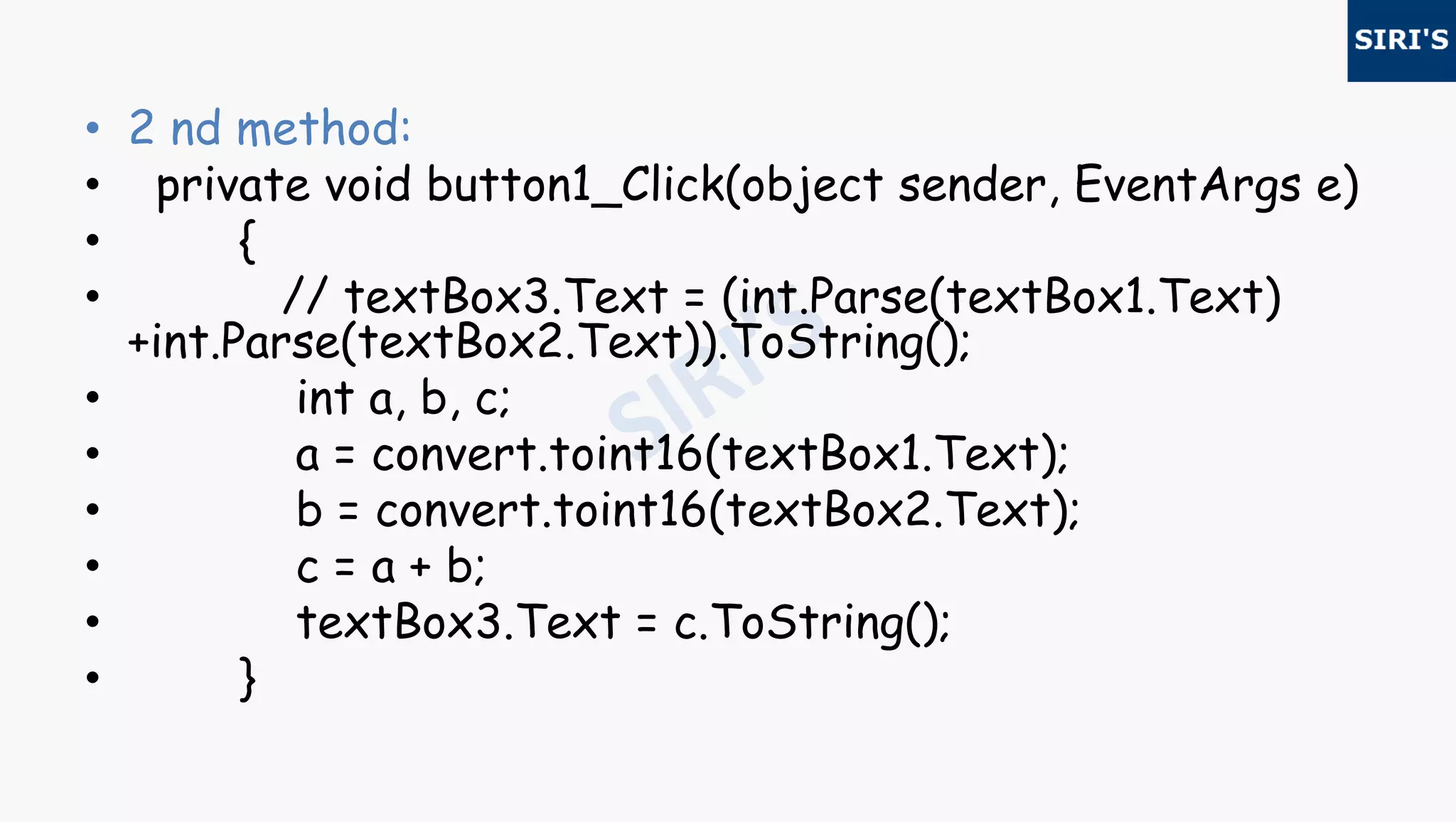
• 2 nd method:
• private void button1_Click(object sender, EventArgs e)
• { // textBox3.Text =
(int.Parse(textBox1.Text)
+int.Parse(textBox2.Text)).ToString();
• int a, b, c;
• a = int.Parse(textBox1.Text);
• b = int.Parse(textBox2.Text);
• c = a + b;
• textBox3.Text = c.ToString();
• }
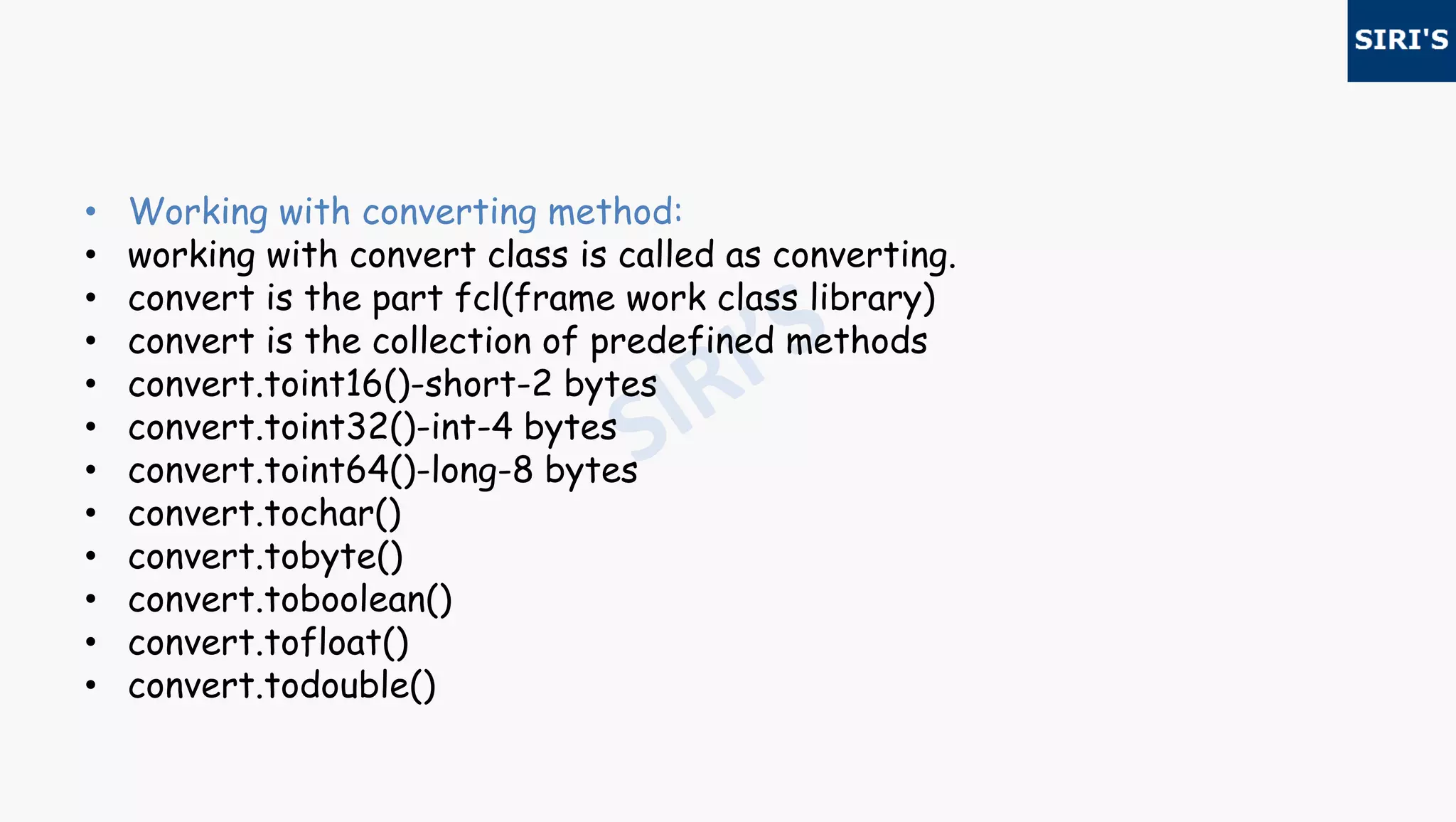
• Working with converting method:
• working with convert class is called as converting.
• convert is the part fcl(frame work class library)
• convert is the collection of predefined methods
• convert.toint16()-short-2 bytes
• convert.toint32()-int-4 bytes
• convert.toint64()-long-8 bytes
• convert.tochar()
• convert.tobyte()
• convert.toboolean()
• convert.tofloat()
• convert.todouble()
• Example on converting:
• take the form
• 2.add 3 labels,3 textboxes,1 button control
• private void button1_Click(object sender, EventArgs e)
• { textBox3.Text = textBox1.Text + textBox2.Text; }
• o/p:1010
• it gives concatenation error
• ex:"10"+"10"=1010
• 10+10=20;
• we can overcome this problem using parsing method..
• textBox3.Text = (convert.toint32(textBox1.Text)
+convert.toint32(textBox2.Text)).ToString();
• 2 nd method:
• private void button1_Click(object sender, EventArgs e)
• {
• // textBox3.Text = (int.Parse(textBox1.Text)
+int.Parse(textBox2.Text)).ToString();
• int a, b, c;
• a = convert.toint16(textBox1.Text);
• b = convert.toint16(textBox2.Text);
• c = a + b;
• textBox3.Text = c.ToString();
• }
For more visit our website www.siri-kt.blogspot.com
Thanks for
Watching
More Angular JS TutorialsMore C sharp (c#) tutorials

19c

  • 1.
  • 2.
    • we canconvert one datatype into different datatypes. • it is classified into 2 types • 1.implicit type casting • 2.explicit type casting • 1.implicit type casting: • In this we convert lower datatypes are converts into higher data types.it is also called as internal type casting. It is under control of clr; • using System; • namespace implicittypecastin_exm • { class Program • { static void Main(string[] args) • { int i = 545454;//4 bytes • long l = i;//8 bytes • Console.WriteLine("the long value is:" + l.ToString()); • Console.ReadLine(); • } } }
  • 3.
    • 2.Explicit typecasting: • In this we convert higher datatypes converts into lower datatypes. it is also called as external type casting. this is under control of the programmer • using System; • namespace implicittypecastin_exm • { class Program • { static void Main(string[] args) • { long l = 454545454;//8 bytes • int i = l;//4 bytes • Console.WriteLine("the int value is:" + i.ToString()); • Console.ReadLine(); • } } } • the above example gives error. cant implicit convert higher to lower datatypes. we can overcome this problem.explit type casting classified into
  • 4.
    • 3 types: • 1.c++ style type casting • 2.parsing • 3.converting • 1.c++ style type casting: • in this type casting higher datatypes are converts into lower datatypes. • ex: • long l = 454545454;//8 bytes • int i =(int) l;//4 bytes • Console.WriteLine("the int value is:" + i.ToString()); • Console.ReadLine(); • 2.working with parsing: • as .net all the datatypes are predefined structures. • int i; • int-structure • i-structure variable.
  • 5.
    C# Type ConversionMethods C# provides the following built-in type conversion methods: Methods & Description ToBoolean Converts a type to a Boolean value, where possible. ToByte Converts a type to a byte. ToChar Converts a type to a single Unicode character, where possible. ToDateTime Converts a type (integer or string type) to date-time structures. ToDecimal Converts a floating point or integer type to a decimal type. ToDouble Converts a type to a double type. ToInt16 Converts a type to a 16-bit integer. ToInt32 Converts a type to a 32-bit integer.
  • 6.
    ToInt64 Converts atype to a 64-bit integer. ToSbyte Converts a type to a signed byte type. ToSingle Converts a type to a small floating point number. ToString Converts a type to a string. ToType Converts a type to a specified type. ToUInt16 Converts a type to an unsigned int type. ToUInt32 Converts a type to an unsigned long type. ToUInt64 Converts a type to an unsigned big integer.
  • 7.
    • structure isa collection of predefined methods • 1.minvalue() • 2.maxvalue() • 3.tostring() • 4.parse() • working with parse() is called as parsing. parse() method can be used only to convert from strings into int. tostring() can be used only to convert from int to string. • ex: print the limits of datatypes. • static void Main(string[] args) • { Console.WriteLine(byte.MinValue.ToString()); • Console.WriteLine(byte.MaxValue.ToString()); • Console.WriteLine(int.MinValue.ToString()); • Console.WriteLine(int.MaxValue.ToString()); • Console.ReadLine(); }
  • 8.
    • 2.example onparsing • 1.take the form • 2.add 3 labels,3 textboxes,1 button control • private void button1_Click(object sender, EventArgs e) • { textBox3.Text = textBox1.Text + textBox2.Text; } • o/p:1010 • it gives concatenation error • ex: • "10"+"10"=1010 • 10+10=20; • we can overcome this problem using parsing method.. • textBox3.Text = (int.Parse(textBox1.Text) +int.Parse(textBox2.Text)).ToString();
  • 9.
    • 2 ndmethod: • private void button1_Click(object sender, EventArgs e) • { // textBox3.Text = (int.Parse(textBox1.Text) +int.Parse(textBox2.Text)).ToString(); • int a, b, c; • a = int.Parse(textBox1.Text); • b = int.Parse(textBox2.Text); • c = a + b; • textBox3.Text = c.ToString(); • }
  • 10.
    • Working withconverting method: • working with convert class is called as converting. • convert is the part fcl(frame work class library) • convert is the collection of predefined methods • convert.toint16()-short-2 bytes • convert.toint32()-int-4 bytes • convert.toint64()-long-8 bytes • convert.tochar() • convert.tobyte() • convert.toboolean() • convert.tofloat() • convert.todouble()
  • 11.
    • Example onconverting: • take the form • 2.add 3 labels,3 textboxes,1 button control • private void button1_Click(object sender, EventArgs e) • { textBox3.Text = textBox1.Text + textBox2.Text; } • o/p:1010 • it gives concatenation error • ex:"10"+"10"=1010 • 10+10=20; • we can overcome this problem using parsing method.. • textBox3.Text = (convert.toint32(textBox1.Text) +convert.toint32(textBox2.Text)).ToString();
  • 12.
    • 2 ndmethod: • private void button1_Click(object sender, EventArgs e) • { • // textBox3.Text = (int.Parse(textBox1.Text) +int.Parse(textBox2.Text)).ToString(); • int a, b, c; • a = convert.toint16(textBox1.Text); • b = convert.toint16(textBox2.Text); • c = a + b; • textBox3.Text = c.ToString(); • }
  • 13.
    For more visitour website www.siri-kt.blogspot.com Thanks for Watching More Angular JS TutorialsMore C sharp (c#) tutorials