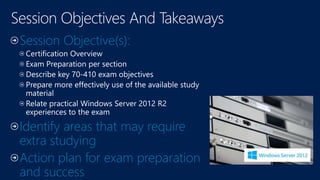
Session Objective(s):
Identify areas that may require
extra studying
Action plan for exam preparation
and success
Exam prep: 70-410 & 70-417
MCSA: Installing and
Configuring Windows Server
2012(R2)
alojukwu@microsoft.com
http://thedevicepros.com
http://www.facebook.com/thedeviceprofessionals
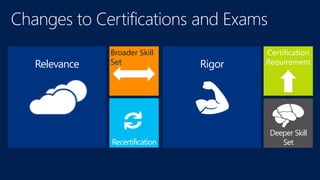
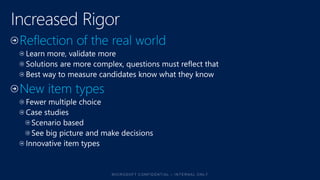
Deeper Skill
Set
Certification
Requirement
s
Broader Skill
Set
Recertification
Relevance Rigor
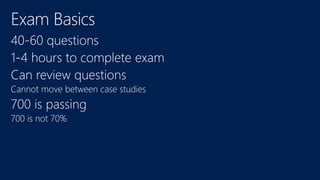
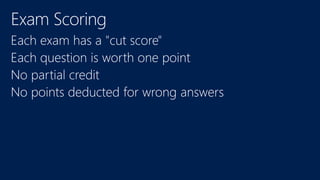
Cannot move between case studies
700 is not 70%
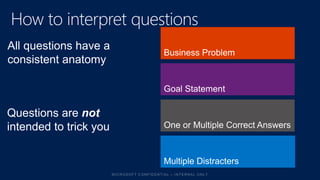
One or Multiple Correct Answers
Goal Statement
Business Problem
All questions have a
consistent anatomy
Multiple Distracters
Questions are not
intended to trick you
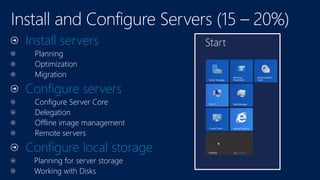
Install servers
Planning
Optimization
Migration
Configure servers
Configure Server Core
Delegation
Offline image management
Remote servers
Configure local storage
Planning for server storage
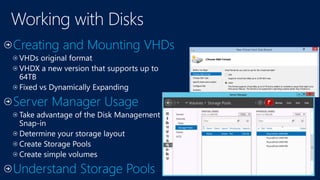
Working with Disks
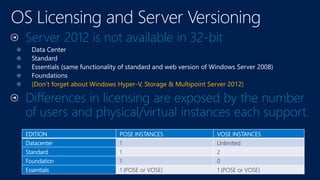
Server 2012 is not available in 32-bit
Data Center
Standard
Essentials (same functionality of standard and web version of Windows Server 2008)
Foundations
(Don’t forget about Windows Hyper-V, Storage & Multipoint Server 2012)
Differences in licensing are exposed by the number
of users and physical/virtual instances each support.
EDITION POSE INSTANCES VOSE INSTANCES
Datacenter 1 Unlimited
Standard 1 2
Foundation 1 0
Essentials 1 (POSE or VOSE) 1 (POSE or VOSE)
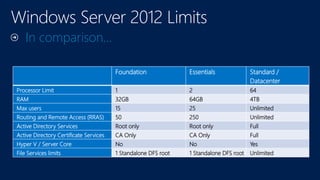
In comparison…
Foundation Essentials Standard /
Datacenter
Processor Limit 1 2 64
RAM 32GB 64GB 4TB
Max users 15 25 Unlimited
Routing and Remote Access (RRAS) 50 250 Unlimited
Active Directory Services Root only Root only Full
Active Directory Certificate Services CA Only CA Only Full
Hyper V / Server Core No No Yes
File Services limits 1 Standalone DFS root 1 Standalone DFS root Unlimited
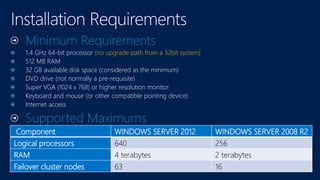
Minimum Requirements
1.4 GHz 64-bit processor (no upgrade path from a 32bit system)
512 MB RAM
32 GB available disk space (considered as the minimum)
DVD drive (not normally a pre-requisite)
Super VGA (1024 x 768) or higher resolution monitor
Keyboard and mouse (or other compatible pointing device)
Internet access
Supported Maximums
Component WINDOWS SERVER 2012 WINDOWS SERVER 2008 R2
Logical processors 640 256
RAM 4 terabytes 2 terabytes
Failover cluster nodes 63 16
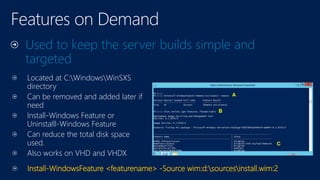
Located at C:WindowsWinSXS
directory
Can be removed and added later if
need
Install-Windows Feature or
Uninstalll-Windows Feature
Can reduce the total disk space
used.
Also works on VHD and VHDX
Used to keep the server builds simple and
targeted
Install-WindowsFeature <featurename> -Source wim:d:sourcesinstall.wim:2
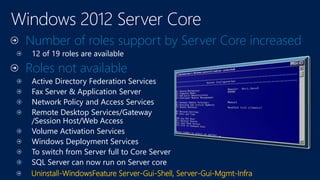
Number of roles support by Server Core increased
12 of 19 roles are available
Roles not available
Active Directory Federation Services
Fax Server & Application Server
Network Policy and Access Services
Remote Desktop Services/Gateway
/Session Host/Web Access
Volume Activation Services
Windows Deployment Services
To switch from Server full to Core Server
SQL Server can now run on Server core
Uninstall-WindowsFeature Server-Gui-Shell, Server-Gui-Mgmt-Infra
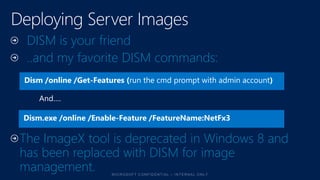
DISM is your friend
..and my favorite DISM commands:
Dism /online /Get-Features (run the cmd prompt with admin account)
Dism.exe /online /Enable-Feature /FeatureName:NetFx3
The ImageX tool is deprecated in Windows 8 and
has been replaced with DISM for image
management.
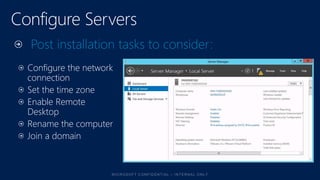
Configure the network
connection
Set the time zone
Enable Remote
Desktop
Rename the computer
Join a domain
Post installation tasks to consider:
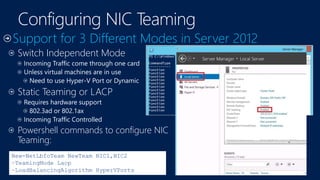
Switch Independent Mode
Incoming Traffic come through one card
Unless virtual machines are in use
Need to use Hyper-V Port or Dynamic
Static Teaming or LACP
Requires hardware support
802.3ad or 802.1ax
Incoming Traffic Controlled
Powershell commands to configure NIC
Teaming:
New-NetLbfoTeam NewTeam NIC1,NIC2
–TeamingMode Lacp
–LoadBalancingAlgorithm HyperVPorts
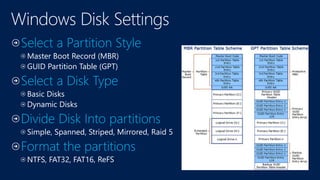
Master Boot Record (MBR)
GUID Partition Table (GPT)
Basic Disks
Dynamic Disks
, ReFS
64 Bit only
Versions/editions and differences
Things not in Core
Disk Partitions, types, etc
NIC Teaming
DISM
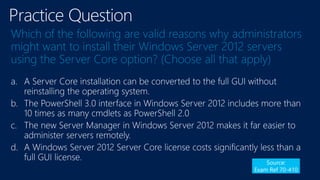
Which of the following are valid reasons why administrators
might want to install their Windows Server 2012 servers
using the Server Core option? (Choose all that apply)
a.
b.
c.
d.
Source:
Exam Ref 70-410
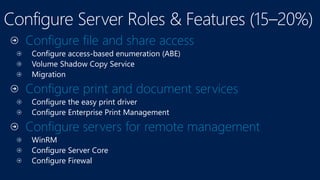
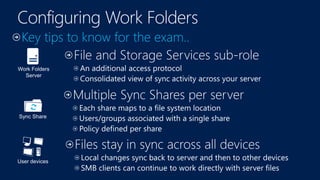
Configure file and share access
Configure print and document services
Configure servers for remote management
Configure Server Core
Configure Firewal
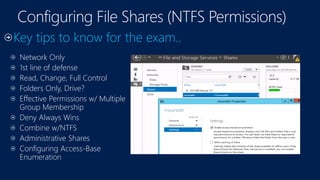
Network Only
1st line of defense
Read, Change, Full Control
Folders Only, Drive?
Effective Permissions w/ Multiple
Group Membership
Deny Always Wins
Combine w/NTFS
Administrative Shares
Configuring Access-Base
Enumeration
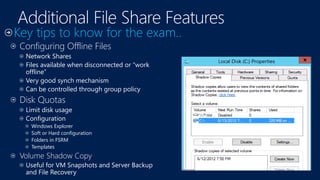
Configuring Offline Files
Network Shares
Files available when disconnected or “work
offline”
Very good synch mechanism
Can be controlled through group policy
Disk Quotas
Limit disk usage
Configuration
Windows Explorer
Soft or Hard configuration
Folders in FSRM
Templates
Volume Shadow Copy
Useful for VM Snapshots and Server Backup
and File Recovery
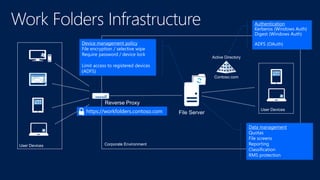
Data management
Quotas
File screens
Reporting
Classification
RMS protection
Device management policy
File encryption / selective wipe
Require password / device lock
Limit access to registered devices
)ADFS(
Authentication
Kerberos (Windows Auth)
Digest (Windows Auth)
ADFS (OAuth)
https://workfolders.contoso.com
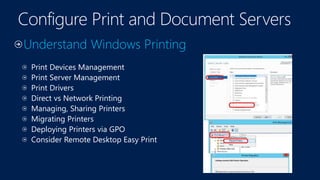
Print Devices Management
Print Server Management
Print Drivers
Direct vs Network Printing
Managing, Sharing Printers
Migrating Printers
Deploying Printers via GPO
Consider Remote Desktop Easy Print
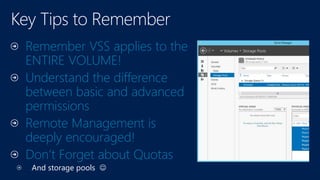
Remember VSS applies to the
ENTIRE VOLUME!
Understand the difference
between basic and advanced
permissions
Remote Management is
deeply encouraged!
Don’t Forget about Quotas
And storage pools 
Practice Question
You create a volume on Disk 1 on the server and create a
shared folder on that volume.
You want to enable the Volume Shadow Copy Service (VSS)
on the shared folder. What step can you take to accomplish
the task?
Source:
MeasureUp
a. In the properties for the shared folder, enable shadow copy
b. In the properties for the volume, enable shadow copy for the
volume
c. Use the xcopy command to enable shadow copy for the shared
folder
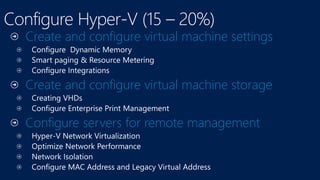
Create and configure virtual machine settings
Create and configure virtual machine storage
Configure servers for remote management
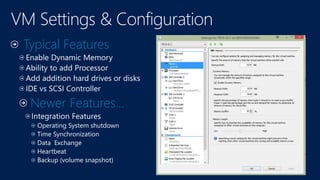
Typical Features
Newer Features…
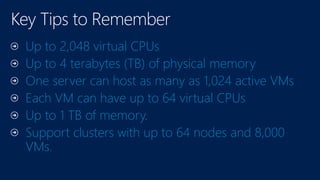
Up to 2,048 virtual CPUs
Up to 4 terabytes (TB) of physical memory
One server can host as many as 1,024 active VMs
Each VM can have up to 64 virtual CPUs
Up to 1 TB of memory.
Support clusters with up to 64 nodes and 8,000
VMs.
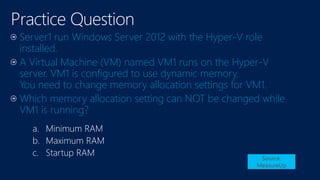
a. Minimum RAM
b. Maximum RAM
c. Startup RAM Source:
MeasureUp
Server1 run Windows Server 2012 with the Hyper-V role
installed.
A Virtual Machine (VM) named VM1 runs on the Hyper-V
server. VM1 is configured to use dynamic memory.
You need to change memory allocation settings for VM1.
Which memory allocation setting can NOT be changed while
VM1 is running?
Configure IPv4 and IPv6 addressing
Deploy and configure Dynamic Host Configuration
Protocol (DHCP) service
Deploy and configure DNS service
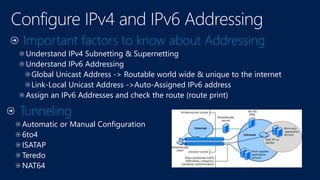
Important factors to know about Addressing
Understand IPv4 Subnetting & Supernetting
Understand IPv6 Addressing
Global Unicast Address -> Routable world wide & unique to the internet
Link-Local Unicast Address ->Auto-Assigned IPv6 address
Assign an IPv6 Addresses and check the route (route print)
Tunneling
Automatic or Manual Configuration
6to4
ISATAP
Teredo
NAT64
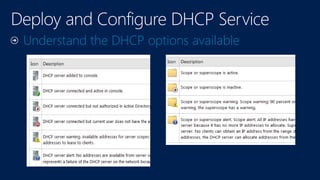
Understand the DHCP options available
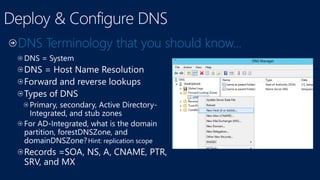
Hint: replication scope
DNS Terminology that you should know…
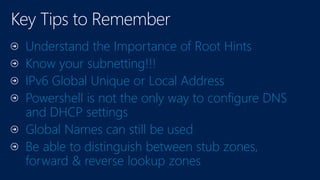
Understand the Importance of Root Hints
Know your subnetting!!!
IPv6 Global Unique or Local Address
Powershell is not the only way to configure DNS
and DHCP settings
Global Names can still be used
Be able to distinguish between stub zones,
forward & reverse lookup zones
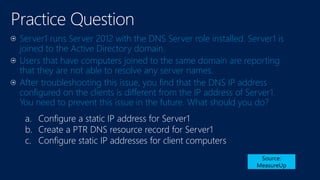
Practice Question
Server1 runs Server 2012 with the DNS Server role installed. Server1 is
joined to the Active Directory domain.
Users that have computers joined to the same domain are reporting
that they are not able to resolve any server names.
After troubleshooting this issue, you find that the DNS IP address
configured on the clients is different from the IP address of Server1.
You need to prevent this issue in the future. What should you do?
Source:
MeasureUp
a. Configure a static IP address for Server1
b. Create a PTR DNS resource record for Server1
c. Configure static IP addresses for client computers
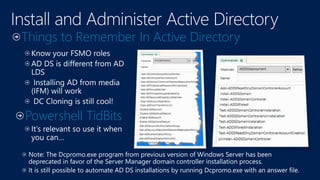
Install and Administer Active Directory
Create and manage Active Directory users and
computers
Create and manage Active Directory groups and
organizational units (OUs)
Powershell TidBits
Things to Remember In Active Directory
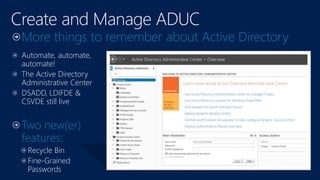
More things to remember about Active Directory
Automate, automate,
automate!
The Active Directory
Administrative Center
DSADD, LDIFDE &
CSVDE still live
Two new(er)
features:
Recycle Bin
Fine-Grained
Passwords
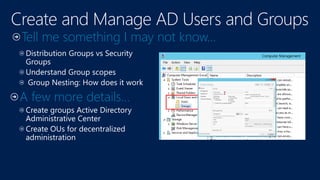
A few more details…
Tell me something I may not know…
Currently all domain controllers run Server 2008 R2. You
install a Windows Server 2012 server. You need to promote
the Server 2012 server to a domain controller. You need to
use the Install From Media (IFM) option.
What should you do?
Source:
MeasureUp
a.
b.
c.
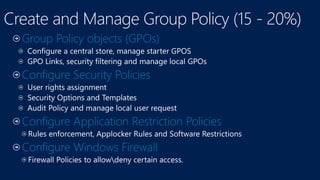
Group Policy objects (GPOs)
Configure Security Policies
Configure Application Restriction Policies
Configure Windows Firewall
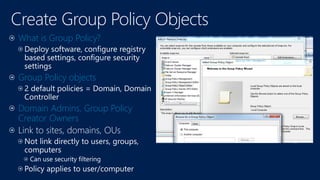
What is Group Policy?
Group Policy objects
Domain Admins, Group Policy
Creator Owners
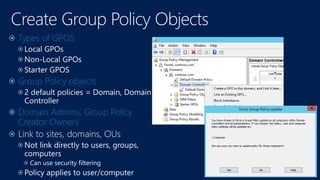
Types of GPOS
Group Policy objects
Domain Admins, Group Policy
Creator Owners
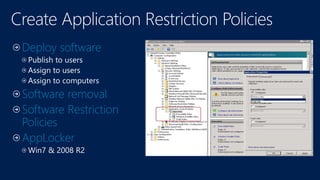
Deploy software
Software removal
Software Restriction
Policies
AppLocker
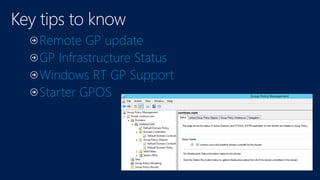
Remote GP update
GP Infrastructure Status
Windows RT GP Support
Starter GPOS
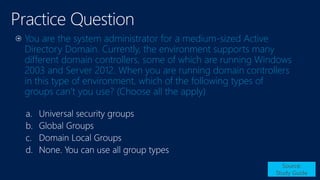
You are the system administrator for a medium-sized Active
Directory Domain. Currently, the environment supports many
different domain controllers, some of which are running Windows
2003 and Server 2012. When you are running domain controllers
in this type of environment, which of the following types of
groups can’t you use? (Choose all the apply)
Source:
Study Guide
a.
b.
c.
d.
Session Objective(s):
•
•
•
Identify areas that may require extra studying
Action plan for exam preparation and success
Addition Exam Prep Sessions
Tuesday, May 13 5:00 PM - 6:15 PM Room: Hilton L2 Ballrm F (Alfred Ojukwu)
Monday, May 12 3:00 PM - 4:15 PM Room: Hilton L2 Ballrm F (Alfred Ojukwu)
Monday, May 12 4:45 PM - 6:00 PM Room: Hilton L2 Ballrm F (Peter De Tender)
Wednesday, May 14 10:15 AM - 11:30 AM Room: Hilton L2 Ballrm F (AlfrRyan Sokolowski)
Hands-on Labs
XX
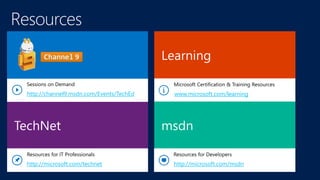
www.microsoft.com/learning
http://microsoft.com/msdnhttp://microsoft.com/technet
http://channel9.msdn.com/Events/TechEd
70-410 Practice Test

70-410 Practice Test

  • 2.
    Session Objective(s): Identify areasthat may require extra studying Action plan for exam preparation and success
  • 5.
    Exam prep: 70-410& 70-417 MCSA: Installing and Configuring Windows Server 2012(R2)
  • 6.
  • 8.
  • 12.
    Cannot move betweencase studies 700 is not 70%
  • 13.
    One or MultipleCorrect Answers Goal Statement Business Problem All questions have a consistent anatomy Multiple Distracters Questions are not intended to trick you
  • 17.
    Install servers Planning Optimization Migration Configure servers ConfigureServer Core Delegation Offline image management Remote servers Configure local storage Planning for server storage Working with Disks
  • 18.
    Server 2012 isnot available in 32-bit Data Center Standard Essentials (same functionality of standard and web version of Windows Server 2008) Foundations (Don’t forget about Windows Hyper-V, Storage & Multipoint Server 2012) Differences in licensing are exposed by the number of users and physical/virtual instances each support. EDITION POSE INSTANCES VOSE INSTANCES Datacenter 1 Unlimited Standard 1 2 Foundation 1 0 Essentials 1 (POSE or VOSE) 1 (POSE or VOSE)
  • 19.
    In comparison… Foundation EssentialsStandard / Datacenter Processor Limit 1 2 64 RAM 32GB 64GB 4TB Max users 15 25 Unlimited Routing and Remote Access (RRAS) 50 250 Unlimited Active Directory Services Root only Root only Full Active Directory Certificate Services CA Only CA Only Full Hyper V / Server Core No No Yes File Services limits 1 Standalone DFS root 1 Standalone DFS root Unlimited
  • 21.
    Minimum Requirements 1.4 GHz64-bit processor (no upgrade path from a 32bit system) 512 MB RAM 32 GB available disk space (considered as the minimum) DVD drive (not normally a pre-requisite) Super VGA (1024 x 768) or higher resolution monitor Keyboard and mouse (or other compatible pointing device) Internet access Supported Maximums Component WINDOWS SERVER 2012 WINDOWS SERVER 2008 R2 Logical processors 640 256 RAM 4 terabytes 2 terabytes Failover cluster nodes 63 16
  • 22.
    Located at C:WindowsWinSXS directory Canbe removed and added later if need Install-Windows Feature or Uninstalll-Windows Feature Can reduce the total disk space used. Also works on VHD and VHDX Used to keep the server builds simple and targeted Install-WindowsFeature <featurename> -Source wim:d:sourcesinstall.wim:2
  • 23.
    Number of rolessupport by Server Core increased 12 of 19 roles are available Roles not available Active Directory Federation Services Fax Server & Application Server Network Policy and Access Services Remote Desktop Services/Gateway /Session Host/Web Access Volume Activation Services Windows Deployment Services To switch from Server full to Core Server SQL Server can now run on Server core Uninstall-WindowsFeature Server-Gui-Shell, Server-Gui-Mgmt-Infra
  • 24.
    DISM is yourfriend ..and my favorite DISM commands: Dism /online /Get-Features (run the cmd prompt with admin account) Dism.exe /online /Enable-Feature /FeatureName:NetFx3 The ImageX tool is deprecated in Windows 8 and has been replaced with DISM for image management.
  • 25.
    Configure the network connection Setthe time zone Enable Remote Desktop Rename the computer Join a domain Post installation tasks to consider:
  • 26.
    Switch Independent Mode IncomingTraffic come through one card Unless virtual machines are in use Need to use Hyper-V Port or Dynamic Static Teaming or LACP Requires hardware support 802.3ad or 802.1ax Incoming Traffic Controlled Powershell commands to configure NIC Teaming: New-NetLbfoTeam NewTeam NIC1,NIC2 –TeamingMode Lacp –LoadBalancingAlgorithm HyperVPorts
  • 27.
    Master Boot Record(MBR) GUID Partition Table (GPT) Basic Disks Dynamic Disks , ReFS
  • 29.
    64 Bit only Versions/editionsand differences Things not in Core Disk Partitions, types, etc NIC Teaming DISM
  • 30.
    Which of thefollowing are valid reasons why administrators might want to install their Windows Server 2012 servers using the Server Core option? (Choose all that apply) a. b. c. d. Source: Exam Ref 70-410
  • 31.
    Configure file andshare access Configure print and document services Configure servers for remote management Configure Server Core Configure Firewal
  • 32.
    Network Only 1st lineof defense Read, Change, Full Control Folders Only, Drive? Effective Permissions w/ Multiple Group Membership Deny Always Wins Combine w/NTFS Administrative Shares Configuring Access-Base Enumeration
  • 33.
    Configuring Offline Files NetworkShares Files available when disconnected or “work offline” Very good synch mechanism Can be controlled through group policy Disk Quotas Limit disk usage Configuration Windows Explorer Soft or Hard configuration Folders in FSRM Templates Volume Shadow Copy Useful for VM Snapshots and Server Backup and File Recovery
  • 35.
    Data management Quotas File screens Reporting Classification RMSprotection Device management policy File encryption / selective wipe Require password / device lock Limit access to registered devices )ADFS( Authentication Kerberos (Windows Auth) Digest (Windows Auth) ADFS (OAuth) https://workfolders.contoso.com
  • 36.
    Print Devices Management PrintServer Management Print Drivers Direct vs Network Printing Managing, Sharing Printers Migrating Printers Deploying Printers via GPO Consider Remote Desktop Easy Print
  • 37.
    Remember VSS appliesto the ENTIRE VOLUME! Understand the difference between basic and advanced permissions Remote Management is deeply encouraged! Don’t Forget about Quotas And storage pools 
  • 38.
    Practice Question You createa volume on Disk 1 on the server and create a shared folder on that volume. You want to enable the Volume Shadow Copy Service (VSS) on the shared folder. What step can you take to accomplish the task? Source: MeasureUp a. In the properties for the shared folder, enable shadow copy b. In the properties for the volume, enable shadow copy for the volume c. Use the xcopy command to enable shadow copy for the shared folder
  • 39.
    Create and configurevirtual machine settings Create and configure virtual machine storage Configure servers for remote management
  • 41.
  • 43.
    Up to 2,048virtual CPUs Up to 4 terabytes (TB) of physical memory One server can host as many as 1,024 active VMs Each VM can have up to 64 virtual CPUs Up to 1 TB of memory. Support clusters with up to 64 nodes and 8,000 VMs.
  • 44.
    a. Minimum RAM b.Maximum RAM c. Startup RAM Source: MeasureUp Server1 run Windows Server 2012 with the Hyper-V role installed. A Virtual Machine (VM) named VM1 runs on the Hyper-V server. VM1 is configured to use dynamic memory. You need to change memory allocation settings for VM1. Which memory allocation setting can NOT be changed while VM1 is running?
  • 45.
    Configure IPv4 andIPv6 addressing Deploy and configure Dynamic Host Configuration Protocol (DHCP) service Deploy and configure DNS service
  • 46.
    Important factors toknow about Addressing Understand IPv4 Subnetting & Supernetting Understand IPv6 Addressing Global Unicast Address -> Routable world wide & unique to the internet Link-Local Unicast Address ->Auto-Assigned IPv6 address Assign an IPv6 Addresses and check the route (route print) Tunneling Automatic or Manual Configuration 6to4 ISATAP Teredo NAT64
  • 47.
    Understand the DHCPoptions available
  • 48.
    Hint: replication scope DNSTerminology that you should know…
  • 49.
    Understand the Importanceof Root Hints Know your subnetting!!! IPv6 Global Unique or Local Address Powershell is not the only way to configure DNS and DHCP settings Global Names can still be used Be able to distinguish between stub zones, forward & reverse lookup zones
  • 50.
    Practice Question Server1 runsServer 2012 with the DNS Server role installed. Server1 is joined to the Active Directory domain. Users that have computers joined to the same domain are reporting that they are not able to resolve any server names. After troubleshooting this issue, you find that the DNS IP address configured on the clients is different from the IP address of Server1. You need to prevent this issue in the future. What should you do? Source: MeasureUp a. Configure a static IP address for Server1 b. Create a PTR DNS resource record for Server1 c. Configure static IP addresses for client computers
  • 51.
    Install and AdministerActive Directory Create and manage Active Directory users and computers Create and manage Active Directory groups and organizational units (OUs)
  • 52.
    Powershell TidBits Things toRemember In Active Directory
  • 53.
    More things toremember about Active Directory Automate, automate, automate! The Active Directory Administrative Center DSADD, LDIFDE & CSVDE still live Two new(er) features: Recycle Bin Fine-Grained Passwords
  • 54.
    A few moredetails… Tell me something I may not know…
  • 55.
    Currently all domaincontrollers run Server 2008 R2. You install a Windows Server 2012 server. You need to promote the Server 2012 server to a domain controller. You need to use the Install From Media (IFM) option. What should you do? Source: MeasureUp a. b. c.
  • 56.
    Group Policy objects(GPOs) Configure Security Policies Configure Application Restriction Policies Configure Windows Firewall
  • 57.
    What is GroupPolicy? Group Policy objects Domain Admins, Group Policy Creator Owners
  • 58.
    Types of GPOS GroupPolicy objects Domain Admins, Group Policy Creator Owners
  • 59.
    Deploy software Software removal SoftwareRestriction Policies AppLocker
  • 60.
    Remote GP update GPInfrastructure Status Windows RT GP Support Starter GPOS
  • 61.
    You are thesystem administrator for a medium-sized Active Directory Domain. Currently, the environment supports many different domain controllers, some of which are running Windows 2003 and Server 2012. When you are running domain controllers in this type of environment, which of the following types of groups can’t you use? (Choose all the apply) Source: Study Guide a. b. c. d.
  • 62.
    Session Objective(s): • • • Identify areasthat may require extra studying Action plan for exam preparation and success
  • 63.
    Addition Exam PrepSessions Tuesday, May 13 5:00 PM - 6:15 PM Room: Hilton L2 Ballrm F (Alfred Ojukwu) Monday, May 12 3:00 PM - 4:15 PM Room: Hilton L2 Ballrm F (Alfred Ojukwu) Monday, May 12 4:45 PM - 6:00 PM Room: Hilton L2 Ballrm F (Peter De Tender) Wednesday, May 14 10:15 AM - 11:30 AM Room: Hilton L2 Ballrm F (AlfrRyan Sokolowski) Hands-on Labs XX
  • 64.

Editor's Notes