Tips for
Successful
Webinars
10
Preparing for (and pulling off)
a webinar may seem like an
overwhelming task, but here are
10 tips that can help to guide the
process and make planning a
webinar easier.
•	Start planning early, about 4-12 weeks in
advance.
•	Spread the word using your own contacts.
•	Choose convenient times. Avoid Mondays
and Fridays and aim for between
11 a.m. EST and 3 p.m. EST.
1 Drive Registration
to the Top
2 Plan and Plan
Some More
•	Schedule the program with enough time for
each segment.
•	 Proceed with a tightly written script.
•	 Ensure PowerPoint slides are in order.
•	Decide on the right amount of time for
questions, remembering that both too much
and too little could upset your audience.
•	Consider how you plan to incorporate
video and what equipment you’ll use.
3 Prepare
•	 Use a remote to manually change slides.
•	Display an introductory slide with webinar
information.
•	Check any screen grabs or website
addresses for accuracy before going live.
4 Be Entertaining
•	 Don’t drone on.
•	Keep things moving by not getting stuck on
a single topic.
•	 Use clever, relevant, and inoffensive humor.
5 Know Your
Audience
•	Offer content that matches your audience’s
needs, demographics, and interests.
•	Don’t assume your audience is just like you,
especially when it comes to sense of humor,
politics, religion, and morals.
•	Be aware of gestures as they may not be
as universal as you think or even mean the
same thing.
6 Interact with
Your Audience
•	Connect beforehand by sending out e-mail
announcements.
•	Use social media to connect with your
audience by teasing them with previews.
•	Stop to summarize at key points during the
webinar.
•	 Ask for feedback at the end.
7 Use Presentation
Slides and Images to
Support the Theme
•	Use well-placed images to increase the
power of your message.
•	Keep in mind that multimedia is what
separates a webinar from a conference call.
8 Rehearse
•	Familiarize yourself with each section and
its pacing.
•	Don’t worry about content until you’re
comfortable with the content.
•	 Do a complete dry run.
9 Understand
the Material
•	Be sure you understand the topic and
can answer questions from different points
of view.
•	 Practice pronunciations.
•	 Economize your words to get to the point.
10 Gather Feedback
•	 Use online polls to get feedback afterwards.
•	Exit surveys also provide a feedback
opportunity while it’s fresh in their minds.
•	Have a dedicated message board or e-mail
address for those who want to say more.
Following these tips will help
ensure you have a successful,
informative webinar that
maintains your audience’s
attention even after the
presentation is over.
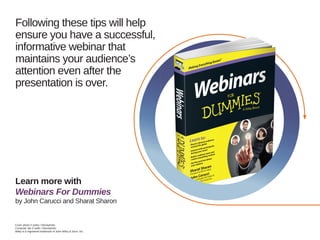
Learn more with
Webinars For Dummies
by John Carucci and Sharat Sharon
Cover photo © poba / iStockphoto
Computer lab © kali9 / iStockphoto
Wiley is a registered trademark of John Wiley  Sons, Inc.

Ten Tips for a Successful Webinar

  • 1.
  • 2.
    Preparing for (andpulling off) a webinar may seem like an overwhelming task, but here are 10 tips that can help to guide the process and make planning a webinar easier.
  • 3.
    • Start planning early,about 4-12 weeks in advance. • Spread the word using your own contacts. • Choose convenient times. Avoid Mondays and Fridays and aim for between 11 a.m. EST and 3 p.m. EST. 1 Drive Registration to the Top
  • 4.
    2 Plan andPlan Some More • Schedule the program with enough time for each segment. • Proceed with a tightly written script. • Ensure PowerPoint slides are in order. • Decide on the right amount of time for questions, remembering that both too much and too little could upset your audience. • Consider how you plan to incorporate video and what equipment you’ll use.
  • 5.
    3 Prepare • Usea remote to manually change slides. • Display an introductory slide with webinar information. • Check any screen grabs or website addresses for accuracy before going live.
  • 6.
    4 Be Entertaining • Don’t drone on. • Keep things moving by not getting stuck on a single topic. • Use clever, relevant, and inoffensive humor.
  • 7.
    5 Know Your Audience • Offercontent that matches your audience’s needs, demographics, and interests. • Don’t assume your audience is just like you, especially when it comes to sense of humor, politics, religion, and morals. • Be aware of gestures as they may not be as universal as you think or even mean the same thing.
  • 8.
    6 Interact with YourAudience • Connect beforehand by sending out e-mail announcements. • Use social media to connect with your audience by teasing them with previews. • Stop to summarize at key points during the webinar. • Ask for feedback at the end.
  • 9.
    7 Use Presentation Slidesand Images to Support the Theme • Use well-placed images to increase the power of your message. • Keep in mind that multimedia is what separates a webinar from a conference call.
  • 10.
    8 Rehearse • Familiarize yourselfwith each section and its pacing. • Don’t worry about content until you’re comfortable with the content. • Do a complete dry run.
  • 11.
    9 Understand the Material • Besure you understand the topic and can answer questions from different points of view. • Practice pronunciations. • Economize your words to get to the point.
  • 12.
    10 Gather Feedback • Use online polls to get feedback afterwards. • Exit surveys also provide a feedback opportunity while it’s fresh in their minds. • Have a dedicated message board or e-mail address for those who want to say more.
  • 13.
    Following these tipswill help ensure you have a successful, informative webinar that maintains your audience’s attention even after the presentation is over. Learn more with Webinars For Dummies by John Carucci and Sharat Sharon Cover photo © poba / iStockphoto Computer lab © kali9 / iStockphoto Wiley is a registered trademark of John Wiley Sons, Inc.