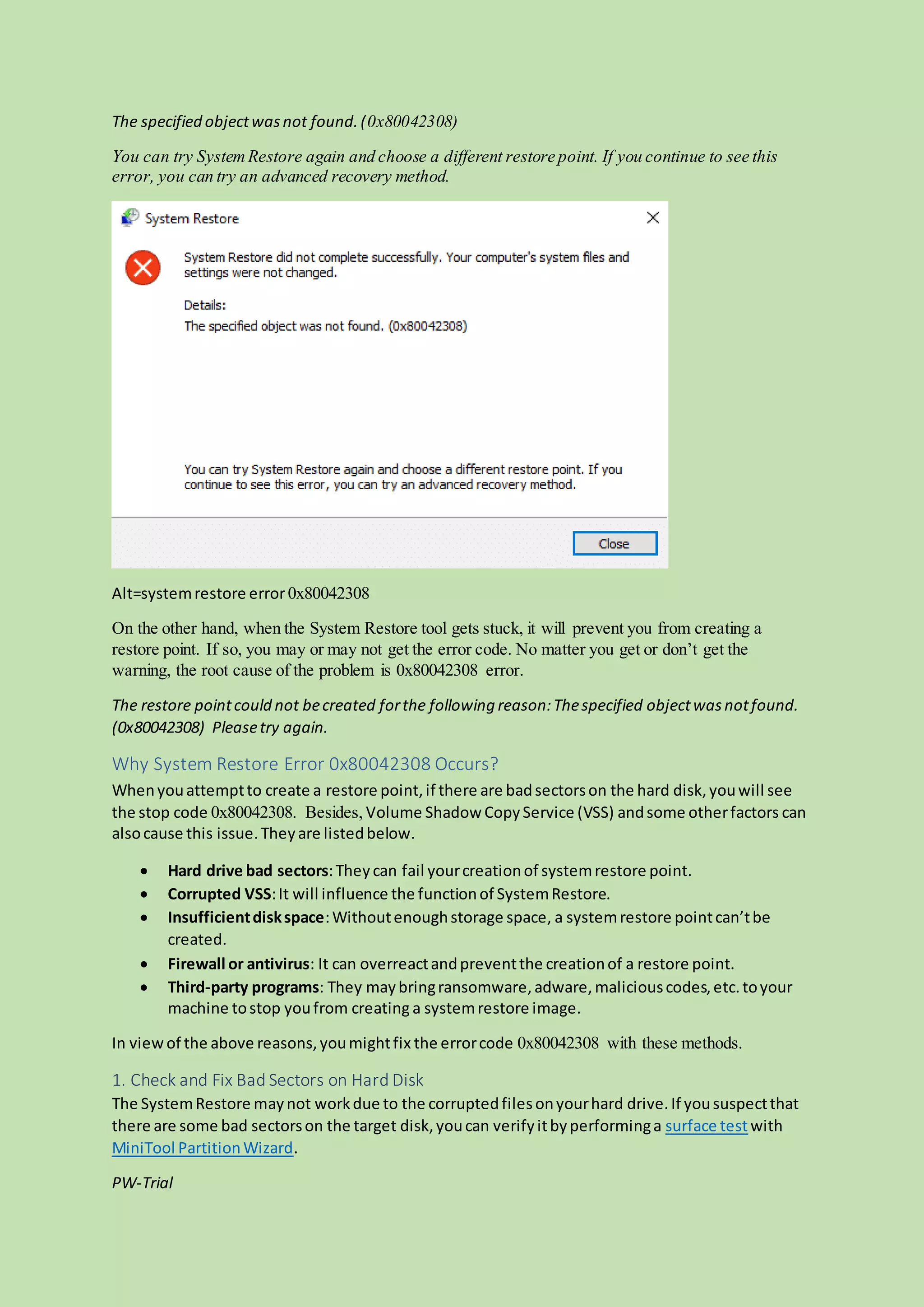
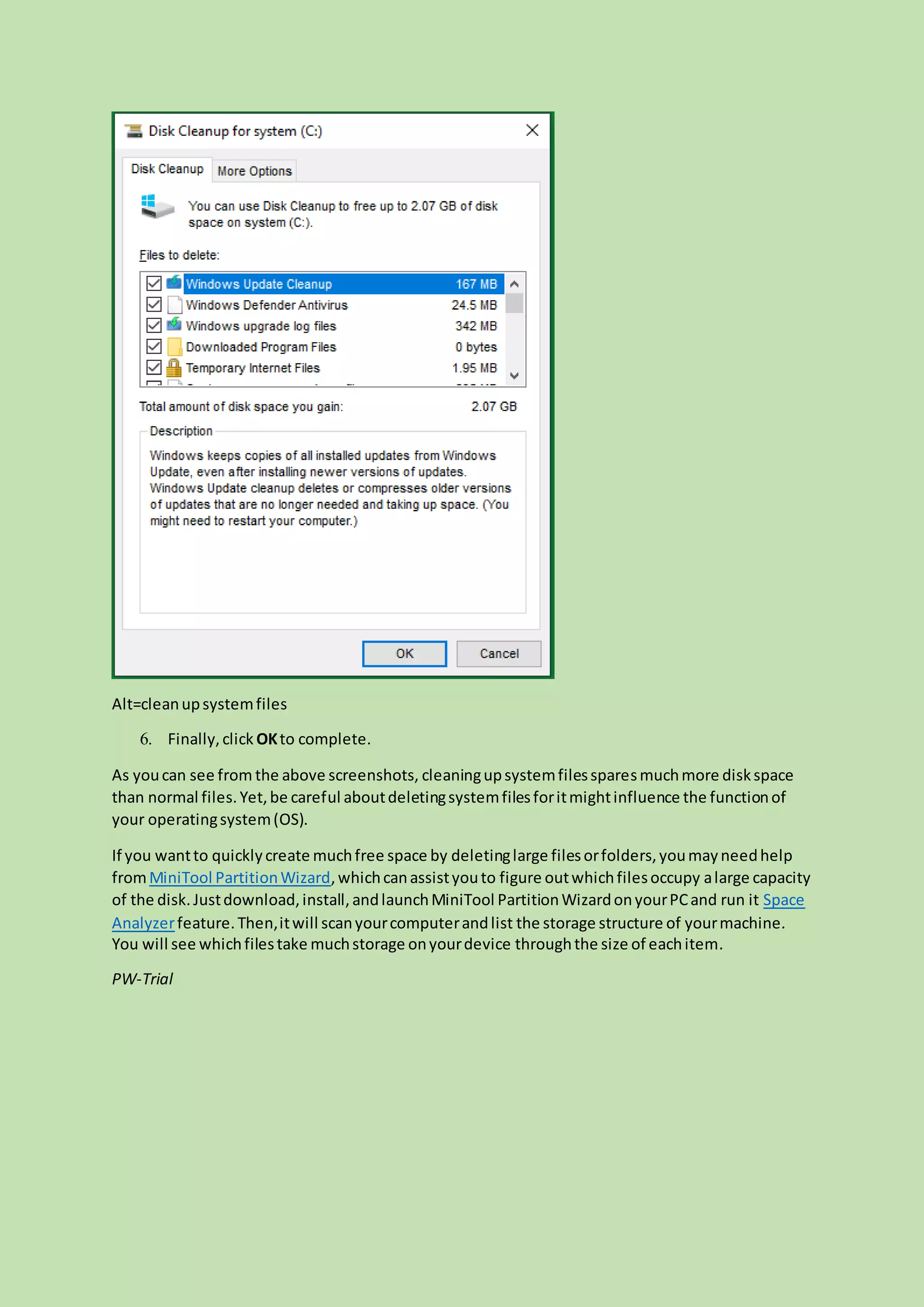
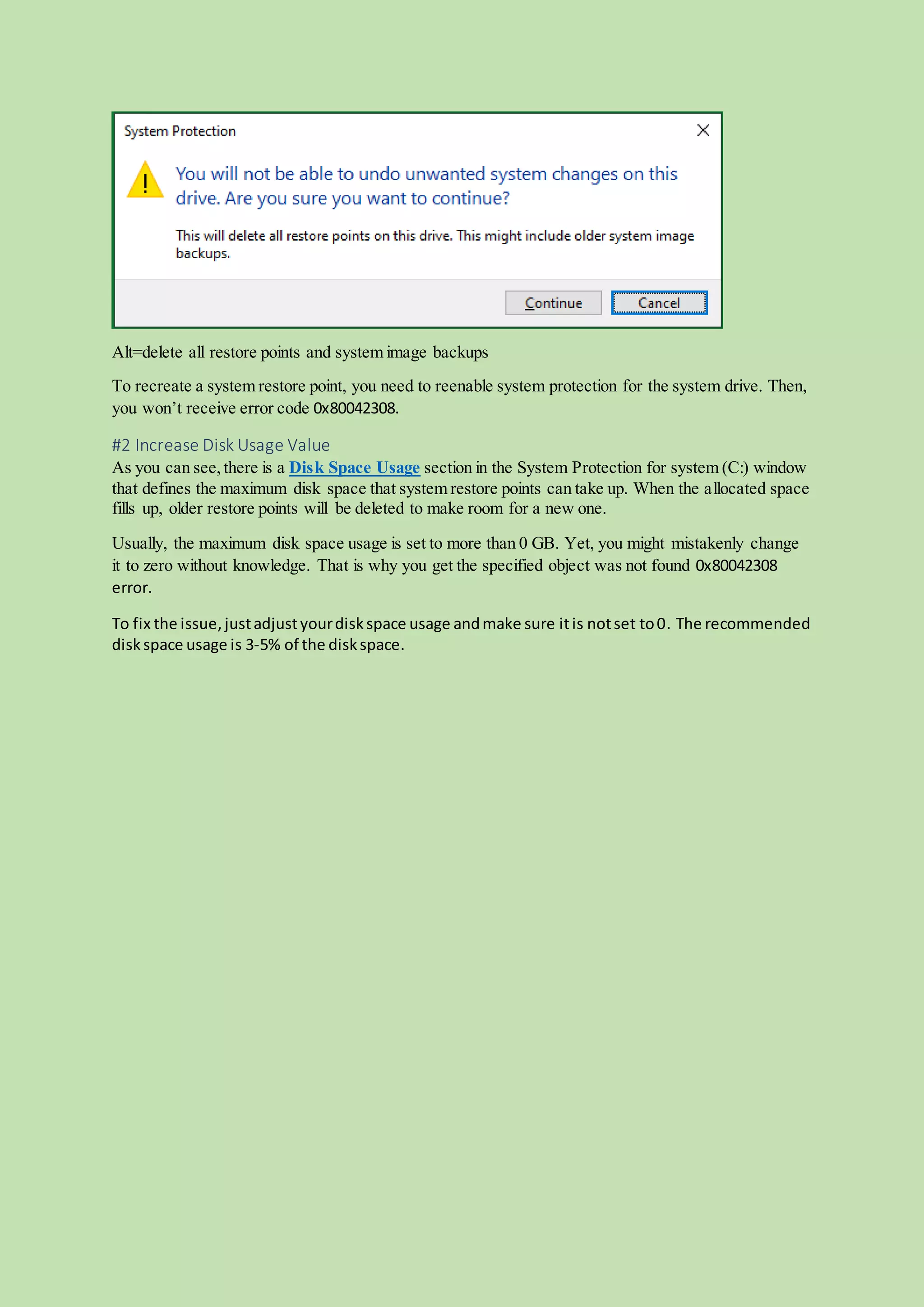
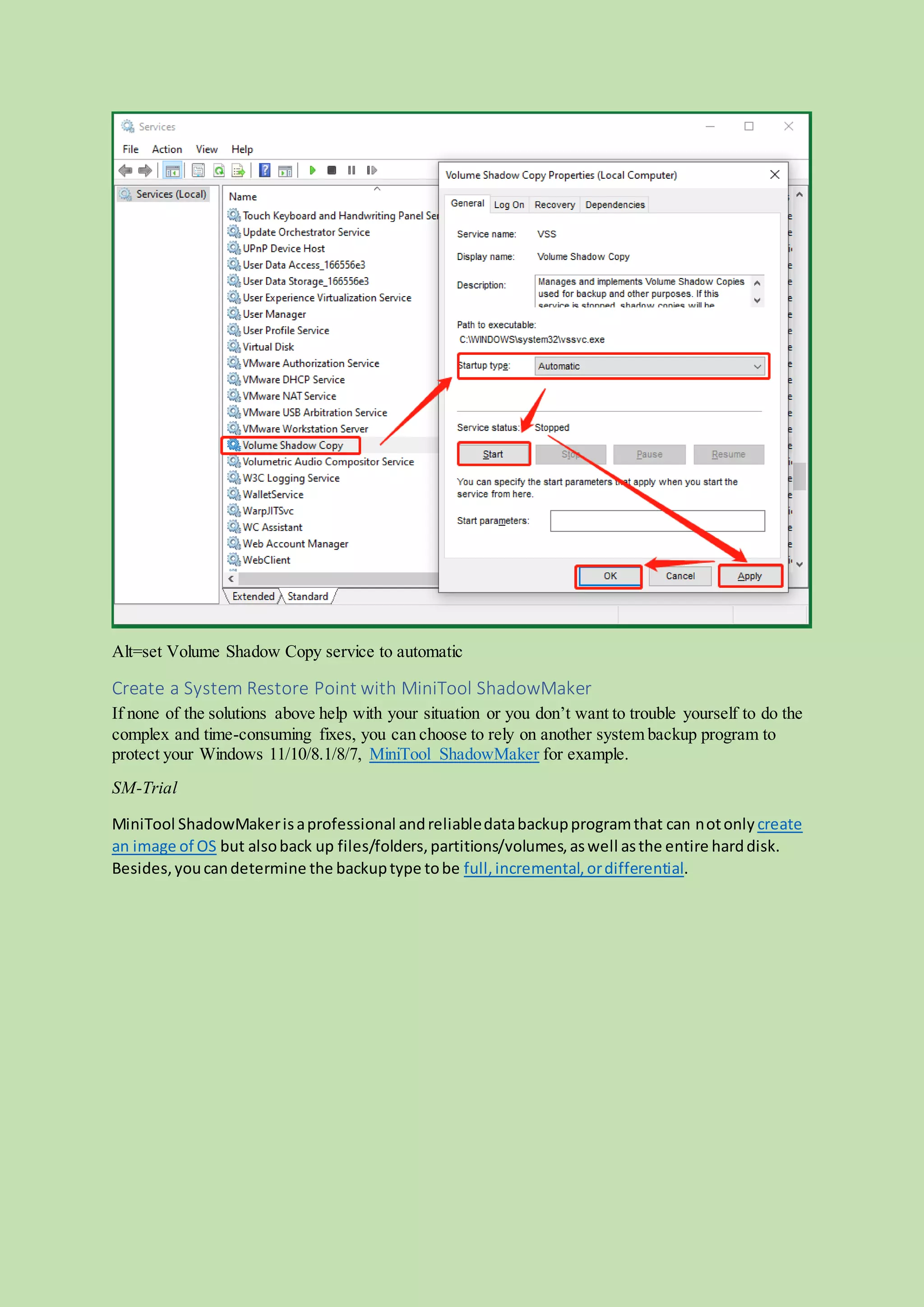
The document provides eleven methods to troubleshoot and resolve system restore error code 0x80042308 in Windows 10 and 11. It outlines potential causes for the error, including bad sectors on hard drives, corrupted volume shadow copy service, and insufficient disk space, along with detailed solutions such as cleaning up disk space, checking hard drive health, and using third-party backup tools like MiniTool ShadowMaker. The article emphasizes the importance of addressing underlying issues and offers step-by-step instructions for each troubleshooting method.