Developing Mobile
Application
Ios : session # 7
By : Amr Elghadban
AMR
ELGHADBAN
ABOUT ME
———————————
SOFTWARE ENGINEER
FCI - HELWAN 2010
ITI INTAKE 32
WORKED BEFORE IN
- Tawasol IT
- Etisalat Masr
- NTG Clarity
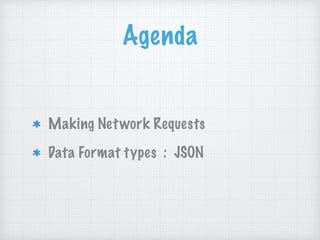
Agenda
Making Network Requests
Data Format types : JSON
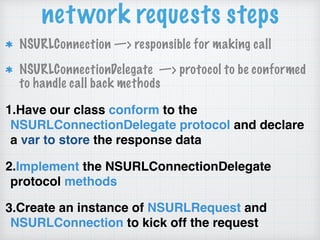
network requests steps
NSURLConnection —> responsible for making call
NSURLConnectionDelegate —> protocol to be conformed
to handle call back methods
1.Have our class conform to the
NSURLConnectionDelegate protocol and declare
a var to store the response data
2.Implement the NSURLConnectionDelegate
protocol methods
3.Create an instance of NSURLRequest and
NSURLConnection to kick off the request
network requests
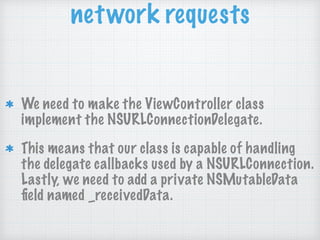
We need to make the ViewController class
implement the NSURLConnectionDelegate.
This means that our class is capable of handling
the delegate callbacks used by a NSURLConnection.
Lastly, we need to add a private NSMutableData
field named _receivedData.
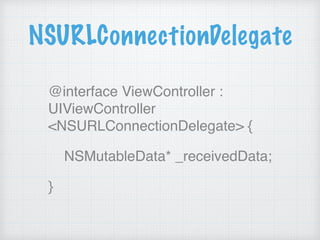
NSURLConnectionDelegate
@interface ViewController :
UIViewController
<NSURLConnectionDelegate> {
NSMutableData* _receivedData;
}
NSURLConnectionDelegate
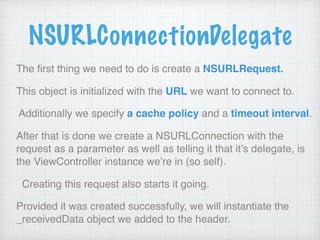
The first thing we need to do is create a NSURLRequest.
This object is initialized with the URL we want to connect to.
Additionally we specify a cache policy and a timeout interval.
After that is done we create a NSURLConnection with the
request as a parameter as well as telling it that it’s delegate, is
the ViewController instance we’re in (so self).
Creating this request also starts it going.
Provided it was created successfully, we will instantiate the
_receivedData object we added to the header.
- (IBAction)btnFetchData1:(id)sender {
NSURLRequest
*theRequest=[NSURLRequest
requestWithURL:[NSURL
URLWithString:@“http://google.com"]];
NSURLConnection *con =
[[NSURLConnection alloc]
initWithRequest:theRequest delegate:self];
NSURLConnectionDelegate
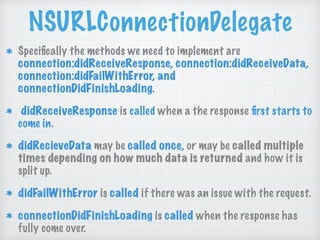
Specifically the methods we need to implement are
connection:didReceiveResponse, connection:didReceiveData,
connection:didFailWithError, and
connectionDidFinishLoading.
didReceiveResponse is called when a the response first starts to
come in.
didRecieveData may be called once, or may be called multiple
times depending on how much data is returned and how it is
split up.
didFailWithError is called if there was an issue with the request.
connectionDidFinishLoading is called when the response has
fully come over.
Exchanging Data
When exchanging data between a Application
and a server, the data can only be text.
JSON is text.
Mapping any JSON received from the server into
Object variables.
JSON
•JSON: JavaScript Object Notation.
•JSON is a syntax for storing and
exchanging data.
•JSON is text, written with JavaScript
object notation.
What is JSON?
JSON is a lightweight data-interchange format
JSON is "self-describing" and easy to understand
JSON is language independent *
Why we use JSON?
Since the JSON format is text only, it can easily
be sent to and from a server, and used as a data
format by any programming language.
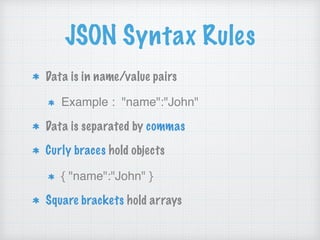
JSON Syntax Rules
Data is in name/value pairs
Example : "name":"John"
Data is separated by commas
Curly braces hold objects
{ "name":"John" }
Square brackets hold arrays
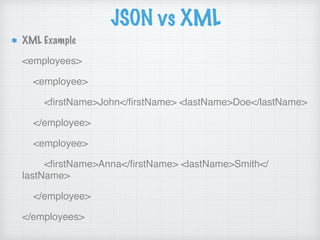
JSON vs XML
JSON Example
{"employees":[
{ "firstName":"John", "lastName":"Doe" },
{ "firstName":"Anna", "lastName":"Smith" },
{ "firstName":"Peter", "lastName":"Jones" }
]}
JSON vs XML
XML Example
<employees>
<employee>
<firstName>John</firstName> <lastName>Doe</lastName>
</employee>
<employee>
<firstName>Anna</firstName> <lastName>Smith</
lastName>
</employee>
</employees>
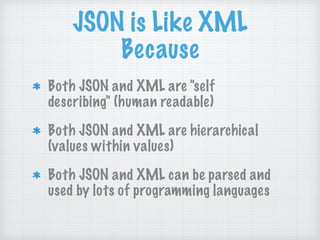
JSON is Like XML
Because
Both JSON and XML are "self
describing" (human readable)
Both JSON and XML are hierarchical
(values within values)
Both JSON and XML can be parsed and
used by lots of programming languages
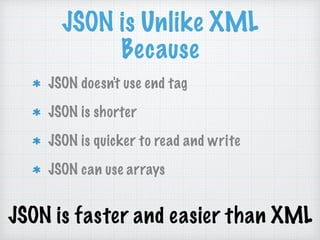
JSON is Unlike XML
Because
JSON doesn't use end tag
JSON is shorter
JSON is quicker to read and write
JSON can use arrays
JSON is faster and easier than XML
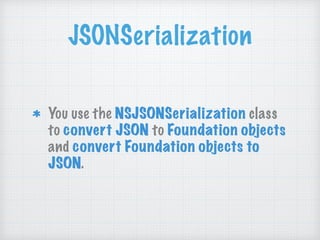
JSONSerialization
You use the NSJSONSerialization class
to convert JSON to Foundation objects
and convert Foundation objects to
JSON.
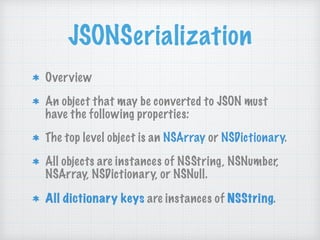
JSONSerialization
Overview
An object that may be converted to JSON must
have the following properties:
The top level object is an NSArray or NSDictionary.
All objects are instances of NSString, NSNumber,
NSArray, NSDictionary, or NSNull.
All dictionary keys are instances of NSString.
id json = [NSJSONSerialization
JSONObjectWithData:dataObject
options:0 error:nil];
web service
http://ip.jsontest.com/
http://services.groupkt.com/state/get/
IND/all
THANKS
▸ Skype : amr_elghadban
▸ Email : amr.elghadban@gmail.com
▸ Phone : (+20) 1098558500
▸ Fb/amr.elghadban
▸ Linkedin/amr_elghadban
▸ ios_course facebook group : https://www.facebook.com/groups/
1161387897317786/
WISH YOU WONDERFUL DAY

07 objective-c session 7

  • 1.
    Developing Mobile Application Ios :session # 7 By : Amr Elghadban
  • 2.
    AMR ELGHADBAN ABOUT ME ——————————— SOFTWARE ENGINEER FCI- HELWAN 2010 ITI INTAKE 32 WORKED BEFORE IN - Tawasol IT - Etisalat Masr - NTG Clarity
  • 3.
  • 4.
    network requests steps NSURLConnection—> responsible for making call NSURLConnectionDelegate —> protocol to be conformed to handle call back methods 1.Have our class conform to the NSURLConnectionDelegate protocol and declare a var to store the response data 2.Implement the NSURLConnectionDelegate protocol methods 3.Create an instance of NSURLRequest and NSURLConnection to kick off the request
  • 5.
    network requests We needto make the ViewController class implement the NSURLConnectionDelegate. This means that our class is capable of handling the delegate callbacks used by a NSURLConnection. Lastly, we need to add a private NSMutableData field named _receivedData.
  • 6.
  • 7.
    NSURLConnectionDelegate The first thingwe need to do is create a NSURLRequest. This object is initialized with the URL we want to connect to. Additionally we specify a cache policy and a timeout interval. After that is done we create a NSURLConnection with the request as a parameter as well as telling it that it’s delegate, is the ViewController instance we’re in (so self). Creating this request also starts it going. Provided it was created successfully, we will instantiate the _receivedData object we added to the header.
  • 8.
  • 9.
    NSURLConnectionDelegate Specifically the methodswe need to implement are connection:didReceiveResponse, connection:didReceiveData, connection:didFailWithError, and connectionDidFinishLoading. didReceiveResponse is called when a the response first starts to come in. didRecieveData may be called once, or may be called multiple times depending on how much data is returned and how it is split up. didFailWithError is called if there was an issue with the request. connectionDidFinishLoading is called when the response has fully come over.
  • 10.
    Exchanging Data When exchangingdata between a Application and a server, the data can only be text. JSON is text. Mapping any JSON received from the server into Object variables.
  • 11.
    JSON •JSON: JavaScript ObjectNotation. •JSON is a syntax for storing and exchanging data. •JSON is text, written with JavaScript object notation.
  • 12.
    What is JSON? JSONis a lightweight data-interchange format JSON is "self-describing" and easy to understand JSON is language independent * Why we use JSON? Since the JSON format is text only, it can easily be sent to and from a server, and used as a data format by any programming language.
  • 13.
    JSON Syntax Rules Datais in name/value pairs Example : "name":"John" Data is separated by commas Curly braces hold objects { "name":"John" } Square brackets hold arrays
  • 14.
    JSON vs XML JSONExample {"employees":[ { "firstName":"John", "lastName":"Doe" }, { "firstName":"Anna", "lastName":"Smith" }, { "firstName":"Peter", "lastName":"Jones" } ]}
  • 15.
    JSON vs XML XMLExample <employees> <employee> <firstName>John</firstName> <lastName>Doe</lastName> </employee> <employee> <firstName>Anna</firstName> <lastName>Smith</ lastName> </employee> </employees>
  • 16.
    JSON is LikeXML Because Both JSON and XML are "self describing" (human readable) Both JSON and XML are hierarchical (values within values) Both JSON and XML can be parsed and used by lots of programming languages
  • 17.
    JSON is UnlikeXML Because JSON doesn't use end tag JSON is shorter JSON is quicker to read and write JSON can use arrays JSON is faster and easier than XML
  • 18.
    JSONSerialization You use theNSJSONSerialization class to convert JSON to Foundation objects and convert Foundation objects to JSON.
  • 19.
    JSONSerialization Overview An object thatmay be converted to JSON must have the following properties: The top level object is an NSArray or NSDictionary. All objects are instances of NSString, NSNumber, NSArray, NSDictionary, or NSNull. All dictionary keys are instances of NSString.
  • 20.
    id json =[NSJSONSerialization JSONObjectWithData:dataObject options:0 error:nil];
  • 21.
  • 22.
    THANKS ▸ Skype :amr_elghadban ▸ Email : amr.elghadban@gmail.com ▸ Phone : (+20) 1098558500 ▸ Fb/amr.elghadban ▸ Linkedin/amr_elghadban ▸ ios_course facebook group : https://www.facebook.com/groups/ 1161387897317786/ WISH YOU WONDERFUL DAY