Developing Mobile
Application
Ios : session # 5
By : Amr Elghadban
AMR
ELGHADBAN
ABOUT ME
———————————
SOFTWARE ENGINEER
FCI - HELWAN 2010
ITI INTAKE 32
WORKED BEFORE IN
- Tawasol IT
- Etisalat Masr
- NTG Clarity
Agenda
Local storage
(UserDefault,Sqlite,plist,coredata)
Build “Browser App”
Progress bar
MProgresss
UITabelView
UserDefaults
All iOS apps have a built in data dictionary
that stores small amounts of user settings
for as long as the app is installed.
This system, called UserDefaults can save
integers, booleans, strings, arrays,
dictionaries, dates and more, but you
should be careful not to save too much data
because it will slow the launch of your app.
UserDefaults
When you set values like that, they
become permanent – you can quit the app
then re-launch and they'll still be there,
so it's the ideal way to store app
configuration data.
NSUserDefault is light weight storage section where user can save their
persistent data.
NSUserDefault Storing the data in the form of key and value pair.
How to save user settings
using UserDefaults
To save:
NSUserDefaults *prefs = [NSUserDefaults standardUserDefaults];
[prefs setObject:@"TextToSave" forKey:@“keyToFindText"];
[userdefault synchronize];
To load:
NSUserDefaults *prefs = [NSUserDefaults standardUserDefaults];
NSString *textToLoad = [prefs stringForKey:@"keyToFindText"];
How to save user settings using
UserDefaults
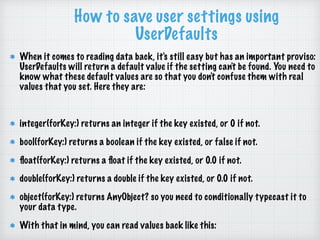
When it comes to reading data back, it's still easy but has an important proviso:
UserDefaults will return a default value if the setting can't be found. You need to
know what these default values are so that you don't confuse them with real
values that you set. Here they are:
integer(forKey:) returns an integer if the key existed, or 0 if not.
bool(forKey:) returns a boolean if the key existed, or false if not.
float(forKey:) returns a float if the key existed, or 0.0 if not.
double(forKey:) returns a double if the key existed, or 0.0 if not.
object(forKey:) returns AnyObject? so you need to conditionally typecast it to
your data type.
With that in mind, you can read values back like this:
How to save user settings using
UserDefaults
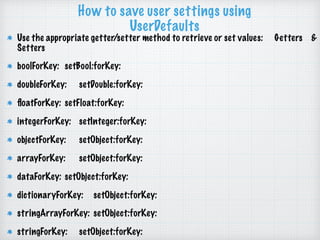
Use the appropriate getter/setter method to retrieve or set values: Getters &
Setters
boolForKey: setBool:forKey:
doubleForKey: setDouble:forKey:
floatForKey: setFloat:forKey:
integerForKey: setInteger:forKey:
objectForKey: setObject:forKey:
arrayForKey: setObject:forKey:
dataForKey: setObject:forKey:
dictionaryForKey: setObject:forKey:
stringArrayForKey: setObject:forKey:
stringForKey: setObject:forKey:
Browser App
1.Enhance progress view
1. rounded UIView
2.use MBProgressbar
loading View
Create A view
UIActivityIndicatorView
Rounded UIView
Using MBProgressHUD
https://github.com/
jdg/MBProgressHUD
MBProgressHUD
[MBProgressHUD
showHUDAddedTo:self.view
animated:YES];
[MBProgressHUD
hideHUDForView:self.view animated:YES];
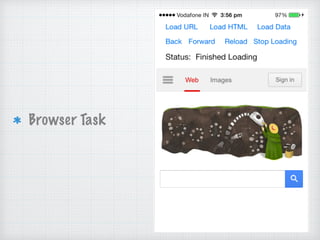
Browser Task
UITableView
UITableView
It is used for displaying a vertically
scrollable view which consists of a
number of cells (generally reusable cells).
It has special features like headers,
footers, rows, and section.
UITableView
delegate
dataSource
The UITableViewDataSource protocol declares
two required methods
(tableView:cellForRowAtIndexPath and
tableView:numberOfRowsInSection)
THANKS
▸ Skype : amr_elghadban
▸ Email : amr.elghadban@gmail.com
▸ Phone : (+20) 1098558500
▸ Fb/amr.elghadban
▸ Linkedin/amr_elghadban
▸ ios_course facebook group : https://www.facebook.com/groups/
1161387897317786/
WISH YOU WONDERFUL DAY

05 objective-c session 5

  • 1.
    Developing Mobile Application Ios :session # 5 By : Amr Elghadban
  • 2.
    AMR ELGHADBAN ABOUT ME ——————————— SOFTWARE ENGINEER FCI- HELWAN 2010 ITI INTAKE 32 WORKED BEFORE IN - Tawasol IT - Etisalat Masr - NTG Clarity
  • 3.
  • 4.
    UserDefaults All iOS appshave a built in data dictionary that stores small amounts of user settings for as long as the app is installed. This system, called UserDefaults can save integers, booleans, strings, arrays, dictionaries, dates and more, but you should be careful not to save too much data because it will slow the launch of your app.
  • 5.
    UserDefaults When you setvalues like that, they become permanent – you can quit the app then re-launch and they'll still be there, so it's the ideal way to store app configuration data. NSUserDefault is light weight storage section where user can save their persistent data. NSUserDefault Storing the data in the form of key and value pair.
  • 6.
    How to saveuser settings using UserDefaults To save: NSUserDefaults *prefs = [NSUserDefaults standardUserDefaults]; [prefs setObject:@"TextToSave" forKey:@“keyToFindText"]; [userdefault synchronize]; To load: NSUserDefaults *prefs = [NSUserDefaults standardUserDefaults]; NSString *textToLoad = [prefs stringForKey:@"keyToFindText"];
  • 7.
    How to saveuser settings using UserDefaults When it comes to reading data back, it's still easy but has an important proviso: UserDefaults will return a default value if the setting can't be found. You need to know what these default values are so that you don't confuse them with real values that you set. Here they are: integer(forKey:) returns an integer if the key existed, or 0 if not. bool(forKey:) returns a boolean if the key existed, or false if not. float(forKey:) returns a float if the key existed, or 0.0 if not. double(forKey:) returns a double if the key existed, or 0.0 if not. object(forKey:) returns AnyObject? so you need to conditionally typecast it to your data type. With that in mind, you can read values back like this:
  • 8.
    How to saveuser settings using UserDefaults Use the appropriate getter/setter method to retrieve or set values: Getters & Setters boolForKey: setBool:forKey: doubleForKey: setDouble:forKey: floatForKey: setFloat:forKey: integerForKey: setInteger:forKey: objectForKey: setObject:forKey: arrayForKey: setObject:forKey: dataForKey: setObject:forKey: dictionaryForKey: setObject:forKey: stringArrayForKey: setObject:forKey: stringForKey: setObject:forKey:
  • 9.
    Browser App 1.Enhance progressview 1. rounded UIView 2.use MBProgressbar
  • 10.
    loading View Create Aview UIActivityIndicatorView Rounded UIView Using MBProgressHUD https://github.com/ jdg/MBProgressHUD
  • 11.
  • 12.
  • 13.
  • 14.
    UITableView It is usedfor displaying a vertically scrollable view which consists of a number of cells (generally reusable cells). It has special features like headers, footers, rows, and section.
  • 15.
    UITableView delegate dataSource The UITableViewDataSource protocoldeclares two required methods (tableView:cellForRowAtIndexPath and tableView:numberOfRowsInSection)
  • 16.
    THANKS ▸ Skype :amr_elghadban ▸ Email : amr.elghadban@gmail.com ▸ Phone : (+20) 1098558500 ▸ Fb/amr.elghadban ▸ Linkedin/amr_elghadban ▸ ios_course facebook group : https://www.facebook.com/groups/ 1161387897317786/ WISH YOU WONDERFUL DAY