File and Directory
Permissions Explained
File and Directory
Permissions Explained
Part II
This Lesson
Continues in Part Two
What You Will Learn
● Symbolic permissions
● Numeric / octal permissions
● File versus directory permissions
● Changing permissions
● Working with groups
● File creation mask
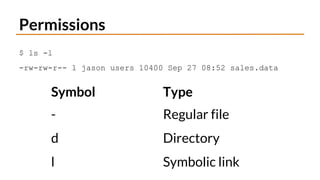
Permissions
$ ls -l
-rw-rw-r-- 1 jason users 10400 Sep 27 08:52 sales.data
Symbol Type
- Regular file
d Directory
l Symbolic link
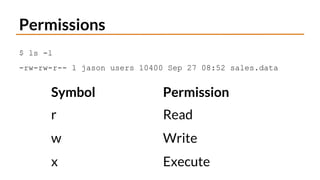
Permissions
$ ls -l
-rw-rw-r-- 1 jason users 10400 Sep 27 08:52 sales.data
Symbol Permission
r Read
w Write
x Execute
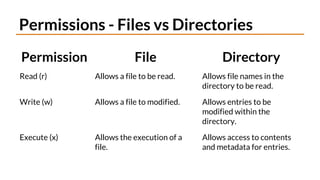
Permissions - Files vs Directories
Permission File Directory
Read (r) Allows a file to be read. Allows file names in the
directory to be read.
Write (w) Allows a file to modified. Allows entries to be
modified within the
directory.
Execute (x) Allows the execution of a
file.
Allows access to contents
and metadata for entries.
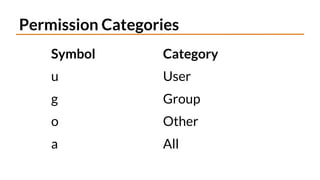
Permission Categories
Symbol Category
u User
g Group
o Other
a All
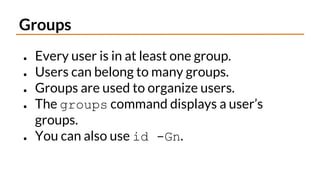
Groups
● Every user is in at least one group.
● Users can belong to many groups.
● Groups are used to organize users.
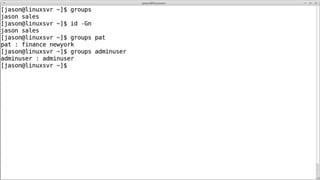
● The groups command displays a user’s
groups.
● You can also use id -Gn.
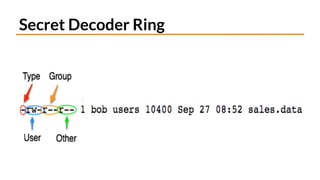
Secret Decoder Ring
Changing Permissions
Item Meaning
chmod Change mode command
ugoa User category
user, group, other, all
+-= Add, subtract, or set
permissions
rwx Read, Write, Execute
Demo - chmod
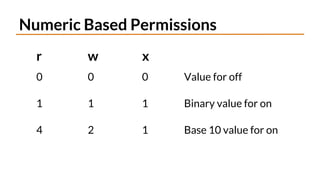
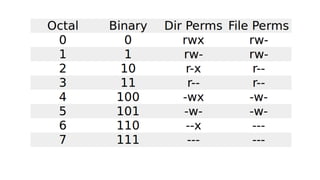
Numeric Based Permissions
r w x
0 0 0 Value for off
1 1 1 Binary value for on
4 2 1 Base 10 value for on
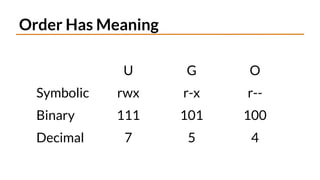
Order Has Meaning
U G O
Symbolic rwx r-x r--
Binary 111 101 100
Decimal 7 5 4
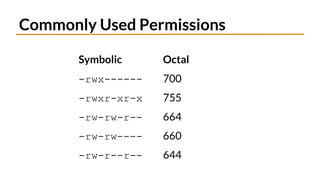
Commonly Used Permissions
Symbolic Octal
-rwx------ 700
-rwxr-xr-x 755
-rw-rw-r-- 664
-rw-rw---- 660
-rw-r--r-- 644
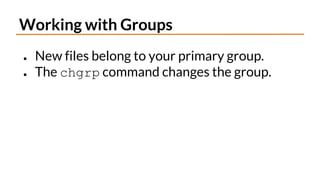
Working with Groups
● New files belong to your primary group.
● The chgrp command changes the group.
Demo - chgrp
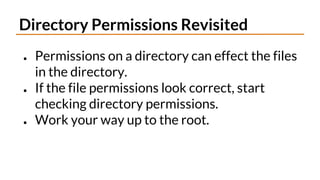
Directory Permissions Revisited
● Permissions on a directory can effect the files
in the directory.
● If the file permissions look correct, start
checking directory permissions.
● Work your way up to the root.
demo - dir perms.
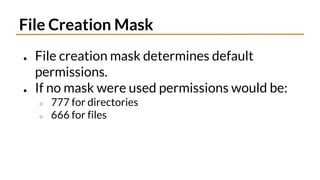
File Creation Mask
● File creation mask determines default
permissions.
● If no mask were used permissions would be:
○ 777 for directories
○ 666 for files
The umask Command
umask [-S] [mode]
● Sets the file creation mask to mode, if given.
● Use -S to for symbolic notation.
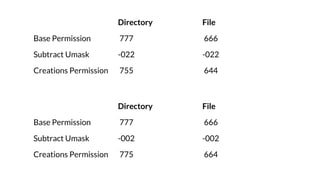
Directory File
Base Permission 777 666
Subtract Umask -022 -022
Creations Permission 755 644
Directory File
Base Permission 777 666
Subtract Umask -002 -002
Creations Permission 775 664
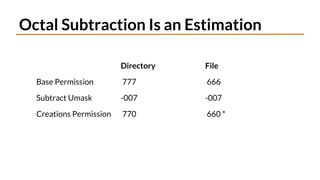
Octal Subtraction Is an Estimation
Directory File
Base Permission 777 666
Subtract Umask -007 -007
Creations Permission 770 660 *
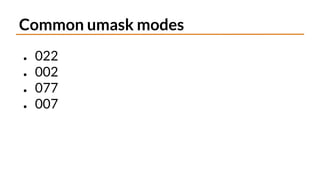
Common umask modes
● 022
● 002
● 077
● 007
Special Modes
● umask 0022 is the same as umask 022
● chmod 0644 is the same as chmod 644
● The special modes are:
○ setuid
○ setgid
○ sticky
demo - umask Examples
Summary
● Symbolic permissions
● Numeric / octal permissions
● File versus directory permissions
● Changing permissions
● Working with groups
● File creation mask

012-File-And-Directory-Permissions-Explained.pdf