Deleting, Copying, Moving,
and Renaming Files
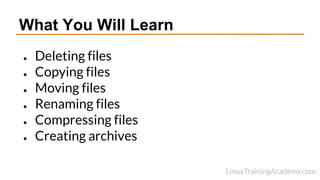
What You Will Learn
● Deleting files
● Copying files
● Moving files
● Renaming files
● Compressing files
● Creating archives
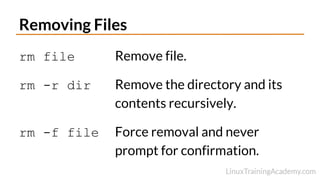
Removing Files
rm file Remove file.
rm -r dir Remove the directory and its
contents recursively.
rm -f file Force removal and never
prompt for confirmation.
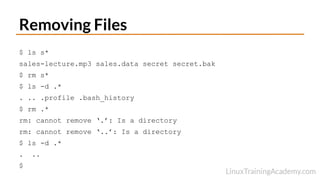
$ ls s*
sales-lecture.mp3 sales.data secret secret.bak
$ rm s*
$ ls -d .*
. .. .profile .bash_history
$ rm .*
rm: cannot remove ‘.’: Is a directory
rm: cannot remove ‘..’: Is a directory
$ ls -d .*
. ..
$
Removing Files
Copying Files
cp source_file destination_file
Copy source_file to destination_file.
cp src_file1 [src_fileN ...] dest_dir
Copy source_files to destination_directory.
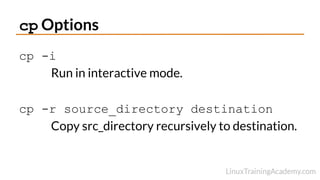
cp Options
cp -i
Run in interactive mode.
cp -r source_directory destination
Copy src_directory recursively to destination.
Demo
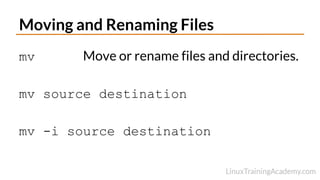
Moving and Renaming Files
mv Move or rename files and directories.
mv source destination
mv -i source destination
Demo
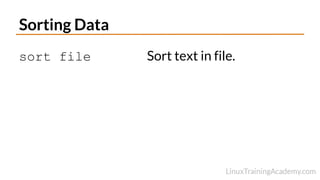
Sorting Data
sort file Sort text in file.
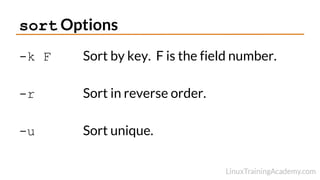
sort Options
-k F Sort by key. F is the field number.
-r Sort in reverse order.
-u Sort unique.
Demo - sort
Creating a Collection of Files
tar [-] c|x|t f tarfile [pattern]
Create, extract or list contents of a tar archive
using pattern, if supplied.
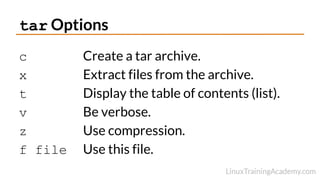
tar Options
c Create a tar archive.
x Extract files from the archive.
t Display the table of contents (list).
v Be verbose.
z Use compression.
f file Use this file.
Demo - tar
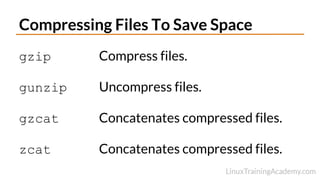
Compressing Files To Save Space
gzip Compress files.
gunzip Uncompress files.
gzcat Concatenates compressed files.
zcat Concatenates compressed files.
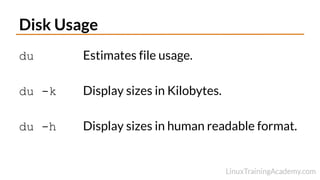
Disk Usage
du Estimates file usage.
du -k Display sizes in Kilobytes.
du -h Display sizes in human readable format.
Demo - gzip + tar.
Summary
● rm
● cp
● mv
● gzip
● tar

018-Deleting-Copying-Moving-And-Renaming-Files.pdf

  • 1.
  • 2.
    What You WillLearn ● Deleting files ● Copying files ● Moving files ● Renaming files ● Compressing files ● Creating archives
  • 3.
    Removing Files rm fileRemove file. rm -r dir Remove the directory and its contents recursively. rm -f file Force removal and never prompt for confirmation.
  • 4.
    $ ls s* sales-lecture.mp3sales.data secret secret.bak $ rm s* $ ls -d .* . .. .profile .bash_history $ rm .* rm: cannot remove ‘.’: Is a directory rm: cannot remove ‘..’: Is a directory $ ls -d .* . .. $ Removing Files
  • 5.
    Copying Files cp source_filedestination_file Copy source_file to destination_file. cp src_file1 [src_fileN ...] dest_dir Copy source_files to destination_directory.
  • 6.
    cp Options cp -i Runin interactive mode. cp -r source_directory destination Copy src_directory recursively to destination.
  • 7.
  • 8.
    Moving and RenamingFiles mv Move or rename files and directories. mv source destination mv -i source destination
  • 9.
  • 10.
    Sorting Data sort fileSort text in file.
  • 11.
    sort Options -k FSort by key. F is the field number. -r Sort in reverse order. -u Sort unique.
  • 12.
  • 13.
    Creating a Collectionof Files tar [-] c|x|t f tarfile [pattern] Create, extract or list contents of a tar archive using pattern, if supplied.
  • 14.
    tar Options c Createa tar archive. x Extract files from the archive. t Display the table of contents (list). v Be verbose. z Use compression. f file Use this file.
  • 15.
  • 16.
    Compressing Files ToSave Space gzip Compress files. gunzip Uncompress files. gzcat Concatenates compressed files. zcat Concatenates compressed files.
  • 17.
    Disk Usage du Estimatesfile usage. du -k Display sizes in Kilobytes. du -h Display sizes in human readable format.
  • 18.
  • 19.
    Summary ● rm ● cp ●mv ● gzip ● tar