Zero to DevOps - Source Control and
Release Strategy for Dynamics 365
Solutions
Shane Carvalho
Consultant | Dynamics 365 | Oakton
Hi! I’m Shane Carvalho
• Geek. Developer. Blogger.
• Mobile to multi-tenant SASS solutions in the .NET ecosystem.
• Dynamics CRM 4  Dynamics 365.
• Passion for ALM and DevOps.
• Automate everything!!!
nullfactory.net github.com/shanec- @shanec_
Hi! I’m Shane Carvalho
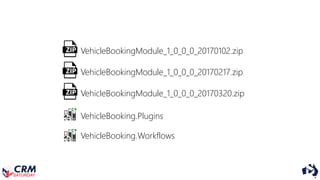
VehicleBookingModule_1_0_0_0_20170102.zip
VehicleBookingModule_1_0_0_0_20170217.zip
VehicleBookingModule_1_0_0_0_20170320.zip
VehicleBooking.Plugins
VehicleBooking.Workflows
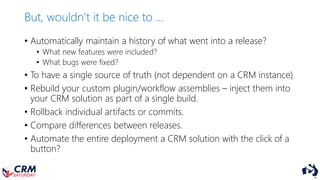
But, wouldn’t it be nice to …
• Automatically maintain a history of what went into a release?
• What new features were included?
• What bugs were fixed?
• To have a single source of truth (not dependent on a CRM instance)
• Rebuild your custom plugin/workflow assemblies – inject them into
your CRM solution as part of a single build.
• Rollback individual artifacts or commits.
• Compare differences between releases.
• Automate the entire deployment a CRM solution with the click of a
button?
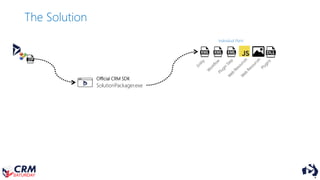
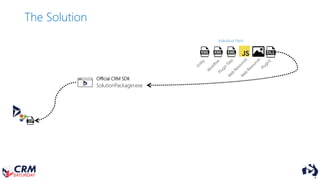
The Solution
SolutionPackager.exe
Official CRM SDK
Individual Parts
The Solution
SolutionPackager.exe
Official CRM SDK
Individual Parts
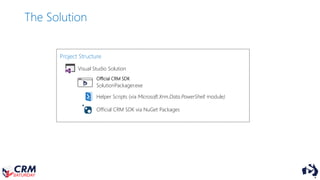
The Solution
Project Structure
SolutionPackager.exe
Official CRM SDK
Visual Studio Solution
Official CRM SDK via NuGet Packages
Helper Scripts (via Microsoft.Xrm.Data.PowerShell module)
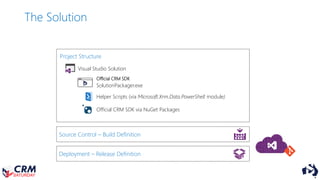
Source Control – Build Definition
The Solution
Project Structure
SolutionPackager.exe
Official CRM SDK
Visual Studio Solution
Official CRM SDK via NuGet Packages
Deployment – Release Definition
Helper Scripts (via Microsoft.Xrm.Data.PowerShell module)
Source Control – Build Definition
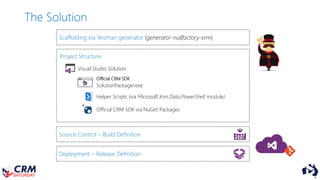
The Solution
Project Structure
SolutionPackager.exe
Official CRM SDK
Visual Studio Solution
Official CRM SDK via NuGet Packages
Deployment – Release Definition
Scaffolding via Yeoman generator (generator-nullfactory-xrm)
Helper Scripts (via Microsoft.Xrm.Data.PowerShell module)
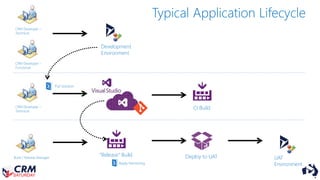
Development
Environment
CRM Developer –
Technical
CRM Developer –
Functional
CRM Developer –
Technical
Build / Release Manager
CI Build
“Release” Build Deploy to UAT UAT
Environment
Pull Solution
Typical Application Lifecycle
Apply Versioning
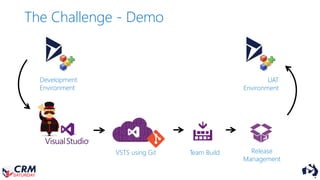
The Challenge - Demo
Development
Environment
UAT
Environment
VSTS using Git Team Build Release
Management
Now, what does this mean?
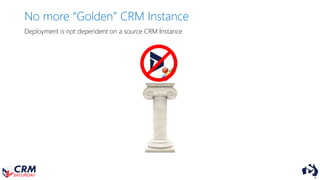
No more “Golden” CRM Instance
Deployment is not dependent on a source CRM Instance
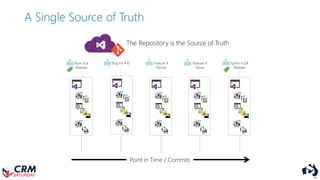
A Single Source of Truth
April 3.0x
Release
Bug Fix #10 Feature X
Partial
Feature X
Done
Sprint 4 QA
Release
Point in Time / Commits
The Repository is the Source of Truth
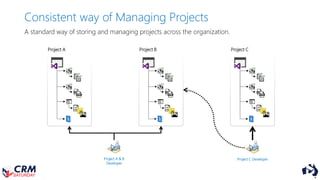
A standard way of storing and managing projects across the organization.
Project A & B
Developer
Project C Developer
Project A Project B Project C
Consistent way of Managing Projects
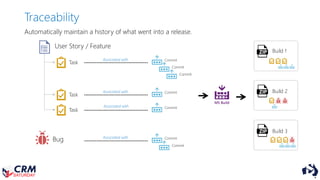
Traceability
User Story / Feature
Task
Bug
CommitAssociated with
MS Build
Commit
Task
Commit
Task
Commit
Commit
Commit
Commit
Build 1
Build 2
Build 3
Automatically maintain a history of what went into a release.
Associated with
Associated with
Associated with
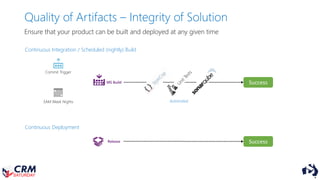
Quality of Artifacts – Integrity of Solution
Ensure that your product can be built and deployed at any given time
MS Build
Continuous Integration / Scheduled (nightly) Build
Commit Trigger
3AM Week Nights
Continuous Deployment
Release
Success
Success
Automated
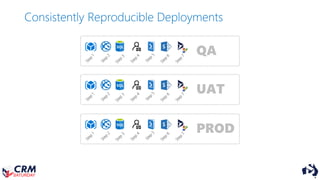
Consistently Reproducible Deployments
QA
UAT
PROD
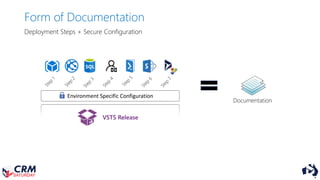
Form of Documentation
VSTS Release
Documentation
Environment Specific Configuration
Deployment Steps + Secure Configuration
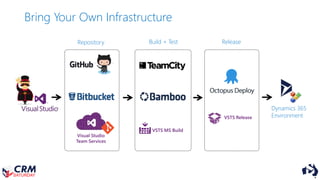
Dynamics 365
Environment
Visual Studio
Team Services
VSTS MS Build
VSTS Release
Repository Build + Test Release
Bring Your Own Infrastructure
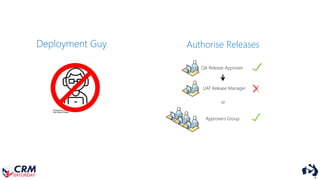
Deployment Guy Authorise Releases
QA Release Approver
UAT Release Manager
or
Approvers Group
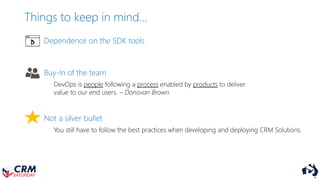
Things to keep in mind…
Dependence on the SDK tools
Buy-In of the team
Not a silver bullet
You still have to follow the best practices when developing and deploying CRM Solutions.
DevOps is people following a process enabled by products to deliver
value to our end users. – Donovan Brown
More information available at http://nullfactory.net
generator-nullfactory-xrm
[https://github.com/shanec-/generator-nullfactory-xrm]
http://nullfactory.net http://github.com/shanec-
Thank You
DesignedbyFreepikfromwww.flaticon.com
programmerbyChanutisIndustriesfromtheNounProject
designedbyfromFlaticon
Thank you
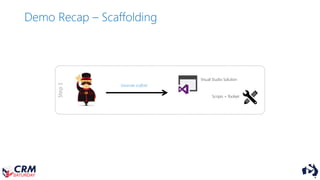
Step1
Visual Studio Solution
Scripts + Toolset
Generate scaffold
Demo Recap – Scaffolding
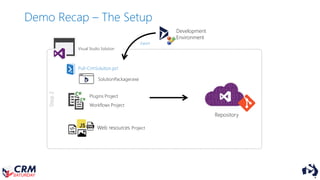
Pull-CrmSolution.ps1
SolutionPackager.exe
Plugins Project
Workflows Project
Web resources Project
Development
Environment
Export
Step2
Repository
Visual Studio Solution
Demo Recap – The Setup
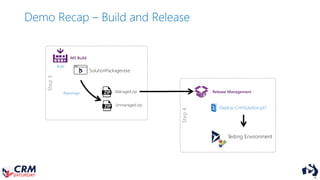
Build
SolutionPackager.exe
Step3
Repackage Managed.zip
Unmanaged.zip
MS Build
Step4
Testing Environment
Deploy-CrmSolution.ps1
Release Management
Demo Recap – Build and Release

Zero To DevOps - Source Control and Release Strategy for Dynamics 365 Solutions - Crm Saturday 2017