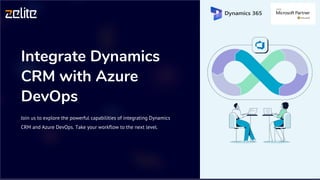
Integrate Dynamics
CRM with Azure
DevOps
Join us to explore the powerful capabilities of integrating Dynamics
CRM and Azure DevOps. Take your workflow to the next level.
Overview of Dynamics CRM
Manage Customer
Relationships
Dynamics CRM is a customer
relationship management software
which provides an all-encompassing
approach to customer care.
Streamline Sales
Process
CRM can automate workflows, nurture
sales leads, and drive sales productivity.
Enhance Marketing
Processes
CRM can track and analyze customer
data and campaigns to improve
marketing effectiveness.
Overview of Azure DevOps
1 Collaborate
Azure DevOps provides
numerous tools to
facilitate teamwork within
your development team
shared code repositories,
project boards and
discussion forums.
2 Automate and
Test
DevOps gives the ability
to automate builds, tests,
releases and maintenance
tasks, which increases the
efficiency and quality of
deployment processes.
3 Integrate Tools and
Services
Azure DevOps provides more than 100 cloud-hosted services to
manage your projects across the entire lifecycle.
Why integrate the two platforms?
Bridging the gap
Integrating both platforms helps
connect development and
business operations under a
single framework, reducing
conflicts in goals, priorities, and
communication.
Unified view of data
A combined CRM-DevOps system
provides a coordinated line of
data and workflows for a 360-
degree view of customer needs
and product development.
End-to-end traceability
A well-integrated CRM/DevOps
solution provides transparent
identification of next steps and
accountability throughout the
whole process.
Benefits of CRM and DevOps integration
1
Enhanced Collaboration
Developers and business teams can work together
seamlessly, accessing each other's information and
updates to be complete in sync.
2
Increased Efficiency
The integrated system allows for real-time data capture,
faster synchronization and the ability to automate tasks,
reducing manual errors.
3
Improved Quality
Integrating CRM and DevOps provides transparency into
product processes, improves the quality of products and
services delivered and the agility of the operations team.
Integration process and
tools
Identify which features of the CRM system require integration
with the DevOps toolset.
Utilize Azure DevOps REST APIs to create CRM Work Items and
sync them with linked DevOps Work Items.
Integrate with Git to have a better history of code changes and
seamlessly track the status of related CRM work items.
Azure Logic apps can be used to automate workflows and
connect services and systems.
Best practices for maintaining integration
Continuously Monitor
and Test
Develop monitoring and testing
practices to ensure seamless
integration and provide quick
remediation of errors.
Document
Changes
Maintain comprehensive
documentation to provide
information on changes and
workflows.
Set up Training and
Support
A training plan should be created to
ensure stakeholders with varying
expertise use the system efficiently.
30 Days Free Trial
Begin with Complimentary Trial Today! No Credit Card Required
Visit Site
https://www.zelitesolutions.com/free-trial/

Integrate-Dynamics-CRM-with-Azure-DevOps.pptx.pdf

  • 1.
    Integrate Dynamics CRM withAzure DevOps Join us to explore the powerful capabilities of integrating Dynamics CRM and Azure DevOps. Take your workflow to the next level.
  • 2.
    Overview of DynamicsCRM Manage Customer Relationships Dynamics CRM is a customer relationship management software which provides an all-encompassing approach to customer care. Streamline Sales Process CRM can automate workflows, nurture sales leads, and drive sales productivity. Enhance Marketing Processes CRM can track and analyze customer data and campaigns to improve marketing effectiveness.
  • 3.
    Overview of AzureDevOps 1 Collaborate Azure DevOps provides numerous tools to facilitate teamwork within your development team shared code repositories, project boards and discussion forums. 2 Automate and Test DevOps gives the ability to automate builds, tests, releases and maintenance tasks, which increases the efficiency and quality of deployment processes. 3 Integrate Tools and Services Azure DevOps provides more than 100 cloud-hosted services to manage your projects across the entire lifecycle.
  • 4.
    Why integrate thetwo platforms? Bridging the gap Integrating both platforms helps connect development and business operations under a single framework, reducing conflicts in goals, priorities, and communication. Unified view of data A combined CRM-DevOps system provides a coordinated line of data and workflows for a 360- degree view of customer needs and product development. End-to-end traceability A well-integrated CRM/DevOps solution provides transparent identification of next steps and accountability throughout the whole process.
  • 5.
    Benefits of CRMand DevOps integration 1 Enhanced Collaboration Developers and business teams can work together seamlessly, accessing each other's information and updates to be complete in sync. 2 Increased Efficiency The integrated system allows for real-time data capture, faster synchronization and the ability to automate tasks, reducing manual errors. 3 Improved Quality Integrating CRM and DevOps provides transparency into product processes, improves the quality of products and services delivered and the agility of the operations team.
  • 6.
    Integration process and tools Identifywhich features of the CRM system require integration with the DevOps toolset. Utilize Azure DevOps REST APIs to create CRM Work Items and sync them with linked DevOps Work Items. Integrate with Git to have a better history of code changes and seamlessly track the status of related CRM work items. Azure Logic apps can be used to automate workflows and connect services and systems.
  • 7.
    Best practices formaintaining integration Continuously Monitor and Test Develop monitoring and testing practices to ensure seamless integration and provide quick remediation of errors. Document Changes Maintain comprehensive documentation to provide information on changes and workflows. Set up Training and Support A training plan should be created to ensure stakeholders with varying expertise use the system efficiently.
  • 8.
    30 Days FreeTrial Begin with Complimentary Trial Today! No Credit Card Required Visit Site https://www.zelitesolutions.com/free-trial/