Team Foundation Server Source ControlDhirendra SinghPrincipal Software EngineerZenevo Technologies
AgendaTFS- an OverviewManaging BranchesMergingCode Integration
What is Team Foundation Server?It is the “Glue” that connects our teamWhat am I supposed to do?What’s my progress?What’s broken?Helps manage project artifactsSource Control

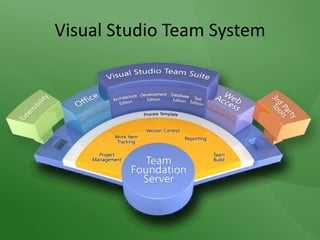
Visual Studio Team System
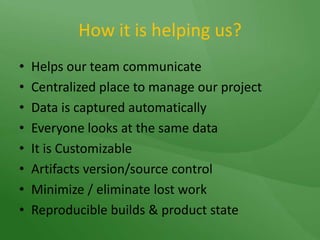
How it is helping us?Helps our team communicate Centralized place to manage our projectData is captured automaticallyEveryone looks at the same dataIt is CustomizableArtifacts version/source controlMinimize / eliminate lost workReproducible builds & product state
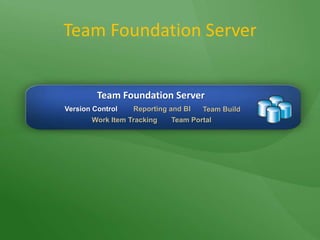
Team Foundation ServerTeam Foundation ServerVersion ControlReporting and BITeam BuildWork Item TrackingTeam Portal
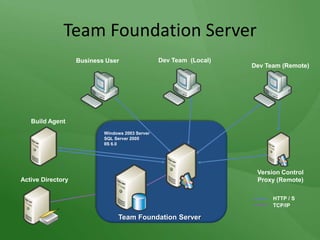
Team Foundation ServerDev Team (Remote)Dev Team  (Local)Build AgentWindows 2003 ServerSQL Server 2005IIS 6.0Business UserVersion Control Proxy (Remote)Active DirectoryHTTP / STCP/IPTeam Foundation Server
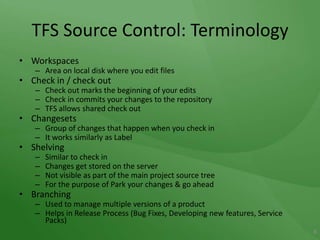
TFS Source Control: TerminologyWorkspacesArea on local disk where you edit filesCheck in / check outCheck out marks the beginning of your editsCheck in commits your changes to the repositoryTFS allows shared check outChangesetsGroup of changes that happen when you check inIt works similarly as LabelShelvingSimilar to check in Changes get stored on the server Not visible as part of the main project source treeFor the purpose of Park your changes & go aheadBranchingUsed to manage multiple versions of a productHelps in Release Process (Bug Fixes, Developing new features, Service Packs)8
TFS does more than just check-in and check-outBranching and mergingFacilitates simultaneous development of multiple versions of an applicationApplying LabelsCloakingShelve & Unshelve
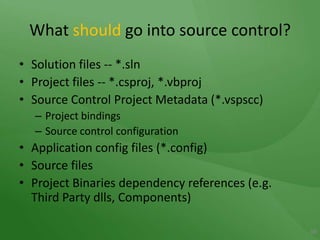
What should go into source control?Solution files -- *.slnProject files -- *.csproj, *.vbprojSource Control Project Metadata (*.vspscc)Project bindingsSource control configurationApplication config files (*.config)Source files Project Binaries dependency references (e.g. Third Party dlls, Components)10
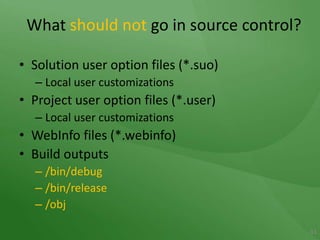
What shouldnot go in source control?Solution user option files (*.suo)Local user customizationsProject user option files (*.user)Local user customizationsWebInfo files (*.webinfo)Build outputs/bin/debug/bin/release/obj11
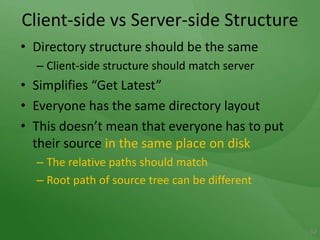
Client-side vs Server-side StructureDirectory structure should be the sameClient-side structure should match serverSimplifies “Get Latest”Everyone has the same directory layoutThis doesn’t mean that everyone has to put their source in the same place on diskThe relative paths should matchRoot path of source tree can be different12
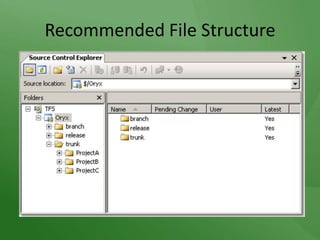
Plan your RepositoryRecommended file structure for Version Control.
Recommended File Structure
Don’t Branch... untilYou have a good reasonLife only gets more complex with branchingFavor Labels over BranchesYou can always branch from a Label later15
When to branch…The Signs…Regular broken buildsFeatures in parallel development that need to edit one anotherBranch so that each feature can develop in isolationMerge changes laterAvoid source tree being polluted with experimental code. Allow work on different versions of product at same time Support maintenance releases etc Allow parallel DevelopmentAsk yourself if the productivity gained by the branch is balanced against the pain (anti-productivity) of merging changes back16
SO…IF YOU REALLY MUST BRANCH…17
Branching ScenariosNo BranchingEveryone works from the same codeBranch for ReleaseStabilization in order to prepare for a releaseBranch for MaintenanceMaintenance of a previous build/releaseService pack developmentBranch for FeatureBranch from the Trunk to develop a new feature (such as a new module in isolation)Merge back into the Trunk when feature is doneBranch for  Multiple TeamsBranches for multiple teams working on a set of features18
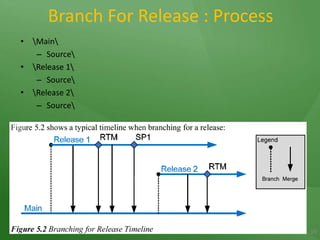
Branch For Release : Process\Main\Source\\Release 1\Source\\Release 2\Source\19
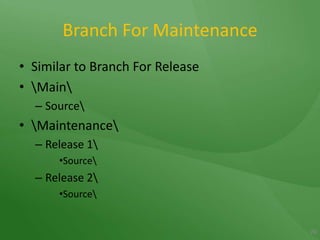
Branch For MaintenanceSimilar to Branch For Release\Main\Source\\Maintenance\Release 1\Source\Release 2\Source\20
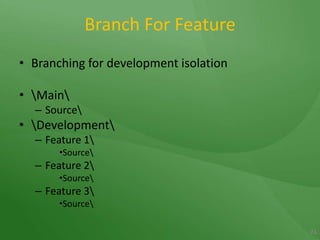
Branch For FeatureBranching for development isolation\Main\Source\\Development\Feature 1\Source\Feature 2\Source\Feature 3\Source\21
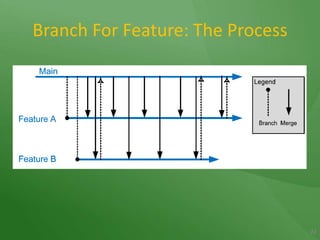
Branch For Feature: The Process22
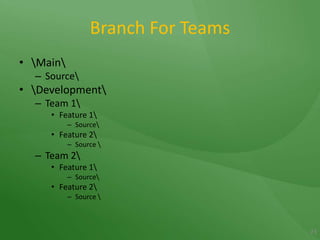
Branch For Teams\Main\Source\\Development\Team 1\Feature 1\Source\Feature 2\Source \Team 2\Feature 1\Source\Feature 2\Source \23
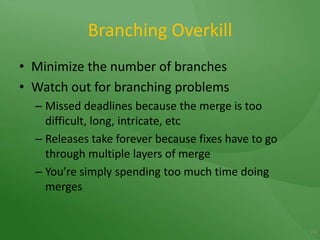
Branching OverkillMinimize the number of branchesWatch out for branching problemsMissed deadlines because the merge is too difficult, long, intricate, etcReleases take forever because fixes have to go through multiple layers of mergeYou’re simply spending too much time doing merges24
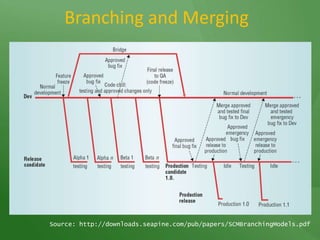
Branching and MergingSource: http://downloads.seapine.com/pub/papers/SCMBranchingModels.pdf
DemoCreate a branchMerge changesCreate/resolve a check-in conflictDiscussion about Baseless Merge
Some News…Bad newsSome features are command-line onlyGood newsThere’s a lot you can do from the command-lineScriptable
Beyond the GUITF.exe is your FriendThe most powerful for Team Foundation Source Control is the command line.
 TF.exeCommand-line interface to TFS source control30+ sub commandsKind of like “net” command in WindowsWhy would you want to use the command line version?It’s coolSome things aren’t available through the UIGood for automated operations (builds, etc)
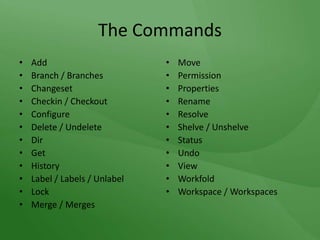
The CommandsAddBranch / BranchesChangesetCheckin / CheckoutConfigureDelete / UndeleteDirGetHistoryLabel / Labels / UnlabelLockMerge / MergesMovePermissionPropertiesRenameResolveShelve / UnshelveStatusUndoViewWorkfoldWorkspace / Workspaces
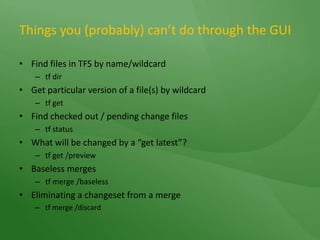
Things you (probably) can’t do through the GUI Find files in TFS by name/wildcardtf dirGet particular version of a file(s) by wildcardtf getFind checked out / pending change filestf statusWhat will be changed by a “get latest”?tf get /previewBaseless mergestf merge /baselessEliminating a changeset from a mergetf merge /discard
And Last but not the Least…
Baby Come BackAccessing Deleted FilesTools, Options, Source Control, Show deleted items in Source Control Explorer.Undelete file.  Remember to add to solution…
Extending TFSUse the .NET object model to extend Team Foundation Server
Check out != Get Latestand AlsoCheck-in != Get Latest
Change != BadTFS is new and different – you folks will need time to adjust.
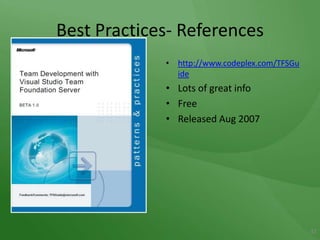
Best Practices- Referenceshttp://www.codeplex.com/TFSGuideLots of great infoFreeReleased Aug 200737
Question and AnswerDhirendra SinghPrincipal Software EngineerZenevo Technologies Pvt. Ltd.dheerendra.singh@zenevo.comSingh.dheerendra@gmail.comwww.zenevo.com

Team Foundation Server - Source Control

  • 1.
    Team Foundation ServerSource ControlDhirendra SinghPrincipal Software EngineerZenevo Technologies
  • 2.
    AgendaTFS- an OverviewManagingBranchesMergingCode Integration
  • 3.
    What is TeamFoundation Server?It is the “Glue” that connects our teamWhat am I supposed to do?What’s my progress?What’s broken?Helps manage project artifactsSource Control
  • 4.
  • 5.
    How it ishelping us?Helps our team communicate Centralized place to manage our projectData is captured automaticallyEveryone looks at the same dataIt is CustomizableArtifacts version/source controlMinimize / eliminate lost workReproducible builds & product state
  • 6.
    Team Foundation ServerTeamFoundation ServerVersion ControlReporting and BITeam BuildWork Item TrackingTeam Portal
  • 7.
    Team Foundation ServerDevTeam (Remote)Dev Team (Local)Build AgentWindows 2003 ServerSQL Server 2005IIS 6.0Business UserVersion Control Proxy (Remote)Active DirectoryHTTP / STCP/IPTeam Foundation Server
  • 8.
    TFS Source Control:TerminologyWorkspacesArea on local disk where you edit filesCheck in / check outCheck out marks the beginning of your editsCheck in commits your changes to the repositoryTFS allows shared check outChangesetsGroup of changes that happen when you check inIt works similarly as LabelShelvingSimilar to check in Changes get stored on the server Not visible as part of the main project source treeFor the purpose of Park your changes & go aheadBranchingUsed to manage multiple versions of a productHelps in Release Process (Bug Fixes, Developing new features, Service Packs)8
  • 9.
    TFS does morethan just check-in and check-outBranching and mergingFacilitates simultaneous development of multiple versions of an applicationApplying LabelsCloakingShelve & Unshelve
  • 10.
    What should gointo source control?Solution files -- *.slnProject files -- *.csproj, *.vbprojSource Control Project Metadata (*.vspscc)Project bindingsSource control configurationApplication config files (*.config)Source files Project Binaries dependency references (e.g. Third Party dlls, Components)10
  • 11.
    What shouldnot goin source control?Solution user option files (*.suo)Local user customizationsProject user option files (*.user)Local user customizationsWebInfo files (*.webinfo)Build outputs/bin/debug/bin/release/obj11
  • 12.
    Client-side vs Server-sideStructureDirectory structure should be the sameClient-side structure should match serverSimplifies “Get Latest”Everyone has the same directory layoutThis doesn’t mean that everyone has to put their source in the same place on diskThe relative paths should matchRoot path of source tree can be different12
  • 13.
    Plan your RepositoryRecommendedfile structure for Version Control.
  • 14.
  • 15.
    Don’t Branch... untilYouhave a good reasonLife only gets more complex with branchingFavor Labels over BranchesYou can always branch from a Label later15
  • 16.
    When to branch…TheSigns…Regular broken buildsFeatures in parallel development that need to edit one anotherBranch so that each feature can develop in isolationMerge changes laterAvoid source tree being polluted with experimental code. Allow work on different versions of product at same time Support maintenance releases etc Allow parallel DevelopmentAsk yourself if the productivity gained by the branch is balanced against the pain (anti-productivity) of merging changes back16
  • 17.
    SO…IF YOU REALLYMUST BRANCH…17
  • 18.
    Branching ScenariosNo BranchingEveryoneworks from the same codeBranch for ReleaseStabilization in order to prepare for a releaseBranch for MaintenanceMaintenance of a previous build/releaseService pack developmentBranch for FeatureBranch from the Trunk to develop a new feature (such as a new module in isolation)Merge back into the Trunk when feature is doneBranch for Multiple TeamsBranches for multiple teams working on a set of features18
  • 19.
    Branch For Release: Process\Main\Source\\Release 1\Source\\Release 2\Source\19
  • 20.
    Branch For MaintenanceSimilarto Branch For Release\Main\Source\\Maintenance\Release 1\Source\Release 2\Source\20
  • 21.
    Branch For FeatureBranchingfor development isolation\Main\Source\\Development\Feature 1\Source\Feature 2\Source\Feature 3\Source\21
  • 22.
    Branch For Feature:The Process22
  • 23.
    Branch For Teams\Main\Source\\Development\Team1\Feature 1\Source\Feature 2\Source \Team 2\Feature 1\Source\Feature 2\Source \23
  • 24.
    Branching OverkillMinimize thenumber of branchesWatch out for branching problemsMissed deadlines because the merge is too difficult, long, intricate, etcReleases take forever because fixes have to go through multiple layers of mergeYou’re simply spending too much time doing merges24
  • 25.
    Branching and MergingSource:http://downloads.seapine.com/pub/papers/SCMBranchingModels.pdf
  • 26.
    DemoCreate a branchMergechangesCreate/resolve a check-in conflictDiscussion about Baseless Merge
  • 27.
    Some News…Bad newsSomefeatures are command-line onlyGood newsThere’s a lot you can do from the command-lineScriptable
  • 28.
    Beyond the GUITF.exeis your FriendThe most powerful for Team Foundation Source Control is the command line.
  • 29.
    TF.exeCommand-line interfaceto TFS source control30+ sub commandsKind of like “net” command in WindowsWhy would you want to use the command line version?It’s coolSome things aren’t available through the UIGood for automated operations (builds, etc)
  • 30.
    The CommandsAddBranch /BranchesChangesetCheckin / CheckoutConfigureDelete / UndeleteDirGetHistoryLabel / Labels / UnlabelLockMerge / MergesMovePermissionPropertiesRenameResolveShelve / UnshelveStatusUndoViewWorkfoldWorkspace / Workspaces
  • 31.
    Things you (probably)can’t do through the GUI Find files in TFS by name/wildcardtf dirGet particular version of a file(s) by wildcardtf getFind checked out / pending change filestf statusWhat will be changed by a “get latest”?tf get /previewBaseless mergestf merge /baselessEliminating a changeset from a mergetf merge /discard
  • 32.
    And Last butnot the Least…
  • 33.
    Baby Come BackAccessingDeleted FilesTools, Options, Source Control, Show deleted items in Source Control Explorer.Undelete file. Remember to add to solution…
  • 34.
    Extending TFSUse the.NET object model to extend Team Foundation Server
  • 35.
    Check out !=Get Latestand AlsoCheck-in != Get Latest
  • 36.
    Change != BadTFSis new and different – you folks will need time to adjust.
  • 37.
  • 38.
    Question and AnswerDhirendraSinghPrincipal Software EngineerZenevo Technologies Pvt. Ltd.dheerendra.singh@zenevo.comSingh.dheerendra@gmail.comwww.zenevo.com