WWW, BROWSER
SEARCH ENGINE
Mrs. Vasanthi Muniasamy
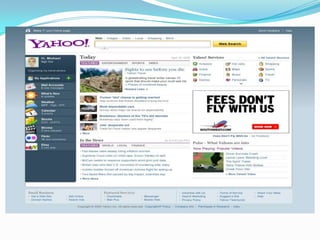
The World Wide Web
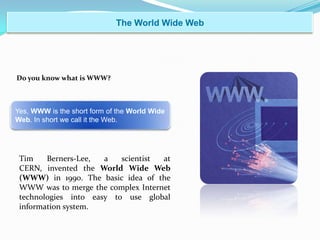
Do you know what is WWW?
Yes, WWW is the short form of the World Wide
Web. In short we call it the Web.
Tim Berners-Lee, a scientist at
CERN, invented the World Wide Web
(WWW) in 1990. The basic idea of the
WWW was to merge the complex Internet
technologies into easy to use global
information system.
Web Site
 A site or area on the WWW or World Wide Web
that is accessed by its own Internet address is
called a website.
 It can be a collection of related Web Pages.
 Each web site contains a home page and may also
contain additional pages.
 It is owned and updated by an
individual, company, or organization.
 The Web is a dynamically moving and changing
entity, many web sites change on a daily or even
hourly basis.
Web Page
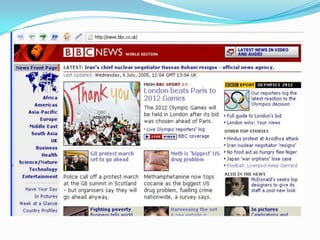
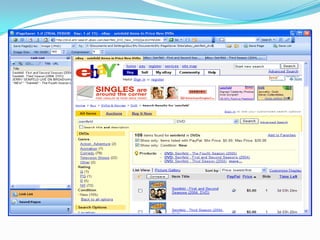
 A Web page is as one area of the www.
 Web site or document on the web is a page.
 It can be an article, an ordering page, or a single
paragraph, and it usually a combination of text and
graphics.
Home Page
It is the web page that your browser uses
when it starts, and
Also the web page that appears every
time you open your browser.
It also refers to the main web page out of
a collection of web pages.
Hypertext
The Motion of the Web
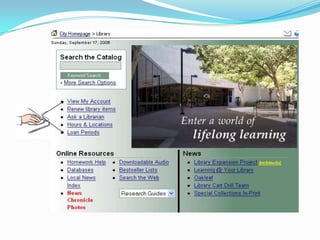
Hyperlinks connect web pages
Hyperlinks can be text or graphics
Hyperlinks can be anywhere on the page
Point to a link …
Click the left mouse button
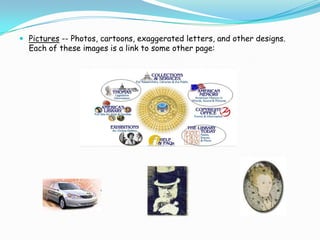
 Pictures -- Photos, cartoons, exaggerated letters, and other designs.
Each of these images is a link to some other page:
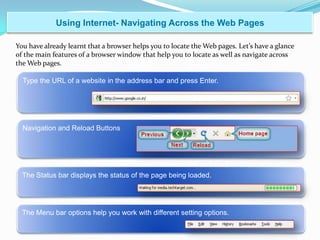
Using Internet- Navigating Across the Web Pages
Type the URL of a website in the address bar and press Enter.
The Menu bar options help you work with different setting options.
The Status bar displays the status of the page being loaded.
You have already learnt that a browser helps you to locate the Web pages. Let’s have a glance
of the main features of a browser window that help you to locate as well as navigate across
the Web pages.
Navigation and Reload Buttons
Recall when you first visited your friend’s house. You could easily locate his house with the
help of the address.
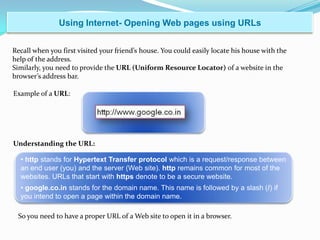
Similarly, you need to provide the URL (Uniform Resource Locator) of a website in the
browser’s address bar.
Using Internet- Opening Web pages using URLs
Example of a URL:
Understanding the URL:
• http stands for Hypertext Transfer protocol which is a request/response between
an end user (you) and the server (Web site). http remains common for most of the
websites. URLs that start with https denote to be a secure website.
• google.co.in stands for the domain name. This name is followed by a slash (/) if
you intend to open a page within the domain name.
So you need to have a proper URL of a Web site to open it in a browser.
URL
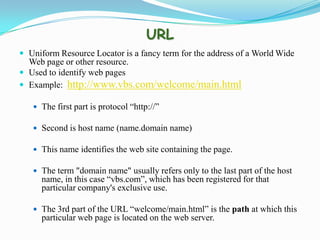
 Uniform Resource Locator is a fancy term for the address of a World Wide
Web page or other resource.
 Used to identify web pages
 Example: http://www.vbs.com/welcome/main.html
 The first part is protocol “http://”
 Second is host name (name.domain name)
 This name identifies the web site containing the page.
 The term "domain name" usually refers only to the last part of the host
name, in this case “vbs.com”, which has been registered for that
particular company's exclusive use.
 The 3rd part of the URL “welcome/main.html” is the path at which this
particular web page is located on the web server.
Domain Name System
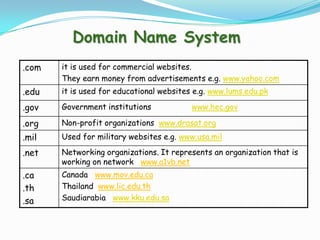
.com it is used for commercial websites.
They earn money from advertisements e.g. www.yahoo.com
.edu it is used for educational websites e.g. www.lums.edu.pk
.gov Government institutions www.hec.gov
.org Non-profit organizations www.drasat.org
.mil Used for military websites e.g. www.usa.mil
.net Networking organizations. It represents an organization that is
working on network www.a1vb.net
.ca
.th
.sa
Canada www.mov.edu.ca
Thailand www.lic.edu.th
Saudiarabia www.kku.edu.sa
Using Internet- Web Browsers
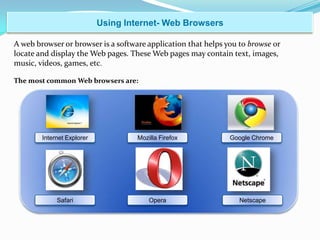
A web browser or browser is a software application that helps you to browse or
locate and display the Web pages. These Web pages may contain text, images,
music, videos, games, etc.
The most common Web browsers are:
Internet Explorer
NetscapeOperaSafari
Google ChromeMozilla Firefox
Internet Browser
You can install these software applications on your computer system. After the installation is
complete, you can find a small browser icon on your desktop. Next time when you want to
open the browser, you can simply click on the icon.
Following is an image of a Web browser window:
Using Internet- Web Browsers
Continued…
Searching- Search Engines
We search for something when we don’t know its exact location. Likewise, if you don’t
know the URL of a specific Web site, you have to search for it. You cannot use a
browser’s address bar to search for the information or a Web site.
Then, how do I search for any information?
There are tools called Search Engines which help you to locate the information
you want.
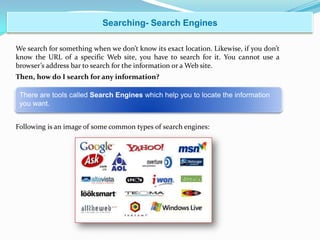
Following is an image of some common types of search engines:
WWW, WEB BROWSER AND SEARCH ENGINE

WWW, WEB BROWSER AND SEARCH ENGINE

  • 1.
  • 2.
    The World WideWeb Do you know what is WWW? Yes, WWW is the short form of the World Wide Web. In short we call it the Web. Tim Berners-Lee, a scientist at CERN, invented the World Wide Web (WWW) in 1990. The basic idea of the WWW was to merge the complex Internet technologies into easy to use global information system.
  • 3.
    Web Site  Asite or area on the WWW or World Wide Web that is accessed by its own Internet address is called a website.  It can be a collection of related Web Pages.  Each web site contains a home page and may also contain additional pages.  It is owned and updated by an individual, company, or organization.  The Web is a dynamically moving and changing entity, many web sites change on a daily or even hourly basis.
  • 5.
    Web Page  AWeb page is as one area of the www.  Web site or document on the web is a page.  It can be an article, an ordering page, or a single paragraph, and it usually a combination of text and graphics.
  • 7.
    Home Page It isthe web page that your browser uses when it starts, and Also the web page that appears every time you open your browser. It also refers to the main web page out of a collection of web pages.
  • 9.
    Hypertext The Motion ofthe Web Hyperlinks connect web pages Hyperlinks can be text or graphics Hyperlinks can be anywhere on the page Point to a link … Click the left mouse button
  • 11.
     Pictures --Photos, cartoons, exaggerated letters, and other designs. Each of these images is a link to some other page:
  • 12.
    Using Internet- NavigatingAcross the Web Pages Type the URL of a website in the address bar and press Enter. The Menu bar options help you work with different setting options. The Status bar displays the status of the page being loaded. You have already learnt that a browser helps you to locate the Web pages. Let’s have a glance of the main features of a browser window that help you to locate as well as navigate across the Web pages. Navigation and Reload Buttons
  • 13.
    Recall when youfirst visited your friend’s house. You could easily locate his house with the help of the address. Similarly, you need to provide the URL (Uniform Resource Locator) of a website in the browser’s address bar. Using Internet- Opening Web pages using URLs Example of a URL: Understanding the URL: • http stands for Hypertext Transfer protocol which is a request/response between an end user (you) and the server (Web site). http remains common for most of the websites. URLs that start with https denote to be a secure website. • google.co.in stands for the domain name. This name is followed by a slash (/) if you intend to open a page within the domain name. So you need to have a proper URL of a Web site to open it in a browser.
  • 14.
    URL  Uniform ResourceLocator is a fancy term for the address of a World Wide Web page or other resource.  Used to identify web pages  Example: http://www.vbs.com/welcome/main.html  The first part is protocol “http://”  Second is host name (name.domain name)  This name identifies the web site containing the page.  The term "domain name" usually refers only to the last part of the host name, in this case “vbs.com”, which has been registered for that particular company's exclusive use.  The 3rd part of the URL “welcome/main.html” is the path at which this particular web page is located on the web server.
  • 15.
    Domain Name System .comit is used for commercial websites. They earn money from advertisements e.g. www.yahoo.com .edu it is used for educational websites e.g. www.lums.edu.pk .gov Government institutions www.hec.gov .org Non-profit organizations www.drasat.org .mil Used for military websites e.g. www.usa.mil .net Networking organizations. It represents an organization that is working on network www.a1vb.net .ca .th .sa Canada www.mov.edu.ca Thailand www.lic.edu.th Saudiarabia www.kku.edu.sa
  • 16.
    Using Internet- WebBrowsers A web browser or browser is a software application that helps you to browse or locate and display the Web pages. These Web pages may contain text, images, music, videos, games, etc. The most common Web browsers are: Internet Explorer NetscapeOperaSafari Google ChromeMozilla Firefox
  • 17.
  • 18.
    You can installthese software applications on your computer system. After the installation is complete, you can find a small browser icon on your desktop. Next time when you want to open the browser, you can simply click on the icon. Following is an image of a Web browser window: Using Internet- Web Browsers Continued…
  • 19.
    Searching- Search Engines Wesearch for something when we don’t know its exact location. Likewise, if you don’t know the URL of a specific Web site, you have to search for it. You cannot use a browser’s address bar to search for the information or a Web site. Then, how do I search for any information? There are tools called Search Engines which help you to locate the information you want. Following is an image of some common types of search engines: