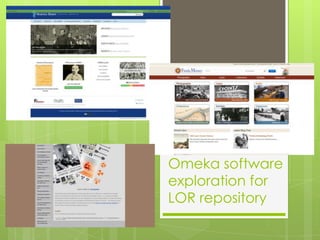
Omeka software
exploration for
LOR repository
Robin Fay @georgiawebgurl
Agenda
 What is Omeka
 Examples
 User roles
 Highlights/Functionalities
 File supports we need
 Plugins used on demo
 Demo
 Future questions
Omeka
Robin Fay @georgiawebgurl
Omeka
 Omeka is opensource – that means there is
no cost to use the software
 However, we may decide to purchase
software to extend it and make it EVEN MORE
useful
 Omeka will be hosted on our servers on
webspace
 For now (TESTING purposes), we will use the
athenstech.edu domain
 A brief interlude…
Omeka
Webspace (Portal + Repository;
Database; files of learning objects
• Admin of webspace/some
server tools (PHP, statistics, etc)
• Sets up repository software,
website, and user roles for
portal
• Identifies and loads content
Server Administration
NICK’s magic
• Sets up Cpanel
• Sets us server software
• Sets permissions
• Points athenstech.edu
domain space to portal
server
Power users (testers, those who need
additional access) upload, edit, delete
(maybe), statistics, set up users(maybe)
Contributors – can upload & edit; login
Anon visitors e.g., not logged in
(public, students, etc.) – view only
Omeka
CPANEL / ROBIN
Omeka
Form/
Validation
Web Form
Description
(metadata)
– rights
-description
-download
Files
(Attached)
Upload
Login at
website
Content display is built
from database
(public search results)
Authorized users Writes to
Database
(MySQL)
Portal
website
Discovery
layer
/ search
Public
interface
Search /
browse
(no login)
Queries
(searches)
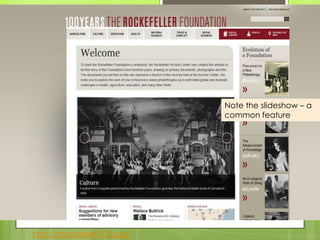
http://rockefeller100.org/
Note the slideshow – a
common feature
Robin Fay @georgiawebgurl
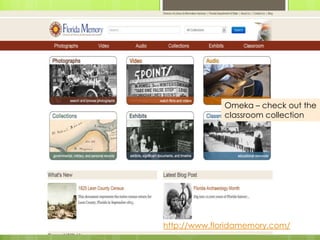
http://www.floridamemory.com/
Omeka – check out the
classroom collection
Robin Fay @georgiawebgurl
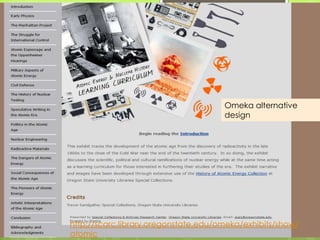
http://scarc.library.oregonstate.edu/omeka/exhibits/show/
atomic
Omeka alternative
design
Robin Fay @georgiawebgurl
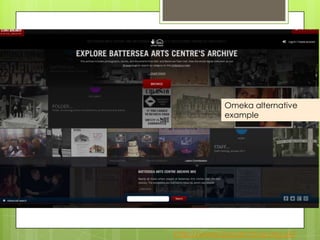
http://www.bacarchive.org.uk/
Omeka alternative
example
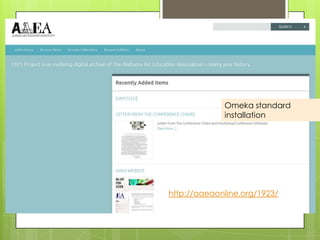
http://aaeaonline.org/1923/
Omeka standard
installation
Robin Fay @georgiawebgurl
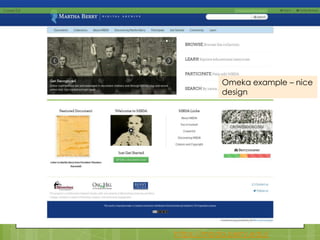
https://mbda.berry.edu/
Omeka example – nice
design
Robin Fay @georgiawebgurl
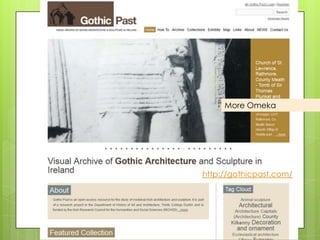
http://gothicpast.com/
More Omeka
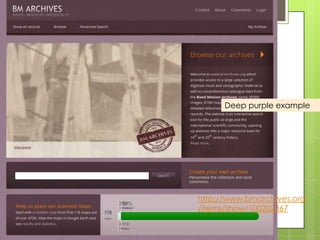
http://www.bmarchives.org
/items/show/100202367
Deep purple example
Robin Fay @georgiawebgurl
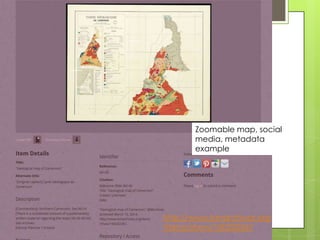
http://www.bmarchives.org
/items/show/100202367
Zoomable map, social
media, metadata
example
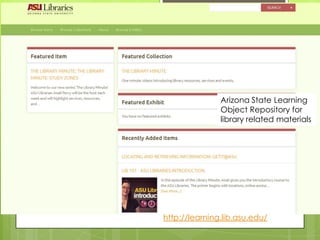
http://learning.lib.asu.edu/
Arizona State Learning
Object Repository for
library related materials
Robin Fay @georgiawebgurl
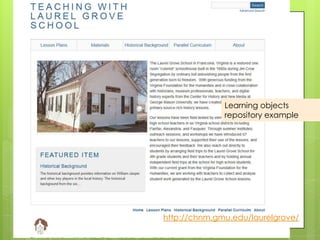
Learning objects
repository example
http://chnm.gmu.edu/laurelgrove/
Robin Fay @georgiawebgurl
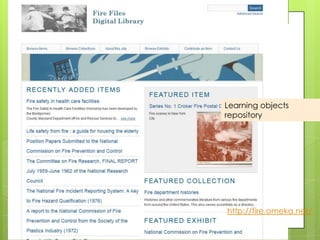
Learning objects
repository
http://fire.omeka.net/
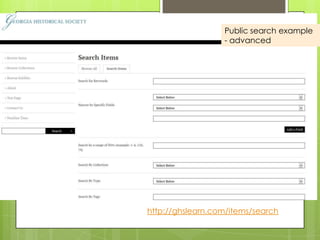
http://ghslearn.com/items/search
Public search example
- advanced
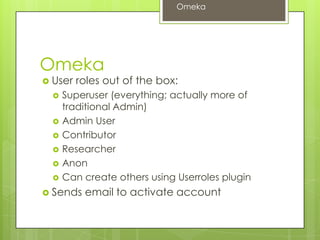
Omeka
 User roles out of the box:
 Superuser (everything; actually more of
traditional Admin)
 Admin User
 Contributor
 Researcher
 Anon
 Can create others using Userroles plugin
 Sends email to activate account
Omeka
Robin Fay @georgiawebgurl
Admin User
 Admin users do not have access to the Settings panel.
 Items
 add items
 edit items (including those from other users),
 tag items
 view all the items that are not public
 remove tags by other users
 make items public (or not public)
 make items featured
 Collections
 add collections
 edit collections
 view collections that aren't public
 Files
 edit/remove files
 Tags
 rename tags (as in, change the tag 'foo' to 'bar')
 delete tags for all items (as in, remove the tag 'katrina' from the whole
system at one time)
 Item Types
 add/edit/delete the available Types
 Plugins
 Admins may use any of the plugin panels and actions, once activated and
configured by Supers.
Omeka
Robin Fay @georgiawebgurl
Contributor & Researcher
 Contributor Users
 tag items
 add new items
 edit their own items
 delete their own items
 cannot make their own items public.
 can see items by other contributors that have not
been made public.
 create their own exhibits from items that are
public.
 Researcher
 View private items and collections
Omeka
Robin Fay @georgiawebgurl
Omeka
 Upload, describe, create collections and
groups
 Some support for embedded media
 Search, share, download
 Private/public
Omeka
Robin Fay @georgiawebgurl
File formats to support
 JPG
 TIF
 PNG
 DOC, DOCX
 PPT, PPTX
 XLS, XLSX
 PDF
 WMV
 MOV
 MP3
 .PSD
 .DWG
 .zip
 .eps
 Other? .psd, .ai, .stl, .iges
Omeka
Robin Fay @georgiawebgurl
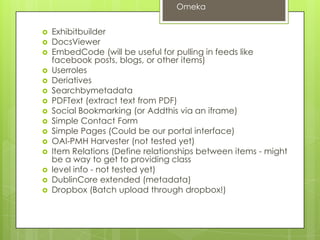
 Exhibitbuilder
 DocsViewer
 EmbedCode (will be useful for pulling in feeds like
facebook posts, blogs, or other items)
 Userroles
 Deriatives
 Searchbymetadata
 PDFText (extract text from PDF)
 Social Bookmarking (or Addthis via an iframe)
 Simple Contact Form
 Simple Pages (Could be our portal interface)
 OAI-PMH Harvester (not tested yet)
 Item Relations (Define relationships between items - might
be a way to get to providing class
 level info - not tested yet)
 DublinCore extended (metadata)
 Dropbox (Batch upload through dropbox!)
Omeka
Robin Fay @georgiawebgurl
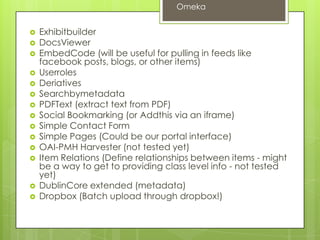
 Exhibitbuilder
 DocsViewer
 EmbedCode (will be useful for pulling in feeds like
facebook posts, blogs, or other items)
 Userroles
 Deriatives
 Searchbymetadata
 PDFText (extract text from PDF)
 Social Bookmarking (or Addthis via an iframe)
 Simple Contact Form
 Simple Pages (Could be our portal interface)
 OAI-PMH Harvester (not tested yet)
 Item Relations (Define relationships between items - might
be a way to get to providing class level info - not tested
yet)
 DublinCore extended (metadata)
 Dropbox (Batch upload through dropbox!)
Omeka
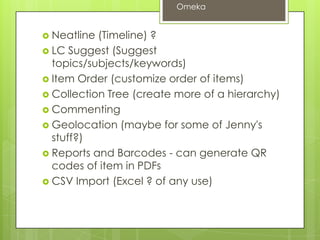
 Neatline (Timeline) ?
 LC Suggest (Suggest
topics/subjects/keywords)
 Item Order (customize order of items)
 Collection Tree (create more of a hierarchy)
 Commenting
 Geolocation (maybe for some of Jenny's
stuff?)
 Reports and Barcodes - can generate QR
codes of item in PDFs
 CSV Import (Excel ? of any use)
Omeka
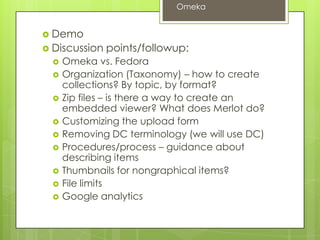
 Demo
 Discussion points/followup:
 Omeka vs. Fedora
 Organization (Taxonomy) – how to create
collections? By topic, by format?
 Zip files – is there a way to create an
embedded viewer? What does Merlot do?
 Customizing the upload form
 Removing DC terminology (we will use DC)
 Procedures/process – guidance about
describing items
 Thumbnails for nongraphical items?
 File limits
 Google analytics
Omeka
Omeka
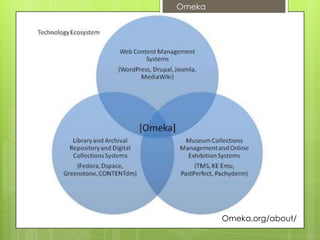
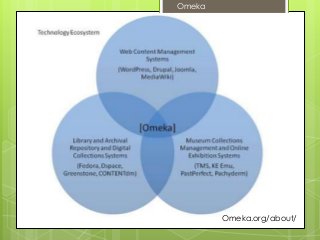
Omeka.org/about/

Exploring Omeka

  • 1.
    Omeka software exploration for LORrepository Robin Fay @georgiawebgurl
  • 2.
    Agenda  What isOmeka  Examples  User roles  Highlights/Functionalities  File supports we need  Plugins used on demo  Demo  Future questions Omeka Robin Fay @georgiawebgurl
  • 3.
    Omeka  Omeka isopensource – that means there is no cost to use the software  However, we may decide to purchase software to extend it and make it EVEN MORE useful  Omeka will be hosted on our servers on webspace  For now (TESTING purposes), we will use the athenstech.edu domain  A brief interlude… Omeka
  • 4.
    Webspace (Portal +Repository; Database; files of learning objects • Admin of webspace/some server tools (PHP, statistics, etc) • Sets up repository software, website, and user roles for portal • Identifies and loads content Server Administration NICK’s magic • Sets up Cpanel • Sets us server software • Sets permissions • Points athenstech.edu domain space to portal server Power users (testers, those who need additional access) upload, edit, delete (maybe), statistics, set up users(maybe) Contributors – can upload & edit; login Anon visitors e.g., not logged in (public, students, etc.) – view only Omeka CPANEL / ROBIN
  • 5.
    Omeka Form/ Validation Web Form Description (metadata) – rights -description -download Files (Attached) Upload Loginat website Content display is built from database (public search results) Authorized users Writes to Database (MySQL) Portal website Discovery layer / search Public interface Search / browse (no login) Queries (searches)
  • 6.
    http://rockefeller100.org/ Note the slideshow– a common feature Robin Fay @georgiawebgurl
  • 7.
    http://www.floridamemory.com/ Omeka – checkout the classroom collection Robin Fay @georgiawebgurl
  • 8.
  • 9.
  • 10.
  • 11.
    https://mbda.berry.edu/ Omeka example –nice design Robin Fay @georgiawebgurl
  • 12.
  • 13.
  • 14.
  • 15.
    http://learning.lib.asu.edu/ Arizona State Learning ObjectRepository for library related materials Robin Fay @georgiawebgurl
  • 16.
  • 17.
  • 18.
  • 19.
    Omeka  User rolesout of the box:  Superuser (everything; actually more of traditional Admin)  Admin User  Contributor  Researcher  Anon  Can create others using Userroles plugin  Sends email to activate account Omeka Robin Fay @georgiawebgurl
  • 20.
    Admin User  Adminusers do not have access to the Settings panel.  Items  add items  edit items (including those from other users),  tag items  view all the items that are not public  remove tags by other users  make items public (or not public)  make items featured  Collections  add collections  edit collections  view collections that aren't public  Files  edit/remove files  Tags  rename tags (as in, change the tag 'foo' to 'bar')  delete tags for all items (as in, remove the tag 'katrina' from the whole system at one time)  Item Types  add/edit/delete the available Types  Plugins  Admins may use any of the plugin panels and actions, once activated and configured by Supers. Omeka Robin Fay @georgiawebgurl
  • 21.
    Contributor & Researcher Contributor Users  tag items  add new items  edit their own items  delete their own items  cannot make their own items public.  can see items by other contributors that have not been made public.  create their own exhibits from items that are public.  Researcher  View private items and collections Omeka Robin Fay @georgiawebgurl
  • 22.
    Omeka  Upload, describe,create collections and groups  Some support for embedded media  Search, share, download  Private/public Omeka Robin Fay @georgiawebgurl
  • 23.
    File formats tosupport  JPG  TIF  PNG  DOC, DOCX  PPT, PPTX  XLS, XLSX  PDF  WMV  MOV  MP3  .PSD  .DWG  .zip  .eps  Other? .psd, .ai, .stl, .iges Omeka Robin Fay @georgiawebgurl
  • 24.
     Exhibitbuilder  DocsViewer EmbedCode (will be useful for pulling in feeds like facebook posts, blogs, or other items)  Userroles  Deriatives  Searchbymetadata  PDFText (extract text from PDF)  Social Bookmarking (or Addthis via an iframe)  Simple Contact Form  Simple Pages (Could be our portal interface)  OAI-PMH Harvester (not tested yet)  Item Relations (Define relationships between items - might be a way to get to providing class  level info - not tested yet)  DublinCore extended (metadata)  Dropbox (Batch upload through dropbox!) Omeka Robin Fay @georgiawebgurl
  • 25.
     Exhibitbuilder  DocsViewer EmbedCode (will be useful for pulling in feeds like facebook posts, blogs, or other items)  Userroles  Deriatives  Searchbymetadata  PDFText (extract text from PDF)  Social Bookmarking (or Addthis via an iframe)  Simple Contact Form  Simple Pages (Could be our portal interface)  OAI-PMH Harvester (not tested yet)  Item Relations (Define relationships between items - might be a way to get to providing class level info - not tested yet)  DublinCore extended (metadata)  Dropbox (Batch upload through dropbox!) Omeka
  • 26.
     Neatline (Timeline)?  LC Suggest (Suggest topics/subjects/keywords)  Item Order (customize order of items)  Collection Tree (create more of a hierarchy)  Commenting  Geolocation (maybe for some of Jenny's stuff?)  Reports and Barcodes - can generate QR codes of item in PDFs  CSV Import (Excel ? of any use) Omeka
  • 27.
     Demo  Discussionpoints/followup:  Omeka vs. Fedora  Organization (Taxonomy) – how to create collections? By topic, by format?  Zip files – is there a way to create an embedded viewer? What does Merlot do?  Customizing the upload form  Removing DC terminology (we will use DC)  Procedures/process – guidance about describing items  Thumbnails for nongraphical items?  File limits  Google analytics Omeka
  • 28.