Yahoo Query Language:
select * from internet
an Introduction
Mirek Grymuza – mirek@yahoo-inc.com
Josh Gordineer – joshgord@yahoo-inc.com
What are we going to cover?
• What, why and brief history of YQL
• Overview of YQL features, YQL Console
• Get into more detail with: YQL in practice
The problem...
...and the solution
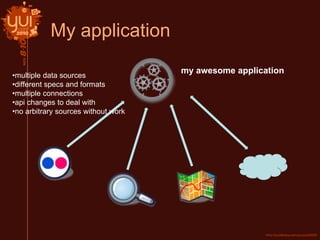
My application
my awesome application
•multiple data sources
•different specs and formats
•multiple connections
•api changes to deal with
•no arbitrary sources without work
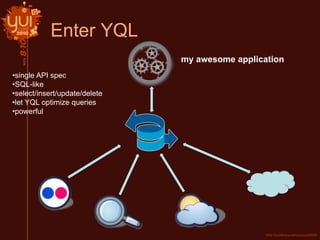
Enter YQL
•single API spec
•SQL-like
•select/insert/update/delete
•let YQL optimize queries
•powerful
my awesome application
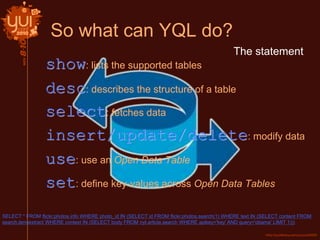
So what can YQL do?
SELECT * FROM flickr.photos.info WHERE photo_id IN (SELECT id FROM flickr.photos.search(1) WHERE text IN (SELECT content FROM
search.termextract WHERE context IN (SELECT body FROM nyt.article.search WHERE apikey='key' AND query='obama' LIMIT 1)))
show: lists the supported tables
desc: describes the structure of a table
select: fetches data
insert/update/delete: modify data
use: use an Open Data Table
set: define key-values across Open Data Tables
The statement
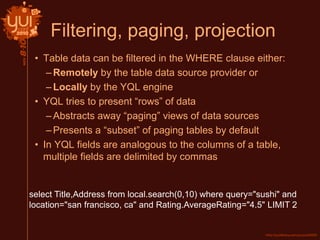
Filtering, paging, projection
• Table data can be filtered in the WHERE clause either:
–Remotely by the table data source provider or
–Locally by the YQL engine
• YQL tries to present “rows” of data
–Abstracts away “paging” views of data sources
–Presents a “subset” of paging tables by default
• In YQL fields are analogous to the columns of a table,
multiple fields are delimited by commas
select Title,Address from local.search(0,10) where query="sushi" and
location="san francisco, ca" and Rating.AverageRating="4.5" LIMIT 2
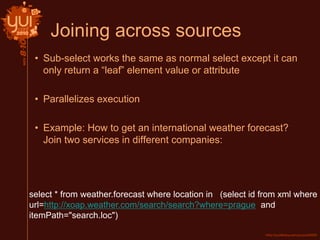
Joining across sources
• Sub-select works the same as normal select except it can
only return a “leaf” element value or attribute
• Parallelizes execution
• Example: How to get an international weather forecast?
Join two services in different companies:
select * from weather.forecast where location in (select id from xml where
url=http://xoap.weather.com/search/search?where=prague and
itemPath="search.loc")
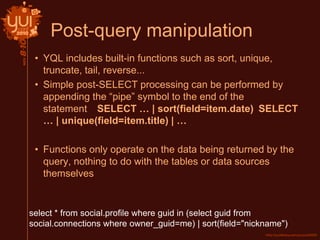
Post-query manipulation
• YQL includes built-in functions such as sort, unique,
truncate, tail, reverse...
• Simple post-SELECT processing can be performed by
appending the “pipe” symbol to the end of the
statement SELECT … | sort(field=item.date) SELECT
… | unique(field=item.title) | …
• Functions only operate on the data being returned by the
query, nothing to do with the tables or data sources
themselves
select * from social.profile where guid in (select guid from
social.connections where owner_guid=me) | sort(field="nickname")
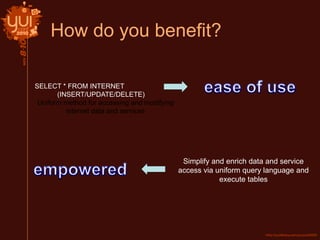
How do you benefit?
SELECT * FROM INTERNET
(INSERT/UPDATE/DELETE)
Uniform method for accessing and modifying
internet data and services
Simplify and enrich data and service
access via uniform query language and
execute tables
Now let’s review - what is YQL?
• Cloud web service with SQL-Like Language
–Familiar to developers
• Synonymous with Data access
–Expressive enough to get the right data.
• Self describing - show, desc table
• Allows you to query, filter, join and update data across any
structured data on the web / web services
–And Yahoo’s Sherpa cloud storage
• All in Real time
• Inject business logic with execute element
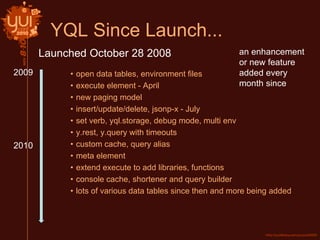
YQL Since Launch...
• open data tables, environment files
• execute element - April
• new paging model
• insert/update/delete, jsonp-x - July
• set verb, yql.storage, debug mode, multi env
• y.rest, y.query with timeouts
• custom cache, query alias
• meta element
• extend execute to add libraries, functions
• console cache, shortener and query builder
• lots of various data tables since then and more being added
Launched October 28 2008
2010
an enhancement
or new feature
added every
month since
2009
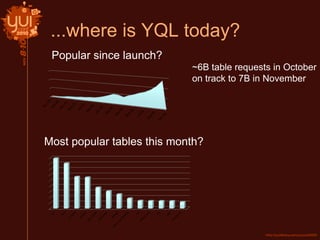
...where is YQL today?
Most popular tables this month?
~6B table requests in October
on track to 7B in November
Popular since launch?
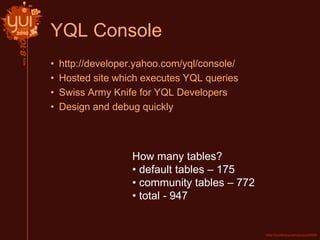
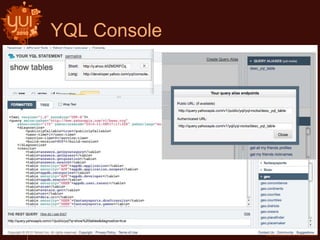
YQL Console
• http://developer.yahoo.com/yql/console/
• Hosted site which executes YQL queries
• Swiss Army Knife for YQL Developers
• Design and debug quickly
How many tables?
• default tables – 175
• community tables – 772
• total - 947
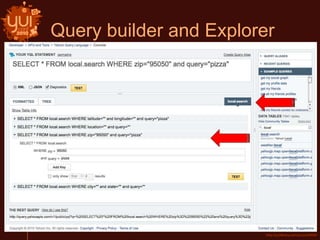
YQL Console
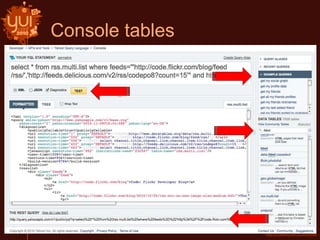
Console tables
Query builder and Explorer
YQL In Practice
What is YQL?
• “The Yahoo! Query Language is an expressive SQL-like
language that lets you query, filter, and join data across
Web services.”
• So what does that mean?
• Be “lazy” – Let YQL take care of the data
–Allows you to focus on innovation not on API’s
The Problem
• Fetch the Yahoo! News articles for Twitter trending topics
in San Francisco
• And be “lazy” i.e. use YQL
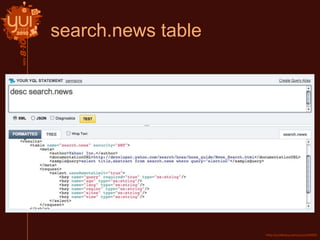
YQL Tables
• Built-in Tables
–Maintained by the YQL Team (or Yahoo!)
–fantasy sports, weather, answers, flickr, geo, music,
search, upcoming, mail …
• Data Tables
–Specialized tables to fetch raw data from the web
–atom, csv, html, json, xml …
search.news table
Open Data Tables
• Brings the power of YQL to any API
• Open Data Table Schema defines mapping between YQL
and Endpoint
–http://query.yahooapis.com/v1/schema/table.xsd
• Supply the open table with the “use” statement
• Supply multiple open tables with an “env” query parameter
–ENV file contains multiple USE statements
–Loads environment prior to executing YQL query
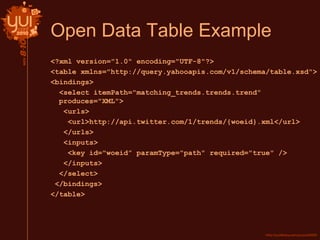
Open Data Table Example
<?xml version="1.0" encoding="UTF-8"?>
<table xmlns="http://query.yahooapis.com/v1/schema/table.xsd">
<bindings>
<select itemPath="matching_trends.trends.trend"
produces="XML">
<urls>
<url>http://api.twitter.com/1/trends/{woeid}.xml</url>
</urls>
<inputs>
<key id="woeid” paramType="path" required="true" />
</inputs>
</select>
</bindings>
</table>
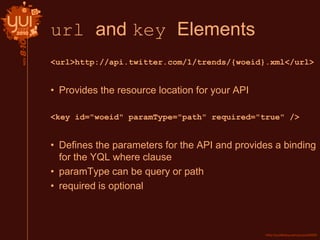
url and key Elements
<url>http://api.twitter.com/1/trends/{woeid}.xml</url>
• Provides the resource location for your API
<key id="woeid" paramType="path" required="true" />
• Defines the parameters for the API and provides a binding
for the YQL where clause
• paramType can be query or path
• required is optional
Running YQL Queries
• Console
–http://developer.yahoo.com/yql/console
–Quickly discover tables and iterate on queries
• Public Endpoint
–http://query.yahooapis.com/v1/public/yql
–No Auth
–Rate limit 1K/hour per IP
• Authenticated Endpoint
–http://query.yahooapis.com/v1/yql
–OAuth
–10x higher rate limits
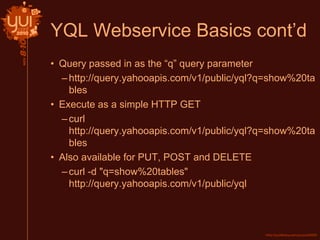
YQL Webservice Basics cont’d
• Query passed in as the “q” query parameter
–http://query.yahooapis.com/v1/public/yql?q=show%20ta
bles
• Execute as a simple HTTP GET
–curl
http://query.yahooapis.com/v1/public/yql?q=show%20ta
bles
• Also available for PUT, POST and DELETE
–curl -d "q=show%20tables"
http://query.yahooapis.com/v1/public/yql
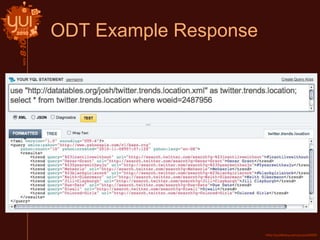
ODT Example Response
YQL Execute
• Extends Open Data Tables with custom application logic
• JavaScript server-side scripting
–No DOM
–E4X compatible
• YQL provides additional useful global objects
–request, response, y.rest, y.include, y.query…
Execute Example
<execute><![CDATA[
var resp = request.get().response;
if(resp) {
var trends = resp.trends.trend;
for(var i=trends.length()-1; i>=0; i--) {
var trend = trends[i];
if(trend.charAt(0) == "#") {
delete resp.trends.trend[i];
}
}
}
response.object = resp;
]]></execute>
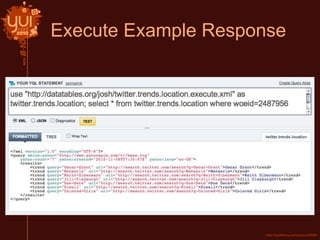
• Removes all trend topics that start with hashtag (#) using
e4x
• Request and response objects in action
Execute Example Response
Community Tables
• Someone may have done the work for you already
–http://datatables.org
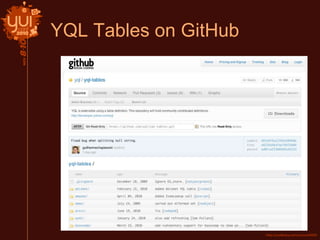
• Tables are hosted on GitHub
–https://github.com/yql/yql-tables
• Use the env query parameter to include all community
tables in a request
–env=store://datatables.org/alltableswithkeys
YQL Tables on GitHub
Contributing
Process for adding/updating tables on Git
1. Fork the YQL Tables project
2. Clone your Fork
3. Make your changes
4. Push Changes / Commit
5. Make Pull Request
6. YQL Table Admin will moderate and merge changes
and generate new push to datatables.org
• Steps 1-5 are standard Git procedures, step 6 is unique
• Git Tutorials
–http://help.github.com/forking
–http://thinkvitamin.com/code/starting-with-git-cheat-
sheet
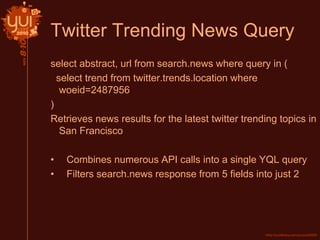
Twitter Trending News Query
select abstract, url from search.news where query in (
select trend from twitter.trends.location where
woeid=2487956
)
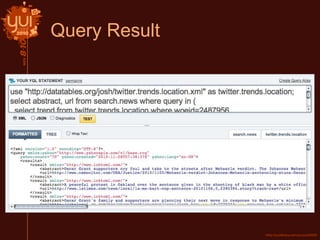
Retrieves news results for the latest twitter trending topics in
San Francisco
• Combines numerous API calls into a single YQL query
• Filters search.news response from 5 fields into just 2
Query Result
YQL sessions @YUIConf
• Monday – Introduction to YQL (this session)
• Tuesday – Building Open Data Tables with YQL Execute
(Classroom 4: 1.45pm)
• Wednesday – YQL + YUI: Building End-To-End
Applications (Classroom 5: 10.15am)
http://developer.yahoo.com/yql/console/
http://developer.yahoo.com/yql/
Questions
mirek@yahoo-inc.com
joshgord@yahoo-inc.com -twitter: @joshgord or @yql
yql-questions@yahoo-inc.com

Yui conf nov8-2010-introtoyql

  • 1.
    Yahoo Query Language: select* from internet an Introduction Mirek Grymuza – mirek@yahoo-inc.com Josh Gordineer – joshgord@yahoo-inc.com
  • 2.
    What are wegoing to cover? • What, why and brief history of YQL • Overview of YQL features, YQL Console • Get into more detail with: YQL in practice
  • 3.
  • 4.
    My application my awesomeapplication •multiple data sources •different specs and formats •multiple connections •api changes to deal with •no arbitrary sources without work
  • 5.
    Enter YQL •single APIspec •SQL-like •select/insert/update/delete •let YQL optimize queries •powerful my awesome application
  • 6.
    So what canYQL do? SELECT * FROM flickr.photos.info WHERE photo_id IN (SELECT id FROM flickr.photos.search(1) WHERE text IN (SELECT content FROM search.termextract WHERE context IN (SELECT body FROM nyt.article.search WHERE apikey='key' AND query='obama' LIMIT 1))) show: lists the supported tables desc: describes the structure of a table select: fetches data insert/update/delete: modify data use: use an Open Data Table set: define key-values across Open Data Tables The statement
  • 7.
    Filtering, paging, projection •Table data can be filtered in the WHERE clause either: –Remotely by the table data source provider or –Locally by the YQL engine • YQL tries to present “rows” of data –Abstracts away “paging” views of data sources –Presents a “subset” of paging tables by default • In YQL fields are analogous to the columns of a table, multiple fields are delimited by commas select Title,Address from local.search(0,10) where query="sushi" and location="san francisco, ca" and Rating.AverageRating="4.5" LIMIT 2
  • 8.
    Joining across sources •Sub-select works the same as normal select except it can only return a “leaf” element value or attribute • Parallelizes execution • Example: How to get an international weather forecast? Join two services in different companies: select * from weather.forecast where location in (select id from xml where url=http://xoap.weather.com/search/search?where=prague and itemPath="search.loc")
  • 9.
    Post-query manipulation • YQLincludes built-in functions such as sort, unique, truncate, tail, reverse... • Simple post-SELECT processing can be performed by appending the “pipe” symbol to the end of the statement SELECT … | sort(field=item.date) SELECT … | unique(field=item.title) | … • Functions only operate on the data being returned by the query, nothing to do with the tables or data sources themselves select * from social.profile where guid in (select guid from social.connections where owner_guid=me) | sort(field="nickname")
  • 10.
    How do youbenefit? SELECT * FROM INTERNET (INSERT/UPDATE/DELETE) Uniform method for accessing and modifying internet data and services Simplify and enrich data and service access via uniform query language and execute tables
  • 11.
    Now let’s review- what is YQL? • Cloud web service with SQL-Like Language –Familiar to developers • Synonymous with Data access –Expressive enough to get the right data. • Self describing - show, desc table • Allows you to query, filter, join and update data across any structured data on the web / web services –And Yahoo’s Sherpa cloud storage • All in Real time • Inject business logic with execute element
  • 12.
    YQL Since Launch... •open data tables, environment files • execute element - April • new paging model • insert/update/delete, jsonp-x - July • set verb, yql.storage, debug mode, multi env • y.rest, y.query with timeouts • custom cache, query alias • meta element • extend execute to add libraries, functions • console cache, shortener and query builder • lots of various data tables since then and more being added Launched October 28 2008 2010 an enhancement or new feature added every month since 2009
  • 13.
    ...where is YQLtoday? Most popular tables this month? ~6B table requests in October on track to 7B in November Popular since launch?
  • 14.
    YQL Console • http://developer.yahoo.com/yql/console/ •Hosted site which executes YQL queries • Swiss Army Knife for YQL Developers • Design and debug quickly How many tables? • default tables – 175 • community tables – 772 • total - 947
  • 15.
  • 16.
  • 17.
  • 18.
  • 19.
    What is YQL? •“The Yahoo! Query Language is an expressive SQL-like language that lets you query, filter, and join data across Web services.” • So what does that mean? • Be “lazy” – Let YQL take care of the data –Allows you to focus on innovation not on API’s
  • 20.
    The Problem • Fetchthe Yahoo! News articles for Twitter trending topics in San Francisco • And be “lazy” i.e. use YQL
  • 21.
    YQL Tables • Built-inTables –Maintained by the YQL Team (or Yahoo!) –fantasy sports, weather, answers, flickr, geo, music, search, upcoming, mail … • Data Tables –Specialized tables to fetch raw data from the web –atom, csv, html, json, xml …
  • 22.
  • 23.
    Open Data Tables •Brings the power of YQL to any API • Open Data Table Schema defines mapping between YQL and Endpoint –http://query.yahooapis.com/v1/schema/table.xsd • Supply the open table with the “use” statement • Supply multiple open tables with an “env” query parameter –ENV file contains multiple USE statements –Loads environment prior to executing YQL query
  • 24.
    Open Data TableExample <?xml version="1.0" encoding="UTF-8"?> <table xmlns="http://query.yahooapis.com/v1/schema/table.xsd"> <bindings> <select itemPath="matching_trends.trends.trend" produces="XML"> <urls> <url>http://api.twitter.com/1/trends/{woeid}.xml</url> </urls> <inputs> <key id="woeid” paramType="path" required="true" /> </inputs> </select> </bindings> </table>
  • 25.
    url and keyElements <url>http://api.twitter.com/1/trends/{woeid}.xml</url> • Provides the resource location for your API <key id="woeid" paramType="path" required="true" /> • Defines the parameters for the API and provides a binding for the YQL where clause • paramType can be query or path • required is optional
  • 26.
    Running YQL Queries •Console –http://developer.yahoo.com/yql/console –Quickly discover tables and iterate on queries • Public Endpoint –http://query.yahooapis.com/v1/public/yql –No Auth –Rate limit 1K/hour per IP • Authenticated Endpoint –http://query.yahooapis.com/v1/yql –OAuth –10x higher rate limits
  • 27.
    YQL Webservice Basicscont’d • Query passed in as the “q” query parameter –http://query.yahooapis.com/v1/public/yql?q=show%20ta bles • Execute as a simple HTTP GET –curl http://query.yahooapis.com/v1/public/yql?q=show%20ta bles • Also available for PUT, POST and DELETE –curl -d "q=show%20tables" http://query.yahooapis.com/v1/public/yql
  • 28.
  • 29.
    YQL Execute • ExtendsOpen Data Tables with custom application logic • JavaScript server-side scripting –No DOM –E4X compatible • YQL provides additional useful global objects –request, response, y.rest, y.include, y.query…
  • 30.
    Execute Example <execute><![CDATA[ var resp= request.get().response; if(resp) { var trends = resp.trends.trend; for(var i=trends.length()-1; i>=0; i--) { var trend = trends[i]; if(trend.charAt(0) == "#") { delete resp.trends.trend[i]; } } } response.object = resp; ]]></execute> • Removes all trend topics that start with hashtag (#) using e4x • Request and response objects in action
  • 31.
  • 32.
    Community Tables • Someonemay have done the work for you already –http://datatables.org • Tables are hosted on GitHub –https://github.com/yql/yql-tables • Use the env query parameter to include all community tables in a request –env=store://datatables.org/alltableswithkeys
  • 33.
  • 34.
    Contributing Process for adding/updatingtables on Git 1. Fork the YQL Tables project 2. Clone your Fork 3. Make your changes 4. Push Changes / Commit 5. Make Pull Request 6. YQL Table Admin will moderate and merge changes and generate new push to datatables.org • Steps 1-5 are standard Git procedures, step 6 is unique • Git Tutorials –http://help.github.com/forking –http://thinkvitamin.com/code/starting-with-git-cheat- sheet
  • 35.
    Twitter Trending NewsQuery select abstract, url from search.news where query in ( select trend from twitter.trends.location where woeid=2487956 ) Retrieves news results for the latest twitter trending topics in San Francisco • Combines numerous API calls into a single YQL query • Filters search.news response from 5 fields into just 2
  • 36.
  • 37.
    YQL sessions @YUIConf •Monday – Introduction to YQL (this session) • Tuesday – Building Open Data Tables with YQL Execute (Classroom 4: 1.45pm) • Wednesday – YQL + YUI: Building End-To-End Applications (Classroom 5: 10.15am) http://developer.yahoo.com/yql/console/ http://developer.yahoo.com/yql/ Questions mirek@yahoo-inc.com joshgord@yahoo-inc.com -twitter: @joshgord or @yql yql-questions@yahoo-inc.com

Editor's Notes

  • #22 Transition, search.news is a built-in table
  • #23 But what about twitter local trending topics, no built-in table, looks like we’ll have to write an ODT
  • #24 So, based on this, created a twitter trending open data