




CREATING DYNAMIC
LANDING PAGES WITH
PANELS
Suzanne Dergacheva	

@suzanne_kennedy
Drupal Consulting, Development, andTraining	

evolvingweb.ca
Suzanne Dergacheva, Co-founder	

@suzanne_kennedy
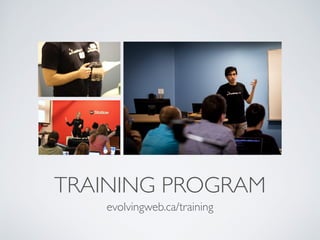
TRAINING PROGRAM
evolvingweb.ca/training	

!
UPCOMINGTRAINING
• Intro to Drupal - August 25th inToronto	

• Intro to Drupal - September 12th in Montreal	

• Let us know what other trainings you’d like us to schedule!
WHAT IS PANELS?
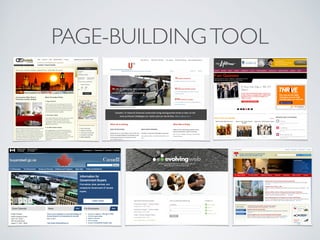
PAGE-BUILDINGTOOL
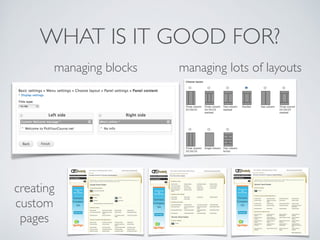
WHAT IS IT GOOD FOR?
managing blocks managing lots of layouts
creating	

custom 	

pages
PROJECT BACKGROUND
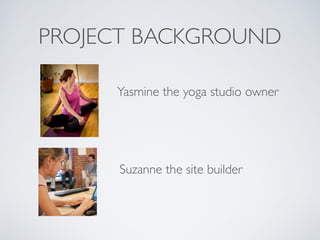
Yasmine the yoga studio owner
Suzanne the site builder
I’m hosting a big yoga yogathon in a month and 	

I need to promote it!
What kind of content do you want to add?
Info about the studio, 	

a signup form, and a list of classes.	

All on one page.
Sounds like a job for Panels!
CREATING A LANDING PAGE
MODULESYOU’LL NEED
• ChaosTools	

• Page Manager	

• Views Content Panes	

• Panels	

• Panels In-Place Editor	

• Mini Panels
SIMPLE LANDING PAGES
What is it?
• You choose a new URL	

• URL is always the same	

• Layout and content are
always the same	

Examples
• Homepage	

• Landing page for an event or
campaign	

• Top-level landing page for a
section
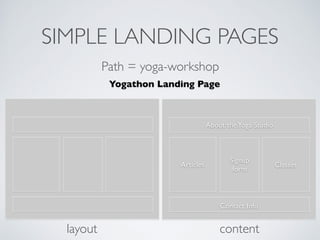
SIMPLE LANDING PAGES
Path = yoga-workshop
layout content
About theYoga Studio
Articles
Signup 	

form
Classes
Contact Info
Yogathon Landing Page
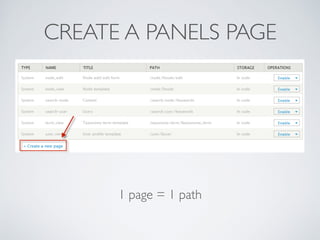
CREATE A PANELS PAGE
1 page = 1 path
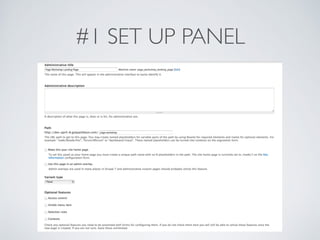
#1 SET UP PANEL
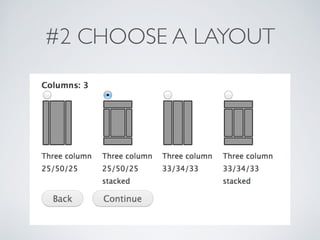
#2 CHOOSE A LAYOUT
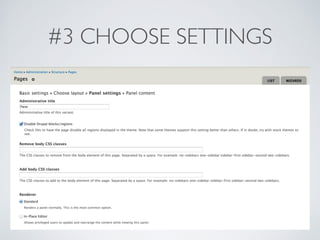
#3 CHOOSE SETTINGS
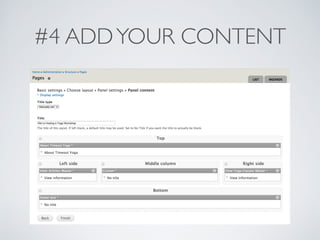
#4 ADDYOUR CONTENT
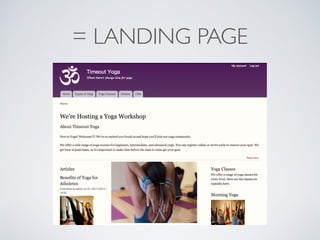
= LANDING PAGE
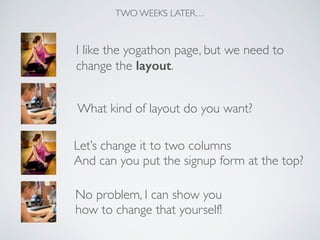
TWO WEEKS LATER…
I like the yogathon page, but we need to 	

change the layout.
What kind of layout do you want?
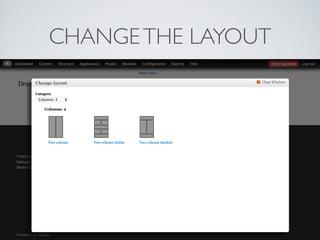
Let’s change it to two columns 	

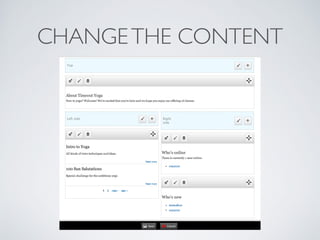
And can you put the signup form at the top?
No problem, I can show you 	

how to change that yourself!
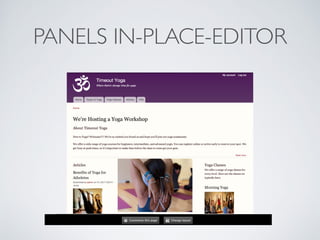
PANELS IN-PLACE-EDITOR
CHANGETHE LAYOUT
CHANGETHE CONTENT
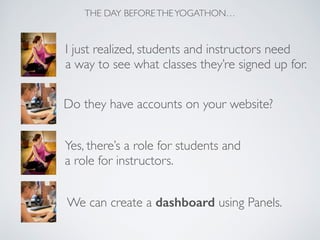
I just realized, students and instructors need	

a way to see what classes they’re signed up for.
Do they have accounts on your website?
Yes, there’s a role for students and 	

a role for instructors.
We can create a dashboard using Panels.
THE DAY BEFORETHEYOGATHON…
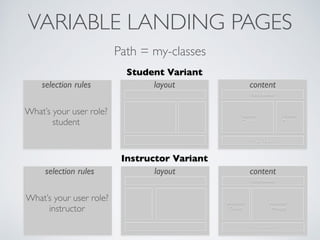
VARIABLE LANDING PAGES
What is it?
• You choose a new URL	

• URL is static	

• Layout and content are
different depending on the
context 	

Examples
• User Dashboards	

• Landing Pages per Language	

VARIABLE LANDING PAGES
Path = my-classes
Fancy Banner
Student	

Classes
Student	

Message
Contact Info
layout content
Fancy Banner
Instructor	

Message
layout content
Instructor 	

Classes
selection rules
selection rules
What’s your user role?	

student
What’s your user role?	

instructor
Student Variant
Instructor Variant
Contact Info
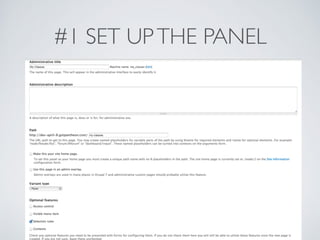
#1 SET UPTHE PANEL
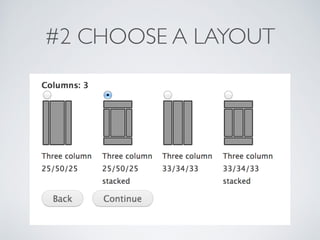
#2 CHOOSE A LAYOUT
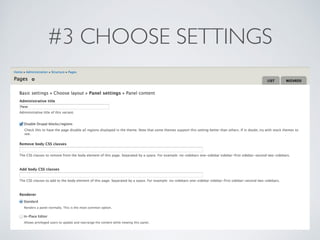
#3 CHOOSE SETTINGS
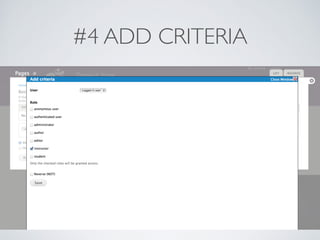
#4 ADD CRITERIA
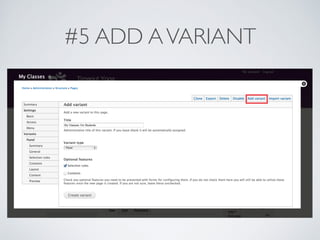
#5 ADD AVARIANT
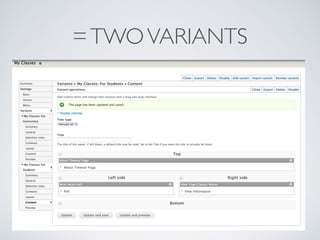
=TWOVARIANTS
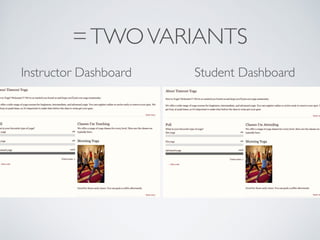
=TWOVARIANTS
Student DashboardInstructor Dashboard
The yogathon was so successful, 	

I want to start hosting them every month.
Will they always have the same content/layout?
Yes, always the same.
Great, we can setup a yogathon content type, 	

and use Panels to control the node template.
A MONTH AFTERTHEYOGATHON
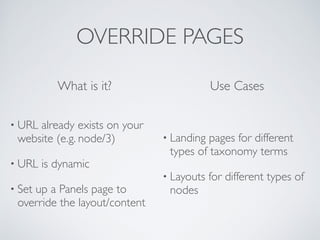
OVERRIDE EXISTING PAGES
OVERRIDE PAGES
• Landing pages for different
types of taxonomy terms	

• Layouts for different types of
nodes
What is it? Use Cases
• URL already exists on your
website (e.g. node/3)	

• URL is dynamic	

• Set up a Panels page to
override the layout/content
OVERRIDE EXISTING PAGES
Path = node/[nid]
Class Variant
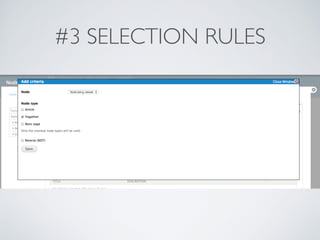
selection criteria
Is the current 	

node of type 	

yogathon?
arguments
[nid] = a node
Fancy Banner
Contact Info
content
adsbody related	

content
layout
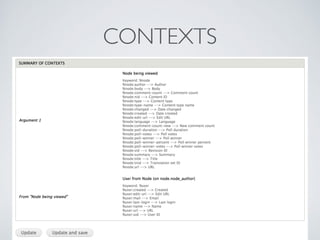
context
all the 	

fields/properties	

of the current node
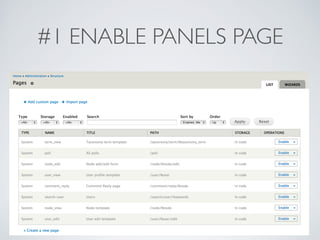
#1 ENABLE PANELS PAGE
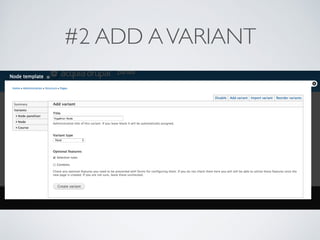
#2 ADD AVARIANT
#3 SELECTION RULES
CONTEXTS
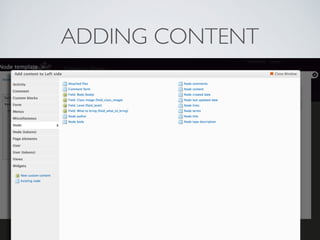
ADDING CONTENT
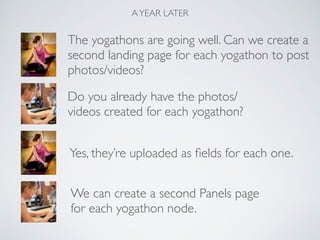
The yogathons are going well. Can we create a
second landing page for each yogathon to post
photos/videos?
Do you already have the photos/
videos created for each yogathon?
Yes, they’re uploaded as fields for each one.
We can create a second Panels page 	

for each yogathon node.
AYEAR LATER
CREATE NEW DYNAMIC
PAGES
CREATE DYNAMIC PAGES
• Media for an event, displayed
on a separate page	

• Repeating Event - create a
separate page for each date
What is it? Use Cases
• You create a new URL	

• URL is dynamic	

• Set up a Panels page to
determine the layout/content
CREATE DYNAMIC PAGES
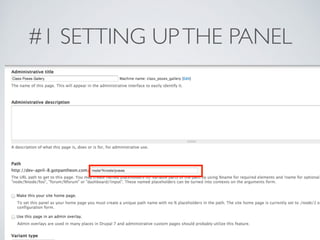
Path = node/[nid]/poses
Fancy Banner
Contact Info
layout content
selection criteria
Is the current 	

node an yogathon?
Yogathon Gallery
contexts
Use the node ID	

to get all the 	

fields/properties	

for the node
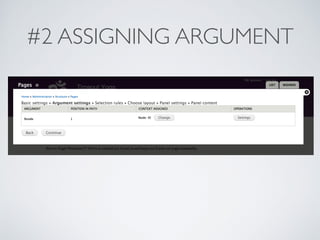
arguments
[nid] = a node
#1 SETTING UPTHE PANEL
#2 ASSIGNING ARGUMENT
WHY USE PANELS?
x
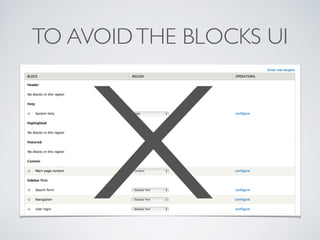
TO AVOIDTHE BLOCKS UI
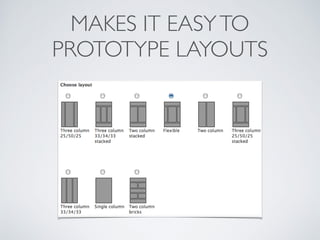
MAKES IT EASYTO
PROTOTYPE LAYOUTS
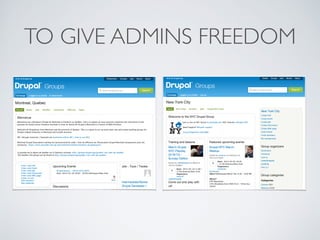
TO GIVE ADMINS FREEDOM
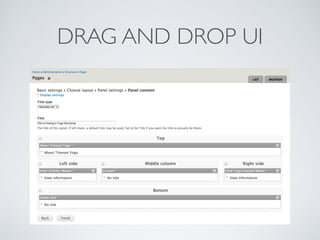
DRAG AND DROP UI
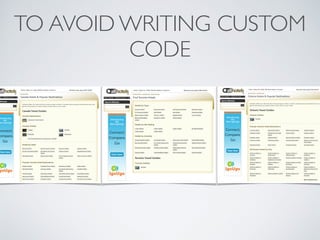
TO AVOID WRITING CUSTOM
CODE
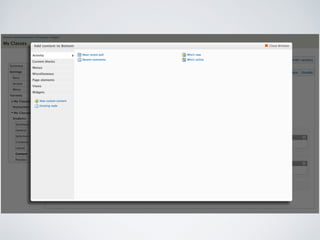
ADDING CONTENT
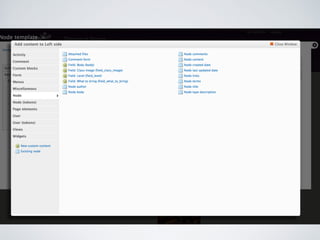
TO PANELS
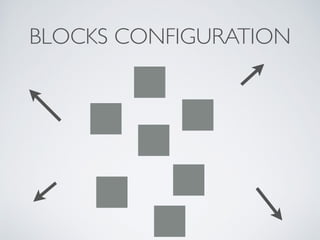
BLOCKS CONFIGURATION
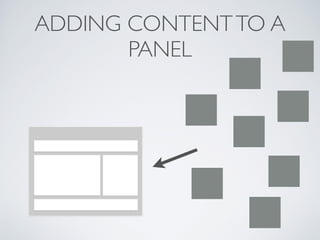
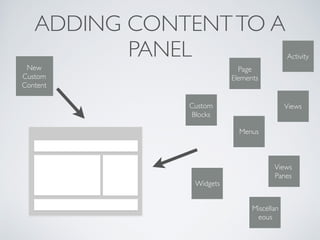
ADDING CONTENTTO A
PANEL
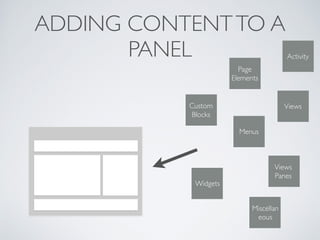
ADDING CONTENTTO A
PANEL
Custom 	

Blocks
Menus
Views
Widgets
Views	

Panes
Page	

Elements
Miscellan	

eous
Activity
ADDING CONTENTTO A
PANEL
Custom 	

Blocks
Menus
Views
Widgets
Views	

Panes
Page	

Elements
Miscellan	

eous
Activity
New 	

Custom	

Content
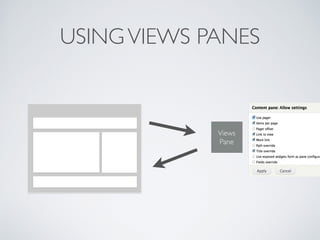
USINGVIEWS PANES
Views 	

Pane
PANELS, PANELIZER,
PANOPOLY, OH MY...
PANELIZER MODULE
• You get panels configuration (layout and content) for each
node.	

• Often leads to too many panels, too much variation	

• Use with care!
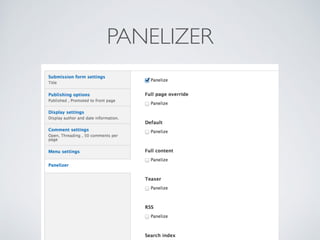
PANELIZER
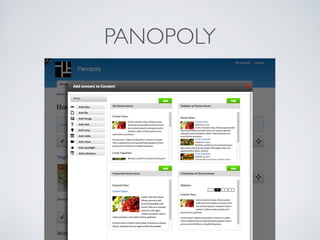
PANOPOLY
• Comes with panelizer, fieldable panel panes	

• Panels set up for lots of built-in pages	

• Extra layout options (and responsive)	

• In-place editor	

• Pre-configured
PANOPOLY
TRICKYTHINGS
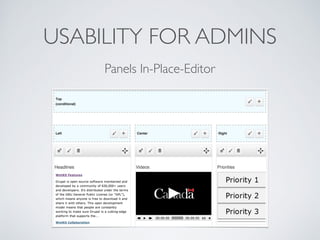
USABILITY FOR ADMINS
Panels In-Place-Editor
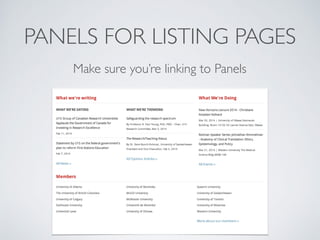
PANELS FOR LISTING PAGES
Make sure you’re linking to Panels
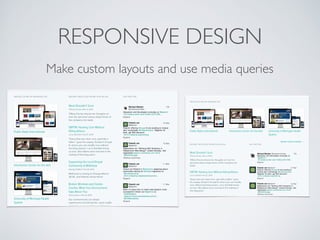
RESPONSIVE DESIGN
Make custom layouts and use media queries
CONTENT - CONFIG
• With Panels, you end up with configuration mixed up with
content (inserting nodes, blocks and custom text into your
panels)	

• Editing some content on the homepage requires more
knowledge
THINGSTO AVOID
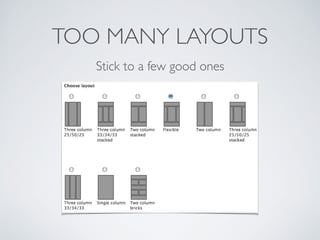
TOO MANY LAYOUTS
Stick to a few good ones
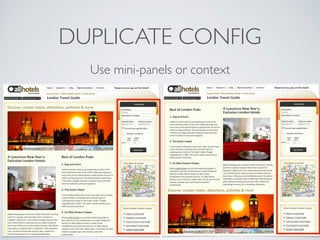
DUPLICATE CONFIG
Use mini-panels or context
v
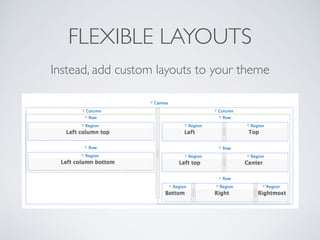
FLEXIBLE LAYOUTS
Instead, add custom layouts to your theme
Drupal Consulting, Development, andTraining	

evolvingweb.ca
Suzanne Kennedy, Co-founder	

@suzanne_kennedy

Creating Dynamic Landing Pages for Drupal with Panels - Webinar