Getting Started with Git
5/17/2012


                             This presentation is at:

                             http://sn.im/startgit

                             If you're on Google Docs, make sure to read the
                             'speaker notes' for this presentation.


Rick Umali
rickumali@gmail.com
http://tech.rickumali.com/
Questions I Plan to Answer
What is source control?

What is the big deal with Git?

Can you show me a little Git?
  Commits. Branches. Merges. Remote repos.
What is Source Control?
A mechanism to track changes in source code.

Used for version history, auditing, and
recovery.

Source code control is the most important
practice a coding professional can do.
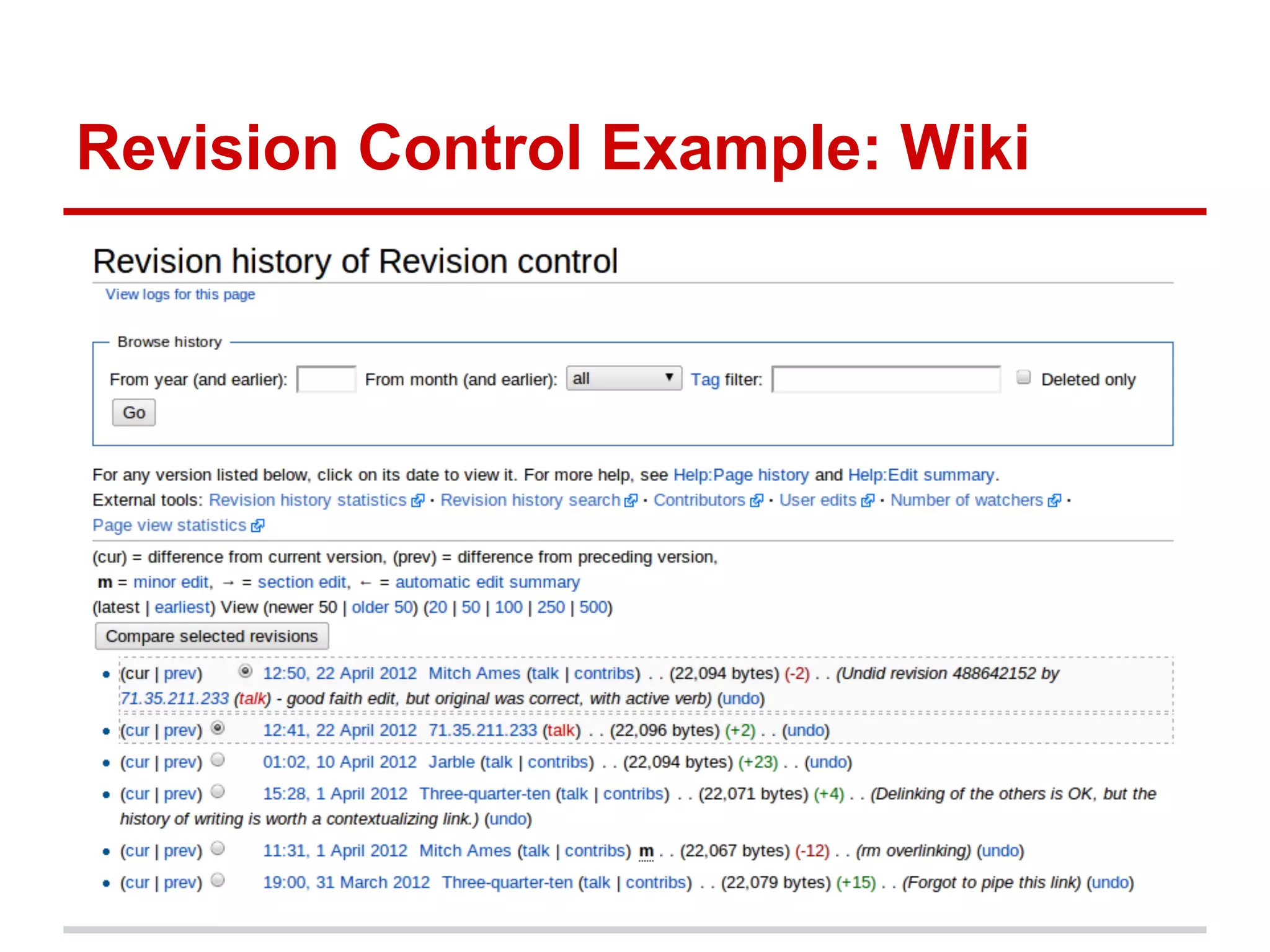
Revision Control Example: Wiki
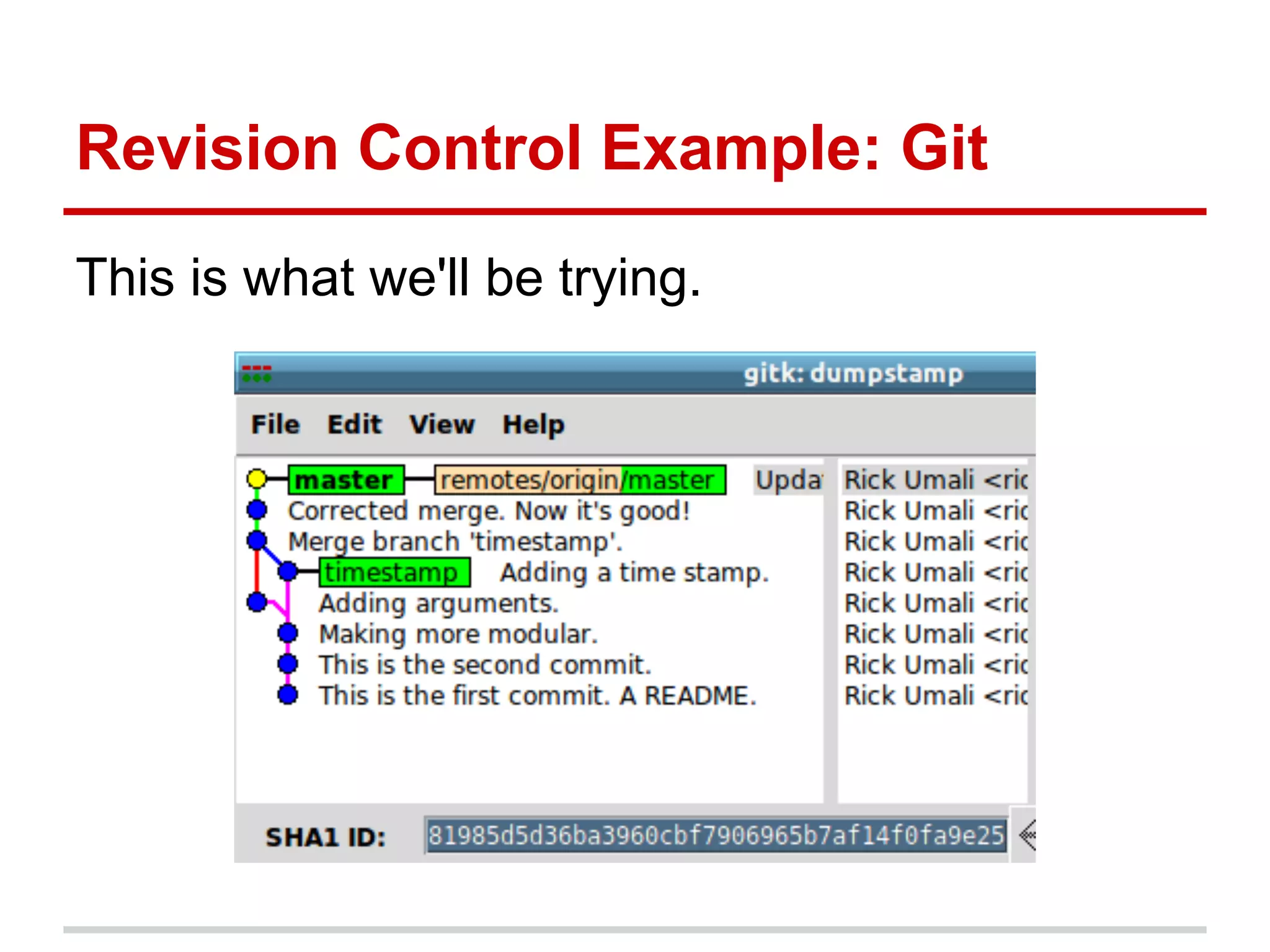
Revision Control Example: Git
This is what we'll be trying.
Git
Git is an open source, distributed version
control system designed for speed and
efficiency.

                    ● Freedom
             ●   No "server" required
             ●   Unique architecture
Installing Git
 http://git-scm.com/book/en/Getting-Started-Installing-Git

           The installation is very easy!
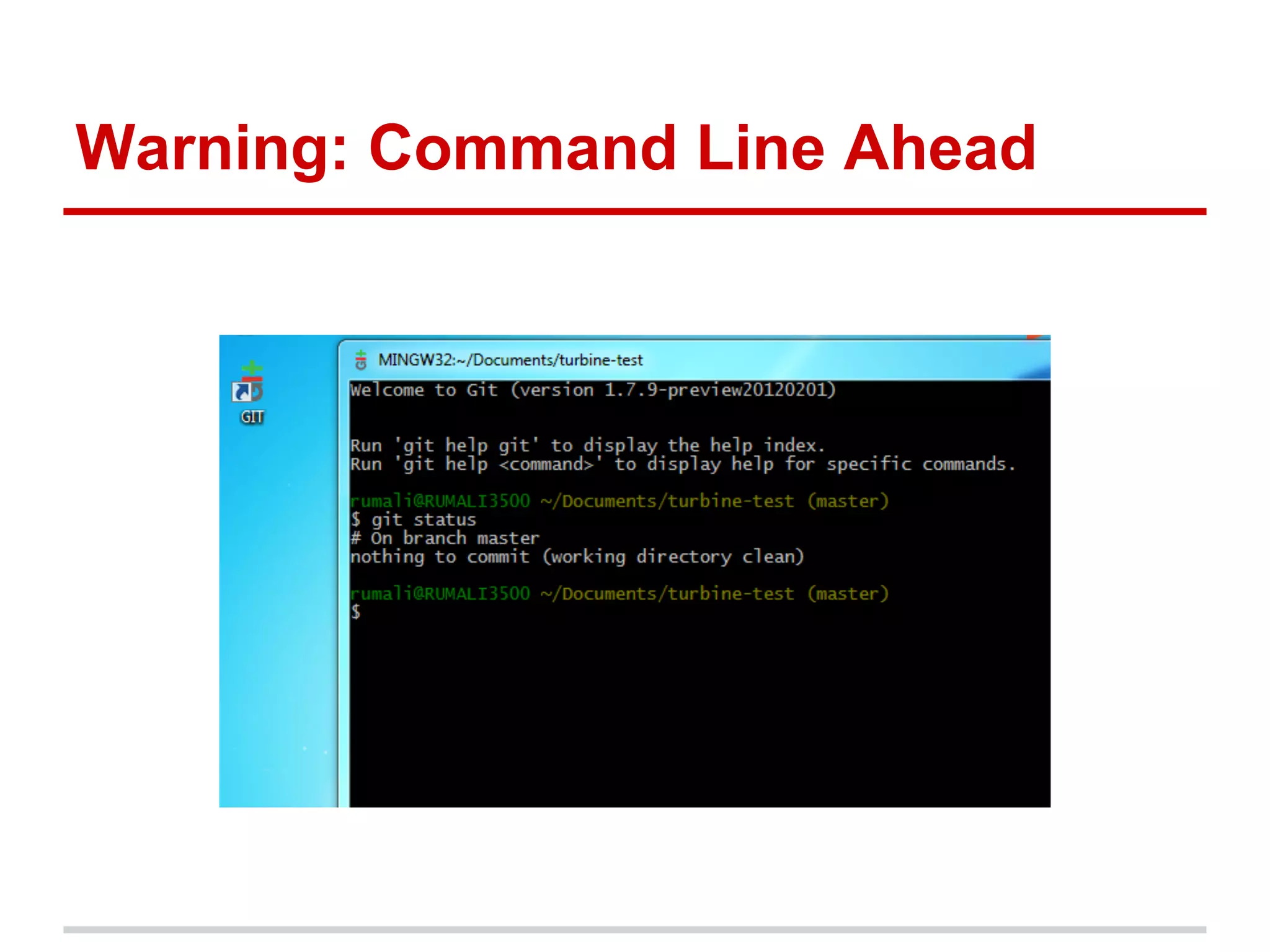
Warning: Command Line Ahead
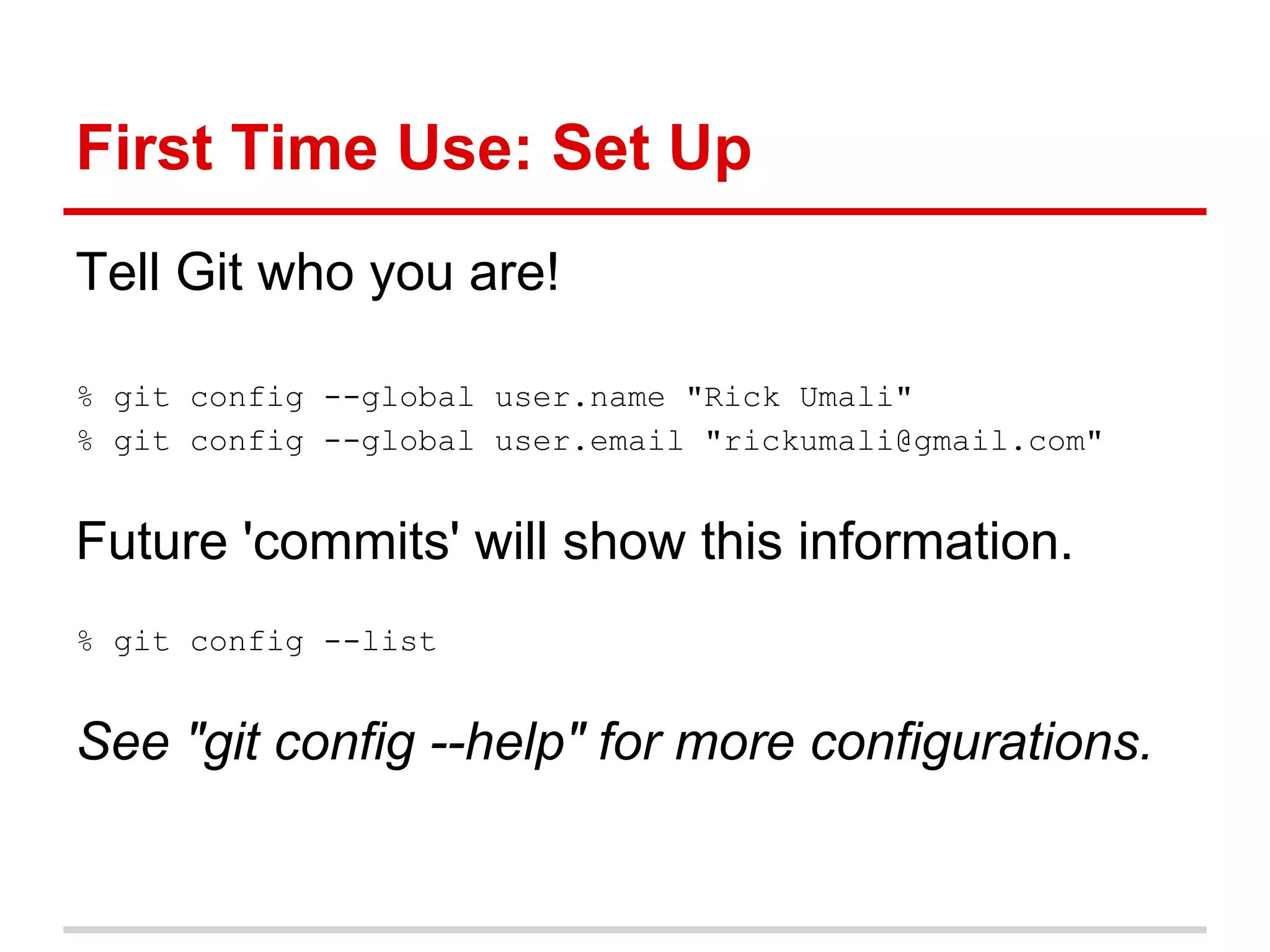
First Time Use: Set Up
Tell Git who you are!

% git config --global user.name "Rick Umali"
% git config --global user.email "rickumali@gmail.com"


Future 'commits' will show this information.
% git config --list


See "git config --help" for more configurations.
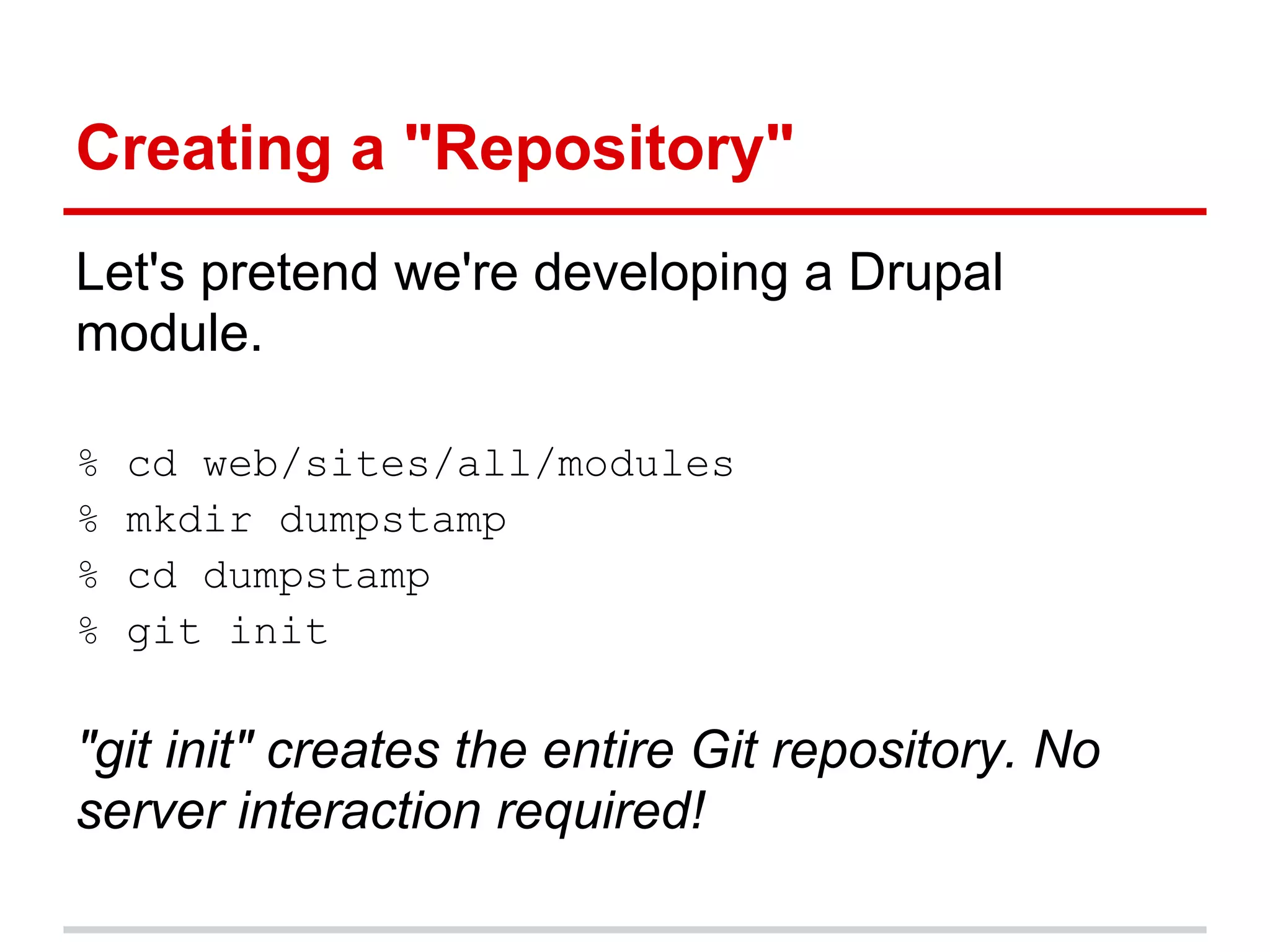
Creating a "Repository"
Let's pretend we're developing a Drupal
module.

%   cd web/sites/all/modules
%   mkdir dumpstamp
%   cd dumpstamp
%   git init

"git init" creates the entire Git repository. No
server interaction required!
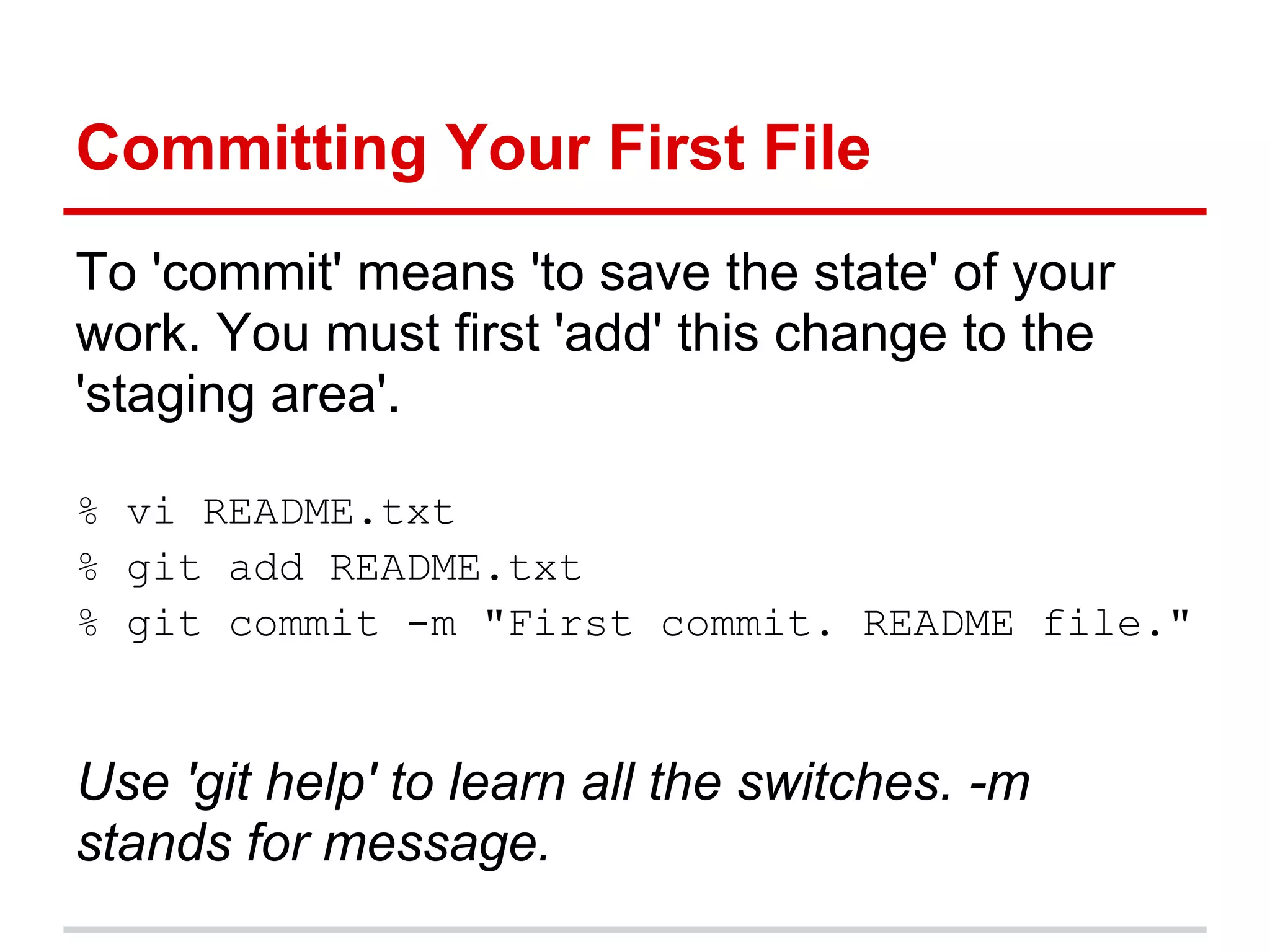
Committing Your First File
To 'commit' means 'to save the state' of your
work. You must first 'add' this change to the
'staging area'.

% vi README.txt
% git add README.txt
% git commit -m "First commit. README file."


Use 'git help' to learn all the switches. -m
stands for message.
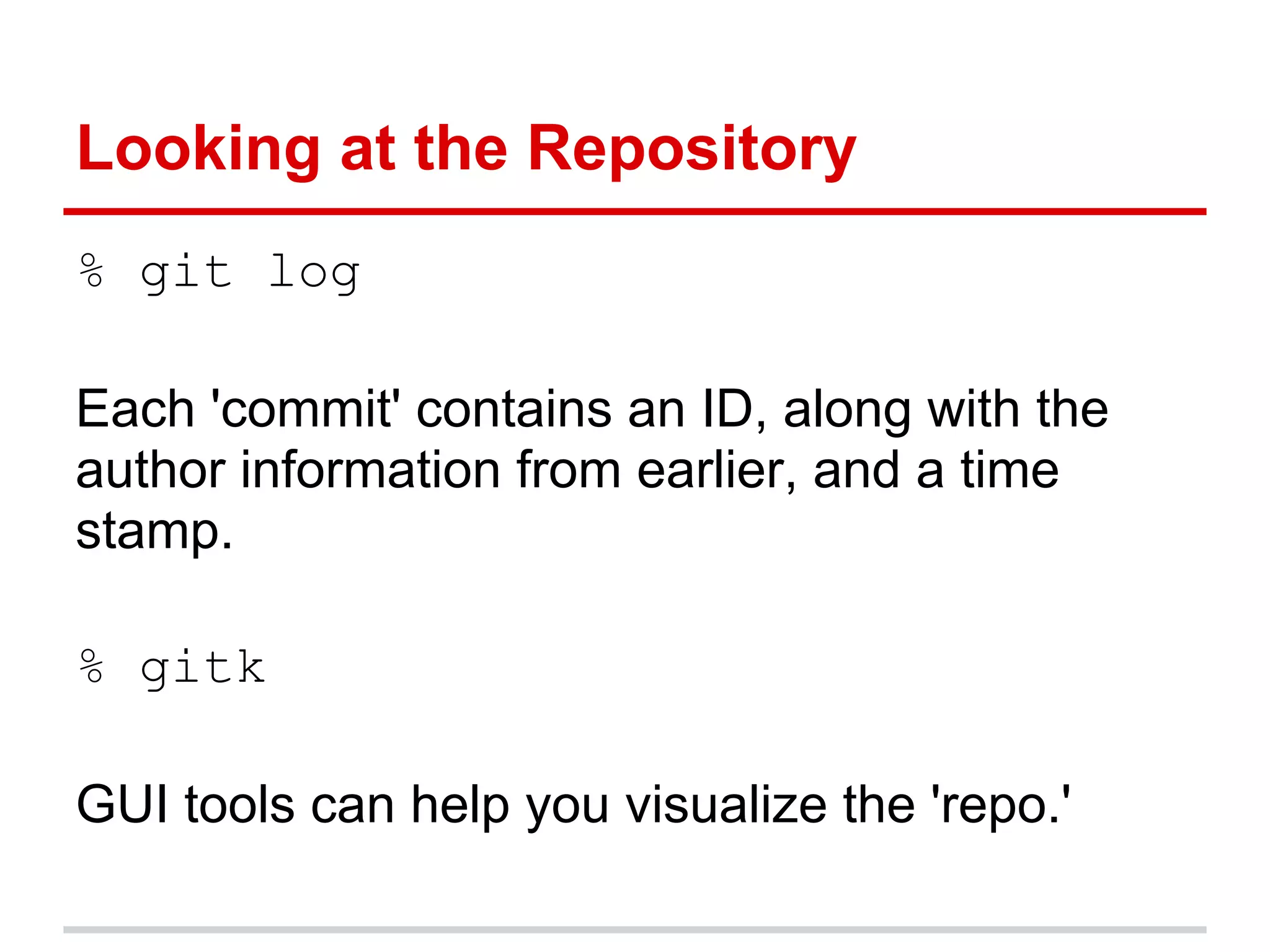
Looking at the Repository
% git log

Each 'commit' contains an ID, along with the
author information from earlier, and a time
stamp.

% gitk

GUI tools can help you visualize the 'repo.'
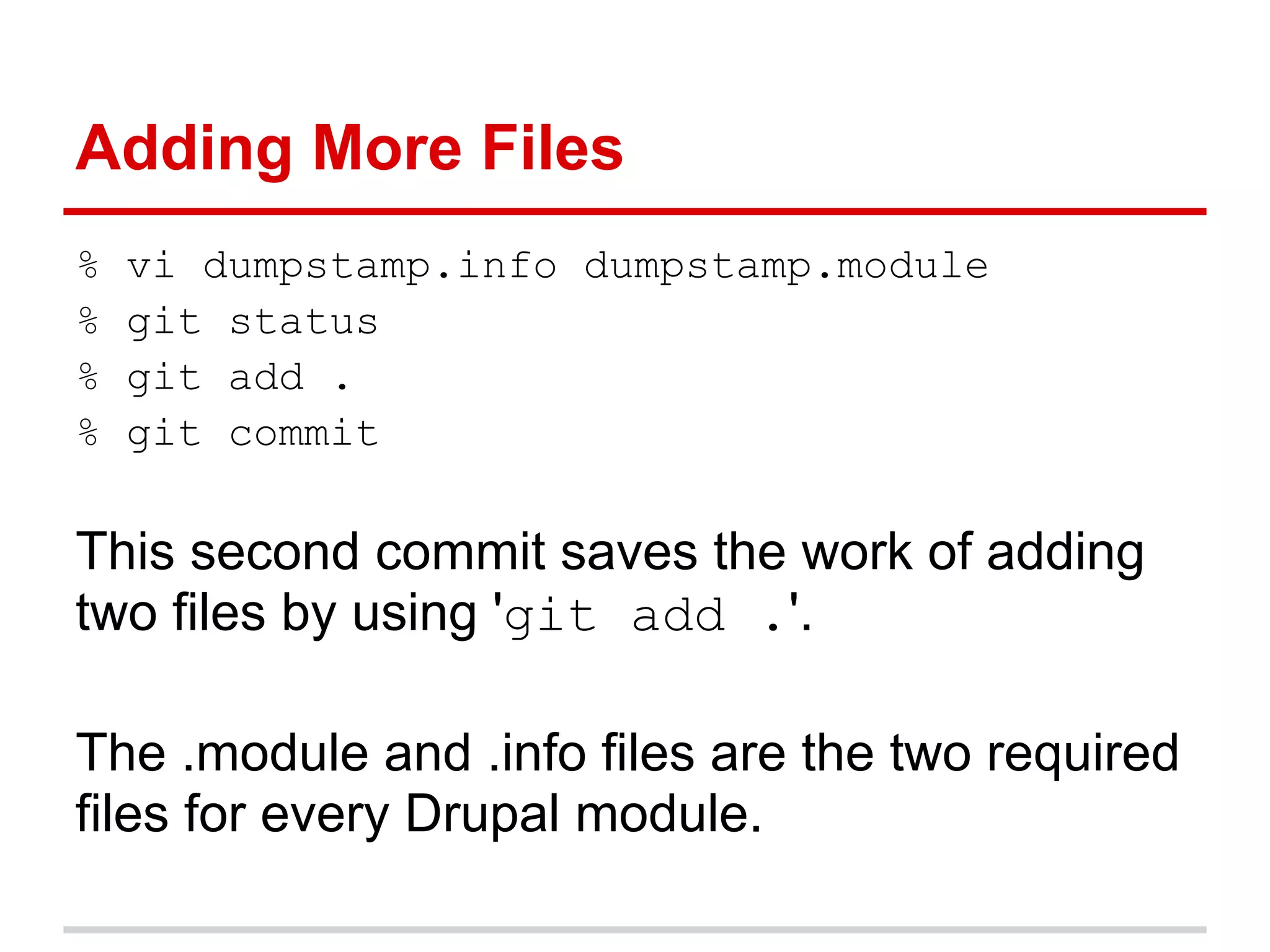
Adding More Files
%   vi dumpstamp.info dumpstamp.module
%   git status
%   git add .
%   git commit

This second commit saves the work of adding
two files by using 'git add .'.

The .module and .info files are the two required
files for every Drupal module.
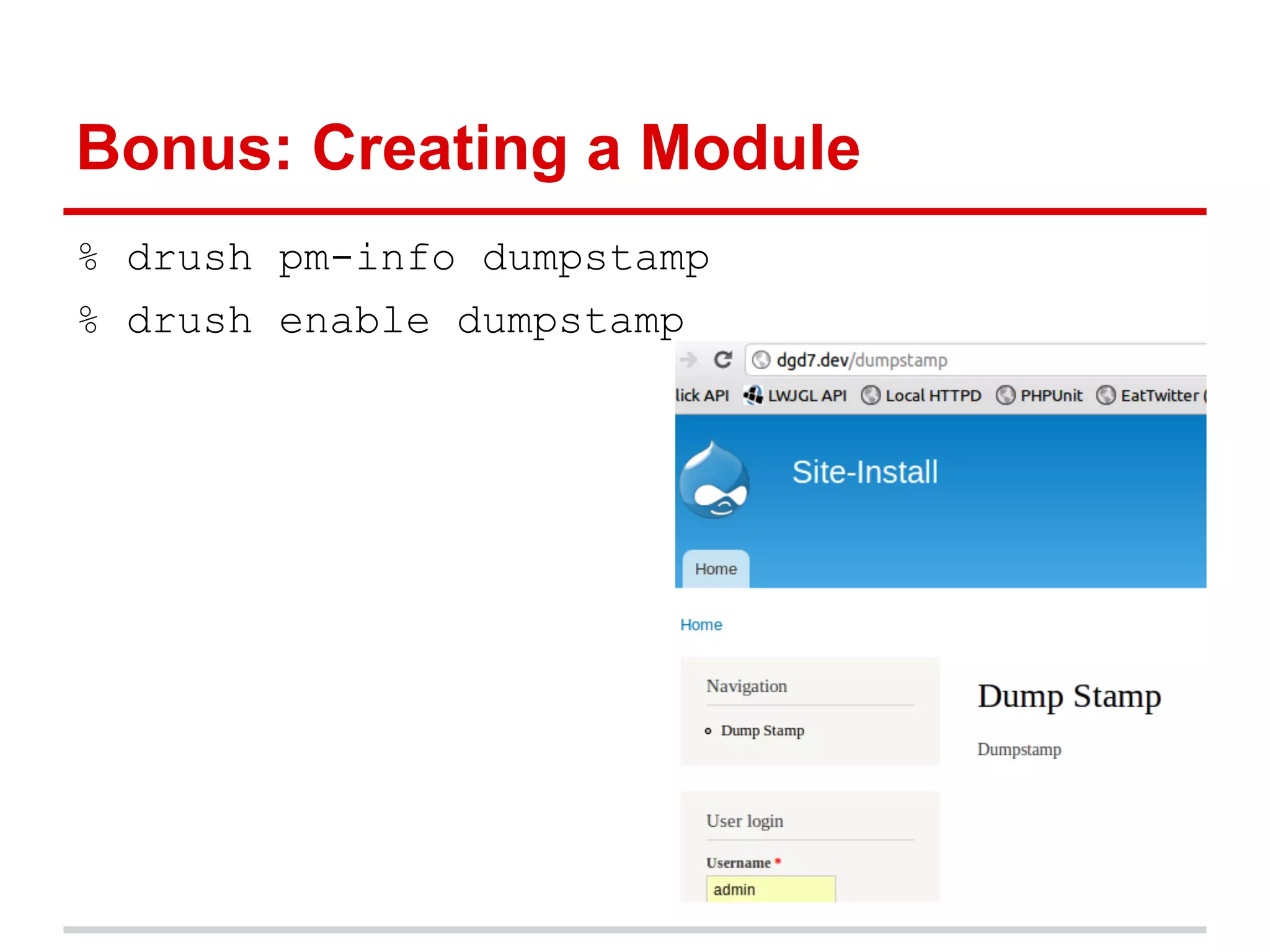
Bonus: Creating a Module
% drush pm-info dumpstamp
% drush enable dumpstamp
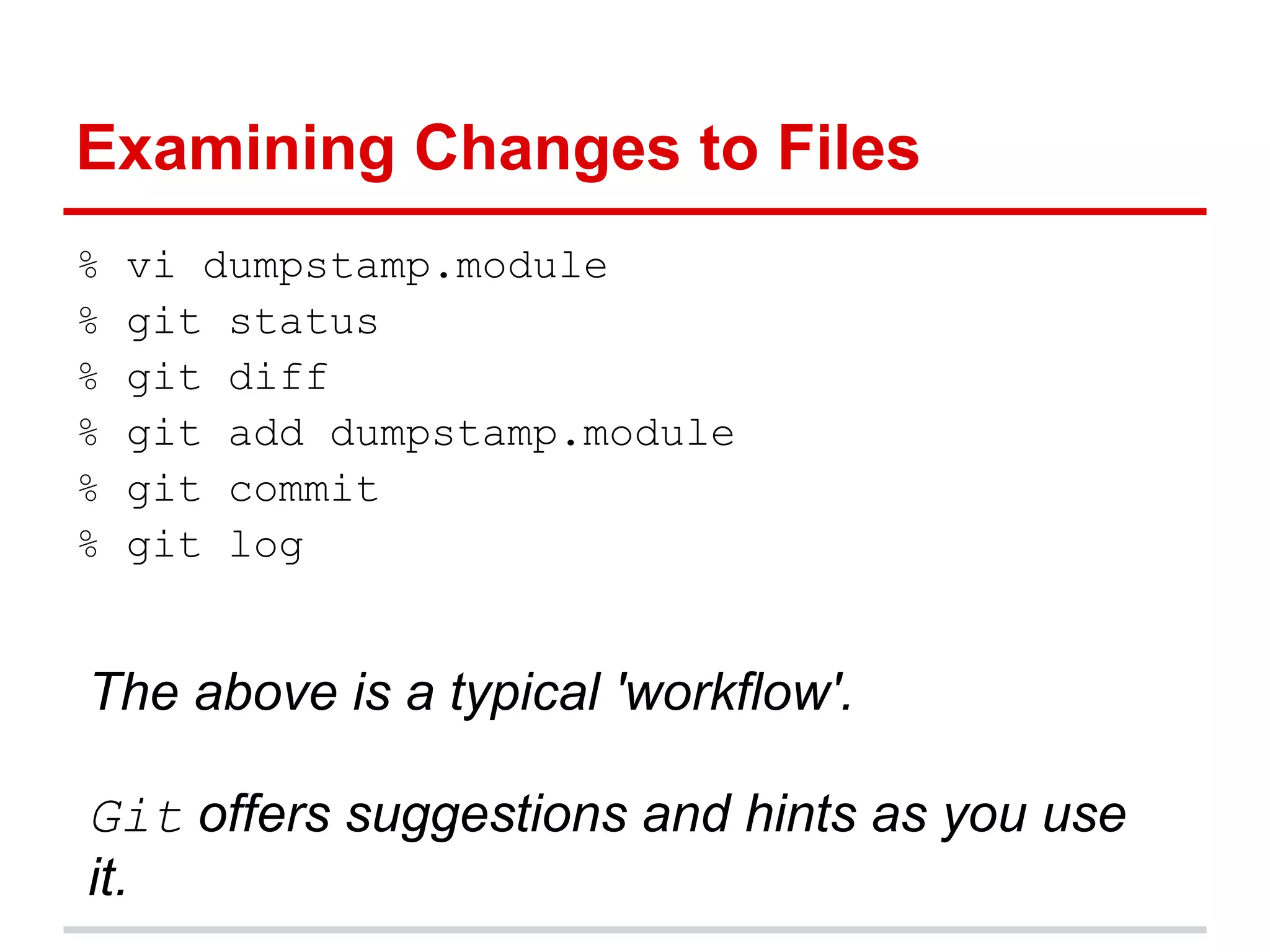
Examining Changes to Files
%   vi dumpstamp.module
%   git status
%   git diff
%   git add dumpstamp.module
%   git commit
%   git log


The above is a typical 'workflow'.

Git offers suggestions and hints as you use
it.
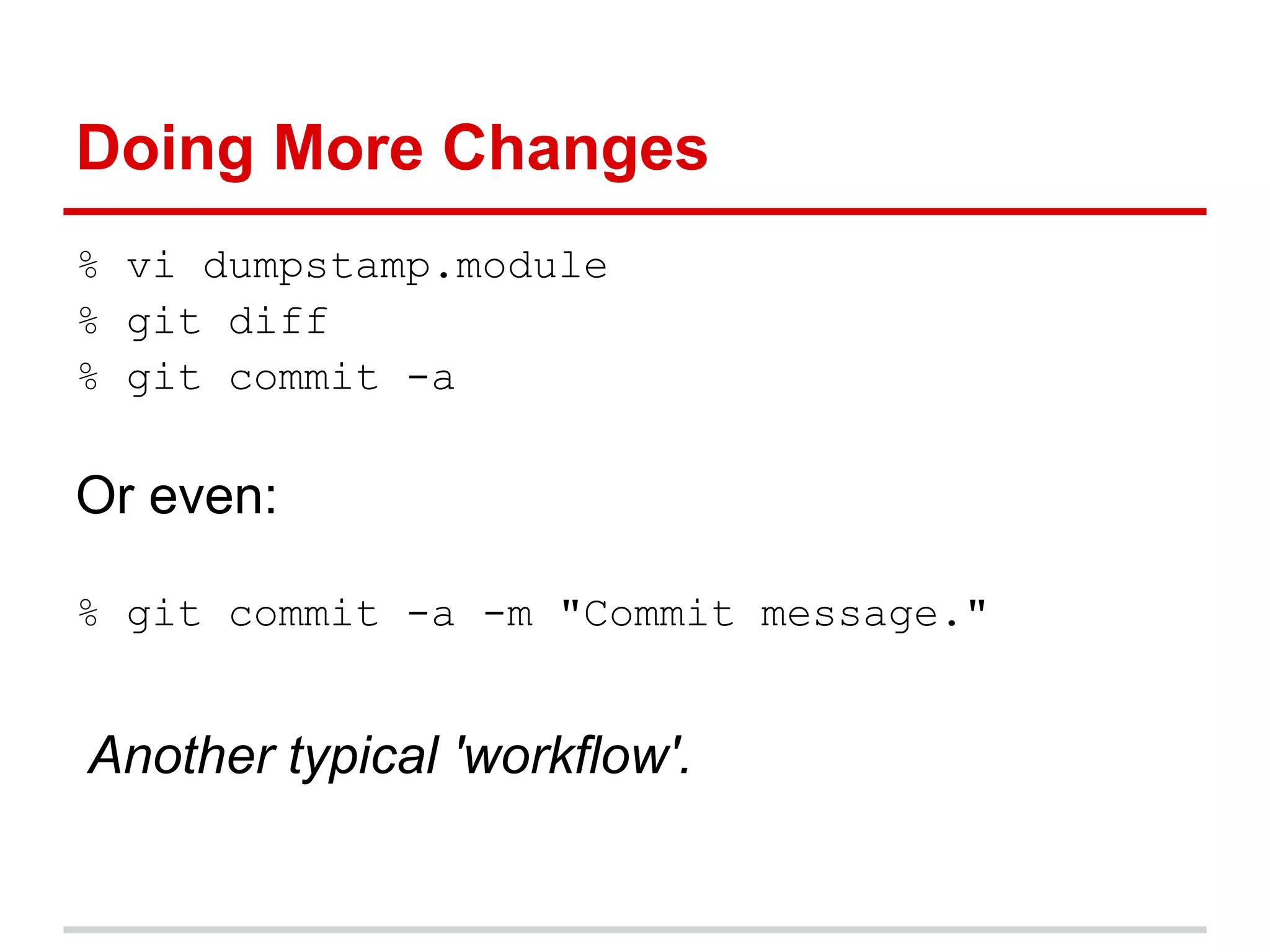
Doing More Changes
% vi dumpstamp.module
% git diff
% git commit -a

Or even:

% git commit -a -m "Commit message."


Another typical 'workflow'.
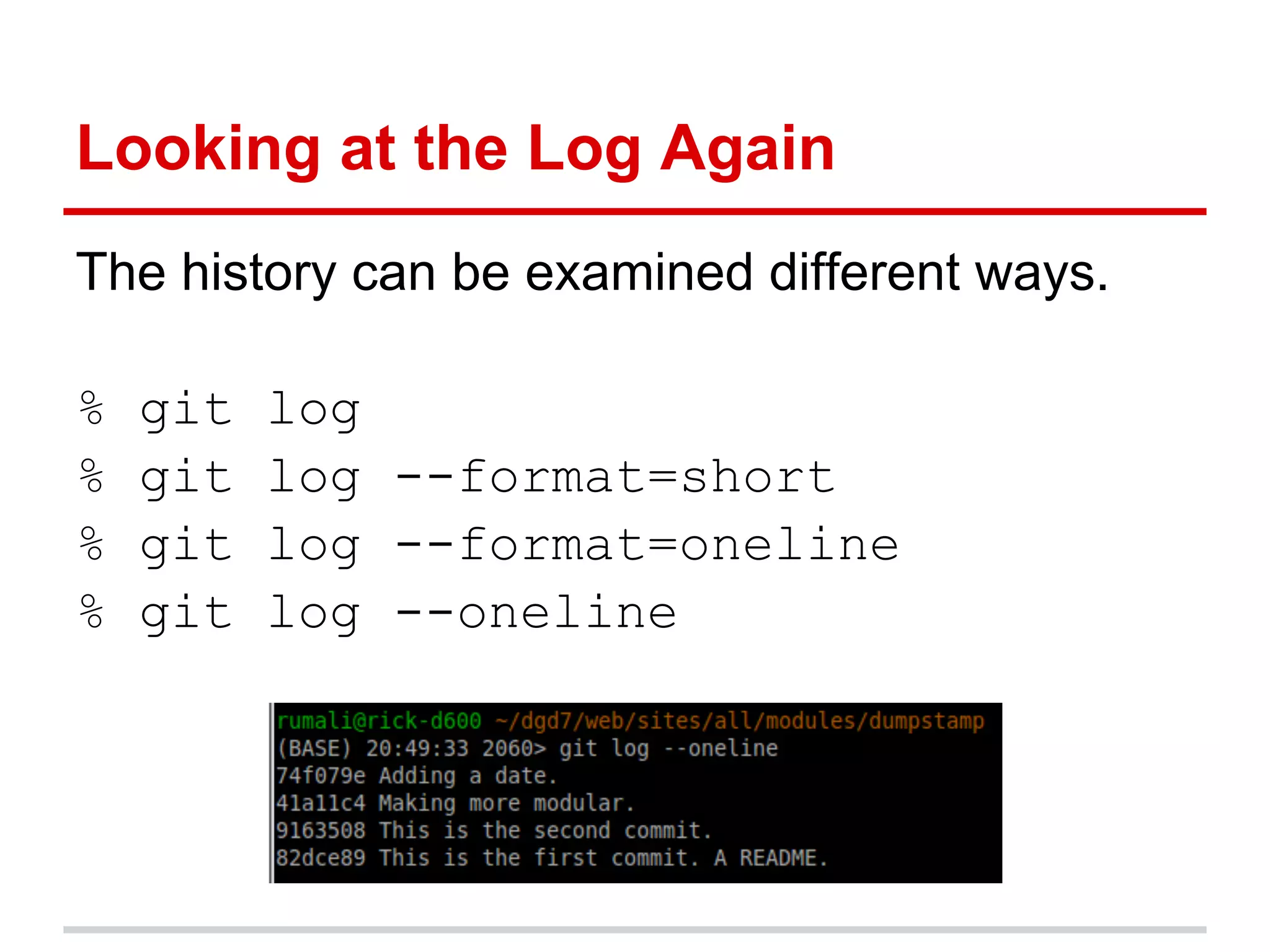
Looking at the Log Again
The history can be examined different ways.

%   git   log
%   git   log --format=short
%   git   log --format=oneline
%   git   log --oneline
Revisiting History
You can 'revisit' any point of your history.

% git checkout SHAID

Every commit is known by its SHA ID.

This is the first step in making a branch! (Use
git checkout master to revert.)
Branching and Merging Next, But...
What we have covered so far is probably 70-
    80% of what you will do with git.

Adding and committing files are the heart of
  git (and any version control system).
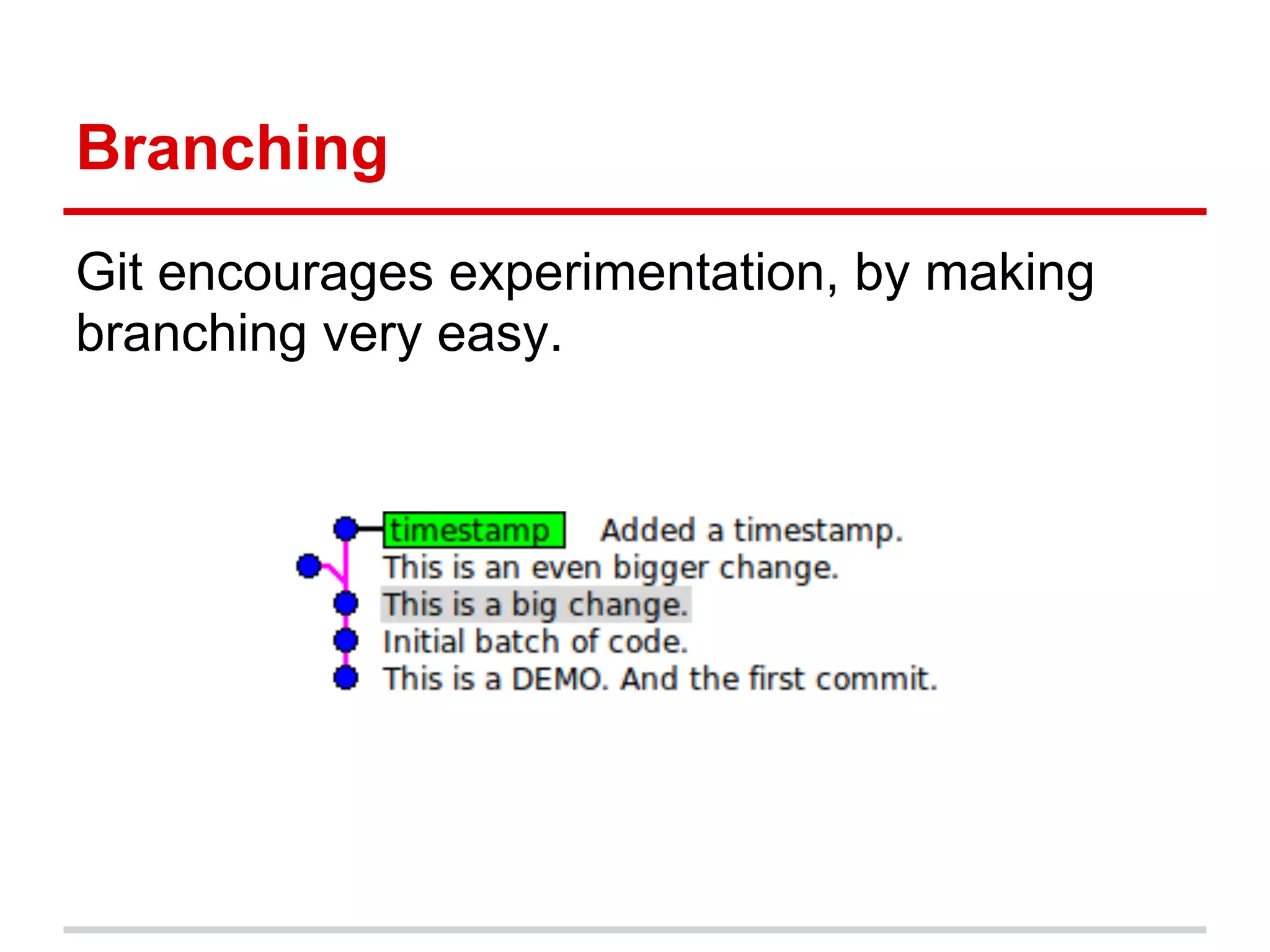
Branching
Git encourages experimentation, by making
branching very easy.
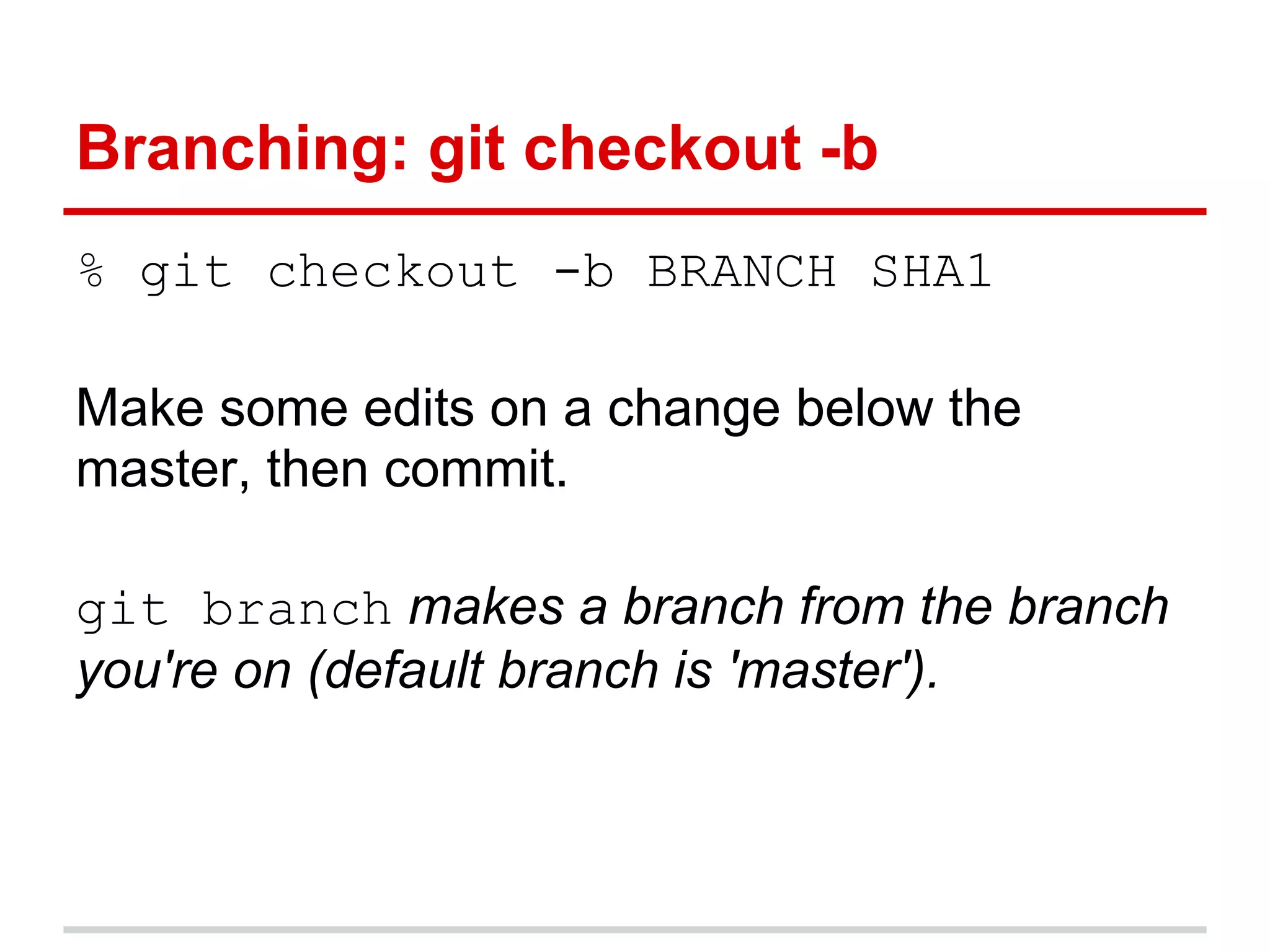
Branching: git checkout -b
% git checkout -b BRANCH SHA1

Make some edits on a change below the
master, then commit.

git branch makes a branch from the branch
you're on (default branch is 'master').
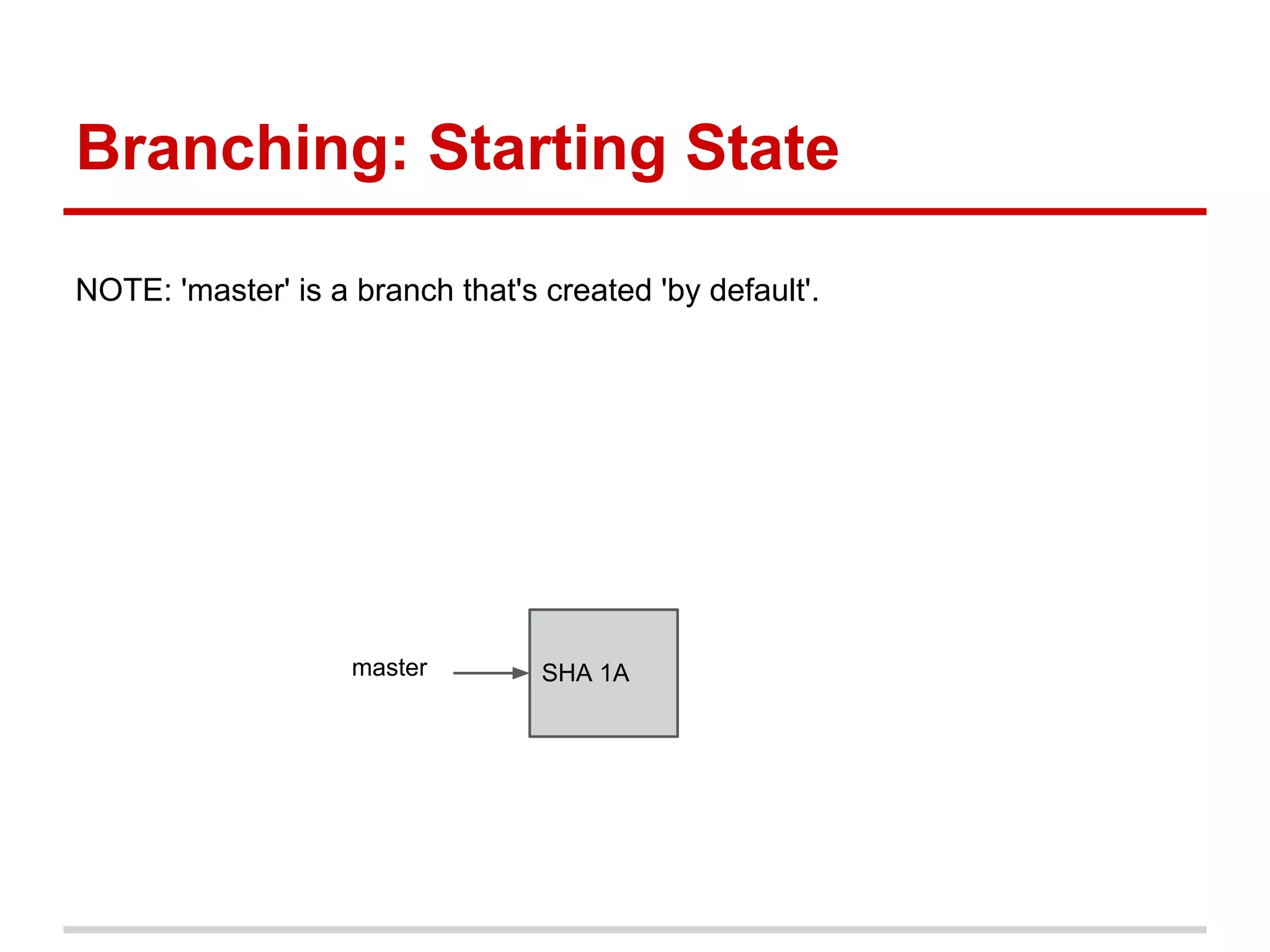
Branching: Starting State

NOTE: 'master' is a branch that's created 'by default'.


                    master        SHA 1A
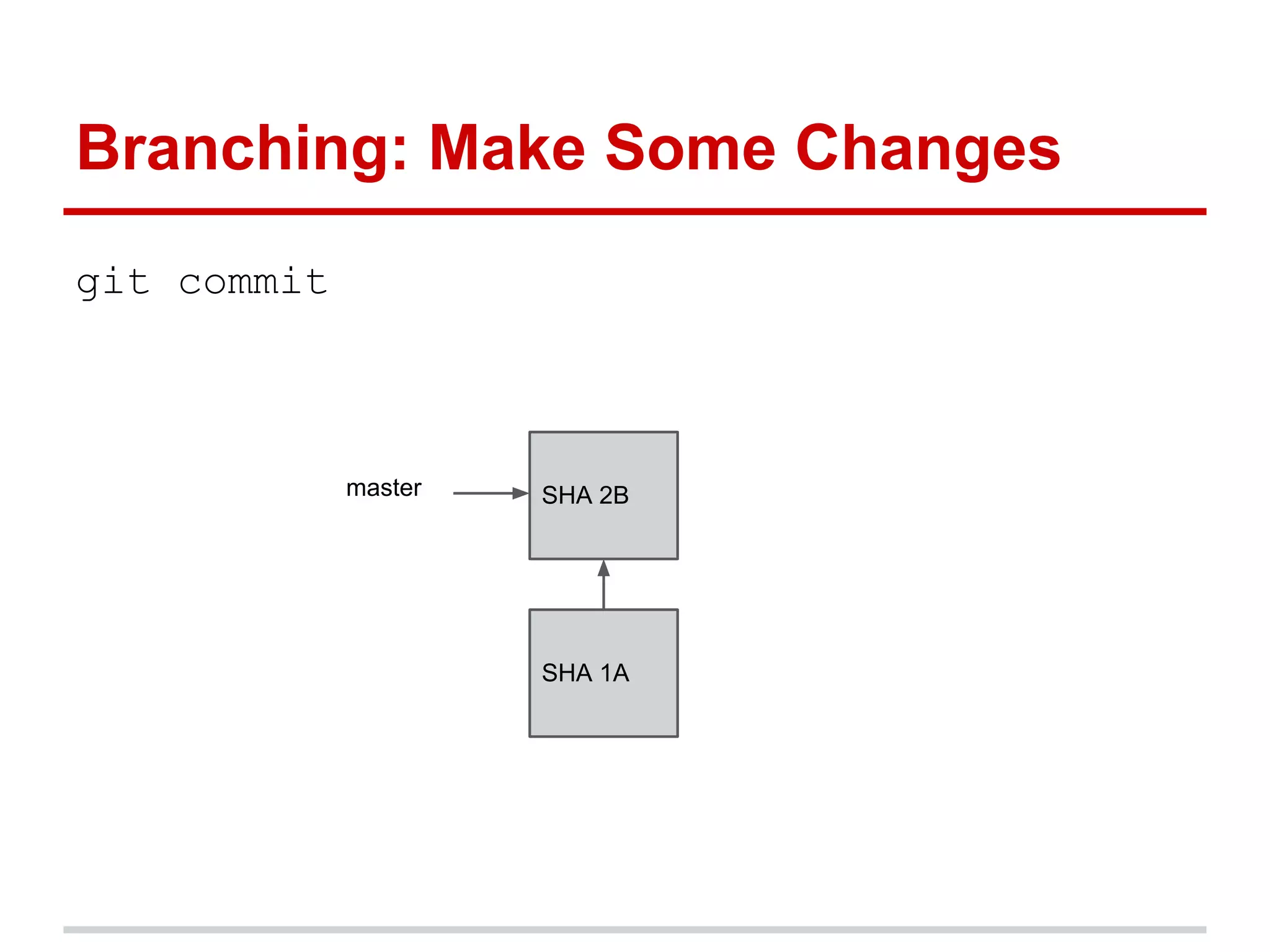
Branching: Make Some Changes
git commit


             master   SHA 2B


                      SHA 1A
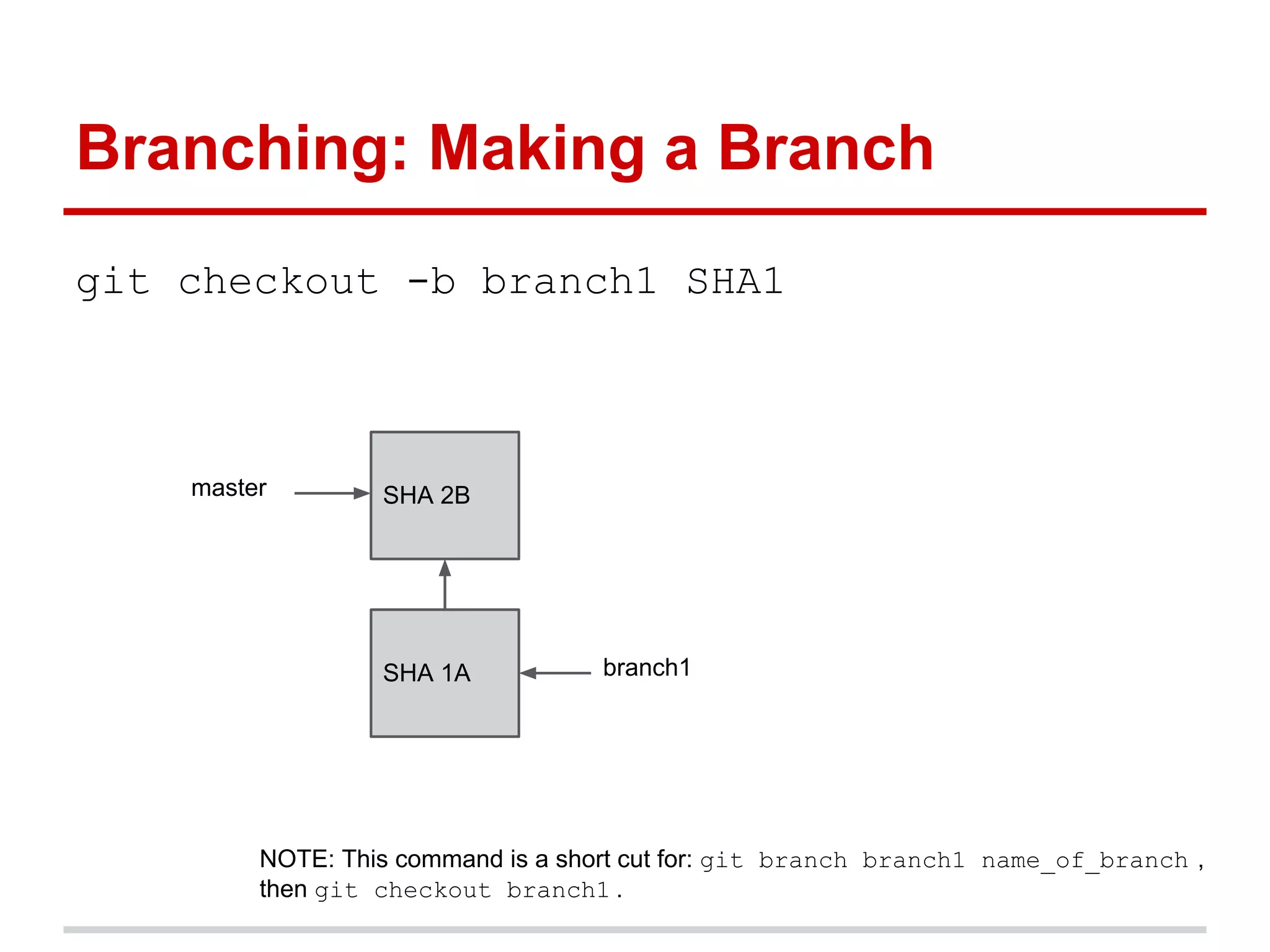
Branching: Making a Branch
git checkout -b branch1 SHA1


    master        SHA 2B


                  SHA 1A           branch1


         NOTE: This command is a short cut for: git branch branch1 name_of_branch ,
         then git checkout branch1 .
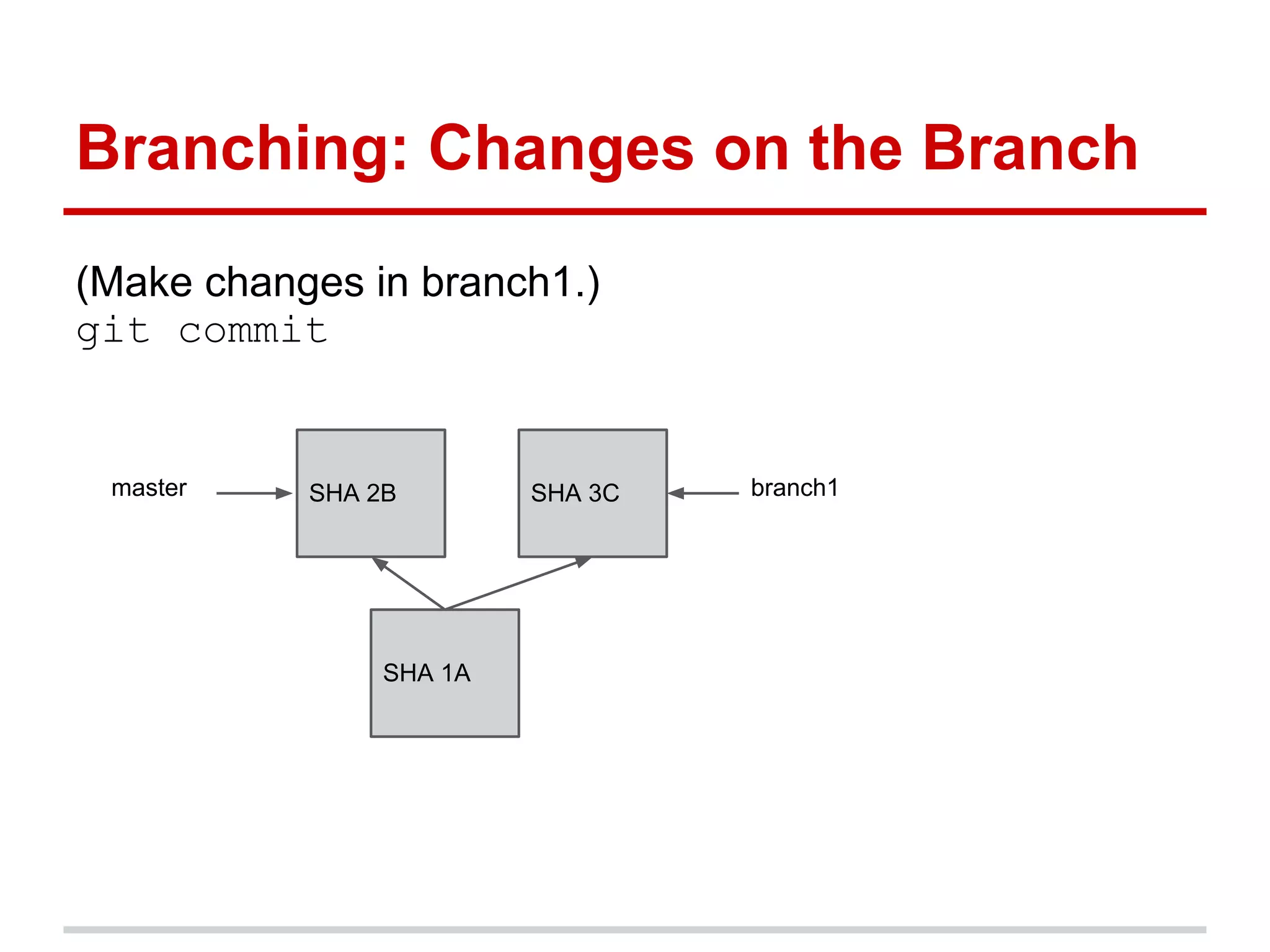
Branching: Changes on the Branch
(Make changes in branch1.)
git commit


 master    SHA 2B        SHA 3C   branch1


                SHA 1A
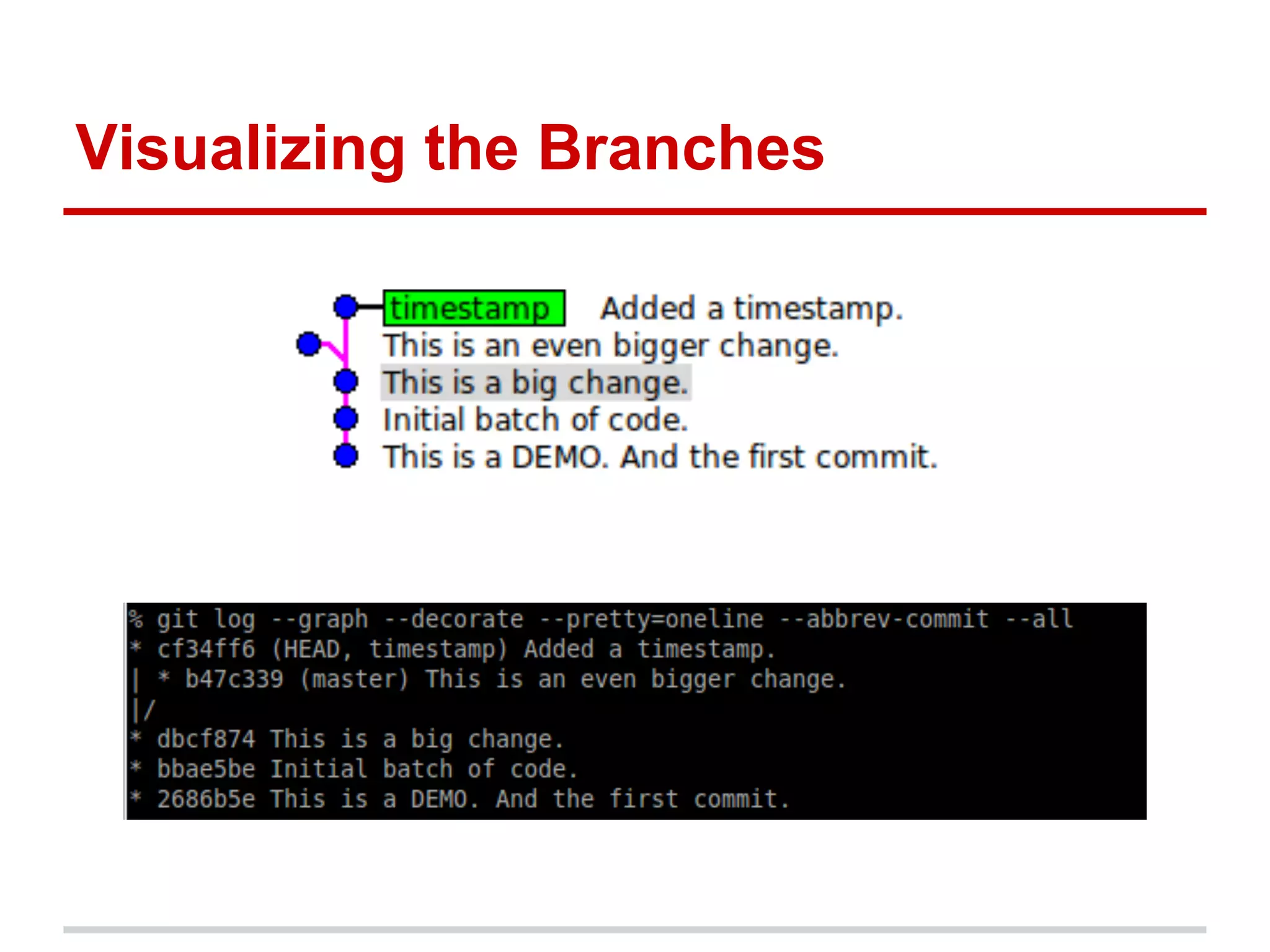
Visualizing the Branches
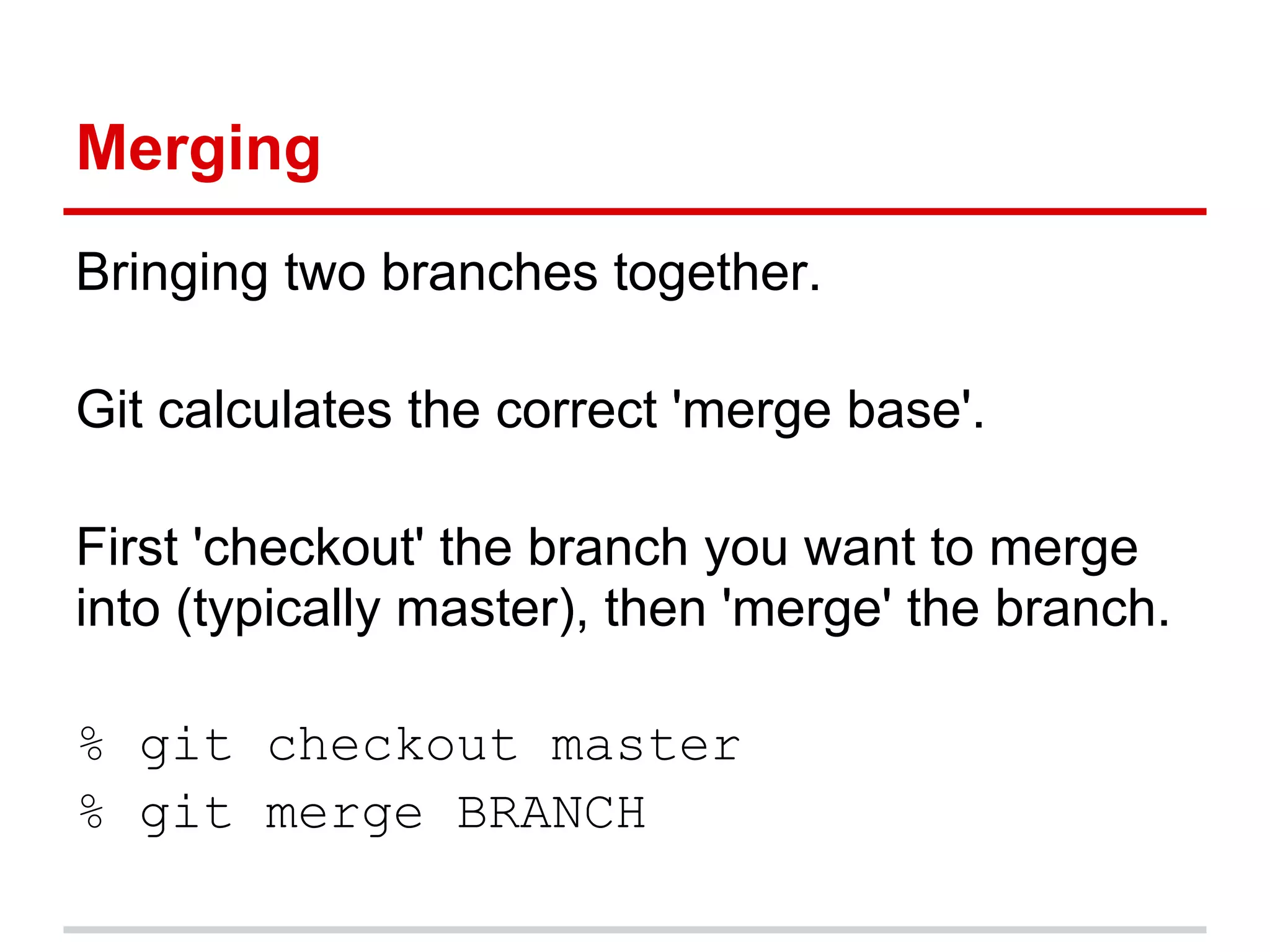
Merging
Bringing two branches together.

Git calculates the correct 'merge base'.

First 'checkout' the branch you want to merge
into (typically master), then 'merge' the branch.

% git checkout master
% git merge BRANCH
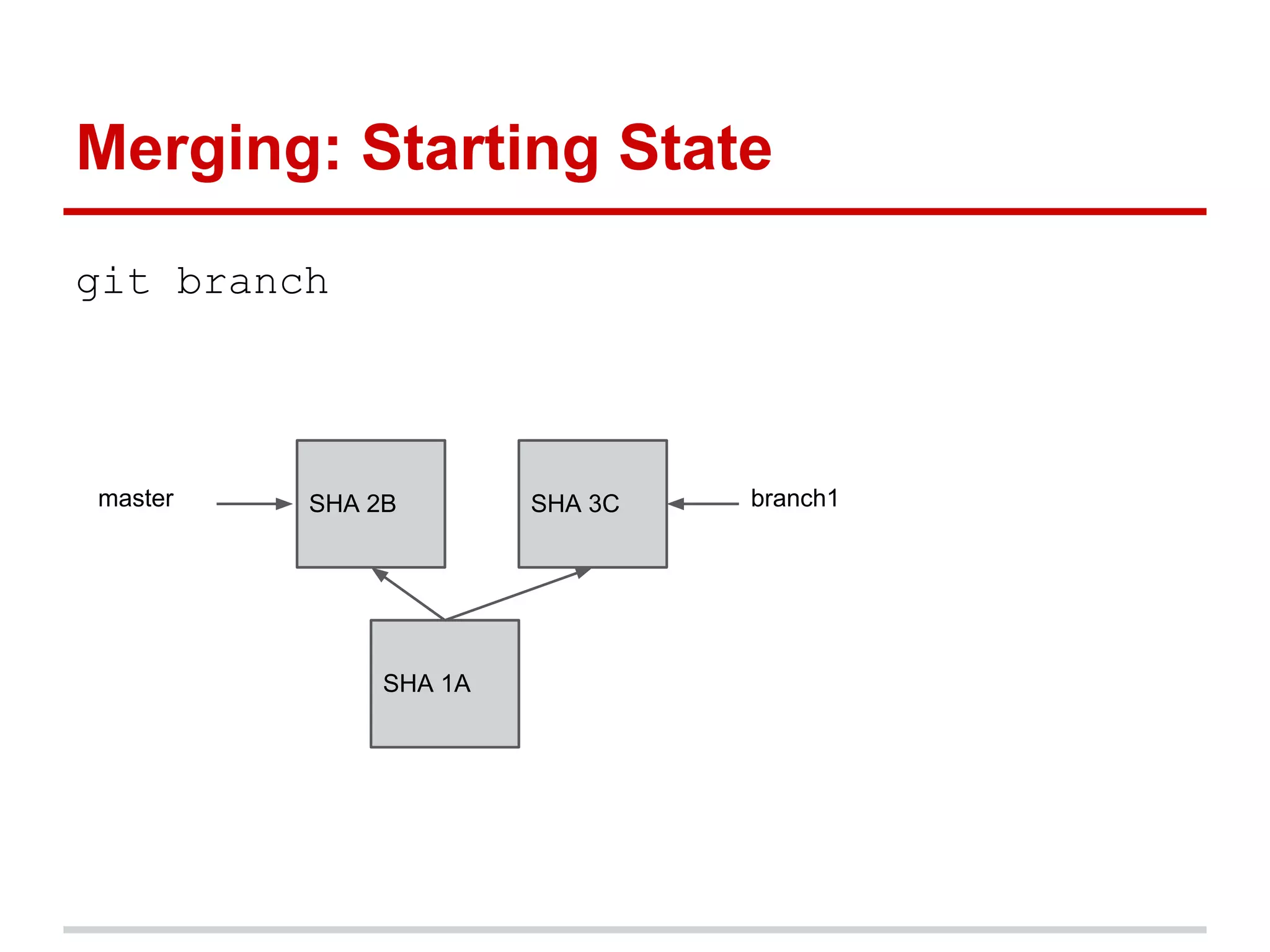
Merging: Starting State
git branch


master   SHA 2B        SHA 3C   branch1


              SHA 1A
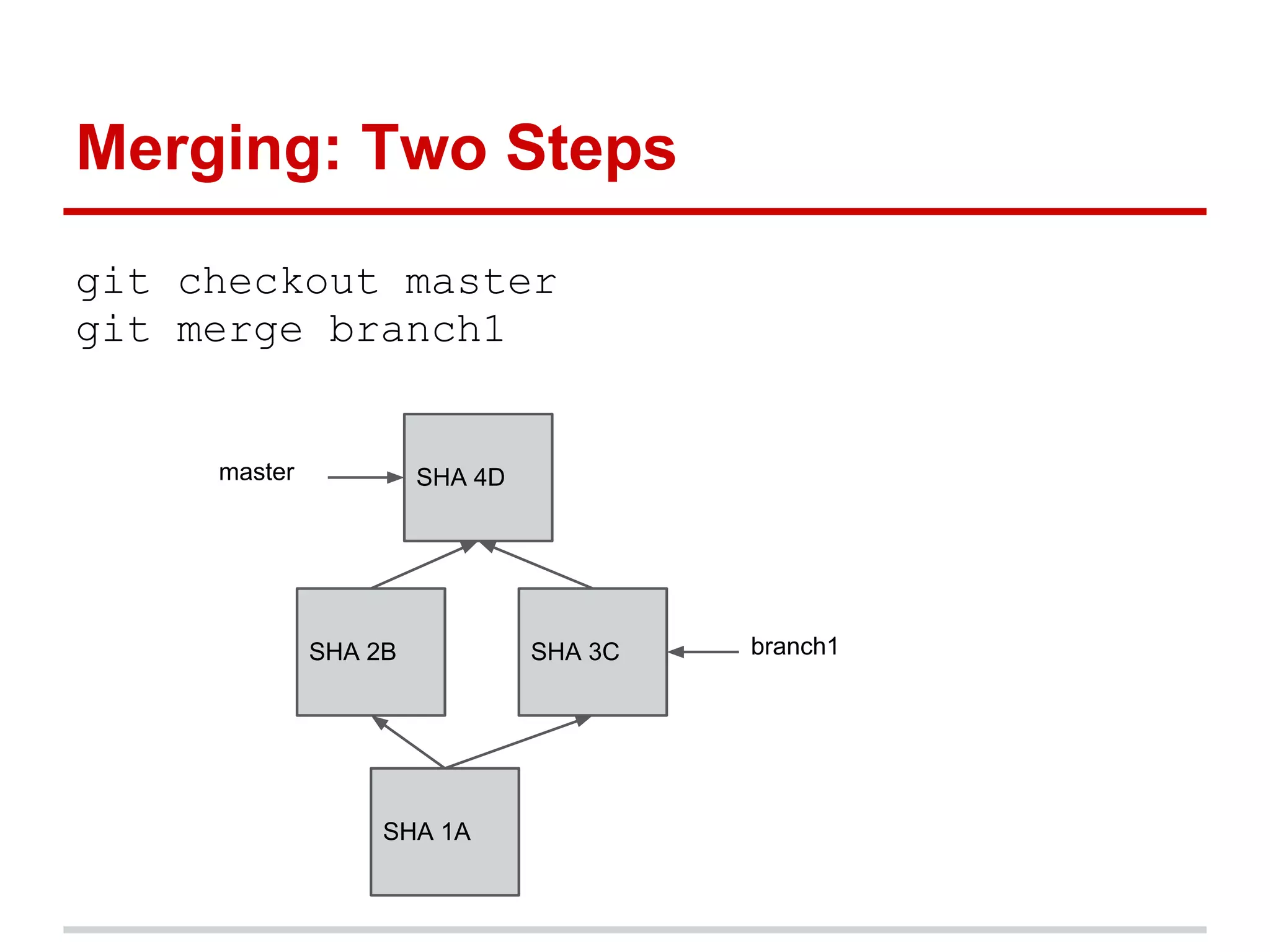
Merging: Two Steps
git checkout master
git merge branch1


     master            SHA 4D


              SHA 2B            SHA 3C   branch1


                   SHA 1A
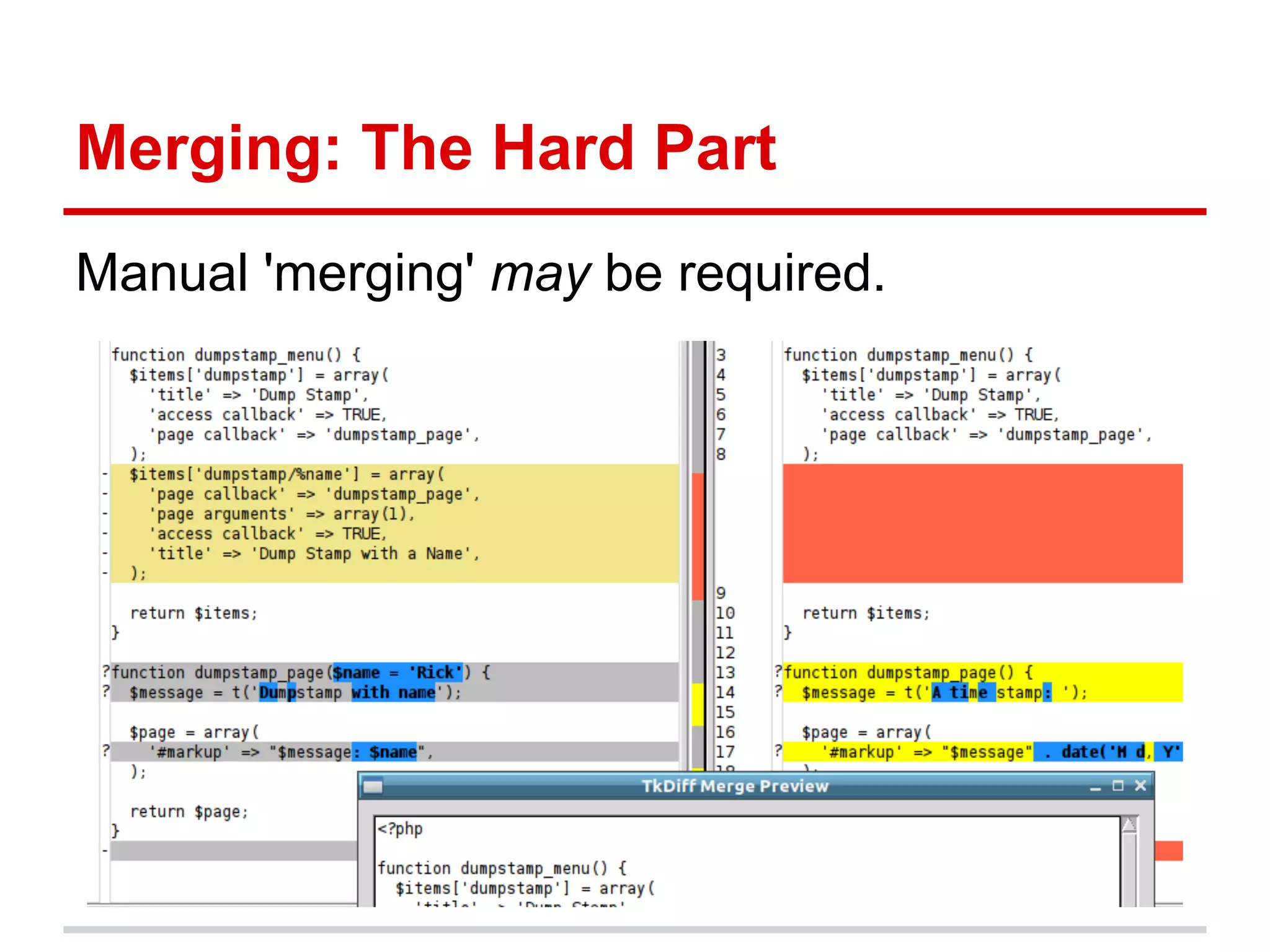
Merging: The Hard Part
Manual 'merging' may be required.
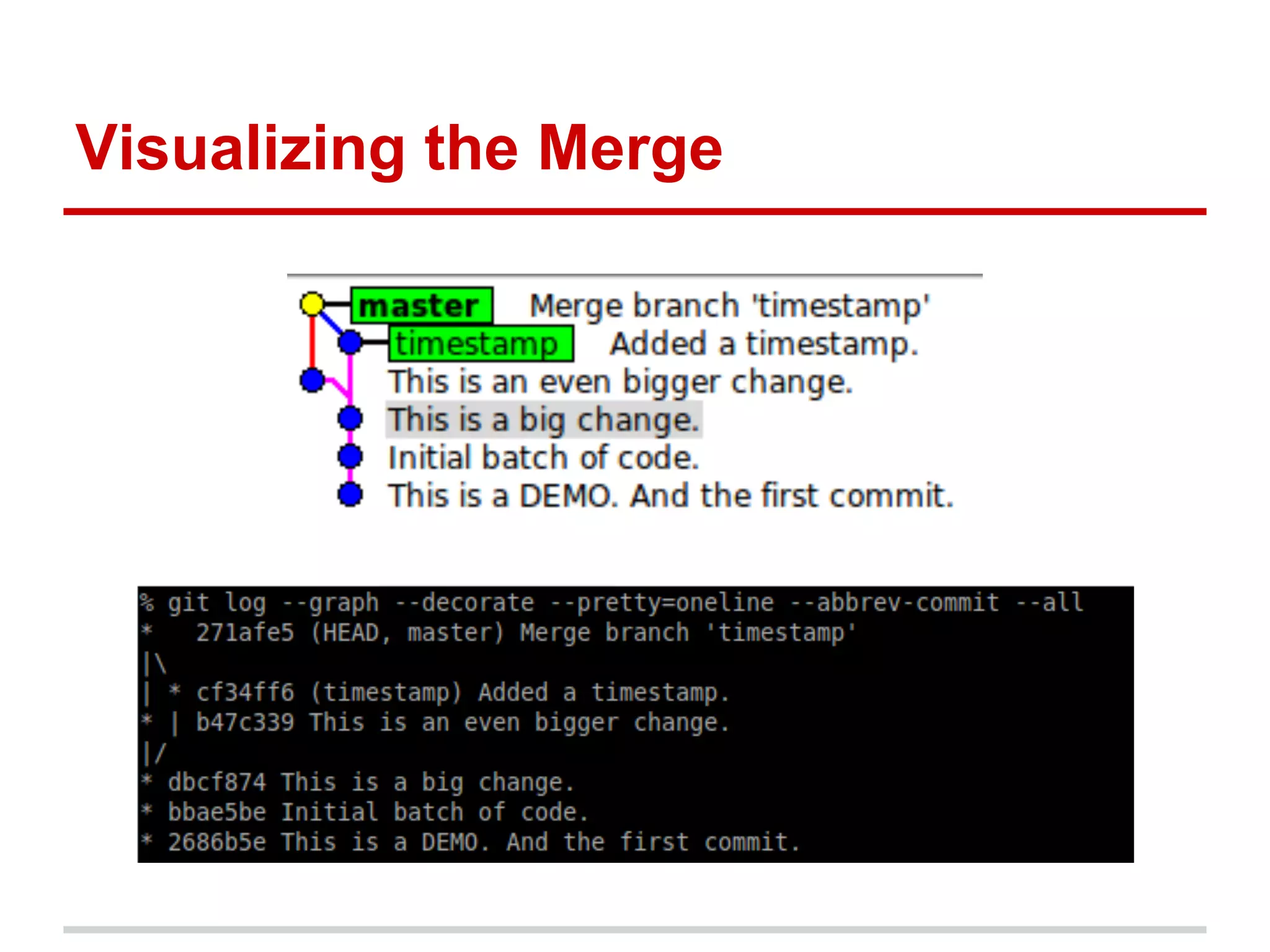
Visualizing the Merge
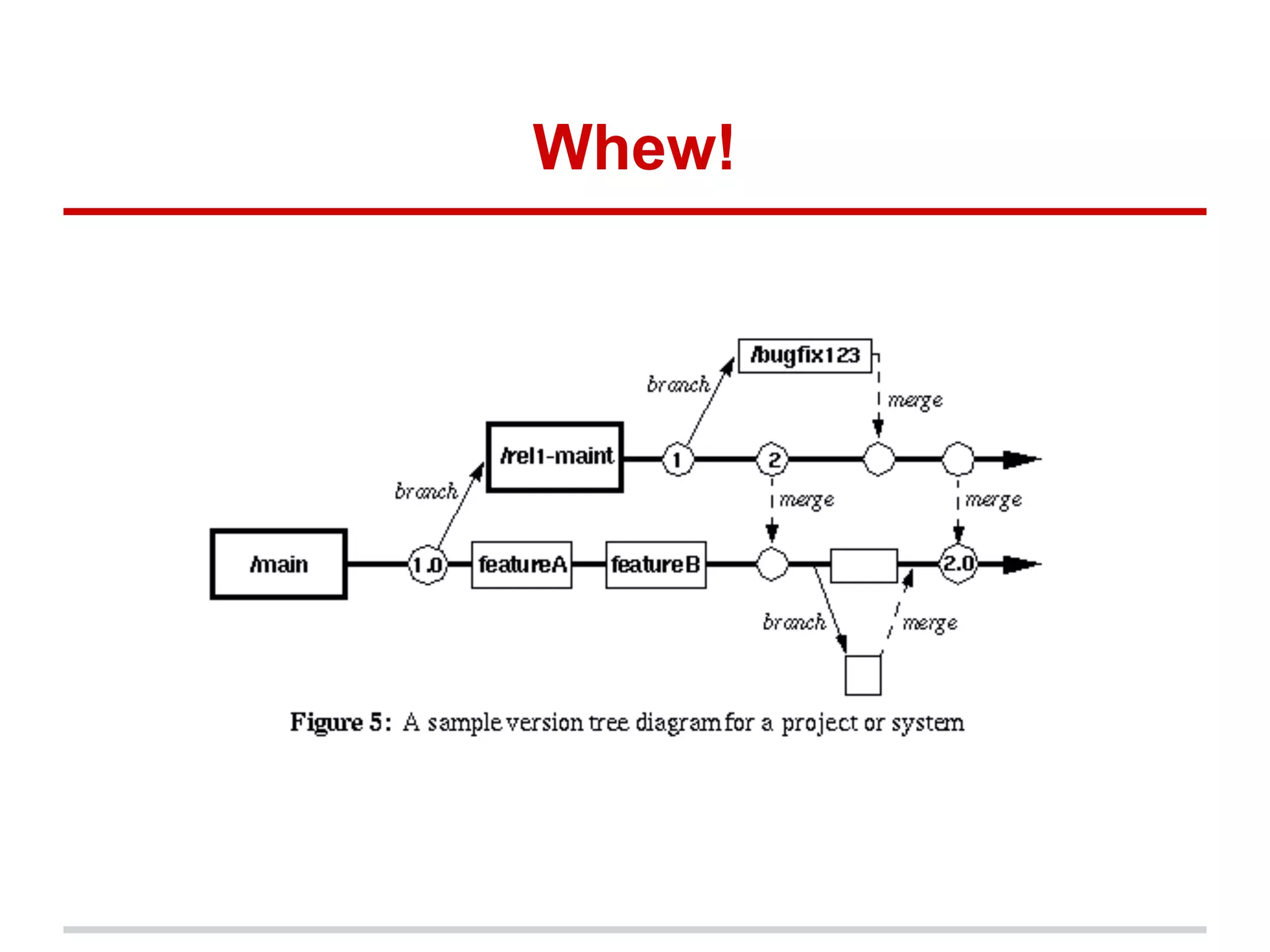
Whew!
Remote Branches
You can 'browse' public Git repositories for
code that you want to examine or use.
You can upload a local Git repository to a
public Git repository.
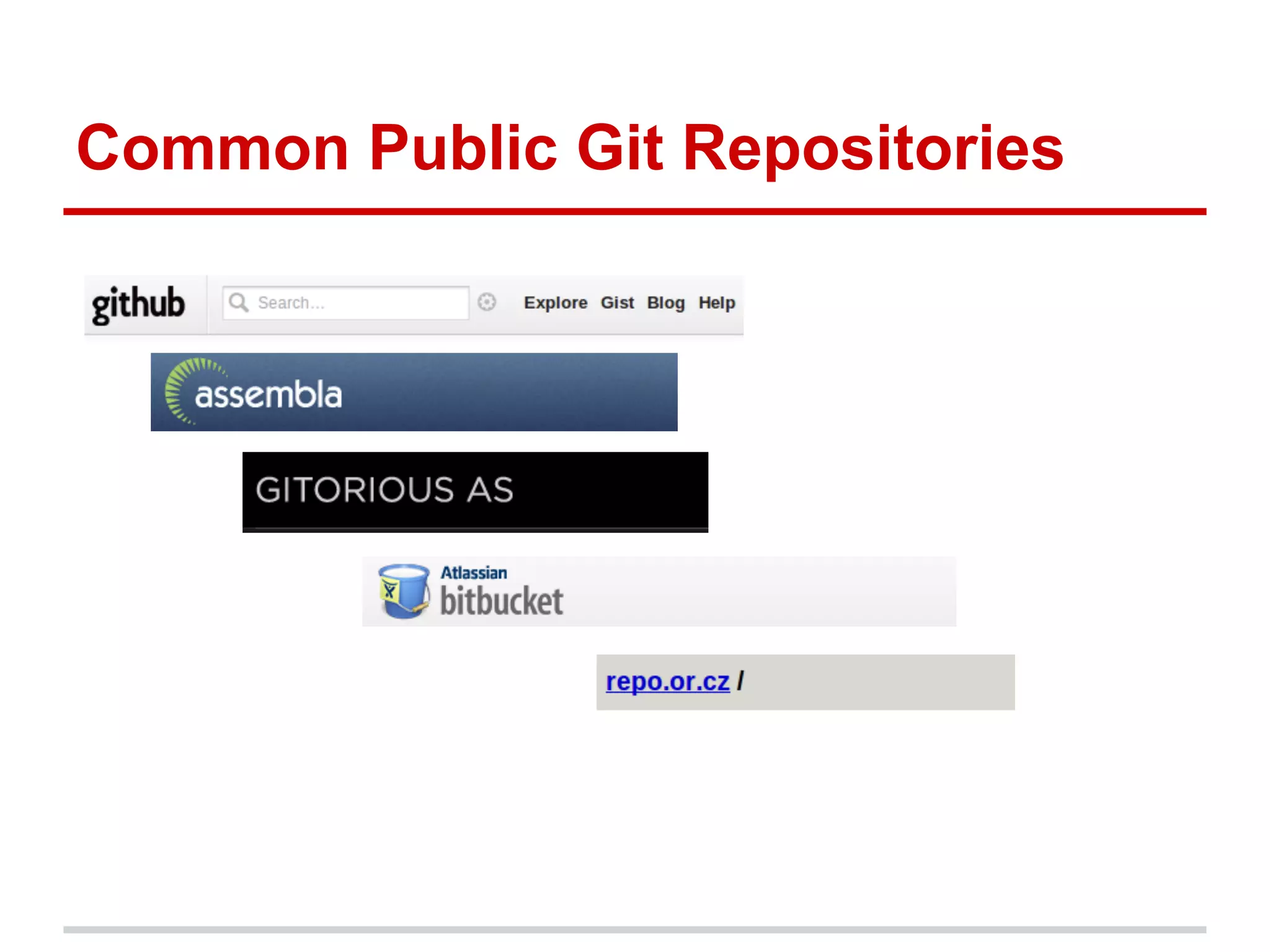
Common Public Git Repositories
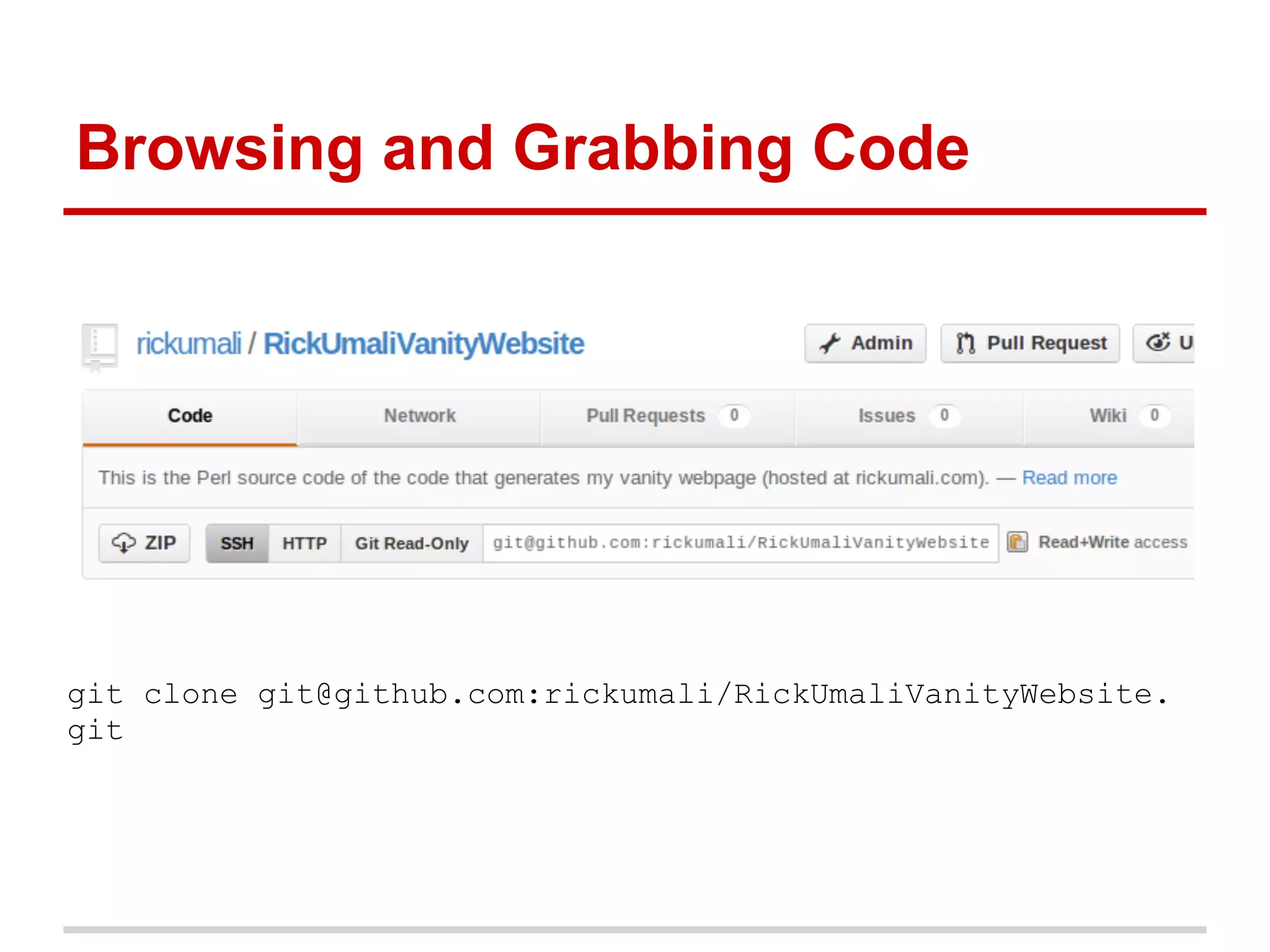
Browsing and Grabbing Code


git clone git@github.com:rickumali/RickUmaliVanityWebsite.
git
Uploading Code (to Github)
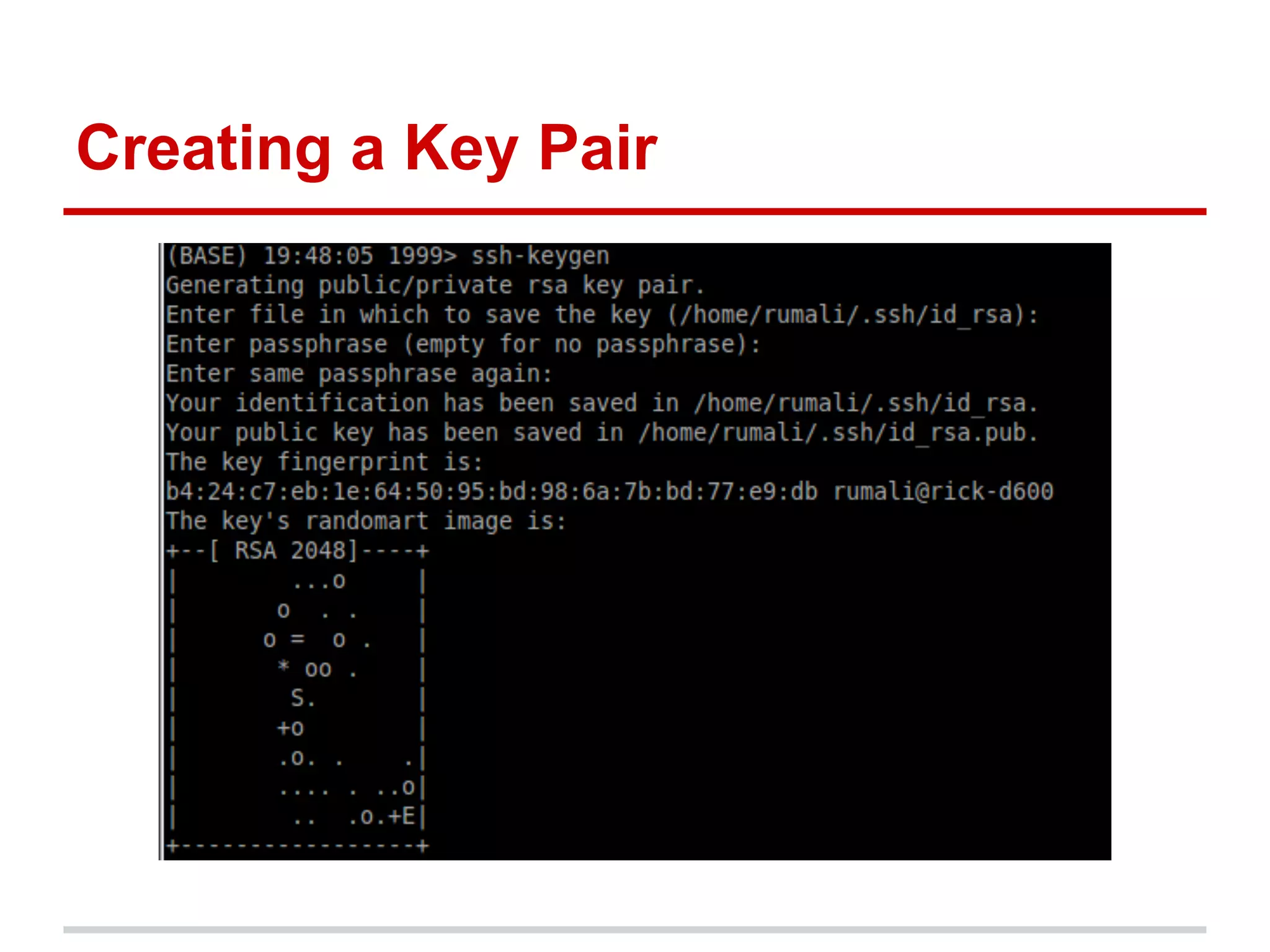
Create a key pair on your machine.

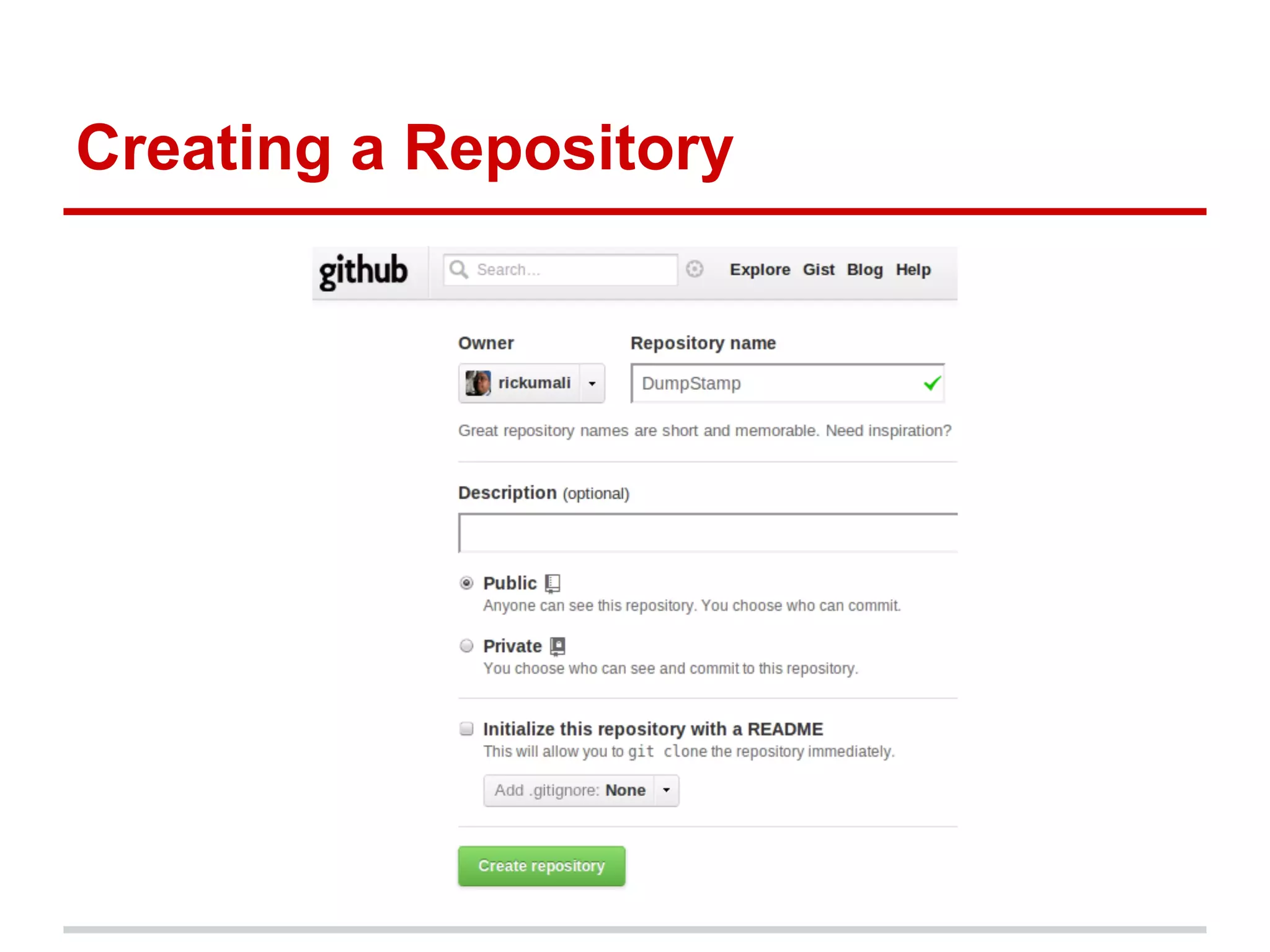
Create a repository (on Github).

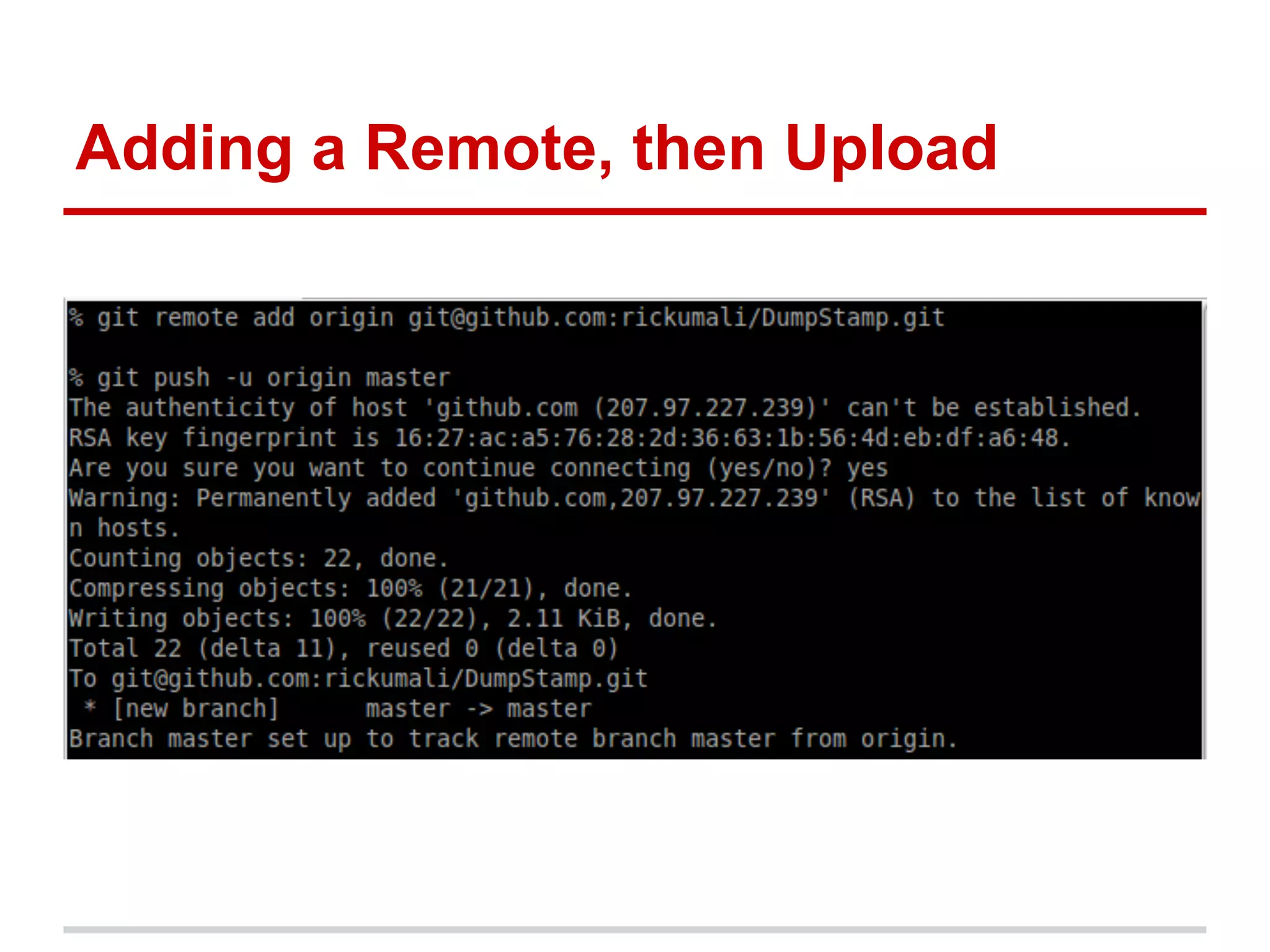
Add a 'remote' (via git remote add).

Upload your code (via git push).
Creating a Key Pair
Creating a Repository
Adding a Remote, then Upload
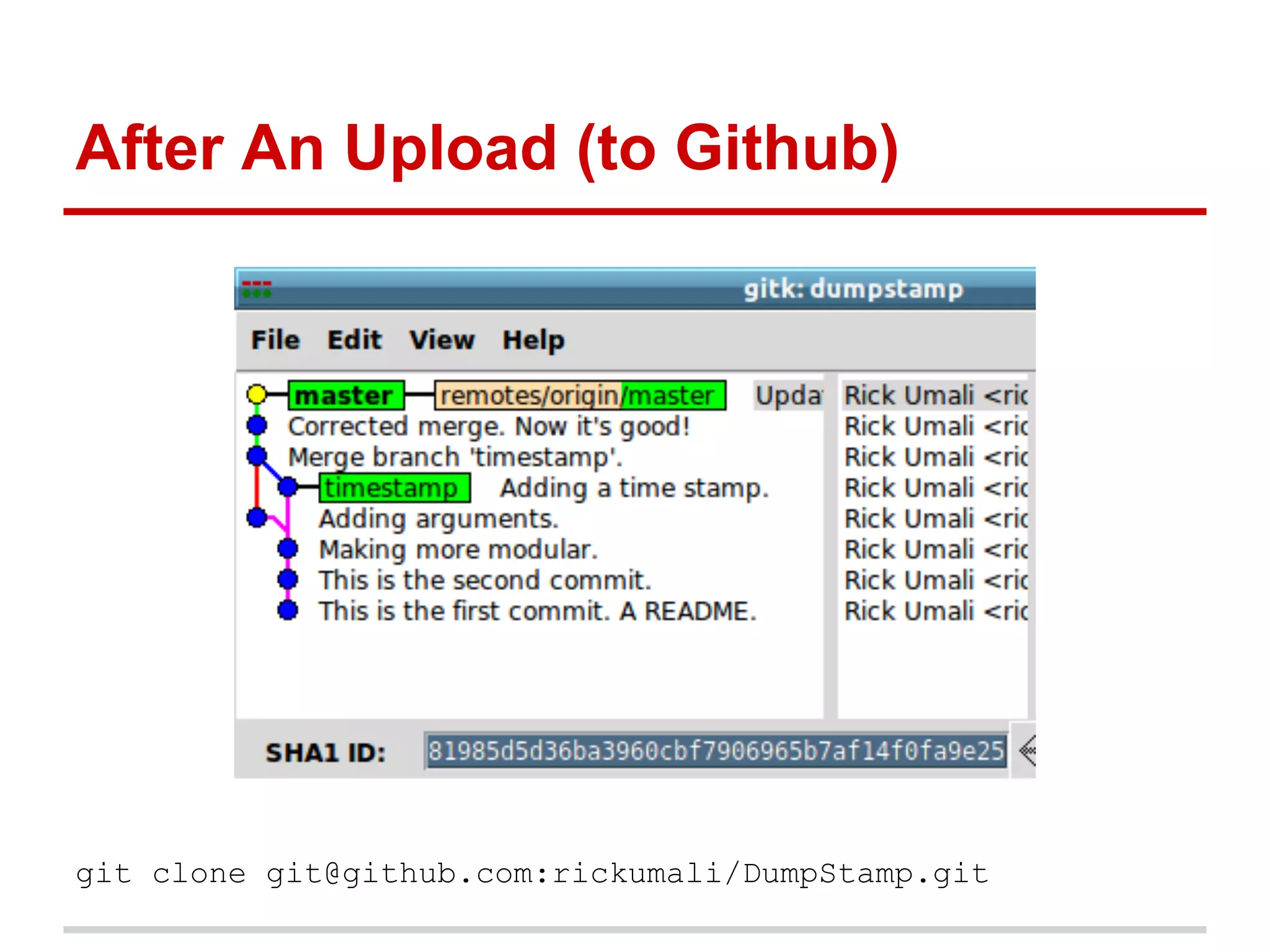
After An Upload (to Github)


git clone git@github.com:rickumali/DumpStamp.git
Next Steps
Install Git.

Commit your code changes frequently.

Log verbosely (in commit messages).

Experiment (branch) often.
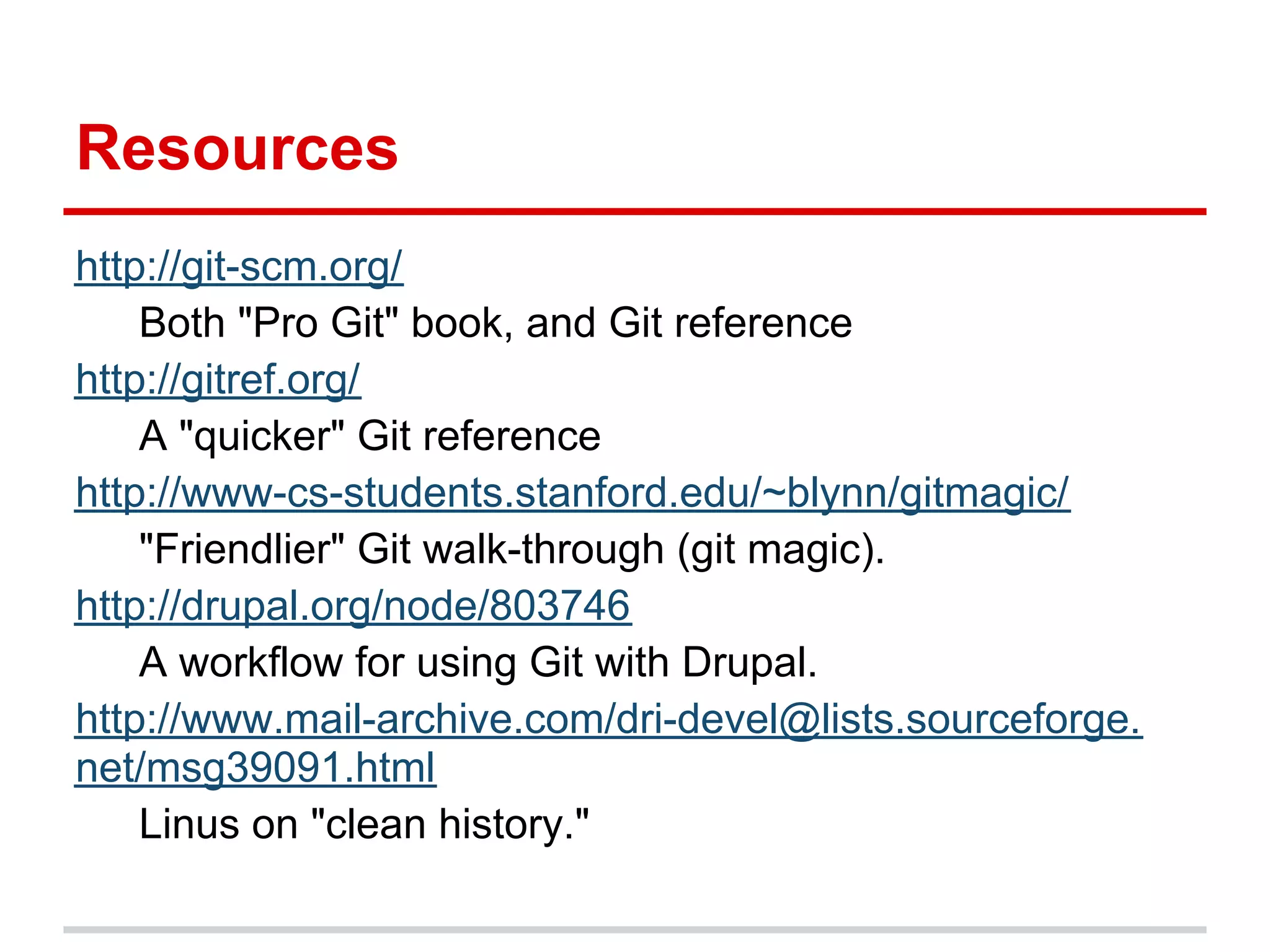
Resources
http://git-scm.org/
    Both "Pro Git" book, and Git reference
http://gitref.org/
    A "quicker" Git reference
http://www-cs-students.stanford.edu/~blynn/gitmagic/
    "Friendlier" Git walk-through (git magic).
http://drupal.org/node/803746
    A workflow for using Git with Drupal.
http://www.mail-archive.com/dri-devel@lists.sourceforge.
net/msg39091.html
    Linus on "clean history."
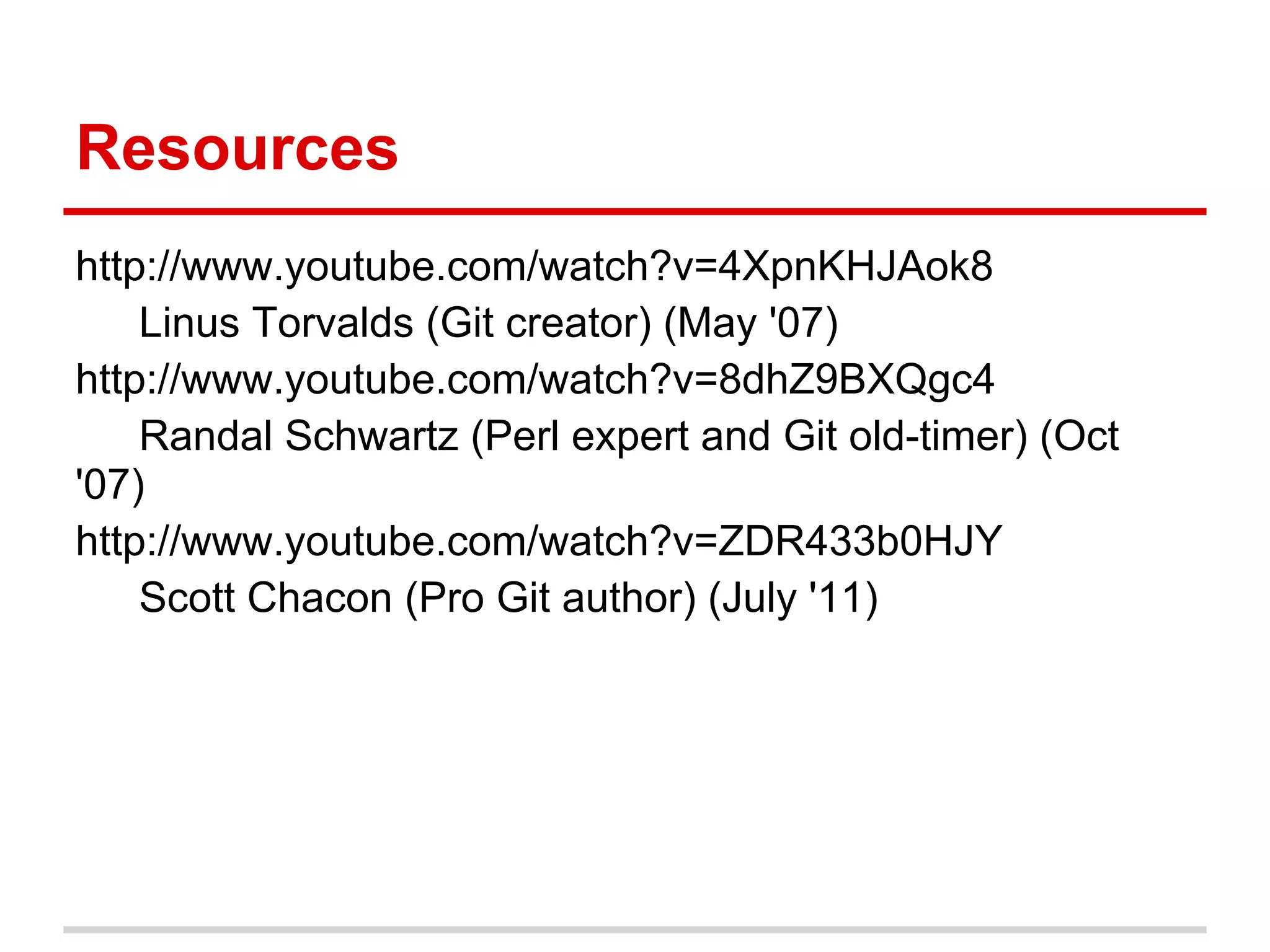
Resources
http://www.youtube.com/watch?v=4XpnKHJAok8
    Linus Torvalds (Git creator) (May '07)
http://www.youtube.com/watch?v=8dhZ9BXQgc4
    Randal Schwartz (Perl expert and Git old-timer) (Oct
'07)
http://www.youtube.com/watch?v=ZDR433b0HJY
    Scott Chacon (Pro Git author) (July '11)
Getting Started with Git

                       Thank you!


Rick Umali
rickumali@gmail.com
http://tech.rickumali.com/

Getting Started with Git

  • 1.
    Getting Started withGit 5/17/2012 This presentation is at: http://sn.im/startgit If you're on Google Docs, make sure to read the 'speaker notes' for this presentation. Rick Umali rickumali@gmail.com http://tech.rickumali.com/
  • 2.
    Questions I Planto Answer What is source control? What is the big deal with Git? Can you show me a little Git? Commits. Branches. Merges. Remote repos.
  • 3.
    What is SourceControl? A mechanism to track changes in source code. Used for version history, auditing, and recovery. Source code control is the most important practice a coding professional can do.
  • 4.
  • 5.
    Revision Control Example:Git This is what we'll be trying.
  • 6.
    Git Git is anopen source, distributed version control system designed for speed and efficiency. ● Freedom ● No "server" required ● Unique architecture
  • 7.
  • 8.
  • 9.
    First Time Use:Set Up Tell Git who you are! % git config --global user.name "Rick Umali" % git config --global user.email "rickumali@gmail.com" Future 'commits' will show this information. % git config --list See "git config --help" for more configurations.
  • 10.
    Creating a "Repository" Let'spretend we're developing a Drupal module. % cd web/sites/all/modules % mkdir dumpstamp % cd dumpstamp % git init "git init" creates the entire Git repository. No server interaction required!
  • 11.
    Committing Your FirstFile To 'commit' means 'to save the state' of your work. You must first 'add' this change to the 'staging area'. % vi README.txt % git add README.txt % git commit -m "First commit. README file." Use 'git help' to learn all the switches. -m stands for message.
  • 12.
    Looking at theRepository % git log Each 'commit' contains an ID, along with the author information from earlier, and a time stamp. % gitk GUI tools can help you visualize the 'repo.'
  • 13.
    Adding More Files % vi dumpstamp.info dumpstamp.module % git status % git add . % git commit This second commit saves the work of adding two files by using 'git add .'. The .module and .info files are the two required files for every Drupal module.
  • 14.
    Bonus: Creating aModule % drush pm-info dumpstamp % drush enable dumpstamp
  • 15.
    Examining Changes toFiles % vi dumpstamp.module % git status % git diff % git add dumpstamp.module % git commit % git log The above is a typical 'workflow'. Git offers suggestions and hints as you use it.
  • 16.
    Doing More Changes %vi dumpstamp.module % git diff % git commit -a Or even: % git commit -a -m "Commit message." Another typical 'workflow'.
  • 17.
    Looking at theLog Again The history can be examined different ways. % git log % git log --format=short % git log --format=oneline % git log --oneline
  • 18.
    Revisiting History You can'revisit' any point of your history. % git checkout SHAID Every commit is known by its SHA ID. This is the first step in making a branch! (Use git checkout master to revert.)
  • 19.
    Branching and MergingNext, But... What we have covered so far is probably 70- 80% of what you will do with git. Adding and committing files are the heart of git (and any version control system).
  • 20.
    Branching Git encourages experimentation,by making branching very easy.
  • 21.
    Branching: git checkout-b % git checkout -b BRANCH SHA1 Make some edits on a change below the master, then commit. git branch makes a branch from the branch you're on (default branch is 'master').
  • 22.
    Branching: Starting State NOTE:'master' is a branch that's created 'by default'. master SHA 1A
  • 23.
    Branching: Make SomeChanges git commit master SHA 2B SHA 1A
  • 24.
    Branching: Making aBranch git checkout -b branch1 SHA1 master SHA 2B SHA 1A branch1 NOTE: This command is a short cut for: git branch branch1 name_of_branch , then git checkout branch1 .
  • 25.
    Branching: Changes onthe Branch (Make changes in branch1.) git commit master SHA 2B SHA 3C branch1 SHA 1A
  • 26.
  • 27.
    Merging Bringing two branchestogether. Git calculates the correct 'merge base'. First 'checkout' the branch you want to merge into (typically master), then 'merge' the branch. % git checkout master % git merge BRANCH
  • 28.
    Merging: Starting State gitbranch master SHA 2B SHA 3C branch1 SHA 1A
  • 29.
    Merging: Two Steps gitcheckout master git merge branch1 master SHA 4D SHA 2B SHA 3C branch1 SHA 1A
  • 30.
    Merging: The HardPart Manual 'merging' may be required.
  • 31.
  • 32.
  • 33.
    Remote Branches You can'browse' public Git repositories for code that you want to examine or use. You can upload a local Git repository to a public Git repository.
  • 34.
    Common Public GitRepositories
  • 35.
    Browsing and GrabbingCode git clone git@github.com:rickumali/RickUmaliVanityWebsite. git
  • 36.
    Uploading Code (toGithub) Create a key pair on your machine. Create a repository (on Github). Add a 'remote' (via git remote add). Upload your code (via git push).
  • 37.
  • 38.
  • 39.
    Adding a Remote,then Upload
  • 40.
    After An Upload(to Github) git clone git@github.com:rickumali/DumpStamp.git
  • 41.
    Next Steps Install Git. Commityour code changes frequently. Log verbosely (in commit messages). Experiment (branch) often.
  • 42.
    Resources http://git-scm.org/ Both "Pro Git" book, and Git reference http://gitref.org/ A "quicker" Git reference http://www-cs-students.stanford.edu/~blynn/gitmagic/ "Friendlier" Git walk-through (git magic). http://drupal.org/node/803746 A workflow for using Git with Drupal. http://www.mail-archive.com/dri-devel@lists.sourceforge. net/msg39091.html Linus on "clean history."
  • 43.
    Resources http://www.youtube.com/watch?v=4XpnKHJAok8 Linus Torvalds (Git creator) (May '07) http://www.youtube.com/watch?v=8dhZ9BXQgc4 Randal Schwartz (Perl expert and Git old-timer) (Oct '07) http://www.youtube.com/watch?v=ZDR433b0HJY Scott Chacon (Pro Git author) (July '11)
  • 44.
    Getting Started withGit Thank you! Rick Umali rickumali@gmail.com http://tech.rickumali.com/