
WELCOME
MOTHERBOARD
Type of case
ROM BIOS
Type of keyboard connector
Presence/absence of proprietary video and/or
proprietary local bus slots
Presence/absence of IDE adapters and SCSI controller
Presence/absence of COM ports, LPT ports, and
mouse port
Considerations When Selecting a
System Board
Types of Motherboards
A Typical System Board Layout
An ATX Pentium System Board
Baby AT System Board
A Dual-Processor System Board
Full-size AT System Board
Main Components on a Motherboard
System clock
CPU and its
chip set
System bus
with expansion
slots
Jumpers and
DIP switches
ROM BIOS
CMOS configuration
chip and its battery
RAM
RAM cache (L2)
(optional)
Ports directly on the
board
Power supply
connections
Random Access Memory (RAM).
RAM is used to hold programs while
they are being executed, and data
while it is being processed.
RAM is volatile, meaning that
information written to RAM will
disappear when the computer is
turned off.
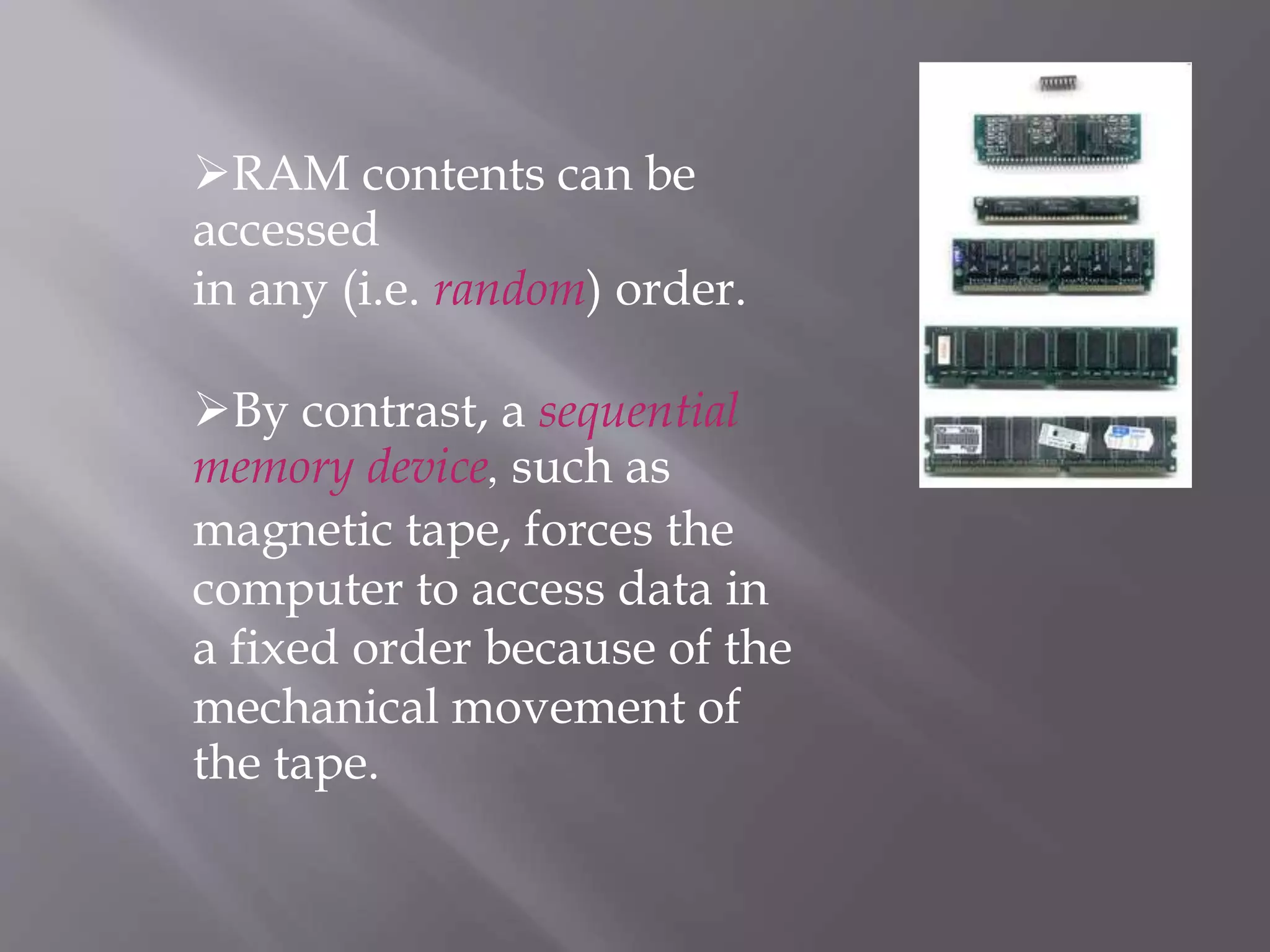
RAM
RAM contents can be
accessed
in any (i.e. random) order.
By contrast, a sequential
memory device, such as
magnetic tape, forces the
computer to access data in
a fixed order because of the
mechanical movement of
the tape.
Two operations of RAM
Loading means copying data from the
secondary storage to the main memory
Saving means copying data from RAM
to the non-volatile secondary storage.
Types of RAM
SRAM
DRAM
SDRAM
DDR-RAM
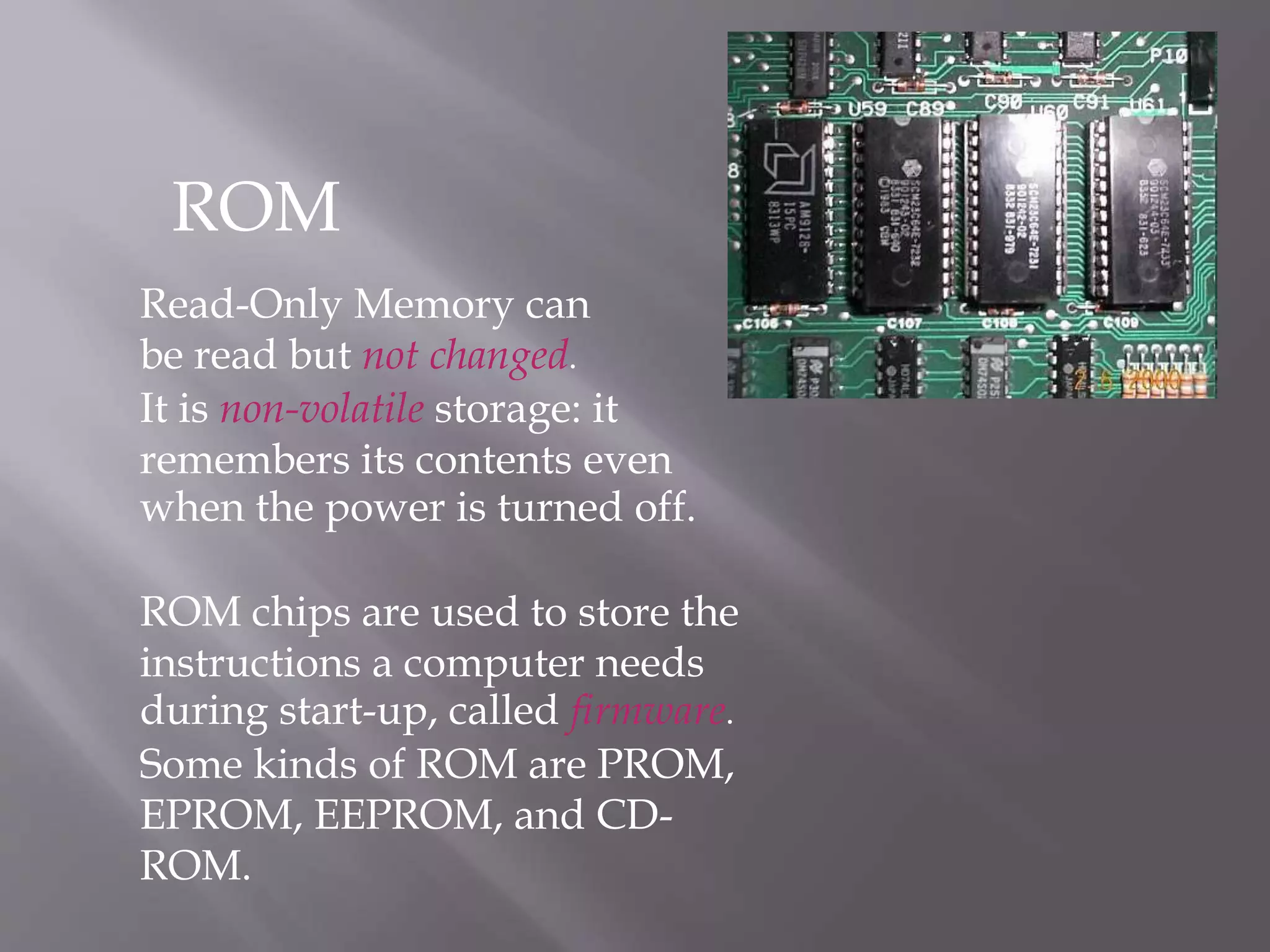
Read-Only Memory can
be read but not changed.
It is non-volatile storage: it
remembers its contents even
when the power is turned off.
ROM chips are used to store the
instructions a computer needs
during start-up, called firmware.
Some kinds of ROM are PROM,
EPROM, EEPROM, and CD-
ROM.
ROM
CMOS Memory
A computer needs a semi-
permanent
way of keeping some start-up
data
e.g. the current time, the no.
of hard disks
the data may need to be
updated/changed
CMOS memory requires (very
little) power to retain its
contents.
supplied by a battery on the
motherboard
the battery
The CPU
The Central Processing Unit (CPU) is the
chip on the motherboard that acts as the
"computer's brain"
it does calculations, and coordinates
the other motherboard components
CPU examples: the Pentium, the
PowerPC chip
The CPU is also known as the processor or
microprocessor.
The CPU and RAM
The RAM
contains
data
and
programs
The data bus transports the
processed data to the RAM so
it can be stored, displayed, or
output.
The CPU
processes data.
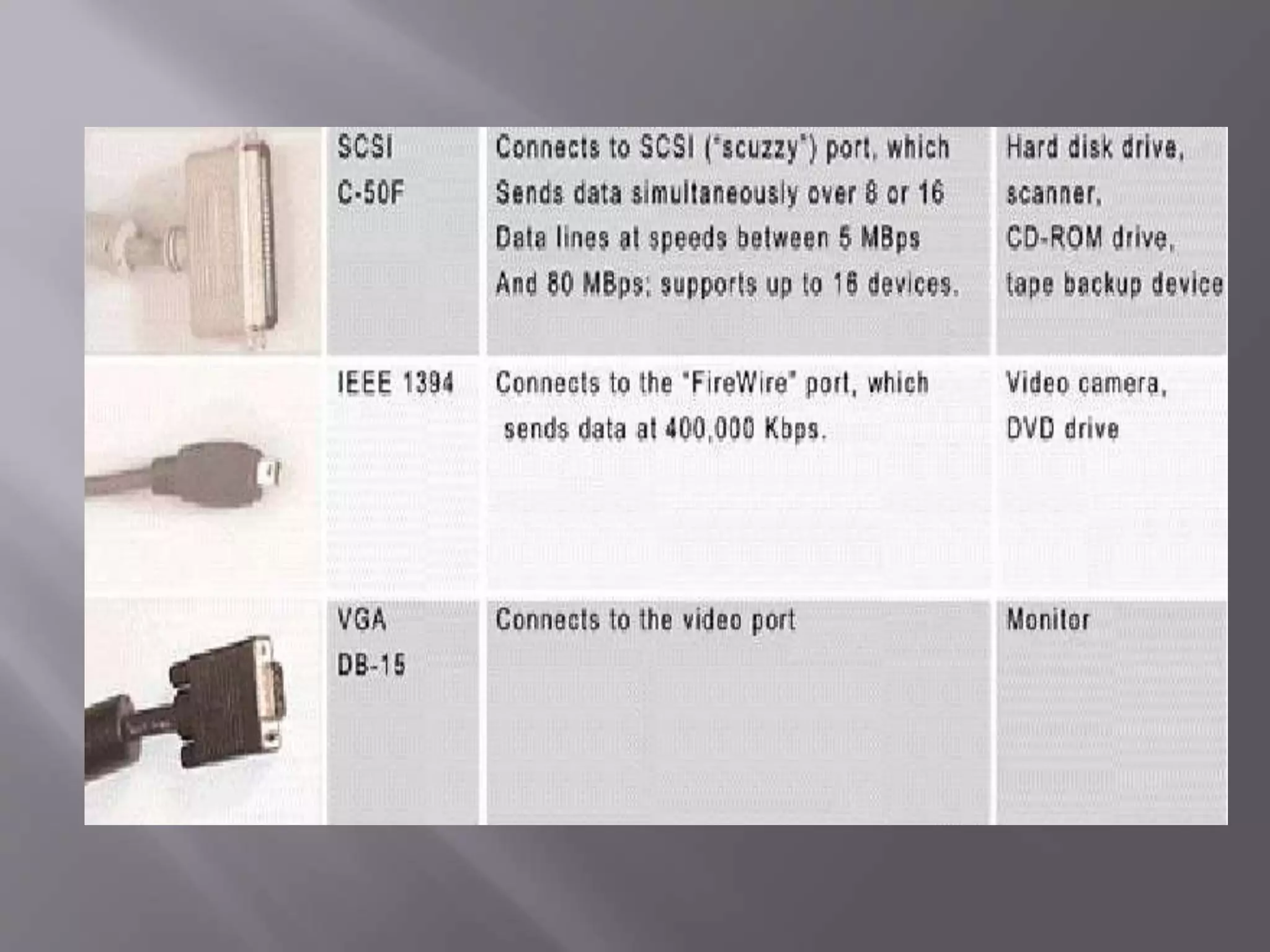
Connector Cables
The interface between peripheral devices
and the CPU.
A port is built on the motherboard while an
interface card is inserted into slots on the
motherboard.
Sometimes, an interface card may become a
built-in function on the motherboard.
Ports and Interface Cards
THANK YOU

Motherboard

  • 1.
  • 2.
  • 4.
    Type of case ROMBIOS Type of keyboard connector Presence/absence of proprietary video and/or proprietary local bus slots Presence/absence of IDE adapters and SCSI controller Presence/absence of COM ports, LPT ports, and mouse port Considerations When Selecting a System Board
  • 5.
  • 6.
    A Typical SystemBoard Layout
  • 7.
    An ATX PentiumSystem Board
  • 8.
  • 9.
  • 10.
  • 11.
    Main Components ona Motherboard System clock CPU and its chip set System bus with expansion slots Jumpers and DIP switches ROM BIOS CMOS configuration chip and its battery RAM RAM cache (L2) (optional) Ports directly on the board Power supply connections
  • 13.
    Random Access Memory(RAM). RAM is used to hold programs while they are being executed, and data while it is being processed. RAM is volatile, meaning that information written to RAM will disappear when the computer is turned off. RAM
  • 14.
    RAM contents canbe accessed in any (i.e. random) order. By contrast, a sequential memory device, such as magnetic tape, forces the computer to access data in a fixed order because of the mechanical movement of the tape.
  • 15.
    Two operations ofRAM Loading means copying data from the secondary storage to the main memory Saving means copying data from RAM to the non-volatile secondary storage. Types of RAM SRAM DRAM SDRAM DDR-RAM
  • 16.
    Read-Only Memory can beread but not changed. It is non-volatile storage: it remembers its contents even when the power is turned off. ROM chips are used to store the instructions a computer needs during start-up, called firmware. Some kinds of ROM are PROM, EPROM, EEPROM, and CD- ROM. ROM
  • 17.
    CMOS Memory A computerneeds a semi- permanent way of keeping some start-up data e.g. the current time, the no. of hard disks the data may need to be updated/changed CMOS memory requires (very little) power to retain its contents. supplied by a battery on the motherboard the battery
  • 18.
    The CPU The CentralProcessing Unit (CPU) is the chip on the motherboard that acts as the "computer's brain" it does calculations, and coordinates the other motherboard components CPU examples: the Pentium, the PowerPC chip The CPU is also known as the processor or microprocessor.
  • 19.
    The CPU andRAM The RAM contains data and programs The data bus transports the processed data to the RAM so it can be stored, displayed, or output. The CPU processes data.
  • 20.
  • 22.
    The interface betweenperipheral devices and the CPU. A port is built on the motherboard while an interface card is inserted into slots on the motherboard. Sometimes, an interface card may become a built-in function on the motherboard. Ports and Interface Cards
  • 24.